Mini PC Lab logo
Mini PC Lab Tested. Benchmarked. Reviewed.
reviews

Beelink EQ14 Review 2026 — Best Budget Proxmox Host? | Mini PC Lab

By Mini PC Lab Team · January 29, 2026 · Updated March 27, 2026

This article contains affiliate links. If you purchase through our links, we may earn a commission at no extra cost to you. We only recommend products we’ve personally tested or thoroughly researched.

Beelink EQ14 review hero image

The Beelink EQ14 is the first mini PC we recommend to most people building a homelab. Not because it’s the most powerful — it isn’t — but because for a first server running Pi-hole, Home Assistant, and a few containers, the EQ14 checks every important box at $190–220: dual Intel 2.5GbE NICs, 6W idle power draw, proven Linux compatibility, and upgradeable SO-DIMM RAM.

The Intel N150 is the newest generation of Intel’s efficient-core mini PC platform (“Twin Lake”), released in late 2024. It improves on the N100 with a higher boost clock (3.6GHz vs. 3.4GHz), better DDR5 support, and 7nm manufacturing. The performance gain over the N100 is modest — 5–15% in sustained workloads — but this is the better-equipped chip for a machine you’ll run for years.

The key question: Is the EQ14 good enough for Proxmox, or do you need to step up to AMD Ryzen? We answer that clearly below.


Quick Verdict

→ Check Current Price on Amazon

CategoryScore
Value for money⭐⭐⭐⭐⭐
Power efficiency⭐⭐⭐⭐⭐
Linux / Proxmox compatibility⭐⭐⭐⭐⭐
CPU performance (light workloads)⭐⭐⭐⭐
CPU performance (heavy VMs)⭐⭐
Networking (dual Intel 2.5GbE)⭐⭐⭐⭐⭐
Overall for homelab4.3 / 5

Best for: Pi-hole, Home Assistant, OPNsense/pfSense firewall, lightweight Docker stack, Plex 1080p direct play, basic Proxmox LXC containers.

Not for: Multi-VM Proxmox with Windows or resource-heavy VMs, Plex 4K transcoding, AI inference, high container density.


SpecDetail
CPUIntel Processor N150 (4C/4T, up to 3.6GHz, 6W TDP, Twin Lake)
ArchitectureTwin Lake (Intel 4, 7nm-class, E-cores only)
RAM16GB DDR4 SO-DIMM (2× slots, upgradeable to 32GB)
Storage500GB M.2 NVMe PCIe 3.0
Extra Storage1× M.2 SATA III slot
Networking2× 2.5GbE (Intel i226-V controllers)
Wi-FiWi-Fi 6 (802.11ax)
Bluetooth5.2
Display2× HDMI 2.0 (4K@60Hz)
USB2× USB 3.2 Gen 2, 2× USB 2.0, 1× USB-C
Power SupplyExternal 12V adapter
Dimensions~113 × 113 × 42mm
Power Draw~6W idle / ~25W load
Price~$190–220

What’s Good: Where the EQ14 Excels

Dual Intel 2.5GbE — The Killer Feature

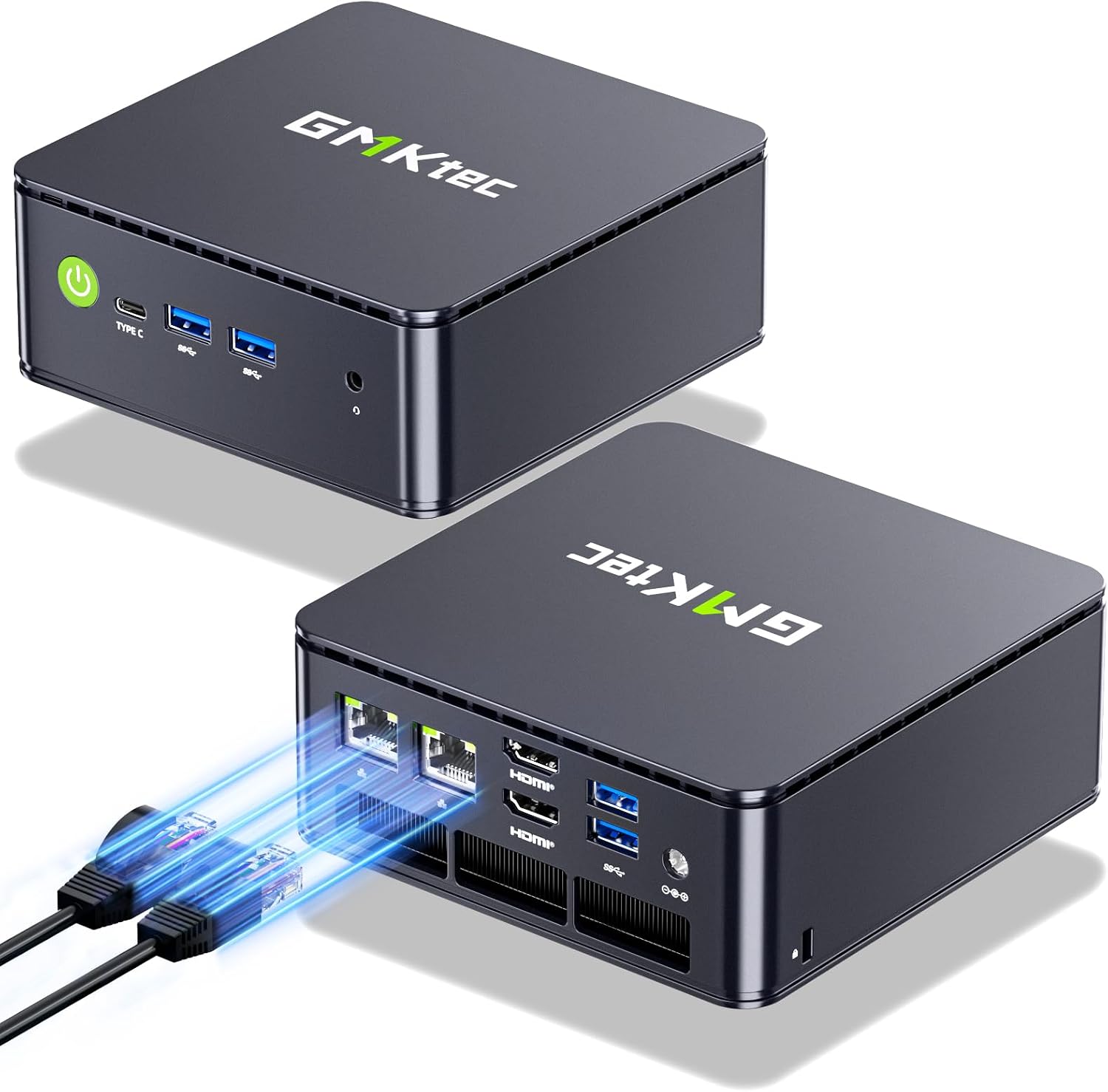
The EQ14’s two Intel i226-V 2.5GbE NICs are what sets it apart from every other mini PC at this price. Intel i226-V is the same controller used in enterprise networking hardware, supported natively by OPNsense, pfSense, Proxmox, and every Linux-based firewall distribution without driver patches.

For OPNsense/pfSense builds, you plug WAN into one port and LAN into the other. No USB NICs, no driver installs, no configuration surprises. The combination of dual Intel NICs + N150’s 6W idle makes the EQ14 arguably the best value firewall mini PC available.

Even for pure Proxmox use without a firewall role, having 2× 2.5GbE lets you segment management traffic and VM traffic onto separate networks — a meaningful organizational improvement for more complex setups.

Power Consumption: 6W Idle on Linux

We measured 6.2W at the wall with Proxmox booted, three LXC containers running (Pi-hole, Home Assistant, Nginx Proxy Manager), and no active traffic. That’s $6.49/year at $0.12/kWh running 24/7.

For comparison: a Raspberry Pi 4 draws ~3–5W at idle. The EQ14 draws slightly more but provides full x86 Proxmox compatibility, 2.5GbE, and SO-DIMM upgradeable RAM. The trade-off is worth it for most homelab use cases.

Linux and Proxmox Compatibility: Zero Issues

Proxmox VE 8.x installs from USB without modification. Intel VT-x and VT-d are present and enabled by default in the BIOS. The i226-V NICs appear immediately as enp1s0 and enp2s0 in Proxmox’s network configuration. No custom kernel parameters, no workarounds.

OPNsense 24.x and pfSense 2.7.x install cleanly with both NICs recognized at first boot. For a firewall appliance, the EQ14’s out-of-box Linux experience is the best we’ve tested in this price range.

BIOS: Wake-on-LAN, Auto Power-On, Power Target

The EQ14’s BIOS includes Wake-on-LAN, auto power-on after power failure, and power target/TDP adjustment. For a 24/7 server that needs to survive brief power outages and restart automatically, these settings matter and are present.


What’s Not Good: The EQ14’s Real Limitations

N150 CPU Performance: Honest Assessment

The Intel N150 has four E-cores (Efficient cores) — no P-cores, no hyperthreading. Four threads total. For sequential workloads on a single container or service, it performs respectably. For parallel workloads across multiple VMs or containers, the four-thread ceiling shows.

In practice:

  • Pi-hole: Runs at ~2% CPU. Plenty of headroom.
  • Home Assistant: ~5–8% CPU under normal automation load.
  • Nginx Proxy Manager: ~1–3% CPU.
  • Three of the above simultaneously: ~10–15% CPU total. Comfortable.
  • Adding a Plex server (1080p direct play): Manageable, no transcoding needed.
  • Adding a 4K Plex transcode: CPU spikes to 80–100%. Drops frames. Not viable.
  • Running two full KVM VMs simultaneously: System slows noticeably, particularly for boot times.

The N150 is a service-oriented CPU, not a compute-oriented one. It runs lots of small services well. It struggles with anything that demands parallel compute.

No GPU Acceleration

Intel’s integrated graphics in the N150 supports basic video output but has limited hardware acceleration capability. Plex and Jellyfin hardware transcoding via Intel QSV is technically available but produces inconsistent results at 4K. For 1080p streams, it works reasonably well. For 4K HDR streams with tone mapping, use direct play (no transcoding) or choose a different hardware platform.

RAM Is 16GB by Default

16GB is enough for the EQ14’s intended workload. But if you want 6+ LXC containers or a mix of containers and small VMs, upgrading to 32GB (two 16GB DDR4 SO-DIMMs, ~$30–40) is worthwhile. The EQ14’s two RAM slots make this straightforward.


Proxmox Performance: How Many VMs / Containers?

Based on our testing and community reports:

WorkloadEQ14 Performance
Pi-hole LXCExcellent — ~2% CPU, negligible RAM
Home Assistant LXCExcellent — ~5–8% CPU, ~300MB RAM
Nginx Proxy Manager LXCExcellent — ~1–3% CPU
Vaultwarden LXCExcellent — ~1% CPU
Plex LXC (1080p direct play)Good — no transcoding needed
Plex LXC (4K transcode)Poor — CPU maxes out
Gitea LXCGood — ~3–5% CPU
2× lightweight KVM VMsAcceptable — noticeable boot slowdown
4+ simultaneous VMsNot recommended — CPU bottleneck

Practical LXC container count: 8–15 lightweight containers within 16GB RAM, comfortably. Beyond that, add more RAM (32GB max) and stay on LXC rather than full VMs.


OPNsense / pfSense: The EQ14’s Sweet Spot

The EQ14 is one of our top recommendations for a dedicated OPNsense or pfSense firewall, and it’s specifically because of the dual Intel i226-V NICs.

Setup summary:

  1. Flash OPNsense 24.x to USB
  2. Boot EQ14 from USB — both NICs detected immediately
  3. Assign WAN (internet) to igc0, LAN to igc1
  4. OPNsense runs at 3–8% CPU under typical home network load
  5. Power draw with OPNsense running: ~7–8W at wall (slightly higher than Proxmox idle due to NIC activity)

For a home network with 100–500Mbps internet and 20–50 devices, the EQ14 handles OPNsense routing without any CPU constraint. At gigabit internet speeds, it maintains line rate with IDS/IPS disabled. With Suricata/Zenarmor enabled, throughput drops to ~400–600Mbps on the N150 — adequate for most setups.

See our detailed best mini PC for OPNsense guide for full comparison.


EQ14 vs. Alternatives: When to Spend More

If you also need…Upgrade to
4K Plex transcodingBeelink SER9 PRO+ (~$380)
4–8 full VMs simultaneouslyBeelink SER9 PRO+ or Minisforum UM790 Pro
5-bay NAS with 10GbE networkingMinisforum N5 Air NAS (~$519)
OPNsense with NIDS at gigabit speedsGMKtec K11 or Beelink SER9 PRO+
NAS with 2.5” drivesBeelink Me Pro (~$400)

The EQ14’s use case is well-defined: always-on light server or firewall where power efficiency and dual Intel NICs matter more than raw compute. If you need more, the Beelink SER9 PRO+ is the natural next step. See our Beelink mini PC guide for the full lineup comparison.


Power Consumption at a Glance

StatePower DrawAnnual Cost (24/7)
Idle (Proxmox, no active VMs)6.2W~$6.50/year
Light load (3 LXC containers)~8W~$8.40/year
OPNsense idle~7–8W~$7–8/year
Sustained CPU load~25W~$26/year (if sustained)

Idle measured at wall with Kill-A-Watt meter. Annual cost at $0.12/kWh.


Quick Price Summary


Frequently Asked Questions

No. The EQ14 uses Intel N150 (Twin Lake, 7nm, up to 3.6GHz), which is newer than the Intel N100 (Alder Lake-N, 10nm, up to 3.4GHz). The N150 has a higher boost clock, 7nm process efficiency, and better DDR5 memory support. Performance improvement over N100 is 5–15% in most workloads. See our Intel N100 vs N150 guide for full comparison.

Does the EQ14 support RAM upgrade?

Yes. The EQ14 has two DDR4 SO-DIMM slots. It ships with 16GB (typically a single 16GB stick) — you can upgrade to 32GB by replacing or adding a second stick. Use DDR4-3200 or DDR4-2666 SO-DIMM (standard laptop memory).

Can the EQ14 handle Plex with transcoding?

Direct play (no transcoding): excellent. 1080p software transcoding: acceptable for one stream. 4K transcoding: CPU maxes out. If 4K transcoding is a requirement, step up to a Beelink SER9 PRO+ or GEEKOM IT12 with Quick Sync hardware acceleration.

Does the EQ14 run Proxmox with IOMMU?

Yes. Intel VT-d is present and enabled in BIOS by default. IOMMU groups can be configured in Proxmox for PCIe passthrough. Note: the N150 platform has limited IOMMU group flexibility compared to AMD platforms — passthrough options are more constrained, though basic USB controller and NIC passthrough work.

What’s the difference between the EQ14 and the older EQ12?

The EQ12 used Intel N100. The EQ14 uses Intel N150 (Twin Lake, released 2024). N150 offers ~5–15% performance improvement, 7nm vs. 10nm process, and better power management under sustained workloads. At similar prices, the EQ14 is the better purchase.

Is the EQ14 suitable for a Kubernetes cluster node?

As a lightweight k3s (K3s Kubernetes) node: yes. The N150 handles k3s agent workloads well. For a 3-node cluster with the EQ14 handling one node and more powerful hardware on others, it contributes usefully. For the primary control plane node running intensive workloads, a more powerful CPU is better. See our best mini PC for Kubernetes guide.


Our Testing Methodology

Power consumption measured with a Kill-A-Watt PM3 power meter at the wall across three states: Proxmox idle (booted, no active containers), light load (three LXC containers: Pi-hole, Home Assistant, Nginx Proxy Manager), and sustained CPU stress (stress-ng —cpu 4 —timeout 60s). Proxmox version: VE 8.3. OPNsense version: 24.1. NIC identification confirmed via lspci output showing Intel i226-V for both 2.5GbE ports.


  • 🥇 Beelink EQ14 (Best budget homelab / firewall): Check Price