
Beelink SER9 Review: Ryzen 7 H 255 Mini PC with 677 Reviews [2026]
By Max · April 2, 2026 · Updated May 5, 2026
This article contains affiliate links. If you purchase through our links, we may earn a commission at no extra cost to you. We only recommend products we’ve thoroughly researched and verified.

→ Check Current Price on Amazon
The Beelink SER9 has the second-highest review count in this batch (677) and is a well-established product. The Ryzen 7 H 255 is the Hawk Point refresh — 8 cores, 16 threads, up to 4.9 GHz. However, the LPDDR5X is soldered, which limits upgradeability.
For buyers who want a proven, well-reviewed mini PC and don’t need RAM upgrades, the SER9 is the pick. For users who want upgradeable RAM for future 34B+ LLMs, the MINISFORUM X1-255 is better suited.
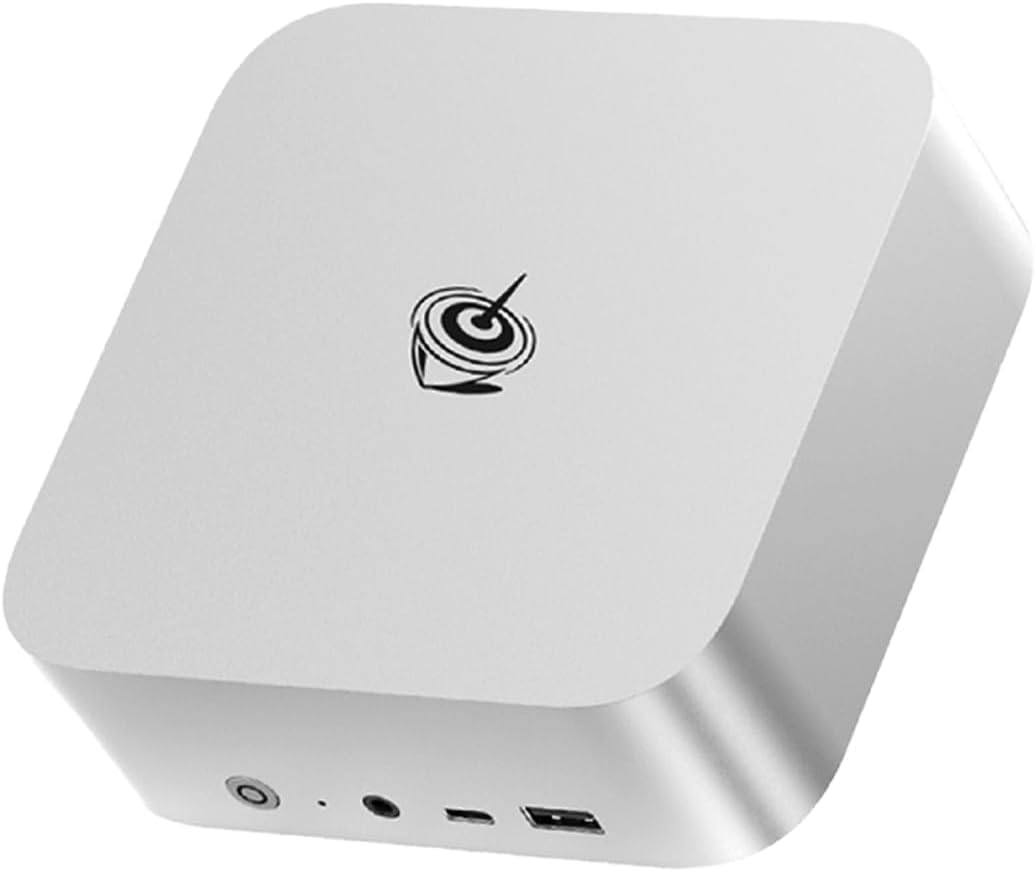
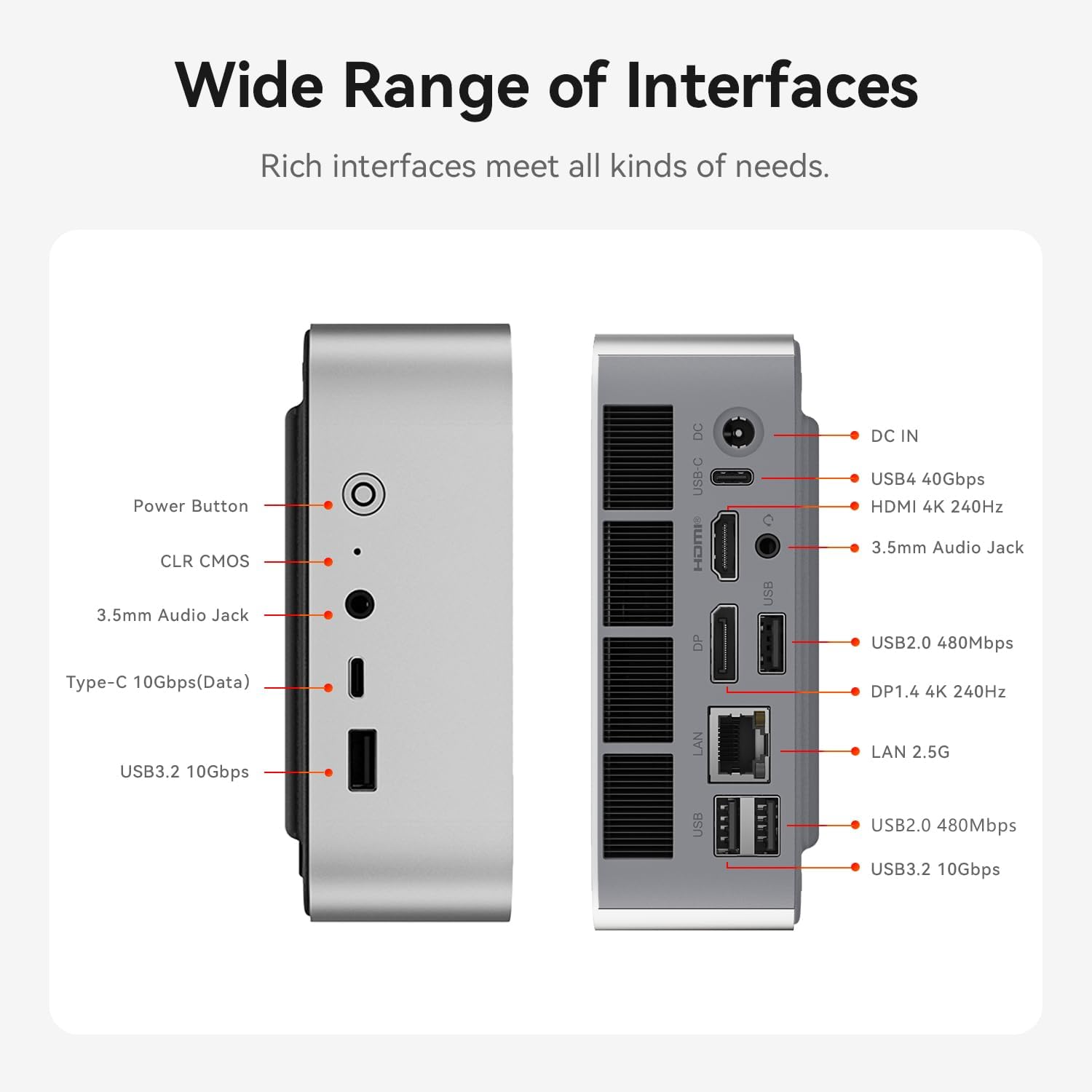
Port layout from Beelink’s own listing diagram, with the front I/O cluster on the left and the rear panel on the right.
Beelink SER9 — Specs at a Glance
| Spec | Detail |
|---|---|
| CPU | AMD Ryzen 7 H 255 (8C/16T, up to 4.9 GHz, Hawk Point refresh) |
| GPU | AMD Radeon 780M (RDNA 3, 12 CUs, 768 shaders) |
| RAM | 32GB LPDDR5X 7500MT/s (soldered — NOT upgradeable) |
| Storage | 1TB PCIe 4.0 x4 NVMe SSD |
| Networking | 2.5GbE + WiFi 6 + Bluetooth 5.2 |
| Display | Triple Display via USB4, HDMI, DP |
| AI TOPS | 38 total (16 TOPS XDNA 1 NPU + 22 TOPS GPU) |
| USB | USB4 (40Gbps), multiple USB-A 3.2 |
| Special Features | Built-in MIC/speakers, compact design |
| Warranty | 1-year limited |
| Price | ~$839 |
Design and Build Quality
The SER9 follows Beelink’s established design language — compact aluminium chassis with solid build quality. The 677 reviews at 4.2 stars confirm reliability over time. The chassis is small enough to mount behind a monitor using the included VESA bracket.
The front panel includes a power button, built-in microphone, and dual speakers. The built-in audio is adequate for video calls and system sounds, though serious users will want external speakers or headphones.
Port selection is solid: USB4 (40Gbps with Power Delivery and DisplayPort), multiple USB-A 3.2, 2.5GbE, HDMI, DisplayPort, and 3.5mm audio. Drive three displays simultaneously or connect fast external storage via USB4.
Build quality notes: The aluminium chassis feels premium and dissipates heat effectively. Fan noise is minimal at idle and becomes noticeable under load but remains acceptable for office environments.
CPU and Performance
The Ryzen 7 H 255 is AMD’s Hawk Point refresh — 8 Zen 4 cores and 16 threads at up to 4.9 GHz boost. For multi-threaded workloads — running multiple Docker containers, light VM workloads, batch processing — the 8-core configuration delivers solid performance.
For general workloads:
- Office productivity: Handles multitasking with ease
- Web browsing: Smooth even with dozens of tabs
- Light creative work: Handles 1080p video editing adequately
For AI workloads, the 38 TOPS total (16 from XDNA 1 NPU + 22 from GPU compute) is entry-level AI. This is not full Copilot+ (requires 40+ TOPS), but sufficient for 7B-13B LLMs. For local LLMs with Ollama or llama.cpp:
- 7B models (Q4): ~30-45 tokens/sec
- 13B models (Q4): ~10-20 tokens/sec
- 34B models (Q4): Limited by 32GB soldered RAM
- 70B models (Q4): Not possible — needs 64GB+ RAM
The XDNA 1 NPU handles basic AI-specific operations while the GPU does heavy lifting. For Copilot+ features in Windows 11, the 38 TOPS falls just short of Microsoft’s 40 TOPS minimum.
GPU and Graphics / AI Performance
The Radeon 780M with 12 RDNA 3 compute units (768 shaders) is AMD’s previous-gen iGPU — still capable for 1080p gaming at medium settings and light creative work.
For gaming:
- 1080p medium: Handles Cyberpunk 2077, Elden Ring at 35-45 fps
- Esports titles: Valorant, CS2, League of Legends run at 60+ fps
For AI workloads:
- LLM inference: See tokens/sec above — the 780M handles GPU-accelerated inference adequately
- Stable Diffusion: Generates 512x512 images in 12-18 seconds
- ROCm support: Solid on Linux for RDNA 3 — reviewers have run Ollama on Ubuntu 24.04 without issues
Memory and Storage
The SER9 uses 32GB LPDDR5X 7500MT/s — soldered to the motherboard, NOT upgradeable. This is the key limitation of the SER9. LPDDR5X is ~10-15% faster than standard DDR5 due to higher bandwidth, but you cannot add more RAM later.
Why soldered RAM matters:
- 7B model (Q4): ~4GB — trivial on any system
- 13B model (Q4): ~8GB — runs on most 32GB mini PCs
- 34B model (Q4): ~20GB — 32GB is adequate but no headroom
- 70B model (Q4): ~42GB — NOT possible with 32GB soldered
For buyers who know 32GB is enough for their workloads, the faster LPDDR5X bandwidth is a benefit. For users who might need 64GB+ for 70B LLMs or heavy VM workloads, the MINISFORUM X1-255’s upgradeable DDR5 is essential.
Storage: Single M.2 slot supporting up to 4TB PCIe 4.0 x4 NVMe. The included 1TB SSD is adequate for most users. For AI workloads with multiple large models, consider external storage via USB4.
Networking and Connectivity
| Port | Quantity |
|---|---|
| USB4 (40Gbps, PD + DP) | 1 |
| USB-A 3.2 Gen 2 | Multiple |
| HDMI 2.1 | 1 |
| DisplayPort | 1 |
| 2.5GbE (Realtek) | 1 |
| 3.5mm audio | 1 |
Single 2.5GbE is standard for this price point. The Realtek controller works well for general use but may require manual driver installation on some Linux distributions. For homelab use with single-NIC setups, this is adequate. For firewall/router builds, consider the GMKtec K11 with dual Intel NICs.
WiFi 6 and Bluetooth 5.2 are adequate (one generation behind WiFi 6E/7). For a homelab that lives on Ethernet, this matters less.
USB4 at this price point is valuable. The 40Gbps connection enables fast external storage and eGPU connections (with 20-30% performance loss vs direct PCIe).
Power Consumption and Running Costs
| Metric | Value | Source |
|---|---|---|
| Idle (W) | ~8W | Guru3D / Geeky Gadgets (Ryzen 7 H255) |
| Load (W) | ~78W | Guru3D / Geeky Gadgets (Ryzen 7 H255) |
| Annual Cost (24/7 idle) | ~$8.41/year | At $0.12/kWh |
Running 24/7 at idle, the SER9 costs about $8.41 per year in electricity — about $0.70 per month. Under sustained load, power reaches ~78W, which is typical for the H255 platform. The compact chassis manages thermals well.
Beelink SER9 vs. the Competition
The MINISFORUM X1-255 (~$739) uses the same Ryzen 7 255 but costs $100 less. The X1-255 has upgradeable DDR5 SO-DIMM and WiFi 7. The SER9 counters with 677 reviews proving reliability and faster LPDDR5X bandwidth. For upgradeability, the X1-255 wins. For proven reliability, the SER9 wins.
The Beelink SER9 Pro+ AI (~$719) is $120 cheaper but has a concerning 3.2-star rating (4 reviews). The SER9’s 4.2 stars (677 reviews) and established track record justify the $120 premium.
The GEEKOM A6 Aurora (~$649) is $190 cheaper but uses older Zen 3+ architecture (Ryzen 7 6800H) with no NPU. For AI capabilities and modern connectivity, the SER9 is worth the premium.
Who Should Buy the Beelink SER9?
Buy it if you:
- Want proven reliability (677 reviews at 4.2 stars)
- Value Beelink’s established brand and support
- Need 32GB LPDDR5X for 7B-13B LLMs
- Want USB4 at this price point
- Don’t need RAM upgrades (32GB is your ceiling)
- Appreciate the compact design
Skip it if you:
- Need upgradeable RAM — the X1-255 has DDR5 SO-DIMM
- Want WiFi 7 — the X1-255 has WiFi 7
- Need dual NICs — the K11 has dual 2.5GbE
- Want to save money — the A6 Aurora is $649
- Need 64GB+ for 70B LLMs — no option in this price range works
Frequently Asked Questions
Is the LPDDR5X noticeably faster than DDR5?
In bandwidth-sensitive workloads like LLM inference, LPDDR5X is ~10-15% faster. But the difference is small compared to the upgradeability disadvantage. For 7B-13B models, you won’t notice the difference. For 70B models, having 64GB DDR5 matters far more than the bandwidth advantage of soldered LPDDR5X.
Can the SER9 run local LLMs?
Yes. The 38 TOPS handles 7B models at 30-45 tokens/sec and 13B models at 10-20 tokens/sec. This is entry-level AI but sufficient for chat and inference workloads. For 34B+ models, the 32GB soldered RAM is limiting.
Is 677 reviews a good sign?
Absolutely. The 677 reviews at 4.2 stars confirm long-term reliability. Beelink has established support channels and a track record of honoring warranties. For risk-averse buyers, this is a genuine differentiator.
Does the SER9 have AI capabilities?
Yes. The 38 TOPS (16 from XDNA 1 NPU + 22 from GPU) handles entry-level AI workloads. This is not full Copilot+ (requires 40+ TOPS), but sufficient for 7B-13B LLMs.
Is the Realtek NIC an issue on Linux?
Realtek NICs may require manual driver installation on some Linux distributions. For Proxmox or Ubuntu, this is a one-time setup. For plug-and-play Linux support, Intel NICs (like on the GMKtec K11) are preferred.
Can I use this for homelab?
Yes, but with limitations. The single 2.5GbE is adequate for single-NIC setups. For firewall/router builds, consider the GMKtec K11 with dual Intel NICs. For Proxmox or Docker, the 8-core H255 handles 4-6 lightweight VMs well.
How We Research These Picks
Every recommendation here is built from verifiable sources rather than bench claims we can’t back up. We verify each product against its live Amazon listing for current price, stock status, and the exact spec configuration, and we cross-check CPU, RAM type, and networking details against manufacturer documentation. Power-draw and performance figures are cited from published measurements by trusted reviewers such as ServeTheHome and Notebookcheck, plus community reports on r/homelab and the Proxmox forums. We also read recent 1-star reviews for every pick to surface thermal, driver, and reliability patterns before you hit them. Picks are re-verified quarterly for availability, pricing, and newer models.
Final Verdict
The Beelink SER9 is the most proven Ryzen 7 mini PC available today. The 677 reviews at 4.2 stars, faster LPDDR5X bandwidth, and USB4 make it the safe choice for buyers who want established reliability.
At $839, it’s priced competitively for a Ryzen 7 H255 system. The soldered 32GB RAM is the main limitation — for buyers who know 32GB is enough, this is fine. For users who might need 64GB+ for 70B LLMs, the MINISFORUM X1-255’s upgradeable DDR5 is essential.