
Beelink SER9 vs MINISFORUM X1-255: Best Ryzen 7 255 Mini PC Compared [2026]
By Max · April 2, 2026 · Updated May 4, 2026
This article contains affiliate links. If you purchase through our links, we may earn a commission at no extra cost to you. We only recommend products we’ve thoroughly researched.
![Beelink SER9 vs MINISFORUM X1-255: Best Ryzen 7 255 Mini PC Compared [2026]](/images/heroes/variants/beelink-ser9-vs-minisforum-x1-255/1920.webp)
The Short Answer
Both mini PCs use the same Ryzen 7 255 processor with 38 TOPS of AI compute, but they take different approaches. The MINISFORUM X1-255 at $739 has upgradeable DDR5 RAM and WiFi 7. The Beelink SER9 at $839 has soldered LPDDR5X (faster but permanent), 677 Amazon reviews proving reliability, and a more compact chassis.
Pick Beelink SER9 if: You value proven reliability (677 reviews) and fast LPDDR5X bandwidth.
Pick MINISFORUM X1-255 if: You want upgradeable RAM, WiFi 7, or the $327 barebone option.
Quick Product Links
Minisforum AI X1-255
Price: ~$599
→ Check Current Price on Amazon
Side-by-Side Specs
| Spec | Beelink SER9 | MINISFORUM X1-255 | Winner |
|---|---|---|---|
| CPU | Ryzen 7 H 255 (8C/16T, 4.9GHz) | Ryzen 7 255 (8C/16T, 4.9GHz) | Tie |
| GPU | Radeon 780M (12 CUs) | Radeon 780M (12 CUs) | Tie |
| RAM | 32GB LPDDR5X (SOLDERED) | 32GB DDR5 (UPGRADEABLE) | X1-255 |
| Storage | 1TB PCIe 4.0 SSD | 1TB PCIe 4.0 SSD | Tie |
| Networking | 2.5GbE + WiFi 6 | 2.5GbE + WiFi 7 | Tie |
| USB4 | Yes (2x) | Yes (2x) | Tie |
| Integrated PSU | No (external brick) | No (external adapter) | Tie |
| Barebone Option | No | Yes ($327) | X1-255 |
| Reviews | 677 (4.2★) | 11 (4.6★) | SER9 |
| Price | ~$839 | ~$739 | X1-255 |
CPU and GPU Performance
Both systems use the same Ryzen 7 255 processor — AMD’s Hawk Point refresh with XDNA 1 NPU. Eight Zen 4 cores, 16 threads, up to 4.9 GHz boost. The Radeon 780M GPU has 12 RDNA 3 compute units (768 shaders).
AI compute: Both deliver 38 TOPS total (16 from XDNA 1 NPU + 22 from GPU). This is entry-level AI — not full Copilot+ (requires 40+ TOPS), but sufficient for 7B-13B LLMs. For Ollama inference:
- 7B models: ~25-40 tokens/sec on both
- 13B models: ~10-20 tokens/sec on both
- 34B models: Limited (needs 64GB+ RAM)
GPU performance: The 780M handles 1080p gaming at medium settings and Stable Diffusion XL image generation in 12-18 seconds. ROCm support on Linux is solid for RDNA 3.
Memory: The Key Differentiator
This is the most important hardware difference:
Beelink SER9: 32GB LPDDR5X soldered to the motherboard. LPDDR5X is ~10-15% faster than standard DDR5 due to higher bandwidth. But it’s permanent — you cannot upgrade. 32GB is the ceiling forever.
MINISFORUM X1-255: 32GB DDR5 SO-DIMM — upgradeable to 64GB. Standard DDR5 is slightly slower than LPDDR5X, but the upgrade path matters for future workloads. Add 32GB later (~$80-100) when you need to run 34B LLMs or heavier VM workloads.
Why this matters:
- For 7B-13B LLMs: Both are fine with 32GB
- For 34B LLMs: X1-255 can upgrade to 64GB; SER9 cannot
- For general use: Both are adequate
- For future-proofing: X1-255 wins
Networking and Connectivity
Beelink SER9: Single 2.5GbE (Realtek controller). WiFi 6 and Bluetooth 5.4. Adequate for general use, but WiFi 6 is one generation behind. Realtek NICs may require manual driver installation on some Linux distributions.
MINISFORUM X1-255: Single 2.5GbE (Realtek controller). WiFi 7 and Bluetooth 5.4. WiFi 7 is current-gen and future-proof. For a homelab that lives on Ethernet, this matters less. For a desktop replacement or media PC, WiFi 7 is future-proof.
USB4: Both have dual USB4 ports (40Gbps) with Power Delivery and DisplayPort support. Drive four 8K displays simultaneously or connect fast external storage.
Power Consumption
| Metric | SER9 | X1-255 |
|---|---|---|
| Idle (W) | ~8W | ~8W |
| Load (W) | ~78W | ~55W |
| Annual Cost (24/7 idle) | ~$8.41/year | ~$8.41/year |
Annual cost calculated at $0.12/kWh. Sources: community estimates, Guru3D.
Both systems draw ~8W at idle — about $8.41/year to run 24/7. The X1-255 runs cooler under load (~55W vs ~78W), likely due to the more efficient power delivery of its external adapter design.
Design and Build Quality
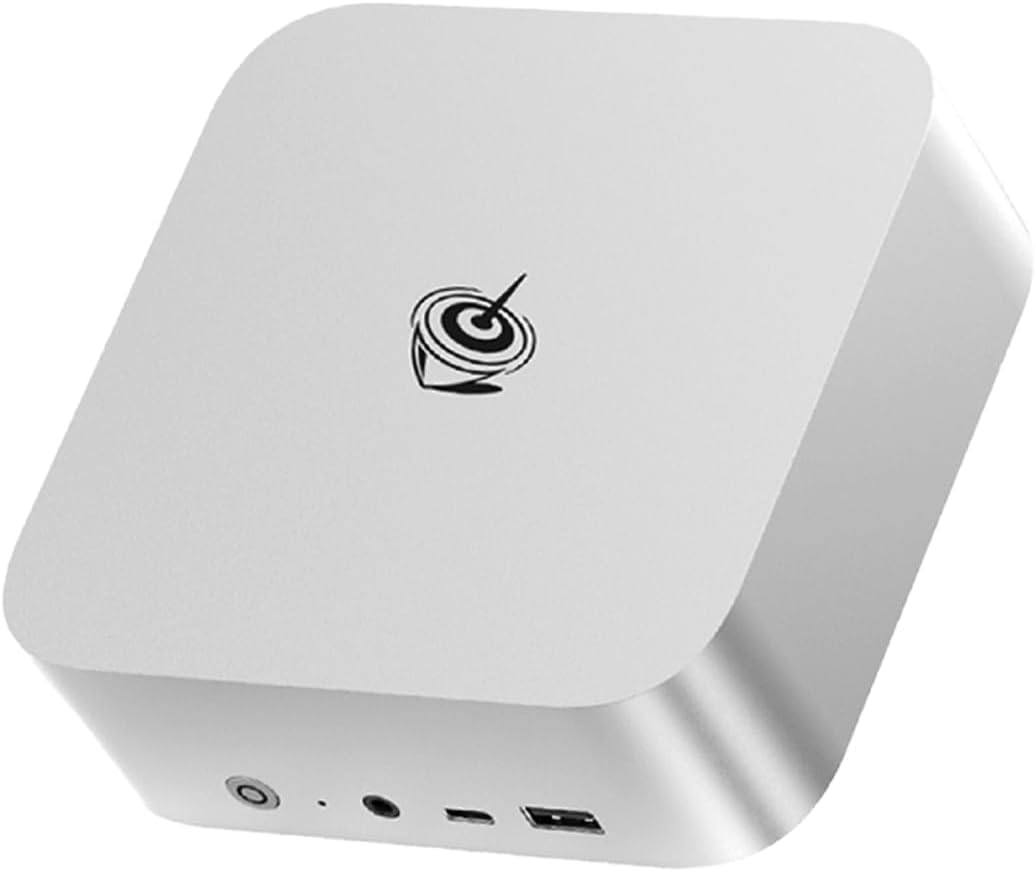
Beelink SER9: Compact aluminium chassis with Beelink’s established design language. Build quality is solid — the 677 reviews at 4.2 stars confirm reliability over time. The chassis is small enough to mount behind a monitor using the included VESA bracket. Port selection is adequate: dual USB4, four USB-A, 2.5GbE, HDMI, and audio.
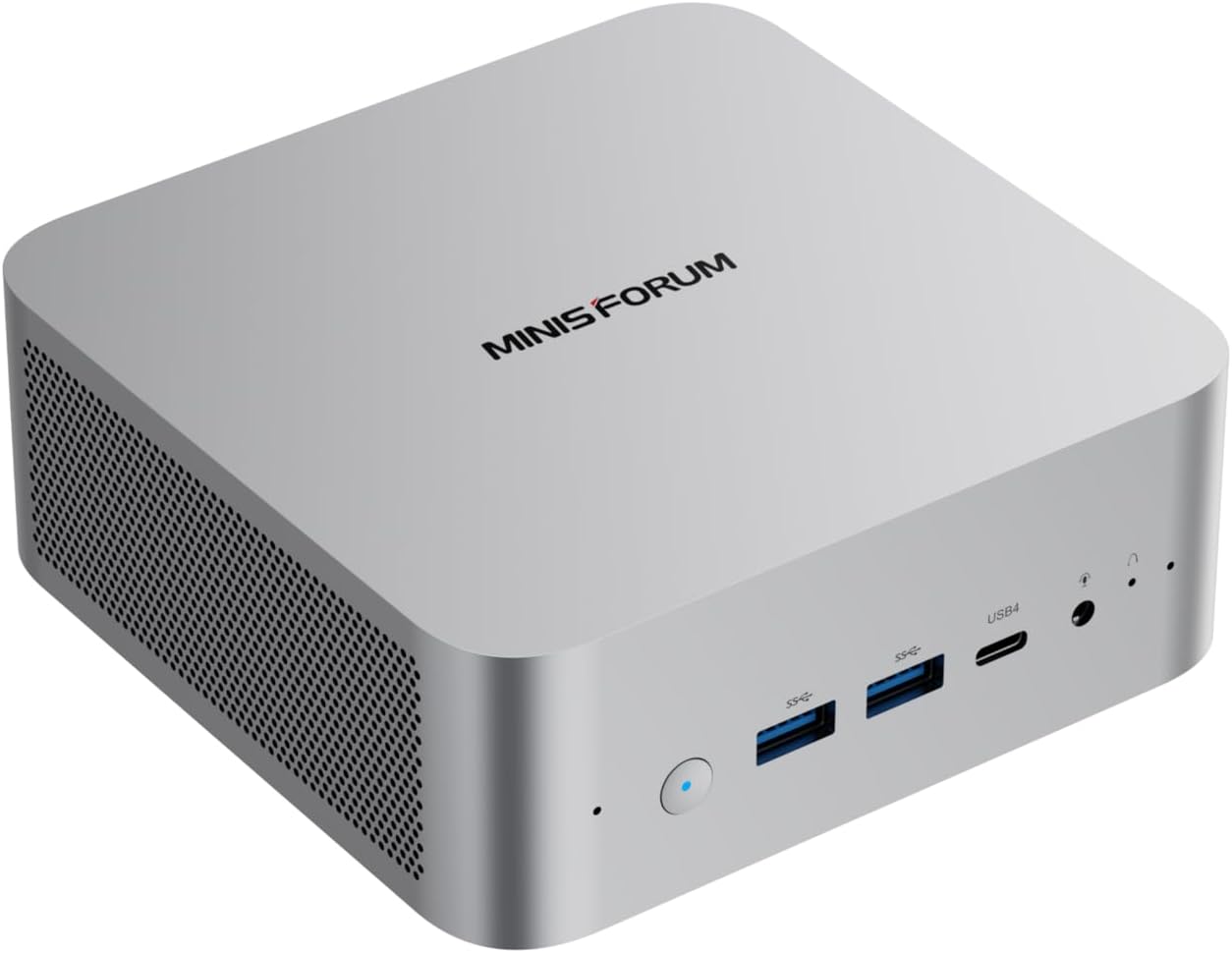
MINISFORUM X1-255: Slightly larger chassis with external power adapter. The front panel includes a power button and status LED. Port selection mirrors the SER9: dual USB4, four USB-A, 2.5GbE, HDMI, and audio.
Barebone option: The X1-255 is available as a barebone system at $327 — bring your own DDR5 SO-DIMM and M.2 SSD. This is exceptional value for DIY builders. The SER9 has no barebone option.
Reviews and Brand Trust
Beelink SER9: 677 Amazon reviews at 4.2 stars. This is social proof you can’t ignore. Beelink has established support channels and a track record of honoring warranties. For risk-averse buyers, this matters enormously.
MINISFORUM X1-255: 11 Amazon reviews at 4.6 stars. Early impressions are positive, but 11 reviews is a small sample size. MINISFORUM has a growing presence but less brand recognition than Beelink. The 4.6-star rating could hold up, or it could drop as more reviews come in.
Price and Value
At $739, the X1-255 is $100 cheaper than the SER9 at $839. Here’s what you get for the extra $100 on the SER9:
- 677 reviews proving reliability (vs 11)
- Beelink’s established brand and support
- LPDDR5X bandwidth (~10-15% faster)
Here’s what you get for saving $100 on the X1-255:
- Upgradeable DDR5 SO-DIMM (vs soldered)
- WiFi 7 (vs WiFi 6)
- $327 barebone option
Value ranking:
- For upgradeability: X1-255 wins
- For reliability proof: SER9 wins
- For WiFi: X1-255 wins
- For brand trust: SER9 wins
Real-World Use Cases
For Local LLMs (Ollama)
X1-255 wins. Both handle 7B-13B models identically, but the X1-255’s upgradeable RAM means you can add 32GB later for 34B models. The SER9’s soldered 32GB is a permanent ceiling.
For Homelab (Proxmox, Docker)
X1-255 wins. WiFi 7 is future-proof, and the upgradeable RAM matters for VM workloads. The barebone option at $327 is exceptional for budget homelab builds.
For Daily Use (Office, Media)
SER9 wins. The 677 reviews prove reliability for daily drivers. The compact chassis fits anywhere. LPDDR5X bandwidth helps with everyday tasks. WiFi 6 is adequate for most home networks.
For Budget Buyers
X1-255 wins. At $739, it’s $100 cheaper with WiFi 7 and upgradeable RAM. The $327 barebone option is the cheapest modern mini PC entry point.
Final Verdict: Which Should You Buy?
Buy the if
Beelink SER9
→ Check Current Price on Amazon
- You value proven reliability (677 reviews at 4.2 stars)
- You prefer established brands with track records
- You don’t need more than 32GB RAM ever
- You want the faster LPDDR5X bandwidth
- You’re risk-averse and want community proof
Buy the MINISFORUM X1-255 if:
- You want upgradeable RAM for future 34B LLMs or VMs
- You need WiFi 7 for future-proofing
- You’re interested in the $327 barebone option for DIY
- You’re comfortable with a newer product (11 reviews)
Amazon Product Links
- Beelink SER9 — $839 (677 reviews, LPDDR5X, compact)
- MINISFORUM X1-255 — $739 (upgradeable DDR5, WiFi 7)
- MINISFORUM X1-255 Barebone — $327 (DIY, bring your own RAM/SSD)
Frequently Asked Questions
Is the Ryzen 7 255 the same in both mini PCs?
Yes. Both use the same Ryzen 7 255 (8C/16T, 4.9 GHz) with the same Radeon 780M GPU (12 CUs) and same XDNA 1 NPU (16 TOPS). CPU and GPU performance are identical.
Can both systems run local LLMs?
Yes. Both handle 7B models at 25-40 tokens/sec and 13B models at 10-20 tokens/sec. The 38 TOPS (16 NPU + 22 GPU) is entry-level AI but sufficient for these model sizes. For 34B models, the X1-255 can upgrade to 64GB RAM; the SER9 cannot.
Is LPDDR5X noticeably faster than DDR5?
In bandwidth-sensitive workloads like LLM inference, LPDDR5X is ~10-15% faster. But the difference is small compared to the upgradeability advantage of DDR5 SO-DIMM. For 7B-13B models, you won’t notice the difference. For future 34B+ models, having 64GB DDR5 matters far more than the bandwidth advantage of soldered LPDDR5X.
Does the X1-255 barebone option work well?
Yes. The $327 barebone includes the chassis, motherboard, CPU, cooling, and integrated PSU. You add your own DDR5 SO-DIMM and M.2 SSD. Total cost with 32GB RAM ($80) and 1TB SSD ($60) is ~$467 — significantly less than the $739 configured version if you source components separately.
Is WiFi 7 worth it?
For a homelab that lives on Ethernet, no. For a desktop replacement or media PC, WiFi 7 is future-proof. If you have a WiFi 7 router (or plan to upgrade), the X1-255 is the better choice. If you’re on older WiFi, the difference is minimal.
Which has better Linux support?
Both use Realtek NICs, which may require manual driver installation on some Linux distributions. The X1-255’s WiFi 7 has excellent mainline kernel support. For Proxmox or Ubuntu, both work well after initial setup.