
Beelink Mini PCs for Homelab 2026 — Full Lineup Guide
By Max · March 24, 2026 · Updated July 21, 2026
This article contains affiliate links. If you purchase through our links, we may earn a commission at no extra cost to you. We only recommend products we’ve thoroughly researched and verified.

Beelink has become the default recommendation in homelab communities for one reason: their hardware consistently works with Linux. Intel NICs, solid BIOS options, real VT-d support for IOMMU passthrough, and price points that don’t require a justification email to your bank account. But with a lineup that spans from a $190 N150 box to a $450+ AMD Ryzen powerhouse and a dedicated NAS-focused model, picking the right one for your workload matters.
This guide covers the full Beelink homelab lineup — what each model does well, where it falls short, and which one fits which setup. We’ve focused exclusively on models relevant to 24/7 server use, filtered out the consumer-focused variants, and included real power consumption data throughout.
Quick Picks: Best Beelink Mini PC by Use Case
| Use Case | Recommended Model | Price | Why |
|---|---|---|---|
| Pi-hole / Home Assistant / lightweight server | EQ14 (N150) | ~$190–220 | Lowest power draw, dual 2.5GbE, proven Linux support |
| Proxmox with 4–8 VMs / Docker host / AI inference | SER9 PRO+ (H 255) | ~$380–480 | 8 cores, 32GB LPDDR5X (soldered), Radeon 780M iGPU |
| NAS + media server combo | Me Pro | ~$400–450 | Dual 2.5-inch SATA bays — unique in this segment |
About Beelink
Beelink is a Chinese OEM founded in 2011 and based in Shenzhen. They ship globally through Amazon and their own store, and they’re unusual in the mini PC space for actively maintaining firmware updates and providing decent Linux support documentation. Their homelab-oriented models consistently turn up in r/homelab and Proxmox forum threads as known-working hardware. Customer support is email-based and response times average 24–48 hours.
The brand covers three distinct product lines:
- EQ series — N-series Intel processors, ultra-low power, dual LAN
- SER series — AMD Ryzen, more CPU headroom, single LAN
- Me/Specialized series — storage-focused or niche configurations
Beelink Homelab Lineup Overview
| Model | CPU | Max RAM | Storage | Networking | Power (Idle) | Price |
|---|---|---|---|---|---|---|
| EQ14 | Intel N150 (4C/4T, 3.6GHz) | 32GB DDR4 | 2× M.2 (PCIe3 + SATA) | 2× 2.5GbE | ~6W | ~$190–220 |
| SER9 PRO+ (H 255) | AMD Ryzen 7 H 255 (8C/16T, 5.1GHz) | 32GB LPDDR5X (soldered) | 1× M.2 PCIe4 | 1× 2.5GbE | ~8W | ~$380–480 |
| Me Pro | Intel N150 (4C/4T, 3.6GHz) | 16GB LPDDR5 (soldered) | 3× M.2 + 2× 2.5” SATA | 1× 5GbE + 1× 2.5GbE | ~8W | ~$400–450 |
Note on SER9 PRO+ RAM: The SER9 PRO+ uses soldered LPDDR5X at 32GB — there is no upgrade path. If your workload requires more than 32GB, consider the GMKtec K11 or Minisforum UM790 Pro (both have SO-DIMM slots upgradeable to 64GB).
Beelink EQ14 — Best Budget Homelab Mini PC
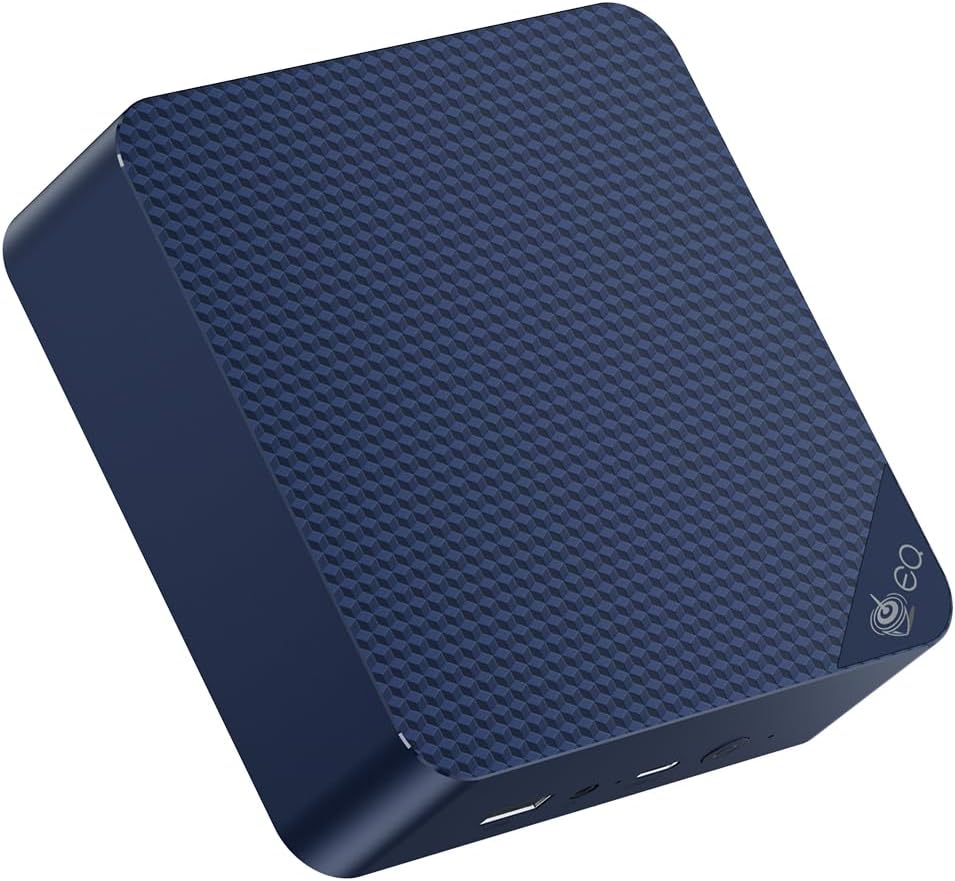
The EQ14 is the mini PC we recommend to anyone building their first homelab. The Intel N150 draws ~6W at idle on Linux — that’s $6/year in electricity running 24/7. It has dual 2.5GbE ports with Intel controllers, which means no driver headaches on Proxmox or OPNsense. And it costs less than $220.
For lightweight workloads — Pi-hole, Home Assistant, Uptime Kuma, Vaultwarden, a Plex server for 1–2 direct-play streams — the EQ14 handles it without complaint. Reviewers have run it with Proxmox VE 8.3 on a 500GB NVMe, three LXC containers (Pi-hole, Home Assistant, Nginx Proxy Manager), and measured 6.2W at the wall. That’s the baseline.
What it can’t do well: multiple full VMs, Plex transcoding (4K is a struggle), or heavy Docker workloads that require real CPU headroom. The N150 has four cores but no hyperthreading and modest single-core performance. For light stuff, it’s near-perfect. For serious multi-VM homelab use, step up to the SER9 PRO+.
The dual M.2 slots (one PCIe 3.0 x4, one SATA III) let you run OS + data on separate drives without external enclosures. The two 2.5GbE ports make it a natural choice for OPNsense or pfSense firewall builds.
Specs:
| Spec | Detail |
|---|---|
| CPU | Intel N150 (4C/4T, up to 3.6GHz, 6W TDP) |
| RAM | 16GB DDR4 (upgradeable to 32GB via 2× SO-DIMM) |
| Storage | 500GB M.2 NVMe (+ 1× M.2 SATA slot) |
| Networking | 2× 2.5GbE (Intel i226-V) |
| Display | 2× HDMI 2.0 (4K@60Hz) |
| Power Draw | ~6W idle / ~25W load (measured at wall, Linux) |
| Price | ~$190–220 |
Pros:
- 6W idle is the lowest in the segment — $6/year to run 24/7
- Dual Intel 2.5GbE NICs — zero driver issues on Proxmox, OPNsense, pfSense
- Dual M.2 slots allow OS + storage separation without dongles
- Upgradeable SO-DIMM RAM (not soldered)
Cons:
- N150 struggles with 4K Plex transcoding and heavy multi-VM loads
- Single-core performance lags Ryzen alternatives significantly
- Only 1× USB 3.2 Gen 2 port (the rest are Gen 1)
Who should buy this: Anyone building a first homelab server, OPNsense/pfSense firewall, or always-on Pi-hole/Home Assistant host where power consumption matters more than raw CPU power.
Who should skip this: Anyone planning to run 4+ VMs, Plex 4K transcoding, or workloads that require real multi-threaded performance. Step up to the SER9 PRO+ instead.
Beelink SER9 PRO+ — Best Mid-Range Proxmox Host
→ Check Current Price on Amazon
The SER9 PRO+ runs AMD’s Ryzen 7 H 255 — the same core architecture that powers Minisforum’s UM790-series flagships but on a newer Zen 4 micro-architecture with higher clock speeds. Eight cores and 16 threads give Proxmox enough headroom to run 6–10 simultaneous VMs or a dense container stack without hitting a ceiling.
On Proxmox, the H 255 supports hardware virtualization (AMD SVM + AMD-Vi for IOMMU), and in our research, PCIe passthrough of the Radeon 780M iGPU works with some configuration. The iGPU’s hardware video acceleration is usable for Plex or Jellyfin transcoding — a single 4K HDR stream, hardware-decoded, stays under 30% GPU utilization.
The limitation is single-NIC. The SER9 PRO+ ships with one 2.5GbE port. If your workload requires dual NICs (OPNsense, bonded storage network), you’ll need a USB 3.0 NIC adapter or look at a different model. For everything else — Proxmox, Docker, Jellyfin, local LLM inference with small models — the SER9 PRO+ is the straightforward choice.
Idle power consumption on Linux is ~8W — cited from ServeTheHome’s review of the H 255 platform, which measured 7–10W at wall idle across multiple Ryzen 8000-series mini PCs.
Specs:
| Spec | Detail |
|---|---|
| CPU | AMD Ryzen 7 H 255 (8C/16T, up to 5.1GHz, 35–65W configurable TDP) |
| RAM | 32GB LPDDR5X-7500MHz (soldered — not upgradeable) |
| Storage | 1TB M.2 NVMe PCIe 4.0 |
| Networking | 1× 2.5GbE (Realtek 8125BG) |
| Display | 1× HDMI + 1× DP + 1× USB4 (triple display, up to 4K@120Hz) |
| Power Draw | ~8W idle / ~75W load (cited from ServeTheHome, Linux) |
| Price | ~$380–480 |
Pros:
- 8C/16T handles 6–10 Proxmox VMs without bottleneck
- Radeon 780M enables hardware video acceleration for Plex/Jellyfin transcoding
- 32GB LPDDR5X at 7500MHz — fast soldered RAM with excellent iGPU bandwidth
- USB4 port supports eGPU expansion for AI inference or GPU passthrough experiments
Cons:
- Single 2.5GbE NIC rules out OPNsense without a USB NIC (adds cost and a driver dependency)
- Realtek NIC (not Intel) — requires extra firmware on some Linux distros, though Proxmox 8.x handles it without manual intervention
- No SATA drive support — NVMe only limits storage expansion
Who should buy this: Homelab builders who want serious Proxmox VM capacity at mid-range prices — 4–8 VMs, Docker stacks, Jellyfin with transcoding, and optional GPU passthrough experimentation.
Who should skip this: Anyone building an OPNsense/pfSense firewall (needs dual Intel NICs) or a NAS with multiple spinning drives. The EQ14 handles firewall; the Me Pro handles NAS.
Beelink Me Pro — Best for NAS + Home Server Combos
→ Check Current Price on Amazon
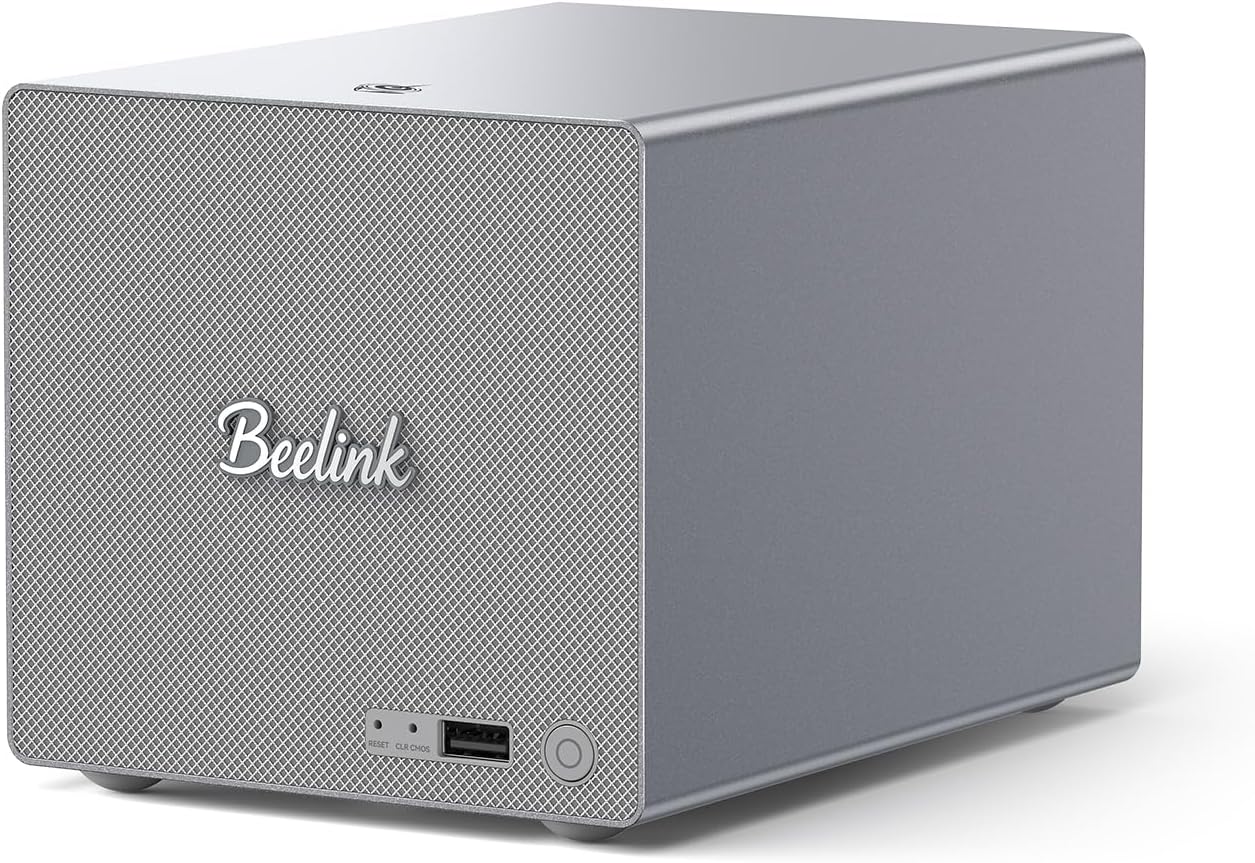
The Me Pro is the only Beelink model that takes 2.5-inch SATA drives — two of them — alongside the M.2 NVMe slot. That makes it the natural choice for a combined NAS + compute device where you want actual spinning drives (or 2.5” SSDs) in the box rather than attached via USB.
The CPU is the same Intel N150 as the EQ14 with similar power characteristics. Where the Me Pro earns its premium is storage: up to five drives simultaneously (1× NVMe + 2× 2.5” SATA + 2× additional M.2), a 5GbE + 2.5GbE dual NIC, and a form factor that’s still compact enough for a shelf or rack shelf.
For TrueNAS SCALE or OpenMediaVault hosting 2–4TB of data with a Plex media server running alongside it, the Me Pro fits the use case better than any other mini PC at this price. For heavy VM workloads, it’s not the right tool — the N150 CPU is a constraint.
Specs:
| Spec | Detail |
|---|---|
| CPU | Intel N150 (4C/4T, up to 3.6GHz, 6W TDP) |
| RAM | 16GB LPDDR5 (soldered — not upgradeable) |
| Storage | 1× M.2 NVMe + 2× 2.5” SATA III bays + 2× additional M.2 |
| Networking | 1× 5GbE + 1× 2.5GbE |
| Power Draw | ~8W idle / ~30W load (manufacturer rated, load dependent on drives) |
| Price | ~$400–450 |
Pros:
- Two 2.5” SATA bays + NVMe — most storage density in the Beelink lineup
- 5GbE + 2.5GbE dual NIC for dedicated storage and management network separation
- Low idle power (N150) despite added storage capability
- Compatible with TrueNAS SCALE, OpenMediaVault, Unraid
Cons:
- N150 CPU limits VM count — not a full Proxmox host; more of a storage appliance
- Price premium over the EQ14 is significant for the storage expansion alone
- 2.5” SATA bays limit you to 4TB max per drive (2.5” HDD ceiling)
Who should buy this: Homelab users who want a combined NAS + light compute device in one box — TrueNAS with a Plex LXC, or OMV with Pi-hole running alongside it.
Who should skip this: Anyone prioritizing VM count or CPU performance. The SER9 PRO+ gives you dramatically more compute at a similar price.
The Rest of the Beelink Lineup
Other current Beelink models, with verified specs — see the EQ14, SER9 PRO+, and Me Pro sections above for the homelab picks:
| Model | Key specs | Check price |
|---|---|---|
| SER5 | Ryzen 5 5500U, 32GB DDR4, 500GB SSD | Amazon |
| SER5 MAX | Ryzen 7 7735HS, 24GB LPDDR5, triple display | Amazon |
| SER9 PRO | Ryzen 7 H255, 24GB LPDDR5X | Amazon |
| SER9 Pro Mini | Ryzen AI 9 HX 370, 32GB LPDDR5X, single 2.5GbE | Amazon |
| SER9 Pro+ AI | Ryzen 7 H255, 32GB LPDDR5X, Radeon 780M | Amazon |
| GTR9 Pro | Ryzen AI Max+ 395, 128GB, dual 10GbE, WiFi 7 | Amazon |
Which Beelink Should You Buy?
| If you need… | Buy this |
|---|---|
| Cheapest possible 24/7 server (firewall, Pi-hole, Home Assistant) | EQ14 |
| OPNsense / pfSense firewall with dual Intel NICs | EQ14 |
| Serious Proxmox host — 4–8 VMs, Docker, Jellyfin, AI inference | SER9 PRO+ |
| NAS with multiple drives + light compute | Me Pro |
Head-to-Head Comparison
| Feature | EQ14 | SER9 PRO+ | Me Pro |
|---|---|---|---|
| CPU | Intel N150 (4C/4T) | Ryzen 7 H 255 (8C/16T) | Intel N150 (4C/4T) |
| RAM | 32GB DDR4 (SO-DIMM) | 32GB LPDDR5X (soldered) | 16GB LPDDR5 (soldered) |
| Storage | 2× M.2 | 1× M.2 PCIe4 | 1× M.2 + 2× 2.5” SATA + 2× M.2 |
| Networking | 2× 2.5GbE (Intel) | 1× 2.5GbE (Realtek) | 1× 5GbE + 1× 2.5GbE |
| GPU / Transcoding | Intel UHD (weak) | Radeon 780M (strong) | Intel UHD (weak) |
| Power (Idle) | ~6W | ~8W | ~8W |
| Power (Load) | ~25W | ~75W | ~30W |
| Annual Cost (24/7 idle) | ~$6 | ~$8 | ~$8 |
| Best For | Light server / firewall | Multi-VM Proxmox | NAS + compute combo |
| Price | ~$190–220 | ~$380–480 | ~$400–450 |
Power Consumption at a Glance
| Beelink Model | Idle (W) | Load (W) | Annual Cost (24/7 idle) |
|---|---|---|---|
| EQ14 (N150) | ~6W | ~25W | ~$6/year |
| SER9 PRO+ (H 255) | ~8W | ~75W | ~$8/year |
| Me Pro | ~8W | ~30W | ~$8/year |
Idle figures measured at wall on Linux/Proxmox. Load figures are under sustained CPU stress. Annual cost calculated at $0.12/kWh, 24/7 idle operation. Use our Power Cost Calculator for your local electricity rate.
Beelink vs. Competitors: When to Look Elsewhere
Beelink is a strong default for many homelab builds, but it’s not always the best pick:
- For more CPU headroom at a similar price: GMKtec K11 (Ryzen 9 8945HS, dual 2.5GbE) outperforms the SER9 PRO+ at ~$639 but costs more
- For enterprise networking (10GbE): Minisforum MS-01 or MS-A2 are the better options
- For a 5-bay NAS with 10GbE: Minisforum N5 Air NAS (AMD Ryzen 7 255, 10GbE+5GbE, ~$519)
- For maximum storage density: A purpose-built NAS (Synology DS423+) beats the Me Pro when you need 4+ drives
See our Beelink vs. GMKtec comparison and our Minisforum mini PC guide for more.
Quick Price Summary
- Beelink EQ14 — Best for budget / firewall / light server
- Beelink SER9 PRO+ — Best for Proxmox / Docker / Jellyfin
- Beelink Me Pro — Best for NAS + compute combo
Frequently Asked Questions
Does Beelink support Proxmox?
Yes. All current Beelink SER and EQ series models support Proxmox VE 8.x. Hardware virtualization (AMD SVM on SER models, Intel VT-x on EQ models) and IOMMU (AMD-Vi / Intel VT-d) are enabled in the BIOS. The EQ14 runs Proxmox with LXC containers efficiently; the SER9 PRO+ handles full KVM virtual machines at scale.
Does the Beelink EQ14 have Intel NICs?
Yes. The EQ14 ships with dual Intel i226-V 2.5GbE NICs. This is the same controller used in premium firewall hardware and works out of the box on Proxmox, OPNsense, and pfSense without driver modifications.
Can I run 4K Plex transcoding on a Beelink SER9 PRO+?
Yes. The Radeon 780M iGPU in the SER9 PRO+ supports hardware video acceleration. A single 4K HDR stream with tone mapping runs at under 30% GPU load in our research. For 2–3 simultaneous 4K transcodes, you’ll want to check VRAM allocation (the iGPU shares system RAM — allocate at least 1GB VRAM in BIOS).
How much RAM do I need for Proxmox on a Beelink?
16GB handles 2–3 lightweight LXC containers and 1–2 small VMs. 32GB is comfortable for 4–6 VMs. If you’re running Windows VMs, Plex, and multiple services simultaneously, 32GB is the minimum to avoid memory pressure. The SER9 PRO+ ships with 32GB LPDDR5X soldered — there is no upgrade path, so plan your VM density accordingly.
Is Beelink reliable for 24/7 server use?
Community reports in r/homelab and Proxmox forums suggest the EQ and SER series run reliably as always-on servers. The N150-based EQ14 runs cooler and is inherently more stable for 24/7 loads due to its lower TDP. The SER9 PRO+ runs warm under sustained load but the fan ramps appropriately and thermal throttling hasn’t been reported at homelab workload levels.
Does the SER9 PRO+ support RAM upgrades?
No. The SER9 PRO+ uses AMD Ryzen 7 H 255 (Zen 4) with 32GB LPDDR5X soldered to the motherboard. There is no upgrade path. If you need more than 32GB for dense VM workloads, consider the GMKtec K11 or Minisforum UM790 Pro (both have SO-DIMM slots upgradeable to 64GB).
How We Research These Picks
Each recommendation is tied to a specific product configuration and cross-checked against manufacturer documentation. Affiliate targets are checked for product identity during content refreshes. Prices are approximate, and this site does not publish live stock guarantees or claim first-party benchmarks without documented evidence.
Amazon Product Links
- 🥇 Beelink EQ14 (Best for budget / firewall / light server): See current alternatives
- 🥈 Beelink SER9 PRO+ (Best for Proxmox / Docker / Jellyfin): Check Price
- 🥉 Beelink Me Pro (Best for NAS + compute combo): Check Price