
This article contains affiliate links. If you purchase through our links, we may earn a commission at no extra cost to you. We only recommend products we’ve thoroughly researched and verified.

Docker containers have made self-hosting dramatically easier — run Nextcloud, Bitwarden, Gitea, Grafana, Pi-hole, and dozens of other services with simple docker compose up commands. The right mini PC turns your homelab into a private cloud.
The key factors for a great Docker host mini PC: core count (more containers = more parallel processes), RAM (each container needs headroom), fast NVMe storage (I/O-intensive workloads), and reliable networking. For the broader picture on mini PC home servers, see our home server guide.
Quick Picks: Best Mini PC for Docker at a Glance
| Pick | Mini PC | Container Capacity | Price | Link |
|---|---|---|---|---|
| 🥇 Best Overall | GMKtec K11 | 25–40+ containers | ~$639 | Check Price |
| 🥈 Best Value | Minisforum UM790 Pro | 20–35 containers | ~$380–500 | Check Price |
| 🥉 Budget | Beelink EQ14 | 8–15 containers | ~$190–220 | See current alternatives |
| 🔷 Mid-Range | GEEKOM A6 | 15–25 containers | ~$350–450 | Check Price |
Why Use a Mini PC for Docker?
A Docker host mini PC draws 6–18W idle, runs 24/7 for under $20/year in electricity, and fits on a desk shelf. Compare that to a repurposed gaming PC or a cloud VPS bill — the economics are compelling.
Mini PCs are ideal for Docker when you:
- Self-host 5–30 services (Nextcloud, Vaultwarden, Gitea, Grafana, etc.)
- Want sub-$20/year electricity cost for always-on services
- Need x86 containers (some containers don’t support ARM)
- Want to combine Docker with Proxmox VMs on the same hardware
Mini PCs are NOT ideal when you:
- Need GPU containers (ML training, image generation at scale)
- Run 50+ high-memory services simultaneously
- Need more than 2TB internal NVMe storage
Docker Container RAM Requirements Guide
Before picking hardware, understand what your containers actually need:
| Container Type | Typical RAM Usage |
|---|---|
| Pi-hole | 128–256MB |
| Home Assistant | 512MB–1GB |
| Nextcloud | 512MB–2GB |
| Bitwarden/Vaultwarden | 128–256MB |
| Gitea | 256–512MB |
| Grafana | 256–512MB |
| Prometheus | 512MB–1GB |
| Jellyfin (without transcode) | 256–512MB |
| Traefik reverse proxy | 128–256MB |
| Portainer | 128–256MB |
| Immich (photos) | 512MB–2GB |
| Nextcloud + MariaDB | 1–3GB combined |
Rule of thumb: Budget 1GB of RAM per active container as your planning figure. With 16GB, run 10–15 containers comfortably. With 32GB, run 20–25. With 64GB, scale to 40+.
What to Look for in a Docker Host Mini PC
1. RAM — the primary constraint Docker container density is almost always RAM-limited before CPU-limited. Get as much as you can afford. 32GB is the sweet spot for most homelab Docker setups.
2. NVMe storage speed Database-heavy containers (Nextcloud, Gitea, Immich) are I/O intensive. PCIe 4.0 NVMe delivers 5GB/s reads — plenty for dozens of simultaneous containers.
3. CPU core count Each container is a process. 8 cores handle many containers better than 4, especially when services spike simultaneously (e.g., Nextcloud syncing + Gitea CI running + Grafana querying).
4. Networking 2.5GbE is adequate for most homelab container traffic. If you run a media server container (Plex/Jellyfin), dual 2.5GbE lets you separate media traffic from container management traffic.
How Many Containers? Which Mini PC for Your Docker Stack
Docker hardware scales with container count and what those containers do, not with Compose itself. A handful of lightweight services idle happily on a budget box; a 30-container stack with databases needs real cores and RAM.
| Your Docker stack | What it needs | Recommended pick |
|---|---|---|
| A few light containers (Pi-hole, Uptime Kuma) | 16GB, low power | Beelink EQ14 |
| 10–20 containers, typical Compose stacks | 32GB, 6+ cores | GEEKOM A6 or Minisforum UM790 Pro |
| 30+ containers, databases, CI runners | 8 cores, 64GB, dual NIC | GMKtec K11 |
Whether you run plain docker run, Docker Compose, or a Portainer-managed stack, the constraint is the same — RAM first, then cores. Budget roughly 1GB per active service as a planning figure, and keep your data on a separate volume. For the apps themselves, see our self-hosting hub.
Our Top Picks: Best Mini PC for Docker 2026
🥇 Best Overall
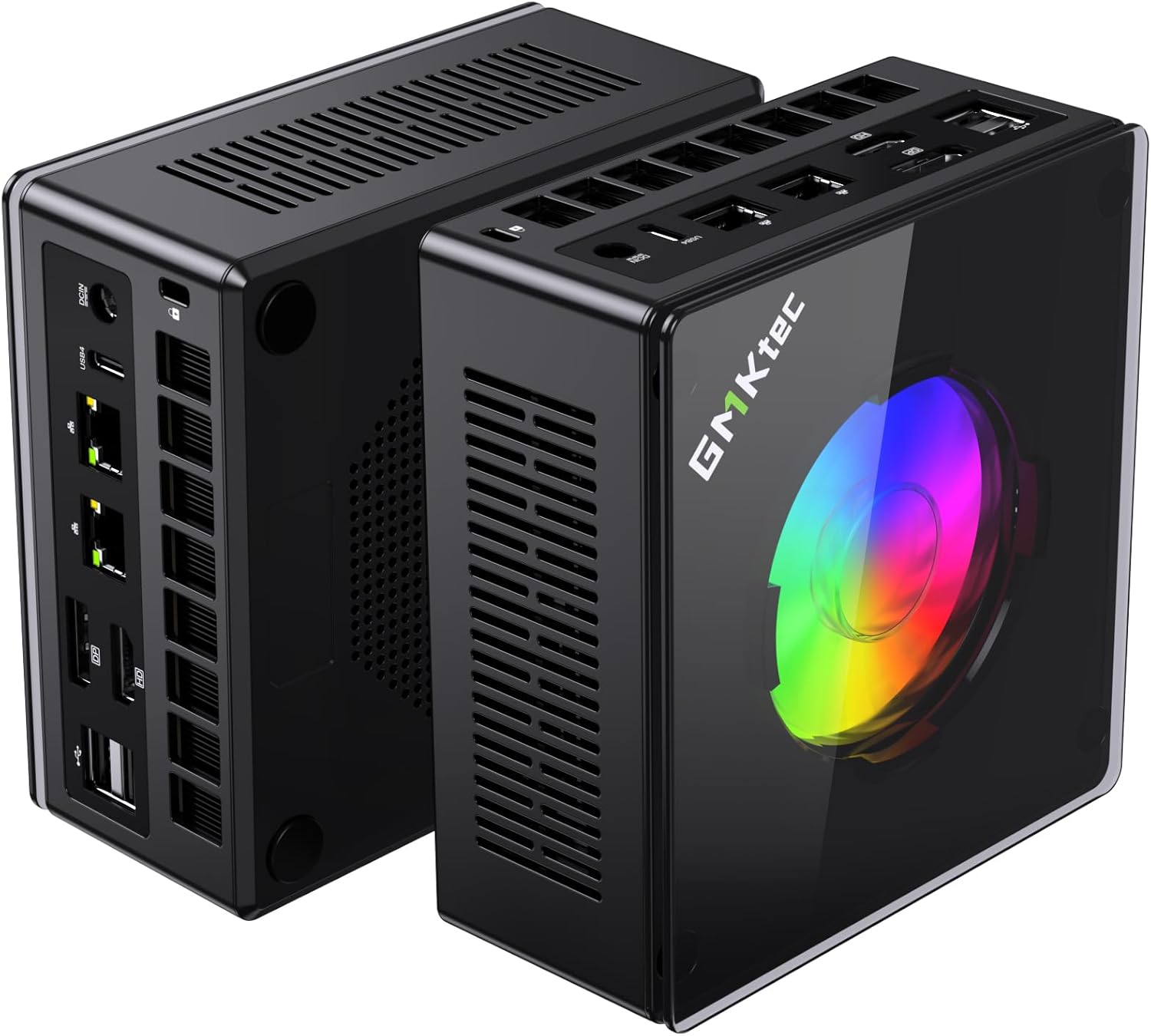
GMKtec K11
→ Check Current Price on Amazon
The Ryzen 9 8945HS’s 8 cores shine in Docker workloads where each container competes for CPU time. The 64GB DDR5 upgrade path means you’ll never be RAM-constrained. PCIe 4.0 NVMe delivers the I/O throughput needed for database-heavy containers (Nextcloud, Gitea, Immich).
The dual 2.5GbE lets you separate container traffic from management traffic — useful once your stack grows beyond 10 services.
Specs:
| Spec | Detail |
|---|---|
| CPU | AMD Ryzen 9 8945HS (8C/16T, 5.2GHz) |
| RAM | 32GB DDR5 (upgradeable to 64GB) |
| Storage | 1TB PCIe 4.0 NVMe |
| Networking | 2x 2.5GbE LAN + WiFi 6E |
| Power Draw | ~18W idle / ~80W load |
| Price | ~$639 |
Pros:
- 8 cores handle 30+ simultaneous container processes
- Dual 2.5GbE for traffic separation
- 64GB DDR5 upgrade path
- PCIe 4.0 NVMe handles I/O-intensive containers without bottlenecks
- Best thermal management in its class
Cons:
- $599 is steep for a Docker-only host
- 18W idle costs ~$20/year (higher than N-series)
- Overkill if you run fewer than 15 containers
Who should buy this: Full self-hosting stacks with 20+ services, or anyone combining Docker with Proxmox VMs and media server workloads.
Who should skip this: Running fewer than 15 containers — the UM790 Pro or EQ14 handles that for less money.
🥈 Best Value
Minisforum UM790 Pro
→ Check Current Price on Amazon
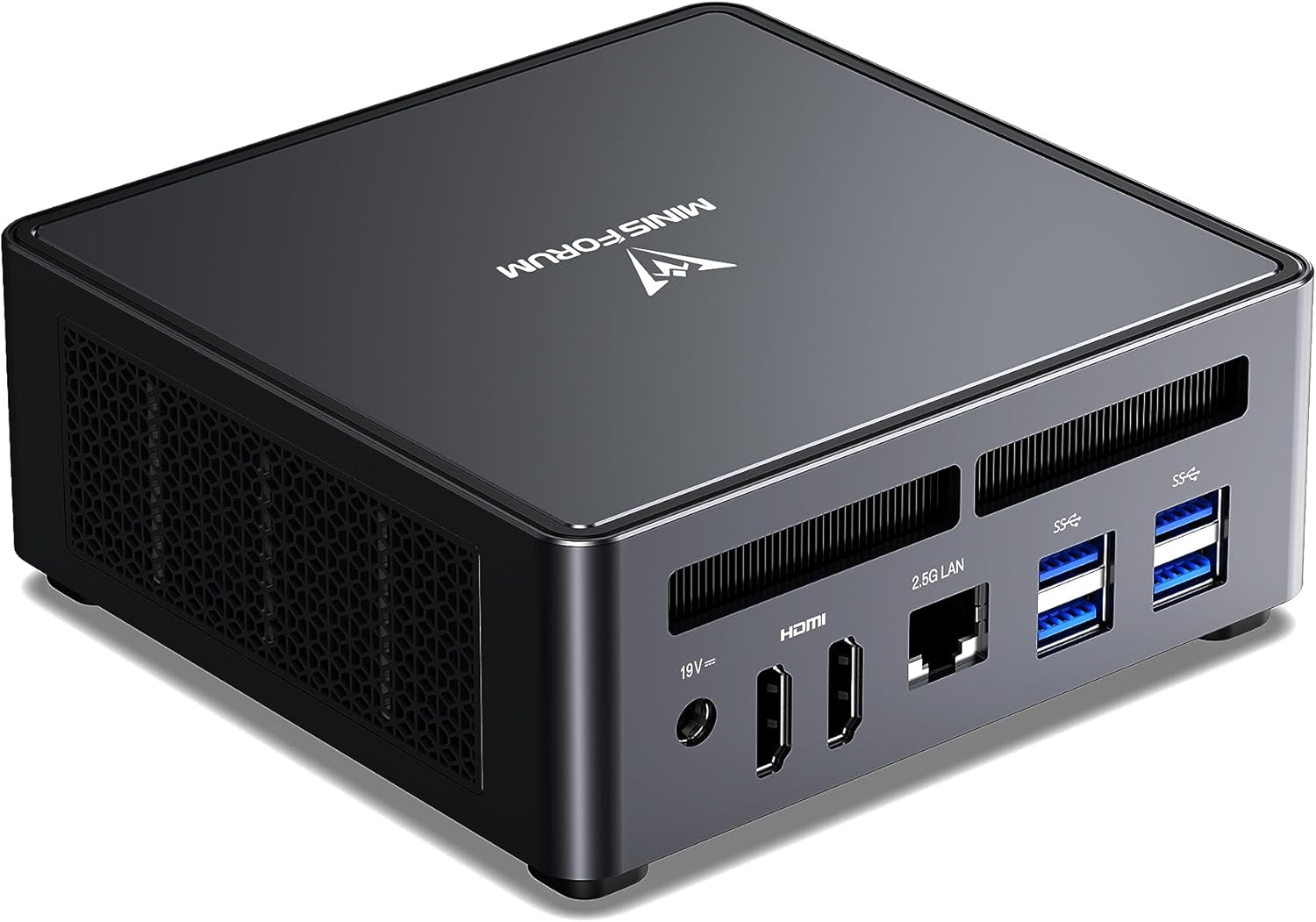
Essentially identical Docker performance to the K11 at a lower price point. The UM790 Pro is the most community-tested mini PC for Docker homelab use, with countless Docker Compose configurations shared in r/selfhosted and r/homelab. The 64GB DDR5 upgrade path gives room to grow.
Specs:
| Spec | Detail |
|---|---|
| CPU | AMD Ryzen 9 7940HS (8C/16T, 5.2GHz) |
| RAM | 32–64GB DDR5 (2x SO-DIMM) |
| Storage | 512GB–1TB NVMe (+ 2nd M.2 slot) |
| Networking | 1x 2.5GbE + WiFi 6E |
| USB | 2x USB4 (40Gbps) |
| Power Draw | ~15W idle / ~65W load |
| Price | ~$380–500 |
Pros:
- Near-identical performance to K11 at lower cost
- Most community-tested mini PC for Docker homelab
- 2nd M.2 slot for dedicated container data storage
- Dual USB4 for external storage expansion
- 64GB DDR5 path for heavy container stacks
Cons:
- Single 2.5GbE (no traffic separation)
- ~15W idle = ~$16/year electricity
- Slightly older CPU generation than K11
Who should buy this: The go-to choice for most self-hosters — excellent price-to-container-density ratio with strong community support.
Who should skip this: If you need dual NICs for traffic isolation, the K11 is worth the premium.
🥉 Budget
Beelink EQ14
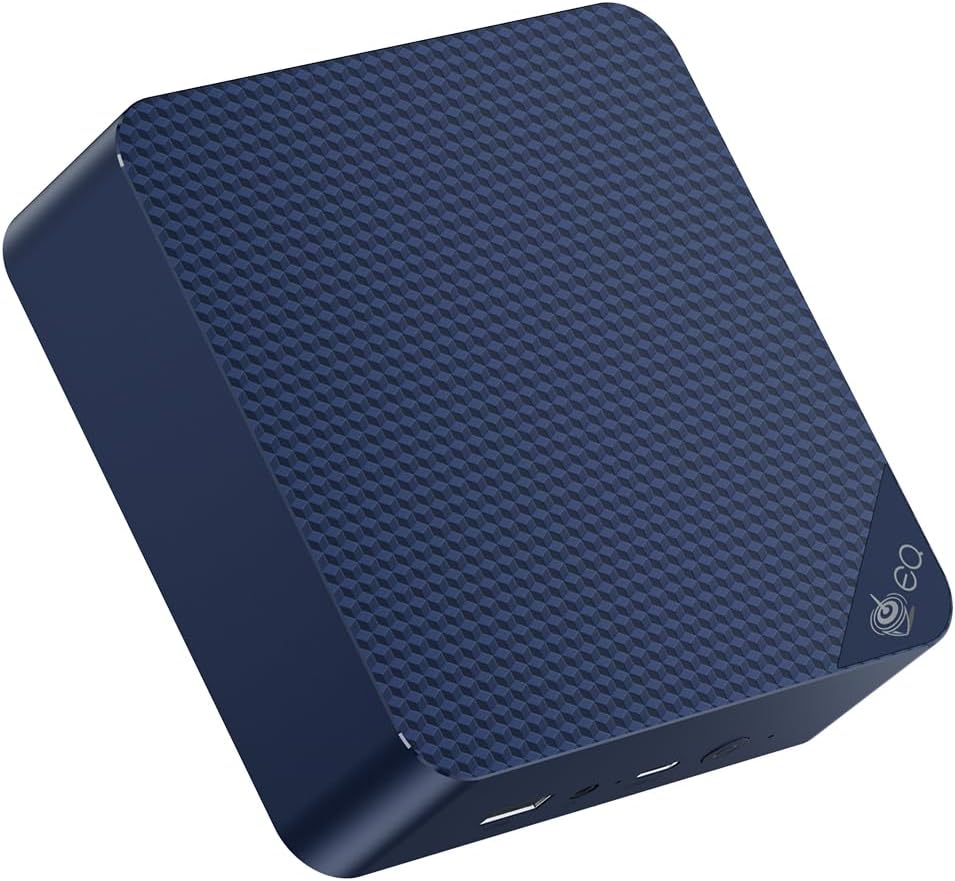
For a starting self-hosting stack — Pi-hole, Home Assistant, Vaultwarden, Gitea, and a few others — the EQ14 handles it comfortably at minimal cost. The main constraints are RAM (16GB in base config) and 4 cores. Upgrade to the 32GB SO-DIMM variant if available, or plan for containers that stay light.
Specs:
| Spec | Detail |
|---|---|
| CPU | Intel N150 (4C/4T, 3.6GHz) |
| RAM | 16GB LPDDR5 |
| Storage | 500GB SSD |
| Networking | 2x 2.5GbE LAN + WiFi 6 |
| Power Draw | ~6W idle / ~25W load |
| Price | ~$190–220 |
Pros:
- ~6W idle = ~$6.57/year electricity
- Handles 8–12 lightweight containers without issues
- Dual 2.5GbE for flexible networking
- Sub-$220 entry point for self-hosting
Cons:
- 4 cores — CPU bottleneck with 10+ simultaneous active containers
- 16GB RAM limits container count
- Not suitable for Immich with AI features or video transcoding containers
Who should buy this: First-time self-hosters building their initial stack of 5–10 lightweight services.
Who should skip this: Anyone planning to run 15+ containers or memory-hungry services like Immich or Nextcloud with external storage.
🔷 Mid-Range
GEEKOM A6
→ Check Current Price on Amazon
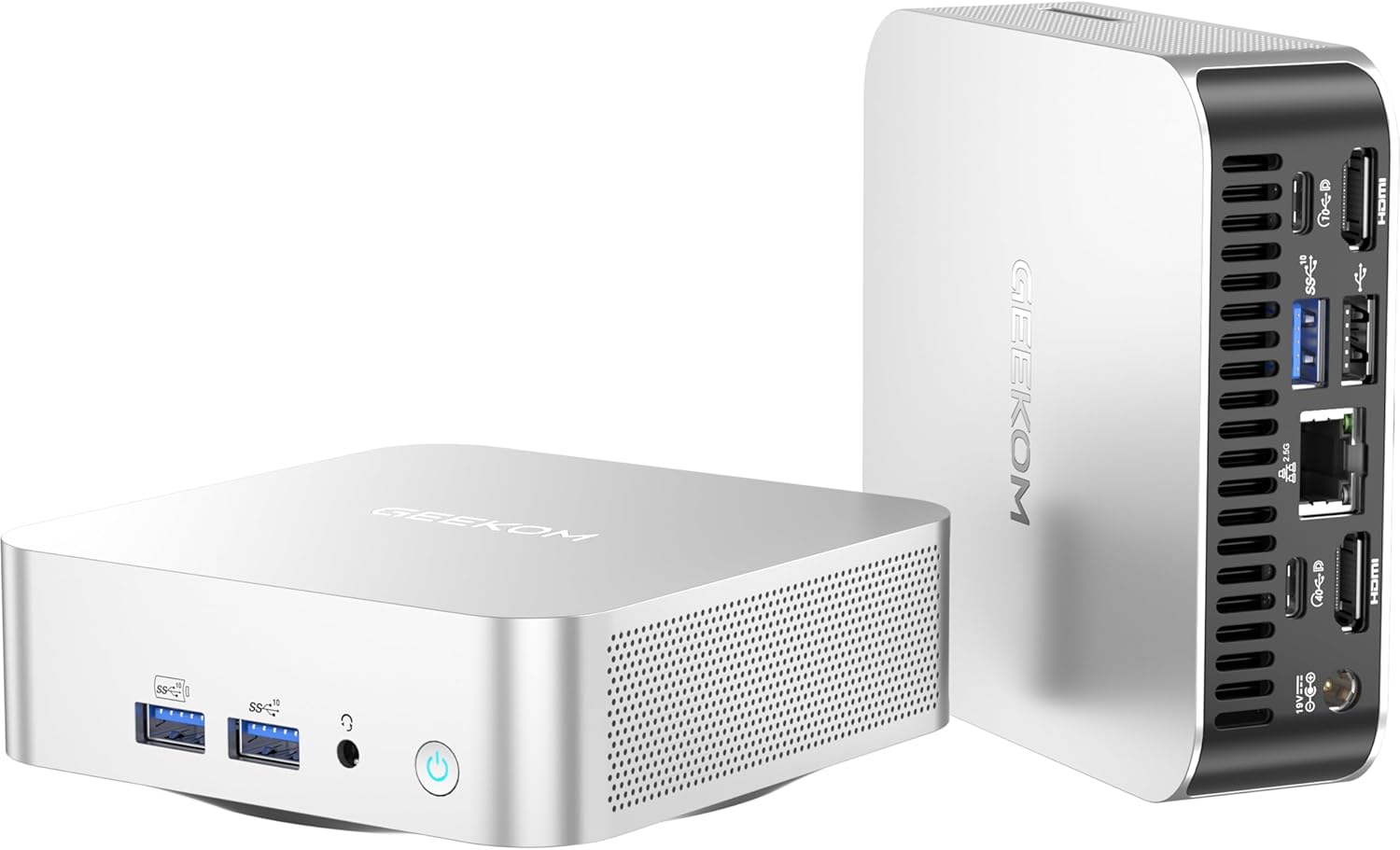
The Ryzen 7 6800H in the GEEKOM A6 offers a strong balance of performance per dollar for Docker. 8 cores and 16 threads handle 15–25 containers without breaking a sweat, and DDR5 RAM keeps container context-switching snappy. The 2.5GbE NIC handles all typical container workloads at this price point.
If you’re running a self-hosting stack that’s outgrown a budget N100 box but doesn’t need the full UM790 Pro, the A6 sits in the sweet spot.
Specs:
| Spec | Detail |
|---|---|
| CPU | AMD Ryzen 7 6800H (8C/16T, up to 4.7GHz) |
| RAM | 16–32GB DDR5 (2x SO-DIMM) |
| Storage | 512GB PCIe 4.0 NVMe |
| Networking | 1x 2.5GbE LAN + WiFi 6E |
| Power Draw | ~12W idle / ~55W load |
| Price | ~$350–450 |
Pros:
- 8 cores / 16 threads handle 15–25 Docker containers simultaneously
- PCIe 4.0 NVMe and DDR5 RAM keep container I/O responsive
- 32GB DDR5 upgrade path covers most self-hosting stacks
- ~12W idle means ~$13/year electricity — lower than the UM790 Pro
Cons:
- 32GB RAM ceiling limits long-term container scaling vs. 64GB on UM790 Pro
- Single NVMe slot — no dedicated container data drive without USB
Who should buy this: Growing self-hosting stacks that have outgrown budget hardware but don’t need 64GB RAM or 8 cores.
Who should skip this: If you’re planning 30+ containers or memory-hungry services like Immich with AI, the UM790 Pro’s 64GB ceiling is worth the price difference.
Head-to-Head Comparison
| Feature | Beelink EQ14 | GEEKOM A6 | UM790 Pro | GMKtec K11 |
|---|---|---|---|---|
| CPU | N150 (4C) | Ryzen 7 6800H (8C) | Ryzen 9 7940HS (8C) | Ryzen 9 8945HS (8C) |
| Max RAM | 32GB | 32GB DDR5 | 64GB DDR5 | 64GB DDR5 |
| NVMe Gen | PCIe 3.0 | PCIe 4.0 | PCIe 4.0 | PCIe 4.0 |
| Networking | 2x 2.5GbE | 1x 2.5GbE | 1x 2.5GbE | 2x 2.5GbE |
| Container capacity | 8–15 | 15–25 | 20–35 | 25–40+ |
| Power (idle) | ~6W | ~12W | ~15W | ~18W |
| Price | ~$190–220 | ~$350–450 | ~$380–500 | ~$639 |
Power Consumption & Annual Running Cost
| Mini PC | Idle (W) | Load (W) | Annual Cost (24/7 idle)* |
|---|---|---|---|
| Beelink EQ14 | ~6W | ~25W | ~$6.57/year |
| GEEKOM A6 | ~12W | ~55W | ~$13.14/year |
| Minisforum UM790 Pro | ~15W | ~65W | ~$16.43/year |
| GMKtec K11 | ~18W | ~80W | ~$19.71/year |
*At $0.12/kWh.
Essential Docker Stack for Homelab Mini PCs
A recommended starting stack for a mini PC home server:
# Core services to start with:
# - Traefik (reverse proxy with automatic SSL)
# - Portainer (Docker management UI)
# - Pi-hole or AdGuard Home (DNS ad blocking)
# - Vaultwarden (Bitwarden-compatible password manager)
# - Nextcloud (private cloud storage)
# - Grafana + Prometheus (monitoring dashboards)
# - Watchtower (automatic container updates)
# - Uptime Kuma (service monitoring)
Total RAM for this stack: ~6–8GB. The Beelink EQ14 (16GB) handles it with headroom. See our home server guide for more on picking the right hardware.
Quick Picks Recap
| Pick | Mini PC | Container Capacity | Price | Link |
|---|---|---|---|---|
| 🥇 Best Overall | GMKtec K11 | 25–40+ containers | ~$639 | Check Price |
| 🥈 Best Value | Minisforum UM790 Pro | 20–35 containers | ~$380–500 | Check Price |
| 🥉 Budget | Beelink EQ14 | 8–15 containers | ~$190–220 | See current alternatives |
| 🔷 Mid-Range | GEEKOM A6 | 15–25 containers | ~$350–450 | Check Price |
Frequently Asked Questions
Should I run Docker directly on Linux or in a Proxmox LXC?
Both work. Running Docker in an unprivileged Proxmox LXC adds a small overhead but gives you snapshot capability and easier management. For a dedicated Docker host, running directly on Ubuntu Server or Debian is simpler.
What storage is best for Docker containers?
NVMe SSD directly in the mini PC is ideal. Avoid storing Docker volumes on USB drives for database-backed containers (Nextcloud, Gitea) — the I/O latency causes slow queries. USB is fine for media libraries accessed by Plex/Jellyfin containers.
Can I run Kubernetes instead of Docker Compose?
Yes — K3s runs well on these mini PCs. See our Kubernetes guide for hardware recommendations and setup instructions.
How many Docker containers can a mini PC run?
It depends on the containers. A 4-core N100 mini PC with 16GB RAM handles 15–25 lightweight containers (Pi-hole, Nginx, Home Assistant). An 8-core Ryzen with 32GB can run 40–60+ containers simultaneously. RAM is almost always the limiting factor before CPU.
Docker vs Proxmox LXC containers — which should I use on a mini PC?
Docker is simpler for application deployment and has a larger ecosystem. LXC containers in Proxmox offer better isolation and resource management. Many homelab users run Docker inside a Proxmox VM to get the best of both.
How We Research These Picks
Each recommendation is tied to a specific product configuration and cross-checked against manufacturer documentation. Affiliate targets are checked for product identity during content refreshes. Prices are approximate, and this site does not publish live stock guarantees or claim first-party benchmarks without documented evidence.
Amazon Product Links
- 🥇 GMKtec K11 (Best Overall): Check Price on Amazon
- 🥈 Minisforum UM790 Pro (Best Value): Check Price on Amazon
- 🥉 Beelink EQ14 (Budget): See current alternatives
- 🔷 GEEKOM A6 (Mid-Range): Check Price on Amazon