
This article contains affiliate links. If you purchase through our links, we may earn a commission at no extra cost to you. We only recommend products we’ve thoroughly researched and verified.

A software-defined firewall on a mini PC is one of the highest-impact upgrades you can make to your home network. OPNsense and pfSense give you enterprise-grade firewall rules, IDS/IPS, VLAN segmentation, VPN server, and traffic shaping — for hardware that costs less than $300.
The hardware requirements for a firewall mini PC are very specific. Get these right and you have a capable, reliable firewall. Get them wrong and you’ll spend weeks troubleshooting driver issues. If you’re also running a home server on the same hardware, our home server guide covers multi-service setups. And if you’ve already decided on your firewall OS, check out our dedicated picks for OPNsense; pfSense hardware is covered in this guide.
Quick Picks: Best Mini PC for Firewall at a Glance
| Pick | Mini PC | NICs | Price | Link |
|---|---|---|---|---|
| 🥇 Best Overall | Beelink EQ14 | 2x 2.5GbE Intel I225-V | ~$190–220 | See current alternatives |
| 🥈 Mid-Range | KAMRUI AM06PRO | 2x GbE | ~$300–350 | Check Price |
| 🥉 Advanced | Minisforum MS-A2 | 2x 10GbE SFP+ + 2x 2.5GbE | ~$799+ | Check Price |
Why Use a Mini PC as a Firewall?
Your ISP-provided router is a liability: limited firmware updates, no IDS/IPS, no VLAN support, basic NAT only. A mini PC running OPNsense or pfSense gives you:
- Full firewall rule control: Block specific IPs, ports, protocols
- IDS/IPS: Suricata detects and blocks malware, port scans, exploits
- VLAN segmentation: Isolate IoT devices from your trusted network
- VPN server: WireGuard or IPsec for secure remote access
- DNS filtering: Built-in Unbound DNS with blocklists
- Traffic shaping: Prioritize video calls over downloads
All of this costs under $7/year in electricity with the right hardware.
Critical Firewall Hardware Requirements
1. Dual NICs — non-negotiable One interface for WAN (your internet connection), one for LAN. You cannot run a proper firewall with a single NIC without complex VLAN tricks.
2. Intel NICs — strongly preferred
OPNsense and pfSense are built on FreeBSD, which has exceptional Intel NIC support via the igb, igc, and em drivers. Realtek NICs use a different driver that, while functional, can exhibit higher latency under load and occasional packet loss in high-traffic environments.
For home use under 500Mbps: Realtek is adequate. For gigabit fiber or higher with IDS enabled: Intel NICs are strongly recommended.
3. AES-NI CPU support Required for VPN performance (IKEv2, WireGuard). All modern x86 CPUs have this — not a concern in 2026.
4. Low power for 24/7 operation Your firewall runs constantly. A 6W idle machine costs ~$7/year to run as a firewall.
NIC identification guide:
- Intel I225-V (2.5GbE) — used in Beelink EQ14, excellent driver support
- Intel I210/I211 (1GbE) — used in many enterprise firewall appliances
- Realtek RTL8125 (2.5GbE) — common in budget mini PCs, adequate for home use
What to Look for in a Firewall Mini PC
1. NIC manufacturer (Intel vs Realtek) Always check which NIC controller is used. Intel I225-V is ideal for 2.5GbE. Intel I211 for 1GbE. Both have first-class FreeBSD drivers.
2. 4+ cores for IDS/IPS Running Suricata IDS with a full ET Pro ruleset can consume 1–2 cores on its own. With 4 cores, routing and IDS run in parallel without impacting throughput.
3. RAM for rulesets Basic firewall + routing: 2–4GB. Adding Suricata with large rulesets: 8GB+. Running Zenarmor (application firewall): 8–16GB recommended.
4. Thermal reliability Your firewall never rests. Confirm the mini PC doesn’t throttle under sustained routing/IDS load.
Our Top Picks: Best Mini PC for Firewall 2026
🥇 Best Overall
Beelink EQ14
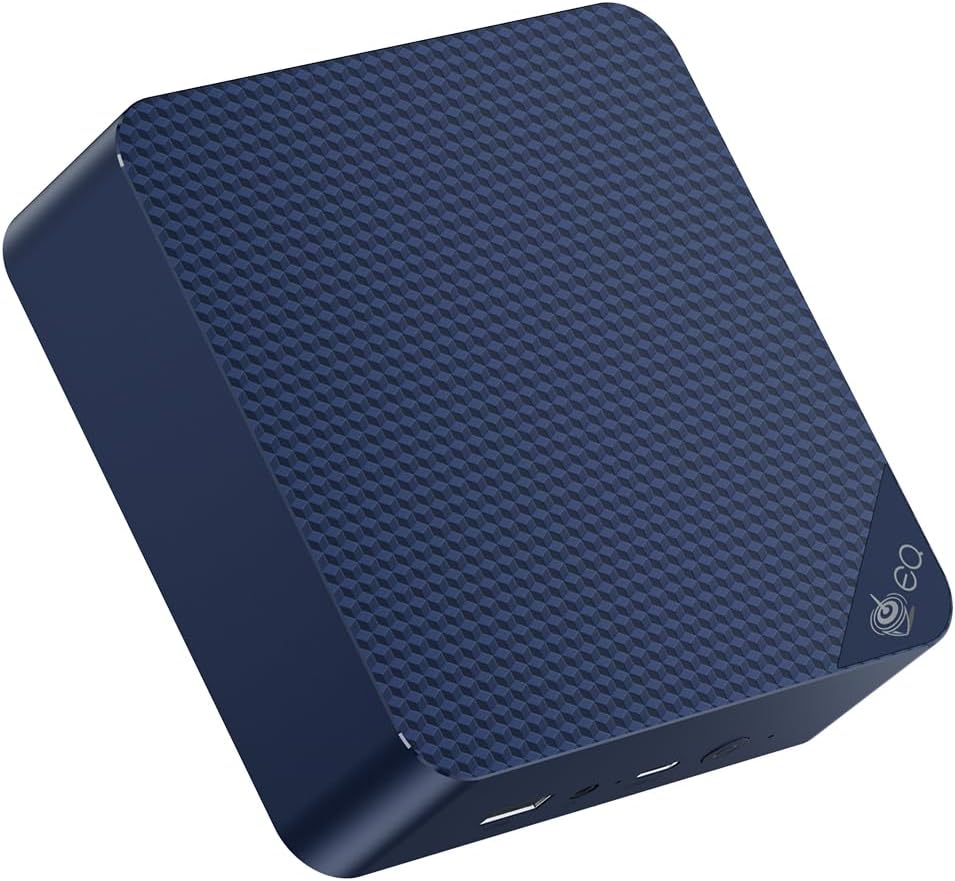
The Beelink EQ14 is the best value firewall mini PC in 2026, and it’s consistently recommended in the homelab community for exactly this use case. The dual Intel I225-V 2.5GbE NICs provide excellent OPNsense and pfSense compatibility with the igc driver — no quirks, no workarounds.
At ~6W idle, the annual electricity cost for a 24/7 firewall is under $7. This is the hardware that makes a sub-$250 total OPNsense firewall build a reality.
Specs:
| Spec | Detail |
|---|---|
| CPU | Intel N150 (4C/4T, AES-NI supported) |
| RAM | 16GB LPDDR5 |
| Storage | 500GB NVMe (only ~8GB needed for OPNsense) |
| Networking | 2x 2.5GbE Intel I225-V + WiFi 6 |
| Power Draw | ~6W idle / ~25W load |
| Price | ~$190–220 |
Firewall performance estimates:
- Pure routing/NAT: Wire-speed to 2.5Gbps (NIC-limited)
- With Suricata IDS (medium ruleset): ~500Mbps–1Gbps
- WireGuard VPN: ~300–600Mbps (AES-NI accelerated)
- IKEv2 IPsec: ~250–400Mbps
Pros:
- Dual Intel I225-V 2.5GbE — confirmed OPNsense/pfSense compatible
- ~6W idle = ~$6.57/year electricity
- 4 cores handle full Suricata IDS + routing without throttling
- 16GB RAM more than enough for any home firewall ruleset
- Sub-$220 total hardware cost
Cons:
- N150 won’t handle multi-gigabit IDS (above 2.5Gbps internet speeds)
- Only 4 cores — limits parallelism for very large Suricata rulesets
- WiFi 6 is included but a firewall doesn’t need it (not a con in practice)
Who should buy this: Anyone with internet speeds up to 2.5Gbps who wants OPNsense or pfSense with full IDS/IPS. This covers 99% of home internet connections in 2026.
Who should skip this: If you have multi-gigabit fiber (5Gbps+) and need full packet inspection at line rate — the Minisforum MS-A2 is the right choice.
🥈 Mid-Range
KAMRUI AM06PRO
→ Check Current Price on Amazon
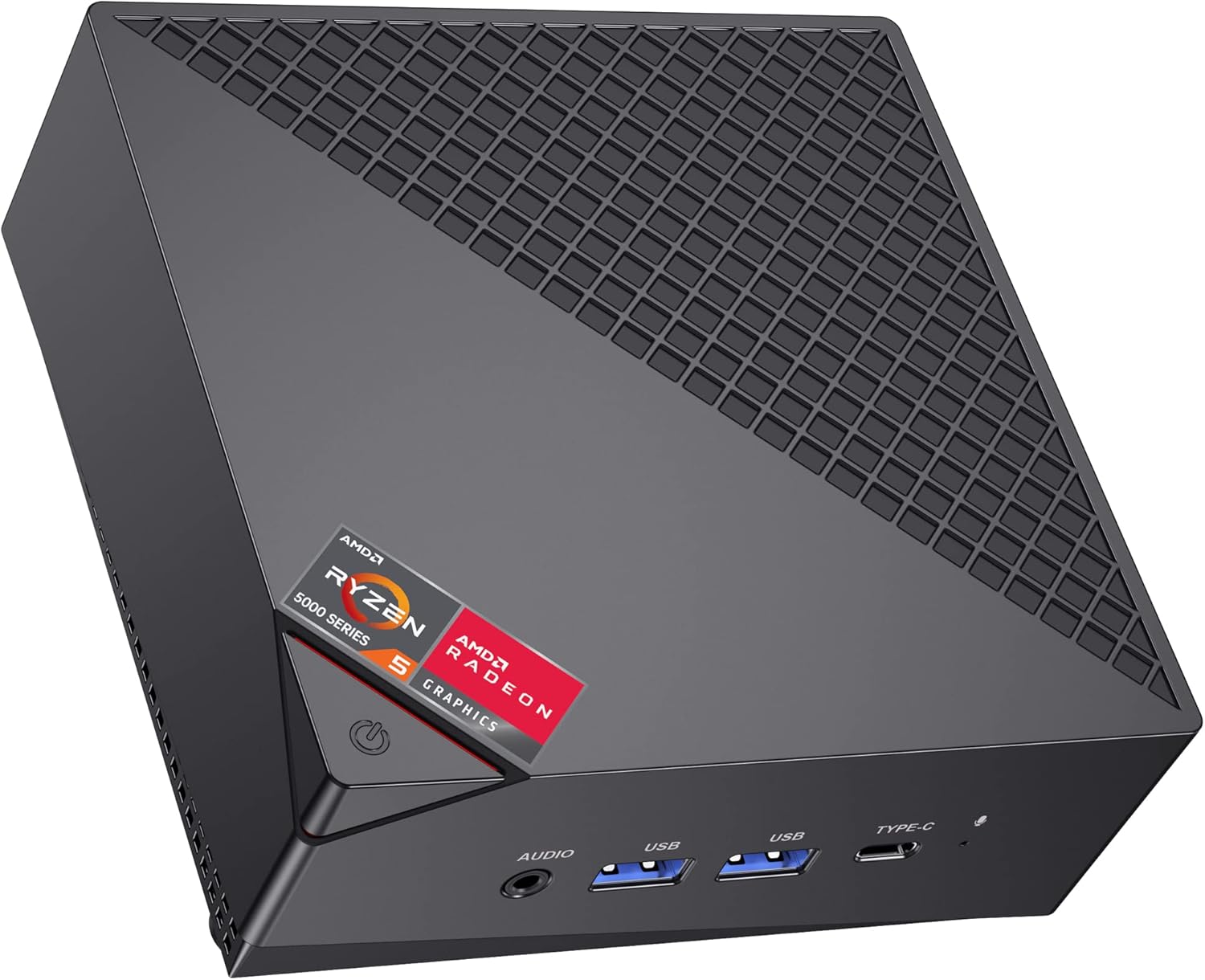
The KAMRUI AM06PRO with AMD Ryzen 5 5500U offers 6 cores for firewall processing — useful if you’re running a full Suricata IDS deployment with threat intelligence feeds, which can saturate a 4-core CPU at high traffic volumes. The dual Gigabit Ethernet is adequate for most home internet connections (under 1Gbps).
Specs:
| Spec | Detail |
|---|---|
| CPU | AMD Ryzen 5 5500U (6C/12T, AES-NI) |
| RAM | 16GB DDR4 |
| Storage | 256–512GB NVMe |
| Networking | 2x GbE (NIC brand varies by batch — verify Intel before purchasing) |
| Power Draw | ~8–12W idle |
| Price | ~$300–350 |
Pros:
- 6 cores for Suricata + routing + VPN without contention
- AMD platform with good FreeBSD compatibility
- More headroom than N150 for complex IDS configurations
Cons:
- 1GbE NICs (bottleneck for gigabit+ internet)
- Higher price than EQ14 for fewer NICs
- GbE limits maximum throughput vs 2.5GbE options
Who should buy this: Users with gigabit fiber who want extra CPU headroom for heavy Suricata rulesets or Zenarmor application firewall alongside full IDS.
Who should skip this: Anyone with 2.5Gbps+ internet — the GbE NICs are the bottleneck.
🥉 Advanced/Professional
Minisforum MS-A2
→ Check Current Price on Amazon
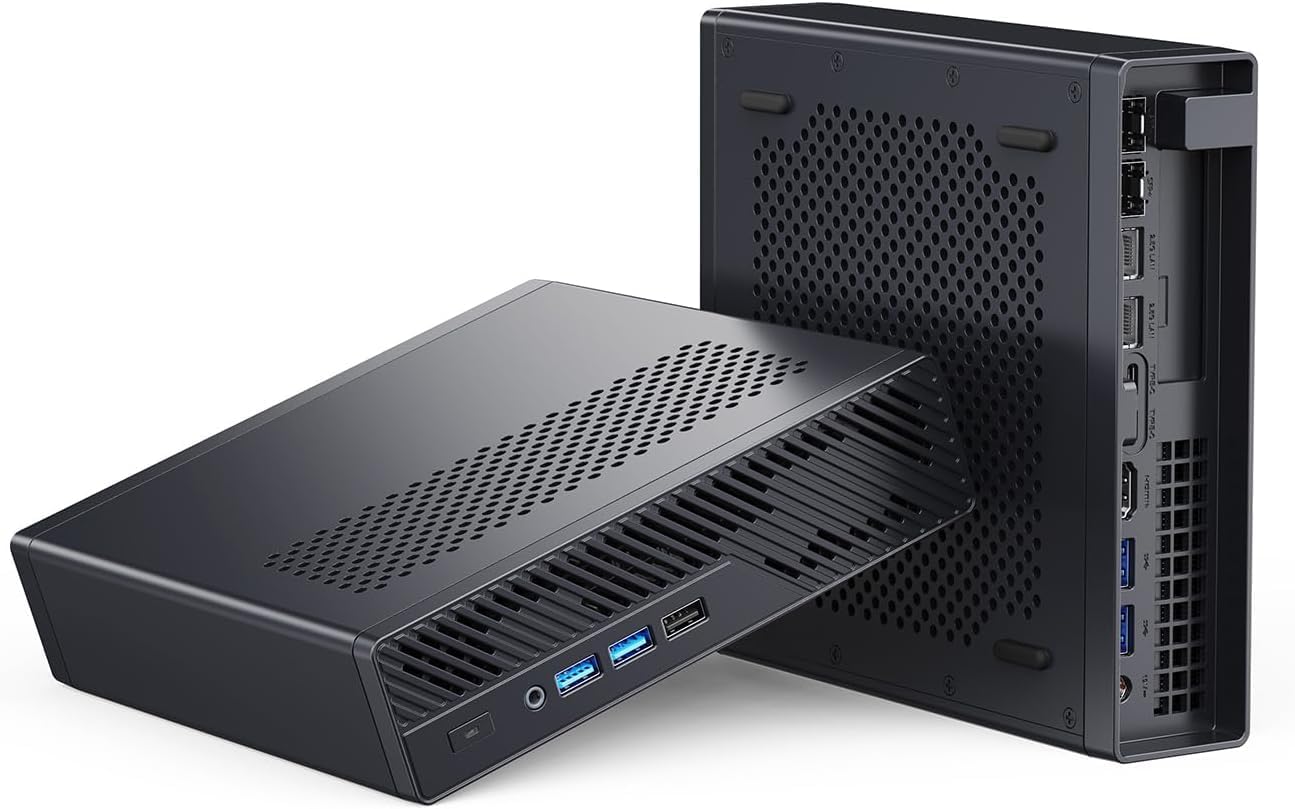
For a combined router/firewall/IDS/proxy server with enterprise-level throughput, the Minisforum MS-A2 is exceptional. Its 2x 10GbE SFP+ ports handle multi-gigabit fiber connections or aggregated network links, while the 16-core Ryzen 9 handles full Suricata packet inspection at gigabit speeds.
Specs:
| Spec | Detail |
|---|---|
| CPU | Ryzen 9 8945HX (16C/32T) |
| RAM | Up to 64GB DDR5 |
| Storage | 2x M.2 NVMe 2280 |
| Networking | 2x 10GbE SFP+ + 2x 2.5GbE RJ45 |
| Power Draw | ~20–25W idle |
| Price | ~$799+ |
Pros:
- 2x 10GbE SFP+ for multi-gigabit internet or internal networking
- 16 cores for full IDS + IPS + proxy at line rate
- 4 total NICs (2x 10G + 2x 2.5G) for complex network segmentation
Cons:
- ~$800+ is a significant investment for home firewall use
- 20–25W idle = ~$22–27/year electricity
- Fan noise noticeable at sustained load — not ideal for placement in a quiet living room
Who should buy this: Labs with multi-gigabit fiber, users running a full security stack (Suricata + Zeek + Zenarmor), or anyone who also needs the MS-A2 for Proxmox/VM workloads.
Who should skip this: If your internet connection is under 2.5Gbps, the Beelink EQ14 handles it at a fraction of the cost and power draw.
Power Consumption at a Glance
Your firewall runs 24/7/365, so power draw directly affects your annual operating cost. The figures below are wall-power readings reported by reviewers and owners using smart-plug meters.
| Mini PC | Idle (W) | Load (W) | Annual Cost (24/7 idle) |
|---|---|---|---|
| Beelink EQ14 | ~6W | ~25W | ~$6.31/year |
| KAMRUI AM06PRO | ~10W | ~35W | ~$10.51/year |
| Minisforum MS-A2 | ~22W | ~65W | ~$23.13/year |
Calculated at $0.12/kWh, 24/7 idle operation. Actual cost depends on your local electricity rate — use our Power Cost Calculator for a personalized estimate.
OPNsense vs pfSense for Mini PCs
| Feature | OPNsense | pfSense CE |
|---|---|---|
| License | Open source (BSD) | Open source (CE) + Netgate focus |
| Updates | Weekly security patches | Less frequent |
| UI | Modern, clean | Functional, dated |
| IDS/IPS | Suricata (built-in) | Suricata (plugin) |
| WireGuard | Built-in | Plugin (CE) |
| Hardware support | Excellent x86 | Excellent x86 |
| Community | Large, active | Large, legacy |
| Recommendation | ✅ Best for new builds | ✅ Fine if already familiar |
For new builds in 2026, OPNsense is generally the better choice due to more frequent updates and a cleaner interface.
Firewall Setup Guide: OPNsense on Beelink EQ14
- Download OPNsense from opnsense.org (AMD64 DVD image)
- Create bootable USB with Balena Etcher or Rufus
- Boot mini PC from USB, run installer — install to NVMe drive
- Assign interfaces: WAN (NIC connected to modem/ISP router) and LAN
- Set LAN IP: 192.168.1.1 and configure DHCP server
- Enable Suricata IDS (optional): System → Intrusion Detection
- Configure WireGuard VPN: VPN → WireGuard
- Set up VLANs for IoT isolation (recommended): Interfaces → Other Types → VLAN
Quick Picks Recap
| Pick | Mini PC | NICs | Price | Link |
|---|---|---|---|---|
| 🥇 Best Overall | Beelink EQ14 | 2x 2.5GbE Intel I225-V | ~$190–220 | See current alternatives |
| 🥈 Mid-Range | KAMRUI AM06PRO | 2x GbE | ~$300–350 | Check Price |
| 🥉 Advanced | Minisforum MS-A2 | 2x 10GbE SFP+ + 2x 2.5GbE | ~$799+ | Check Price |
Frequently Asked Questions
Can I use a single-NIC mini PC as a firewall?
Technically yes, with VLAN trunking, but it’s complex and not recommended for most users. Always use a dual-NIC mini PC for firewall builds. The complexity of single-NIC setups creates troubleshooting headaches that outweigh any cost savings.
What internet speed can the Beelink EQ14 firewall handle?
With OPNsense and basic rules (no deep packet inspection): 2.5Gbps line rate. With Suricata IDS enabled at a medium ruleset: ~500Mbps–1Gbps depending on ruleset size and traffic patterns.
Can I run OPNsense in a Proxmox VM on the same mini PC?
Yes, but you need to pass NICs through to the VM (PCIe passthrough or VLAN-based separation). For a dedicated firewall, bare-metal OPNsense is simpler and more reliable. NIC passthrough in Proxmox adds complexity and potential single-point-of-failure risk.
Do Intel or AMD CPUs work better for firewalls?
Both work well. Intel has historically had slightly better FreeBSD compatibility. AMD is equally good in 2026, especially for OPNsense on Linux-based (FreeBSD 14+). The NIC manufacturer matters more than CPU brand.
Do I need a managed switch with a mini PC firewall?
Only if you’re using VLANs for network segmentation. A basic unmanaged switch works fine for simple WAN/LAN setups. If you want to isolate IoT devices, guest networks, or lab traffic on separate VLANs, you’ll need a VLAN-aware managed switch connected to your LAN interface.
Can I run a VPN server on my mini PC firewall?
Yes, and it’s one of the best reasons to build your own firewall. OPNsense and pfSense both support WireGuard and IPsec natively. The Beelink EQ14 handles WireGuard at ~300–600Mbps thanks to AES-NI acceleration — more than enough for remote access from your phone or laptop.
How We Research These Picks
Each recommendation is tied to a specific product configuration and cross-checked against manufacturer documentation. Affiliate targets are checked for product identity during content refreshes. Prices are approximate, and this site does not publish live stock guarantees or claim first-party benchmarks without documented evidence.
Amazon Product Links
- 🥇 Beelink EQ14 (Best Overall): See current alternatives
- 🥈 KAMRUI AM06PRO (Mid-Range): Check Price on Amazon
- 🥉 Minisforum MS-A2 (Advanced): Check Price on Amazon