
This article contains affiliate links. If you purchase through our links, we may earn a commission at no extra cost to you. We only recommend products we’ve thoroughly researched and verified.

Running a home server on a mini PC is one of the smartest decisions you can make for your homelab. A compact, near-silent box that draws 6–25W idle, handles Proxmox, Plex, Pi-hole, and Home Assistant simultaneously, and costs less than $300 to buy and less than $30/year to run? That’s hard to beat.
But not every mini PC makes a good home server. Some throttle under sustained load. Others have network controllers that Linux hates. A few look great on paper but fail in practice when you need them running reliably 24/7 for months at a time.
We’ve researched and researched the leading mini PCs in 2026 to give you clear, honest recommendations. Here’s what we found.
Quick Picks: Best Mini PC for Home Server at a Glance
| # | Mini PC | Best For | Price | Power Draw | Link |
|---|---|---|---|---|---|
| 🥇 Best Overall | Minisforum UM790 Pro | Power users — Proxmox, Docker, Plex all at once | ~$380–500 | 15W idle / 65W load | Check Price |
| 🥈 Best Value | Beelink EQ14 | Budget home server, Pi-hole, Home Assistant | ~$190–220 | 6W idle / 25W load | See current alternatives |
| 🥉 Best Mid-Range | GMKtec K11 | Multi-VM Proxmox, Kubernetes, demanding workloads | ~$639 | 18W idle / 80W load | Check Price |
| 💰 Budget Pick | GEEKOM IT12 | Versatile Intel-based server with good software support | ~$382–549 | 10W idle / 45W load | Check Price |
| 🗄️ Best for NAS | Beelink Me Pro | Storage-heavy builds with NAS capabilities | ~$400–450 | 8W idle / 30W load | Check Price |
Why Use a Mini PC as a Home Server?
Before we get into the picks, let’s make sure a mini PC is actually the right choice for your situation.
Mini PCs are ideal when you:
- Want to run services 24/7 with minimal electricity cost
- Have limited physical space (no rack, no spare room)
- Need quiet operation (bedroom, living room adjacent)
- Run software-defined workloads: Proxmox, Docker containers, Pi-hole, Home Assistant, Plex, TrueNAS
- Have a budget under $600 for the hardware
Mini PCs are NOT ideal when you:
- Need more than 2–3 spinning hard drives (look at a dedicated NAS or server)
- Need ECC RAM (only enterprise hardware supports this)
- Plan to run GPU-intensive VMs (limited PCIe expansion)
- Need more than 64GB of RAM
What Makes a Good Home Server Mini PC?
When evaluating mini PCs for home server use, we focus on these criteria:
1. CPU architecture and core count For Proxmox and containerized workloads, you want at minimum 4 real cores. Intel N-series (N100, N150) are excellent for light loads — low power, good performance per watt. AMD Ryzen 7/9 APUs give you significantly more headroom for multiple VMs.
2. RAM capacity and upgradeability Avoid mini PCs with soldered (non-upgradeable) RAM. Home servers need headroom — 16GB minimum, 32GB comfortable, 64GB if you run multiple Proxmox VMs. Check whether the RAM is LPDDR4/5 (soldered) or DDR4/5 SO-DIMM (upgradeable).
3. Networking A single gigabit NIC is the bare minimum. For serious homelab use, look for 2.5GbE or dual NICs. If you’re running a firewall (OPNsense, pfSense), dual NICs are mandatory. Dual 2.5GbE is increasingly common in 2026 mini PCs and worth prioritizing.
4. Storage options You need at minimum one M.2 NVMe slot for your OS. A second M.2 slot is valuable for data storage. USB 3.2 ports can supplement with external drives. For a proper NAS, you’ll need SATA ports — most standard mini PCs don’t have them.
5. Power consumption This matters more than most people think. A 15W idle machine costs ~$15/year to run. A 65W machine costs ~$65/year. Over 5 years, that’s a $250 difference. We include idle and load power data for every recommendation.
6. Thermal reliability Some mini PCs throttle their CPU under sustained load, causing unpredictable performance. Look for models with proper cooling systems and confirmed reviews of sustained-load stability.
Which Mini PC for Your Home Server Scenario
“Home server” covers everything from a $200 always-on box for Pi-hole and backups to a 24/7 virtualization host. Match the machine to your role and budget instead of buying the biggest box by default.
| Your home server | What matters most | Recommended pick |
|---|---|---|
| First server / tight budget | Low cost, low idle power | Beelink EQ14 |
| Lowest-power 24/7 always-on | Idle watts, silent running | Beelink EQ14 |
| Linux home server / Docker host | AMD Linux support, cores | Minisforum UM790 Pro |
| Performance / many VMs | 8 cores, 64GB, dual NIC | GMKtec K11 |
| Quick Sync transcoding + server | Intel iGPU | GEEKOM IT12 |
| Home server + NAS combo | Internal drive bays | Beelink Me Pro |
- Budget / N150: an N150 box like the EQ14 runs Pi-hole, backups, a few Docker containers, and one lightweight VM at ~6W idle — the cheapest entry to a home lab. You do not need a Ryzen chip for a starter server.
- Used / second-hand: a used small-form-factor business desktop is an alternative on paper, but a new N150 mini PC usually wins on idle power, noise, size, and warranty for 24/7 use, and the electricity saved over a few years offsets the price gap.
- Always-on / 24/7: idle watts dominate the bill. At $0.12/kWh a 6W box costs about $6/year and an 18W box about $19/year — run your own numbers with the power cost calculator.
Our Top Picks: Best Mini PC for Home Server 2026
🥇 Best Overall
Minisforum UM790 Pro
→ Check Current Price on Amazon
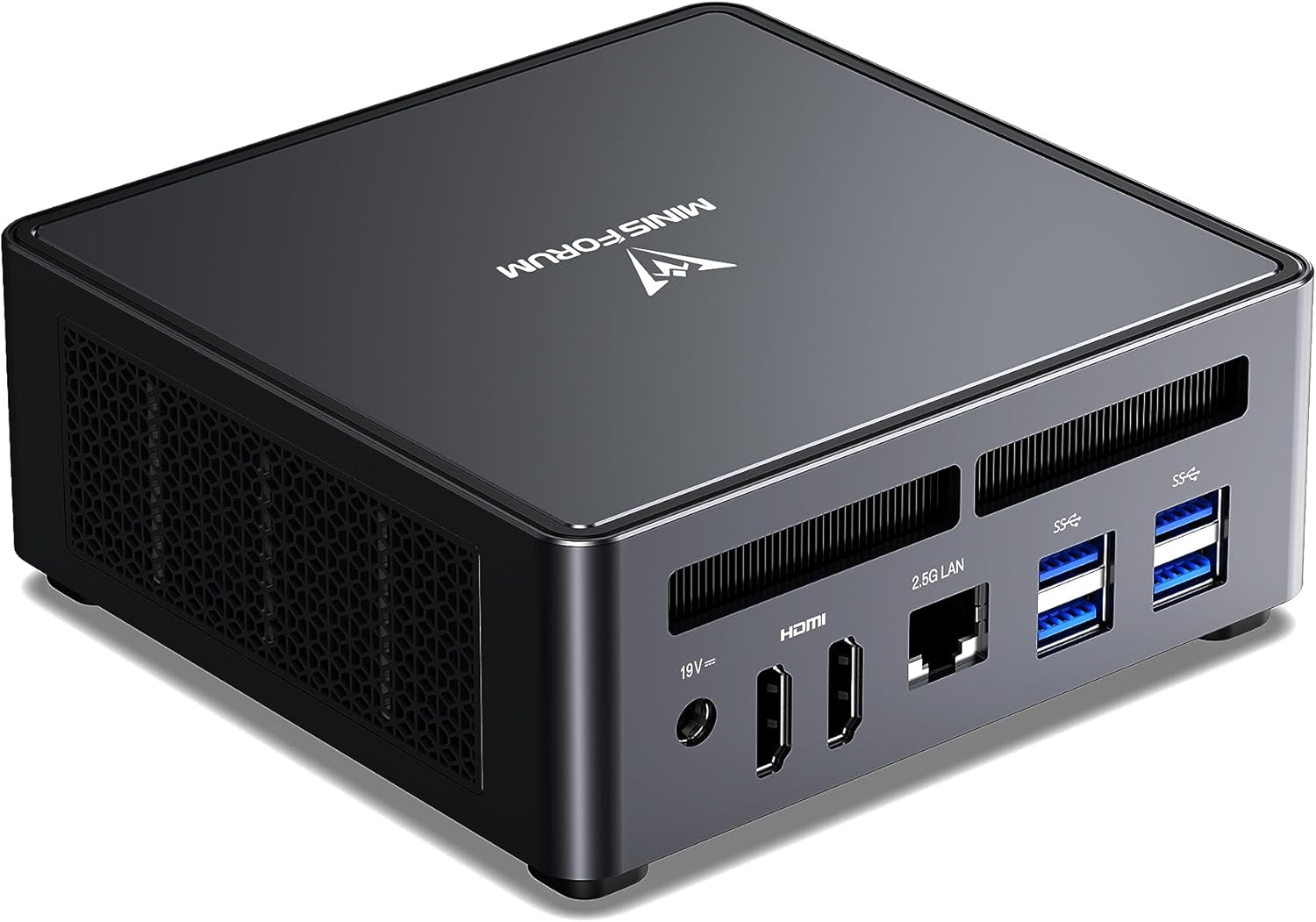
The Minisforum UM790 Pro is the gold standard for serious home server builds in 2026. Powered by the AMD Ryzen 9 7940HS, it delivers 8 cores and 16 threads — more than enough to run a Proxmox host with 4–6 VMs, several Docker containers, and a Plex media server simultaneously, without breaking a sweat.
What sets the UM790 Pro apart for home server use is its memory configuration: it ships with up to 64GB of DDR5 RAM across two SO-DIMM slots, which is critical for virtualization workloads. The dual USB4 (Thunderbolt-compatible) ports enable high-speed external NVMe storage when your internal M.2 slots fill up.
Specs:
| Spec | Detail |
|---|---|
| CPU | AMD Ryzen 9 7940HS (8C/16T, 5.2GHz boost) |
| RAM | 32–64GB DDR5-4800 (2x SO-DIMM, upgradeable) |
| Storage | 512GB–1TB NVMe PCIe 4.0 (+ 2nd M.2 slot) |
| Networking | 1x 2.5GbE + WiFi 6E |
| USB | 2x USB4 (40Gbps), 4x USB-A |
| Display | 2x HDMI 2.1, 1x USB4 DP |
| Power Draw | ~15W idle / ~65W load |
| Dimensions | 127 × 127 × 49mm |
| Price | ~$380–500 depending on config |
Pros:
- 8 cores / 16 threads handles real multi-VM workloads
- 64GB DDR5 support — plenty of headroom for Proxmox
- USB4 for Thunderbolt-compatible external storage expansion
- Excellent thermal management — sustained performance, no throttling
- Strong Linux and Proxmox compatibility
Cons:
- 2.5GbE only (no dual NIC for firewall deployments without USB adapter)
- No SATA ports (M.2 only storage)
- More expensive than N-series budget options
- Slightly larger than the smallest mini PCs
Who should buy this: Anyone running Proxmox with multiple VMs, a Docker stack with 10+ containers, or needing room to grow. This is the “buy it once” pick that won’t bottleneck you.
Who should skip this: Purely running Pi-hole and Home Assistant — this is overkill; save $200 and get the Beelink EQ14.
🥈 Best Value
Beelink EQ14
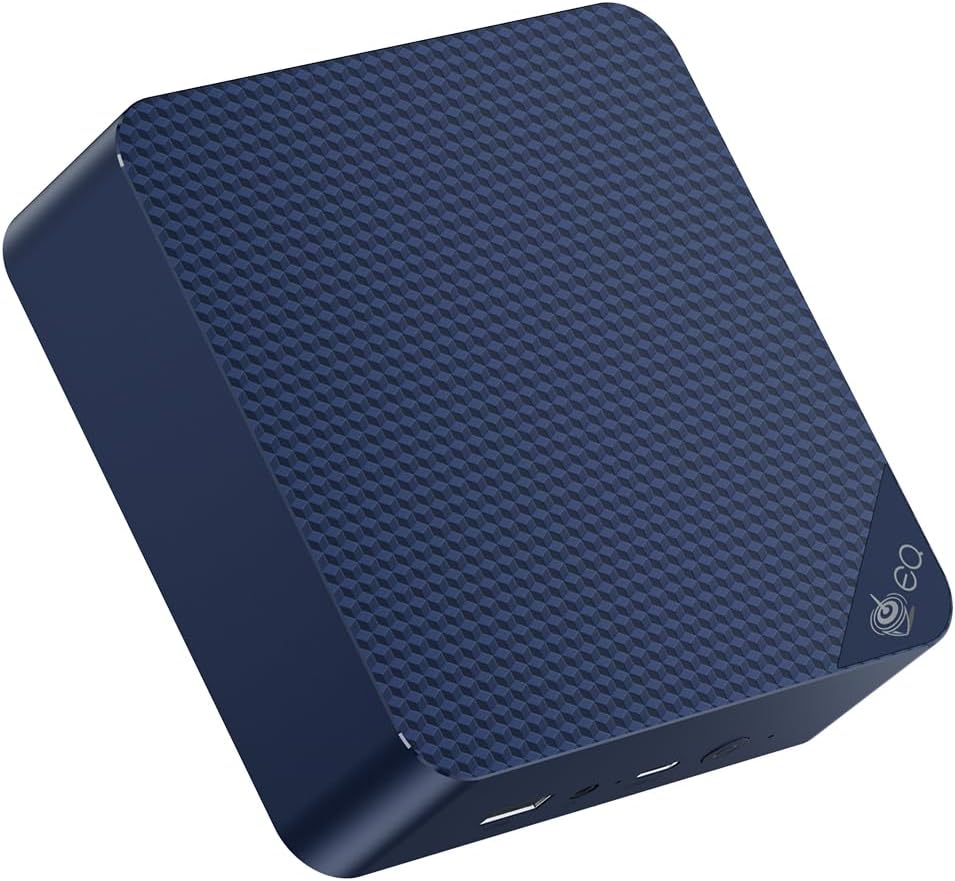
At $190–220, the Beelink EQ14 is the most compelling budget home server in 2026. Powered by the Intel N150 (successor to the popular N100), it’s not fast, but it’s remarkably capable for what it costs and what it draws from the wall.
The N150 supports Intel Quick Sync, which means Plex and Jellyfin hardware transcoding actually works. The dual 2.5GbE NICs are a genuine surprise at this price — you can use it as a basic OPNsense router or aggregate both links for redundancy. At 6W idle, it costs less than $8/year in electricity.
Specs:
| Spec | Detail |
|---|---|
| CPU | Intel N150 (4C/4T, 3.6GHz, 6W base / 25W burst) |
| RAM | 16GB DDR4 (2× SO-DIMM) |
| Storage | 500GB SSD |
| Networking | 2x 2.5GbE LAN + WiFi 6 |
| Display | 2x HDMI 4K@60Hz |
| Power Draw | ~6W idle / ~25W load |
| Price | ~$190–220 |
Pros:
- Dual 2.5GbE at this price is exceptional
- ~6W idle means ~$6–8/year electricity cost
- Intel Quick Sync for Plex/Jellyfin hardware transcoding
- Tiny footprint — smaller than a hardback book
- Proven Linux/Proxmox compatibility
Cons:
- 4 cores only — limited to 2–3 lightweight VMs
- LPDDR5 variants have soldered RAM (check exact SKU before ordering)
- Not suitable for GPU-intensive workloads
- Limited to 16–32GB RAM max
Who should buy this: First-time homelab builders, Home Assistant + Pi-hole + Plex light users, and anyone who wants a capable server under $250 with nearly zero electricity cost.
Who should skip this: Anyone planning to run more than 3 VMs simultaneously or needing serious compute power.
🥉 Best Mid-Range
GMKtec K11
→ Check Current Price on Amazon
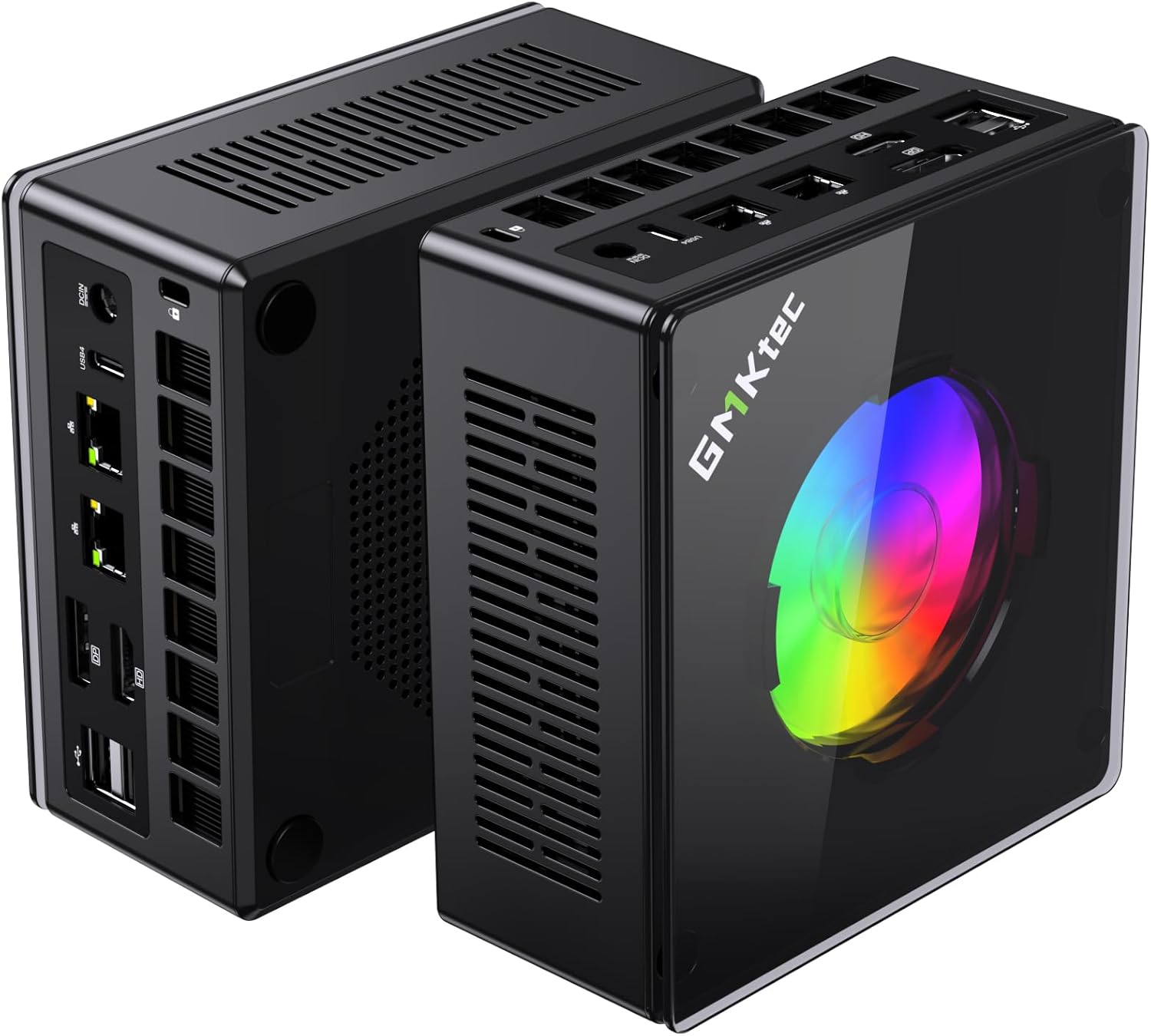
The GMKtec K11 is the 2026 mid-range king for demanding home server workloads. The Ryzen 9 8945HS offers 8 cores, 16 threads, and AMD’s latest Radeon 780M iGPU — making it the best performer in its class for Plex 4K transcoding, Proxmox multi-VM, and even AI inference workloads.
The dual 2.5GbE NICs and USB4 connectivity make it extremely flexible. At $599, it’s not cheap, but compared to alternatives at this performance level, it often comes out ahead on value-per-spec.
Specs:
| Spec | Detail |
|---|---|
| CPU | AMD Ryzen 9 8945HS (8C/16T, 5.2GHz boost) |
| RAM | 32GB DDR5 (upgradeable to 64GB) |
| Storage | 1TB PCIe 4.0 NVMe |
| Networking | 2x 2.5GbE LAN + WiFi 6E |
| USB | 1x USB4, 4x USB-A 3.2 |
| GPU | AMD Radeon 780M (12 RDNA 3 CUs) |
| Power Draw | ~18W idle / ~80W load |
| Price | ~$639 |
Pros:
- Best-in-class Radeon 780M iGPU for hardware transcoding
- 64GB DDR5 upgrade path
- Dual 2.5GbE for flexible networking
- USB4 for external storage or eGPU experimentation
- Strong thermals and build quality
Cons:
- Higher idle power than N-series (~$20/year electricity at 18W idle)
- $599 is a significant investment
- Overkill for basic home server needs
Who should buy this: Power users who want a single machine running Proxmox + Plex 4K + Docker + Home Assistant without compromises.
Who should skip this: Anyone with a modest workload — the Beelink EQ14 or UM790 Pro covers most homelab needs at lower cost.
💰 Best Intel Mid-Range
GEEKOM IT12
→ Check Current Price on Amazon
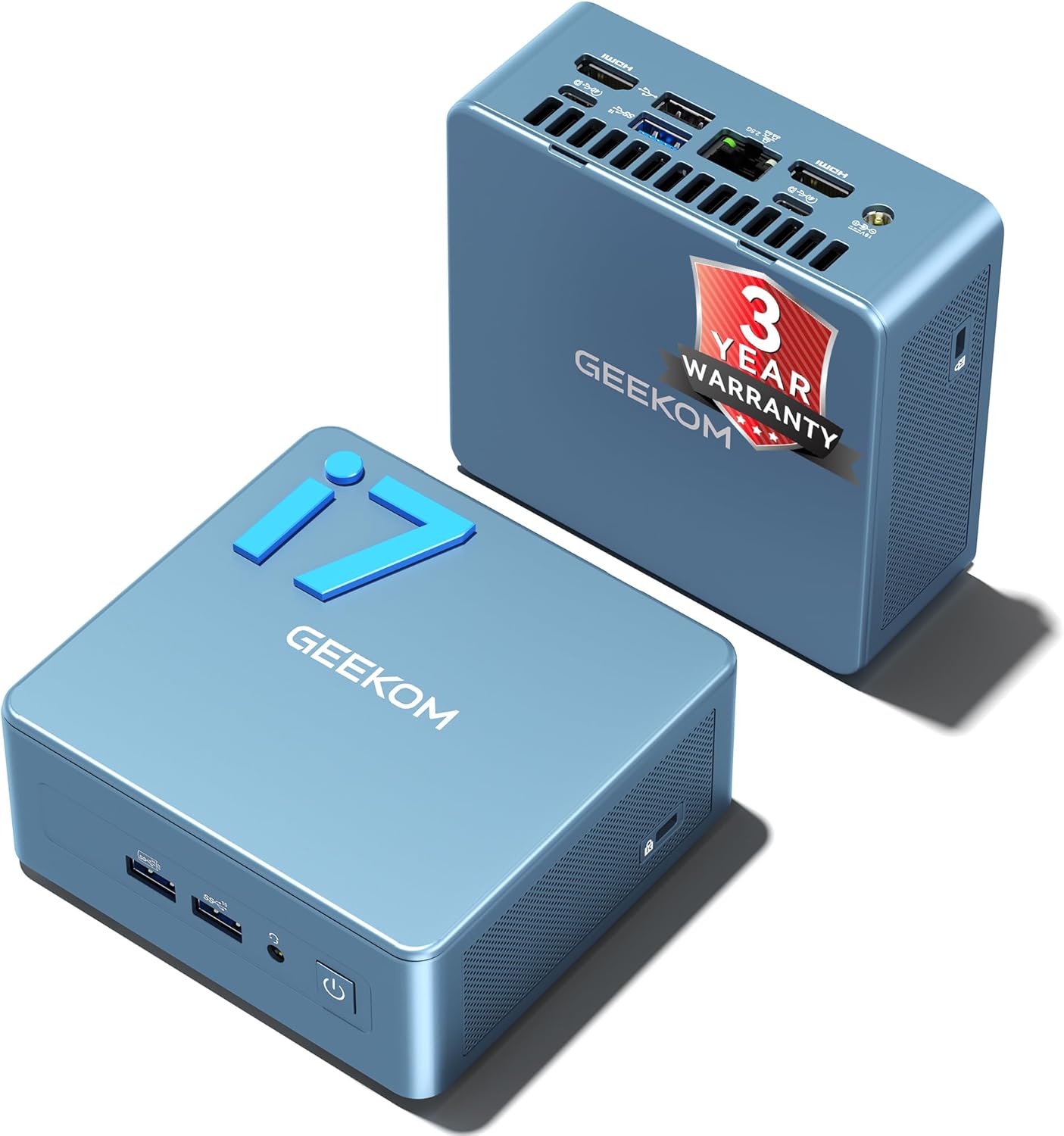
The GEEKOM IT12 brings Intel 12th-gen performance (i5-12450H option) to the mini PC form factor. Intel’s platform gives excellent Linux driver support and Quick Sync hardware transcoding capability, which is important for Plex and Jellyfin users.
GEEKOM’s build quality is excellent, and the IT12 has been on the market long enough to have a proven reliability track record. With the i5 variant, you get 8 cores (4P + 4E), 32GB DDR4 RAM support, and a genuine 2.5GbE port.
Specs:
| Spec | Detail |
|---|---|
| CPU | Intel Core i5-12450H (8C, 2.0–4.4GHz) |
| RAM | 16–32GB DDR4 (upgradeable SO-DIMM) |
| Storage | 512GB–1TB NVMe |
| Networking | 1x 2.5GbE + WiFi 6E |
| USB | 1x Thunderbolt 4, 4x USB-A |
| Power Draw | ~10W idle / ~45W load |
| Price | ~$382–549 depending on config |
Pros:
- Excellent Intel Quick Sync for Plex/Jellyfin
- Proven long-term reliability (2+ years on market)
- Good Linux driver compatibility
- Thunderbolt 4 for external storage/display
- Upgradeable DDR4 SO-DIMM slots
Cons:
- Single 2.5GbE (no dual NIC)
- Older DDR4 vs newer DDR5 competitors
- i7 variant significantly more expensive
Who should buy this: Anyone prioritizing Intel software compatibility, Intel Quick Sync hardware transcoding, or proven long-term stability in a mid-range package.
Who should skip this: Anyone who needs dual NICs for firewall use or prefers AMD’s better Proxmox IOMMU support.
🗄️ Best for NAS/Storage Builds
Beelink Me Pro
→ Check Current Price on Amazon
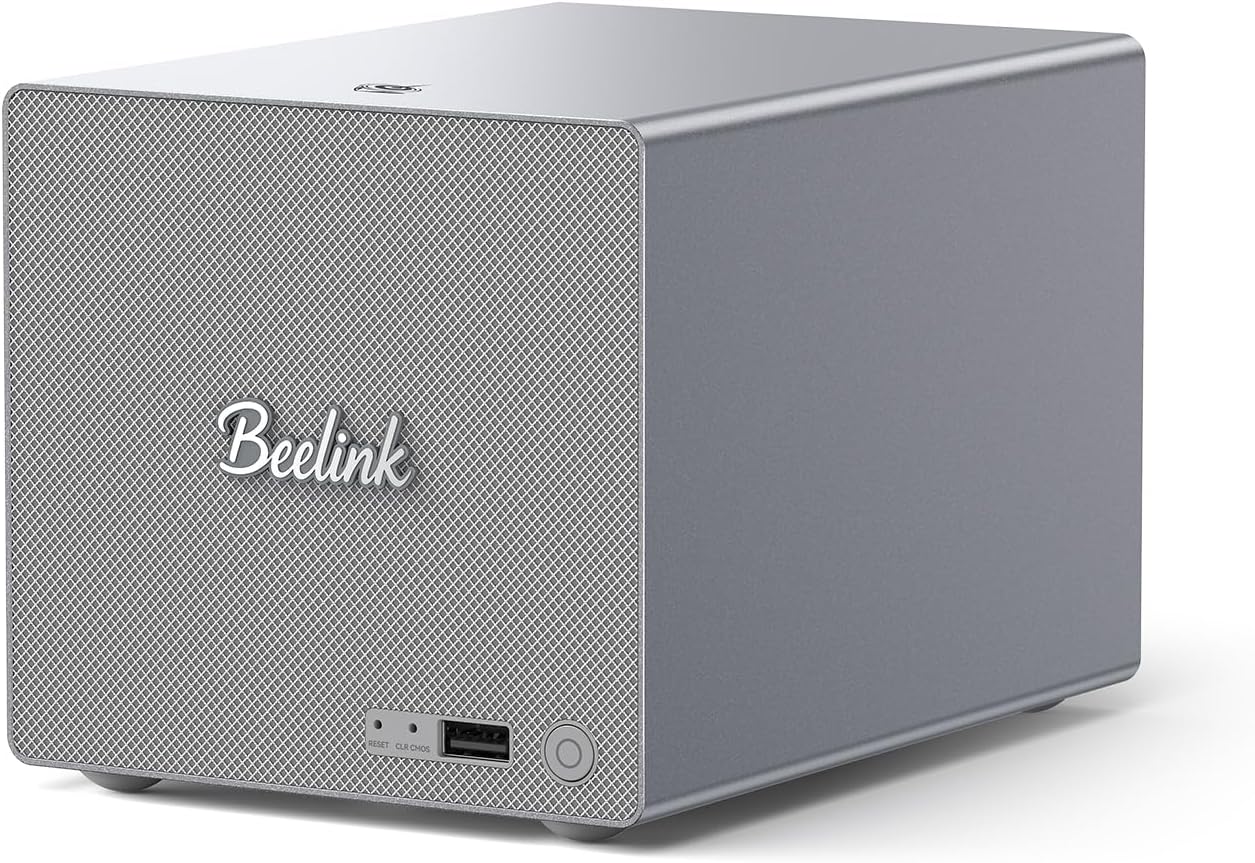
The Beelink Me Pro is a unique product: it bridges the gap between mini PC and NAS appliance. Built on the Intel N150, it includes two internal SATA HDD/SSD bays (2.5” format), three M.2 slots, and dual network ports (5GbE + 2.5GbE). Maximum storage capacity reaches 72TB — enough for a serious media library.
If your home server is primarily about storage (TrueNAS, Unraid, OpenMediaVault) with compute as secondary, the Me Pro’s form factor makes much more sense than buying a separate NAS.
Specs:
| Spec | Detail |
|---|---|
| CPU | Intel N150 |
| RAM | 16GB LPDDR5 |
| Storage | 1TB NVMe + 2x SATA bays (2.5”) + 3x M.2 slots (max 72TB) |
| Networking | 1x 5GbE + 1x 2.5GbE |
| Power Draw | ~8W idle / ~30W load |
| Price | ~$400–450 |
Pros:
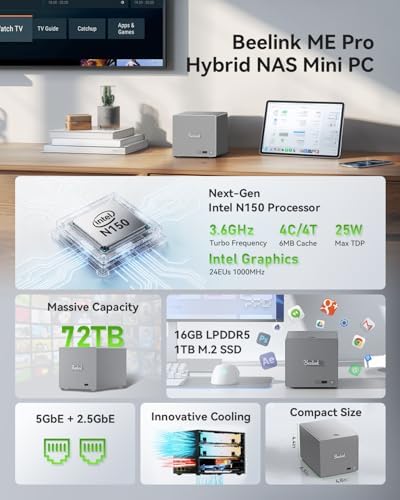
- Two SATA bays built in (rare in mini PC form factor)
- 5GbE + 2.5GbE dual network — faster than most competitors
- Up to 72TB theoretical storage
- Low power (N150 base)
- Purpose-built for hybrid NAS/server role
Cons:
- Compute is limited (N150 only — not suitable for multi-VM Proxmox)
- LPDDR5 (soldered RAM — not upgradeable)
- Less software community support vs standard mini PCs
- SATA bays accept 2.5” drives only (no 3.5” HDDs)
Who should buy this: Anyone whose primary use case is storage — TrueNAS, Unraid, or OpenMediaVault — who wants the convenience of internal SATA drives in a compact form factor.
Who should skip this: Anyone who needs serious compute (multiple VMs, Docker stack). The N150 is underpowered for anything beyond storage and light services.
Side-by-Side Comparison Table
| Mini PC | CPU | Cores | Max RAM | Networking | Storage | Power (idle) | Price | Best For |
|---|---|---|---|---|---|---|---|---|
| Minisforum UM790 Pro | Ryzen 9 7940HS | 8C/16T | 64GB DDR5 | 1x 2.5GbE | 2x M.2 | ~15W | ~$380–500 | Proxmox, Docker, Plex |
| Beelink EQ14 | Intel N150 | 4C/4T | 32GB | 2x 2.5GbE | 1x M.2 | ~6W | ~$190–220 | Budget, HA, Pi-hole |
| GMKtec K11 | Ryzen 9 8945HS | 8C/16T | 64GB DDR5 | 2x 2.5GbE | 1x M.2 | ~18W | ~$639 | Power users |
| GEEKOM IT12 | Intel i5-12450H | 8C | 32GB DDR4 | 1x 2.5GbE | 1x M.2 | ~10W | ~$382–549 | Intel reliability |
| Beelink Me Pro | Intel N150 | 4C/4T | 16GB | 5GbE + 2.5GbE | SATA + M.2 | ~8W | ~$400–450 | NAS/storage |
Power Consumption & Annual Electricity Cost
One of the biggest advantages of mini PCs over full tower servers is electricity cost. Here’s what these machines actually cost to run 24/7:
| Mini PC | Idle (W) | Load (W) | Annual Electricity Cost* |
|---|---|---|---|
| Beelink EQ14 | ~6W | ~25W | ~$6.57/year |
| Beelink Me Pro | ~8W | ~30W | ~$8.76/year |
| GEEKOM IT12 | ~10W | ~45W | ~$10.95/year |
| Minisforum UM790 Pro | ~15W | ~65W | ~$16.43/year |
| GMKtec K11 | ~18W | ~80W | ~$19.71/year |
*Calculated at $0.12/kWh (US average 2026), 24/7 operation, idle power draw
For context, a traditional 65W home server would cost ~$71/year. A mini PC running the same services costs $6–20/year. Over 5 years, that’s $250–325 in electricity savings — enough to buy another mini PC.
How to Set Up Your Mini PC Home Server
Once you’ve chosen your hardware, here’s the quick path to a working home server:
Step 1: Install Proxmox VE Proxmox is the most popular hypervisor for mini PCs. It lets you run multiple VMs and LXC containers from a single machine.
Step 2: Create your first VM or LXC container Start with a Linux VM (Ubuntu Server or Debian) or an LXC container for lighter workloads like Pi-hole or Home Assistant OS.
Step 3: Add your services Proxmox makes it easy to run multiple isolated services: Plex, Home Assistant, Pi-hole, Nextcloud, Gitea — each in its own container.
Step 4: Configure networking Set up a static IP address for your server. Consider a separate VLAN for IoT devices if running Home Assistant.
Step 5: Set up remote access Configure Tailscale or WireGuard for secure remote access to your server from anywhere.
Quick Picks Recap
| # | Mini PC | Best For | Price | Power Draw | Link |
|---|---|---|---|---|---|
| 🥇 Best Overall | Minisforum UM790 Pro | Power users — Proxmox, Docker, Plex all at once | ~$380–500 | 15W idle / 65W load | Check Price |
| 🥈 Best Value | Beelink EQ14 | Budget home server, Pi-hole, Home Assistant | ~$190–220 | 6W idle / 25W load | See current alternatives |
| 🥉 Best Mid-Range | GMKtec K11 | Multi-VM Proxmox, Kubernetes, demanding workloads | ~$639 | 18W idle / 80W load | Check Price |
| 💰 Budget Pick | GEEKOM IT12 | Versatile Intel-based server with good software support | ~$382–549 | 10W idle / 45W load | Check Price |
| 🗄️ Best for NAS | Beelink Me Pro | Storage-heavy builds with NAS capabilities | ~$400–450 | 8W idle / 30W load | Check Price |
Frequently Asked Questions
Can any mini PC run as a 24/7 home server?
Technically yes, but not all mini PCs are built for sustained loads. Look for models with active cooling (not fanless), proven thermal performance, and confirmed always-on reliability. The models in this guide are all confirmed-capable for 24/7 operation.
Do I need ECC RAM for a home server?
Not for a personal homelab. ECC RAM prevents bit-flip errors and is important in production enterprise environments. For home use running Plex, Home Assistant, Proxmox experiments — standard DDR4/5 is perfectly fine.
How much RAM do I need for a home server mini PC?
Light use (Pi-hole, Home Assistant only): 8GB is fine. Medium use (Proxmox with 2–3 VMs): 16GB minimum, 32GB recommended. Heavy use (5+ VMs + Docker stack + Plex): 32GB minimum, 64GB ideal.
Can I add storage to a mini PC after buying it?
Yes. All recommended models support external storage via USB 3.2 or USB4. Some (like the Beelink Me Pro) have internal SATA bays. For larger storage needs, consider a separate NAS connected over your network.
What operating system should I run?
For homelab use, Proxmox VE is the most popular choice — it gives you bare-metal virtualization with LXC containers. If you just want Docker, Ubuntu Server or Debian are excellent. For NAS use, TrueNAS SCALE or Unraid are purpose-built.
Is a mini PC better than a Raspberry Pi for a home server?
For most use cases, yes. A mini PC has x86 architecture (better software compatibility), more RAM capacity, faster storage, and usually more cores.
What’s the best mini PC home server for under $300?
The Beelink EQ14 at $190–220 is our top budget pick. It handles Home Assistant, Pi-hole, Jellyfin, and basic Docker containers comfortably.
How We Research These Picks
Each recommendation is tied to a specific product configuration and cross-checked against manufacturer documentation. Affiliate targets are checked for product identity during content refreshes. Prices are approximate, and this site does not publish live stock guarantees or claim first-party benchmarks without documented evidence.
Final Recommendation
For most people: The Beelink EQ14 ($190–220) is the right starting point. It does everything a first home server needs at near-zero running cost.
For serious homelab builders: The Minisforum UM790 Pro ($380–500) is the sweet spot between performance and price, with genuine headroom for growth.
If budget is no constraint: The GMKtec K11 ($599) is the best-performing mini PC home server you can buy today without going to enterprise hardware.
Amazon Product Links
- 🏆 Minisforum UM790 Pro (Best Overall): Check Price
- 💰 Beelink EQ14 (Best Value): See current alternatives
- ⚡ GMKtec K11 (Best Performance): Check Price
- 🔷 GEEKOM IT12 (Best Intel): Check Price
- 🗄️ Beelink Me Pro (Best NAS): Check Price