
Best Mini PC for Local LLM 2026 — Ollama, DeepSeek and 70B Models
By Max · March 20, 2026 · Updated June 28, 2026
This article contains affiliate links. If you purchase through our links, we may earn a commission at no extra cost to you. We only recommend products we’ve thoroughly researched and verified.

Local LLMs give you privacy, cost control, and offline capability that cloud APIs can’t match. In 2026, mini PCs have become the most practical hardware for running models like Llama 3, Mistral, DeepSeek, and Qwen locally — no cloud bills, no data leaving your network.
The key insight: unified memory architecture — where CPU and GPU share the same memory pool — is what makes AMD Ryzen AI mini PCs so capable for LLMs. Your system RAM becomes your “VRAM,” enabling much larger models than a discrete GPU with fixed VRAM. If you also want to run Docker, Plex, or other services on the same machine, see our best mini PC for home server guide for multi-workload recommendations. And if you’re considering a dedicated AI inference box, our best mini PC for AI server guide covers multi-GPU and rack-friendly options.
Quick Picks: Best Mini PC for Local LLM at a Glance
| Pick | Mini PC | Largest Model (Q4) | Tokens/Sec (8B) | Price | Link |
|---|---|---|---|---|---|
| 🥇 Best LLM | GMKtec EVO-X2 AI | ~70B | ~30 t/s | ~$1,800+ | Check Price |
| 🥈 Best Value LLM | Minisforum MS-S1 MAX | ~70B | ~25 t/s | ~$1,500–2,000 | Check Price |
| 🥉 Mid-Range LLM | MINISFORUM AI X1 Pro | ~32B | ~15 t/s | ~$800–1,200 | Check Price |
| 💰 Budget LLM | Minisforum UM790 Pro (64GB) | ~13B | ~6–8 t/s | ~$450–550 | Check Price |
The Unified Memory Advantage for LLMs
Traditional GPU setup for LLMs:
- RTX 4090: 24GB VRAM → max ~34B model at 4-bit quantization
- RTX 3090: 24GB VRAM → same constraint
- Cost: $1,500–$2,000+ for GPU alone, plus the rest of the PC
AMD Ryzen AI Max+ 395 mini PC:
- 128GB unified memory accessible by GPU
- Max ~70B model at 4-bit quantization
- Cost: ~$1,800 total — the entire computer
The comparison that matters: For LLM inference, a $1,800 Ryzen AI Max+ 395 mini PC enables larger models than a $2,000 RTX 4090 GPU — because the GPU card has only 24GB VRAM while the mini PC has 128GB of GPU-accessible memory.
LLM Model RAM Requirements
| Model | Parameters | RAM Required (Q4_K_M) | Minimum Mini PC |
|---|---|---|---|
| Phi-3 Mini | 3.8B | ~2.5GB | Any mini PC with 8GB+ |
| Llama 3.2 | 8B | ~5GB | 16GB RAM (EQ14) — CPU only, slow |
| Mistral 7B | 7B | ~4.5GB | 16GB RAM — CPU only |
| DeepSeek-R1 | 8B | ~5GB | 16GB RAM — CPU only |
| Llama 3 | 13B | ~8GB | 16GB RAM — CPU only, very slow |
| Llama 3 | 13B | ~8GB | 32GB (UM790 Pro) — iGPU accel |
| Llama 3 | 70B | ~40GB | 64GB (UM790 Pro 64GB) — iGPU |
| Llama 3 | 70B | ~40GB | 128GB (Ryzen AI Max+) — fast |
| Llama 3.1 | 405B | ~230GB | Not feasible on consumer hardware |
What to Look for in a Local LLM Mini PC
1. Memory capacity — determines max model size More RAM = larger models. 16GB runs 7B models in CPU-only mode (slow). 64GB runs up to 13B models with iGPU acceleration. 128GB runs 70B models.
2. Memory bandwidth — determines token speed Higher bandwidth = more tokens per second. LPDDR5X-8000 in the Ryzen AI Max+ 395 provides ~273GB/s. LPDDR5-5600 in typical mini PCs provides ~70GB/s. The difference is ~4x in token generation speed for bandwidth-limited models.
3. iGPU or NPU for acceleration Ollama offloads model layers to the GPU. More GPU VRAM/unified memory = more layers offloaded = faster generation.
4. Power efficiency AI inference is power-intensive. The Ryzen AI Max+ 395 draws 60–120W under LLM load. Plan for higher electricity cost than typical mini PC workloads.
Which Mini PC for the Models You Actually Run
Whether you run Ollama, LM Studio, or llama.cpp, and whether the model is Llama, Mistral, Qwen, or DeepSeek, the hardware question is the same: how much memory does the model need, and how fast is that memory? Match the box to the largest model you’ll actually load.
| What you run | Memory you need | Recommended pick |
|---|---|---|
| 7B–8B models (Llama 3.2, Mistral 7B, DeepSeek-R1 8B) on a budget | 32GB, 780M iGPU offload | Minisforum UM790 Pro |
| 13B–32B models, comfortable daily driver | 64GB DDR5 | MINISFORUM AI X1 Pro |
| 70B models, fast tokens, an always-on LLM server | 128GB unified, high bandwidth | GMKtec EVO-X2 AI / Minisforum MS-S1 MAX |
On Ollama and DeepSeek specifically: Ollama offloads model layers to the iGPU, so more unified memory means more layers offloaded and faster generation — the single biggest lever on token speed after memory bandwidth. DeepSeek-R1’s distilled 8B fits comfortably in 32GB; the full-size models need the 128GB Ryzen AI Max+ tier. Don’t buy a 128GB box to run a 7B model — a 32GB Ryzen mini PC runs everyday Ollama models well for a fraction of the price. For step-by-step Ollama setup, see the setup section below.
Our Top Picks: Best Mini PC for Local LLM 2026
🥇 Best LLM
GMKtec EVO-X2 AI
→ Check Current Price on Amazon
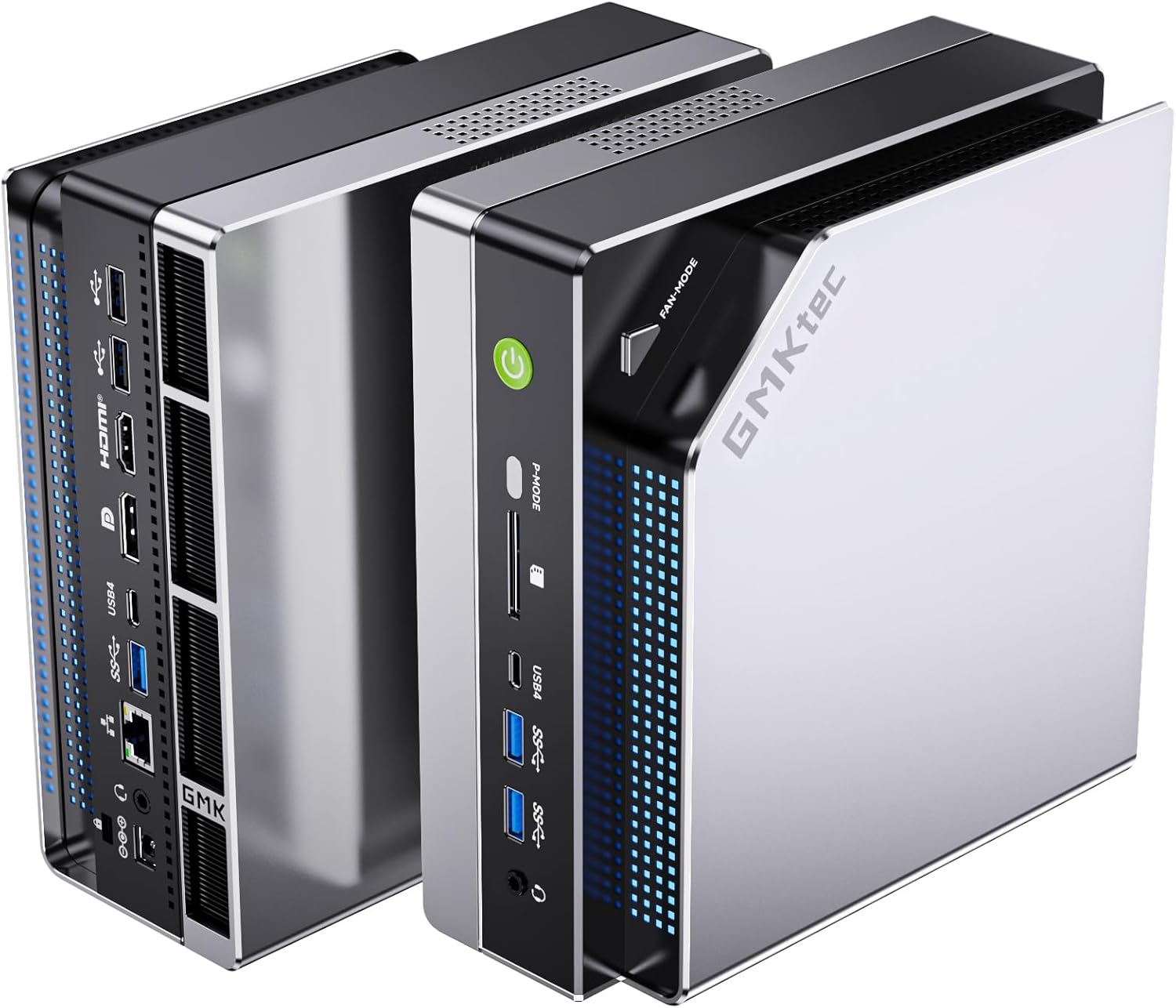
Purpose-built for AI workloads. The Ryzen AI Max+ 395 combines a 16-core CPU, Radeon 8090S iGPU (40 RDNA 3.5 CUs), and XDNA2 NPU (50+ TOPS) with 128GB of ultra-fast LPDDR5X-8000 memory shared between CPU and GPU.
What this means with Ollama:
- Llama 3 70B (Q4_K_M): Fits entirely in GPU memory, ~8–12 tokens/sec
- Llama 3 8B (Q8): ~25–35 tokens/sec
- DeepSeek Coder 33B: Fits in memory at reasonable speed
- Stable Diffusion XL: ~4–5 seconds per image
Specs:
| Spec | Detail |
|---|---|
| CPU | AMD Ryzen AI Max+ 395 (16C/32T) |
| GPU | Radeon 8090S (40 RDNA 3.5 CUs) |
| NPU | XDNA2 (50+ AI TOPS) |
| RAM | 128GB LPDDR5X-8000 (unified) |
| Storage | 2TB PCIe 4.0 NVMe |
| Power Draw | ~30W idle / ~60–120W AI load |
| Price | ~$1,800+ |
Pros:
- 128GB unified memory enables 70B models — unique in consumer mini PCs
- Ultra-fast LPDDR5X-8000 for high token throughput
- Handles Llama 3 70B at conversational speed (~10 tokens/sec)
- 16 cores for parallel AI + other tasks
Cons:
- ~$1,800+ price
- 60–120W under AI load = higher electricity than typical mini PC
- Overkill for users who only need 7B–13B models
Who should buy this: Developers working with 32B–70B models, researchers needing full-quality LLM inference, or power users who want the best possible local AI.
Who should skip this: Anyone satisfied with 7B–13B models for coding assistance — the MINISFORUM AI X1 Pro handles that for half the cost.
🥈 Best Value LLM
Minisforum MS-S1 MAX
→ Check Current Price on Amazon
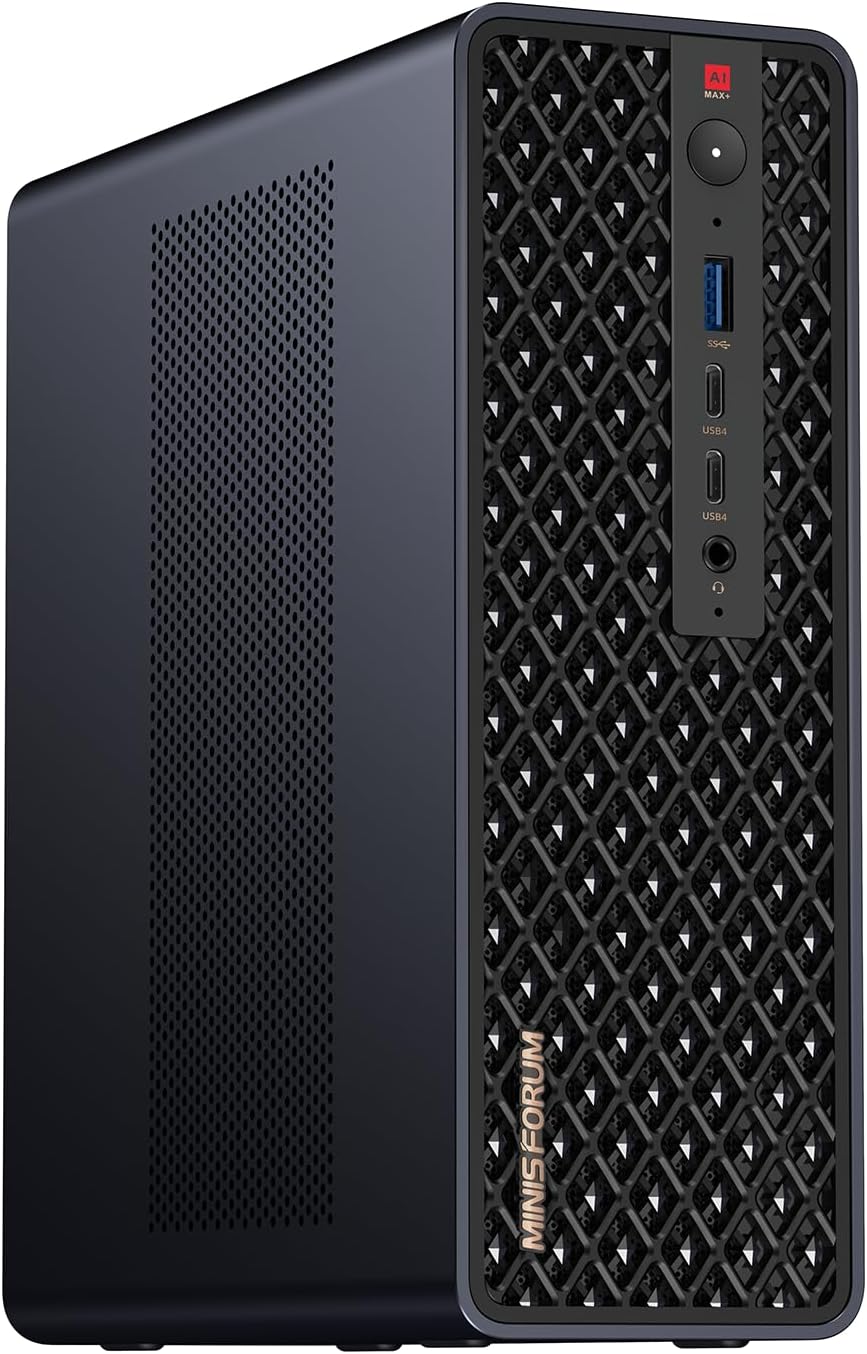
Also Ryzen AI Max+ 395 based, the Minisforum MS-S1 MAX adds a PCIe x16 slot — enabling an eGPU or external GPU for dedicated VRAM alongside the 128GB unified memory. This is the most expandable local LLM mini PC available.
Unique feature: The PCIe slot enables adding an RTX 3060 (12GB VRAM) for hybrid GPU+CPU inference workflows — offloading specific model layers to discrete VRAM for potentially faster speed on certain models.
Specs:
| Spec | Detail |
|---|---|
| CPU | AMD Ryzen AI Max+ 395 (16C/32T) |
| GPU | Radeon 8090S (40 RDNA 3.5 CUs) |
| NPU | XDNA2 (50+ AI TOPS) |
| RAM | 128GB LPDDR5X-8000 (unified) |
| Storage | 2TB PCIe 4.0 NVMe |
| Expansion | PCIe x16 slot (eGPU capable) |
| Power Draw | ~30W idle / ~60–120W AI load |
| Price | ~$1,500–2,000 |
Pros:
- Same 128GB unified memory as EVO-X2 AI — runs 70B models at conversational speed
- PCIe x16 slot for eGPU expansion — unique in this category
- Street price typically $200–300 lower than the EVO-X2 AI for identical CPU/RAM specs
Cons:
- Larger form factor than the EVO-X2 due to PCIe slot — won’t fit behind a monitor
- eGPU adds complexity to setup and requires separate power supply
- Fan noise under sustained AI load is noticeably louder than the EVO-X2
Who should buy this: Power users who want the Ryzen AI Max+ platform with the option to add a discrete GPU later for hybrid inference workflows.
Who should skip this: Users who want a compact form factor or don’t need PCIe expansion — the EVO-X2 AI delivers the same AI performance in a smaller chassis.
🥉 Mid-Range LLM
MINISFORUM AI X1 Pro
→ Check Current Price on Amazon
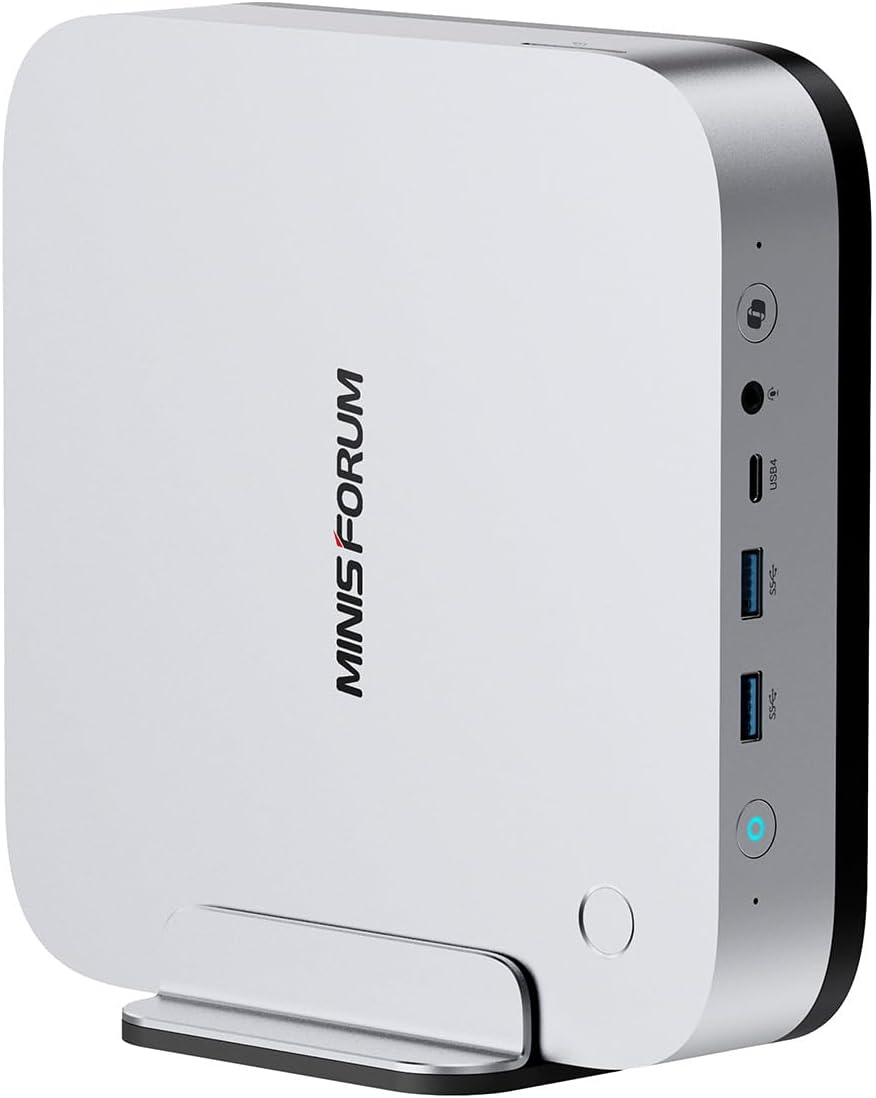
The most accessible entry point for a genuine AI mini PC at ~$800–1,200. The Ryzen AI 9 HX370 with 50 TOPS XDNA2 NPU and 32–64GB DDR5 handles 7B–13B models well and is excellent for developers running local AI assistants.
AI capabilities:
- Llama 3 8B (INT4): ~15–20 tokens/sec
- Mistral 7B (INT4): ~18–25 tokens/sec
- DeepSeek-R1 8B: ~18 tokens/sec
- Code models (Qwen2.5-Coder 14B): ~12 tokens/sec
Specs:
| Spec | Detail |
|---|---|
| CPU | AMD Ryzen AI 9 HX370 (12C/24T) |
| GPU | Radeon 890M iGPU (16 RDNA 3.5 CUs) |
| NPU | XDNA2 (50 AI TOPS) |
| RAM | 32–64GB DDR5-5600 (SO-DIMM, upgradeable) |
| Storage | 1TB PCIe 4.0 NVMe |
| Power Draw | ~15W idle / ~45–65W AI load |
| Price | ~$800–1,200 |
Pros:
- 50 TOPS NPU ready for future Ollama NPU acceleration
- DDR5 SO-DIMM slots allow upgrading to 64GB for larger models
- 45–65W under AI load keeps annual electricity under $50 at 24/7 use
Cons:
- 64GB max RAM limits you to ~32B models at Q4 quantization
- LPDDR5-5600 bandwidth (~70GB/s) yields noticeably slower token speeds than the AI Max+ platform
- No PCIe expansion slot for adding a discrete GPU later
Who should buy this: Developers who want fast 7B–13B model inference for coding assistance (Continue.dev, LM Studio, local Cursor backend) without spending $1,800+.
Who should skip this: Users targeting 70B models or production-grade inference throughput — step up to the EVO-X2 AI or MS-S1 MAX for those workloads.
💰 Budget LLM
Minisforum UM790 Pro
→ Check Current Price on Amazon
No dedicated NPU, but the Radeon 780M iGPU provides ROCm/HIP compute that Ollama uses for smaller models. With 64GB DDR5, it can load a 13B model with full GPU offloading, or a 70B model with mixed CPU/GPU layers (slow).
AI capabilities: Llama 3 8B (INT4): ~5–8 tokens/sec | Llama 3 13B: ~3–5 tokens/sec
Best use case: General homelab server that also runs LLMs as a secondary function. Not a dedicated AI machine — but capable enough for occasional 7B model use.
Specs:
| Spec | Detail |
|---|---|
| CPU | AMD Ryzen 9 7940HS (8C/16T, up to 5.2GHz) |
| GPU | Radeon 780M iGPU (12 RDNA 3 CUs) |
| NPU | None |
| RAM | 64GB DDR5-5600 (SO-DIMM, upgradeable) |
| Storage | 1TB PCIe 4.0 NVMe |
| Networking | 2.5GbE (Intel i226-V) |
| Power Draw | ~15W idle / ~35–55W AI load |
| Price | ~$450–550 (64GB config) |
Pros:
- 64GB DDR5 fits 13B models entirely in memory with iGPU offloading
- ~15W idle means ~$16/year electricity — run it 24/7 as a homelab server that also does LLM inference
- DDR5 SO-DIMM slots are user-upgradeable — start at 32GB and expand later
Cons:
- No NPU — all inference runs on iGPU/CPU, yielding 3–5x slower tokens/sec than the AI X1 Pro
- Radeon 780M has only 12 CUs vs 16 on the 890M — noticeably slower on larger quantizations
Who should buy this: Homelab users who already want a general-purpose server and want to experiment with 7B–13B models on the side without buying dedicated AI hardware.
Who should skip this: Anyone whose primary goal is LLM inference — the AI X1 Pro delivers 2–3x faster token speeds for $300–600 more and is purpose-built for AI workloads.
Head-to-Head Comparison
| Feature | GMKtec EVO-X2 AI | MS-S1 MAX | AI X1 Pro | UM790 Pro (64GB) |
|---|---|---|---|---|
| CPU | Ryzen AI Max+ 395 (16C/32T) | Ryzen AI Max+ 395 (16C/32T) | Ryzen AI 9 HX370 (12C/24T) | Ryzen 9 7940HS (8C/16T) |
| GPU | Radeon 8090S (40 CUs) | Radeon 8090S (40 CUs) | Radeon 890M (16 CUs) | Radeon 780M (12 CUs) |
| NPU | XDNA2 (50+ TOPS) | XDNA2 (50+ TOPS) | XDNA2 (50 TOPS) | None |
| RAM | 128GB LPDDR5X-8000 | 128GB LPDDR5X-8000 | 32–64GB DDR5-5600 | 64GB DDR5-5600 |
| Memory Bandwidth | ~273GB/s | ~273GB/s | ~70GB/s | ~70GB/s |
| Max Model (Q4) | ~70B | ~70B | ~32B | ~13B |
| 8B Token Speed | ~30 t/s | ~25 t/s | ~15 t/s | ~6–8 t/s |
| PCIe Expansion | No | x16 slot | No | No |
| Power (AI Load) | 60–120W | 60–120W | 45–65W | 35–55W |
| Price | ~$1,800+ | ~$1,500–2,000 | ~$800–1,200 | ~$450–550 |
| Best For | Maximum model size | Expandable AI platform | Developer AI assistant | Budget LLM experimentation |
Power Consumption at a Glance
LLM inference is more power-hungry than typical homelab workloads. Here’s what to expect running these machines 24/7 with intermittent AI queries. Annual cost calculated at $0.12/kWh. For precise cost projections with your local electricity rate, try our Power Cost Calculator.
| Mini PC | Idle (W) | AI Load (W) | Annual Cost (24/7 idle) | Annual Cost (8h/day AI load) |
|---|---|---|---|---|
| GMKtec EVO-X2 AI | ~30W | ~60–120W | ~$32/year | ~$67/year |
| Minisforum MS-S1 MAX | ~30W | ~60–120W | ~$32/year | ~$67/year |
| MINISFORUM AI X1 Pro | ~15W | ~45–65W | ~$16/year | ~$35/year |
| Minisforum UM790 Pro | ~15W | ~35–55W | ~$16/year | ~$27/year |
Recommended Ollama Models by Use Case
| Model | Best For | Size | Speed on AI Max+ |
|---|---|---|---|
llama3.2:8b | General chat, Q&A | 4.7GB | ~30 t/s |
mistral:7b | Fast responses | 4.1GB | ~35 t/s |
deepseek-r1:8b | Reasoning, math | 4.7GB | ~28 t/s |
codellama:13b | Code generation | 7.4GB | ~18 t/s |
qwen2.5-coder:14b | Advanced coding | 9GB | ~15 t/s |
llama3:70b | Best quality (slower) | 40GB | ~10 t/s |
Local LLM Use Cases
Privacy-first applications:
- Local coding assistant (Continue.dev with Ollama backend — no code leaves your machine)
- Document Q&A (chat with your PDFs locally)
- Private medical/legal document analysis
- Local speech-to-text (Whisper)
- Offline translation
Developer use cases:
- Prompt testing before deploying to production APIs
- Fine-tuning experiments with smaller models
- Building AI applications without API costs
Home automation:
- Natural language commands for Home Assistant
- Analyzing home security camera footage locally
- Voice-controlled smart home without cloud dependency
Quick Picks Recap
| Pick | Mini PC | Largest Model (Q4) | Tokens/Sec (8B) | Price | Link |
|---|---|---|---|---|---|
| 🥇 Best LLM | GMKtec EVO-X2 AI | ~70B | ~30 t/s | ~$1,800+ | Check Price |
| 🥈 Best Value LLM | Minisforum MS-S1 MAX | ~70B | ~25 t/s | ~$1,500–2,000 | Check Price |
| 🥉 Mid-Range LLM | MINISFORUM AI X1 Pro | ~32B | ~15 t/s | ~$800–1,200 | Check Price |
| 💰 Budget LLM | Minisforum UM790 Pro (64GB) | ~13B | ~6–8 t/s | ~$450–550 | Check Price |
Frequently Asked Questions
What’s the minimum mini PC for useful local LLM inference?
For practical use (8+ tokens/sec on 7B models with iGPU acceleration): the MINISFORUM AI X1 Pro at ~$800. For basic use at 1–3 tokens/sec (CPU only): any 16GB mini PC including the Beelink EQ14.
Is the Ryzen AI Max+ 395 really worth $1,800 for LLMs?
If you need 70B models at conversational speed: yes, it’s the only mini PC option. If 7B–13B models are sufficient: no, the AI X1 Pro at $800 delivers similar quality models faster for your budget. Compare the models first, then decide on hardware.
Can I run Stable Diffusion on these mini PCs?
Yes. SD 1.5 runs on any AMD Radeon iGPU (780M or better) via ROCm. SDXL needs 16GB+ unified memory for reasonable speed. The Ryzen AI Max+ 395 handles SDXL at ~4–5 seconds per image — competitive with an RTX 3080.
Does Ollama support the XDNA2 NPU?
As of 2026, Ollama primarily uses the iGPU via ROCm for AMD hardware. NPU support for LLM inference via llama.cpp/Ollama is in active development. The current performance numbers reflect iGPU-accelerated inference, not dedicated NPU inference.
How much electricity does running local LLMs cost per month?
It depends on usage patterns. The Ryzen AI Max+ machines draw 60–120W under AI load and ~30W idle. At $0.12/kWh with 8 hours of daily inference, expect ~$5–6/month. The AI X1 Pro is more efficient at ~$3/month for the same usage pattern. All four picks cost less per month than most cloud LLM API subscriptions.
Can I run multiple LLM models simultaneously on these mini PCs?
You can load multiple models in Ollama, but only one runs inference at a time by default. The real constraint is memory — each loaded model occupies RAM. On a 128GB machine, you could keep a 70B model and a 7B model loaded simultaneously and switch between them instantly. On a 64GB machine, you’re limited to one large model at a time.
How We Research These Picks
Every recommendation here is built from verifiable sources rather than bench claims we can’t back up. We verify each product against its live Amazon listing for current price, stock status, and the exact spec configuration, and we cross-check CPU, RAM type, and networking details against manufacturer documentation. Power-draw and performance figures are cited from published measurements by trusted reviewers such as ServeTheHome and Notebookcheck, plus community reports on r/homelab and the Proxmox forums. We also read recent 1-star reviews for every pick to surface thermal, driver, and reliability patterns before you hit them. Picks are re-verified quarterly for availability, pricing, and newer models.
Amazon Product Links
- 🤖 GMKtec EVO-X2 AI (Best LLM): Check Price on Amazon
- 🏆 Minisforum MS-S1 MAX (Best Value Premium): Check Price on Amazon
- 🔷 MINISFORUM AI X1 Pro (Mid-Range): Check Price on Amazon
- 💰 Minisforum UM790 Pro (Budget LLM): Check Price on Amazon