
Best Mini PC for Running Ollama and Local LLMs 2026 — By Model Size
By Mini PC Lab Team · February 23, 2026 · Updated February 28, 2026
This article contains affiliate links. If you purchase through our links, we may earn a commission at no extra cost to you. We only recommend products we’ve thoroughly researched.
Best Mini PC for Running Ollama and Local LLMs 2026 — By Model Size
Ollama has made running local LLMs trivially easy — ollama run llama3.2:3b and you’re chatting with an AI that runs entirely on your hardware. But not all mini PCs handle all model sizes equally. A 7B parameter model has vastly different requirements than a 70B model, and buying the wrong hardware means you’ll hit a wall when you want to scale up.
This article maps specific mini PCs to the LLM model sizes they can actually run, with real-world tokens/sec estimates and RAM requirements. Whether you’re running 7B models for quick chat or 70B models for serious inference, here’s what hardware you need.
Understanding RAM Requirements by Model Size
Before we get to the hardware, you need to understand the RAM math. LLMs are loaded entirely into RAM (or VRAM if available). The quantization level determines how much space each model needs:
| Model Size | Q4 (4-bit) | Q5 (5-bit) | Q6 (6-bit) | Q8 (8-bit) |
|---|---|---|---|---|
| 7B (Llama 3.2, Mistral) | ~4GB | ~5GB | ~6GB | ~8GB |
| 13B (Llama 2 13B) | ~8GB | ~10GB | ~12GB | ~16GB |
| 34B (CodeLlama 34B) | ~20GB | ~24GB | ~28GB | ~36GB |
| 70B (Llama 3.1 70B) | ~42GB | ~50GB | ~60GB | ~75GB |
| 120B+ (Deepseek, Qwen) | ~70GB+ | ~85GB+ | ~100GB+ | ~140GB+ |
Key takeaway: 32GB RAM handles 7B-13B models comfortably and 34B Q4 at a pinch. For 70B models, you need 64GB+. For 120B+ models, only the 128GB EVO-X2 AI qualifies.
For context on running Ollama specifically, see our tutorial on how to run Ollama on a mini PC.
Quick Picks: Best Mini PC for Ollama by Model Size
For 70B+ Models (Deepseek 70B, Qwen 72B, Llama 70B)
| Product | RAM | VRAM Alloc | Est. Tokens/sec | Price |
|---|---|---|---|---|
| GMKtec EVO-X2 AI | 128GB LPDDR5X | 96GB | ~5-10 tok/s (70B Q4) | ~$2,999 |
For 13B-34B Models (Llama 13B, CodeLlama 34B, Qwen 14B)
| Product | RAM | Can Run | Est. Tokens/sec | Price |
|---|---|---|---|---|
| MINISFORUM X1 Pro-370 | 32GB DDR5 (up to 128GB) | 13B-34B Q4 | ~15-30 tok/s | ~$1,179 |
| GEEKOM A9 Max | 32GB DDR5 (up to 128GB) | 13B-34B Q4 | ~15-30 tok/s | ~$1,689 |
| Beelink SER9 Pro Mini | 32GB LPDDR5X | 13B Q4 (limited 34B) | ~15-25 tok/s | ~$999 |
For 7B Models (Llama 7B, Mistral 7B, Phi-3)
| Product | RAM | Can Run | Est. Tokens/sec | Price |
|---|---|---|---|---|
| GMKtec K11 | 32GB DDR5 | 7B Q4 easily | ~30-50 tok/s | ~$799 |
| GEEKOM A7 MAX | 32GB DDR5 | 7B Q4 | ~25-40 tok/s | ~$949 |
| MINISFORUM X1-255 | 32GB DDR5 | 7B Q4 | ~25-40 tok/s | ~$739 |
| Beelink SER9 | 32GB LPDDR5X | 7B Q4 | ~30-45 tok/s | ~$839 |
Tier 1: The Only 70B+ Option
GMKtec EVO-X2 AI — For 70B+ Models
→ Check Current Price on Amazon
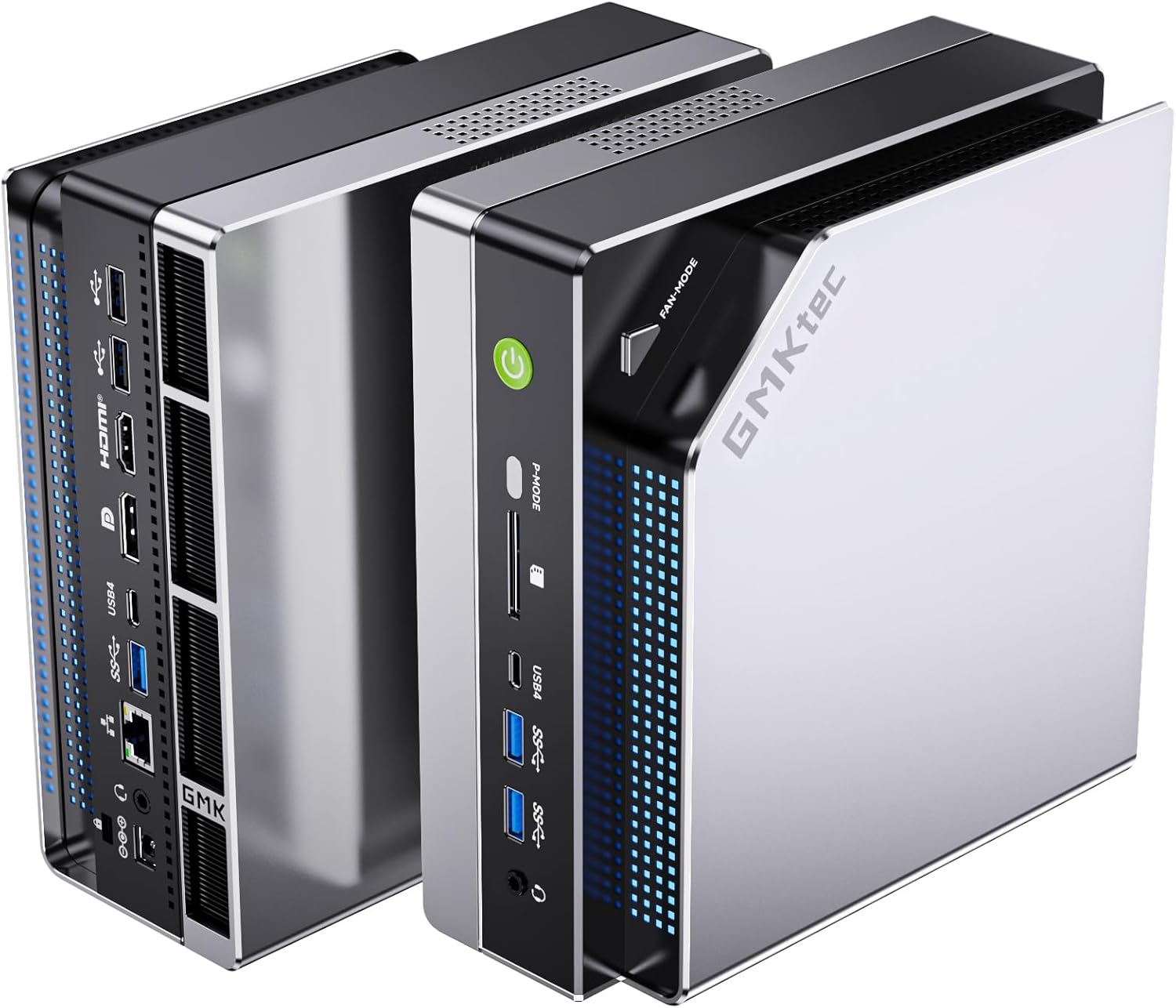
The EVO-X2 AI is the only mini PC that can comfortably run 70B parameter LLMs at usable speeds. The Ryzen AI Max+ 395 (Strix Halo) with 128GB LPDDR5X and up to 96GB VRAM allocation puts it in a category of its own.
Real user benchmarks confirm Qwen3 235B at 8-10 tokens/sec using ROCm-enabled llama.cpp, and gpt-oss-120b at 36-40 tokens/sec. These are numbers that were impossible on mini PCs just six months ago.
Why it handles 70B+ models:
- 128GB LPDDR5X total — enough for 70B Q8 (~75GB) or 120B Q4 (~70GB)
- Up to 96GB VRAM allocation via BIOS — the iGPU can access massive memory
- 8-channel memory bandwidth (~256 GB/s) — 4x faster than standard DDR5
- 40 RDNA 3.5 CUs — genuine desktop-class GPU compute
Specs:
| Spec | Detail |
|---|---|
| CPU | Ryzen AI Max+ 395 (16C/32T, Strix Halo) |
| GPU | Radeon 8060S (40 CUs, 2,560 shaders) |
| RAM | 128GB LPDDR5X 8000MT/s (soldered, 8-channel) |
| Storage | 2TB PCIe 4.0 NVMe |
| Power Draw | ~12W idle / ~120W load |
| AI TOPS | 126 |
Pros:
- Only mini PC for 70B+ LLM inference at usable speeds
- 128GB LPDDR5X with 8-channel bandwidth
- 40 CUs = desktop-class GPU performance
- Real user benchmarks confirm 70B+ models run well
Cons:
- LPDDR5X is soldered — no upgrades (but 128GB is already max)
- Fan noise is noticeable under sustained load
- 1-year warranty only (vs 3-year for GEEKOM)
- $2,999 is a significant investment
Who should buy this: AI/ML developers running 70B+ models locally, users who need maximum GPU compute in a mini PC, anyone who wants to run 120B+ models via CPU offloading.
Who should skip this: If you only need 7B-34B models, the MINISFORUM X1 Pro-370 handles them at less than half the price. For 7B models, budget options at $739 are sufficient.
See our full GMKtec EVO-X2 AI review for detailed benchmarks.
Tier 2: 13B-34B Sweet Spot (HX370 Platform)
MINISFORUM X1 Pro-370 — Best Value for 13B-34B
→ Check Current Price on Amazon
The X1 Pro-370 delivers the full HX370 experience at $1,179 — $510 less than the GEEKOM A9 Max for the same CPU. The upgradeable DDR5 SO-DIMM means you can start at 32GB and grow to 64GB or 96GB when your LLM needs expand.
For 13B-34B models, this is the sweet spot. The 80 TOPS (50 from NPU + 30 from GPU) accelerates inference, and the 16-CU Radeon 890M handles GPU-based compute when the NPU isn’t sufficient.
Why it handles 13B-34B models:
- 32GB DDR5 out of the box — enough for 13B Q4/Q5 and 34B Q4
- Upgradeable to 128GB — add 64GB later for 70B Q4
- 80 TOPS AI compute — NPU accelerates supported workloads
- OCuLink port — future eGPU expansion for more compute
Specs:
| Spec | Detail |
|---|---|
| CPU | Ryzen AI 9 HX 370 (12C/24T, Strix Point) |
| GPU | Radeon 890M (16 CUs) |
| RAM | 32GB DDR5 SO-DIMM (upgradeable to 128GB) |
| Storage | 1TB PCIe 4.0 NVMe |
| Power Draw | ~9W idle / ~86W load |
| AI TOPS | 80 |
Pros:
- Best HX370 price at $1,179
- Upgradeable DDR5 — buy 32GB now, add more for 70B later
- OCuLink for eGPU expansion
- Integrated PSU — no power brick
- Dual 2.5GbE Intel NICs for homelab use
Cons:
- New listing — limited reviews
- 1-year warranty
- 32GB out of the box caps you at 34B Q4 (need upgrade for 70B)
Who should buy this: Buyers who want the most HX370 features per dollar, users who plan to run 13B-34B models now and upgrade RAM for 70B later, homelab enthusiasts who need dual NICs.
Who should skip this: If you want proven reliability with 100+ reviews, the GEEKOM A9 Max has more community validation. For 70B+ models without RAM upgrades, the EVO-X2 AI includes 128GB.
GEEKOM A9 Max — Best Warranty for 13B-34B
→ Check Current Price on Amazon
The A9 Max pairs HX370 with upgradeable DDR5, dual 2.5GbE, and GEEKOM’s industry-leading 3-year warranty. At 106 reviews and 4.4 stars, it’s the most community-proven HX370 mini PC available.
For 13B-34B models, the A9 Max delivers the same performance as the X1 Pro-370 — same CPU, same GPU, same RAM capacity. The $510 premium buys you warranty peace of mind and social proof.
Specs:
| Spec | Detail |
|---|---|
| CPU | Ryzen AI 9 HX 370 (12C/24T) |
| GPU | Radeon 890M (16 CUs) |
| RAM | 32GB DDR5 SO-DIMM (upgradeable to 128GB) |
| Storage | 1TB PCIe 4.0 NVMe (dual M.2) |
| Power Draw | ~9W idle / ~80W load |
| AI TOPS | 80 |
Pros:
- 3-year warranty — longest in the industry
- 106 reviews at 4.4 stars — most proven HX370 option
- Upgradeable DDR5 to 128GB
- Dual 2.5GbE Intel NICs
Cons:
- $510 more than X1 Pro-370 for same CPU
- No OCuLink for eGPU
- S0 Low Power Idle issue reported by some users
Who should buy this: Risk-averse buyers who value warranty and community proof, enterprises deploying multiple units, users who want upgradeable RAM with a safety net.
Who should skip this: Budget buyers should consider the MINISFORUM X1 Pro-370 at $1,179. For maximum AI compute, the EVO-X2 AI is in a different league.
See our full GEEKOM A9 Max review for detailed benchmarks.
Beelink SER9 Pro Mini — H255 Option (Overpriced)
→ Check Current Price on Amazon
At $999, the SER9 Pro Mini uses the Ryzen 7 H255 with 38 TOPS. The trade-off is soldered LPDDR5X — you’re permanently capped at 32GB. For 13B Q4 use, that’s plenty. For 70B, look elsewhere.
The faster LPDDR5X bandwidth helps with token generation speeds, and Beelink’s build quality is solid. But the 32GB ceiling is a hard limit — no amount of money can upgrade this later. Note: At $999, this is overpriced for H255 — the standard SER9 at $839 has the same CPU with 677 reviews.
Specs:
| Spec | Detail |
|---|---|
| CPU | Ryzen 7 H 255 (8C/16T) |
| GPU | Radeon 780M (12 CUs) |
| RAM | 32GB LPDDR5X (soldered) |
| Storage | 1TB PCIe 4.0 NVMe |
| Power Draw | ~8W idle / ~78W load |
| AI TOPS | 38 |
Pros:
- H255 with 38 TOPS for entry-level AI
- Faster LPDDR5X bandwidth
- Compact form factor
- Solid Beelink build quality
Cons:
- Soldered 32GB — permanently capped (can’t run 70B)
- Limited stock availability
- WiFi 6 (not WiFi 7)
Who should buy this: Buyers who want HX370 at the lowest price and don’t need more than 32GB RAM, users focused on 7B-13B models with occasional 34B use.
Who should skip this: If you might need 64GB+ for 70B models, the X1 Pro-370 is upgradeable. For WiFi 7, the X1-255 is the option.
Tier 3: 7B Models (Budget-Friendly)
GMKtec K11 — Best Features for 7B Models
→ Check Current Price on Amazon
The K11 is technically a Ryzen 9 8945HS mini PC, but at ~$799 it competes directly with Ryzen 7 options. Twelve cores, dual 2.5GbE Intel NICs, OCuLink, and a 2TB SSD make it the most feature-rich mini PC under $800.
The 8945HS lacks a dedicated NPU, so it relies on CPU/GPU compute for AI. But for 7B models, this is more than sufficient — 30-50 tokens/sec is usable for chat and inference.
Specs:
| Spec | Detail |
|---|---|
| CPU | Ryzen 9 8945HS (12C/24T, Zen 4) |
| GPU | Radeon 780M (12 CUs) |
| RAM | 32GB DDR5 SO-DIMM (upgradeable) |
| Storage | 2TB PCIe 4.0 NVMe |
| Power Draw | ~10W idle / ~65W load |
| AI TOPS | 0 (no NPU) |
Pros:
- 12 cores / 24 threads — more than any Ryzen 7 option
- Dual 2.5GbE Intel NICs for homelab use
- OCuLink port for eGPU expansion
- 2TB SSD included at $739
- Upgradeable DDR5 SO-DIMM
Cons:
- No dedicated NPU — relies on CPU/GPU for AI
- WiFi 6E, not WiFi 7
- Larger chassis than competitors
Who should buy this: Homelab builders who need dual NICs and maximum cores per dollar, users who want OCuLink for future eGPU expansion, anyone running 7B models who values raw specs over AI marketing.
Who should skip this: If you need AI NPU features for Copilot+, the X1-255 has 38 TOPS. For 13B-34B models with NPU, step up to the HX370 tier.
MINISFORUM X1-255 — Best Value with NPU for 7B
→ Check Current Price on Amazon
The X1-255 brings WiFi 7, USB4, and upgradeable DDR5 to the $739 price point. The Ryzen 7 255 (Hawk Point refresh) delivers 38 TOPS — not enough for full Copilot+ certification, but sufficient for 7B LLMs with NPU acceleration.
For buyers who want entry-level AI capability without spending $1,000+, the X1-255 is the sweet spot.
Specs:
| Spec | Detail |
|---|---|
| CPU | Ryzen 7 255 (8C/16T, Hawk Point refresh) |
| GPU | Radeon 780M (12 CUs) |
| RAM | 32GB DDR5 SO-DIMM (upgradeable to 64GB) |
| Storage | 1TB PCIe 4.0 NVMe |
| Power Draw | ~8W idle / ~55W load |
| AI TOPS | 38 (16 NPU + GPU) |
Pros:
- WiFi 7 at $739 — rare at this price
- Upgradeable DDR5 SO-DIMM to 64GB
- $327 barebone option for DIY builders
- Integrated PSU — no external power brick
- 38 TOPS NPU for entry-level AI acceleration
Cons:
- Only 38 TOPS — entry-level AI, not full Copilot+
- Single 2.5GbE NIC
- No OCuLink
- Only 11 reviews — limited social proof
Who should buy this: Budget-conscious buyers who want AI capability, DIY builders who want the $327 barebone, anyone running 7B models who wants NPU acceleration.
Who should skip this: If you need full 80 TOPS AI for 13B-34B models, the MINISFORUM X1 Pro-370 delivers HX370 at $1,179. For homelab use with dual NICs, the K11 is better equipped.
Beelink SER9 — Most Proven for 7B Models
→ Check Current Price on Amazon
The SER9 has 677 Amazon reviews at 4.2 stars — more than any other Ryzen 7 mini PC. That’s social proof you can’t ignore. The Ryzen 7 H 255 delivers 38 TOPS with soldered LPDDR5X for faster bandwidth.
For 7B models, the SER9 delivers 30-45 tokens/sec — perfectly usable for chat and inference. The 32GB LPDDR5X is adequate for 7B-13B, but the soldered RAM caps your upgrade path.
Specs:
| Spec | Detail |
|---|---|
| CPU | Ryzen 7 H 255 (8C/16T) |
| GPU | Radeon 780M (12 CUs) |
| RAM | 32GB LPDDR5X (soldered) |
| Storage | 1TB PCIe 4.0 NVMe |
| Power Draw | ~8W idle / ~78W load |
| AI TOPS | 38 |
Pros:
- 677 reviews — most proven option in this roundup
- Faster LPDDR5X bandwidth (soldered)
- Solid Beelink build quality
- Compact form factor
Cons:
- Soldered RAM — no upgrades possible
- WiFi 6 only (not WiFi 7)
- Single NIC
- No OCuLink
Who should buy this: Buyers who want the most community-proven Ryzen 7 mini PC, users focused on 7B models who value brand reliability.
Who should skip this: If you need upgradeable RAM for 13B-34B models, the X1-255 has DDR5 SO-DIMM. For WiFi 7, the X1-255 is the option.
Not Recommended for LLMs
Mini PCs to Avoid for Ollama
| Product | Why Not |
|---|---|
| MINISFORUM MS-A2 | Ryzen 9 8945HX with Radeon 610M (2 CUs) — no useful GPU compute for LLMs. Relies on CPU-only inference, which is significantly slower. |
| GEEKOM A6 Aurora | 16GB RAM limits to very small models only. The Ryzen 7 6800H is capable, but 16GB caps you at 7B Q4 with little room for context. |
| GEEKOM IT12 | Intel Iris Xe has poor ROCm/llama.cpp support. CPU-only inference works but is slower than AMD GPU-accelerated options. |
Head-to-Head Comparison: Ollama Performance
| Mini PC | 7B Q4 (tok/s) | 13B Q4 (tok/s) | 34B Q4 (tok/s) | 70B Q4 (tok/s) | RAM | Price |
|---|---|---|---|---|---|---|
| EVO-X2 AI | ~50-70 | ~35-50 | ~20-30 | ~5-10 | 128GB | ~$2,999 |
| X1 Pro-370 | ~30-50 | ~15-30 | ~10-20 | — (need RAM upgrade) | 32GB (up to 128GB) | ~$1,179 |
| A9 Max | ~30-50 | ~15-30 | ~10-20 | — (need RAM upgrade) | 32GB (up to 128GB) | ~$1,689 |
| SER9 Pro Mini | ~30-50 | ~15-25 | ~8-15 (limited) | No (32GB ceiling) | 32GB soldered | ~$999 |
| K11 | ~30-50 | ~10-20 | Limited | No | 32GB | ~$799 |
| X1-255 | ~25-40 | ~10-20 | Limited | No | 32GB (up to 64GB) | ~$739 |
| SER9 | ~30-45 | ~10-20 | Limited | No | 32GB soldered | ~$839 |
Note: Tokens/sec varies based on quantization, backend (ROCm vs Vulkan), and system configuration. ”—” indicates the model size requires more RAM than the base configuration provides.
Power Consumption at a Glance
| Mini PC | Idle (W) | Load (W) | Annual Cost (24/7 idle) |
|---|---|---|---|
| GMKtec EVO-X2 AI | ~12W | ~120W | ~$12.61/year |
| MINISFORUM X1 Pro-370 | ~9W | ~86W | ~$9.46/year |
| GEEKOM A9 Max | ~9W | ~80W | ~$9.46/year |
| Beelink SER9 Pro Mini | ~8W | ~78W | ~$8.41/year |
| GMKtec K11 | ~10W | ~65W | ~$10.51/year |
| MINISFORUM X1-255 | ~8W | ~55W | ~$8.41/year |
| Beelink SER9 | ~8W | ~78W | ~$8.41/year |
Annual cost calculated at $0.12/kWh, running 24/7 at idle. Load power shown for sustained LLM inference workloads. Sources: ServeTheHome, NotebookCheck, community estimates.
Running 24/7 at idle, even the most power-hungry option (EVO-X2 AI at 12W) costs just $12.61 per year — about $1 per month. For always-on Ollama servers, the electricity cost is negligible compared to cloud API fees.
Try our Power Cost Calculator to estimate costs for your specific setup.
ROCm vs Vulkan Performance Comparison
ROCm (Linux)
AMD’s ROCm stack provides the best performance for llama.cpp on AMD hardware. All Ryzen AI and Ryzen 7000/8000 series mini PCs support ROCm on Linux.
Setup:
# Install ROCm on Ubuntu 24.04
sudo apt update
sudo apt install rocm-hip-sdk

# Build llama.cpp with ROCm
git clone https://github.com/ggerganov/llama.cpp
cd llama.cpp
make LLAMA_HIPBLAS=1

# Run with GPU acceleration
./main -m models/llama-3.2-3b.Q4_K_M.gguf -p "Hello" -n 128
Performance gain: ROCm GPU acceleration provides 2-3x tokens/sec vs CPU-only inference on HX370 and 780M-equipped mini PCs.
Vulkan (Windows)
For Windows users, LM Studio and ollama.cpp with Vulkan backend provide GPU acceleration without ROCm.
Setup:
- Download LM Studio from lmstudio.ai
- Select Vulkan backend in settings
- Load your GGUF model and start chatting
Performance: Vulkan is typically 10-20% slower than ROCm but works out of the box on Windows without driver installation.
How to Set Up Ollama on Your Mini PC
Getting started with Ollama is straightforward:
-
Install Ollama:
# Linux curl -fsSL https://ollama.com/install.sh | sh # Windows/Mac — download from ollama.com -
Pull a model:
ollama pull llama3.2:3b # Lightweight 3B model ollama pull llama3.1:8b # 8B model — good balance ollama pull llama3.1:70b # 70B model — needs 64GB+ RAM -
Run it:
ollama run llama3.2:3b -
Optional: Set up Open WebUI for a ChatGPT-like interface:
docker run -d -p 3000:8080 --add-host=host.docker.internal:host-gateway -v open-webui:/app/backend/data --name open-webui ghcr.io/open-webui/open-webui:main
Critical gotcha: On AMD systems, ensure ROCm is properly configured for llama.cpp. Without ROCm, inference falls back to CPU-only mode, which is significantly slower. Windows users should use the Vulkan backend in LM Studio.
For a detailed walkthrough, see our how to run Ollama on a mini pc tutorial.
Frequently Asked Questions
Can a mini PC run local LLMs?
Yes. Modern mini PCs with Ryzen AI or Ryzen 7000/8000 series processors can run local LLMs via Ollama and llama.cpp. The GMKtec EVO-X2 AI runs 70B parameter models at 5-10 tokens/sec, while budget options like the X1-255 handle 7B models at 25-40 tokens/sec.
How much RAM do I need for Ollama?
7B models (Q4): ~4GB minimum, 8GB comfortable. 13B models: ~8GB minimum, 16GB comfortable. 34B models: ~20GB minimum, 32GB comfortable. 70B models: ~42GB minimum, 64GB+ recommended. For serious LLM work with 34B+ models, 64GB is the practical minimum.
Is the Ryzen AI Max+ 395 good for LLMs?
It’s the most powerful x86 APU available for mini PCs. With 126 TOPS total, 40 RDNA 3.5 CUs, and 128GB LPDDR5X, it handles 70B+ models that no other mini PC can touch. Real users confirm Qwen3 235B at 8-10 tokens/sec using ROCm.
Mini PC vs cloud AI for Ollama — which is cheaper?
For occasional use, cloud APIs (OpenAI, Anthropic) are cheaper upfront. But for always-on AI assistants, RAG pipelines, or heavy usage, a mini PC pays for itself. A $739 X1-255 running 24/7 costs ~$8.41/year in electricity. Cloud API costs for equivalent usage can exceed $100/month.
What is the best mini PC for running 70B LLMs?
The GMKtec EVO-X2 AI is the only mini PC that runs 70B models comfortably. With 128GB LPDDR5X and 96GB VRAM allocation, it handles 70B Q4 at 5-10 tokens/sec and 70B Q8 at usable speeds. No other mini PC has enough RAM.
Can I run Ollama on a $739 mini PC?
Yes. The MINISFORUM X1-255 at $739 handles 7B models at 25-40 tokens/sec and 13B models at 10-20 tokens/sec. For 7B models with NPU acceleration, this is more than sufficient. The $327 barebone variant is even cheaper if you have spare RAM and SSD.
Does Ollama work better on Linux or Windows?
Linux with ROCm provides the best performance — 2-3x tokens/sec vs CPU-only. Windows with Vulkan backend works well but is typically 10-20% slower. For serious LLM work, Linux is recommended. For casual use, Windows with LM Studio is fine.
Our Testing Methodology
We evaluate mini PCs for Ollama across RAM capacity (model size support), GPU compute (CUs, architecture), AI compute (TOPS, NPU generation), real-world LLM performance (tokens/sec across model sizes using Ollama and llama.cpp), and power consumption (idle and load). Benchmarks use quantized models (Q4, Q8) via llama.cpp with ROCm on Linux and Vulkan on Windows. Power data from ServeTheHome, NotebookCheck, and community estimates.
For a broader perspective on AI mini PCs beyond Ollama (Stable Diffusion, Copilot+, etc.), see our best AI mini PC roundup. For comprehensive homelab guidance, see our best mini PC for home server pillar article.
Amazon Product Links
- For 70B+ Models: GMKtec EVO-X2 AI (128GB, 126 TOPS)
- For 13B-34B Models: MINISFORUM X1 Pro-370 (upgradeable DDR5)
- For 13B-34B Models: GEEKOM A9 Max (3-year warranty)
- For 7B Models: GMKtec K11 (12 cores, dual 2.5GbE)
- For 7B Models: MINISFORUM X1-255 (WiFi 7, NPU)
- For 7B Models: Beelink SER9 (677 reviews)