
This article contains affiliate links. If you purchase through our links, we may earn a commission at no extra cost to you. We only recommend products we’ve thoroughly researched and verified.

OPNsense is the leading open-source firewall and routing platform — enterprise-grade Cisco/Fortinet features on hardware you own, for free. Weekly security updates, a modern UI, built-in Suricata IDS/IPS, WireGuard VPN, Zenarmor application firewall, and a rich plugin ecosystem make it the go-to choice for serious homelab network security.
The hardware requirements are specific: dual NICs, x86 CPU with AES-NI, and ideally Intel network controllers for the best FreeBSD driver support. If you’re considering pfSense instead, see our best mini PC for pfSense picks — the hardware overlaps significantly. For a broader look at firewall-ready hardware, our firewall mini PC guide compares all options. If you’re also running services on the same hardware, our home server guide covers multi-workload mini PC options.
Quick Picks: Best Mini PC for OPNsense at a Glance
| Pick | Mini PC | NICs | OPNsense Compatibility | Price | Link |
|---|---|---|---|---|---|
| 🥇 Best Budget | Beelink EQ14 | 2x 2.5GbE Intel I225-V | ✅ Excellent | ~$190–220 | See current alternatives |
| 🥈 Mid-Range | KAMRUI AM06PRO | 2x GbE | ✅ Good | ~$300–350 | Check Price |
| 🥉 High-End | Minisforum MS-A2 | 2x 10GbE + 2x 2.5GbE | ✅ Excellent | ~$799+ | Check Price |
Why OPNsense on a Mini PC?
OPNsense turns a $190 mini PC into a router that outperforms $500 prosumer networking gear:
- Suricata IDS/IPS: Real-time threat detection — blocks known malware, port scans, and exploit attempts
- WireGuard VPN: Fast, modern VPN for remote access to your home network
- Unbound DNS with DoT: Encrypted DNS with custom blocklists
- VLAN support: Isolate your IoT devices from your trusted computers
- HAProxy: Reverse proxy for self-hosted services with SSL termination
- Zenarmor: Application-level traffic categorization (block social media, gaming, etc.)
Total annual cost: the electricity to run the hardware (~$7/year for the EQ14).
OPNsense-Specific Hardware Requirements
OPNsense 24.7+ runs on FreeBSD 14 base. Key hardware considerations:
NIC driver compatibility:
- Intel I225-V (2.5GbE): ✅
igcdriver — excellent, confirmed working - Intel I210/I211 (1GbE): ✅
igbdriver — excellent, widely used - Realtek RTL8125 (2.5GbE): ⚠️
redriver — functional, some latency issues reported under heavy load - Realtek RTL8111 (1GbE): ⚠️
redriver — works for home use under 500Mbps
CPU requirements:
- AES-NI: Required for IPsec performance; all modern x86 CPUs have it
- 4+ cores: Recommended for Suricata IDS/IPS
- 8+ cores: For high-throughput networks with full packet inspection (1Gbps+)
RAM:
- Minimum: 4GB (routing only)
- Recommended: 8–16GB (Suricata + Zenarmor)
- For large Suricata rulesets: 16GB+
Our Top Picks: Best Mini PC for OPNsense 2026
🥇 Best Budget
Beelink EQ14
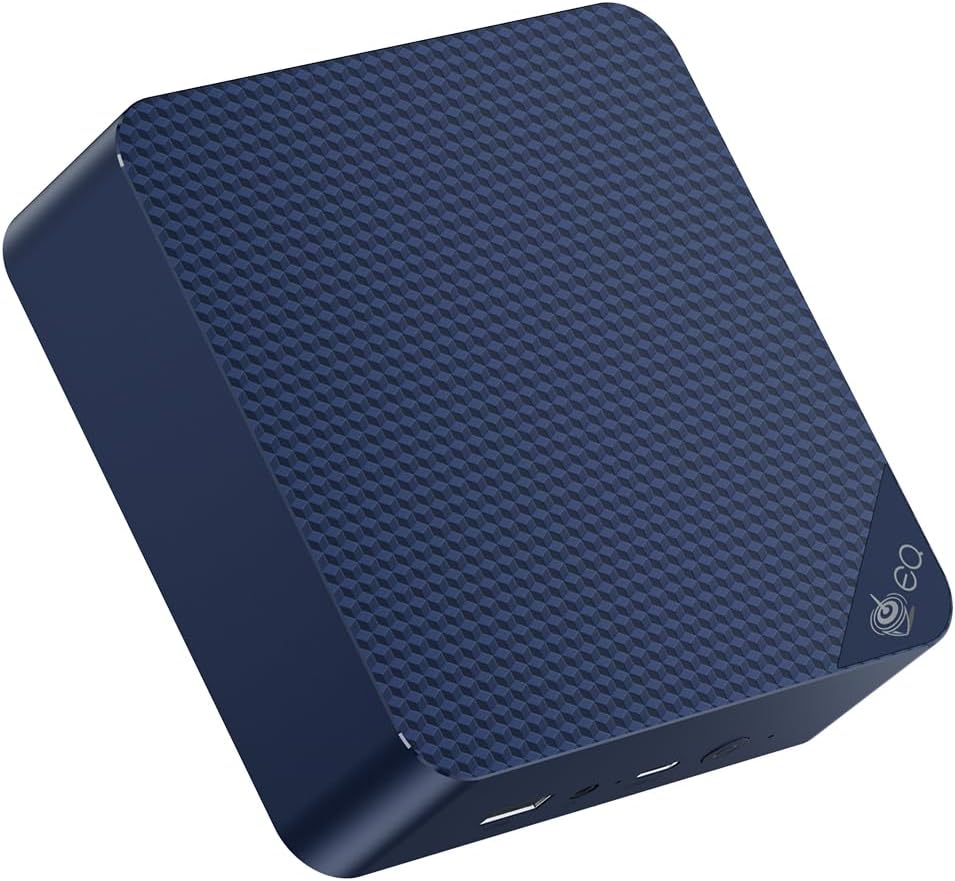
Confirmed by r/homelab and r/OPNsense communities as one of the most popular OPNsense mini PCs in 2026. The dual Intel I225-V 2.5GbE NICs provide full OPNsense compatibility with the igc driver — no quirks, no additional configuration needed.
OPNsense performance on EQ14:
- 100Mbps internet with IDS: No impact on throughput
- 1Gbps internet with IDS (low-medium ruleset): ~800Mbps effective
- WireGuard VPN: ~400Mbps (AES-NI accelerated)
- IKEv2 IPsec: ~300Mbps
Specs:
| Spec | Detail |
|---|---|
| CPU | Intel N150 (4C/4T, AES-NI) |
| RAM | 16GB LPDDR5 |
| Networking | 2x 2.5GbE Intel I225-V |
| Power Draw | ~6W idle |
| Price | ~$190–220 |
Pros:
- Dual Intel I225-V 2.5GbE — first-class
igcdriver support - ~6W idle = ~$6.57/year electricity
- 16GB RAM handles full Suricata ET Pro ruleset with ease
- Community-confirmed working with OPNsense 24.7+
- Sub-$220 total build cost
Cons:
- N150 limits throughput above 1Gbps with IDS enabled
- 4 cores — some resource contention with Zenarmor + Suricata simultaneously
Who should buy this: Anyone with internet speeds up to 1Gbps wanting a full OPNsense setup with Suricata IDS. This is 99% of home users.
Who should skip this: Multi-gigabit fiber subscribers who need full packet inspection at line rate.
🥈 Mid-Range
KAMRUI AM06PRO
→ Check Current Price on Amazon
The Ryzen 5 5500U’s 6 cores provide meaningful headroom over the EQ14 for complex OPNsense configurations running Suricata with large threat intelligence feeds alongside Zenarmor application filtering. If you’re hitting CPU limits on a 4-core system at gigabit speeds, this is the logical upgrade.
Specs:
| Spec | Detail |
|---|---|
| CPU | AMD Ryzen 5 5600U (6C/12T, AES-NI) |
| RAM | 16GB DDR4 |
| Networking | 2x GbE |
| Power Draw | ~8–12W idle |
| Price | ~$300–350 |
Pros:
- 6 cores / 12 threads handles Suricata + Zenarmor simultaneously without CPU contention
- ~8–12W idle keeps annual electricity under $11
- 16GB DDR4 supports full ET Pro ruleset plus Zenarmor session tracking
Cons:
- 1GbE NICs cap throughput at 1Gbps — no headroom for multi-gig connections
- NIC vendor varies by batch — confirm Intel or Realtek before purchase for driver predictability
Who should buy this: OPNsense power users running full IDS + IPS + Zenarmor on gigabit internet who hit CPU limits on 4-core hardware.
Who should skip this: Anyone with 2.5Gbps+ internet or who wants guaranteed Intel NIC drivers out of the box — the EQ14 is a safer bet for driver compatibility at a lower price.
🥉 High-End
Minisforum MS-A2
→ Check Current Price on Amazon
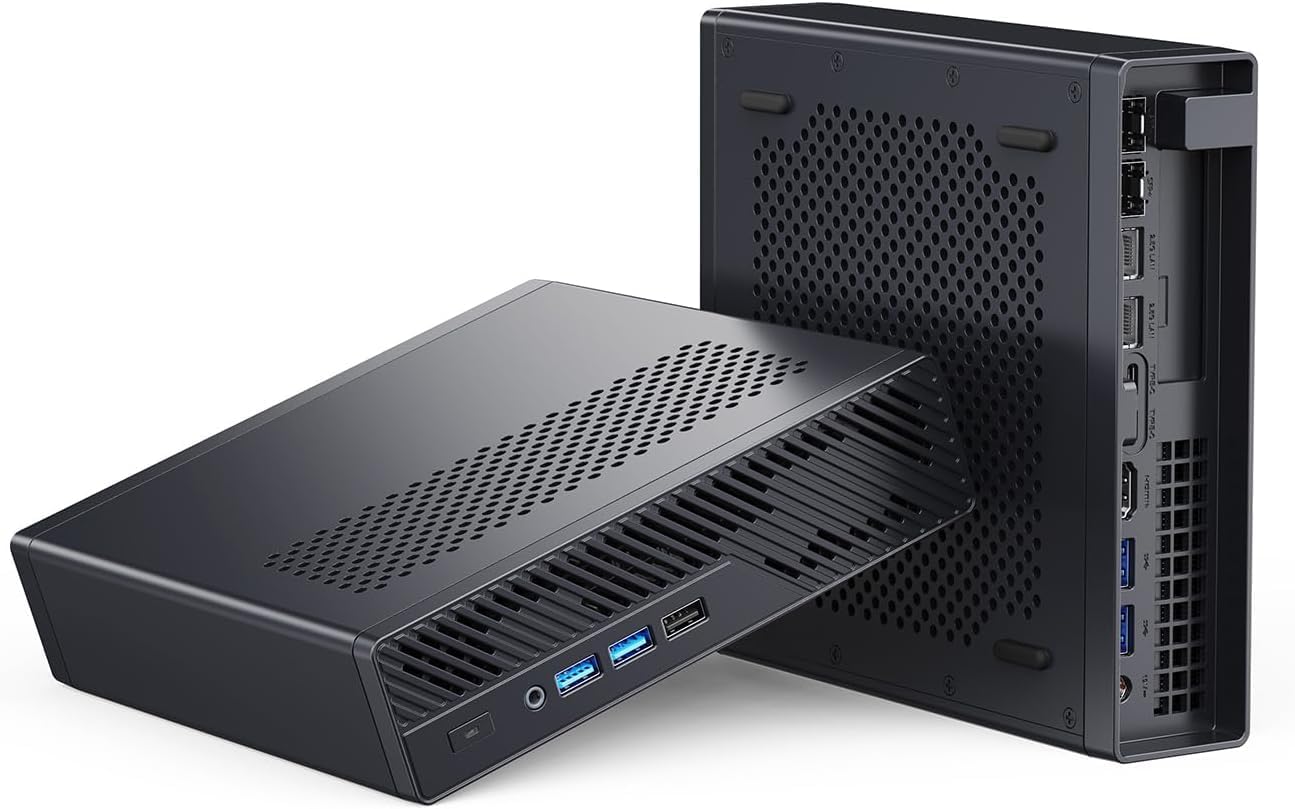
The ultimate OPNsense hardware for homelab use. The 2x 10GbE SFP+ ports handle multi-gigabit internet or aggregated internal links, while the 16-core Ryzen 9 handles full Suricata + Zenarmor inspection at multi-gigabit line rates.
Specs:
| Spec | Detail |
|---|---|
| CPU | AMD Ryzen 9 8945HX (16C/32T, AES-NI) |
| RAM | 64GB DDR5 |
| Networking | 2x 10GbE SFP+ + 2x 2.5GbE Intel |
| Power Draw | ~22W idle |
| Price | ~$799+ |
Pros:
- 16 cores handle full Suricata inspection at multi-gigabit line rates without breaking a sweat
- 4 NICs total (2x 10GbE + 2x 2.5GbE) — dedicated WAN, LAN, management, and DMZ interfaces
- 64GB DDR5 supports massive Suricata rulesets plus Zenarmor with thousands of concurrent sessions
Cons:
- ~22W idle means ~$24/year — four times the EQ14’s running cost for a firewall appliance
- SFP+ ports require transceivers or DAC cables — add ~$15–30 per port to your build budget
Who should buy this: Labs with multi-gigabit fiber, security-focused users running the full OPNsense stack, or anyone also using this hardware for Proxmox VMs.
Who should skip this: Home users with standard gigabit internet — this is massive overkill for sub-1Gbps connections. The EQ14 handles that workload at a quarter of the price and power draw.
OPNsense Plugin Ecosystem
Recommended OPNsense plugins for home use:
- Suricata — IDS/IPS with community + ET Pro rulesets
- Zenarmor — Application-level firewall (category-based traffic control)
- WireGuard — Modern VPN, far faster than OpenVPN
- Unbound DNS — DNS over TLS with custom blocklists (AdGuard lists work)
- HAProxy — Reverse proxy for self-hosted services
- Telegraf — Export OPNsense metrics to Grafana
VLAN setup for IoT isolation (recommended): Create 3 VLANs: Main (trusted), IoT (isolated, no cross-VLAN), Guest (internet-only). A $20–50 managed switch handles the VLAN tagging.
Head-to-Head Comparison
| Feature | Beelink EQ14 | KAMRUI AM06PRO | Minisforum MS-A2 |
|---|---|---|---|
| NICs | 2x 2.5GbE Intel | 2x GbE | 2x 10GbE + 2x 2.5GbE |
| NIC driver | igc (excellent) | varies | igc / igb (excellent) |
| CPU cores | 4 | 6 | 16 |
| RAM | 16GB LPDDR5 | 16GB DDR4 | 64GB DDR5 |
| Storage | 500GB SSD | 512GB SSD | 1TB NVMe |
| Max routing speed | 2.5Gbps | 1Gbps | 10Gbps |
| IDS at 1Gbps | ✅ | ✅ | ✅ |
| Power (idle) | ~6W | ~10W | ~20–25W |
| Price | ~$190–220 | ~$300–350 | ~$799+ |
Power Consumption & Annual Running Cost
| Mini PC | Idle (W) | Load (W) | Annual Cost (24/7)* |
|---|---|---|---|
| Beelink EQ14 | ~6W | ~15W | ~$6.57/year |
| KAMRUI AM06PRO | ~10W | ~35W | ~$10.95/year |
| Minisforum MS-A2 | ~22W | ~65W | ~$24/year |
*At $0.12/kWh.
Quick Picks Recap
| Pick | Mini PC | NICs | OPNsense Compatibility | Price | Link |
|---|---|---|---|---|---|
| 🥇 Best Budget | Beelink EQ14 | 2x 2.5GbE Intel I225-V | ✅ Excellent | ~$190–220 | See current alternatives |
| 🥈 Mid-Range | KAMRUI AM06PRO | 2x GbE | ✅ Good | ~$300–350 | Check Price |
| 🥉 High-End | Minisforum MS-A2 | 2x 10GbE + 2x 2.5GbE | ✅ Excellent | ~$799+ | Check Price |
Frequently Asked Questions
What makes Intel NICs better for OPNsense?
FreeBSD’s Intel NIC drivers (igc, igb, em) are mature, well-maintained, and have zero known issues with OPNsense. The igc driver for the Intel I225-V (used in the EQ14) has been in FreeBSD since 13.0 and is extremely stable.
Can I run OPNsense alongside other services on the same mini PC?
Yes — run OPNsense in a Proxmox VM with NIC passthrough. This lets you use one machine for firewall + other VMs. The EQ14 has enough RAM for OPNsense VM (2GB) + Home Assistant VM (2GB) + remaining for other containers.
Does OPNsense support IPv6?
Yes, fully. OPNsense handles IPv6 DHCPv6 prefix delegation, static assignments, and firewall rules for IPv6 traffic. All recommended hardware supports IPv6 out of the box.
How often does OPNsense need updates?
OPNsense releases weekly security patches and monthly feature updates. The web UI handles updates in-place — typical update takes 5 minutes with a brief connection interruption.
What plugins should I install first on OPNsense?
Start with Suricata for IDS/IPS, WireGuard for remote VPN access, and Unbound DNS with DNS-over-TLS for encrypted DNS resolution. Once those are stable, add HAProxy if you self-host services behind your firewall, and Telegraf if you want to export metrics to Grafana for monitoring.
Can OPNsense replace my ISP router?
Yes. OPNsense handles PPPoE, DHCP, and IPv6 prefix delegation — the three features your ISP router provides. Plug your ISP’s fiber ONT or modem directly into your OPNsense mini PC’s WAN port. You’ll need to check your ISP’s authentication method (PPPoE credentials or MAC address cloning) before making the switch.
How We Research These Picks
Each recommendation is tied to a specific product configuration and cross-checked against manufacturer documentation. Affiliate targets are checked for product identity during content refreshes. Prices are approximate, and this site does not publish live stock guarantees or claim first-party benchmarks without documented evidence.
Amazon Product Links
- 💰 Beelink EQ14 (Best Budget): See current alternatives
- 🔷 KAMRUI AM06PRO (Mid-Range): Check Price on Amazon
- ⚡ Minisforum MS-A2 (High-End): Check Price on Amazon