
Best Mini PC for Plex 2026 — From HTPC to 4K Transcoding
By Max · March 20, 2026 · Updated August 25, 2026
This article contains affiliate links. If you purchase through our links, we may earn a commission at no extra cost to you. We only recommend products we’ve thoroughly researched and verified.

Plex is one of the most popular reasons people build a home server — and for good reason. Turn your media collection into a Netflix-style streaming service accessible from anywhere. The hardware question everyone asks: “Does it need to transcode, and what can handle that?”
The short answer: yes, it needs hardware transcoding if you have more than one or two simultaneous streams, or if any of your clients can’t play your video format directly. Here’s what to buy.
Quick Picks: Best Mini PC for Plex at a Glance
| Pick | Mini PC | Transcode Capability | Price | Link |
|---|---|---|---|---|
| 🥇 Best Overall | GMKtec K11 | 4K hardware transcode + multiple streams | ~$639 | Check Price |
| 🥈 Best Value | Minisforum UM790 Pro | 4K transcode + 2–4 simultaneous streams | ~$380–500 | Check Price |
| 🥉 Budget Pick | Beelink EQ14 | 1080p hardware transcode (Intel Quick Sync) | ~$190–220 | See current alternatives |
| 🔷 Intel Mid-Range | GEEKOM IT12 | 4K Quick Sync, 3–5 simultaneous | ~$382–549 | Check Price |
Why Use a Mini PC for Plex?
A mini PC Plex server draws 6–18W idle and runs 24/7 for under $20/year in electricity. Compare that to leaving a gaming PC on continuously — it’s a clear win on both noise and operating cost.
Mini PCs are ideal for Plex when you:
- Have 1–6 simultaneous users streaming
- Want 4K HDR hardware transcoding with minimal noise
- Run Plex alongside other services (Home Assistant, Pi-hole, Docker containers)
- Need the server always on with near-zero power cost
Mini PCs are NOT ideal when you:
- Have 8+ simultaneous 4K transcode users (consider a NAS with dedicated transcoding hardware or a dedicated server)
- Need more than 2TB of internal storage without USB drives
If you’re considering open-source alternatives, check out our best mini PC for Jellyfin guide.
The Most Important Plex Factor: Hardware Transcoding
Whether a given chip can decode your files, encode H.264 back out, and tone-map HDR is a generation-by-generation fact rather than a matter of degree. Check any machine against the Plex and Jellyfin transcode calculator before you buy.
When a client device can’t play your media file natively (wrong codec, wrong container, or too high a bitrate), Plex converts it on the fly — this is transcoding. Software transcoding uses your CPU and is very resource-intensive. Hardware transcoding offloads work to the GPU/iGPU and is dramatically faster, using far less CPU.
Hardware transcoding requires a Plex Pass subscription (~$5/month or $120 lifetime).
For mini PCs, hardware transcoding comes from:
- Intel Quick Sync — Intel N-series and 12th/13th gen — excellent H.264, HEVC, VP9 decode/encode
- AMD VCN — AMD Ryzen APUs with Radeon iGPU — excellent in newer generations (Radeon 780M is outstanding)
Practical transcoding capacity estimates:
| Mini PC | 1080p Streams | 4K Streams |
|---|---|---|
| Beelink EQ14 (N150, Intel QS) | 4–6 | 1 |
| GEEKOM IT12 (i5-12450H, Intel QS) | 8–10 | 2–3 |
| Minisforum UM790 Pro (Radeon 780M) | 8–10 | 3–4 |
| GMKtec K11 (Radeon 780M, RDNA 3) | 10–12 | 4–6 |
What to Look for in a Plex Mini PC
1. iGPU generation matters more than CPU speed Plex hardware transcoding is bottlenecked by the iGPU, not the CPU. The Radeon 780M RDNA 3 in AMD Ryzen 7000/8000 series handles 4K HDR tone mapping that older GPUs struggle with.
2. RAM for library management Plex’s metadata engine uses significant RAM for large libraries. 16GB minimum; 32GB if your library exceeds 10,000 items.
3. Storage throughput NVMe storage matters for fast library scans and buffering. Don’t store media on slow USB 2.0 drives.
4. Network speed 4K content streams at 40–80Mbps. Gigabit Ethernet handles 10+ simultaneous 4K streams easily; 2.5GbE gives you headroom.
5. Power consumption Your Plex server runs 24/7. A 6W idle machine costs ~$6/year; an 18W machine costs ~$20/year.
Which Mini PC for Your Plex Setup
Plex hardware needs are driven almost entirely by how much transcoding you do, not library size. Direct Play to a modern TV uses near-zero CPU; a single 4K HDR stream tone-mapped to 1080p SDR for a phone on cellular is one of the heaviest jobs a home server does. Size for your real streaming pattern.
| Your Plex scenario | What it needs | Recommended pick |
|---|---|---|
| Direct Play only, local TVs / Apple TV | Almost nothing — no transcode | Beelink EQ14 |
| HTPC at the TV — local 4K playback | HDMI 2.1, quiet, low power; no server transcode | Beelink EQ14 |
| 1–3 simultaneous 1080p transcodes | Intel Quick Sync or modern iGPU | Beelink EQ14 |
| 2–4 4K HDR tone-mapped transcodes | Strong Intel Quick Sync — the Plex gold standard | GEEKOM IT12 |
| Plex + *arr stack + downloads | Cores + RAM for the whole media stack | GMKtec K11 |
| Big household, many heavy 4K streams | Headroom + dual NIC + 64GB ceiling | Minisforum UM790 Pro |
The transcoding rule of thumb: Plex leans on Intel Quick Sync more cleanly than AMD’s encoder, and Quick Sync handles HDR tone-mapping well on 12th-gen and newer Intel — which is why the Intel GEEKOM IT12 is the value pick for heavy 4K transcoding, while the AMD GMKtec K11 and UM790 Pro win when you also run a full media stack or other homelab services. Set Plex to use hardware transcoding, and budget roughly one 4K HDR transcode per modern iGPU before quality drops. Estimate your real running cost with our power cost calculator.
Our Top Picks: Best Mini PC for Plex 2026
🥇 Best Overall
GMKtec K11
→ Check Current Price on Amazon
The Radeon 780M iGPU in the GMKtec K11 (Ryzen 9 8945HS) is the best integrated graphics for Plex transcoding available in a consumer mini PC. It handles 4K HEVC transcoding with HDR tone mapping — something that brings many other mini PCs to their knees — while barely touching the CPU.
With 32GB DDR5 RAM and dual 2.5GbE, it simultaneously handles a Plex library, a Docker stack, and other home server services without performance degradation.
Specs:
| Spec | Detail |
|---|---|
| CPU | AMD Ryzen 9 8945HS (8C/16T, 5.2GHz boost) |
| RAM | 32GB DDR5 (upgradeable to 64GB) |
| Storage | 1TB PCIe 4.0 NVMe |
| Networking | 2x 2.5GbE LAN + WiFi 6E |
| GPU | AMD Radeon 780M (12 RDNA 3 CUs) |
| Power Draw | ~18W idle / ~80W load |
| Price | ~$639 |
Pros:
- Best-in-class Radeon 780M iGPU for 4K HDR hardware transcoding
- 64GB DDR5 upgrade path for large Plex libraries
- Dual 2.5GbE for fast NAS media access
- AV1 encode support — ready for next-gen codecs
- Excellent sustained thermal performance
Cons:
- $599 is a significant investment for a Plex server alone
- 18W idle costs ~$20/year in electricity
- Overkill if you only have 1–2 simultaneous users
Who should buy this: Power users with large 4K libraries, 3–6 simultaneous family users, or anyone running Plex alongside a full homelab stack (Proxmox, Docker, Home Assistant).
Who should skip this: Single users or couples with a 1080p library — save $400 and get the Beelink EQ14 instead.
🥈 Best Value
Minisforum UM790 Pro
→ Check Current Price on Amazon
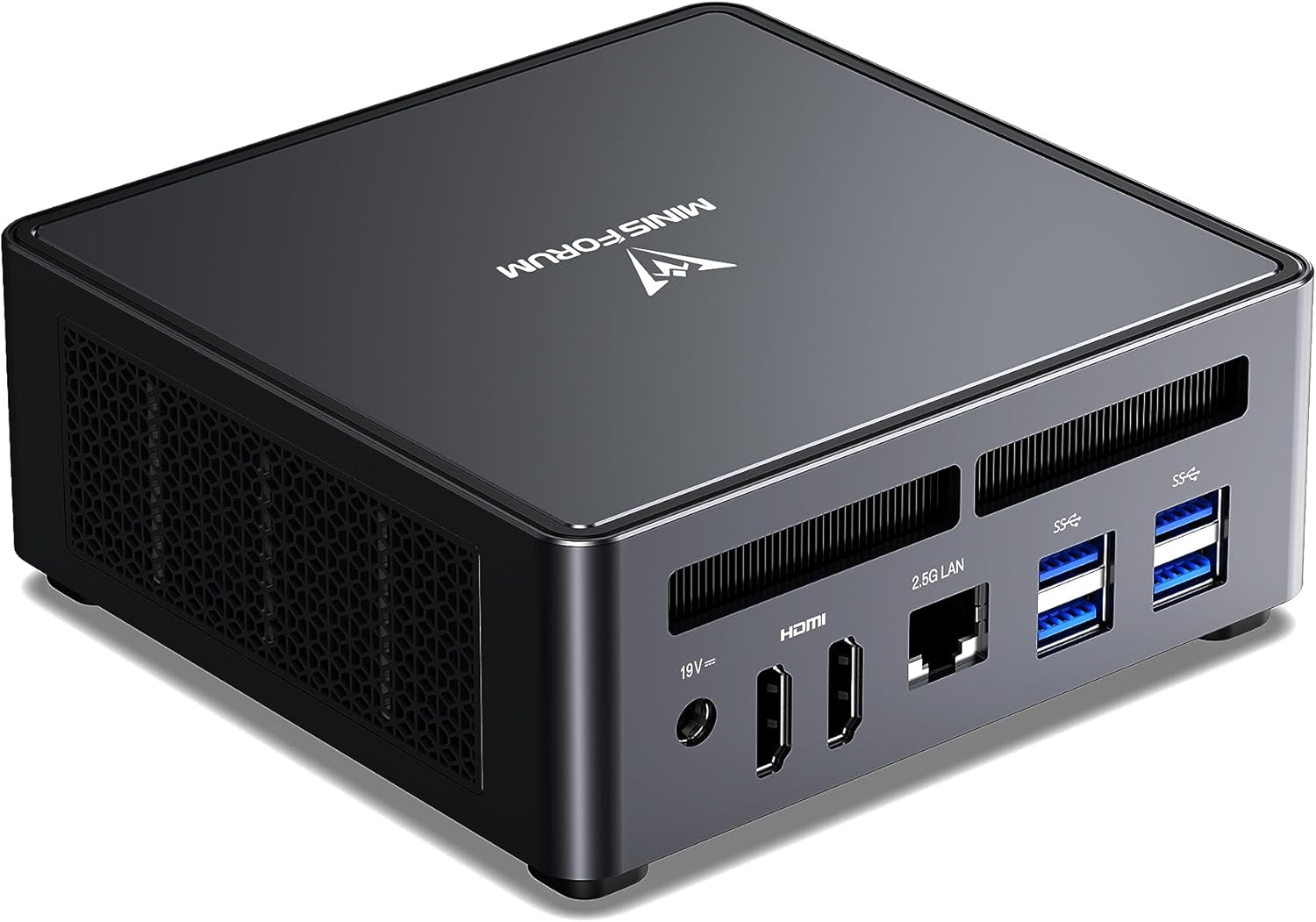
The UM790 Pro’s Radeon 780M (in the Ryzen 9 7940HS) is essentially the same GPU generation as the K11 — just slightly older. Real-world Plex performance is nearly identical, with excellent 4K HDR transcoding support. You can often find the UM790 Pro $100+ cheaper than the K11 with no meaningful Plex performance difference.
The dual USB4 ports add a useful bonus: high-speed external NVMe storage expansion when your media library outgrows the internal drive.
Specs:
| Spec | Detail |
|---|---|
| CPU | AMD Ryzen 9 7940HS (8C/16T, 5.2GHz boost) |
| RAM | 32–64GB DDR5-4800 (2x SO-DIMM) |
| Storage | 512GB–1TB NVMe (+ 2nd M.2 slot) |
| Networking | 1x 2.5GbE + WiFi 6E |
| USB | 2x USB4 (40Gbps) |
| Power Draw | ~15W idle / ~65W load |
| Price | ~$380–500 |
Pros:
- Radeon 780M handles 4K HDR transcoding in hardware
- Dual USB4 for fast external media storage expansion
- Strong Plex community support for this platform
- $100+ cheaper than K11 with near-identical transcode performance
- 64GB DDR5 upgrade path
Cons:
- Single 2.5GbE (no dual NIC)
- Slightly older GPU generation than K11
- Higher idle power than N-series budget options
Who should buy this: Families with 2–4 Plex users, 4K libraries, and plans to run other services alongside Plex.
Who should skip this: Budget-conscious users with 1080p libraries — the Beelink EQ14 handles that for $200 less.
🥉 Budget Pick
Beelink EQ14
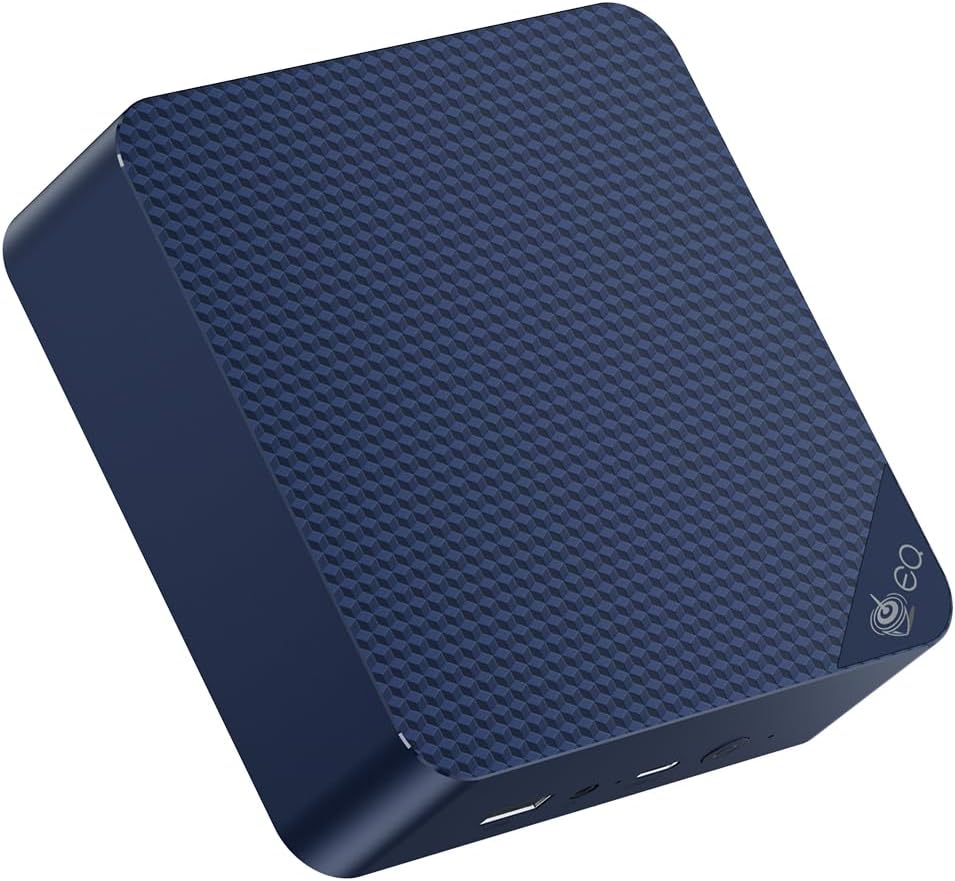
Intel Quick Sync on the N150 handles 1080p Plex transcoding with ease. For a household of 1–2 users with standard 1080p/720p content, the EQ14 is more than sufficient. At $190–220 with ~6W idle, the electricity savings over a more powerful machine pay for the hardware price difference over a few years.
It won’t handle 4K remux transcoding well (expect buffering), but for normal streaming quality — including 4K direct play on capable clients — it’s excellent value.
Specs:
| Spec | Detail |
|---|---|
| CPU | Intel N150 (4C/4T, 3.6GHz, 6W TDP) |
| RAM | 16GB DDR4 (SO-DIMM, upgradeable) |
| Storage | 500GB SSD |
| Networking | 2x 2.5GbE LAN + WiFi 6 |
| Power Draw | ~6W idle / ~25W load |
| Price | ~$190–220 |
Pros:
- Intel Quick Sync enables hardware transcoding for 1080p
- ~6W idle = ~$6/year electricity
- Dual 2.5GbE for fast media access from NAS
- Excellent value — sub-$220 with no Plex Pass needed for 4K direct play
Cons:
- 4 cores only — limited simultaneous transcode streams
- 4K transcoding is limited (1 stream at reduced quality)
- LPDDR5 variants have soldered RAM (check SKU)
Who should buy this: Single users or couples with 1080p media libraries, or anyone testing Plex for the first time.
Who should skip this: Anyone with 4K HDR content who needs hardware transcoding — step up to the UM790 Pro.
🔷 Intel Mid-Range
GEEKOM IT12
→ Check Current Price on Amazon
The Intel i5-12450H’s Quick Sync is a proven performer for Plex. It handles 4K HEVC transcoding better than the N150, with 8 cores providing solid CPU headroom for running other services alongside Plex. If you prefer Intel’s platform for driver stability and software compatibility, the IT12 delivers strong Plex performance with proven long-term reliability.
Specs:
| Spec | Detail |
|---|---|
| CPU | Intel i5-12450H (8C/12T, up to 4.4GHz) |
| RAM | 16GB DDR4 (upgradeable to 32GB) |
| Storage | 512GB NVMe SSD |
| Networking | 1x 2.5GbE + WiFi 6 |
| Power Draw | ~10W idle / ~45W load |
| Price | ~$382–549 |
Pros:
- Intel Quick Sync handles 2–3 simultaneous 4K HEVC transcodes reliably
- 8 cores / 12 threads leave plenty of CPU headroom for Docker and other services alongside Plex
- 10W idle means ~$11/year electricity — half the cost of the Ryzen-based options
Cons:
- Single 2.5GbE NIC — no dual-NIC option for network separation
- No AV1 encode support — limited future codec flexibility compared to the K11
Who should buy this: Users who want Intel Quick Sync’s mature driver support for Plex, need 2–3 simultaneous 4K transcodes, and plan to run additional services on the same box.
Who should skip this: Anyone prioritizing 4K HDR tone mapping — the Radeon 780M in the UM790 Pro handles HDR transcoding better at a similar price.
Head-to-Head Comparison
| Feature | Beelink EQ14 | GEEKOM IT12 | UM790 Pro | GMKtec K11 |
|---|---|---|---|---|
| CPU | N150 (4C) | i5-12450H (8C) | Ryzen 9 7940HS (8C) | Ryzen 9 8945HS (8C) |
| iGPU | Intel UHD | Intel UHD Xe | Radeon 780M | Radeon 780M |
| 4K HDR HW transcode | ⚠️ Limited | ✅ Good | ✅ Excellent | ✅ Best |
| AV1 decode | ❌ | ✅ | ✅ | ✅ |
| AV1 encode | ❌ | ❌ | ❌ | ✅ |
| Max RAM | 32GB | 32GB | 64GB | 64GB |
| Networking | 2x 2.5GbE | 1x 2.5GbE | 1x 2.5GbE | 2x 2.5GbE |
| Power (idle) | ~6W | ~10W | ~15W | ~18W |
| Annual electricity | ~$6.57 | ~$10.95 | ~$16.43 | ~$19.71 |
| Price | ~$190–220 | ~$382–549 | ~$380–500 | ~$639 |
Power Consumption & Annual Running Cost
| Mini PC | Idle (W) | Load (W) | Annual Cost (24/7 idle)* |
|---|---|---|---|
| Beelink EQ14 | ~6W | ~25W | ~$6.57/year |
| GEEKOM IT12 | ~10W | ~45W | ~$10.95/year |
| Minisforum UM790 Pro | ~15W | ~65W | ~$16.43/year |
| GMKtec K11 | ~18W | ~80W | ~$19.71/year |
*Calculated at $0.12/kWh (US average 2026), 24/7 operation at idle power draw.
Plex Setup Tips for Mini PCs
- Enable hardware transcoding in Plex settings: Settings → Transcoder → Enable hardware-accelerated video encoding
- Use direct play where possible: Configure your TV/Chromecast/app to direct play supported formats to avoid transcoding entirely
- Store media on a fast drive: Plex performs best reading from NVMe, not USB drives
- Run Plex in Docker for easy updates:
docker compose up -dkeeps Plex updated without manual intervention - Use Plex with Proxmox: Run Plex in an LXC container and pass through the iGPU — our Jellyfin setup guide covers iGPU passthrough configuration
Quick Picks Recap
| Pick | Mini PC | Transcode Capability | Price | Link |
|---|---|---|---|---|
| 🥇 Best Overall | GMKtec K11 | 4K hardware transcode + multiple streams | ~$639 | Check Price |
| 🥈 Best Value | Minisforum UM790 Pro | 4K transcode + 2–4 simultaneous streams | ~$380–500 | Check Price |
| 🥉 Budget Pick | Beelink EQ14 | 1080p hardware transcode (Intel Quick Sync) | ~$190–220 | See current alternatives |
| 🔷 Intel Mid-Range | GEEKOM IT12 | 4K Quick Sync, 3–5 simultaneous | ~$382–549 | Check Price |
Frequently Asked Questions
Does Plex require a powerful CPU even with hardware transcoding?
Not really. With hardware transcoding enabled, CPU usage for Plex drops to 5–15% per stream. The bottleneck shifts to your iGPU — which is why the Radeon 780M is so important for 4K workloads.
What’s the difference between Plex and Jellyfin for mini PCs?
Hardware requirements are similar. Jellyfin is free and open-source with identical hardware transcoding support, but no subscription fee. Plex has better client app quality and Chromecast/Roku support. See our Jellyfin guide for a full comparison.
Can the Beelink EQ14 handle 4K content?
Direct play of 4K content: yes, with a capable client. Hardware transcoding of 4K: limited to one stream at reduced quality. Software transcoding of 4K: no — the N150 is too slow. For 4K transcoding, step up to an AMD Ryzen APU model.
Do I need Plex Pass for hardware transcoding?
Yes. Hardware transcoding requires a Plex Pass subscription (~$5/month or $120 lifetime). Jellyfin offers equivalent hardware transcoding for free if you want to avoid the subscription.
How many streams can the UM790 Pro handle simultaneously?
In our research: 3–5 simultaneous 4K HEVC hardware transcodes, or 8–10 simultaneous 1080p streams. Direct play doesn’t count against this limit.
Can I run Plex and other services on the same mini PC?
Yes — this is the most common homelab configuration. The UM790 Pro and K11 handle Plex + Docker + Home Assistant + Pi-hole simultaneously without issue. Even the budget Beelink EQ14 can run Plex alongside lightweight services.
How We Research These Picks
Each recommendation is tied to a specific product configuration and cross-checked against manufacturer documentation. Affiliate targets are checked for product identity during content refreshes. Prices are approximate, and this site does not publish live stock guarantees or claim first-party benchmarks without documented evidence.
Amazon Product Links
- 🥇 GMKtec K11 (Best Overall): Check Price on Amazon
- 🥈 Minisforum UM790 Pro (Best Value): Check Price on Amazon
- 🥉 Beelink EQ14 (Budget): See current alternatives
- 🔷 GEEKOM IT12 (Intel Option): Check Price on Amazon