
This article contains affiliate links. If you purchase through our links, we may earn a commission at no extra cost to you. We only recommend products we’ve thoroughly researched and verified.

Proxmox VE is the most popular hypervisor for homelab mini PC builds — and for good reason. It’s free, enterprise-grade, runs both KVM VMs and lightweight LXC containers, and has excellent community support. The question isn’t whether to use Proxmox; it’s which mini PC will actually run it well.
The key requirements for a good Proxmox host are different from a regular workstation: you need Intel VT-x or AMD SVM for hardware virtualization, VT-d or AMD-Vi for IOMMU/PCIe passthrough, meaningful RAM capacity, and stable networking. Not every mini PC checks all these boxes.
Here are our researched Proxmox picks for 2026. Running other services alongside Proxmox? Our best mini PC for home server guide covers the full range of multi-workload recommendations.
Quick Picks: Best Mini PC for Proxmox at a Glance
| # | Mini PC | Best For | Price | Max RAM | Link |
|---|---|---|---|---|---|
| 🥇 Best Overall | GMKtec K11 | Power Proxmox builds — many VMs | ~$639 | 64GB DDR5 | Check Price |
| 🥈 Best Value | Minisforum UM790 Pro | Mid-range Proxmox with excellent headroom | ~$380–500 | 64GB DDR5 | Check Price |
| 🥉 Budget Pick | Beelink EQ14 | Light services after a configuration check | Check retailer | Check exact SKU | See current alternatives |
| 🔷 High-End | Minisforum MS-A2 8945HX | 96GB official memory and dual 10GbE | Check retailer | 96GB DDR5 | Check Price |
What Does Proxmox Actually Need from Your Hardware?
Minimum requirements for a useful Proxmox host:
- CPU: Any modern x86 processor with hardware virtualization (VT-x/AMD SVM) — enabled in BIOS
- RAM: 16GB minimum; 32GB for serious multi-VM setups
- Storage: NVMe SSD (mandatory — HDDs are too slow for multiple VMs)
- Networking: 1GbE minimum; 2.5GbE strongly recommended
- IOMMU: Required for PCIe passthrough (GPU, NIC, USB controller)
BIOS Settings Required for Proxmox:
- Enable: VT-x (Intel) or SVM (AMD)
- Enable: VT-d (Intel) or AMD-Vi for IOMMU
- Disable: Secure Boot (optional but simplifies installation)
- Set: UEFI boot mode
All recommended mini PCs in this list support these settings.
Size the Host from Your Guest Allocations
A model name does not determine a safe VM count. Start with the memory each guest actually needs, add a host reserve, then test CPU duty cycle and storage latency under concurrent load.
| Allocation input | What to record | Why it changes the answer |
|---|---|---|
| Host reserve | Proxmox services, ZFS ARC, and monitoring | This memory is unavailable to guests |
| Guest memory | Assigned and expected working set per VM or LXC | Memory is usually the hard capacity limit |
| CPU duty cycle | Idle, bursty, or sustained per guest | Eight idle guests differ from eight compilers |
| Storage IOPS | Boot storms, databases, logs, and backups | Shared NVMe can bottleneck before CPU |
| Network | Management, storage, migration, and guest traffic | Fast NICs help only when the rest of the path keeps up |
| Passthrough | NIC, HBA, USB controller, or GPU | IOMMU groups and slots can decide the platform |
Use the VM capacity estimator for a first allocation pass, then leave operational headroom instead of filling every last gigabyte.
Our Top Proxmox Picks
🥇 Best Overall
GMKtec K11
→ Check Current Price on Amazon
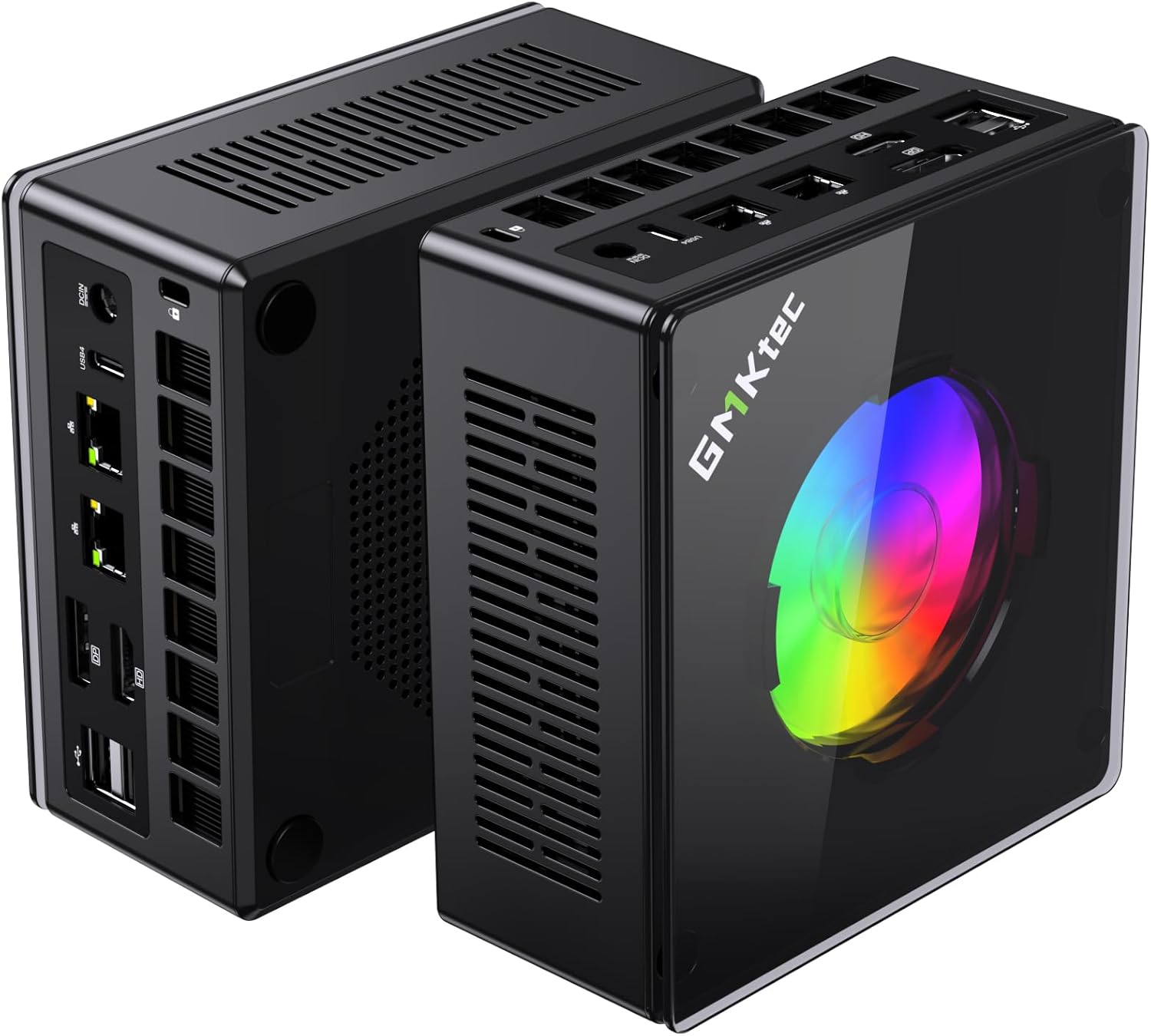
The GMKtec K11’s Ryzen 9 8945HS delivers the best single-core performance in the mid-range mini PC market. For Proxmox, this translates to snappy VM boot times and responsive LXC containers. The dual 2.5GbE NICs are a genuine bonus — you can bond them for 5Gbps to your NAS or use one for LAN and one for a DMZ network.
With 64GB DDR5 RAM support and a fast PCIe 4.0 NVMe slot, the K11 handles a full homelab stack — Proxmox + 4–6 VMs + Docker LXC + Home Assistant — without complaint.
Specs:
| Spec | Detail |
|---|---|
| CPU | AMD Ryzen 9 8945HS (8C/16T, 5.2GHz boost) |
| RAM | 32GB DDR5 (upgradeable to 64GB) |
| Storage | 1TB PCIe 4.0 NVMe |
| Networking | 2x 2.5GbE LAN + WiFi 6E |
| USB | 1x USB4, 4x USB-A 3.2 |
| Power Draw | ~18W idle / ~80W load |
| Price | ~$639 |
Proxmox-specific notes:
- VT-x and VT-d confirmed working — IOMMU passthrough supported
- AMD IOMMU grouping is generally more flexible than Intel for device passthrough
- Excellent Proxmox community support for this model
Pros:
- Ryzen 9 8945HS best-in-class single-core speed for snappy VM performance
- Dual 2.5GbE enables physical network separation between VMs
- 64GB DDR5 upgrade path — run 8–14 VMs with proper RAM allocation
- Strong AMD IOMMU for PCIe passthrough
Cons:
- $599 price point
- 18W idle vs 15W on UM790 Pro (~$4/year more electricity)
- No second M.2 slot in base config
Who should buy this: Power homelab users who want the best VM performance and plan to run 6+ VMs or a full service stack simultaneously.
Who should skip this: Anyone building a beginner Proxmox lab — the Beelink EQ14 or UM790 Pro covers that use case for much less money.
🥈 Best Value
Minisforum UM790 Pro
→ Check Current Price on Amazon
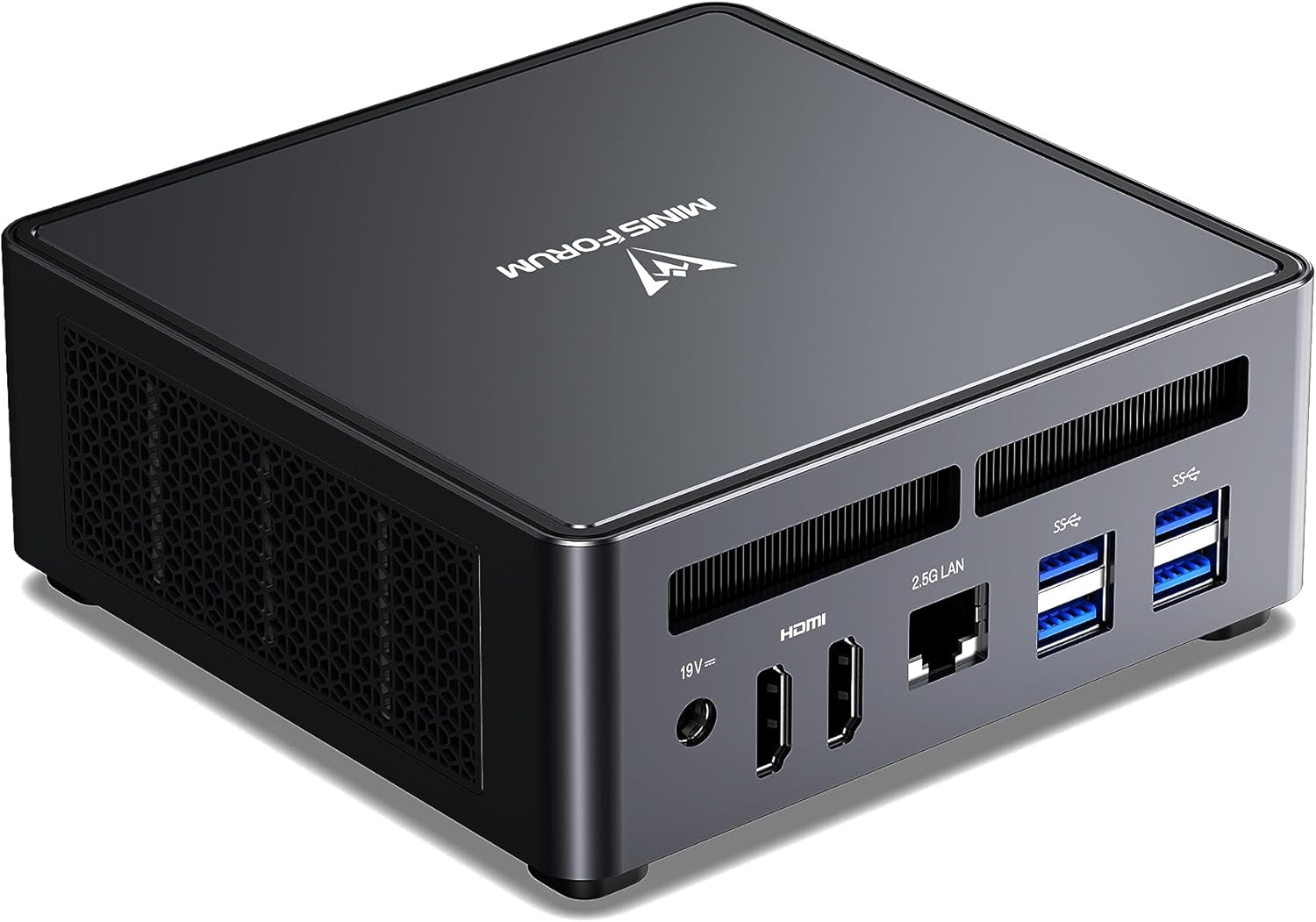
Similar performance to the GMKtec K11 but often available at a lower price point. The UM790 Pro’s dual USB4 ports are a differentiator — they enable external NVMe expansion at 40Gbps speeds, which is valuable when your primary M.2 fills up with VM disk images.
The 7940HS platform is mature and well-tested with Proxmox — community guides and confirmed hardware compatibility are widely available.
Specs:
| Spec | Detail |
|---|---|
| CPU | AMD Ryzen 9 7940HS (8C/16T, 5.2GHz boost) |
| RAM | 32–64GB DDR5-4800 (2x SO-DIMM) |
| Storage | 512GB–1TB NVMe PCIe 4.0 (+ 2nd M.2 slot) |
| Networking | 1x 2.5GbE + WiFi 6E |
| USB | 2x USB4 (40Gbps), 4x USB-A |
| Power Draw | ~15W idle / ~65W load |
| Price | ~$380–500 |
Proxmox-specific notes:
- Excellent community support — one of the most-used mini PCs for Proxmox in r/homelab
- Consider buying a 2nd M.2 drive for VM storage separation from OS disk
- Dual USB4 enables fast external storage for additional VMs
Pros:
- Mature 7940HS platform — extensive Proxmox community documentation
- Dual USB4 for external NVMe expansion at 40Gbps
- 64GB DDR5 SO-DIMM slots — genuine headroom for multi-VM workloads
- $100+ cheaper than K11 with nearly identical performance
Cons:
- Single 2.5GbE (no dual NIC for physical network separation)
- WiFi only as secondary network option
- Slightly older generation than K11
Who should buy this: Anyone who wants excellent Proxmox performance at a mid-range price with room to grow. The most popular choice in the homelab community for good reason.
Who should skip this: If you need dual physical NICs for firewall VM passthrough — the K11’s dual 2.5GbE is a genuine advantage there.
🥉 Budget Pick
Beelink EQ14
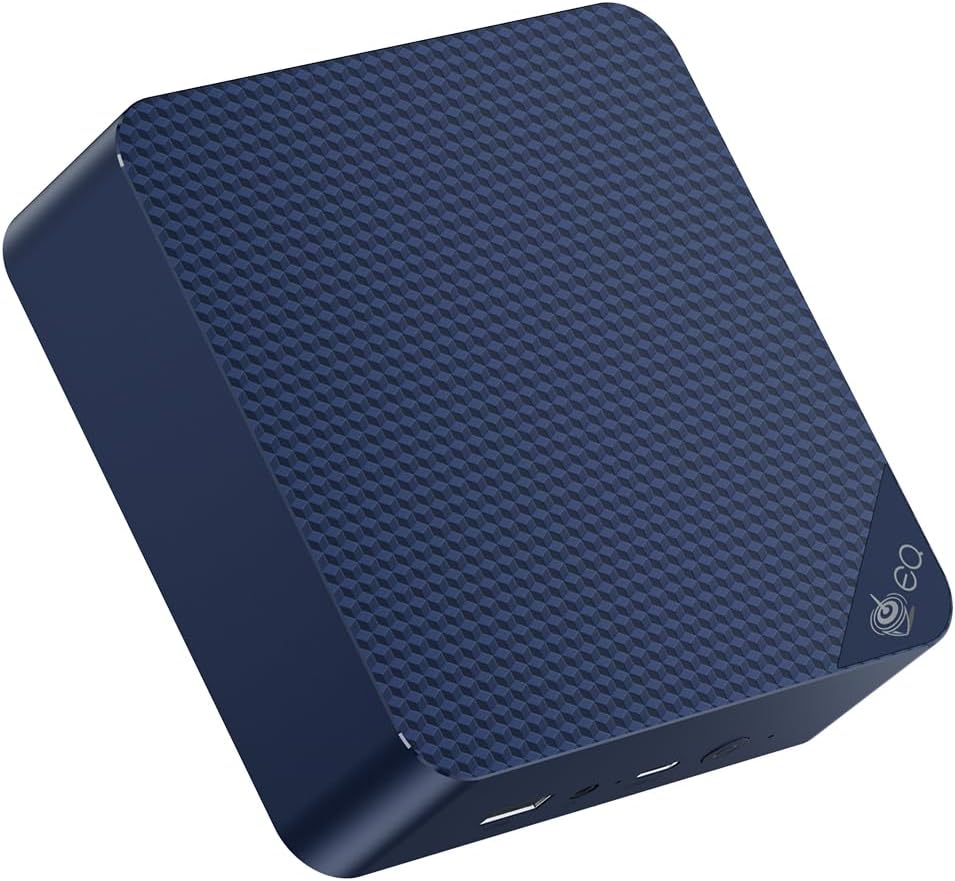
The most common question from first-time Proxmox homelab builders: “Can the Beelink EQ14 actually run Proxmox?” The answer is yes, with caveats.
The N150’s 4 cores are enough for 2–4 small VMs or 8–12 LXC containers, which covers most beginner homelab needs: Pi-hole, Home Assistant, a monitoring stack (Grafana/Prometheus), and a VPN server. The dual 2.5GbE is a nice bonus for a firewall VM.
What you’ll feel the limitation of: running 3+ full VMs simultaneously, or any VM that needs significant CPU headroom (e.g., a video transcoding server).
Specs:
| Spec | Detail |
|---|---|
| CPU | Intel N150 (4C/4T, 3.6GHz) |
| RAM | 16GB (check SKU for upgradeability) |
| Storage | 500GB SSD |
| Networking | 2x 2.5GbE LAN + WiFi 6 |
| Power Draw | ~6W idle / ~25W load |
| Price | ~$190–220 |
Proxmox-specific notes:
- VT-x and VT-d both supported — confirmed in community testing
- Stick to LXC containers where possible for better performance density
- Excellent for beginners — the price makes mistakes affordable
Pros:
- ~$200 entry point makes Proxmox experimentation low-risk
- Dual 2.5GbE Intel NICs — better than most budget options
- Confirmed VT-x and VT-d support
- 6W idle — almost free to run 24/7
Cons:
- 4 cores limits VM density
- 16GB RAM base (upgradeable on some SKUs to 32GB)
- N150 is slow for compute-heavy VMs
Who should buy this: First-time Proxmox users who want to learn KVM/LXC without spending much. Three of these also make an excellent budget Proxmox HA cluster.
Who should skip this: Anyone planning a serious multi-VM setup from day one — save for the UM790 Pro instead.
🔷 High-End
Minisforum MS-A2
→ Check Current Price on Amazon
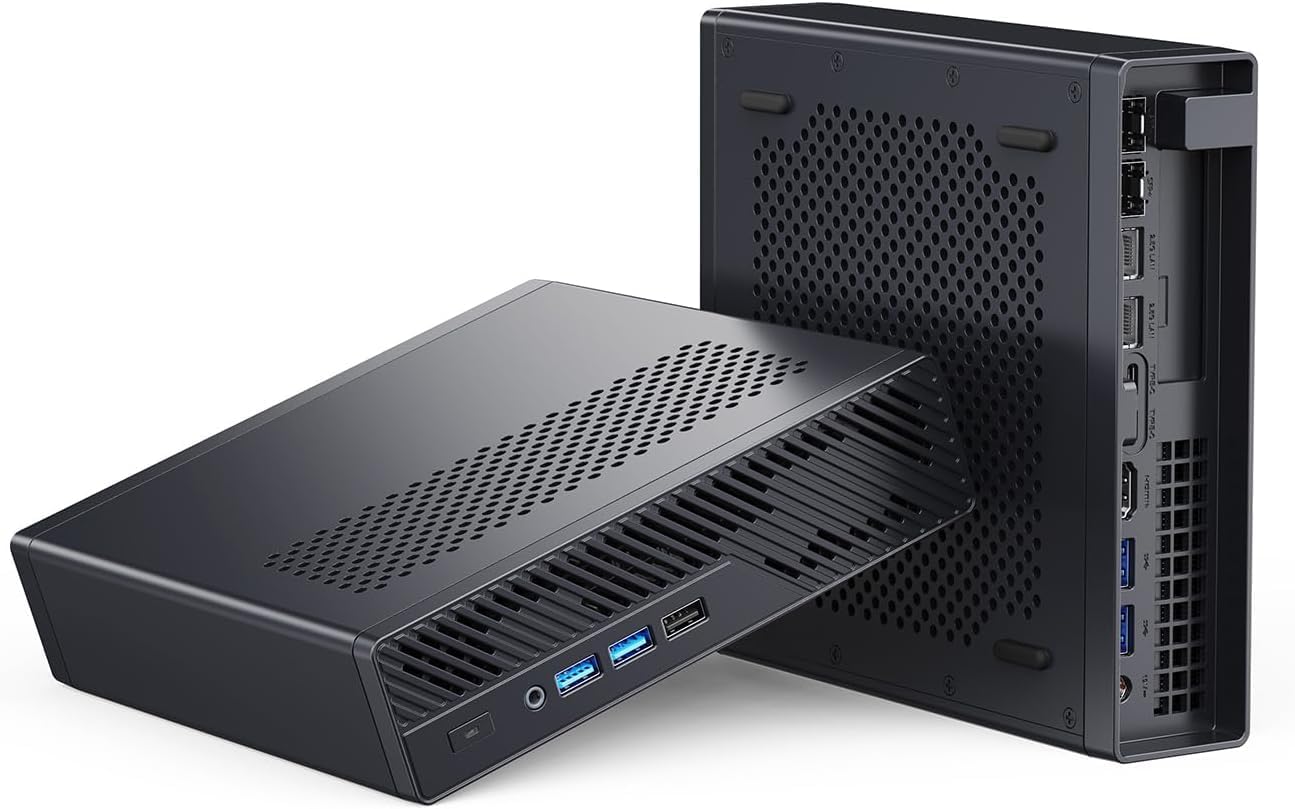
This section covers the exact Ryzen 9 8945HX MS-A2. Its 16 cores, 96GB official memory ceiling, dual 10GbE, dual 2.5GbE, U.2 support, and PCIe slot create a strong consolidation platform. It does not guarantee a guest count or that GPU passthrough will leave other workloads unaffected.
The real differentiator: 2x 10GbE SFP+ ports + 2x 2.5GbE RJ45. This is enterprise-level networking in a tiny box, enabling storage-area network speeds for VM disk images.
Specs:
| Spec | Detail |
|---|---|
| CPU | AMD Ryzen 9 8945HX (16C/32T) |
| RAM | Up to 96GB DDR5, official |
| Storage | Three mixed M.2 or U.2 positions |
| Networking | 2x 10GbE SFP+ + 2x 2.5GbE RJ45 |
| Power Draw | Measure the configured system at the wall |
| Price | Check retailer; validated barebone entry was $559 on August 10, 2026 |
Proxmox-specific notes:
- 16 cores enables genuine multi-tenant VM hosting
- 10GbE enables VM live migration and fast NAS storage access
- Consider this if you plan to eventually build a 3-node Proxmox cluster
Pros:
- 16 physical cores and 32 threads through AMD SMT
- 10GbE networking enables VM live migration
- AMD-Vi IOMMU for flexible PCIe passthrough
Cons:
- Configured cost depends on memory, storage, optics, and add-in hardware
- Power depends on the selected components and operating profile
- Overkill for most home homelabs
Who should buy this: Advanced homelab users building a near-production Proxmox environment, or anyone planning a multi-node cluster where this serves as the primary node.
Who should skip this: Most home users — the UM790 Pro or K11 provides 90% of the utility at half the price.
Proxmox on Mini PC: Key Configuration Tips
1. Enable IOMMU in BIOS before installing Proxmox Without IOMMU, PCIe passthrough won’t work. On AMD mini PCs, look for “AMD-Vi” or “IOMMU” in BIOS. On Intel, look for “Intel VT-d.”
2. Add IOMMU kernel parameters
After installation, add iommu=pt intel_iommu=on (Intel) or amd_iommu=on iommu=pt (AMD) to GRUB, then reboot.
3. Use LXC containers for lightweight services LXC containers use significantly less RAM than full VMs. Pi-hole, Home Assistant Supervised, Gitea, Nextcloud — all run great as LXC containers on Proxmox, leaving RAM headroom for your full VMs. If you’re running a container-heavy setup, check our best mini PC for Docker picks for hardware that excels at container density.
4. Set up ZFS for your VM storage if budget allows ZFS provides copy-on-write snapshots for VMs, making experimentation risk-free. It needs more RAM (use 1GB per 1TB of pool size as a rough guide).
Head-to-Head Comparison
Maximum consolidation tier: MS-02 Ultra 285HX
The Core Ultra 9 285HX MS-02 Ultra is the step above the MS-A2 only for a host that can use more than 96GB, dual 25GbE, four M.2 positions, or several add-in devices. MINISFORUM specifies four SO-DIMM sockets and up to 256GB for this exact configuration. Lower MS-02 Ultra versions have a reduced layout, so do not buy from a generic family description.
The 25GbE card occupies expansion resources and carries two M.2 positions. A Proxmox build needs a complete lane map for its NIC, HBA, GPU, and storage rather than a list of maximum slot counts. Notebookcheck also measured its review sample at 38.8 dBA at idle and up to 54.6 dBA under load, which makes placement part of the purchase decision.
Choose the MS-A2 when 96GB, dual 10GbE, and one PCIe device are enough. Choose the MS-02 Ultra only when the extra capacity replaces another host or removes a documented bottleneck.
| Feature | GMKtec K11 | Minisforum UM790 Pro | Beelink EQ14 | Minisforum MS-A2 |
|---|---|---|---|---|
| CPU | Ryzen 9 8945HS | Ryzen 9 7940HS | Intel N150 | Ryzen 9 8945HX |
| Cores | 8C/16T | 8C/16T | 4C/4T | 16C/32T |
| Max RAM | 64GB DDR5 | 64GB DDR5 | Check exact SKU | 96GB official |
| Networking | 2x 2.5GbE | 1x 2.5GbE | 2x 2.5GbE | 2x 10GbE + 2x 2.5GbE |
| Power planning | Measure exact configuration | Measure exact configuration | Measure exact configuration | Measure exact configuration |
| Price | Check retailer | Check retailer | Check retailer | Check retailer |
| IOMMU | AMD-Vi | AMD-Vi | Intel VT-d | AMD-Vi |
Power Planning
Wall power varies with memory, storage, firmware, NICs, optics, and power profiles. Measure the exact configured host at idle and during a representative concurrent workload, then use the power cost calculator. Do not treat a PSU rating as wall consumption.
Where these figures come from. Idle and load figures are drawn from published measurements rather than our own bench, and they match the sourced dataset behind our comparison tool: ServeTheHome wall measurements for the UM790 Pro, MS-A2 and the Strix Halo boxes, NotebookCheck for the Meteor Lake and Raptor Lake platforms, CNX Software for Alder Lake-N, and consistent owner reports where no reviewer figure exists. Where a figure is a platform-class estimate rather than a measurement of that exact chassis, it is an approximation and marked with a tilde. Annual cost assumes 24/7 operation at $0.12 per kWh; put your own rate into the power cost calculator.
Quick Picks Recap
| # | Mini PC | Best For | Price | Max RAM | Link |
|---|---|---|---|---|---|
| 🥇 Best Overall | GMKtec K11 | Power Proxmox builds — many VMs | ~$639 | 64GB DDR5 | Check Price |
| 🥈 Best Value | Minisforum UM790 Pro | Mid-range Proxmox with excellent headroom | ~$380–500 | 64GB DDR5 | Check Price |
| 🥉 Budget Pick | Beelink EQ14 | Light services after a configuration check | Check retailer | Check exact SKU | See current alternatives |
| 🔷 High-End | Minisforum MS-A2 8945HX | 96GB official memory and dual 10GbE | Check retailer | 96GB DDR5 | Check Price |
Frequently Asked Questions
Does Proxmox work well on AMD mini PCs?
Yes. AMD Ryzen mini PCs are excellent Proxmox hosts. AMD’s IOMMU implementation is generally considered better for PCIe device passthrough than Intel on consumer platforms.
Can I cluster multiple mini PCs with Proxmox?
Yes. Proxmox supports multi-node clusters. Three Beelink EQ14 units make an excellent budget HA cluster. You’ll need a dedicated management network — this is where dual NICs or a USB-to-Ethernet adapter helps. For Kubernetes on top of Proxmox VMs, see our best mini PC for Kubernetes guide.
What’s the minimum RAM for running Proxmox?
Proxmox itself runs in about 2GB of RAM. The rest goes to your VMs and containers. With 16GB, you can run Proxmox + 3–4 LXC containers + 1 full VM comfortably.
Do mini PCs support GPU passthrough in Proxmox?
Most mini PCs don’t have discrete GPUs to pass through. However, some AMD models allow iGPU passthrough with specific configuration. The Minisforum MS-A2 with its PCIe slot can accept a low-profile GPU for proper GPU passthrough.
Which is better for Proxmox — Intel or AMD mini PCs?
For homelab use in 2026, AMD is generally preferred. AMD’s IOMMU grouping is more flexible for PCIe passthrough, Ryzen APUs offer more cores at comparable price points, and the Radeon iGPU handles media transcoding better than Intel UHD.
How We Research These Picks
Each recommendation is tied to a specific product configuration and cross-checked against manufacturer documentation. Affiliate targets are checked for product identity during content refreshes. Prices are approximate, and this site does not publish live stock guarantees or claim first-party benchmarks without documented evidence.
Amazon Product Links
- ⚡ GMKtec K11 (Best Overall): Check Price
- 🏆 Minisforum UM790 Pro (Best Value): Check Price
- 💰 Beelink EQ14 (Budget): See current alternatives
- 🔷 Minisforum MS-A2 (High-End): Check Price