
Best Mini PC for Self-Hosting 2026 — Pi-hole to Frigate
By Max · March 20, 2026 · Updated July 16, 2026
This article contains affiliate links. If you purchase through our links, we may earn a commission at no extra cost to you. We only recommend products we’ve thoroughly researched and verified.

Self-hosting means running your own cloud services at home — your own Nextcloud instead of Google Drive, your own Bitwarden instead of 1Password, your own Gitea instead of GitHub. The privacy, control, and cost benefits are significant. You just need the right hardware.
For self-hosting, the ideal mini PC balances: enough CPU cores to handle simultaneous service requests, enough RAM for your service stack, fast NVMe storage for database performance, and reliable networking for remote access. For a broader look at the best all-around home server mini PCs, see our pillar guide. If you’re primarily running containers, check our best mini PC for Docker roundup too.
Quick Picks: Best Mini PC for Self-Hosting at a Glance
| Pick | Mini PC | Best For | Price | Link |
|---|---|---|---|---|
| 🥇 Best Overall | Minisforum UM790 Pro | Full self-hosting stack, 10+ services | ~$380–500 | Check Price |
| 🥈 Best Value | Beelink EQ14 | Starting out — 5–8 services | ~$190–220 | See current alternatives |
| 🥉 Maximum Performance | GMKtec K11 | Full services + media server combo | ~$639 | Check Price |
| 🔷 Mid-Range | GEEKOM A6 | Growing stacks — 10–15 services | ~$400–500 | Check Price |
Why Self-Host on a Mini PC?
A mini PC self-hosting server gives you:
- Privacy: Your files, passwords, and photos never leave your home network
- Cost savings: No Dropbox (
$10/month), no 1Password ($3/month), no GitHub Pro fees - Control: Update when you want, back up however you want, no vendor lock-in
- Electricity cost: 6–18W idle = $6–20/year to run 24/7
For most households replacing 3–5 cloud services, a mini PC self-hosting setup pays for itself in under 2 years.
Most Popular Self-Hosted Services for Home Mini PCs
Productivity & Files:
- Nextcloud — Google Drive/Docs replacement with 100GB+ local storage
- Vaultwarden — Bitwarden-compatible password manager (very lightweight)
- Gitea / Forgejo — GitHub alternative for private code repos
- Immich — Google Photos alternative with AI face recognition
Media:
- Plex / Jellyfin — Netflix-style media server
- Sonarr + Radarr — TV and movie download automation
- Kavita — eBook reader and library server
Network & Security:
- Pi-hole / AdGuard Home — DNS-based ad blocker
- WireGuard / Tailscale — VPN for remote access
- Traefik — Reverse proxy with automatic SSL
Monitoring:
- Grafana + Prometheus — Server metrics dashboards
- Uptime Kuma — Service uptime monitoring
- Netdata — Real-time performance monitoring
Which Mini PC for Each Self-Hosted App
Not every service needs the same hardware. A DNS ad-blocker idles at a few hundred megabytes of RAM and almost no CPU; a photo library running machine-learning face recognition will saturate eight cores during an import. Recommending the same box for both is the mistake most “best mini PC for [app]” lists make. Below, every common self-hosted app is mapped to the cheapest pick that comfortably runs it — so you buy for your actual workload, not a one-size-fits-all answer.
The four picks above anchor three tiers: the Beelink EQ14 for light always-on services, the GEEKOM A6 Aurora or UM790 Pro for medium multi-user stacks, and the GMKtec K11 or UM790 Pro for heavy compute like AI photo tagging and NVR object detection.
Tier 1 — Light services: any N150 box handles these
These run in a single container, idle near zero CPU, and need well under 1GB RAM each. You can stack a dozen of them on one budget machine. The Beelink EQ14 at ~$200 runs every app in this group at once with room to spare.
| Self-hosted app | What it does | Typical RAM | Recommended pick |
|---|---|---|---|
| Pi-hole | Network-wide DNS ad-blocking | ~150MB | Beelink EQ14 |
| AdGuard Home | DNS ad-blocking + parental filtering | ~200MB | Beelink EQ14 |
| Vaultwarden | Bitwarden-compatible password manager | ~100MB | Beelink EQ14 |
| Bitwarden official server | Full password-manager suite | ~1–2GB | Beelink EQ14 |
| Gitea / Forgejo | Private Git host | ~300MB | Beelink EQ14 |
| Syncthing | Peer-to-peer file sync | ~200MB | Beelink EQ14 |
| Grocy | Household / pantry management | ~150MB | Beelink EQ14 |
| Mealie | Recipe manager | ~300MB | Beelink EQ14 |
| Wiki.js | Self-hosted wiki | ~400MB | Beelink EQ14 |
| Stirling PDF | PDF toolkit | ~500MB | Beelink EQ14 |
| Homebridge | HomeKit bridge for non-HomeKit gear | ~200MB | Beelink EQ14 |
| Actual Budget | Private budgeting / finance | ~150MB | Beelink EQ14 |
| UniFi Network Controller | Manages Ubiquiti UniFi gear | ~1GB, Java | Beelink EQ14 |
| WireGuard / Tailscale | VPN for remote access | ~50MB | Beelink EQ14 |
| Uptime Kuma | Service uptime monitoring | ~150MB | Beelink EQ14 |
Setup note: the UniFi Controller is the heaviest item here because it runs on Java and MongoDB — give it 1GB and it is happy. Everything else in this tier is comfortable on the EQ14’s 16GB even when run together.
Tier 2 — Medium services: multi-user, databases, bursty CPU
These add a real database, multiple concurrent users, or short CPU spikes — document OCR, workflow runs, file-sync for a family. The 4-core EQ14 will run any one of them, but once two or three are active together you want the headroom of the GEEKOM A6 Aurora or the UM790 Pro with 32GB.
| Self-hosted app | Why it needs more | Recommended pick |
|---|---|---|
| Paperless-ngx | OCR pegs the CPU while ingesting documents | GEEKOM A6 Aurora |
| Nextcloud | Database + multiple users + file storage; wants a 2nd drive for data | Minisforum UM790 Pro |
| n8n | Workflow automation; concurrent runs spike CPU | GEEKOM A6 Aurora |
| code-server, multi-project | Browser VS Code compiling real projects | GEEKOM A6 Aurora |
| OctoPrint / 3D-print server | Light alone, but webcam streams and multi-printer add load | GEEKOM A6 Aurora |
Setup note: for Nextcloud, keep the OS on the primary NVMe and put user data on a second M.2 or a USB4 external drive — the UM790 Pro’s 2nd M.2 slot is the reason it is the pick here. For storage-first builds, see our best mini PC for NAS guide.
Tier 3 — Heavy services: AI, transcoding, object detection
These genuinely need eight cores, lots of RAM, or a hardware accelerator. This is where the GMKtec K11 and UM790 Pro earn their price.
| Self-hosted app | The real bottleneck | Recommended pick |
|---|---|---|
| Immich | Machine-learning face/object recognition saturates all cores during imports | GMKtec K11 |
| Frigate NVR | Real-time object detection on camera feeds — wants a hardware accelerator | GMKtec K11 + Coral TPU |
| Multi-camera NVR | Decoding several 4K streams at once | Minisforum UM790 Pro |
| Minecraft Java server | Single-thread bound; high boost clock + 4–8GB+ RAM per world | GMKtec K11 |
Setup notes:
- Frigate does object detection, and CPU detection alone will overwhelm any mini PC with more than a camera or two. Add a Google Coral USB TPU to any pick, or lean on Intel Quick Sync for stream decode on the EQ14’s N150. The Coral is the honest answer for 4+ cameras — detection moves to the TPU and the CPU barely notices.
- Minecraft Java edition is bound by single-thread performance, not core count, so the K11’s and UM790 Pro’s higher boost clocks matter more than thread count. Allocate RAM per world, not per server.
- Immich import jobs are a burst, not a constant — the K11 chews through a photo backlog fast, then idles at ~18W like everything else.
What to Look for in a Self-Hosting Mini PC
1. RAM — the primary constraint Each service needs RAM. Nextcloud + database: 1–2GB. Immich with AI features: 2–4GB. Media server: 512MB–2GB. Budget 1GB per service as your planning figure.
2. Storage for your data This is where self-hosting differs from other use cases. Your Nextcloud files, Immich photos, and Gitea repos need storage space. A 2nd M.2 slot or USB4 external NVMe keeps your data separate from your OS drive.
3. Always-on reliability Self-hosted services need to be available when you need them — including at 2am from your phone. Choose mini PCs with confirmed 24/7 stability.
4. Remote access setup You’ll need a way to access your services from outside your home network. Tailscale is the easiest secure tunnel; a reverse proxy with domain name + SSL certificates is the more traditional approach.
Our Top Picks: Best Mini PC for Self-Hosting 2026
🥇 Best Overall
Minisforum UM790 Pro
→ Check Current Price on Amazon
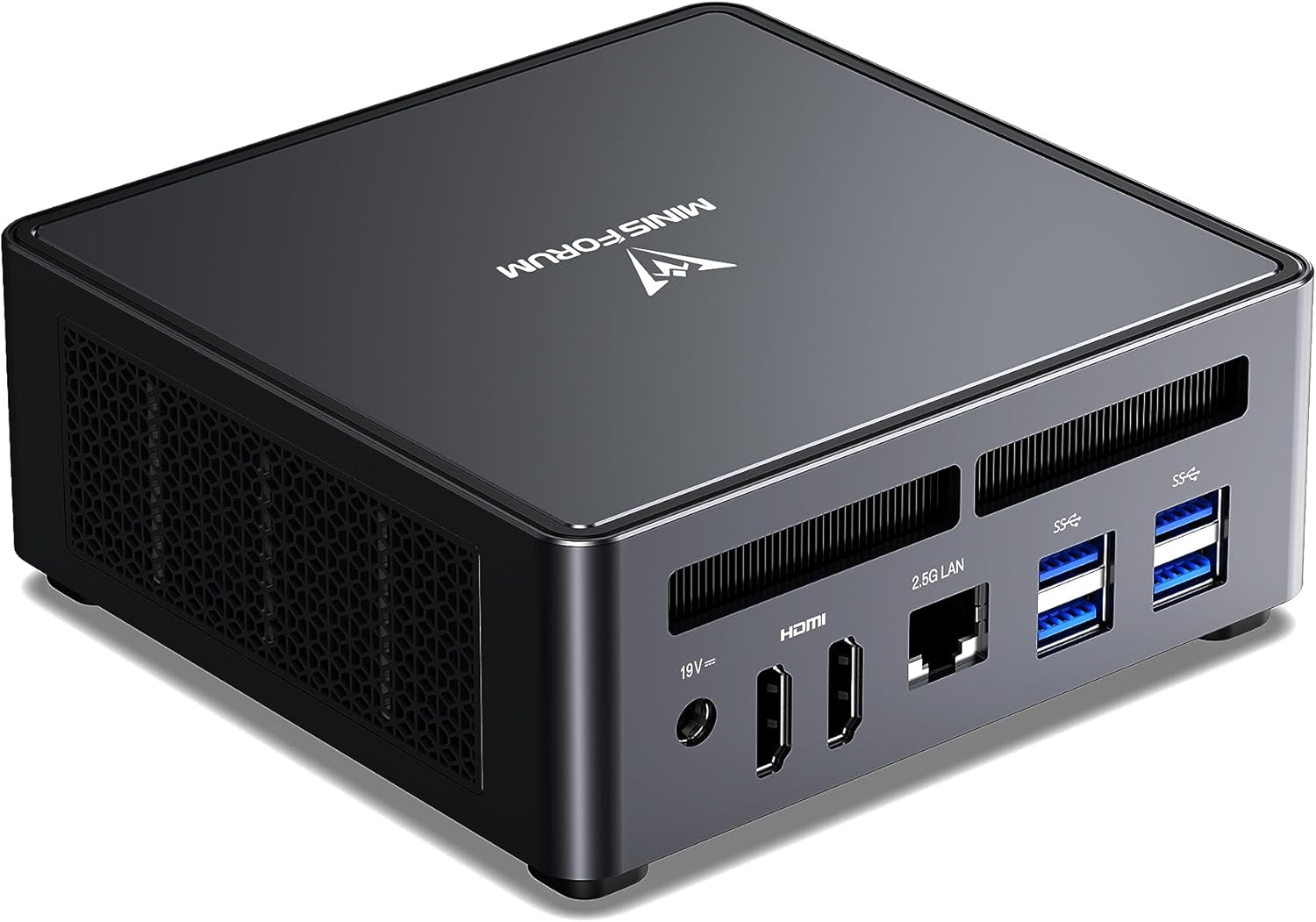
For running a comprehensive self-hosted stack — Nextcloud, Immich, Gitea, Vaultwarden, Jellyfin, Sonarr/Radarr, Grafana, Uptime Kuma, WireGuard, and Traefik — the UM790 Pro provides the CPU cores, RAM, and storage throughput to handle all of them simultaneously.
The 64GB DDR5 upgrade path and dual USB4 ports for external NVMe expansion mean this machine will serve your self-hosting needs for years without hardware constraints.
Specs:
| Spec | Detail |
|---|---|
| CPU | AMD Ryzen 9 7940HS (8C/16T, 5.2GHz) |
| RAM | 32–64GB DDR5 (2x SO-DIMM) |
| Storage | 512GB–1TB NVMe + 2nd M.2 slot |
| Networking | 1x 2.5GbE + WiFi 6E |
| USB | 2x USB4 (40Gbps) |
| Power Draw | ~15W idle / ~65W load |
| Price | ~$380–500 |
Pros:
- 8 cores handle 15–20 simultaneous services without bottlenecks
- 2nd M.2 slot for dedicated data storage (separate from OS)
- Dual USB4 for external NVMe expansion
- 64GB DDR5 gives years of RAM headroom
- Excellent AMD/Linux compatibility
Cons:
- ~15W idle = ~$16/year electricity
- Single 2.5GbE
- More expensive than needed for small stacks under 10 services
Who should buy this: Anyone building a comprehensive private cloud with 10–20 services and a media server running simultaneously.
Who should skip this: Running fewer than 8 services — the Beelink EQ14 handles that for $200 less.
🥈 Best Value
Beelink EQ14
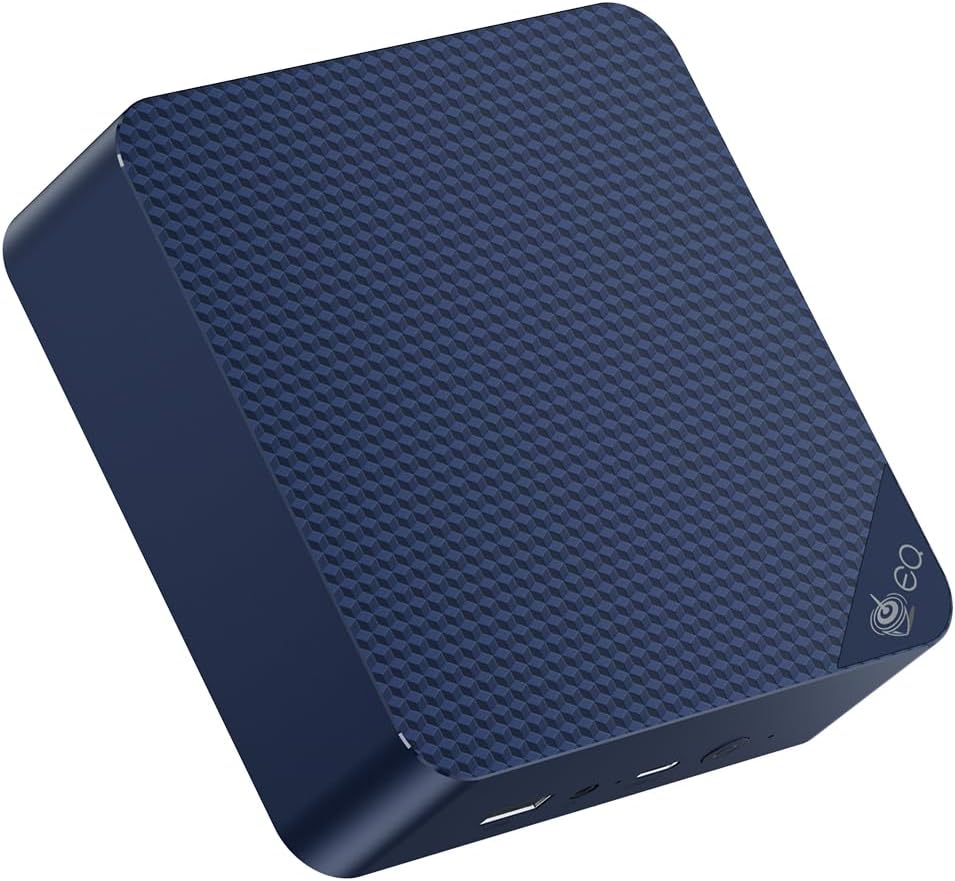
For someone new to self-hosting who wants to start with the core stack — Nextcloud, Vaultwarden, Pi-hole, and maybe Gitea — the EQ14 handles it well at minimal cost. The ~$200 price point makes the financial risk of “trying self-hosting” very low.
Specs:
| Spec | Detail |
|---|---|
| CPU | Intel N150 (4C/4T, 3.6GHz) |
| RAM | 16GB LPDDR5 |
| Storage | 500GB SSD |
| Networking | 2x 2.5GbE LAN |
| Power Draw | ~6W idle / ~25W load |
| Price | ~$190–220 |
Pros:
- ~6W idle = ~$6.57/year electricity
- Handles 5–8 lightweight services comfortably
- Dual 2.5GbE for flexible networking
- Sub-$220 entry point for self-hosting
Cons:
- 4 cores limit concurrent service performance under load
- 16GB RAM limits total service count
- Not suitable for Immich AI features or media transcoding alongside other services
Who should buy this: First-time self-hosters starting with a lean stack of 5–8 services.
Who should skip this: Anyone planning Immich with AI, a media server, or more than 10 simultaneous services.
🥉 Maximum Performance
GMKtec K11
→ Check Current Price on Amazon
The K11’s 8 cores and 64GB DDR5 capacity handle the most demanding self-hosting combinations — Nextcloud + Immich with AI + Jellyfin 4K transcoding + CI/CD + monitoring stack — all simultaneously without compromise. If you’re running Proxmox to isolate services in VMs, the K11 has enough headroom to do that comfortably.
Specs:
| Spec | Detail |
|---|---|
| CPU | AMD Ryzen 9 8945HS (8C/16T, up to 5.2GHz) |
| RAM | 32–64GB DDR5 (2x SO-DIMM) |
| Storage | 1TB NVMe + expansion slot |
| Networking | 2x 2.5GbE + WiFi 6E |
| Power Draw | ~18W idle / ~80W load |
| Price | ~$639 |
Pros:
- 8 cores / 16 threads handle 20+ services including Immich AI and 4K transcoding
- Dual 2.5GbE NICs — run a reverse proxy on a dedicated interface or bond for throughput
- 64GB DDR5 ceiling means you won’t hit RAM limits for years
Cons:
- ~18W idle = ~$19/year electricity — nearly triple the EQ14
- ~$639 is a steep entry price for self-hosting alone
Who should buy this: Power users combining a full self-hosting stack with a media server, CI/CD pipelines, and compute-intensive services like Immich AI processing.
Who should skip this: Anyone running fewer than 15 services — the UM790 Pro delivers similar core count for $100–200 less.
🔷 Mid-Range
GEEKOM A6 Aurora
→ Check Current Price on Amazon
The GEEKOM A6 fills the gap between the budget EQ14 and the high-end UM790 Pro. With 8 cores, 32GB RAM, and a 2.5GbE NIC, it’s a solid choice for self-hosters who’ve outgrown a 4-core machine but don’t need Ryzen 9 horsepower.
Specs:
| Spec | Detail |
|---|---|
| CPU | AMD Ryzen 7 6800H (8C/16T) |
| RAM | 16–32GB DDR5 (2x SO-DIMM) |
| Storage | 512GB NVMe + expansion slot |
| Networking | 1x 2.5GbE + WiFi 6E |
| Power Draw | ~12W idle / ~55W load |
| Price | ~$350–450 |
Pros:
- 8 cores handle 10–15 simultaneous services smoothly
- PCIe 4.0 NVMe and DDR5 RAM for responsive service I/O
- ~12W idle = ~$13/year electricity — efficient for an 8-core chip
Cons:
- 32GB RAM cap is tighter than the 64GB options above
- Single NVMe slot on some configurations limits data/OS separation
Who should buy this: Self-hosters running 10–15 services who want more headroom than the EQ14 without paying Ryzen 9 prices.
Who should skip this: If you’re planning Immich AI + 4K transcoding + CI/CD, you’ll want the UM790 Pro or K11’s 8 cores and 64GB ceiling.
Essential Self-Hosting Setup Guide
1. Choose your base OS: Ubuntu Server 24.04 LTS or Debian 12 — both have excellent Docker support and long-term security updates.
2. Install Docker + Docker Compose:
curl -fsSL https://get.docker.com | sh
sudo apt install docker-compose-plugin
3. Set up Traefik reverse proxy with automatic Let’s Encrypt SSL — this gives all your services HTTPS without managing certificates manually.
4. Add services incrementally — start with 3–4 services and add more as you confirm stability. Don’t deploy 15 services at once.
5. Configure external access — Tailscale is the easiest secure tunnel for accessing your services from anywhere without port forwarding.
6. Set up automated backups — use restic or borgbackup to back up your Docker volumes to an external drive or cloud storage. Services are worthless if their data isn’t backed up.
Self-Hosting Services: RAM Planning Guide
| Service Stack | RAM Needed | Min Recommended Mini PC |
|---|---|---|
| Vaultwarden + Pi-hole + Uptime Kuma | ~1GB | Beelink EQ14 (16GB) |
| + Nextcloud + Gitea | ~3–4GB | Beelink EQ14 (16GB) |
| + Jellyfin (1080p HW transcode) | ~5–6GB | Beelink EQ14 (16GB) |
| + Immich with AI features | ~8–10GB | UM790 Pro (32GB) |
| + Full monitoring stack + CI/CD | ~14–18GB | UM790 Pro (32GB) |
| + All of the above with headroom | ~24–32GB | UM790 Pro (64GB) or K11 |
Head-to-Head Comparison
| Feature | Minisforum UM790 Pro | Beelink EQ14 | GMKtec K11 | GEEKOM A6 |
|---|---|---|---|---|
| CPU | Ryzen 9 7940HS | Intel N150 | Ryzen 9 8945HS | Ryzen 7 6800H |
| Cores/Threads | 8C/16T | 4C/4T | 8C/16T | 8C/16T |
| RAM (Max) | 64GB DDR5 | 16GB LPDDR5 | 64GB DDR5 | 32GB DDR5 |
| Storage | 1TB + 2nd M.2 | 500GB SSD | 1TB NVMe | 512GB NVMe |
| Networking | 1x 2.5GbE + WiFi 6E | 2x 2.5GbE | 2x 2.5GbE + WiFi 6E | 1x 2.5GbE + WiFi 6E |
| Power (Idle) | ~15W | ~6W | ~18W | ~12W |
| Power (Load) | ~65W | ~25W | ~80W | ~55W |
| Price | ~$380–500 | ~$190–220 | ~$639 | ~$350–450 |
| Best For | Full stack, 10–20 services | Beginners, 5–8 services | Max performance, 20+ services | Growing stacks, 10–15 services |
Power Consumption at a Glance
Running a self-hosted server 24/7 means electricity matters. Here’s what each pick costs annually at $0.12/kWh:
| Mini PC | Idle (W) | Load (W) | Annual Cost (24/7 idle) |
|---|---|---|---|
| Beelink EQ14 | ~6W | ~25W | ~$6.31/year |
| GEEKOM A6 | ~12W | ~55W | ~$12.61/year |
| Minisforum UM790 Pro | ~15W | ~65W | ~$15.77/year |
| GMKtec K11 | ~18W | ~80W | ~$18.92/year |
Most self-hosted services sit near idle most of the time — active load happens during file syncs, photo processing, or media transcoding. Even the K11 costs under $20/year in electricity.
Quick Picks Recap
| Pick | Mini PC | Best For | Price | Link |
|---|---|---|---|---|
| 🥇 Best Overall | Minisforum UM790 Pro | Full self-hosting stack, 10+ services | ~$380–500 | Check Price |
| 🥈 Best Value | Beelink EQ14 | Starting out — 5–8 services | ~$190–220 | See current alternatives |
| 🥉 Maximum Performance | GMKtec K11 | Full services + media server combo | ~$639 | Check Price |
| 🔷 Mid-Range | GEEKOM A6 | Growing stacks — 10–15 services | ~$400–500 | Check Price |
Frequently Asked Questions
How do I access self-hosted services from outside my home?
Three main options: (1) Tailscale — easiest, installs on your devices, no port forwarding; (2) Cloudflare Tunnel — free, routes traffic through Cloudflare; (3) Traditional port forwarding + domain + SSL via Traefik. Tailscale is recommended for beginners.
Is self-hosting actually more private than cloud services?
Yes, for local access and data storage. Your files never leave your network. Caveats: if you expose services to the internet, keep them updated. A compromised self-hosted Nextcloud is worse than a cloud account from a security standpoint. Use Tailscale to avoid exposing services publicly.
Can the Beelink EQ14 run Nextcloud and a media server simultaneously?
Yes, with limitations. Nextcloud + Vaultwarden + Pi-hole + Jellyfin (1080p transcoding via Quick Sync) fit within 16GB RAM. You’ll feel the 4-core limit if everything is active simultaneously, but for a household of 1–2 people, it works.
How much storage do I need for Nextcloud?
Depends entirely on your files. For a family replacing Google Drive: plan for 1TB minimum. The EQ14’s 500GB drive fills up quickly. Add a USB4 or USB 3.2 external drive, or use the UM790 Pro’s 2nd M.2 slot for data storage. If storage is your primary concern, see our best mini PC for NAS guide.
What’s the best OS for self-hosting on a mini PC?
Ubuntu Server 24.04 LTS and Debian 12 are the most popular choices — both have excellent Docker support and long-term security updates. Debian is slightly lighter and more stable; Ubuntu has a larger community and more tutorials. Either works well. If you want a GUI for managing containers, consider CasaOS or Cosmos Cloud on top of Debian.
How much storage do I need for self-hosting?
Start with 500GB for a lean stack of 5–8 services. If you’re running Nextcloud for file storage or Immich for photos, plan for 1–2TB minimum. Use a separate drive for data — the UM790 Pro’s 2nd M.2 slot or an external USB4 NVMe works well. Keep your OS drive under 256GB so you can back it up quickly.
What mini PC do I need for Pi-hole or AdGuard Home?
Almost anything. Pi-hole idles around 150MB of RAM and near-zero CPU, so the cheapest N150 box like the Beelink EQ14 runs it alongside a dozen other light services. You do not need a Ryzen box for DNS ad-blocking — save the money for storage or a faster machine if you later add Immich or a media server.
Can a mini PC run Frigate NVR with object detection?
Yes, but add a hardware accelerator. CPU-only object detection overwhelms any mini PC past one or two cameras. Pair any pick with a Google Coral USB TPU so detection runs on the TPU and the CPU only handles decode. With a Coral, even a modest box handles 4–6 cameras; without one, plan for heavy CPU load.
What mini PC is best for Immich photo management?
Immich’s machine-learning face and object recognition saturates all cores while importing a photo backlog, so an 8-core box like the GMKtec K11 or UM790 Pro clears the queue fastest. Day to day it idles like any other service. Budget 8–10GB RAM for Immich with AI features enabled, plus 1–2TB of storage for the library.
How We Research These Picks
Each recommendation is tied to a specific product configuration and cross-checked against manufacturer documentation. Affiliate targets are checked for product identity during content refreshes. Prices are approximate, and this site does not publish live stock guarantees or claim first-party benchmarks without documented evidence.
Amazon Product Links
- 🏆 Minisforum UM790 Pro (Best Overall): Check Price on Amazon
- 💰 Beelink EQ14 (Best Value): See current alternatives
- ⚡ GMKtec K11 (Maximum Performance): Check Price on Amazon
- 🔷 GEEKOM A6 (Mid-Range): Check Price on Amazon