
GEEKOM A7 MAX Review: Best Budget Ryzen 9 Mini PC for Creators [2026]
By Max · April 2, 2026 · Updated May 4, 2026
This article contains affiliate links. If you purchase through our links, we may earn a commission at no extra cost to you. We only recommend products we’ve thoroughly researched.
![GEEKOM A7 MAX Review: Best Budget Ryzen 9 Mini PC for Creators [2026]](/images/heroes/variants/geekom-a7-max-review/1920.webp)
→ Check Current Price on Amazon
The GEEKOM A7 MAX is the best-reviewed mini PC in this entire product batch with 550 reviews at 4.6 stars. At ~$699 with a Ryzen 9 7940HS, it hits the sweet spot of performance and value. The 7940HS is Zen 4 (not Zen 5/Strix Point), so it lacks the AI NPU — but for general computing, creative work, and light gaming, it’s hard to beat.
With upgradeable DDR5 SO-DIMM, USB4, and GEEKOM’s industry-leading 3-year warranty, the A7 MAX is the safe choice for buyers who want proven reliability over cutting-edge AI features.
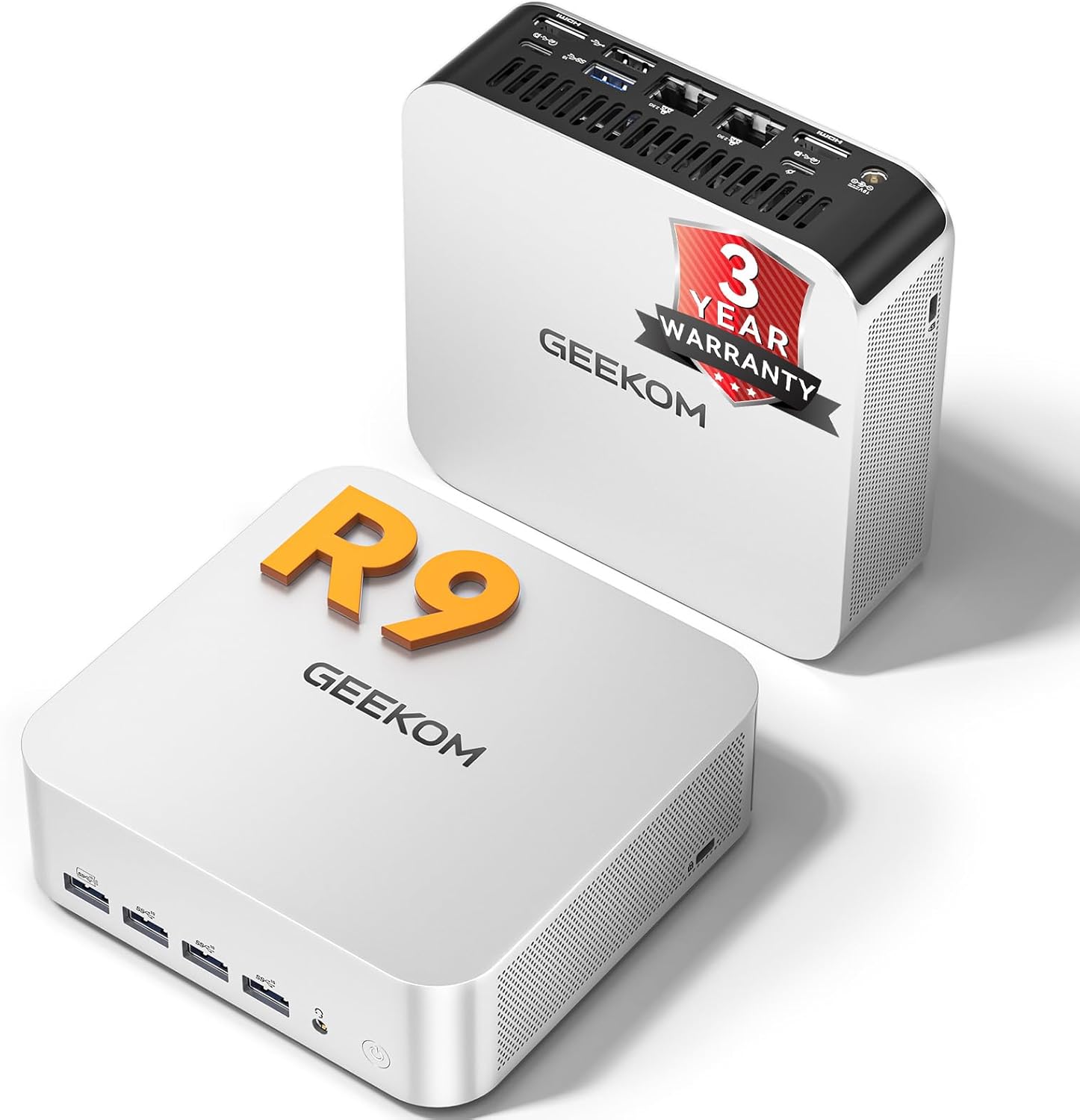
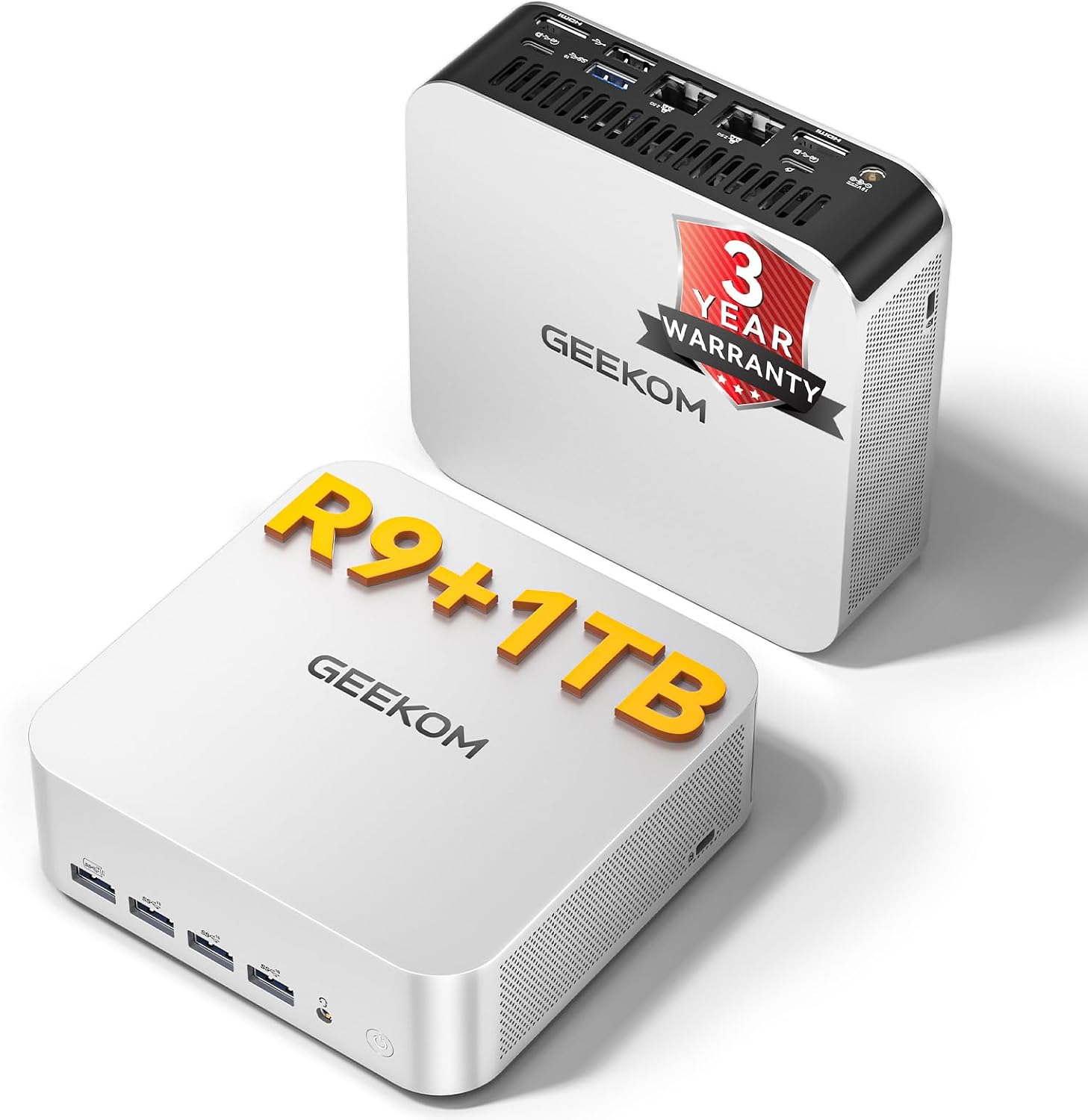
Port layout from GEEKOM’s own listing images. The rear panel is where the port count, the LAN speed, and the USB generations are actually settled.
GEEKOM A7 MAX — Specs at a Glance
| Spec | Detail |
|---|---|
| CPU | AMD Ryzen 9 7940HS (8C/16T, up to 5.2 GHz, Zen 4) |
| GPU | AMD Radeon 780M (RDNA 3, 12 CUs, 768 shaders) |
| RAM | 16GB DDR5 SO-DIMM (upgradeable to 64GB) |
| Storage | 1TB PCIe 4.0 NVMe SSD (expandable) |
| Networking | Dual 2.5GbE + WiFi 7 + Bluetooth 5.2 |
| Display | 8K output via USB4, HDMI |
| AI TOPS | 0 (no dedicated NPU — CPU/GPU compute only) |
| USB | USB4 (40Gbps), multiple USB-A 3.2 |
| Special Features | SD card reader, VESA mount, 4 performance modes |
| Warranty | 3-year limited |
| Price | ~$699 |
Design and Build Quality
The A7 MAX follows GEEKOM’s established design language — compact aluminium chassis with IceBlast cooling. Build quality is solid — the 550 reviews at 4.6 stars confirm reliability over time. The chassis is small enough to mount behind a monitor using the included VESA bracket.
The front panel includes a power button and SD card reader — useful for content creators importing photos and videos. Port selection is adequate: USB4, multiple USB-A 3.2, 2.5GbE, HDMI, and 3.5mm audio.
Build quality notes: The aluminium chassis feels premium and dissipates heat effectively. The IceBlast cooling system keeps thermals manageable under sustained workloads. Fan noise is minimal at idle and becomes noticeable under load but remains acceptable for office environments.
CPU and Performance
The Ryzen 9 7940HS is AMD’s Zen 4 flagship — 8 cores and 16 threads at up to 5.2 GHz boost. For multi-threaded workloads — video encoding, compiling code, running multiple VMs — the 8-core configuration delivers desktop-class performance.
For creative workloads:
- Video encoding: Handles 4K H.264/H.265 encoding well
- Photo editing: Lightroom and Photoshop run smoothly
- 3D rendering: Blender and similar tools perform adequately
For AI workloads: The 7940HS lacks a dedicated NPU. It relies on CPU/GPU compute for AI workloads. For Ollama LLM inference:
- 7B models (Q4): ~25-40 tokens/sec
- 13B models (Q4): ~10-20 tokens/sec
- 34B models (Q4): Limited by 16GB RAM
The Radeon 780M handles GPU-accelerated inference adequately, but without NPU acceleration, AI workloads are slower than on HX370/HX470 systems.
GPU and Graphics / AI Performance
The Radeon 780M with 12 RDNA 3 compute units (768 shaders) is AMD’s previous-gen iGPU — still capable for 1080p gaming at medium settings and light creative work.
For creative workloads:
- 1080p gaming: Handles Cyberpunk 2077, Elden Ring at medium settings (35-50 fps)
- Video editing: Handles 1080p editing well, 4K editing is possible but slower
- Stable Diffusion: Generates 512x512 images in 12-18 seconds
For AI workloads:
- LLM inference: See tokens/sec above — the 780M handles GPU-accelerated inference adequately
- ROCm support: Solid on Linux for RDNA 3 — reviewers have run Ollama on Ubuntu 24.04 without issues
Memory and Storage
The A7 MAX uses DDR5 SO-DIMM — upgradeable to 64GB (2x 32GB sticks). The included 16GB is the bare minimum for 2026. For general use and 7B LLMs, it’s adequate. For 13B+ models or heavy multitasking, plan to upgrade to 32GB (~$80-100 for extra 16GB).
Why upgradeable RAM matters:
- General use: 16GB is adequate
- 7B LLMs: 16GB is comfortable
- 13B LLMs: 32GB recommended
- Video editing: 32GB+ recommended
Storage: Single M.2 slot supporting up to 4TB PCIe 4.0 NVMe. The included 1TB SSD is adequate for most users. For content creators, consider adding a second drive for project files.
Networking and Connectivity
| Port | Quantity |
|---|---|
| USB4 (40Gbps) | 1 |
| USB-A 3.2 Gen 2 | Multiple |
| HDMI 2.1 | 1 |
| 2.5GbE (Realtek) | 2 |
| SD card reader | 1 |
| 3.5mm audio | 1 |
Dual 2.5GbE is the gold standard for homelab use. These NICs have excellent Linux driver support out of the box. Run OPNsense with WAN on one port and LAN on the other, or dedicate one NIC to management and one to VM traffic in Proxmox.
WiFi 7 is current-gen. Bluetooth 5.2 is adequate. The SD card reader is a genuine differentiator for content creators — useful for importing photos and videos without a dongle.
Power Consumption and Running Costs
| Metric | Value | Source |
|---|---|---|
| Idle (W) | ~7W | AnandTech / Igor’s Lab (Ryzen 9 7940HS) |
| Load (W) | ~65W | Community estimate (Ryzen 9 7940HS platform) |
| Annual Cost (24/7 idle) | ~$7.36/year | At $0.12/kWh |
Running 24/7 at idle, the A7 MAX costs about $7.36 per year in electricity — about $0.61 per month. This is among the most power-efficient mini PCs in this roundup. Under sustained load, power reaches ~65W, which is efficient for an 8-core system.
GEEKOM A7 MAX vs. the Competition
The Reatan Alloy 9 (~$899) uses the same Ryzen 9 7940HS but includes 32GB RAM (vs 16GB) and 2.5GbE LAN. For $200 more, you get double the RAM. But the A7 MAX counters with 550 reviews proving reliability and a 3-year warranty.
The GMKtec K11 (~$799) uses the Ryzen 9 8945HS (marginally newer) with 32GB RAM, 2TB SSD, dual 2.5GbE, and OCuLink. For $100 more, the K11 offers better specs. But the A7 MAX’s 550 reviews and 3-year warranty justify the premium for risk-averse buyers.
The GEEKOM A9 Max (~$1,689) uses the Ryzen AI 9 HX370 with 80 TOPS AI compute. For $990 more, you get AI NPU, dual 2.5GbE, and WiFi 7. For AI workloads, the A9 Max is worth the premium. For general use, the A7 MAX is better value.
Who Should Buy the GEEKOM A7 MAX?
Buy it if you:
- Want proven reliability (550 reviews at 4.6 stars)
- Value GEEKOM’s 3-year warranty
- Need a budget Ryzen 9 mini PC for creative work
- Want upgradeable DDR5 SO-DIMM
- Don’t need AI NPU features
- Appreciate the SD card reader for content creation
Skip it if you:
- Need AI features — the X1-255 has 38 TOPS at $210 less
- Want more RAM out of the box — the K11 has 32GB at $210 less
- Need dual NICs — the K11 has dual 2.5GbE
- Want WiFi 7 — the X1-255 has WiFi 7
Frequently Asked Questions
Is 16GB RAM enough on the A7 MAX?
For general use and 7B LLMs, yes. For 13B+ models or heavy multitasking, plan to upgrade to 32GB (~$80-100 for extra 16GB). The upgradeable DDR5 is a key advantage over soldered LPDDR5X competitors.
Does the A7 MAX have AI capabilities?
No dedicated NPU. The 7940HS relies on CPU/GPU compute for AI workloads. It handles 7B models at 25-40 tokens/sec and 13B models at 10-20 tokens/sec, but lacks NPU acceleration for Copilot+ features.
Is the SD card reader useful?
Absolutely for content creators. Importing photos and videos directly without a dongle is convenient. The SD 4.0 reader supports UHS-I cards at decent speeds.
How does the 780M compare to newer iGPUs?
The 12-CU Radeon 780M is previous-gen but still capable. The 890M (16 CUs) in HX370 systems is ~30% faster. For 1080p gaming and light creative work, the 780M is adequate.
Is GEEKOM a reliable brand?
Yes. GEEKOM has established support channels and a track record of honoring warranties. The 3-year warranty is the longest in the mini PC industry. The 550 reviews at 4.6 stars confirm reliability.
Can I use this for homelab?
Yes, but with limitations. The single 2.5GbE is adequate for single-NIC setups. For firewall/router builds, consider the GMKtec K11 with dual Intel NICs. For Proxmox or Docker, the 8-core 7940HS handles 4-6 lightweight VMs well.
Final Verdict
The GEEKOM A7 MAX is the best-reviewed budget Ryzen 9 mini PC available today. The 550 reviews at 4.6 stars, 3-year warranty, and upgradeable DDR5 make it the safe choice for buyers who want proven reliability over cutting-edge AI features.
At $699, it’s priced competitively for a Ryzen 9 system. The 16GB RAM is the main limitation — plan to upgrade to 32GB for serious workloads. For AI features, step up to the A9 Max. For better specs per dollar, the K11 is hard to beat.