
GEEKOM IT15 vs GMKtec K11: Intel Ultra 9 vs Ryzen 9 for Homelab and Proxmox [2026]
By Max · April 3, 2026 · Updated May 4, 2026
This article contains affiliate links. If you purchase through our links, we may earn a commission at no extra cost to you. We only recommend products we’ve thoroughly researched.

The Short Answer
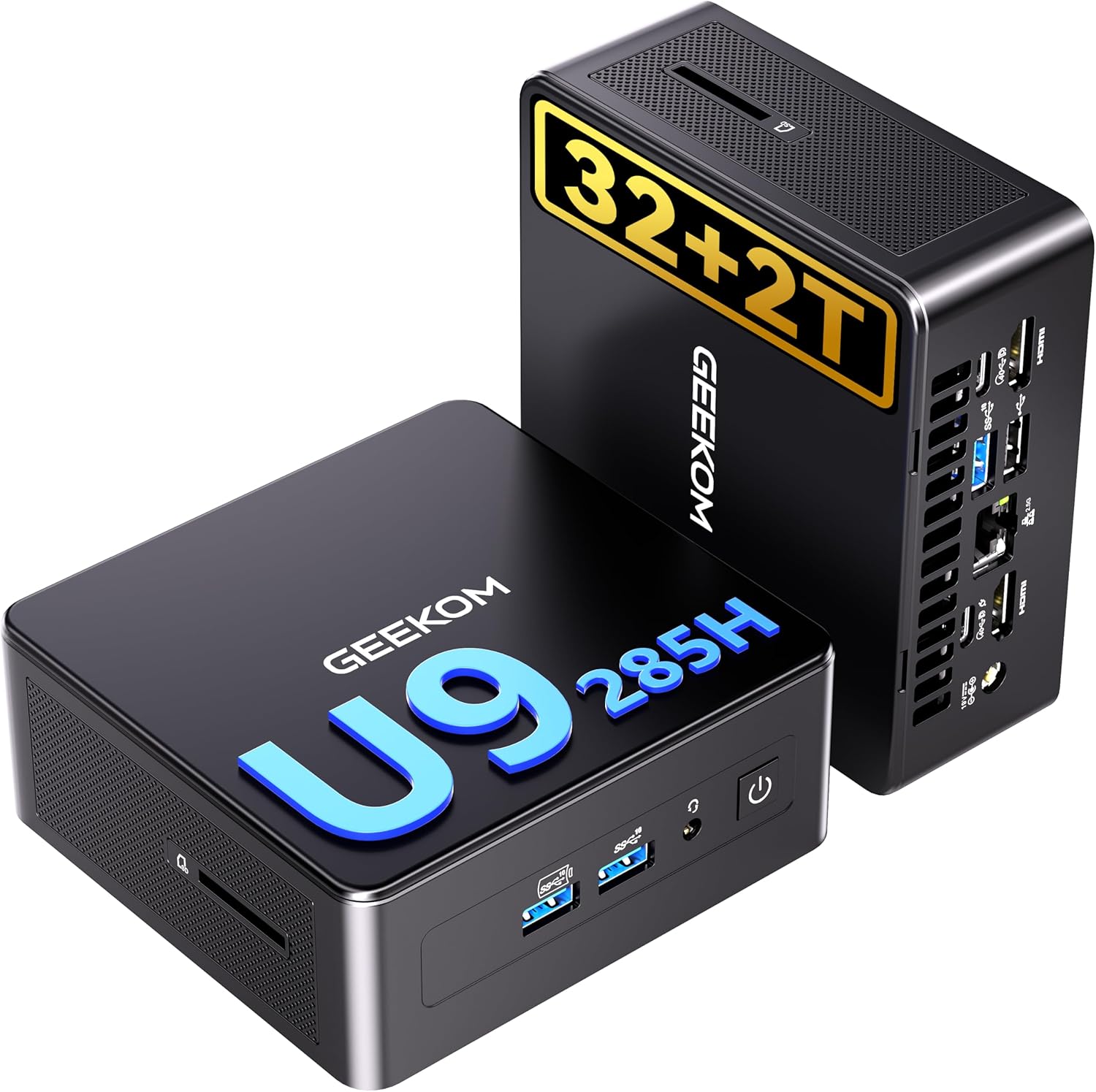
The GMKtec K11 at $739 is the better homelab value by a landslide — it’s $760 cheaper, has dual Intel 2.5GbE NICs, OCuLink for eGPU expansion, and the Ryzen 9 8945HS is well-proven in Proxmox and Linux environments. The GEEKOM IT15 at $1,499 only makes sense if you specifically need Intel’s 16-core Arrow Lake-H CPU or Intel-specific software compatibility.
For Proxmox, OPNsense, TrueNAS, or general homelab use, the K11 is the obvious pick. The IT15’s 99 TOPS AI rating and 16 cores are impressive on paper, but they don’t justify a $760 premium for most homelab workloads.
Side-by-Side Specs
| Spec | GEEKOM IT15 | GMKtec K11 | Winner |
|---|---|---|---|
| CPU | Intel Core Ultra 9 285H (16C/24T, Arrow Lake-H) | AMD Ryzen 9 8945HS (8C/16T, 5.1GHz, Hawk Point) | 🏆 IT15 (more cores) |
| GPU | Intel Arc 140T | AMD Radeon 780M (12 CUs) | 🏆 K11 (better Linux support) |
| NPU | Intel AI Boost (99 TOPS total) | None (Zen 4, no dedicated NPU) | 🏆 IT15 (AI workloads) |
| RAM | 32GB DDR5 SO-DIMM | 32GB DDR5 SO-DIMM (upgradeable) | Tie |
| Storage | 2TB PCIe NVMe SSD | 2TB PCIe NVMe SSD | Tie |
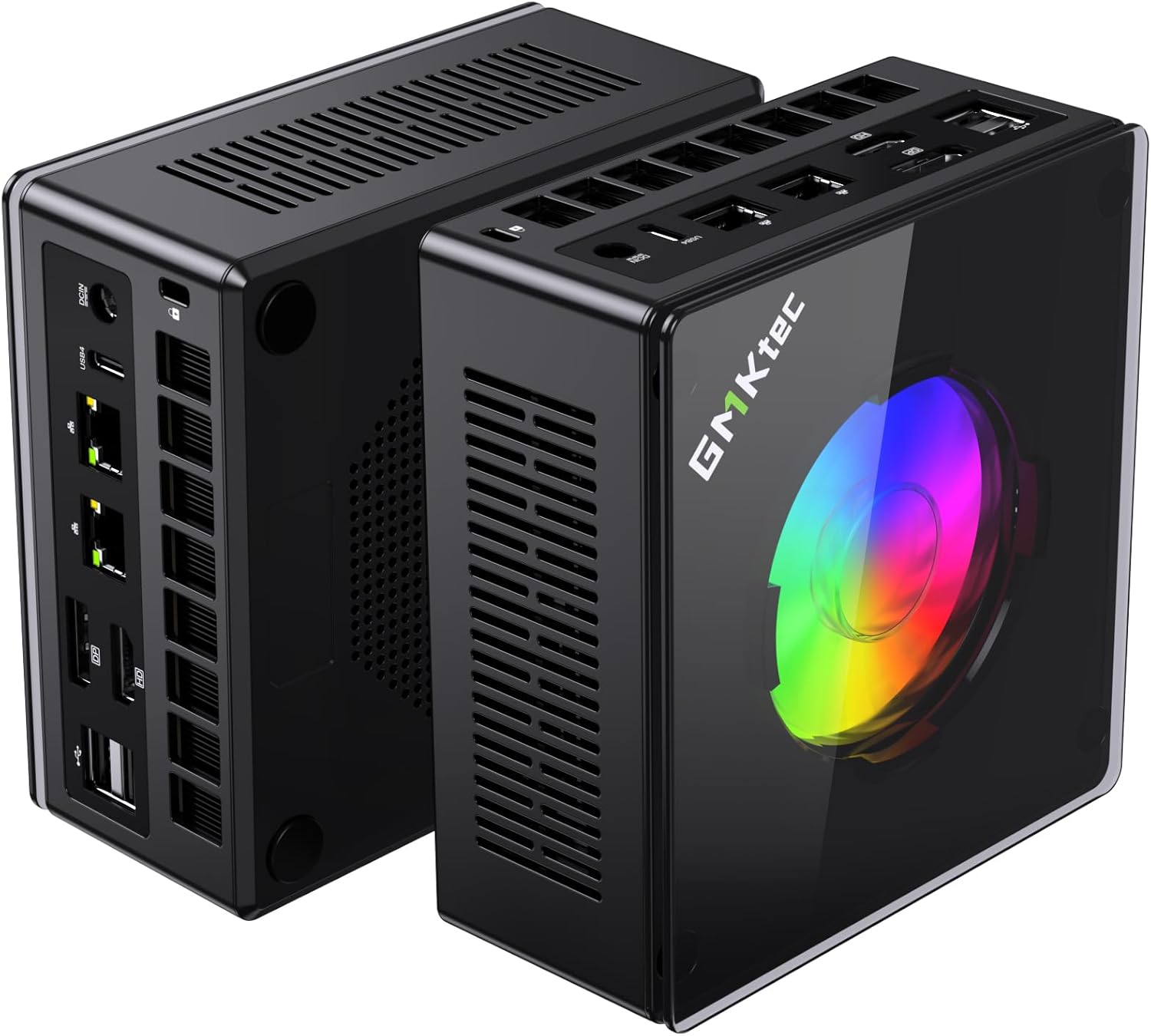
| Networking | Single 2.5GbE | Dual Intel 2.5GbE | 🏆 K11 (confirmed Intel NICs) |
| WiFi | WiFi 7 | WiFi 6 | 🏆 IT15 |
| OCuLink | No | Yes | 🏆 K11 (eGPU expansion) |
| USB | USB4 | USB4, USB-A | Tie |
| Warranty | 3 years | 1 year | 🏆 IT15 |
| Reviews | 259 (4.5★) | Limited reviews | 🏆 IT15 (more feedback) |
| Price | ~$1,499 | ~$739 | 🏆 K11 ($760 savings) |
Power Consumption
| Metric | GEEKOM IT15 | GMKtec K11 |
|---|---|---|
| Idle (W) | ~10W | ~10W |
| Load (W) | ~65W | ~65W |
| Annual Cost (24/7 idle) | ~$10.51/year | ~$10.51/year |
Annual cost calculated at $0.12/kWh, running 24/7 at idle. Sources: Community estimates for both platforms (Intel Arrow Lake-H and AMD Hawk Point).
Both platforms are efficient at idle — roughly $10/year in electricity for always-on use. The K11’s 8945HS is a mature platform with proven power efficiency in homelab deployments.
Detailed Breakdown
CPU Performance: 16 Cores vs 8 Cores
The Intel Core Ultra 9 285H has 16 cores (6 performance + 8 efficiency + 2 low-power efficiency) and 24 threads. The AMD Ryzen 9 8945HS has 8 Zen 4 cores and 16 threads at up to 5.1 GHz.
For multi-threaded workloads:
- The 285H wins in Cinebench R23 by roughly 25-30% thanks to the extra cores
- Video encoding, compiling code, and batch processing benefit from the core count
- Running 10+ lightweight VMs simultaneously favors the 285H
For single-threaded workloads:
- The 8945HS’s Zen 4 architecture is competitive — single-threaded performance is within 5-10%
- Most homelab workloads (Proxmox VMs, Docker containers, NAS duties) don’t saturate 16 cores
- The 8945HS’s 5.1 GHz boost keeps desktop tasks snappy
For homelab specifically:
- 8 cores / 16 threads is plenty for most home server use cases
- The K11 can comfortably run 6-8 lightweight LXC containers or 4-6 VMs simultaneously
- The IT15’s 16 cores only matter if you’re running high-density virtualization
GPU and iGPU Passthrough
This is where the K11 pulls ahead for homelab use.
Radeon 780M (K11):
- 12 RDNA 3 compute units (768 shaders)
- In-kernel AMDGPU driver — works out of the box on Linux 5.15+
- VFIO passthrough is well-documented for Proxmox
- Handles 1080p gaming at medium settings if used as a daily driver
- Supports hardware video encoding (AV1, HEVC, VP9)
Arc 140T (IT15):
- Intel’s latest Arc architecture
- Requires Linux kernel 6.8+ for full feature support
- VFIO passthrough is improving but less documented than Radeon
- Similar 1080p gaming performance on Windows
- Also supports AV1, HEVC, VP9 encoding
For Proxmox GPU passthrough: The Radeon 780M is the safer bet. There are dozens of guides for Proxmox + AMD iGPU passthrough. Arc passthrough works but requires newer kernels and occasional troubleshooting.
Networking: Dual Intel 2.5GbE vs Single 2.5GbE
The K11 has dual Intel 2.5GbE NICs (i226-V controllers). This is a massive advantage for:
- OPNsense/pfSense firewall — one port for WAN, one for LAN
- Proxmox with separate management and VM traffic — network segmentation
- TrueNAS with link aggregation — 5GbE total throughput
- Redundancy — if one NIC fails, the other takes over
The IT15 uses a single 2.5GbE port, which is fine for desktop work, Plex, or a straightforward Proxmox node. If you’re building a firewall or multi-NIC setup, the K11 is still the proven choice because it ships with dual Intel 2.5GbE.
OCuLink: eGPU Expansion
The K11 has an OCuLink port — a PCIe 4.0 x4 external connection that supports eGPU enclosures. This means:
- Add an RTX 4070 Ti or better for desktop-class gaming
- Connect external AI accelerators for ML workloads
- Future-proof your homelab for GPU-intensive tasks
The IT15 has no OCuLink — you’re stuck with the iGPU forever. For a $1,499 machine, this is a notable omission.
AI Performance: 99 TOPS vs None
The IT15’s 99 TOPS (combined CPU+GPU+NPU) is a spec-sheet advantage for AI workloads:
- Local LLM inference with OpenVINO
- ONNX model acceleration
- Intel-specific AI frameworks
The K11 has no dedicated NPU — AI workloads run on the CPU and GPU. But here’s the catch:
For Ollama and llama.cpp: Both platforms work fine. The K11’s 8945HS runs 7B-13B models comfortably. For 70B models, you need more RAM anyway (both have 32GB).
For Stable Diffusion: The Radeon 780M with ROCm support generates SDXL images in ~30-45 seconds. The Arc 140T with OpenVINO is competitive on Windows but less mature on Linux.
Verdict: The 99 TOPS matters if you’re doing serious AI development. For casual local LLM use, both platforms work.
Warranty and Support
GEEKOM offers a 3-year limited warranty — the best in the mini PC industry. GMKtec offers 1 year, which is standard.
If you’re risk-averse or plan to run 24/7 for years, the 3-year warranty is meaningful. GEEKOM has a track record of honoring warranties and providing BIOS updates.
Price and Value
Let’s be blunt: $760 is a massive price gap.
At $739, the K11 is one of the best-value Ryzen 9 mini PCs on the market. You get:
- 8C/16T Ryzen 9 8945HS
- 32GB DDR5 (upgradeable)
- 2TB SSD
- Dual Intel 2.5GbE
- OCuLink
- WiFi 6
At $1,499, the IT15 gives you:
- 16C/24T Core Ultra 9 285H
- 32GB DDR5 (upgradeable)
- 2TB SSD
- WiFi 7
- 99 TOPS AI
- 3-year warranty
What’s the $760 premium buying you?
- +8 cores (16C vs 8C) — useful for high-density VMs
- +99 TOPS AI — useful for AI development
- +3-year warranty — peace of mind
- WiFi 7 — marginal benefit over WiFi 6E
What are you giving up?
- OCuLink — no eGPU expansion
- Confirmed dual Intel 2.5GbE — IT15 networking is unconfirmed
- Proven Proxmox track record — 8945HS is well-documented
- $760 — could buy a separate dedicated server and still have money left
Final Verdict: Which Should You Buy?
Buy the if
GEEKOM IT15
→ Check Current Price on Amazon
- You need 16 cores for high-density virtualization (10+ VMs simultaneously)
- You’re doing Intel-specific AI development (OpenVINO, oneAPI)
- You want the 3-year warranty for 24/7 operation
- You prefer the Intel ecosystem for software compatibility reasons
Buy the if
GMKtec K11
→ Check Current Price on Amazon
- You want the best homelab value (this is the obvious pick)
- You need dual Intel 2.5GbE for firewall/router use
- You want OCuLink for future eGPU expansion
- You’re running Proxmox, OPNsense, or TrueNAS — the 8945HS is well-proven
- You’d rather save $760 and spend it on RAM, storage, or networking gear
Our pick: The GMKtec K11 at $739. For homelab, Proxmox, and general server use, it’s the better value by a wide margin. The dual Intel 2.5GbE, OCuLink, and proven Linux compatibility make it the obvious choice. The $760 savings can buy a 10GbE switch, a UPS, and a pile of storage — and you’ll still have money left over.
Amazon Product Links
- 🥇 GMKtec K11 (Our Pick for Homelab): → Check Current Price on Amazon
- 🥈 GEEKOM IT15 (Intel Alternative): → Check Current Price on Amazon
Related Articles
- GMKtec K11 Review — Full single-product review
- GEEKOM IT15 Review — Full single-product review
- Best Mini PC for Home Server — Our pillar guide
- Best Mini PC for Running Ollama — Local LLM picks