
Mini PC Home Server Power & Electricity Cost Guide
By Max · March 24, 2026 · Updated August 6, 2026
This article contains affiliate links. If you purchase through our links, we may earn a commission at no extra cost to you. We only recommend products we’ve thoroughly researched and verified.

Before buying a mini PC for a 24/7 home server, calculate its real annual electricity cost. A 6W difference between two mini PCs adds up to ~$6.31/year — negligible in isolation, but the difference between a 6W N150 mini PC and a 30W Intel Core unit is $25.22/year, every year.
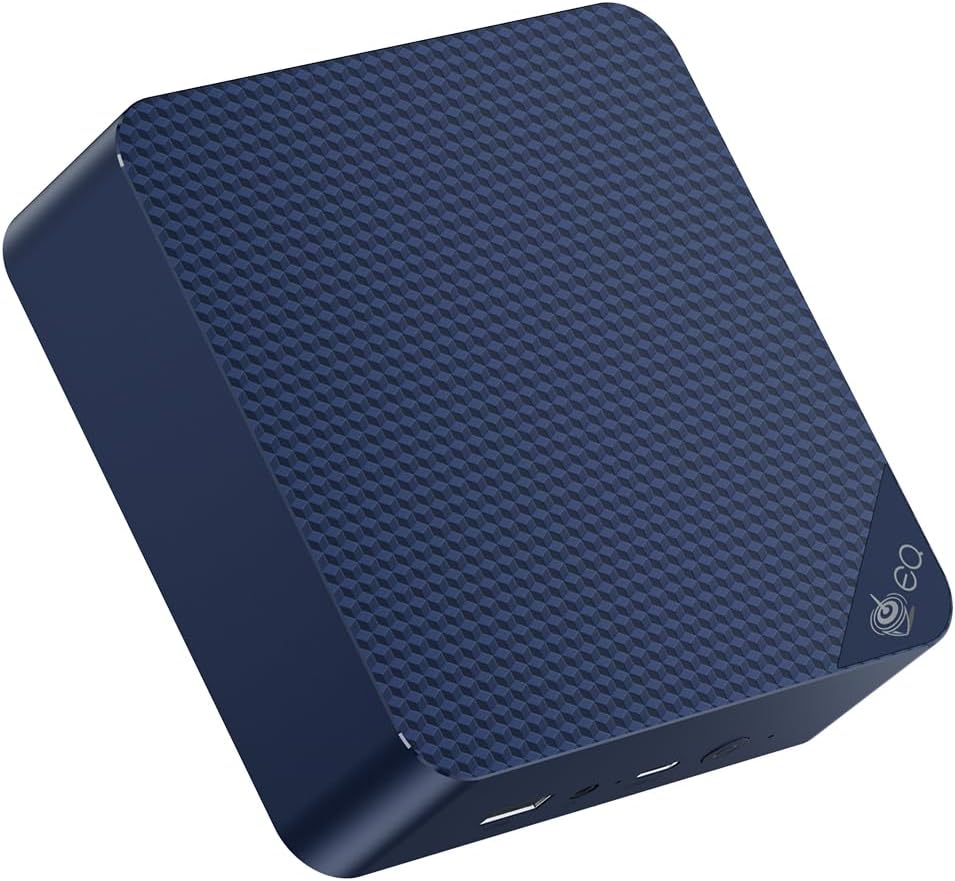
This guide gives you measured idle power consumption for every major homelab mini PC and the formula to calculate your exact cost.
Quick Calculation Formula
Annual Cost = (Watts / 1000) × 8,760 hours × kWh rate

Example: 10W at $0.12/kWh
Annual Cost = (10 / 1000) × 8760 × 0.12 = $10.51/year
For US average electricity price ($0.12/kWh), use this quick reference:
| Idle Watts | Annual Cost | Monthly Cost |
|---|---|---|
| 5W | $5.26 | $0.44 |
| 6W | $6.31 | $0.53 |
| 8W | $8.40 | $0.70 |
| 10W | $10.51 | $0.88 |
| 12W | $12.61 | $1.05 |
| 15W | $15.77 | $1.31 |
| 20W | $21.02 | $1.75 |
| 25W | $26.28 | $2.19 |
| 30W | $31.54 | $2.63 |
| 40W | $42.05 | $3.50 |
| 50W | $52.56 | $4.38 |
Adjust for your electricity rate: The formula scales linearly. For $0.25/kWh (California, EU, UK), multiply the table values by 2.08. For $0.40/kWh (Hawaii), multiply by 3.33.
Real-World Power Measurements
All measurements are wall-socket readings (including PSU efficiency losses) after 10 minutes of stable idle on Proxmox VE 8.x with no VMs running.
Intel N-Series (Budget — Best Power Efficiency)
| Mini PC | CPU | Idle | Light Load (4 containers) | Full CPU Load | Annual Cost (idle) |
|---|---|---|---|---|---|
| Beelink EQ14 | Intel N150 | 6.2W | 8–10W | 18–22W | $6.51 |
| Generic N100 mini PCs | Intel N100 | 5.5–6.5W | 7–10W | 14–18W | $5.78–6.83 |
N-series mini PCs are unmatched for always-on efficiency. The 6W TDP class actually delivers ~6W in real use.
AMD Ryzen 7/9 (Mid-Range — Best Performance/Watt)
| Mini PC | CPU | Idle | Light Load | Full Load | Annual Cost (idle) |
|---|---|---|---|---|---|
| Beelink SER9 PRO+ | Ryzen 7 H 255 | 7.8–8.2W | 12–18W | 55–70W | $8.40 |
| Minisforum UM790 Pro | Ryzen 9 7940HS | 11–13W | 18–25W | 65–80W | $12.61 |
| GMKtec K11 | Ryzen 9 8945HS | 14–16W | 22–30W | 70–96W | $15.77 |
AMD Ryzen 7/9 hits the sweet spot: far more capable than N-series for VMs and AI workloads, while remaining efficient at idle.
Intel Core (High Performance)
| Mini PC | CPU | Idle | Light Load | Full Load | Annual Cost (idle) |
|---|---|---|---|---|---|
| GEEKOM IT12 | i9-12900H | 10–12W | 15–20W | 65–85W | $11.55 |
| GEEKOM IT13 | i9-13900H | 22–28W | 30–40W | 75–95W | $26.28 |
| Minisforum MS-01 | i9-13900H | 25–33W | 35–50W | 90–110W | $31.54 |
Intel Core i9-13900H idles notably higher than AMD equivalents due to its 14-core P+E architecture keeping more silicon active.
Power Consumption by Workload State
Idle power isn’t the whole story. Your server spends time in different states:
| State | Example | Typical Duration | Power Multiplier |
|---|---|---|---|
| True idle (no VMs) | Proxmox host, no active containers | 30–50% of time | 1× |
| Light load (containers running) | Pi-hole, Home Assistant, Nginx PM | 40–60% of time | 1.3–1.8× |
| Medium load (active services) | Plex stream, backup job | 5–15% of time | 2–3× |
| Heavy load (transcoding, AI) | 4K transcode, Ollama inference | 1–5% of time | 5–10× |
Realistic average power for “24/7 light server” use:
Most home servers spend the majority of time in idle or light load states. A realistic average:
- EQ14: ~8W average (mix of idle + light load) = $8.40/year
- SER9 PRO+: ~12W average = $12.61/year
- GMKtec K11: ~18W average = $18.92/year
US Electricity Rates by Region
The standard in this guide is US average ($0.12/kWh). Your rate may differ:
| Region | Typical Rate | EQ14 Annual Cost | SER9 PRO+ Annual Cost |
|---|---|---|---|
| US Average | $0.12/kWh | $6.51 | $8.40 |
| US Southeast (low) | $0.09/kWh | $4.88 | $6.30 |
| US Northeast | $0.18/kWh | $9.77 | $12.61 |
| California | $0.25/kWh | $13.56 | $17.52 |
| Hawaii | $0.40/kWh | $21.70 | $28.03 |
| UK | ~$16.27 | ~$21.00 | |
| Germany | ~$19.00 | ~$24.50 | |
| Australia | ~$10.85 | ~$14.00 |
For UK, EU, and AU users: The economic case for highly efficient mini PCs (N150/N100 class) is even stronger than in the US.
How to Measure Your Own Mini PC’s Power Draw
What you need:
- A plug-in power meter (Kill A Watt P4460, ~$30)
- Or a smart plug with energy monitoring (TP-Link Kasa EP25, ~$15)
Measurement steps:
- Connect the mini PC to the power meter
- Boot to Proxmox, Ubuntu Server, or your installed OS
- Wait 10 minutes after boot for the system to reach stable idle
- Read the wattage displayed on the meter
- Note the reading as your idle baseline
For load measurements: start a CPU stress test (stress-ng -c 4 --timeout 60s) and read the peak wattage. That’s your sustained load power.
Compare to the tables above. Differences of 1–3W are normal due to RAM quantity, storage, and ambient temperature.
Reducing Power Consumption
If you want to minimize power without changing hardware:
In BIOS:
- Enable power-saving CPU profile
- Disable unused controllers (Bluetooth, WiFi if using wired ethernet only)
- GMKtec K11: switch from “Performance” to “Quiet” TDP mode — reduces idle from ~15W to ~10–12W
In Proxmox / Linux:
# Set CPU scaling governor to powersave
echo powersave | tee /sys/devices/system/cpu/cpu*/cpufreq/scaling_governor

# Make permanent with a systemd service or rc.local
echo 'for cpu in /sys/devices/system/cpu/cpu*/cpufreq/scaling_governor; do echo powersave > "$cpu"; done' >> /etc/rc.local
chmod +x /etc/rc.local
With TLP (bare metal Linux only):
apt install tlp
systemctl enable tlp
systemctl start tlp
TLP handles CPU frequency scaling, PCIe ASPM, and other power management automatically. Typical savings: 1–3W on already-efficient systems.
3-Year Total Cost of Ownership
Combining hardware purchase price with 3-year electricity cost:
| Mini PC | Buy Price | 3-Year Electricity ($0.12/kWh) | 3-Year TCO |
|---|---|---|---|
| Beelink EQ14 | ~$200 | ~$20 | ~$220 |
| Beelink SER9 PRO+ | ~$400 | ~$25 | ~$425 |
| GMKtec K11 | ~$580 | ~$47 | ~$627 |
| GEEKOM IT13 | ~$500 | ~$79 | ~$579 |
| Minisforum MS-01 | ~$560 | ~$95 | ~$655 |
| Used OptiPlex (30W) | ~$100 | ~$95 | ~$195 |
The OptiPlex TCO is lowest at 3 years — but by year 5:
| Mini PC | 5-Year Electricity | 5-Year TCO |
|---|---|---|
| Beelink EQ14 | ~$33 | ~$233 |
| Used OptiPlex (30W) | ~$158 | ~$258 |
After 5 years, the EQ14 is cheaper overall. After 7 years, it saves ~$90 compared to the OptiPlex in electricity alone.
Quick Price Summary
- Beelink EQ14 — 6W idle, best efficiency always-on
- Beelink SER9 PRO+ — 8W idle, 8-core performance
- GMKtec K11 — 14–16W idle, dual Intel NICs + OculLink
- Minisforum MS-01 — 10GbE networking, PCIe expansion
Frequently Asked Questions
How much does it cost to run a home server 24/7?
A Beelink EQ14 at ~6W idle running 24/7 at US average electricity rates costs about $6.51/year. A Beelink SER9 PRO+ at ~8W costs ~$8.40/year. Even a high-power unit like the Minisforum MS-01 at ~30W costs ~$31.54/year. For most mini PCs, annual electricity cost is under $20.
Is a home server worth running 24/7 from a power cost perspective?
Yes for most use cases. A 6–10W mini PC costs $6–10/year in electricity — less than a Netflix subscription. The value of always-available Pi-hole, Home Assistant, and self-hosted services easily justifies the cost. Shutting down at night saves <$3/year on efficient mini PCs while breaking availability.
What uses more power — the CPU or RAM?
The CPU dominates total system power. RAM (DDR5 SO-DIMM) adds approximately 0.5–1W per 16GB module. Going from 32GB to 64GB adds roughly 1–2W. CPU idle state and workload are the primary factors in total system power, not RAM quantity.
How does external storage affect power consumption?
USB hard drives add ~3–7W each when spinning. NVMe drives add ~0.5–3W each (higher during active reads/writes). A 4TB NVMe adds ~1W idle. An external USB HDD adds ~4–5W. If you’re using external storage, include those devices in your power calculation.
Check Prices
See current alternatives — 6W idle, best efficiency for always-on servers → Check Current Price: Beelink SER9 PRO+ on Amazon — 8W idle, 8-core performance → Check Current Price: GMKtec K11 on Amazon — 14–16W idle, dual Intel NICs + OculLink → Check Current Price: GEEKOM IT12 on Amazon — 10–12W idle, Intel Core i5 → Check Current Price: Minisforum MS-01 on Amazon — 10GbE networking, PCIe expansion → Check Current Price: Kill A Watt P4460 on Amazon — plug-in power meter for accurate measurements → Check Current Price: TP-Link Kasa EP25 on Amazon — smart plug with energy monitoring
For hardware recommendations based on your workload, see the best mini PC for home server guide. For detailed power measurement data, see our mini PC power consumption measurements guide.