
MINISFORUM AI X1 Pro-370 Review: 64GB Ryzen AI Power with OCuLink
By Max · April 2, 2026 · Updated August 26, 2026
This article contains affiliate links. If you purchase through our links, we may earn a commission at no extra cost to you. We only recommend products we’ve thoroughly researched and verified.
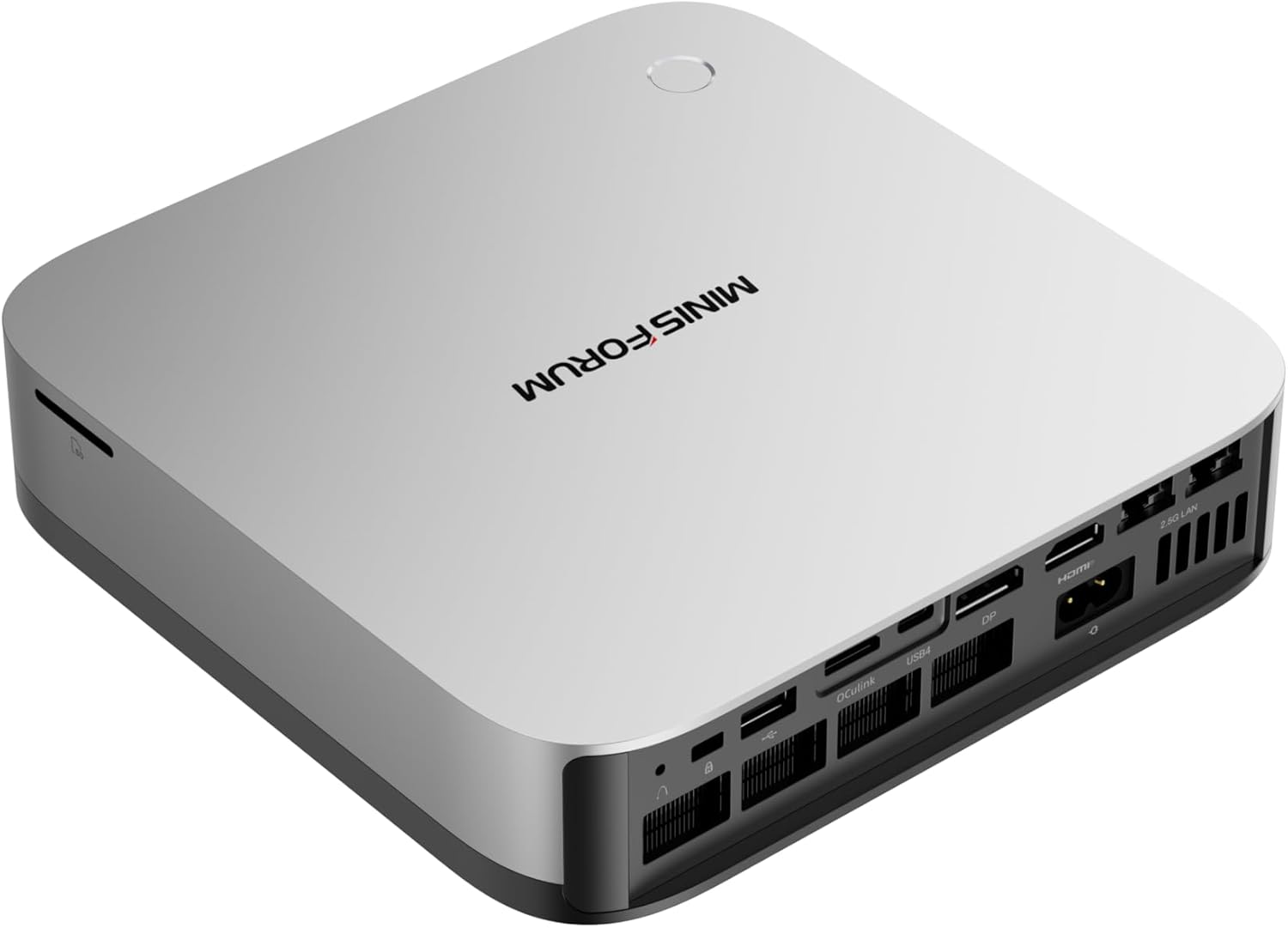
→ Check the MINISFORUM AI X1 Pro-370 64GB on Amazon
The MINISFORUM AI X1 Pro-370 64GB is a compact workstation mini PC with AMD’s Ryzen AI 9 HX 370, Radeon 890M graphics, three M.2 positions, dual 2.5GbE, Wi-Fi 7, two USB4 ports, and OCuLink. The 64GB configuration is the version to consider when local AI, virtual machines, or large creative projects are more important than the lowest entry price.
Its design packs a power supply into the chassis, leaving fewer items on the desk. Storage expansion is unusually generous for a mini PC, and the two network ports suit a small server or workstation that needs separate management and data connections. The tradeoffs are a slow SD card reader, audible fans under sustained load, and conflicting official statements about the maximum memory capacity.
This is a sourced review. We did not physically test the AI X1 Pro-370. Product specifications come from the official MINISFORUM listing, while power, noise, latency, and gaming figures come from Notebookcheck’s review of the AI X1 Pro. That distinction matters when comparing a sourced review with a hands-on test.
MINISFORUM AI X1 Pro-370 64GB specifications
| Component | Specification |
|---|---|
| Processor | AMD Ryzen AI 9 HX 370, 12 cores / 24 threads, up to 5.1 GHz |
| CPU architecture | Zen 5 with four Zen 5 cores and eight Zen 5c cores |
| Graphics | Radeon 890M, listed at 2,900 MHz |
| Memory | 64GB DDR5 SO-DIMM, two slots, 5,600 MT/s |
| Maximum memory | Official pages state both 96GB and 128GB. We use 96GB as the conservative figure. |
| Storage | Three M.2 2280 NVMe positions; two PCIe 4.0 x4 and one PCIe 4.0 x1 |
| Networking | Two 2.5GbE ports, Wi-Fi 7, Bluetooth 5.4 |
| Expansion | OCuLink and two USB4 ports |
| Display outputs | HDMI 2.1 FRL and DisplayPort 2.0, plus USB4 display support |
| Power | Built-in 135W supply, listed as 19V and 7.1A |
| Size and weight | 195 x 195 x 42.5/47.5 mm and 1.5 kg |
MINISFORUM advertises up to 80 TOPS of total AI capability and 50 TOPS from the NPU. Those are manufacturer capability claims based on the platform, not measurements made by Mini PC Lab. Actual application performance depends on software support, model quantization, memory bandwidth, and the workload.
The 64GB configuration is the sensible starting point
The memory is installed in two SO-DIMM slots rather than soldered to the board. That gives the 64GB model a useful balance: it has enough capacity for several virtual machines, larger development environments, and many local AI workflows, while leaving an upgrade path if the memory ceiling is confirmed for a later configuration.
There is an important qualification. One section of the official specification lists 96GB as the maximum, while another marketing section says 128GB. We would plan around 96GB until MINISFORUM publishes one consistent limit or a compatible 128GB configuration is independently verified. A buyer who needs a guaranteed 128GB system should choose hardware with a clearly documented ceiling.
The 64GB starting point also makes more sense than buying a lower-memory version and immediately replacing its modules. For a broader look at this processor family, see our guide to the best Ryzen AI 9 HX 370 mini PCs.
Ryzen AI 9 HX 370 and Radeon 890M performance
The Ryzen AI 9 HX 370 combines four Zen 5 cores with eight smaller Zen 5c cores for 12 cores and 24 threads. The Radeon 890M is the integrated graphics engine, so it shares system memory with the processor. That makes the 64GB configuration helpful for graphics work and local AI, although it does not turn the system into a dedicated gaming desktop.
Notebookcheck recorded a PCMark 10 score of 7,577 on its 64GB review sample. In its game testing, the system reached 48.1 FPS in Cyberpunk 2077 at 1080p low and 44.1 FPS in Baldur’s Gate 3 at 1080p low. Cyberpunk 2077 at 1080p ultra fell to 28.1 FPS. Notebookcheck’s results are useful reference points, not promises for every BIOS version, driver package, or game update.
The practical conclusion is straightforward. The AI X1 Pro-370 can handle esports games, older titles, and many modern games at sensible settings. It is less suitable for a buyer who expects quiet 4K gaming from integrated graphics. Our best gaming mini PC guide covers systems that put more emphasis on graphics performance.
Three SSD positions with different lane widths
Three M.2 2280 positions are one of this system’s strongest features. The official layout gives the first two positions PCIe 4.0 x4 bandwidth and the third PCIe 4.0 x1 bandwidth. Notebookcheck also confirmed an installed SSD plus two free M.2 positions in its sample.
That lane difference should shape the storage plan. Put the operating system and the busiest project or virtual-machine drive in an x4 position. Use the x1 position for a secondary library, backup target, or other storage that does not depend on maximum sequential throughput. Three sockets also let a home lab separate the boot drive from data without an external enclosure.
The arrangement is more flexible than the two-slot layout common in performance mini PCs, but it is not three equal-speed sockets. Check the board labels and documentation before assigning a high-throughput workload to the third position. Our mini PC comparison tool can help narrow systems by storage layout and connectivity.
A built-in power supply and a careful service process
The built-in 135W power supply is a welcome part of the design. There is no external power brick taking up space beside the monitor, and the published power rating leaves room for the HX 370 processor, integrated graphics, multiple SSDs, and normal USB accessories. An external graphics card connected through OCuLink is a different power question and needs its own enclosure and supply.
The service process is less simple than the clean exterior suggests. Notebookcheck found that reaching the memory and storage requires removal of the base, the power-supply assembly, and the speaker unit. Short internal cables also require care. Upgrading the RAM or adding SSDs is possible, but it is worth working slowly and keeping track of cable routing rather than treating the machine like a tool-free desktop.
Ports, wireless, and the rear panel
The rear panel is built around the connections that matter for a workstation or compact server: two 2.5GbE ports, OCuLink, USB4, HDMI, DisplayPort, and USB-A. Wi-Fi 7 and Bluetooth 5.4 handle wireless peripherals and flexible client use, while the two Ethernet ports make wired network segmentation practical.
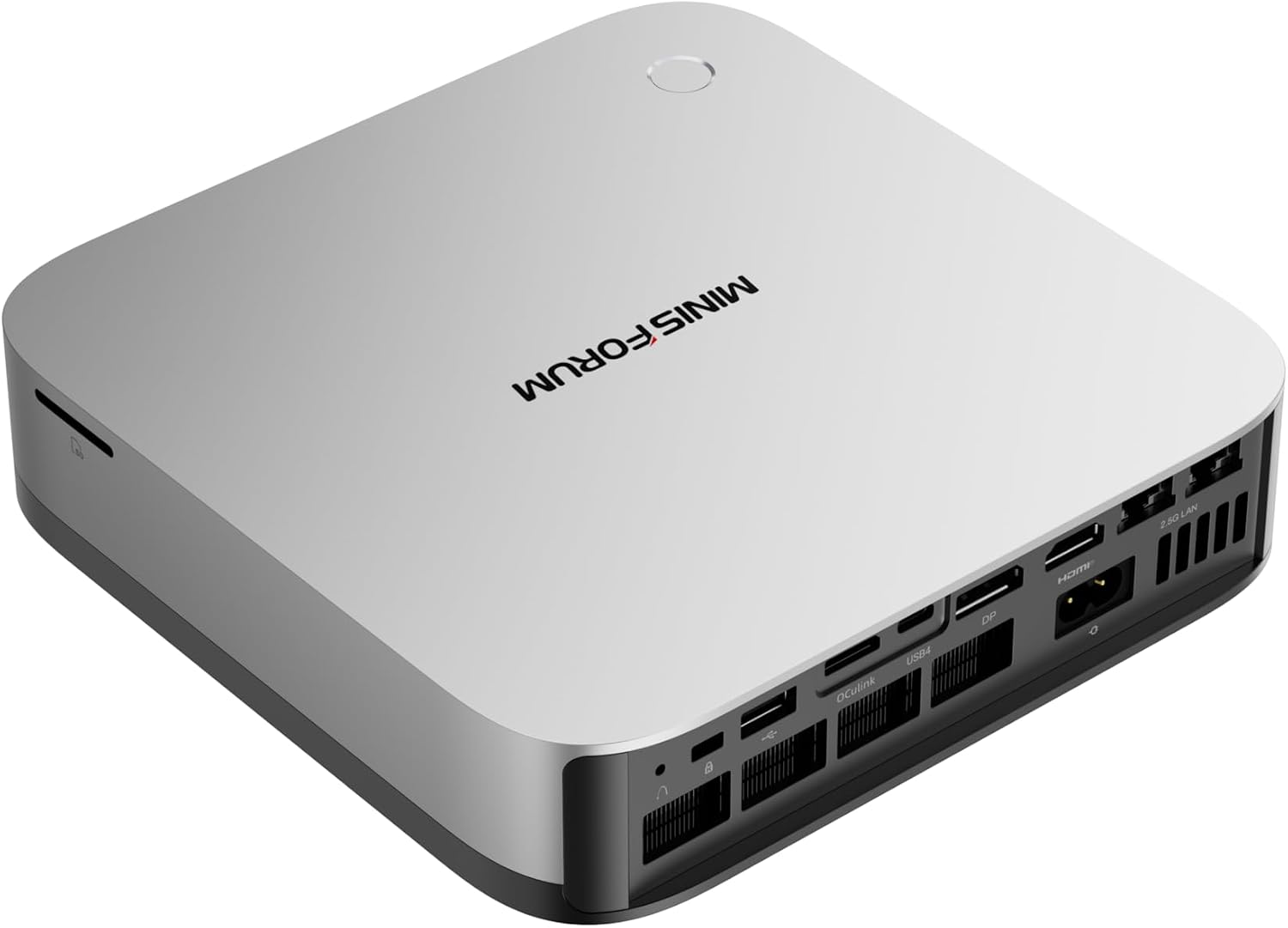
The rear panel provides OCuLink, dual 2.5GbE, USB4, HDMI, DisplayPort, and USB connectivity.
The front and side connections add two USB-A USB 3.2 Gen 2 ports, one USB-A USB 2.0 port, an SD card reader, a fingerprint reader, and the usual audio and power controls. The SD slot is convenient, but Notebookcheck measured 24.3 MB/s. That is acceptable for occasional file transfers and camera-card checks, but slow for frequent photo ingest or large media archives. A USB 3 card reader is a better choice for those jobs.
For a home server, the dual 2.5GbE ports are more useful than the wireless standard. Wired links bring predictable latency and easier network administration. Wi-Fi 7 is valuable when the system is used as a desktop or mobile workstation, but we would still use Ethernet for storage traffic, virtualization hosts, and services that need stable connectivity.
OCuLink and external graphics
OCuLink gives the AI X1 Pro-370 a direct expansion path for an external graphics enclosure. Notebookcheck connected an RTX 4090 through OCuLink and recorded a large performance uplift. The connection still has less bandwidth than a full desktop PCIe slot, so the external card does not deliver its complete desktop result.
This feature is most useful when the mini PC serves as a compact office or development system during the day and gains desktop-class graphics for a specific workload. It can also extend the useful life of the system if integrated graphics are no longer enough. The enclosure, graphics card, and power supply add considerable cost, so OCuLink is an expansion option rather than a reason to buy this system for casual gaming.
The simpler alternative is an eGPU over USB4. USB4 is easier to find and can support other peripherals, but OCuLink is the better fit when maximum external-GPU bandwidth is the priority. Shut the computer down before connecting or disconnecting an OCuLink enclosure.
Power, noise, and latency evidence
Notebookcheck measured 9.4W average idle power, 70.2W average load power, and 97.7W maximum load power. Its sample averaged 28.1 dBA at idle and 41.8 dBA under load. The Quiet profile reduced the load result to 36.1 dBA, with a corresponding tradeoff in cooling and performance headroom.
Those figures describe a review sample under a defined test setup. They suggest modest idle consumption and a fan profile that is audible during sustained work, but they are not a guarantee for every room, firmware version, or workload. Use our mini PC power cost calculator to replace a generic estimate with your electricity rate and expected operating schedule.
Notebookcheck also observed excessive DPC latency after Prime95 and dropped frames in its 4K test. That is a meaningful caveat for real-time audio, video capture, and high-resolution streaming. Buyers who need predictable low-latency media work should validate their exact software stack before making this the center of a production workflow.
How it compares with the X1 Pro-470 and similar systems
The AI X1 Pro-370 sits in a useful middle position within the X1 Pro family. It offers the same general workstation direction as the newer X1 Pro-470, but the 470 uses a newer Ryzen AI processor and should be considered by buyers who want the latest platform. The 64GB 370 is still compelling when memory capacity, three SSD positions, dual 2.5GbE, and OCuLink matter more than owning the newest chip.
The 32GB version is easier to justify for ordinary desktop work, but the 64GB model is the better fit for virtual machines, local AI, and large creative applications. Compare the two generations in our AI X1 Pro-370 versus X1 Pro-470 guide, then review our best mini PCs for local LLMs if model memory is the main purchase constraint.
Who should buy the AI X1 Pro-370?
- Buyers who want a compact workstation around the Ryzen AI 9 HX 370
- Home-lab users who need 64GB of upgradeable memory and several SSD positions
- Owners who can use dual 2.5GbE for a server, storage, or segmented network
- Desktop users who want Wi-Fi 7, USB4, and OCuLink in one chassis
- Creators and developers who value memory capacity more than a dedicated GPU
- Buyers who appreciate a built-in power supply and do not mind careful internal upgrades
Who should not buy the AI X1 Pro-370
- Buyers who require a confirmed 128GB memory ceiling before purchase
- Anyone prioritizing near-silent operation during sustained CPU or GPU work
- Photographers and editors who need a fast built-in SD reader for daily ingest
- Gamers who want high-end performance without buying an external GPU
- Media professionals who need validated low-latency behavior for a critical workflow
- Office users who only need light browsing, documents, and video calls
Verdict
The MINISFORUM AI X1 Pro-370 64GB is a strong compact workstation on paper. Its Ryzen AI 9 HX 370, Radeon 890M, upgradeable 64GB memory, three M.2 positions, dual 2.5GbE, Wi-Fi 7, USB4, and OCuLink cover a wide range of home-lab and creator workloads. The built-in power supply also makes the desk setup cleaner.
The recommendation is conditional because the official memory ceiling is inconsistent, the SD reader is slow, and the sourced review found higher fan noise and DPC latency concerns under specific loads. We recommend it for buyers who understand those limits and want a compact platform with room to expand. We do not recommend it as a silent media appliance, a guaranteed 128GB workstation, or a replacement for a dedicated gaming desktop.
→ Check the current MINISFORUM AI X1 Pro-370 64GB listing