
MINISFORUM MS-A2 vs GMKtec K11: Best Mini PC for 10GbE Homelab [2026]
By Max · April 3, 2026 · Updated May 4, 2026
This article contains affiliate links. If you purchase through our links, we may earn a commission at no extra cost to you. We only recommend products we’ve thoroughly researched.

Quick Product Links
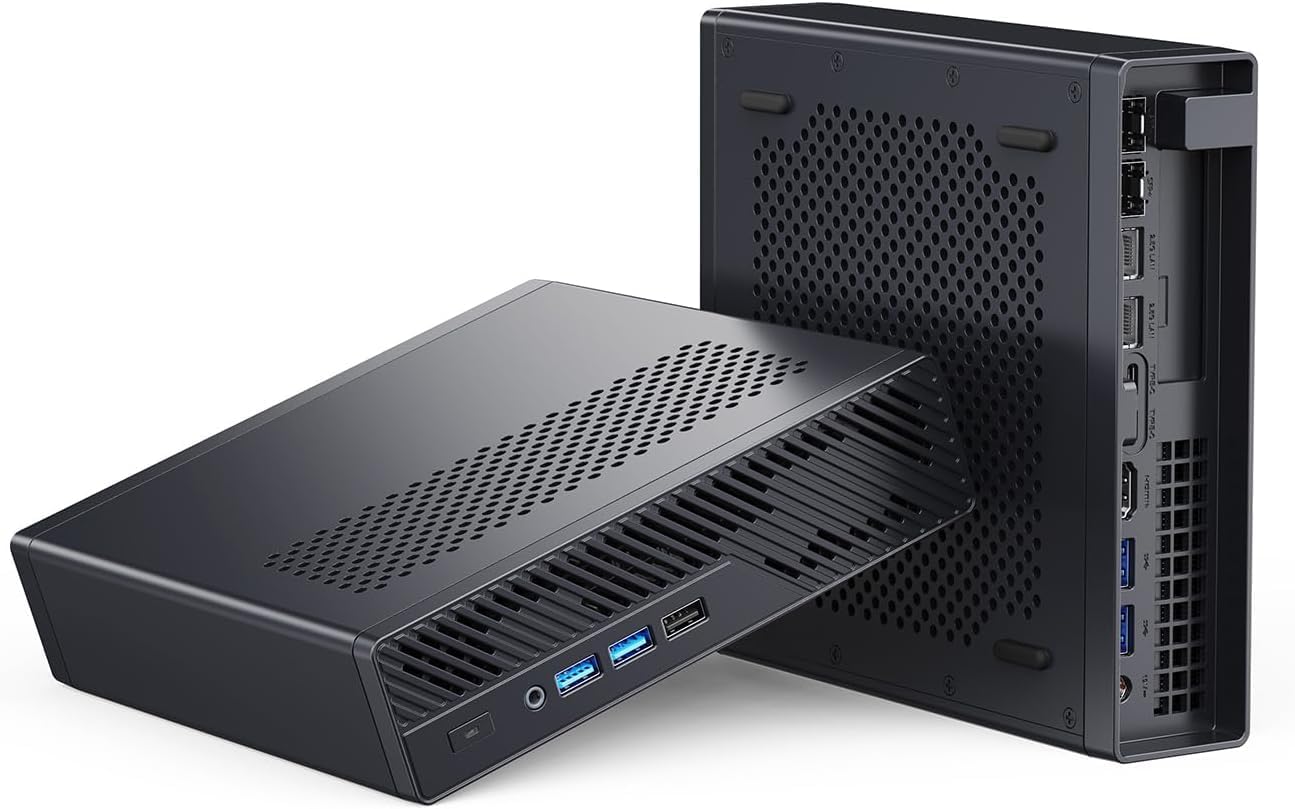
Minisforum MS-A2
Price: ~$599
→ Check Current Price on Amazon
The Short Answer
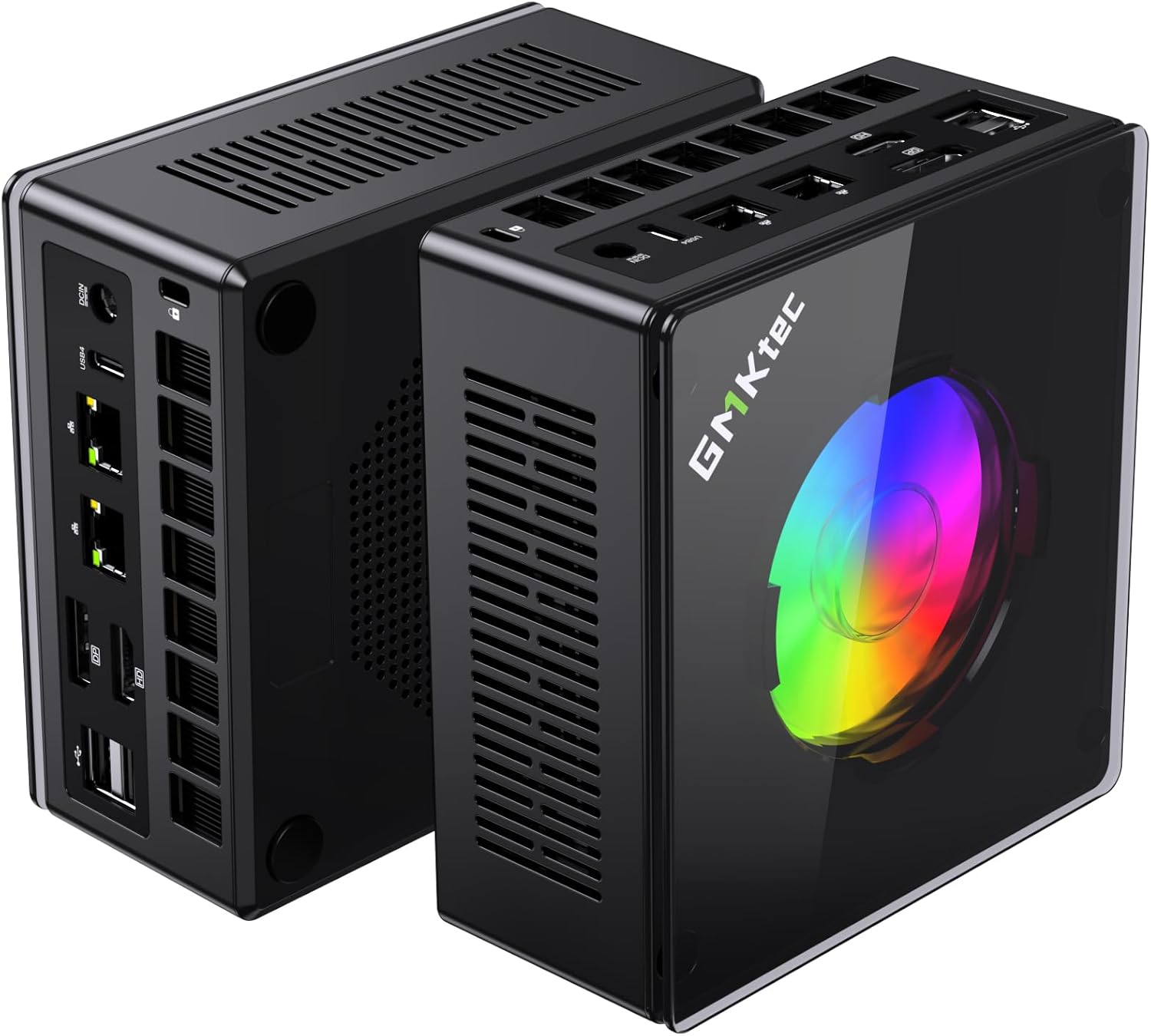
The MINISFORUM MS-A2 at $599 (barebone) is purpose-built for networking: 16-core Ryzen 9 8945HX, dual 10GbE SFP+ ports, U.2 enterprise SSD support, and RAID capabilities. The GMKtec K11 at $739 (complete with 32GB RAM + 2TB SSD) is a general-purpose mini PC with good networking (dual 2.5GbE) and a usable iGPU.
If you need 10GbE for TrueNAS, high-speed backup, or enterprise networking, the MS-A2 is the only choice under $600. If you need a versatile homelab box that can also serve as a daily driver, the K11 is better.
Important: The MS-A2 is barebone only. Add ~$100-200 for RAM (32GB DDR5) and ~$80-150 for SSD. Total cost: ~$780-950 to build out — still competitive with the K11 at $739.
Side-by-Side Specs
| Spec | MINISFORUM MS-A2 | GMKtec K11 | Winner |
|---|---|---|---|
| CPU | Ryzen 9 8945HX (16C/32T, 5.4GHz, Hawk Point HX) | Ryzen 9 8945HS (8C/16T, 5.1GHz, Hawk Point) | 🏆 MS-A2 (16 cores) |
| GPU | Radeon 610M (2 CUs, basic display output) | Radeon 780M (12 CUs, gaming-capable) | 🏆 K11 (usable iGPU) |
| RAM | BAREBONE (DDR5 SO-DIMM, up to 96GB) | 32GB DDR5 SO-DIMM (included, upgradeable) | Contextual |
| Storage | BAREBONE (M.2 + U.2, RAID support) | 2TB PCIe NVMe SSD (included) | Contextual |
| Networking | 2x 2.5GbE RJ45 + 2x 10GbE SFP+ | Dual 2.5GbE (Intel i226-V) | 🏆 MS-A2 (10GbE) |
| WiFi | TBD | WiFi 6 | 🏆 K11 |
| OCuLink | No | Yes | 🏆 K11 (eGPU expansion) |
| Form Factor | Barebone only | Ready to run | 🏆 K11 |
| Price | ~$599 (barebone) | ~$739 (complete) | 🏆 MS-A2 (base price) |
Power Consumption
| Metric | MINISFORUM MS-A2 | GMKtec K11 |
|---|---|---|
| Idle (W) | ~20W | ~10W |
| Load (W) | ~80W | ~65W |
| Annual Cost (24/7 idle) | ~$21.02/year | ~$10.51/year |
Annual cost calculated at $0.12/kWh, running 24/7 at idle. Sources: ServeTheHome (8945HX platform) and community estimates (8945HS platform).
The MS-A2 draws significantly more power at idle — the 8945HX is a higher-TDP chip (35-54W vs 15-35W for the 8945HS), and the 10GbE PHY adds baseline consumption. For always-on homelab use, that’s an extra ~$10/year in electricity.
Detailed Breakdown
CPU Performance: 16 Cores vs 8 Cores
The Ryzen 9 8945HX has 16 Zen 4 cores and 32 threads at up to 5.4 GHz. The Ryzen 9 8945HS has 8 Zen 4 cores and 16 threads at up to 5.1 GHz.
For multi-threaded workloads:
- The 8945HX wins in Cinebench R23 by roughly 80-100% — nearly double the performance
- Video encoding, compiling code, and batch processing benefit enormously
- Running 15-20 VMs simultaneously favors the 8945HX
For single-threaded workloads:
- Both chips are competitive — the 8945HX’s 5.4 GHz boost is slightly higher
- Desktop tasks feel similar on both systems
- The 8945HS is plenty for general use
For homelab specifically:
- 8 cores / 16 threads is plenty for most home server use cases (4-6 VMs, 6-8 containers)
- 16 cores / 32 threads enables high-density virtualization (10-15 VMs comfortably)
- The 8945HX is overkill for basic homelab but shines for Proxmox clusters, TrueNAS with jails, or multi-purpose servers
GPU: 2 CUs vs 12 CUs
This is a massive difference.
Radeon 610M (MS-A2):
- 2 compute units (128 shaders)
- Basic display output only — not suitable for gaming
- Adequate for desktop composition and video decode
- Not suitable for GPU passthrough to VMs (too weak)
Radeon 780M (K11):
- 12 RDNA 3 compute units (768 shaders)
- Plays 1080p games at medium settings (40-60 fps in AAA titles)
- Handles hardware video encoding (AV1, HEVC, VP9)
- Suitable for VFIO passthrough to VMs (Proxmox, Unraid)
Verdict: If you need GPU passthrough for transcoding (Plex, Jellyfin) or gaming VMs, the K11 is the only choice. The MS-A2’s 610M is a “display adapter” — it exists to output video, not to accelerate workloads.
Networking: The MS-A2’s Killer Feature
MS-A2:
- 2x 2.5GbE RJ45 ports (Realtek or Intel, TBD)
- 2x 10GbE SFP+ ports — fiber or DAC cable connectivity
- Total: 4 physical NICs
- Perfect for:
- TrueNAS with 10GbE clients (250+ MB/s transfers)
- OPNsense/pfSense with 10GbE WAN and LAN segments
- Proxmox with separate management, VM, and storage networks
- High-speed backup between 10GbE-equipped systems
K11:
- Dual 2.5GbE Intel NICs (i226-V)
- Perfect for:
- OPNsense/pfSense firewall (WAN + LAN at 2.5Gbps)
- Proxmox with separate management and VM traffic
- TrueNAS with link aggregation (5GbE total)
- Redundancy — if one NIC fails, the other takes over
Verdict: If you have 10GbE switches, NAS, or clients — or plan to build a 10GbE homelab — the MS-A2 is the only choice in this comparison. The K11’s dual 2.5GbE is excellent for firewall/router use but can’t compete with 10GbE throughput.
Storage: U.2 Enterprise SSD Support
MS-A2:
- M.2 2280 slot (PCIe 4.0 x4)
- U.2 port — supports enterprise SSDs (Intel P4510, P4610, etc.)
- RAID support (0, 1, 10) via BIOS
- Perfect for TrueNAS ZFS pools with enterprise drives
K11:
- Dual M.2 2280 slots (PCIe 4.0 x4)
- No U.2 support
- No hardware RAID
- Adequate for most homelab use
Verdict: The U.2 support is a niche but valuable feature for enterprise homelab builds. U.2 SSDs offer better endurance and power-loss protection than consumer NVMe drives.
RAM: Barebone vs Included
MS-A2 (barebone):
- Supports DDR5 SO-DIMM up to 96GB (2x 48GB)
- You must purchase RAM separately (~$100-200 for 32GB kit)
- Flexibility to choose your own RAM speed and capacity
K11 (32GB included):
- 32GB DDR5 SO-DIMM pre-installed
- Upgradeable to 64GB or 96GB later
- Ready to run out of the box
Total cost comparison:
- MS-A2: $599 (barebone) + $150 (32GB RAM) + $120 (1TB SSD) = ~$869
- K11: $739 (complete with 32GB + 2TB)
The K11 is actually cheaper when you factor in the RAM and SSD needed for the MS-A2.
OCuLink: eGPU Expansion
The K11 has an OCuLink port — a PCIe 4.0 x4 external connection for eGPU enclosures. This means:
- Add an RTX 4070 Ti or better for desktop-class gaming
- Connect external AI accelerators for ML workloads
- Future-proof for GPU-intensive tasks
The MS-A2 has no OCuLink — and with its weak 610M iGPU, it’s not designed for graphics workloads anyway.
Verdict: If eGPU expansion matters (gaming VM, GPU compute), the K11 wins.
Price and Value
At $599 (barebone), the MS-A2 looks cheaper than the $739 K11 (complete). But let’s compare real-world costs:
MS-A2 (built out):
- Barebone: $599
- 32GB DDR5 SO-DIMM: ~$150
- 1TB PCIe NVMe SSD: ~$120
- Total: ~$869
K11 (ready to run):
- Complete system: $739
- 32GB DDR5 included
- 2TB PCIe NVMe SSD included
- Total: $739
Value analysis:
- The K11 is ~$130 cheaper when comparing equivalent configurations
- The MS-A2 only makes sense if you specifically need 10GbE or 16 cores
- If you already have spare RAM and SSD, the MS-A2 drops to ~$599 — a genuine bargain
Use Case Differentiation
MS-A2: Best For
- TrueNAS with 10GbE clients — 250+ MB/s transfers, enterprise U.2 SSDs
- OPNsense/pfSense with 10GbE WAN — future-proof firewall/router
- High-density Proxmox virtualization — 16 cores handles 10-15 VMs
- Enterprise homelab — 4 NICs, U.2 SSD, RAID support
- 10GbE network core — connect to 10GbE switches, NAS, and workstations
K11: Best For
- General-purpose homelab — Proxmox, Docker, lightweight VMs
- Firewall/router at 2.5Gbps — dual Intel 2.5GbE is perfect for OPNsense
- Daily driver capable — Radeon 780M handles 1080p gaming and creative work
- GPU passthrough — VFIO to VMs for transcoding or gaming
- Budget-conscious buyers — complete system at $739 is excellent value
Final Verdict: Which Should You Buy?
Buy the MINISFORUM MS-A2 if:
- You need 10GbE SFP+ for TrueNAS, high-speed backup, or enterprise networking (this is the killer feature)
- You need 16 cores for high-density virtualization (10-15 VMs)
- You want U.2 enterprise SSD support for ZFS or RAID
- You’re building a 10GbE network core
- You already have spare RAM and SSD (reduces total cost to ~$599)
Buy the if
GMKtec K11
→ Check Current Price on Amazon
- You want the best general-purpose homelab value (this is the obvious pick for most)
- You need dual Intel 2.5GbE for firewall/router use
- You want OCuLink for future eGPU expansion
- You want a usable iGPU for gaming, transcoding, or GPU passthrough
- You’d rather have a complete system out of the box (no RAM/SSD shopping)
Our pick: For 90% of homelab builders, the GMKtec K11 at $739 is the smarter choice. It’s a complete system with excellent networking, a usable iGPU, and OCuLink expansion. The MS-A2 only makes sense if you specifically need 10GbE or 16 cores — and if you do, you already know which one to buy.
Amazon Product Links
- 🥇 GMKtec K11 (Our Pick for Most Homelabs): → Check Current Price on Amazon
- 🥈 MINISFORUM MS-A2 (10GbE Specialist): → Check Current Price on Amazon
Related Articles
- MINISFORUM MS-A2 Review — Full single-product review
- GMKtec K11 Review — Full single-product review
- Best Mini PC for Home Server — Our pillar guide
- Best Mini PC for Proxmox — Virtualization-focused roundup