
MINISFORUM X1 Pro vs GEEKOM A9 Max: Which Ryzen AI 9 Mini PC Is Better? [2026]
By Max · April 2, 2026 · Updated May 4, 2026
This article contains affiliate links. If you purchase through our links, we may earn a commission at no extra cost to you. We only recommend products we’ve thoroughly researched.
![MINISFORUM X1 Pro vs GEEKOM A9 Max: Which Ryzen AI 9 Mini PC Is Better? [2026]](/images/heroes/variants/minisforum-x1-pro-vs-geekom-a9-max/1920.webp)
Quick Product Links
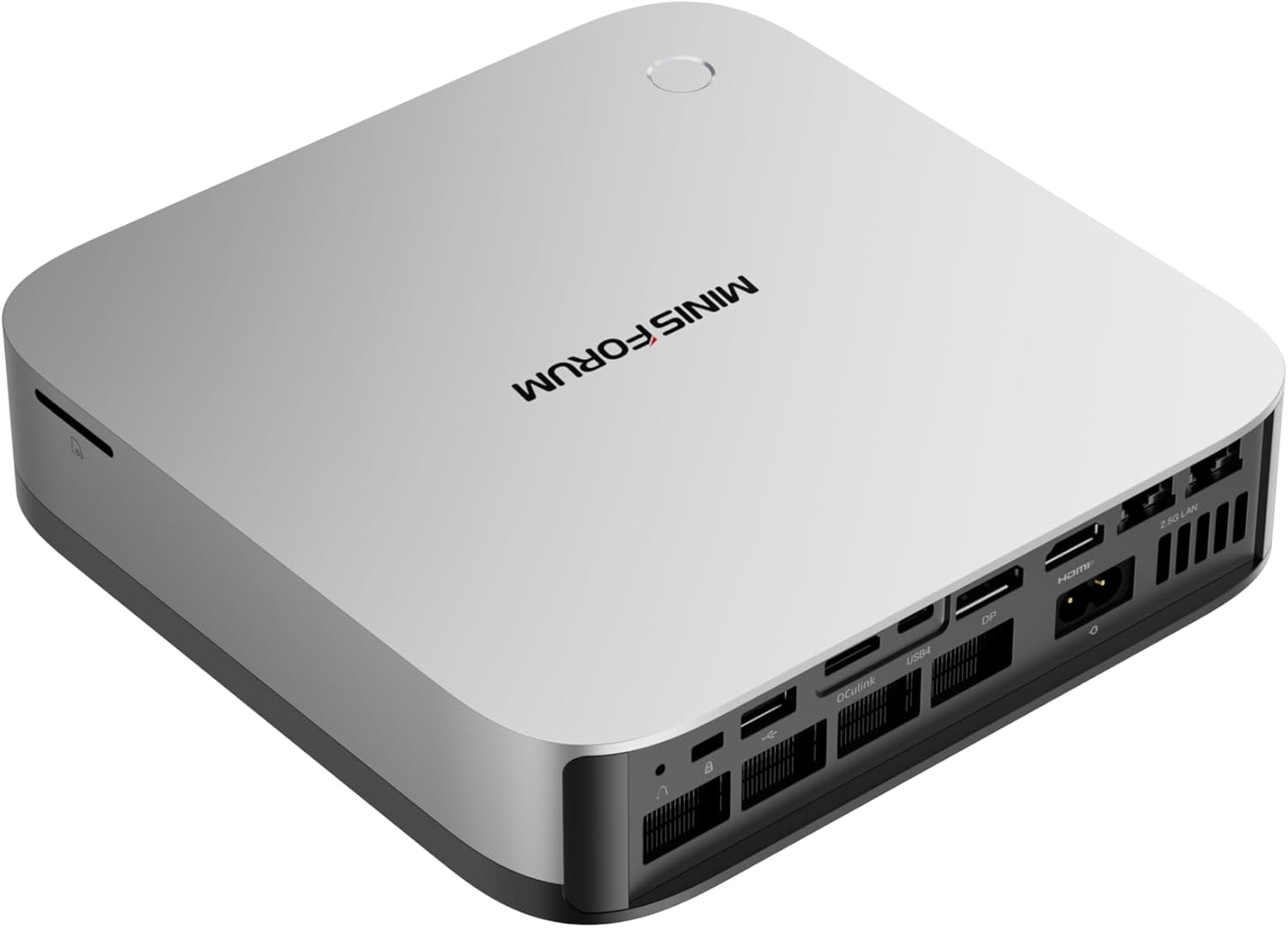
Minisforum AI X1 Pro-370
Price: ~$1,199
→ Check Current Price on Amazon
The Short Answer
Both mini PCs use the same Ryzen AI 9 HX 370 processor with 80 TOPS of AI compute, but they target different buyers. The MINISFORUM X1 Pro-370 at $1,179 is $510 cheaper and adds OCuLink for eGPU expansion plus an integrated PSU. The GEEKOM A9 Max at $1,689 costs more but delivers a 3-year warranty, 106 Amazon reviews proving reliability, and dual USB4 ports.
Pick MINISFORUM if: You want OCuLink, integrated PSU, and to save $510.
Pick GEEKOM if: You want the 3-year warranty, proven reliability (106 reviews), and don’t mind paying extra for peace of mind.
Side-by-Side Specs
| Spec | MINISFORUM X1 Pro-370 | GEEKOM A9 Max | Winner |
|---|---|---|---|
| CPU | Ryzen AI 9 HX 370 (12C/24T, 5.1GHz) | Ryzen AI 9 HX 370 (12C/24T, 5.1GHz) | Tie |
| GPU | Radeon 890M (16 CUs) | Radeon 890M (16 CUs) | Tie |
| RAM | 32GB DDR5 (up to 128GB) | 32GB DDR5 (up to 128GB) | Tie |
| Storage | 1TB PCIe 4.0 SSD | 1TB PCIe 4.0 SSD (dual M.2) | A9 Max |
| Networking | Dual 2.5GbE + WiFi 7 | Dual 2.5GbE + WiFi 7 | Tie |
| USB4 | 2x USB4 (40Gbps) | 2x USB4 (40Gbps) | Tie |
| OCuLink | Yes | No | X1 Pro |
| Integrated PSU | Yes | No (external brick) | X1 Pro |
| Warranty | 1 year | 3 years | A9 Max |
| Reviews | 12 (4.5★) | 106 (4.4★) | A9 Max |
| Price | ~$1,179 | ~$1,689 | X1 Pro |
CPU and GPU Performance
Both systems use the identical Ryzen AI 9 HX 370 processor — same 12 cores, same 24 threads, same 5.1 GHz boost clock, same Radeon 890M with 16 compute units. In CPU-bound workloads (compiling code, running VMs, batch encoding), expect identical performance.
AI compute: Both deliver 80 TOPS total (50 from XDNA 2 NPU + 30 from GPU). For Ollama LLM inference:
- 7B models: ~30-50 tokens/sec on both
- 13B models: ~15-30 tokens/sec on both
- 34B models: ~10-20 tokens/sec on both
GPU performance: The 890M handles 1080p gaming at medium settings and Stable Diffusion XL image generation in 8-12 seconds. No meaningful difference between the two implementations.
Memory and Storage
Both systems use upgradeable DDR5 SO-DIMM — a key advantage over the Beelink SER9 Pro Mini’s soldered LPDDR5X. Start at 32GB, upgrade to 64GB or 128GB later when you need to run 70B LLMs.
Storage difference: The A9 Max has dual M.2 slots (2280 + 2230), allowing you to add a second SSD without replacing the primary drive. The X1 Pro-370 also supports dual M.2 but this varies by production batch — verify on the product listing before purchasing.
Networking and Connectivity
Both systems have dual 2.5GbE Intel NICs and WiFi 7 — essential for homelab use. Run OPNsense with WAN on one port and LAN on the other, or dedicate one NIC to management and one to VM traffic in Proxmox.
USB4: Both have dual USB4 ports (40Gbps) with Power Delivery and DisplayPort support. Drive four 8K displays simultaneously.
OCuLink (X1 Pro only): This is the X1 Pro’s killer feature. OCuLink is a direct PCIe 4.0 x4 connection for external GPUs — far more efficient than USB4 for eGPU setups. Connect an external RTX 4070 for desktop-class AI compute or gaming when the 890M isn’t enough.
Power Consumption
| Metric | X1 Pro-370 | A9 Max |
|---|---|---|
| Idle (W) | ~9W | ~9W |
| Load (W) | ~86W | ~80W |
| Annual Cost (24/7 idle) | ~$9.46/year | ~$9.46/year |
Annual cost calculated at $0.12/kWh. Sources: NAS Compares, NotebookCheck.
Both systems share the HX370 platform — idle power is identical. The A9 Max runs slightly cooler under load (~80W vs ~86W), likely due to the larger chassis and IceBlast 2.0 cooling system.
Design and Build Quality
X1 Pro-370: Compact chassis with integrated PSU — no external power brick. This reduces cable clutter and frees up an outlet. The front panel includes a power button and status LED. Port selection is excellent: dual USB4, four USB-A, dual 2.5GbE, HDMI 2.1, and the OCuLink port.
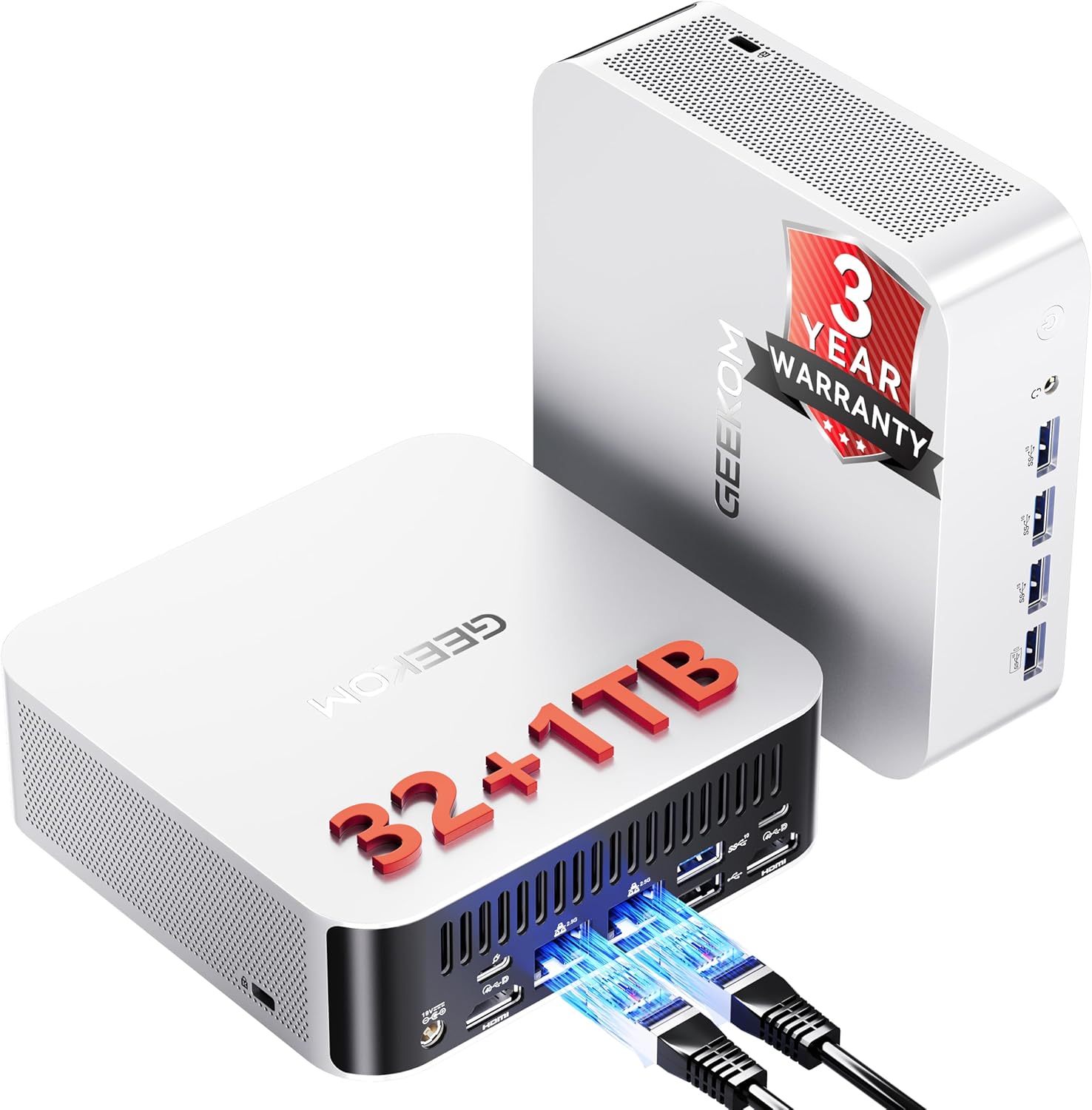
A9 Max: Slightly larger chassis with external power brick. The IceBlast 2.0 cooling system uses a copper heatsink and dual heat pipes. Port selection mirrors the X1 Pro but adds an SD 4.0 card reader — useful for content creators. The aluminium chassis feels premium and dissipates heat effectively.
Warranty and Support
This is where GEEKOM justifies its $510 premium:
X1 Pro-370: 1-year limited warranty. MINISFORUM’s support is responsive but the shorter warranty period reflects the newer product lineage.
A9 Max: 3-year limited warranty — the longest in the mini PC industry. GEEKOM has established support channels and a track record of honoring warranties. For enterprise deployments or risk-averse buyers, this matters.
Real-World Use Cases
For Local LLMs (Ollama, llama.cpp)
Tie. Both handle 7B-34B models identically. The upgradeable DDR5 means you can add 64GB later for 70B models. Neither has an advantage here.
For Homelab (Proxmox, OPNsense)
X1 Pro-370 wins. OCuLink enables future eGPU expansion for AI workloads. The integrated PSU reduces cable clutter in a rack setup. Save $510 and spend it on more RAM or storage.
For Enterprise Deployment
A9 Max wins. The 3-year warranty and 106 reviews proving reliability matter when deploying multiple units. GEEKOM’s established support network is valuable for IT departments.
For Content Creators
A9 Max wins. The SD 4.0 card reader is genuinely useful for photographers and videographers. The dual M.2 slots mean you can add a second SSD for project files without replacing the primary drive.
Price and Value
At $1,179, the X1 Pro-370 is exceptional value. You get the full HX370 experience — 80 TOPS, 12 cores, dual 2.5GbE, WiFi 7, OCuLink, integrated PSU — for $510 less than the A9 Max.
The A9 Max at $1,689 is a premium price. You’re paying for:
- 3-year warranty (~$170/year of coverage)
- 106 reviews proving reliability (social proof)
- SD card reader
- GEEKOM’s established support network
For most buyers, the X1 Pro-370 delivers better value. The A9 Max is for buyers who prioritize warranty and community proof above all else.
Final Verdict: Which Should You Buy?
Buy the MINISFORUM X1 Pro-370 if:
- You want the most HX370 features per dollar ($1,179 vs $1,689)
- You need OCuLink for future eGPU expansion
- You want an integrated PSU (no power brick)
- You’re comfortable with a newer product (12 reviews vs 106)
- You plan to upgrade RAM yourself for 70B LLMs
Buy the if
GEEKOM A9 Max
- You value warranty above all else (3 years vs 1 year)
- You want proven reliability (106 reviews at 4.4 stars)
- You’re deploying multiple units in an enterprise setting
- You need the SD 4.0 card reader for content creation
- You prefer GEEKOM’s established support network
Amazon Product Links
- MINISFORUM X1 Pro-370 — $1,179 (OCuLink, integrated PSU, dual 2.5GbE)
- GEEKOM A9 Max — $1,689 (3-year warranty, 106 reviews, SD card reader)
Frequently Asked Questions
Is the HX370 processor identical in both mini PCs?
Yes. Both use the same Ryzen AI 9 HX 370 (12C/24T, 5.1 GHz) with the same Radeon 890M GPU (16 CUs) and same XDNA 2 NPU (50 TOPS). CPU and GPU performance are identical.
Can both systems run 70B LLMs?
With 32GB RAM, no — 70B Q4 models need ~42GB. Both systems support upgradeable DDR5 SO-DIMM to 128GB. After upgrading to 64GB+ (cost: ~$80-100 for extra 32GB), both handle 70B Q4 at 5-10 tokens/sec.
Does the OCuLink port work with all eGPUs?
OCuLink supports any PCIe 4.0 x4 eGPU enclosure. Popular options include the GPD G1, OneXGPU, and DIY enclosures with desktop GPUs. Performance is near-native (5-10% loss vs direct PCIe connection).
What is the S0 Low Power Idle issue on the A9 Max?
Some users have reported S0 Low Power Idle sleep/wake issues — a known problem on certain HX370 platforms. GEEKOM has released BIOS/EC updates that improve the situation. For always-on server use, disable S0 sleep in BIOS.
Is dual 2.5GbE useful for a mini PC?
Absolutely. Dual NICs enable proper firewall/router builds (OPNsense, pfSense), link aggregation for higher throughput, or separate WAN/LAN networks. For Proxmox, you can dedicate one NIC to management and one to VM traffic.
Which has better cooling?
The A9 Max’s IceBlast 2.0 system with copper heatsink and dual heat pipes runs slightly cooler under load (~80W vs ~86W). But the X1 Pro’s integrated PSU reduces overall system heat by eliminating the external power brick.