
MINISFORUM AI X1 Series Buyer's Guide 2026: X1-255 vs X1 Pro-370 vs X1 Pro-470
By Max · April 2, 2026 · Updated May 4, 2026
This article contains affiliate links. If you purchase through our links, we may earn a commission at no extra cost to you. We only recommend products we’ve thoroughly researched.

MINISFORUM has 6 X1 variants across 2 CPU tiers. The naming is confusing: “X1-255” vs “X1 Pro-370” vs “X1 Pro-470” — and there are barebone versions too. This guide clears it up.
The lineup at a glance:
- X1-255 — Budget AI with Ryzen 7 255 (38 TOPS), WiFi 7, $739
- X1-255 Barebone — DIY version, bring your own RAM/SSD, $327
- X1 Pro-370 — Best value HX370 (80 TOPS), OCuLink, dual 2.5GbE, $1,179
- X1 Pro-370 64GB — Pre-configured with 64GB RAM for 70B LLMs, $1,439
- X1 Pro Barebone — DIY HX370, bring your own RAM/SSD, $735
- X1 Pro-470 — Maximum AI performance (86 TOPS), $1,359
Quick Product Links
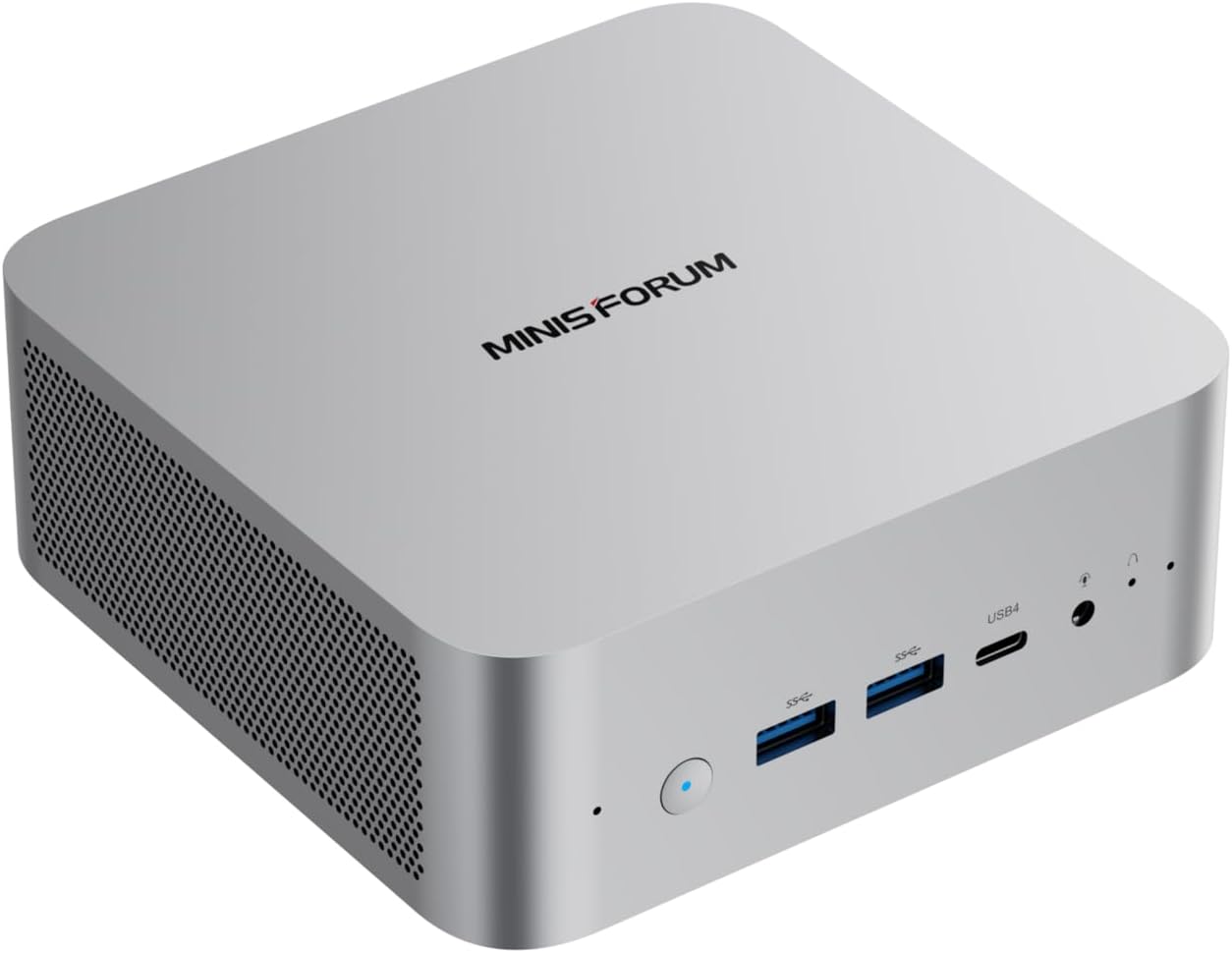
Minisforum AI X1 Pro-370
Price: ~$1,199
→ Check Current Price on Amazon
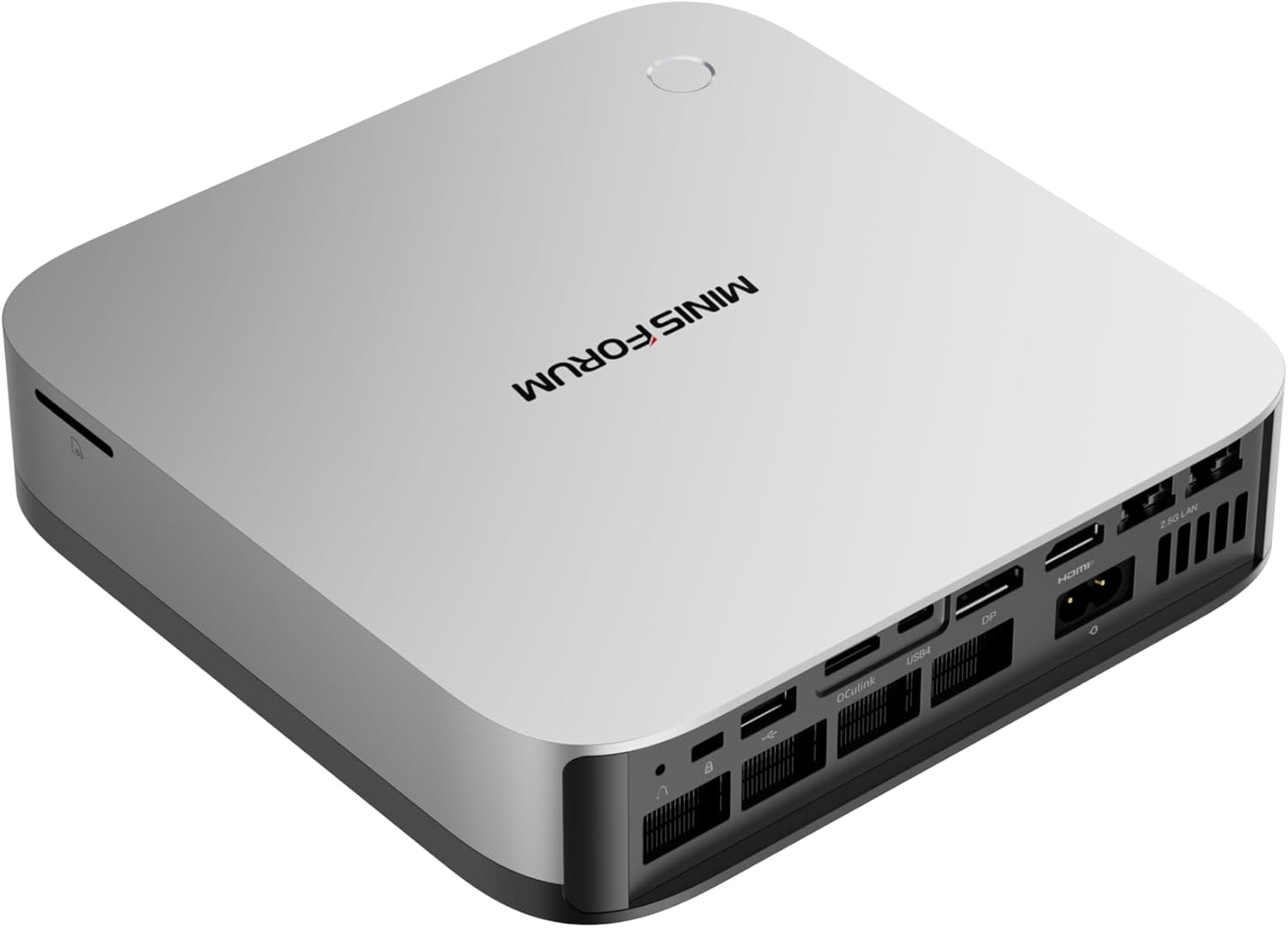
Minisforum AI X1 Pro-470
Price: ~$1,359
→ Check Current Price on Amazon
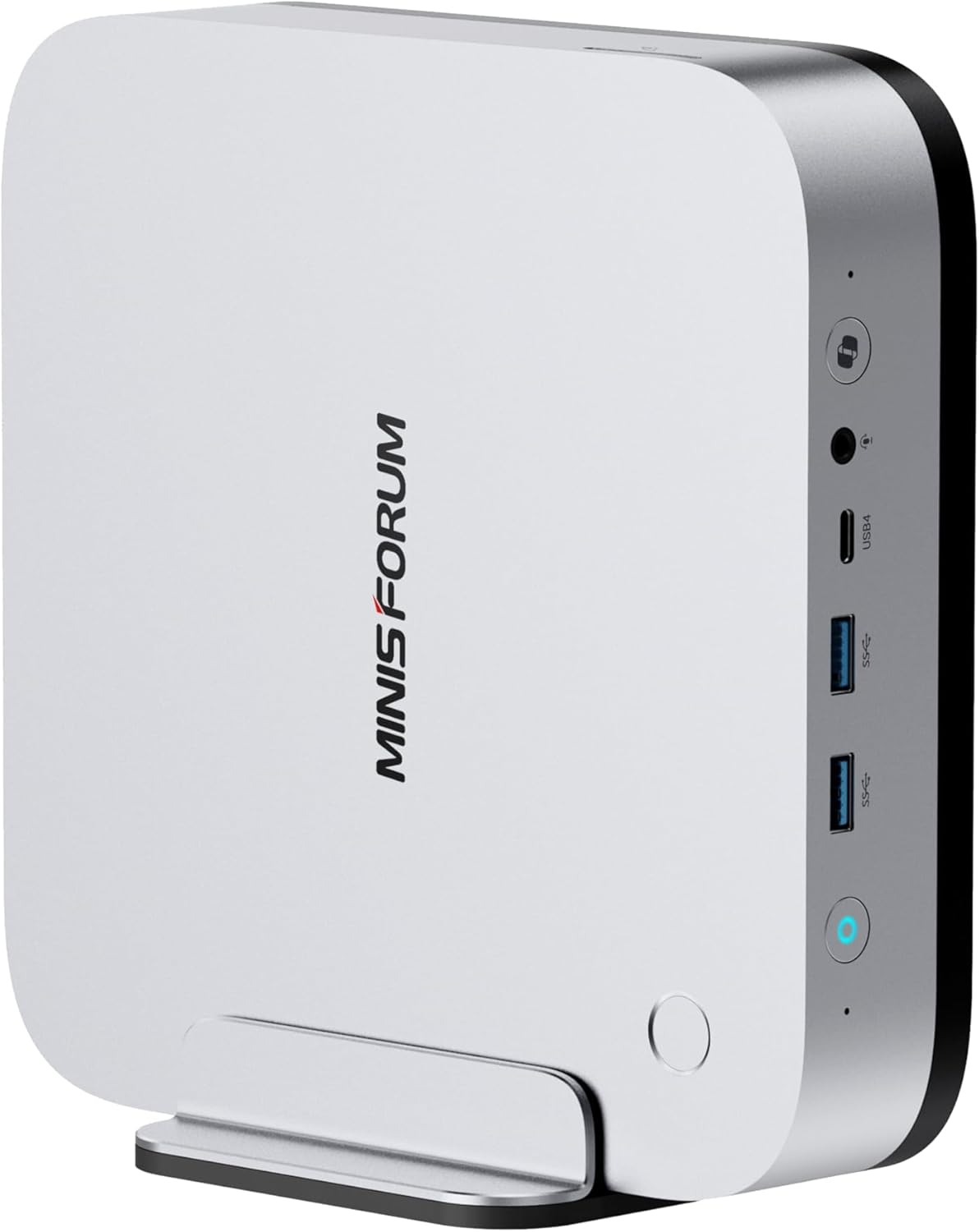
Minisforum AI X1-255
Price: ~$599
→ Check Current Price on Amazon
Quick Decision Flowchart
- Budget under $400? → X1-255 Barebone ($327)
- Budget under $800? → X1-255 ($739)
- Need HX370 AI features? → X1 Pro-370 ($1,179)
- Need maximum TOPS? → X1 Pro-470 ($1,359)
- Want to build your own? → X1 Pro Barebone ($735) or X1-255 Barebone ($327)
- Need 64GB out of the box? → X1 Pro-370 64GB ($1,439)
What All X1 Models Share
Regardless of which X1 you choose, you get these features:
| Feature | All X1 Models |
|---|---|
| WiFi | WiFi 7 + Bluetooth 5.4 |
| USB | USB4 (40Gbps) |
| PSU | X1-255: external adapter; X1 Pro: integrated |
| Audio | Dual speakers and microphone |
| RAM | Upgradeable DDR5 SO-DIMM |
| Mounting | VESA mount included |
Power supply: The X1 Pro models have an integrated PSU. The X1-255 uses an external power adapter (DC-IN 19V/6.32A 120W).
WiFi 7: All X1 models have current-gen WiFi 7 — future-proofs your purchase for WiFi 7 routers.
Upgradeable RAM: All X1 models use DDR5 SO-DIMM — not soldered LPDDR5X. You can upgrade to 64GB or 128GB later.
X1 Pro Models Only (370 and 470)
The X1 Pro models (X1 Pro-370 and X1 Pro-470) add these premium features over the base X1-255:
| Feature | X1 Pro Models Only |
|---|---|
| OCuLink | Yes — direct PCIe 4.0 x4 for eGPU |
| Networking | Dual 2.5GbE LAN (X1-255 has single NIC) |
| Security | Fingerprint sensor (Windows Hello) |
| AI TOPS | 80-86 TOPS (X1-255 has 38 TOPS) |
OCuLink: This is the X1 Pro’s killer feature. OCuLink is a direct PCIe 4.0 x4 connection for external GPUs — far more efficient than USB4 for eGPU setups. Connect an RTX 4070 for desktop-class AI compute or 4K gaming. Performance loss vs direct PCIe is only 5-10%.
Dual 2.5GbE: Essential for homelab use — run OPNsense with WAN on one port and LAN on the other, or dedicate one NIC to management and one to VM traffic in Proxmox.
Fingerprint sensor: Supports Windows Hello for quick, secure logins — a feature rarely seen on mini PCs.
Model-by-Model Breakdown
X1-255 Barebone (~$327) — DIY Budget Entry
Specs: Ryzen 7 255 (8C/16T, 38 TOPS), no RAM, no SSD, WiFi 7, USB4, external power adapter.
Best for: DIY builders who have spare DDR5 SO-DIMM and M.2 SSD lying around.
Total build cost: ~$327 (barebone) + ~$80-100 (32GB DDR5) + ~$60-80 (1TB NVMe) = ~$467-507.
Pros:
- Cheapest modern mini PC entry point
- Same features as $739 configured version
- WiFi 7, USB4
- Choose your own RAM capacity and SSD size
Cons:
- Requires DIY assembly
- No warranty on user-installed components
- Need to source compatible DDR5 SO-DIMM and M.2 SSD separately
→ Check Current Price on Amazon
X1-255 (~$739) — Budget AI + WiFi 7
Specs: Ryzen 7 255 (8C/16T, 38 TOPS), 32GB DDR5, 1TB SSD, WiFi 7, USB4, external power adapter.
Best for: Budget-conscious buyers who want AI capability, DIY builders who want the $327 barebone, anyone who needs WiFi 7 in a mini PC.
AI performance: 38 TOPS handles 7B models at 25-40 tokens/sec and 13B models at 10-20 tokens/sec. Not full Copilot+ (requires 40+ TOPS), but sufficient for entry-level AI.
Pros:
- WiFi 7 and USB4 at $739 — future-proof at this price
- Upgradeable DDR5 SO-DIMM to 64GB
- $327 barebone option for DIY builders
- Low 8W idle = ~$8.41/year electricity
Cons:
- Only 38 TOPS — entry-level AI, not full Copilot+
- Single 2.5GbE NIC (no dual NIC for firewall use)
- No OCuLink for eGPU expansion
- Only 11 reviews — limited social proof
→ Check Current Price on Amazon
X1 Pro-370 (~$1,179) — Best Value HX370
Specs: Ryzen AI 9 HX 370 (12C/24T, 80 TOPS), 32GB DDR5, 1TB SSD, OCuLink, dual 2.5GbE, WiFi 7, integrated PSU.
Best for: Buyers who want the most HX370 features per dollar, homelab enthusiasts who need dual NICs and OCuLink, anyone who values upgradeable RAM for future LLM workloads.
AI performance: 80 TOPS handles 7B models at 30-50 tokens/sec, 13B models at 15-30 tokens/sec, and 34B models at 10-20 tokens/sec. Full Copilot+ certified.
Pros:
- Best HX370 price at $1,179
- OCuLink port for eGPU expansion
- Upgradeable DDR5 — buy 32GB now, add 64GB later for 70B LLMs
- Integrated PSU — no power brick
- Dual 2.5GbE Intel NICs for homelab use
- WiFi 7, USB4, all modern connectivity
Cons:
- New listing — limited reviews (social proof still building)
- 1-year warranty vs GEEKOM’s 3 years
- 32GB out of the box caps you at 34B Q4 (need upgrade for 70B)
→ Check Current Price on Amazon
X1 Pro-370 64GB (~$1,439) — Pre-Configured for 70B LLMs
Specs: Ryzen AI 9 HX 370 (12C/24T, 80 TOPS), 64GB DDR5, 1TB SSD, OCuLink, dual 2x5G LAN, WiFi 7, integrated PSU.
Best for: Users who need 64GB RAM out of the box for 70B LLM inference, buyers who don’t want to upgrade RAM themselves.
Why 64GB matters: 70B Q4 models need ~42GB RAM. The 64GB configuration handles 70B models at 5-10 tokens/sec out of the box.
Pros:
- 64GB RAM included — ready for 70B LLMs
- All X1 Pro-370 features (OCuLink, dual 2.5GbE)
- No DIY RAM upgrade needed
- Dual 2x5G LAN (faster than standard 2.5GbE)
Cons:
- $260 premium over 32GB model (~$80-100 RAM cost + $160 convenience premium)
- Still 1-year warranty
→ Check Current Price on Amazon
X1 Pro Barebone (~$735) — DIY HX370
Specs: Ryzen AI 9 HX 370 (12C/24T, 80 TOPS), no RAM, no SSD, OCuLink, dual 2.5GbE, WiFi 7, integrated PSU.
Best for: DIY builders who have spare DDR5 SO-DIMM and M.2 SSD, budget buyers who want HX370 at minimum cost.
Total build cost: ~$735 (barebone) + ~$80-100 (32GB DDR5) + ~$60-80 (1TB NVMe) = ~$875-915.
Pros:
- $735 entry point — cheapest HX370 if you source RAM/SSD separately
- Same features as $1,179 configured version
- OCuLink, dual 2.5GbE, integrated PSU
- Choose your own RAM capacity and SSD size
Cons:
- Requires DIY assembly
- No warranty on user-installed components
- Need to source compatible DDR5 SO-DIMM and M.2 SSD separately
→ Check Current Price on Amazon
X1 Pro-470 (~$1,359) — Maximum AI Performance
Specs: Ryzen AI 9 HX 470 (12C/24T, 86 TOPS), 32GB DDR5, 1TB SSD, OCuLink, dual 2.5GbE, WiFi 7, integrated PSU.
Best for: AI developers running local LLMs daily, professionals who need maximum AI performance, users who want the “best” regardless of price.
AI performance: 86 TOPS handles 7B models at 35-55 tokens/sec, 13B models at 20-35 tokens/sec, and 34B models at 12-22 tokens/sec. The 6 TOPS premium over HX370 provides ~7.5% faster AI inference.
Pros:
- Maximum AI TOPS (86) in the X1 lineup
- All X1 Pro features (OCuLink, dual 2.5GbE)
- 12 cores / 24 threads for serious workloads
- Integrated PSU, WiFi 7, USB4
Cons:
- $180 premium over X1 Pro-370 for 6 TOPS (~$30 per TOPS)
- New listing — no reviews yet
- 1-year warranty
→ Check Current Price on Amazon
Power Consumption Comparison
| Variant | Idle (W) | Load (W) | Annual Cost (24/7 idle) |
|---|---|---|---|
| X1 Pro-470 | ~9W | ~96W | ~$9.46/year |
| X1 Pro-370 | ~9W | ~86W | ~$9.46/year |
| X1-255 | ~8W | ~55W | ~$8.41/year |
Sources: NotebookCheck (HX470), NAS Compares (HX370), community estimate (Ryzen 7 255). Annual cost at $0.12/kWh, 24/7 idle.
All X1 models are power-efficient for always-on workloads. The X1-255 is slightly more efficient (~8W idle vs ~9W) due to the lower-power Ryzen 7 255.
Decision Matrix: Which X1 Should You Buy?
For Budget Buyers
- Under $400: X1-255 Barebone ($327) — bring your own RAM/SSD
- Under $800: X1-255 ($739) — 32GB/1TB included
For AI Enthusiasts
- Entry-level AI (7B-13B models): X1-255 ($739) — 38 TOPS sufficient
- Full AI (13B-34B models): X1 Pro-370 ($1,179) — 80 TOPS, upgradeable RAM
- Maximum AI (70B models): X1 Pro-370 64GB ($1,439) — 64GB included, or X1 Pro-470 ($1,359) for 86 TOPS
For Homelab Use
- Best value: X1 Pro-370 ($1,179) — dual 2.5GbE, OCuLink
- Budget option: X1-255 ($739) — single NIC, but WiFi 7 and USB4
- DIY build: X1 Pro Barebone ($735) — bring your own RAM/SSD
For Daily Use
- Best value: X1-255 ($739) — WiFi 7, adequate for office work
- Premium option: X1 Pro-370 ($1,179) — fingerprint sensor, dual speakers, OCuLink for future eGPU
Amazon Product Links
- X1-255 Barebone — $327 (DIY, bring your own RAM/SSD)
- X1-255 — $739 (32GB/1TB, WiFi 7, 38 TOPS)
- X1 Pro-370 — $1,179 (32GB/1TB, OCuLink, dual 2.5GbE, 80 TOPS)
- X1 Pro-370 64GB — $1,439 (64GB/1TB, dual 2x5G, 80 TOPS)
- X1 Pro Barebone — $735 (DIY HX370, bring your own RAM/SSD)
- X1 Pro-470 — $1,359 (32GB/1TB, 86 TOPS, maximum AI)
Frequently Asked Questions
What’s the difference between X1-255 and X1 Pro-370?
The X1-255 uses Ryzen 7 255 (38 TOPS, single NIC, no OCuLink). The X1 Pro-370 uses Ryzen AI 9 HX 370 (80 TOPS, dual 2.5GbE, OCuLink, fingerprint sensor). For AI workloads and homelab use, the X1 Pro-370 is worth the $440 premium.
Can the X1-255 run 70B LLMs?
With 32GB RAM, no — 70B Q4 models need ~42GB. The X1-255 supports upgradeable DDR5 SO-DIMM to 64GB. After upgrading to 64GB (cost: ~$80-100 for extra 32GB), it handles 70B Q4 at 5-10 tokens/sec. The 38 TOPS is sufficient for inference.
Does OCuLink work with all eGPUs?
OCuLink supports any PCIe 4.0 x4 eGPU enclosure. Popular options include the GPD G1, OneXGPU, and DIY enclosures with desktop GPUs. Performance loss vs direct PCIe is only 5-10% — far better than USB4’s 20-30% loss.
Is the X1 Pro-470 worth the $180 premium over X1 Pro-370?
For most users, no. The 86 TOPS vs 80 TOPS and 5.2 GHz vs 5.1 GHz provide marginal performance gains (~7.5% AI, ~2% CPU). For AI developers running inference daily, the 470 may justify the premium. For everyone else, the 370 is better value.
Which X1 model has the best Linux support?
All X1 models have solid Linux support. The X1 Pro models’ Intel i226-V NICs have excellent out-of-the-box support. The X1-255’s Realtek NIC may require manual driver installation. All have solid ROCm support for AI workloads.
Can I use the X1-255 for OPNsense/pfSense?
Yes, but with limitations. The single 2.5GbE means you’ll need a USB Ethernet adapter for proper WAN/LAN separation. For dedicated firewall use, the X1 Pro-370 with dual 2.5GbE is better suited.