
Beelink GTR9 Pro vs GMKtec EVO-X2 2026 — Which Ryzen AI Max+ 395 Mini PC Wins?
By Max · May 2, 2026 · Updated May 5, 2026
This article contains affiliate links. If you purchase through our links, we may earn a commission at no extra cost to you. We only recommend products we’ve thoroughly researched and verified.
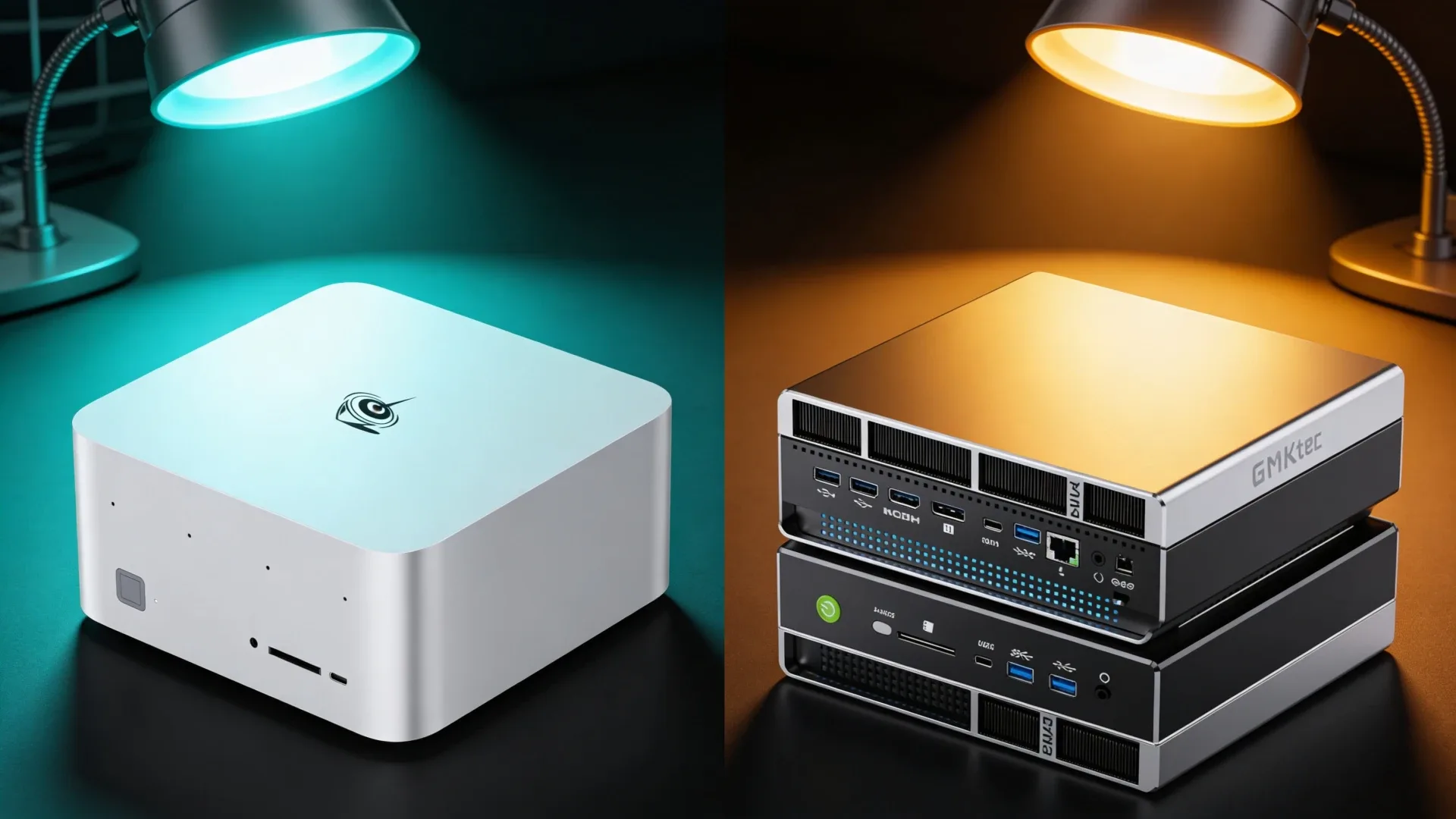
Both the Beelink GTR9 Pro and the GMKtec EVO-X2 AI run the Ryzen AI Max+ 395 with 128GB of soldered LPDDR5X — AMD’s most powerful mini PC platform available today. The CPU, GPU, and RAM are functionally identical between these two machines, which means the buying decision comes down entirely to networking, price, and what you’re willing to pay for dual 10GbE. The GTR9 Pro commands a ~$150–200 premium over the EVO-X2 AI, and that premium buys you exactly one thing: two 10GbE NICs instead of one 2.5GbE NIC. Whether that trade-off makes sense depends entirely on your workload.
For a broader shortlist, see our best mini PC for local AI guide.
Quick Verdict
The EVO-X2 AI is the better value for users who don’t need 10GbE networking — you get identical AI and compute performance at a lower price. The GTR9 Pro is the right machine if you’re building a high-throughput homelab server, a NAS-adjacent node, or any workload that saturates gigabit and needs the 10GbE bandwidth.
Spec Snapshot
| Spec | Beelink GTR9 Pro | GMKtec EVO-X2 AI | Winner |
|---|---|---|---|
| CPU | Ryzen AI Max+ 395 | Ryzen AI Max+ 395 | Tie |
| Cores / Threads | 16C | 16C | Tie |
| RAM | 128GB LPDDR5X | 128GB LPDDR5X | Tie |
| RAM Type | Soldered | Soldered | Tie |
| Networking | Dual 10GbE | Single 2.5GbE | GTR9 Pro |
| iGPU | Radeon 890M | Radeon 890M | Tie |
| AI Performance | 50 TOPS | 126 TOPS | EVO-X2 AI |
| USB4 | 2× USB4 | 1× USB4 | GTR9 Pro |
| OCuLink | Yes | Yes | Tie |
| WiFi | WiFi 7 | WiFi 6E | GTR9 Pro |
| Price | ~$1,099–1,299 | ~$999–1,149 | EVO-X2 AI |
Beelink GTR9 Pro
→ Check Current Price on Amazon
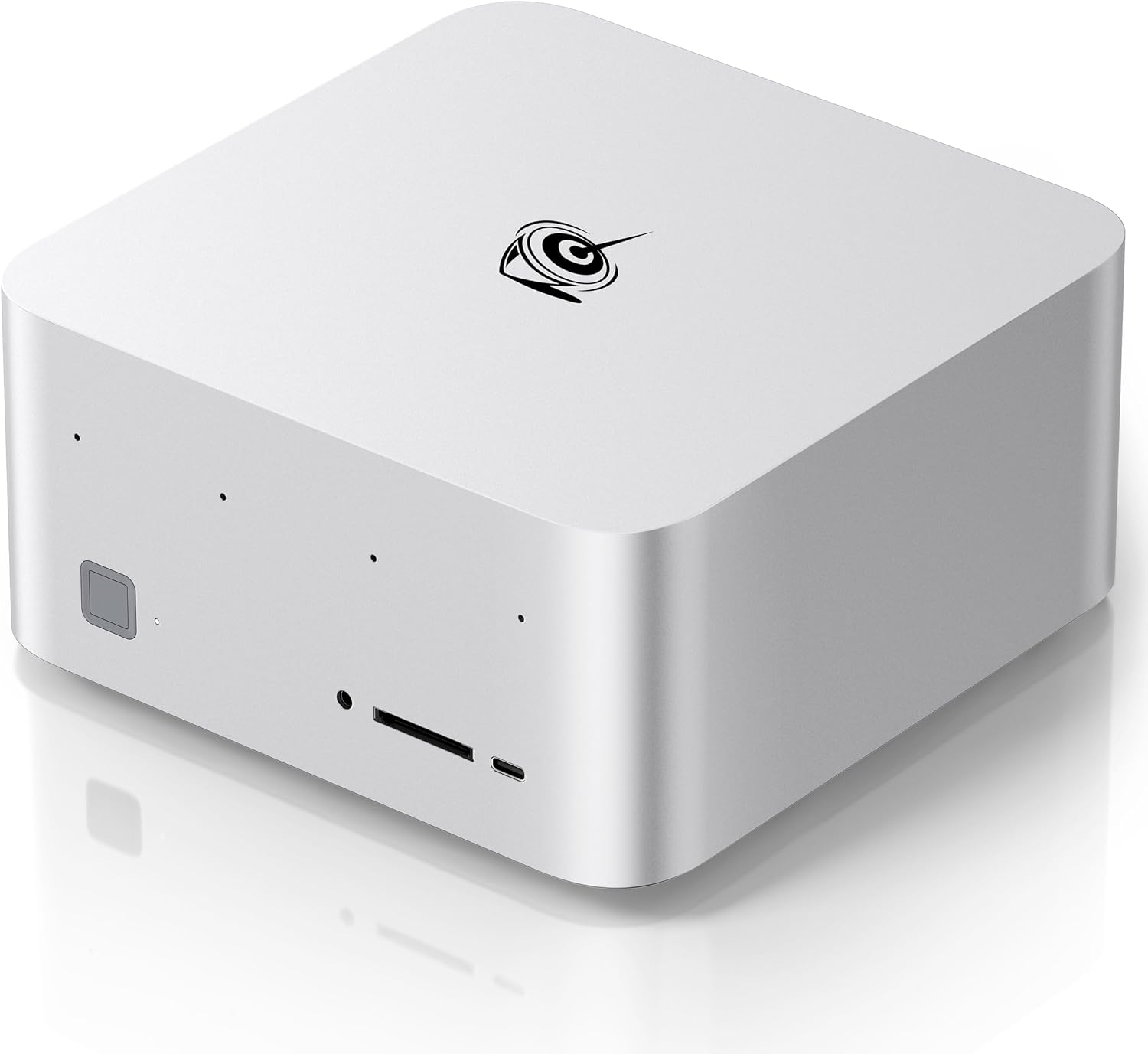
The GTR9 Pro is Beelink’s statement product for 2026: the first mini PC from the brand to ship with dual 10GbE NICs in a chassis this compact. That networking configuration is the primary reason to choose it over the EVO-X2 AI. At 10GbE on both ports, you can run this as a primary homelab node with a dedicated 10GbE uplink to a managed switch and a second 10GbE link for a direct-attach NAS — a topology that simply isn’t possible with a single 2.5GbE machine.
Beyond networking, the GTR9 Pro adds two USB4 ports vs. the EVO-X2 AI’s single USB4, and ships with WiFi 7 instead of WiFi 6E. Both additions matter at the margin — dual USB4 means you can run two external 40Gbps NVMe enclosures simultaneously, and WiFi 7 delivers better multi-link throughput in congested environments. The AI Max+ 395 chip at its core delivers 40 GPU compute units and enough iGPU VRAM bandwidth to run 34B Q4 models in Ollama without quantization compromise.
Beelink’s build quality on the GTR9 Pro is among the best we’ve seen in this price range. Thermals are managed well under sustained AI inference loads — the chip stays out of thermal throttle territory even during extended Ollama sessions. Firmware updates have been reliable across GTR-series machines historically, which matters on a machine you’ll run 24/7.
Pros:
- Dual 10GbE NICs — the only Ryzen AI Max+ mini PC with this networking configuration
- Two USB4 ports at 40Gbps each for external storage expansion
- WiFi 7 for better wireless throughput and multi-link operation
- OCuLink for discrete GPU expansion if iGPU isn’t enough
- Beelink’s 2-year warranty and proven firmware update cadence
Cons:
- ~$100–200 premium over the EVO-X2 AI for the same CPU and RAM
- 128GB LPDDR5X is soldered — no RAM upgrade path
- Higher price tier means it competes with desktop mini PCs and ARM workstations
GMKtec EVO-X2 AI
→ Check Current Price on Amazon
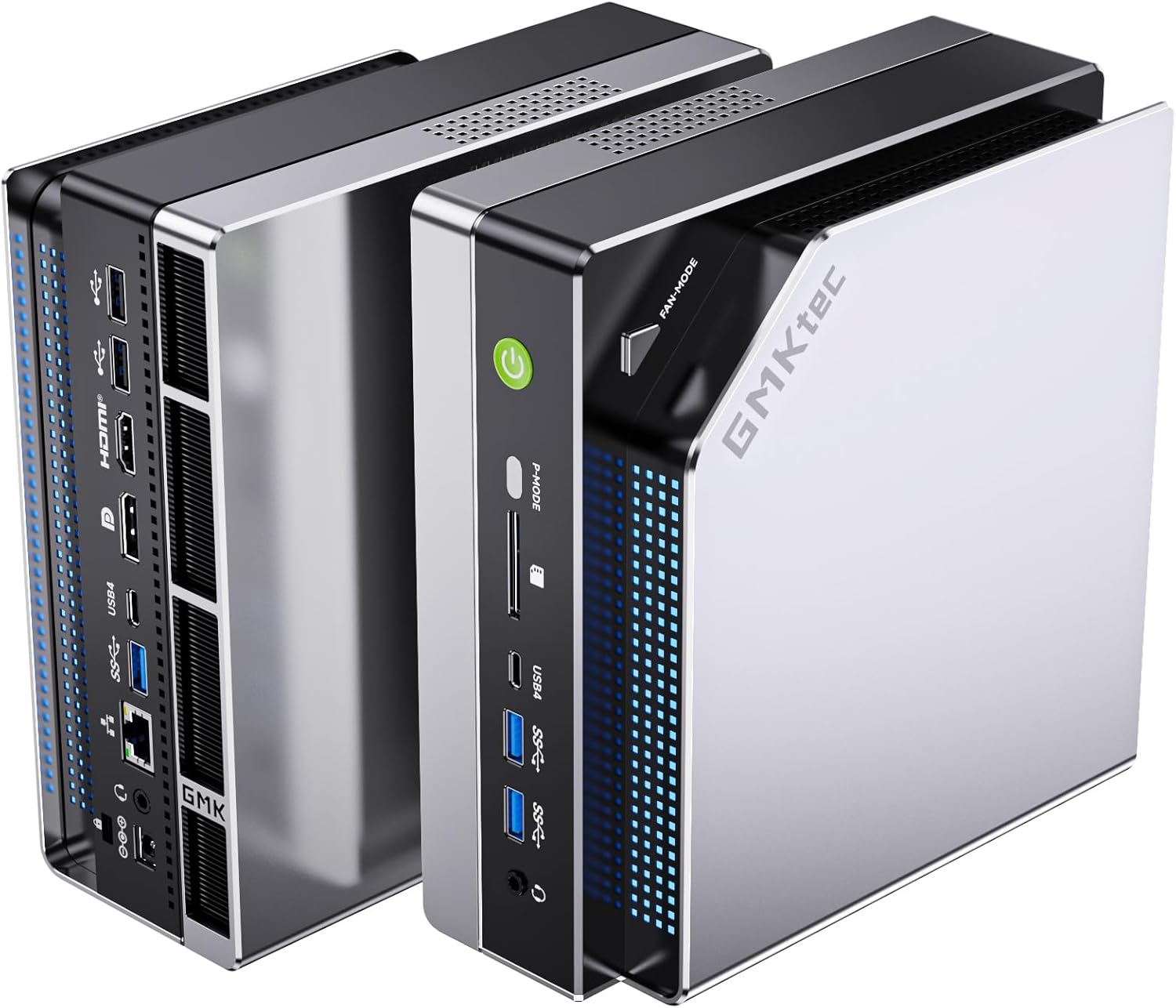
The EVO-X2 AI delivers the same Ryzen AI Max+ 395 processor and 128GB LPDDR5X as the GTR9 Pro at a meaningful cost reduction. For workloads that don’t need 10GbE — local AI inference, ComfyUI, Ollama, light virtualization, or desktop use — you’re getting identical performance at a lower price. The 126 TOPS NPU figure GMKtec highlights is the same AMD XDNA2 engine that’s in every HX 370 and AI Max platform; it reflects the full NPU capability of the chip rather than any GMKtec-specific enhancement.
The single 2.5GbE NIC is the only meaningful hardware limitation compared to the GTR9 Pro. For most AI and compute workloads, your bottleneck is VRAM bandwidth or CPU throughput — not network speed. Running 34B LLM models, image generation via ComfyUI, or multi-container Docker stacks is unaffected by having a single NIC. Where it matters: if you’re serving inference requests to multiple machines on your network simultaneously at high throughput, or if you’re also using this machine as a NAS-adjacent node.
GMKtec includes OCuLink and a single USB4 port. The USB4 port enables external NVMe expansion at 40Gbps, which keeps storage options open even with the soldered RAM. Build quality is competitive — the EVO-X2 AI runs cool in normal operation and the fan profile is configurable through BIOS.
Pros:
- Same Ryzen AI Max+ 395 and 128GB LPDDR5X as the GTR9 Pro at a lower price
- OCuLink for eGPU expansion adds a discrete GPU path if needed
- Solid AI inference performance — 34B Q4 models run without compromise in Ollama
- More accessible price point for buyers who don’t need 10GbE
Cons:
- Single 2.5GbE NIC limits homelab networking flexibility significantly
- Only one USB4 port vs. two on the GTR9 Pro
- WiFi 6E instead of WiFi 7
- 128GB LPDDR5X is soldered — same limitation as the GTR9 Pro
Head-to-Head by Use Case
For Homelab and Virtualization
Winner: Beelink GTR9 Pro — Dual 10GbE changes what’s possible in a homelab topology. Running Proxmox with a dedicated 10GbE storage network and a separate 10GbE uplink to a switch makes this a genuinely server-grade node. The EVO-X2 AI is limited to whatever 2.5GbE can carry.
For Local AI and LLM Workloads
Winner: GMKtec EVO-X2 AI — Identical CPU, GPU, and RAM means identical performance for Ollama, ComfyUI, and llama.cpp inference. The EVO-X2 AI is ~$100–150 cheaper for the same capability, making it the sharper buy when networking isn’t a factor.
For Content Creation and Gaming
Winner: Tie — Both machines deliver identical GPU performance from the Radeon 890M with its 40 CUs and full 128GB LPDDR5X available as VRAM. Frame rates in emulation, light gaming, and GPU-accelerated video encoding are effectively the same on both.
Power and Yearly Running Cost
| Mini PC | Idle Draw | Load Draw | Annual Cost at 24/7 Idle |
|---|---|---|---|
| Beelink GTR9 Pro | ~18W | ~120W | ~$19/year |
| GMKtec EVO-X2 AI | ~15W | ~115W | ~$16/year |
The GTR9 Pro draws slightly more at idle due to the dual 10GbE controllers. Over a full year of 24/7 operation at $0.12/kWh, the difference is about $3/year — negligible relative to the price gap between the two machines.
Final Verdict
Buy the Beelink GTR9 Pro if: you need dual 10GbE networking for high-throughput homelab work, direct-attach NAS connectivity, or any workload where 2.5GbE is a genuine bottleneck. The dual USB4 and WiFi 7 additions add further value at this tier.
Buy the GMKtec EVO-X2 AI if: your workload is AI inference, compute, or general desktop use and you don’t need 10GbE. You get the same Ryzen AI Max+ 395 performance for $100–150 less.
Frequently Asked Questions
Which option wins for beelink gtr9 pro vs gmktec evo-x2?
For AI inference and compute workloads without 10GbE requirements, the EVO-X2 AI wins on value — identical performance at a lower price. For homelab builds that need high-throughput networking, the GTR9 Pro’s dual 10GbE is a meaningful differentiator that justifies the premium.
Should you buy now or wait for the next refresh?
Both machines use the Ryzen AI Max+ 395, which is AMD’s current-generation top-tier mini PC platform. A successor is unlikely before late 2026 at the earliest. If you need this level of performance now, both are mature platforms worth buying.
What matters more than the headline CPU?
On these two machines, the CPU is identical — so networking is entirely what separates them. After that, consider USB4 port count for external storage, WiFi generation for wireless throughput, and whether the soldered 128GB RAM is sufficient for your long-term workloads.