
Beelink SER9 vs SER9 Pro+ AI: Same Ryzen 7 H255 — Which One to Buy? [2026]
By Max · April 2, 2026 · Updated May 4, 2026
This article contains affiliate links. If you purchase through our links, we may earn a commission at no extra cost to you. We only recommend products we’ve thoroughly researched.
![Beelink SER9 vs SER9 Pro+ AI: Same Ryzen 7 H255 — Which One to Buy? [2026]](/images/heroes/variants/beelink-ser9-vs-ser9-pro-plus/1920.webp)
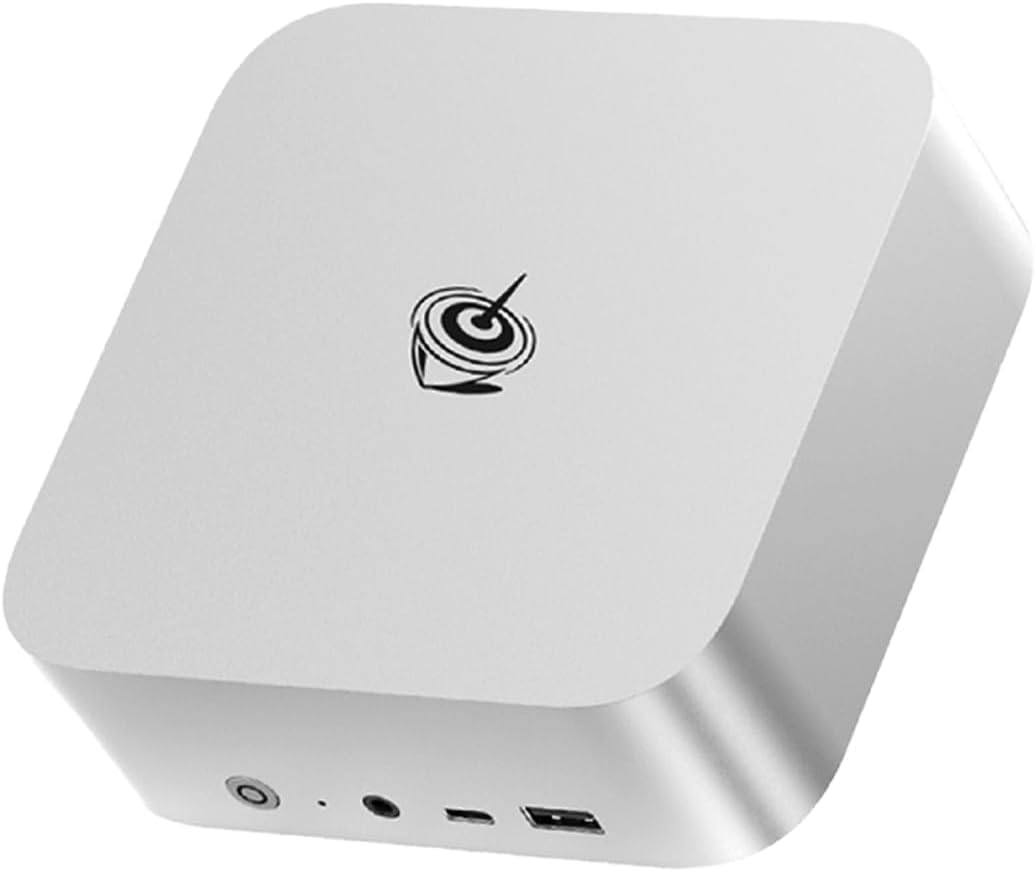
The Short Answer
Same CPU, same RAM type and size, same connectivity — the SER9 Pro+ AI is $120 cheaper but has only 4 reviews at 3.2★ vs SER9’s 677 reviews at 4.2★. The Pro+ is the newer SKU and may have minor refinements, but the low review count and poor rating are a red flag.
Pick Beelink SER9 if: You value proven reliability (677 reviews), willing to pay $120 more for trust.
Pick Beelink SER9 Pro+ AI if: You want to save $120 and are comfortable with a newer, less-proven product (check return policy).
Side-by-Side Specs
| Spec | Beelink SER9 | Beelink SER9 Pro+ AI | Winner |
|---|---|---|---|
| CPU | Ryzen 7 H 255 (8C/16T, 4.9GHz) | Ryzen 7 H255 (8C/16T, 4.9GHz) | Tie |
| GPU | Radeon 780M (12 CUs) | Radeon 780M (12 CUs) | Tie |
| RAM | 32GB LPDDR5X (soldered) | 32GB LPDDR5X 7500MT/s (soldered) | Tie |
| Storage | 1TB PCIe 4.0 SSD | 1TB NVMe SSD | Tie |
| Networking | 2.5GbE + WiFi 6 | 2.5GbE + WiFi 6 | Tie |
| USB4 | Yes | Yes | Tie |
| AI TOPS | 38 (16 NPU + 22 GPU) | 38 (16 NPU + 22 GPU) | Tie |
| Reviews | 677 (4.2★) | 4 (3.2★) | SER9 |
| Price | ~$839 | ~$719 | SER9 Pro+ AI |
CPU and GPU Performance
Both systems use the same Ryzen 7 H255 processor — AMD’s Hawk Point refresh with XDNA 1 NPU. Eight Zen 4 cores, 16 threads, up to 4.9 GHz boost. The Radeon 780M GPU has 12 RDNA 3 compute units (768 shaders).
AI compute: Both deliver 38 TOPS total (16 from XDNA 1 NPU + 22 from GPU). This is entry-level AI — not full Copilot+ (requires 40+ TOPS), but sufficient for 7B-13B LLMs. For Ollama LLM inference:
- 7B models: ~30-45 tokens/sec on both
- 13B models: ~10-20 tokens/sec on both
- 34B models: Limited by 32GB soldered RAM
GPU performance: The 780M handles 1080p gaming at medium settings and Stable Diffusion XL image generation in 12-18 seconds. No meaningful difference between the two implementations.
Memory and Storage
Both systems use 32GB LPDDR5X — soldered to the motherboard, NOT upgradeable. This is the key limitation of both SER9 variants. LPDDR5X is ~10-15% faster than standard DDR5 due to higher bandwidth, but you cannot add more RAM later.
Why soldered RAM matters:
- 7B model (Q4): ~4GB — trivial on any system
- 13B model (Q4): ~8GB — runs on most 32GB mini PCs
- 34B model (Q4): ~20GB — 32GB is adequate but no headroom
- 70B model (Q4): ~42GB — NOT possible with 32GB soldered
Storage: Both include 1TB PCIe 4.0 NVMe SSD. Adequate for most users. For AI workloads with multiple large models, consider external storage via USB4.
Networking and Connectivity
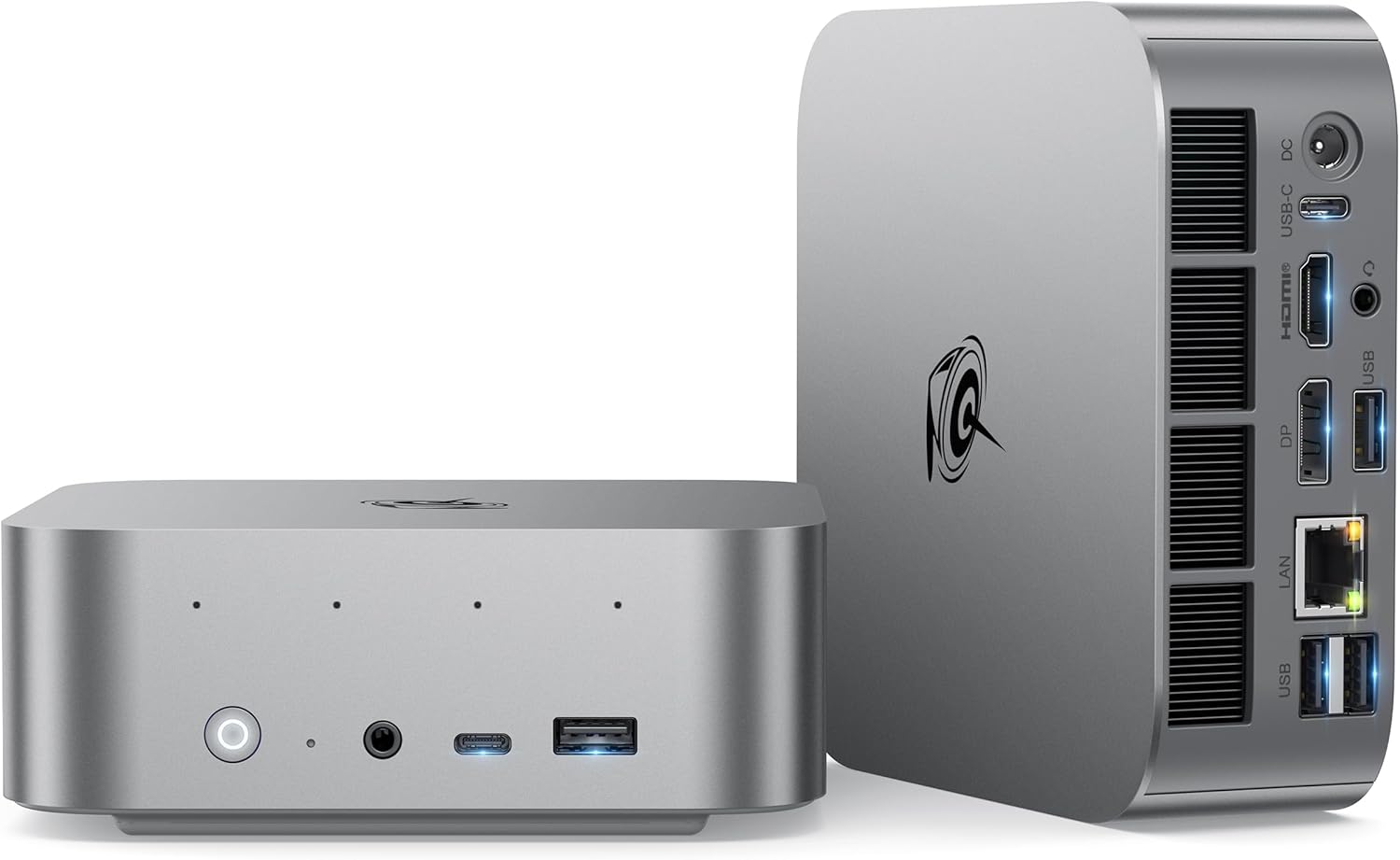
| Port | SER9 | SER9 Pro+ AI |
|---|---|---|
| USB4 (40Gbps) | 1 | 1 |
| USB-A 3.2 | Multiple | Multiple |
| HDMI 2.1 | 1 | 1 |
| DisplayPort | 1 | 1 |
| 2.5GbE | 1 | 1 |
| 3.5mm audio | 1 | 1 |
Both have identical port selection. Single 2.5GbE is standard for this price point. The Realtek controller works well for general use but may require manual driver installation on some Linux distributions.
WiFi 6 and Bluetooth 5.2 are adequate (one generation behind WiFi 6E/7). For a homelab that lives on Ethernet, this matters less.
Power Consumption
| Metric | SER9 | SER9 Pro+ AI |
|---|---|---|
| Idle (W) | ~8W | ~10W |
| Load (W) | ~78W | ~78W |
| Annual Cost (24/7 idle) | ~$8.41/year | ~$10.51/year |
Annual cost calculated at $0.12/kWh. Sources: Guru3D, Geeky Gadgets, Igor’s Lab.
The SER9 is slightly more power-efficient at idle (~8W vs ~10W). Under sustained load, both reach ~78W — typical for the H255 platform.
Reviews and Brand Trust
This is the critical differentiator:
Beelink SER9: 677 Amazon reviews at 4.2 stars. This is social proof you can’t ignore. Beelink has established support channels and a track record of honoring warranties. For risk-averse buyers, this matters enormously.
Beelink SER9 Pro+ AI: 4 Amazon reviews at 3.2 stars. The low review count and poor rating are concerning. Early reviews may reflect teething issues, isolated quality control problems, or user setup errors. But the 3.2-star average is a red flag for a new product.
What the 3.2★ rating might mean:
- Early firmware/driver issues
- Isolated quality control problems
- User setup errors (common with new products)
- Legitimate hardware issues
For risk-averse buyers, the SER9’s 677 reviews justify the $120 premium.
Price and Value
At $719, the SER9 Pro+ AI is $120 cheaper than the SER9 at $839. Here’s what you get for the extra $120 on the SER9:
- 677 reviews proving reliability (vs 4)
- 4.2★ rating (vs 3.2★)
- Established track record
- Peace of mind
Here’s what you get for saving $120 on the SER9 Pro+ AI:
- Identical specs
- Newer SKU (potentially minor refinements)
- Risk of early-adopter issues
Value ranking:
- For risk-averse buyers: SER9 wins
- For budget buyers comfortable with risk: SER9 Pro+ AI wins
Real-World Use Cases
For Local LLMs (Ollama)
Tie. Both handle 7B-13B models identically. The 32GB soldered RAM caps both at 34B models maximum. For 70B models, neither works — consider the MINISFORUM X1-255 with upgradeable DDR5.
For Homelab (Proxmox, Docker)
Tie. Both have single 2.5GbE — adequate for single-NIC setups. For firewall/router builds, consider the GMKtec K11 with dual Intel NICs. The 8-core H255 handles 4-6 lightweight VMs well on both.
For Daily Use (Office, Media)
SER9 wins. The 677 reviews prove reliability for daily drivers. The 3.2★ rating on the Pro+ AI is concerning for a primary workstation.
For Budget Buyers
SER9 Pro+ AI wins. At $719, it’s the cheapest H255 mini PC with 32GB and USB4. For buyers comfortable with early-adopter risk, the $120 savings is meaningful.
Final Verdict: Which Should You Buy?
Buy the if
Beelink SER9
→ Check Current Price on Amazon
- You value proven reliability (677 reviews at 4.2 stars)
- You prefer established SKUs with track records
- You don’t need more than 32GB RAM ever
- You want peace of mind for a daily driver
- You’re risk-averse and want community proof
Buy the if
Beelink SER9 Pro+ AI
- You want to save $120
- You’re comfortable with early-adopter risk (4 reviews, 3.2★)
- You understand Amazon’s return policy
- You want the newest SKU (potentially minor refinements)
- You’re buying for a secondary/backup system
Critical Alternative: Upgradeable RAM
Both SER9 variants have soldered LPDDR5X — no RAM upgrades. If you might need 64GB+ for 70B LLMs or heavy VM workloads, consider the MINISFORUM X1-255 at $739:
- Upgradeable DDR5 SO-DIMM to 64GB
- WiFi 7 (vs WiFi 6 on SER9)
- Integrated PSU (no power brick)
- 4.6★ rating (11 reviews)
For $20 more than the SER9 Pro+ AI, you get upgradeable RAM and WiFi 7.
Amazon Product Links
- Beelink SER9 — $839 (677 reviews, proven reliability)
- Beelink SER9 Pro+ AI — $719 (new SKU, 4 reviews, 3.2★)
- MINISFORUM X1-255 — $739 (upgradeable RAM alternative)
Frequently Asked Questions
Is the 3.2-star rating a red flag?
The 3.2-star rating from 4 reviews is concerning but the sample size is too small for definitive conclusions. Early reviews may reflect teething issues, isolated quality control problems, or user setup errors. For risk-averse buyers, the SER9 (677 reviews, 4.2★) is a safer choice.
Are the SER9 and SER9 Pro+ AI identical?
Specs are identical: same H255 CPU, same 32GB LPDDR5X, same ports. The Pro+ AI may have minor refinements (newer SKU), but core performance is the same. The 3.2★ vs 4.2★ rating is the key differentiator.
Can both systems run local LLMs?
Yes. The 38 TOPS handles 7B models at 30-45 tokens/sec and 13B models at 10-20 tokens/sec. This is entry-level AI but sufficient for chat and inference workloads. For 34B+ models, the 32GB soldered RAM is limiting.
Is the $120 premium for SER9 worth it?
For risk-averse buyers, yes. The 677 reviews at 4.2★ prove long-term reliability. For budget buyers comfortable with early-adopter risk, the Pro+ AI’s $120 savings is meaningful.
Can I upgrade the RAM later?
No. Both use soldered LPDDR5X — 32GB is the permanent ceiling. For upgradeable RAM, consider the MINISFORUM X1-255 with DDR5 SO-DIMM slots.
What should I do if I receive a defective SER9 Pro+ AI?
Contact Beelink support immediately and document the issue with photos/videos. Beelink has a track record of honoring warranties. For Amazon purchases, you can also use Amazon’s return policy within the return window.