
GEEKOM A7 MAX vs MINISFORUM UM790 Pro: Two Ryzen 9 7940HS Mini PCs Compared [2026]
By Max · April 2, 2026 · Updated May 4, 2026
This article contains affiliate links. If you purchase through our links, we may earn a commission at no extra cost to you. We only recommend products we’ve thoroughly researched.
![GEEKOM A7 MAX vs MINISFORUM UM790 Pro: Two Ryzen 9 7940HS Mini PCs Compared [2026]](/images/heroes/variants/geekom-a7-max-vs-minisforum-um790-pro/1920.webp)
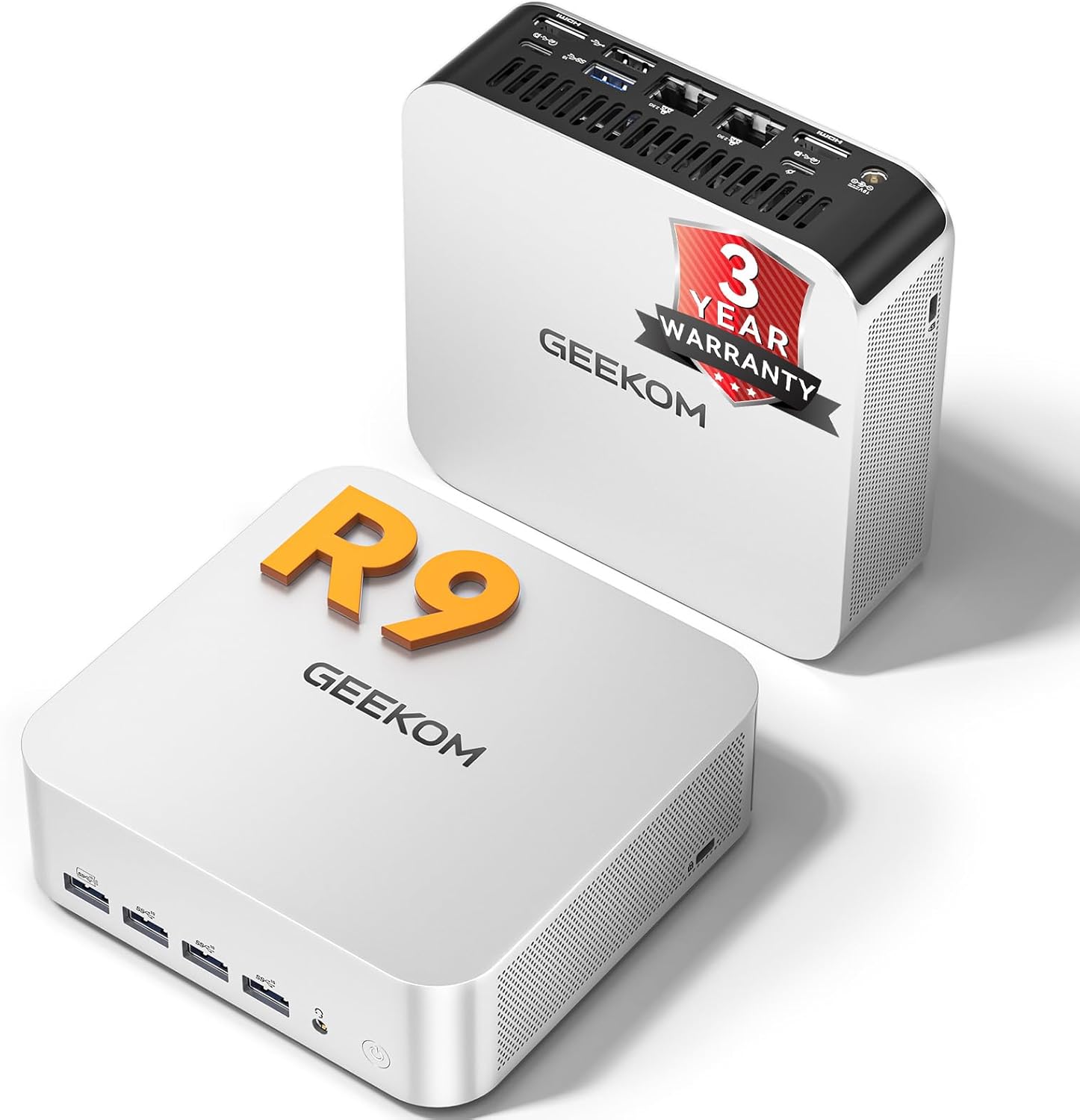
The Short Answer
Both use the same 7940HS. A7 MAX is $80 cheaper with 550 reviews and 3-year warranty; UM790 Pro has 32GB included, 2.5GbE, dual USB4 with PD, and liquid metal cooling. If you need 32GB, the UM790 Pro’s $80 premium pays for the RAM upgrade you’d need on the A7 MAX.
Pick GEEKOM A7 MAX if: You trust GEEKOM warranty, want lowest price, plan to add your own RAM.
Pick MINISFORUM UM790 Pro if: You want 32GB included, 2.5GbE, liquid metal cooling, and dual USB4 with PD.
Quick Product Links
Minisforum UM790 Pro
Price: ~$380-500
→ Check Current Price on Amazon
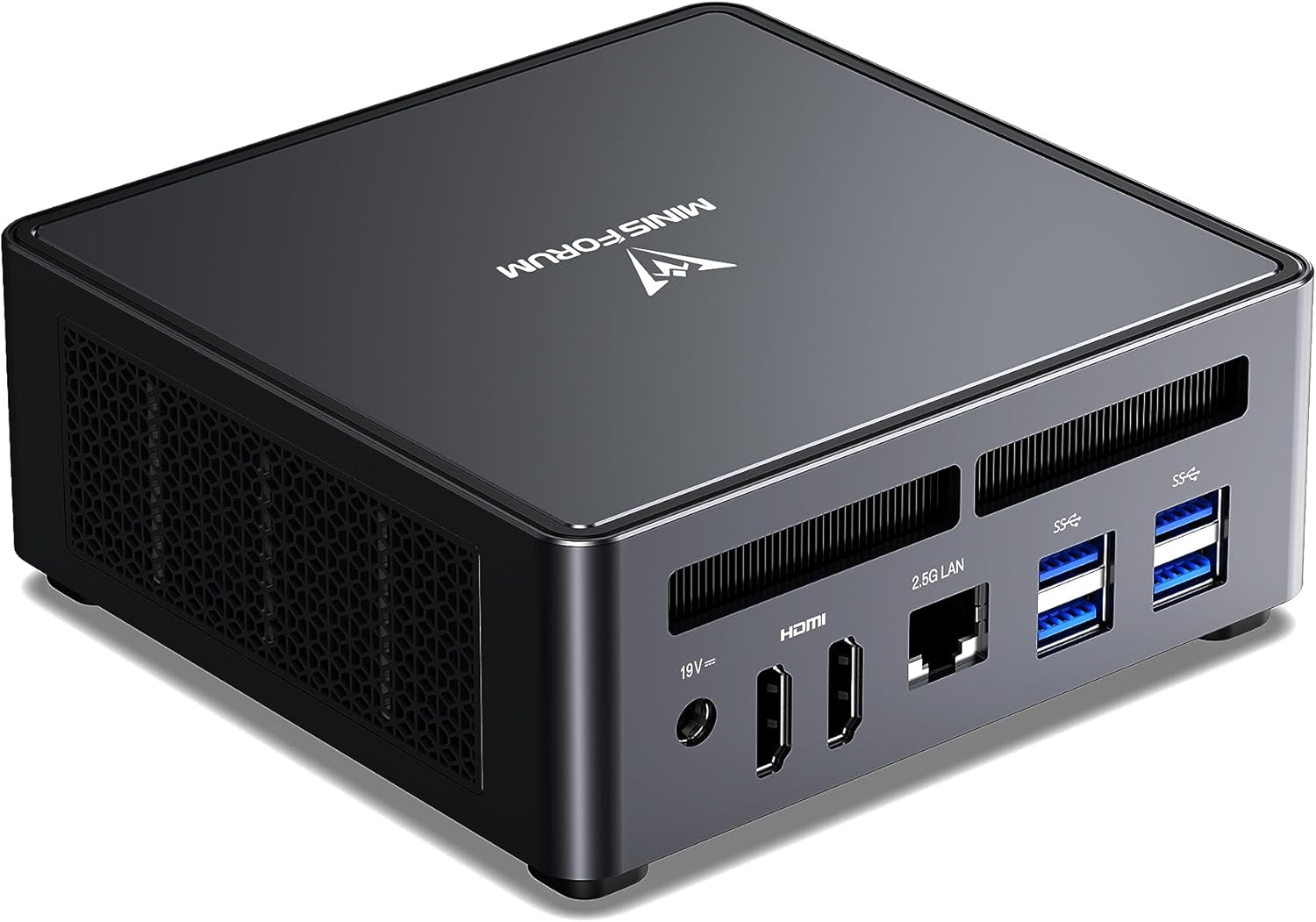
Side-by-Side Specs
| Spec | GEEKOM A7 MAX | MINISFORUM UM790 Pro | Winner |
|---|---|---|---|
| CPU | Ryzen 9 7940HS (8C/16T, 5.2GHz) | Ryzen 9 7940HS (8C/16T, 5.2GHz) | Tie |
| GPU | Radeon 780M (12 CUs) | Radeon 780M (12 CUs) | Tie |
| RAM | 16GB DDR5 (upgradeable) | 32GB DDR5 (upgradeable to 64GB) | UM790 Pro |
| Storage | 1TB SSD | 1TB SSD (dual M.2, RAID) | UM790 Pro |
| Networking | Dual 2.5GbE + WiFi 7 | 2.5GbE + WiFi 6E | A7 MAX |
| USB4 | 1x USB4 | 2x USB4 (PD-IN/OUT) | UM790 Pro |
| Cooling | Standard | Cold Wave 2.0 liquid metal | UM790 Pro |
| Warranty | 3 years | 1 year | A7 MAX |
| Reviews | 550 (4.6★) | 145 (3.9★) | A7 MAX |
| Price | ~$699 | ~$779 | A7 MAX |
CPU and GPU Performance
Both systems use the identical Ryzen 9 7940HS processor — same 8 cores, same 16 threads, same 5.2 GHz boost clock, same Radeon 780M with 12 compute units. In CPU-bound workloads (compiling code, running VMs, batch encoding), expect identical performance.
For multi-threaded workloads: The 7940HS handles compiling code, running multiple VMs, and batch video encoding well. Expect Cinebench R23 multi-core scores in the 14,000-16,000 range.
For AI workloads: Neither has a dedicated NPU. They rely on CPU/GPU compute for AI workloads. For Ollama LLM inference:
- 7B models: ~25-40 tokens/sec on both
- 13B models: ~10-20 tokens/sec on both
- 34B models: A7 MAX needs RAM upgrade; UM790 Pro handles with 32GB
GPU performance: The 780M handles 1080p gaming at medium settings and Stable Diffusion XL image generation in 12-18 seconds. No meaningful difference between the two implementations.
Memory and Storage
This is the key differentiator:
GEEKOM A7 MAX: 16GB DDR5 SO-DIMM — upgradeable to 64GB. This is the bare minimum for 2026. For general use and 7B LLMs, it’s adequate. For 13B+ models or heavy multitasking, plan to upgrade to 32GB (~$80-100 for extra 16GB).
MINISFORUM UM790 Pro: 32GB DDR5 SO-DIMM — upgradeable to 64GB. This is the sweet spot for 2026 — adequate for 7B-34B LLMs and heavy multitasking out of the box.
Value calculation: The UM790 Pro’s included 32GB is worth ~$80-100 at current RAM prices. The $80 price difference essentially pays for the RAM upgrade.
Storage: Both include 1TB PCIe 4.0 NVMe SSD. The UM790 Pro supports dual M.2 with RAID; the A7 MAX has a single M.2 slot.
Networking and Connectivity
GEEKOM A7 MAX: Dual 2.5GbE. WiFi 7 and Bluetooth 5.2. WiFi 7 is current-gen and future-proofs your purchase.
MINISFORUM UM790 Pro: Single 2.5GbE. WiFi 6E and Bluetooth 5.2.
USB4: The UM790 Pro has dual USB4 ports with Power Delivery (PD-IN/OUT). You can power the UM790 Pro via USB4-C PD, and connect USB4 peripherals. The A7 MAX has a single USB4 port.
Cooling and Thermals
GEEKOM A7 MAX: Standard air cooling with IceBlast system. Adequate for the 7940HS’s thermal profile. Fan noise is minimal at idle and becomes noticeable under load.
MINISFORUM UM790 Pro: Cold Wave 2.0 liquid metal cooling. This is a genuine differentiator — liquid metal provides better thermal transfer than standard thermal paste. The UM790 Pro runs cooler and quieter under sustained loads.
Real-world impact: For always-on homelab workloads, the liquid metal cooling provides marginally better thermals and potentially longer component lifespan. For daily use, both are adequate.
Power Consumption
| Metric | A7 MAX | UM790 Pro |
|---|---|---|
| Idle (W) | ~7W | ~7W |
| Load (W) | ~65W | ~65W |
| Annual Cost (24/7 idle) | ~$7.36/year | ~$7.36/year |
Annual cost calculated at $0.12/kWh. Sources: AnandTech, ServeTheHome, Igor’s Lab.
Both systems share the 7940HS platform — power consumption is identical. The liquid metal cooling on the UM790 Pro may provide marginally better efficiency under sustained load, but the difference is negligible.
Reviews and Brand Trust
This is where the A7 MAX justifies its premium:
GEEKOM A7 MAX: 550 Amazon reviews at 4.6 stars. This is social proof you can’t ignore. GEEKOM has established support channels and a 3-year warranty — the longest in the industry. For risk-averse buyers, this matters enormously.
MINISFORUM UM790 Pro: 145 Amazon reviews at 3.9 stars. The 3.9★ rating is concerning — lower than typical MINISFORUM products. Some users report coil whine and firmware issues. The 1-year warranty is industry-standard.
What the 3.9★ rating might mean:
- Coil whine issues on some units
- Firmware/BIOS quirks
- Quality control variations
- User setup errors (common with any product)
For risk-averse buyers, the A7 MAX’s 550 reviews at 4.6★ justify the premium.
Price and Value
At $699, the A7 MAX costs $80 less than the UM790 Pro at $779. But the value calculation is nuanced:
A7 MAX value proposition:
- 550 reviews proving reliability = priceless for some
- 3-year warranty = ~$100-200 value
- WiFi 7 = ~$30-50 value
- 16GB RAM (needs upgrade to 32GB) = ~$80-100 upgrade cost
- Total trust advantage: ~$130-250+, minus RAM upgrade cost
UM790 Pro value proposition:
- 32GB RAM included = ~$80-100 value
- Liquid metal cooling = ~$50 value
- Dual USB4 with PD = ~$50 value
- Dual M.2 with RAID = ~$30 value
- Total spec advantage: ~$210-280
Value ranking:
- For risk-averse buyers: A7 MAX wins (after RAM upgrade)
- For spec-focused buyers: UM790 Pro wins
- For out-of-box experience: UM790 Pro wins (32GB included)
Real-World Use Cases
For Local LLMs (Ollama)
UM790 Pro wins. The included 32GB handles 7B-34B models comfortably. The A7 MAX’s 16GB caps at 7B models comfortably — 13B+ requires a RAM upgrade (~$80-100).
For Homelab (Proxmox, Docker)
UM790 Pro wins. The 32GB RAM handles 6-8 lightweight VMs comfortably. The liquid metal cooling provides better thermals for always-on workloads. Dual USB4 with PD is useful for UPS connectivity.
For Daily Use (Office, Media)
A7 MAX wins. The 550 reviews and 3-year warranty provide peace of mind for a daily driver. WiFi 7 is current-gen. The 16GB RAM is adequate for office workloads.
For Content Creation
UM790 Pro wins. The 32GB RAM handles video editing and 3D rendering better. The liquid metal cooling provides better sustained performance. Dual M.2 with RAID is useful for project storage.
Final Verdict: Which Should You Buy?
Buy the if
GEEKOM A7 MAX
→ Check Current Price on Amazon
- You value proven reliability (550 reviews at 4.6 stars)
- You want GEEKOM’s 3-year warranty
- You’re on a tight budget ($699 base price)
- You plan to upgrade RAM yourself (~$80-100)
- You prefer established brands with track records
Buy the MINISFORUM UM790 Pro if:
- You want 32GB RAM included (no upgrade needed)
- You want liquid metal cooling for better thermals
- You need dual USB4 with Power Delivery
- You want dual M.2 with RAID support
- You’re comfortable with 145 reviews at 3.9★
Amazon Product Links
- GEEKOM A7 MAX — $699 (550 reviews, 3-year warranty, Dual 2.5GbE, WiFi 7, 16GB)
- MINISFORUM UM790 Pro — $779 (32GB included, liquid metal cooling)
Frequently Asked Questions
Is the 7940HS identical in both mini PCs?
Yes. Both use the same Ryzen 9 7940HS (8C/16T, 5.2 GHz) with the same Radeon 780M GPU (12 CUs). CPU and GPU performance are identical. The differences are in RAM, cooling, and connectivity.
Is 16GB RAM enough on the A7 MAX?
For general use and 7B LLMs, yes. For 13B+ models or heavy multitasking, plan to upgrade to 32GB (~$80-100 for extra 16GB). The UM790 Pro’s included 32GB is a genuine advantage.
Does the liquid metal cooling make a difference?
Yes, but marginally. Liquid metal provides better thermal transfer than standard thermal paste. The UM790 Pro runs cooler and quieter under sustained loads. For always-on homelab workloads, this provides better long-term reliability.
Why does the UM790 Pro have a 3.9★ rating?
The 3.9★ rating from 145 reviews is concerning. Common complaints include coil whine on some units, firmware/BIOS quirks, and quality control variations. For risk-averse buyers, the A7 MAX’s 4.6★ rating is more reassuring.
Which has better Linux support?
Both have solid Linux support. The 7940HS and 780M are well-supported in mainline kernels. ROCm support for RDNA 3 is solid on both. The UM790 Pro’s liquid metal cooling is transparent to the OS.
Is the 3-year warranty worth the premium?
For risk-averse buyers, yes. GEEKOM’s 3-year warranty is the longest in the industry. For a $699 purchase, 3 years of coverage provides meaningful peace of mind. The UM790 Pro’s 1-year warranty is industry-standard but less reassuring.