
MINISFORUM X1-255 vs Beelink SER9: Upgradeable DDR5 vs Soldered LPDDR5X — The RAM Question [2026]
By Max · April 2, 2026 · Updated May 4, 2026
This article contains affiliate links. If you purchase through our links, we may earn a commission at no extra cost to you. We only recommend products we’ve thoroughly researched.
![MINISFORUM X1-255 vs Beelink SER9: Upgradeable DDR5 vs Soldered LPDDR5X — The RAM Question [2026]](/images/heroes/variants/minisforum-x1-255-vs-beelink-ser9/1920.webp)
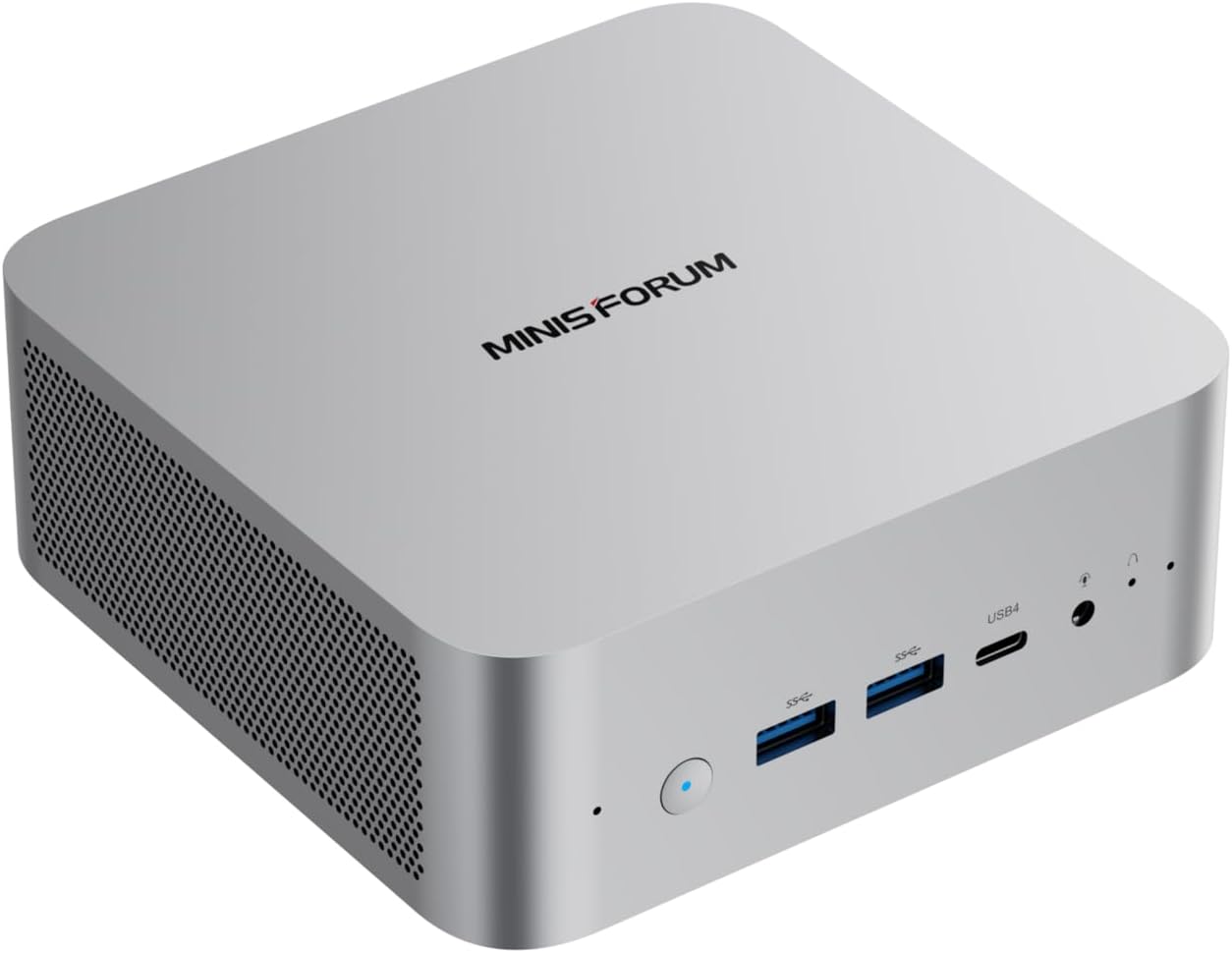
Quick Product Links
Minisforum AI X1-255
Price: ~$599
→ Check Current Price on Amazon
The Short Answer
Same CPU. The MINISFORUM is $100 cheaper, has WiFi 7, and upgradeable DDR5. The Beelink has 677 reviews proving reliability. The entire article comes down to one question: do you value upgradeable RAM, or proven reliability?
Pick MINISFORUM X1-255 if: You want upgradeable RAM, WiFi 7, $327 barebone option, or $100 savings.
Pick Beelink SER9 if: You trust the 677 reviews, don’t need RAM upgrades, want proven reliability.
Side-by-Side Specs
| Spec | MINISFORUM X1-255 | Beelink SER9 | Winner |
|---|---|---|---|
| CPU | Ryzen 7 255 (8C/16T, 4.9GHz) | Ryzen 7 H 255 (8C/16T, 4.9GHz) | Tie |
| GPU | Radeon 780M (12 CUs) | Radeon 780M (12 CUs) | Tie |
| NPU | 16 TOPS (XDNA 1) | 16 TOPS (XDNA 1) | Tie |
| RAM | 32GB DDR5 (UPGRADEABLE) | 32GB LPDDR5X (SOLDERED) | X1-255 |
| Storage | 1TB SSD | 1TB SSD | Tie |
| Networking | 2.5GbE + WiFi 7 | 2.5GbE + WiFi 6 | X1-255 (WiFi) |
| USB4 | 2x USB4 | 1x USB4 | X1-255 |
| Barebone Option | Yes ($327) | No | X1-255 |
| Reviews | 11 (4.6★) | 677 (4.2★) | SER9 |
| Price | ~$739 | ~$839 | X1-255 |
CPU and GPU Performance
Both systems use the same Ryzen 7 255/H 255 processor — AMD’s Hawk Point refresh with XDNA 1 NPU. Eight Zen 4 cores, 16 threads, up to 4.9 GHz boost. The Radeon 780M GPU has 12 RDNA 3 compute units (768 shaders).
AI compute: Both deliver 38 TOPS total (16 from XDNA 1 NPU + 22 from GPU). This is entry-level AI — not full Copilot+ (requires 40+ TOPS), but sufficient for 7B-13B LLMs. For Ollama LLM inference:
- 7B models: ~25-40 tokens/sec on both
- 13B models: ~10-20 tokens/sec on both
- 34B models: Limited by 32GB RAM
GPU performance: The 780M handles 1080p gaming at medium settings and Stable Diffusion XL image generation in 12-18 seconds. No meaningful difference between the two implementations.
Memory: The Critical Difference
This is the entire article in one section:
MINISFORUM X1-255: 32GB DDR5 SO-DIMM — upgradeable to 64GB. Standard DDR5 is slightly slower than LPDDR5X, but the upgrade path matters for future workloads. Add 32GB later (~$80-100) when you need to run 34B LLMs or heavier VM workloads.
Beelink SER9: 32GB LPDDR5X soldered to the motherboard. LPDDR5X is ~10-15% faster than standard DDR5 due to higher bandwidth. But it’s permanent — you cannot upgrade. 32GB is the ceiling forever.
Why this matters:
- For 7B-13B LLMs: Both are fine with 32GB
- For 34B LLMs: Both are adequate (with headroom on X1-255)
- For 70B LLMs: Neither works with 32GB — X1-255 can upgrade to 64GB; SER9 cannot
Value calculation: The X1-255’s upgradeable RAM is worth ~$80-100 in future upgrade flexibility. The $100 price difference essentially pays for this flexibility.
Networking and Connectivity
MINISFORUM X1-255: Single 2.5GbE. WiFi 7 and Bluetooth 5.4. WiFi 7 is current-gen and future-proof. Dual USB4 ports (40Gbps) with Power Delivery and DisplayPort support.
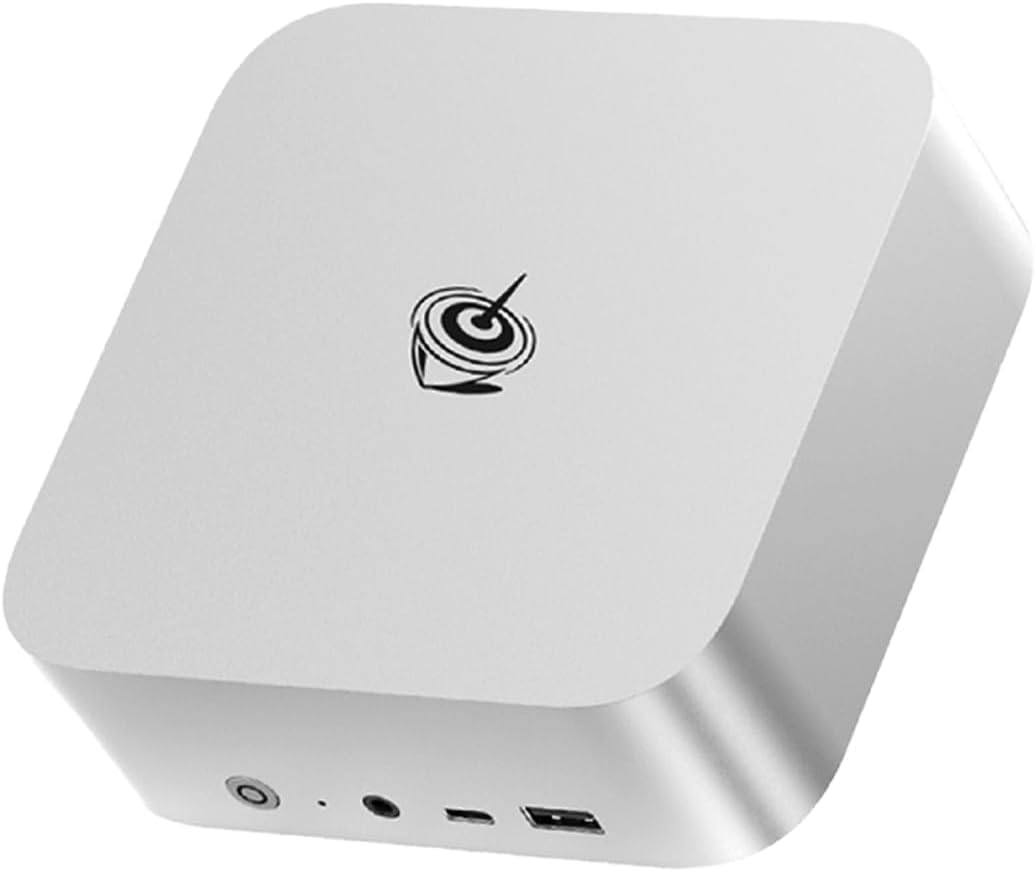
Beelink SER9: Single 2.5GbE. WiFi 6 and Bluetooth 5.2. WiFi 6 is one generation behind WiFi 7. Single USB4 port (40Gbps).
For wireless: WiFi 7 is future-proof and provides faster speeds. The X1-255 has WiFi 7; the SER9 has WiFi 6. For a homelab that lives on Ethernet, this matters less.
Barebone option: The X1-255 is available as a barebone system at $327 — bring your own DDR5 SO-DIMM and M.2 SSD. This is exceptional value for DIY builders. The SER9 has no barebone option.
Power Consumption
| Metric | X1-255 | SER9 |
|---|---|---|
| Idle (W) | ~8W | ~8W |
| Load (W) | ~55W | ~78W |
| Annual Cost (24/7 idle) | ~$8.41/year | ~$8.41/year |
Annual cost calculated at $0.12/kWh. Sources: Community estimates, Guru3D.
Idle power is identical — both share the H255/255 platform. Under load, the X1-255 is more power-efficient (~55W vs ~78W), likely due to the more efficient power delivery of its external adapter design.
Reviews and Brand Trust
This is where the SER9 justifies its premium:
MINISFORUM X1-255: 11 Amazon reviews at 4.6 stars. Early impressions are positive, with users praising the WiFi 7, upgradeable RAM, and compact design. The 4.6★ rating is promising for a new product.
Beelink SER9: 677 Amazon reviews at 4.2 stars. This is social proof you can’t ignore. Beelink has established support channels and a track record of honoring warranties. For risk-averse buyers, this matters enormously.
What 677 reviews means:
- Proven long-term reliability
- Known issues are documented
- Beelink support has track record
- Community knowledge base exists
Price and Value
At $739, the X1-255 is $100 cheaper than the SER9 at $839. Here’s what you get for the extra $100 on the SER9:
- 677 reviews proving reliability (vs 11)
- Beelink’s established brand and support
- Faster LPDDR5X bandwidth (~10-15%)
- Peace of mind for risk-averse buyers
Here’s what you get for saving $100 on the X1-255:
- Upgradeable DDR5 SO-DIMM (vs soldered LPDDR5X)
- WiFi 7 (vs WiFi 6)
- Dual USB4 ports (vs single)
- $327 barebone option
Value ranking:
- For upgradeability: X1-255 wins
- For WiFi: X1-255 wins
- For proven reliability: SER9 wins
- For budget: X1-255 wins
Real-World Use Cases
For Local LLMs (Ollama)
X1-255 wins. Both handle 7B-13B models identically, but the X1-255’s upgradeable DDR5 means you can add 32GB later for 34B models. The SER9’s soldered 32GB is a permanent ceiling.
For Homelab (Proxmox, Docker)
X1-255 wins. The upgradeable RAM handles more VMs. WiFi 7 is future-proof. The $327 barebone option is exceptional for budget homelab builds.
For Daily Use (Office, Media)
SER9 wins. The 677 reviews prove reliability for daily drivers. The compact chassis fits anywhere. WiFi 6 is adequate for most home networks.
For Budget Buyers
X1-255 wins. At $739, it’s $100 cheaper with upgradeable RAM and WiFi 7. The $327 barebone option is the cheapest modern mini PC entry point.
Final Verdict: Which Should You Buy?
Buy the MINISFORUM X1-255 if:
- You want upgradeable DDR5 SO-DIMM for future 34B LLMs
- You need WiFi 7 for future-proofing
- You’re interested in the $327 barebone option for DIY
- You want to save $100
- You’re comfortable with 11 reviews (4.6★)
Buy the if
Beelink SER9
- You value proven reliability (677 reviews at 4.2 stars)
- You prefer established brands with track records
- You don’t need more than 32GB RAM ever
- You want faster LPDDR5X bandwidth
- You’re risk-averse and want community proof
- WiFi 6 is adequate for your setup
Amazon Product Links
- MINISFORUM X1-255 — $739 (upgradeable DDR5, WiFi 7)
- Beelink SER9 — $839 (677 reviews, soldered LPDDR5X, proven reliability)
- MINISFORUM X1-255 Barebone — $327 (DIY, bring your own RAM/SSD)
Frequently Asked Questions
Is the Ryzen 7 255 the same as H 255?
Yes. The 255 and H 255 are the same chip — AMD’s Hawk Point refresh. Both are 8C/16T at up to 4.9 GHz with the same XDNA 1 NPU (16 TOPS). The naming difference is marketing, not technical.
Is the LPDDR5X noticeably faster than DDR5?
In bandwidth-sensitive workloads like LLM inference, LPDDR5X is ~10-15% faster. But the difference is small compared to the upgradeability disadvantage. For 7B-13B models, you won’t notice the difference. For 34B+ models, having 64GB DDR5 matters far more than the bandwidth advantage of soldered LPDDR5X.
Can both systems run local LLMs?
Yes. The 38 TOPS handles 7B models at 25-40 tokens/sec and 13B models at 10-20 tokens/sec. This is entry-level AI but sufficient for chat and inference workloads. For 34B+ models, the X1-255’s upgradeable RAM is a genuine advantage.
Is WiFi 7 worth it?
For a homelab that lives on Ethernet, no. For a desktop replacement or media PC, WiFi 7 is future-proof. If you have a WiFi 7 router (or plan to upgrade), the X1-255 is the better choice.
Is the $100 premium for SER9 worth it?
For risk-averse buyers, yes. The 677 reviews at 4.2★ prove long-term reliability. For upgrade-focused buyers, no — the X1-255’s upgradeable RAM and WiFi 7 are better value.
Can I upgrade the SER9’s RAM later?
No. The LPDDR5X is soldered to the motherboard — 32GB is the permanent ceiling. For upgradeable RAM, the X1-255 is the only option in this comparison.