
This article contains affiliate links. If you purchase through our links, we may earn a commission at no extra cost to you. We only recommend products we’ve thoroughly researched and verified.
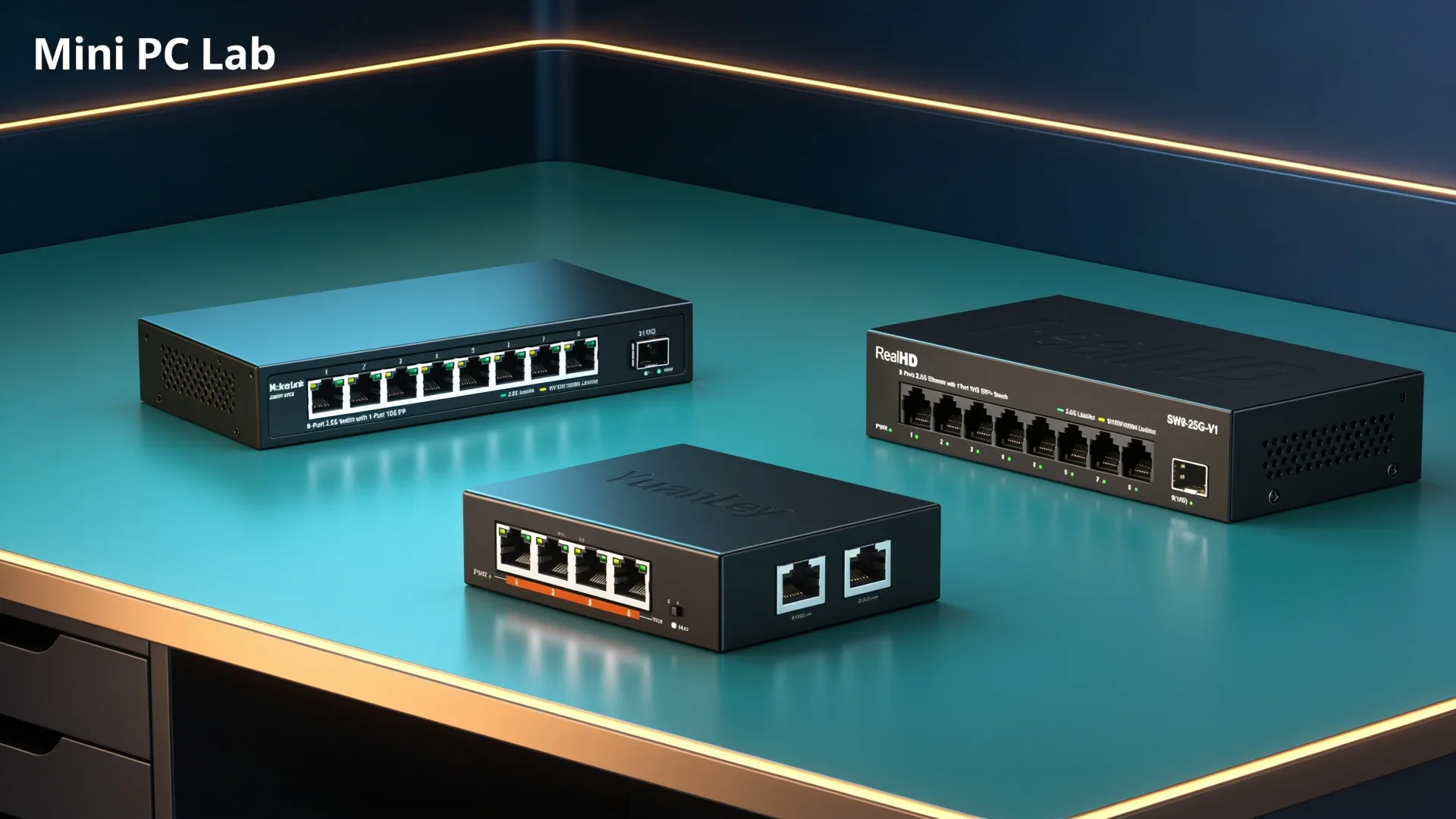
The best 2.5GbE switch for a small homelab is usually an eight-port fanless model with a 10G uplink. That combination gives a mini PC, NAS, workstation, access point, and a few spare devices room to grow without adding fan noise to the room.
Our main pick is the MokerLink 2G08110GS. It combines eight 2.5GbE copper ports with one 10G SFP+ port, publishes a compact 190 by 100 by 28 mm footprint, and fits on a vented shelf in a 10-inch rack. The Real HD SW8-25G is the budget alternative. Choose the YuanLey or GiGaPlus when PoE for cameras or access points matters more than a simple silent network.
All four current listings were available when we checked them on August 25, 2026. They were third-party offers rather than Amazon-direct listings, so stock and price can move quickly. We use approximate price bands and you should check the live offer before buying.
Quick picks
| Switch | Best for | Copper ports | Uplink | Fan or PoE angle | Approximate price |
|---|---|---|---|---|---|
| MokerLink 2G08110GS | Best overall | 8 × 2.5GbE | 1 × 10G SFP+ | Fanless, unmanaged | ~$45–65 |
| Real HD SW8-25G | Lowest-cost eight-port option | 8 × 2.5GbE | 1 × 10G SFP+ | Fanless, unmanaged | ~$35–50 |
| YuanLey 6 Port 2.5G PoE Switch | Small PoE build | 4 × 2.5G PoE | 2 × 10G SFP | PoE, unmanaged | ~$50–70 |
| GiGaPlus GP-S25-0802P | PoE with more ports | 8 × 2.5G PoE+ | 2 × 10G SFP+ | Metal, unmanaged | ~$85–110 |
The speed labels describe link capacity, not guaranteed file-copy performance. The IEEE 802.3bz standard defines 2.5GBASE-T, while the real transfer rate still depends on both endpoints, the cabling, storage, and protocol overhead. Use our network transfer calculator before paying for a faster uplink.
What matters in a homelab switch
Fanless versus PoE
A fanless switch is the easy choice for an office, bedroom, or living-room rack. It removes a moving part and one source of noise. It still needs open air around the case. Do not bury a small fanless switch above a hot mini PC or inside a solid cabinet.
PoE changes the decision. A PoE switch can carry power and data to a camera, wireless access point, or other compatible device over one Ethernet cable. The TP-Link Omada product range shows the feature split clearly: its fanless multi-gig PoE models combine 2.5G copper ports with 10G SFP+ uplinks, while its managed software adds VLAN, loop detection, and monitoring features. Our four picks are unmanaged, so they should not be treated as a replacement for a managed camera network.
Eight ports is the useful middle ground
Count the ports you need now, then leave room for the devices you will add. A typical compact homelab can use:
- One port for the router or firewall
- One or two ports for mini PCs
- One port for a NAS
- One port for a desktop or laptop dock
- One port for an access point
- One or more spare ports for cameras, a backup box, or a second workstation
A five-port switch works for one server and one client. Eight copper ports are a better long-term fit when the switch is the center of a small rack. PoE can make six total ports feel tight quickly because cameras and access points consume their own connections.
Why the 10G uplink can matter
The uplink connects this small switch to a faster part of the network. An SFP+ uplink is useful when a NAS, router, or core switch has 10GbE. It is less important when every device is 1GbE or 2.5GbE and there is no faster backbone.
SFP+ is also a planning detail. You may need a DAC cable for a short same-rack connection or a compatible optical transceiver and fiber for a longer run. Check the switch and the device at the other end before assuming any SFP+ module will work.
Do not confuse a 10G uplink with ten gigabits of shared internet access. It only raises the connection ceiling between compatible network devices. A single hard drive pool or a mini PC with one 2.5GbE port may never use it fully.
Best overall: MokerLink 2G08110GS
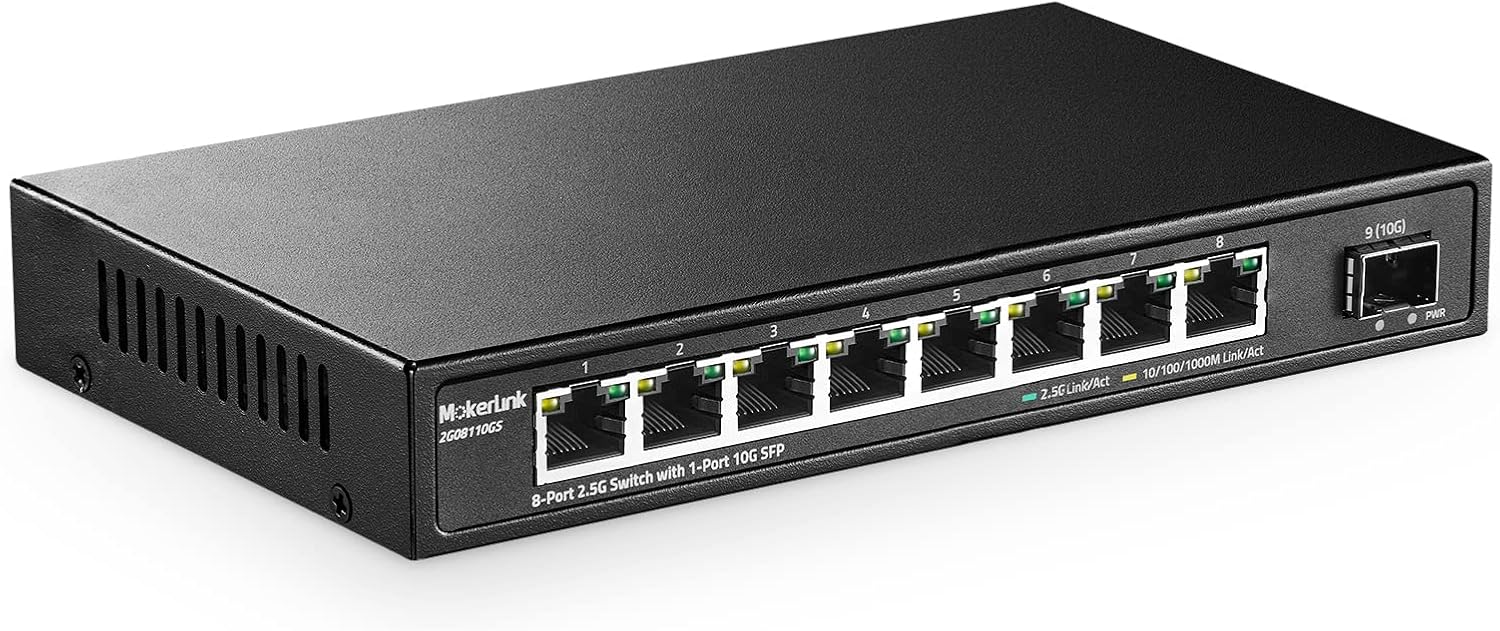
🥇 Best Overall
MokerLink 2G08110GS
The MokerLink is the most balanced choice for a compact homelab. Its eight 2.5GbE ports cover the common mini PC and NAS layout, while the 10G SFP+ port leaves a clean path to a faster router or aggregation switch. The 190 by 100 by 28 mm dimensions are useful in practice because the unit can sit on a vented shelf instead of consuming a full rack position.
The listing identifies it as an unmanaged switch. That is fine for a flat network where the router handles the main services and every device can share one LAN. It is not the right answer for separate camera, guest, storage, and management networks.
The current listing was around the mid-$50 range when checked, with a third-party seller. Check the exact offer before buying: a low-cost switch is only a good deal while the listing still has a sensible return path.
Why we recommend it: eight copper ports, a 10G SFP+ uplink, fanless construction, and a published compact footprint make it the easiest default for a small rack shelf.
Who should skip it: skip the MokerLink if you need VLANs, SNMP, link aggregation, or a documented vendor management platform. Choose managed hardware instead, even if that means waiting for a better listing.
Best budget pick: Real HD SW8-25G
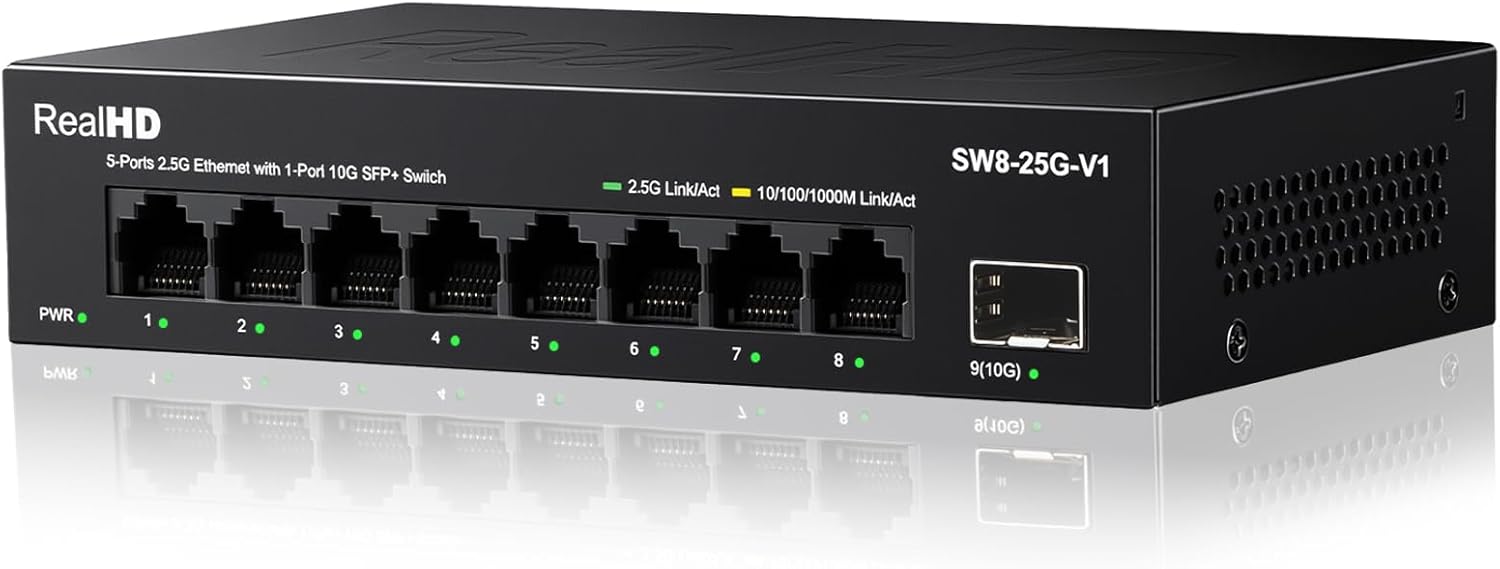
🥈 Best Budget
Real HD SW8-25G
The Real HD covers the same basic layout for less. It has eight 2.5GbE ports and one 10G SFP+ port in a fanless unmanaged design. The listing snapshot was near the $40 range, making it the simplest way to move a small mini PC network beyond gigabit without paying for management or PoE.
This is the pick for a flat network with a mini PC server, a NAS, and a few fast clients. Its low price does not make it a managed switch. You still need the router or firewall to provide DHCP, VLAN routing, and the rest of your network policy.
The tradeoff is less product detail and less room for confidence than a large networking brand provides. We found the listing available, but it was sold by a third-party seller. Keep the purchase documentation and confirm the port layout when it arrives.
Why we recommend it: it gives you eight 2.5GbE connections and a 10G SFP+ uplink at the lowest current price band in this group.
Who should skip it: skip it if your network depends on VLANs, loop protection, centralized configuration, or vendor firmware support. It is also a poor fit if you need PoE for cameras or access points.
Best for a small PoE build: YuanLey 6 Port 2.5G PoE Switch
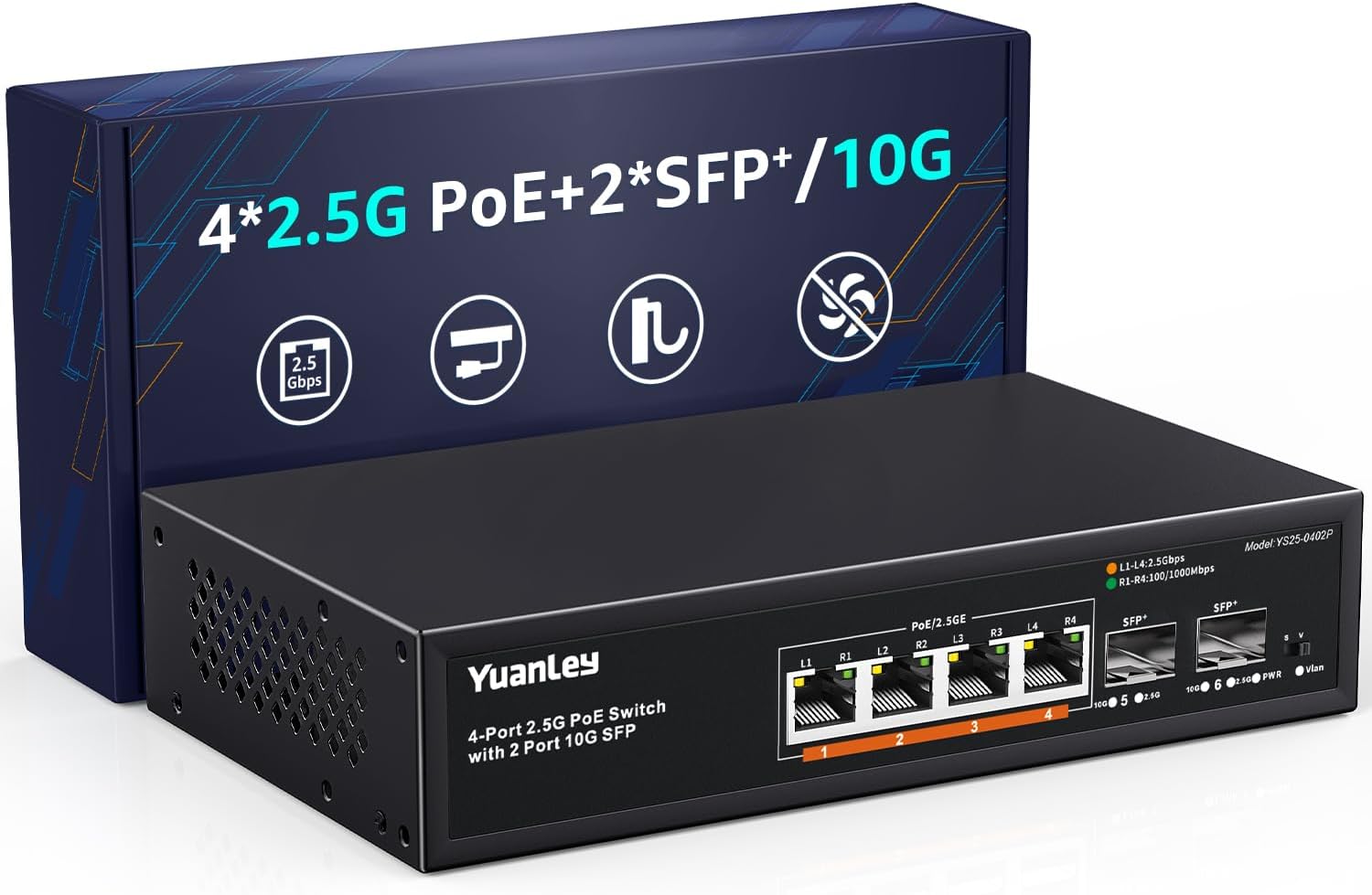
🥉 Best for a Small PoE Build
YuanLey 2.5G PoE switch
The YuanLey is the compact PoE option. Its current listing title identifies six total ports with four 2.5G Base-T PoE ports and two 10G SFP ports. That corrected identity matters because the older research label described it as a four-port switch. The live listing is the source for the six-port layout.
Four PoE ports are enough for a small camera group or one access point plus a few other powered devices. The two SFP ports can connect the switch to a faster core or provide a second high-speed path, but check the compatibility of the modules and the device at the other end.
This is still unmanaged hardware. PoE supplies power; it does not isolate cameras from the rest of your LAN. Put the switch behind a router or firewall that can create the network separation you need, or choose a managed PoE model.
Why we recommend it: it places four 2.5G PoE ports and two 10G SFP ports in a small chassis for a camera or access-point build that does not need a full rack switch.
Who should skip it: skip it if six total ports will fill immediately, if you need managed camera VLANs, or if your devices do not support the PoE standard listed for the switch.
Best PoE capacity: GiGaPlus GP-S25-0802P
⭐ Best PoE Capacity
GiGaPlus GP-S25-0802P
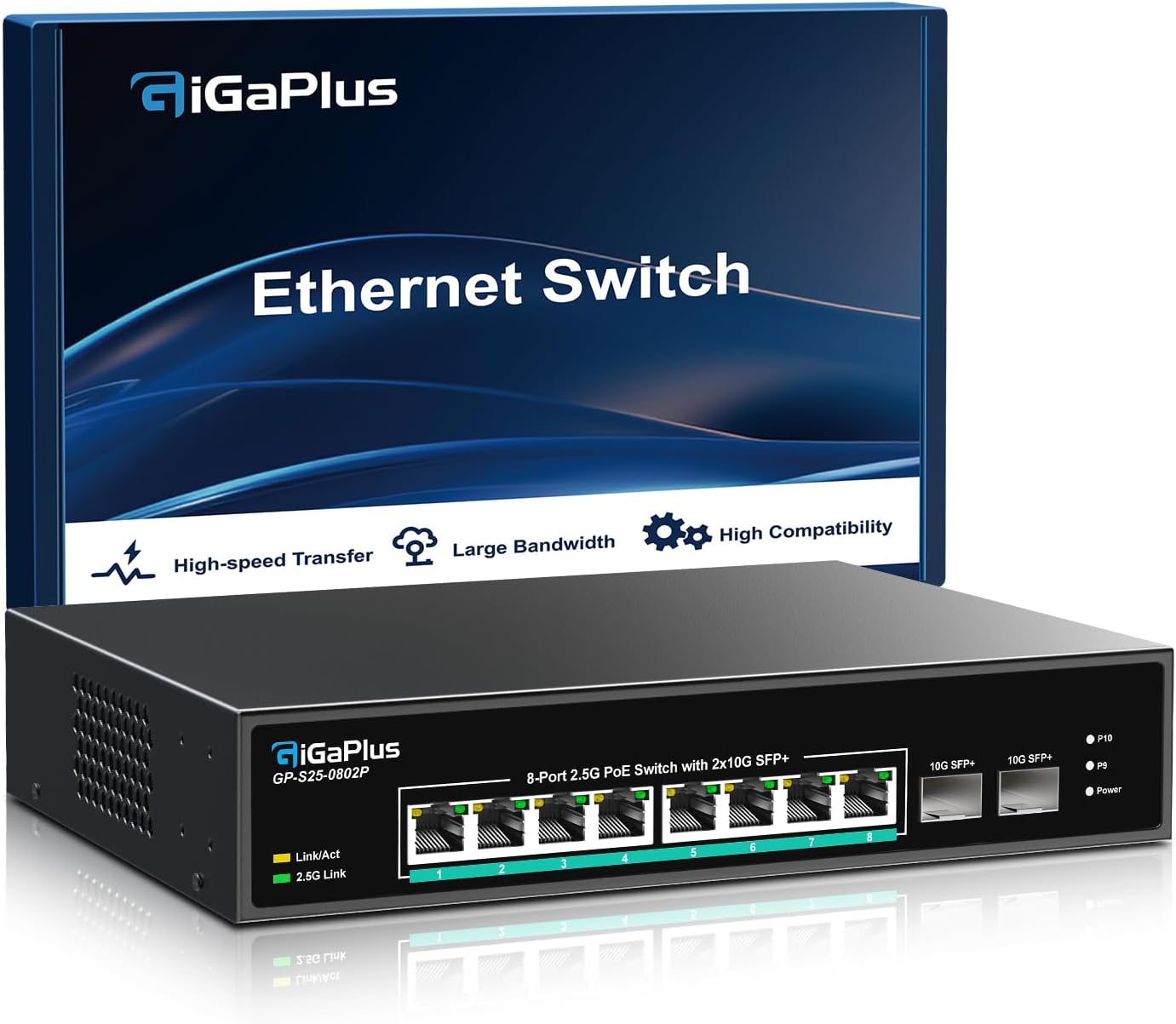
The GiGaPlus is the better PoE layout when a small homelab has more devices to power. The listing identifies eight 2.5G Base-T PoE+ ports and two 10G SFP+ uplinks in a metal chassis. That gives you more copper ports than the YuanLey and two high-speed uplinks for a more capable network edge.
The compact rack catch is important. The product-library validation notes that native 10-inch mounting needs 3D-printed ears. Plan for a shelf or an ear kit before you buy. A switch that fits electrically but cannot be mounted or ventilated where you want it is not a good rack choice.
The current listing was in the high-$90 range and came from a third-party seller. Treat the price as a moving range, not a promise. Also avoid inventing a PoE budget from the number of ports. The manufacturer or live listing must publish the total budget before you plan several powered devices around it.
Why we recommend it: eight 2.5G PoE+ ports and two 10G SFP+ uplinks leave more room for cameras and access points than the smaller PoE option.
Who should skip it: skip it if you only need a switch for two mini PCs and a NAS, if you require managed features, or if you do not want to solve the 10-inch rack mounting question.
What happened to the MikroTik CRS310 pick?
The MikroTik CRS310-8G+2S+IN is the obvious managed reference for this category because it combines 2.5G copper ports with 10G SFP+ connectivity and a real network operating system. Its US Amazon listing and the matching rack ear kit were both out of stock when we checked them on August 25, 2026.
We are not silently replacing it with a different managed switch. If you need VLANs, STP, SNMP, or a managed configuration today, shop from a current managed model with a verified US listing. If you want this exact MikroTik feature set, wait for a live listing and check the ear-kit availability at the same time.
Unmanaged or managed for a mini PC homelab?
Use an unmanaged switch when all of these are true:
- You have one flat LAN
- The router or firewall handles DHCP and routing
- You do not need separate camera, guest, storage, or management networks
- You want the fewest settings and the lowest purchase cost
Use a managed switch when any of these matter:
- VLANs for cameras, guests, or storage
- Loop prevention and spanning-tree controls
- SNMP or another monitoring system
- Link aggregation between compatible devices
- Port isolation, traffic policies, or a switch that belongs to a larger managed ecosystem
The cheap picks in this guide are intentionally simple. Simplicity is useful for a first homelab, but it is not a substitute for segmentation. A camera network deserves proper isolation, and that requires a managed switch or another design that provides the same boundary.
Does 2.5GbE fit your storage?
The network upgrade is most visible when both endpoints can sustain it. A single hard drive may not fill a 2.5GbE link during every workload. A pair of drives, a SATA SSD, an NVMe pool, or multiple clients can make the faster network more useful.
The same rule applies to a mini PC server. A box with one 2.5GbE port can use one fast connection, but it cannot create a 5Gbps path by itself. Dual 2.5GbE ports can help with separate networks or link aggregation only when the switch and operating system support the required configuration.
The 2.5GbE versus 1GbE home server guide covers the workload question. For the hardware side, our best mini PC with 10GbE guide explains when a faster NIC makes sense. Use the network transfer calculator with your file size and link speed before buying a switch, cables, or a 10G uplink.
Who should skip a 2.5GbE switch?
Skip the upgrade if every device on your network has a 1GbE port, your internet connection is the only workload that matters, and you rarely move large files. A faster switch cannot upgrade a 1GbE mini PC NIC or make a slow hard drive pool behave like NVMe.
Also skip these four unmanaged models if you need security boundaries, monitoring, link aggregation, or a switch that can join a managed ecosystem. In that case, choose managed hardware based on documented VLAN, loop, monitoring, and uplink support. The upfront cost is easier to justify than replacing a simple switch after the network grows.
How we chose these switches
We checked the four product identities, current availability, prices, seller status, and product images against their live Amazon listings on August 25, 2026. We cross-checked the compact dimensions and port descriptions against the Mini PC Lab product records. The IEEE 802.3bz entry supplied the 2.5GBASE-T standards context, while TP-Link’s current multi-gig product documentation supplied a named comparison point for fanless designs, PoE, SFP+ uplinks, and managed features.
We did not run throughput, heat, or noise measurements on these switches. The article therefore uses listing and manufacturer claims for hardware facts and makes no hands-on performance claim. The current Amazon review extractor returned no usable critical-review text for these four listings on the day checked, so we do not present unverified owner anecdotes as evidence.
Final verdict
Buy the MokerLink 2G08110GS for the most balanced small homelab layout. Buy the Real HD SW8-25G when cost is the deciding factor. Choose the YuanLey for a small PoE network, or the GiGaPlus when you need eight PoE+ ports and two 10G SFP+ uplinks.
The shared limitation is that every pick is unmanaged. That is the honest reason they are affordable and easy to deploy, and it is also the reason to choose a managed switch instead when your homelab needs VLANs or network monitoring.
Frequently Asked Questions
What is the best 2.5GbE switch for a homelab?
The MokerLink 2G08110GS is the best fit for a small homelab that needs eight 2.5GbE ports, one 10G SFP+ uplink, fanless operation, and a compact shelf footprint. Choose the Real HD SW8-25G when the lowest price matters more than brand support or choose a PoE model when cameras or access points are part of the plan.
Is a fanless 2.5GbE switch better for a homelab?
Usually, yes, when the switch sits in a bedroom, office, or living space. Fanless models remove one source of noise, but they still need open airflow around the chassis. A PoE switch can be the better choice when it powers cameras or access points, even if its thermal behavior is a higher priority than silence.
Do I need a 10G uplink on a 2.5GbE switch?
You need one when the switch connects to a 10GbE NAS, another switch, or a core router and several 2.5GbE clients can send traffic at once. It is not required for a single mini PC and one workstation. SFP+ also means budgeting for a compatible DAC or transceiver.
Can a 2.5GbE switch fit in a 10-inch rack?
The compact switches in this guide sit on a vented rack shelf rather than mounting directly. The Real HD and MokerLink are shelf-friendly. The GiGaPlus can use 3D-printed ears for native mounting, while the rack depth and ear design must be checked before ordering.
Should I buy a managed or unmanaged 2.5GbE switch?
Unmanaged is enough for a flat network with mini PCs, a NAS, and ordinary clients. Choose managed hardware when you need VLANs, loop protection, traffic monitoring, or link aggregation. The managed MikroTik CRS310 is a useful reference point, but its current Amazon US listing was out of stock when these picks were checked.
Does a 2.5GbE switch make a mini PC faster?
No. It raises the network ceiling between compatible devices. The mini PC, NAS, client, cables, and storage must all support the faster link, and the transfer calculator can show whether the upgrade changes your copy time.