
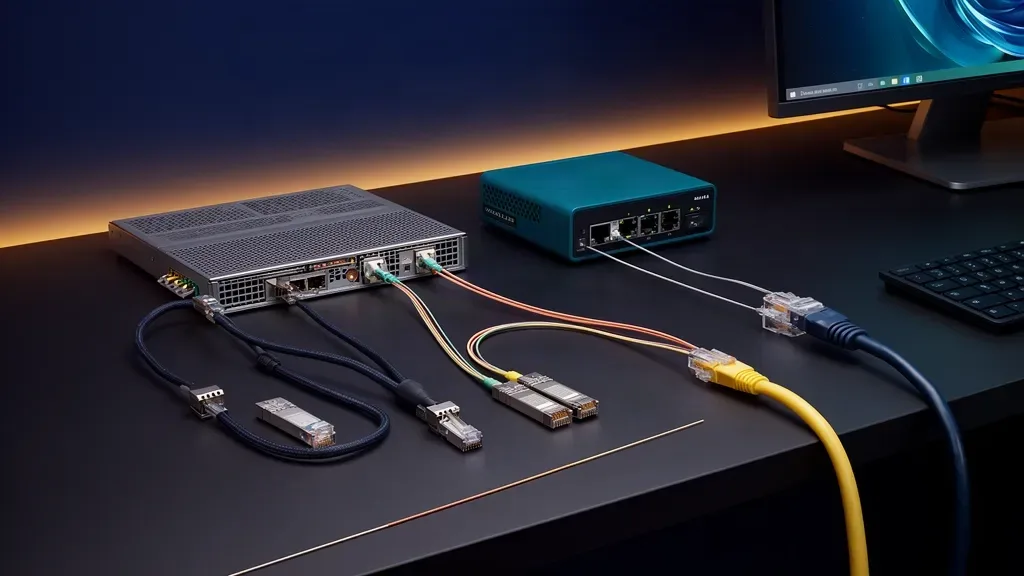
The best 10GbE cable is the one that matches both ends of the link. Use a passive SFP+ DAC for a short connection between compatible devices in the same rack. Use fiber when the path leaves the rack, crosses a room, or needs electrical isolation. Use Cat6a with 10GBASE-T when your endpoints have RJ45 ports or your building already has suitable structured copper.
Those are different deployment choices even though they all carry 10GbE. A DAC is a fixed copper assembly with SFP+ ends. Fiber uses separate optical modules and a patch lead. 10GBASE-T uses four-pair twisted-pair cable and either a native RJ45 port or an SFP+ copper transceiver.
The connector is only the first question. Distance, module compatibility, switch cooling, cable routing, and the number of parts in the link matter just as much. This guide works through those tradeoffs so you can buy one link that negotiates cleanly instead of collecting incompatible cables and modules.
The short answer
Choose passive SFP+ DAC when:
- The two devices are in the same rack or within a few meters
- Both ports accept the same class of SFP+ direct-attach cable
- You want the fewest parts and the lowest link power
- A stiff, thicker cable is acceptable in the rack
Choose SFP+ fiber when:
- The run is longer than a practical DAC length
- You are connecting rooms, floors, or separate electrical zones
- You want a thin cable with no electrical connection between endpoints
- Both endpoints accept compatible optical modules
Choose native 10GBASE-T over Cat6a when:
- The endpoints already have RJ45 10GbE ports
- You need familiar patching and backward compatibility with ordinary Ethernet
- Existing structured Cat6a makes the run easy
- The distance is too long for passive DAC but does not justify an optical path
Use an SFP+ 10GBASE-T module only when you have checked its reach and heat rating. An RJ45 module in an SFP+ cage is not equivalent to a native 10GBASE-T port. That distinction is one of the easiest ways to build an expensive link that runs hot or falls back to a lower speed.
What the three choices actually are
Passive SFP+ DAC
A passive direct-attach copper cable has an SFP+ connector permanently attached at each end. There are no separate optics to select and no loose fiber patch lead to manage. It is a direct, short connection between two SFP+ ports.
Juniper describes passive DAC as a Twinax cable for in-rack connections between servers and switches. Its NFX250 documentation lists 1, 3, and 5 meter cables and rates the cable at 0.57 watts per end. Intel’s X520 compatibility guidance sets a seven-meter maximum for passive cables on that adapter family.
Passive DAC is not the only direct-attach option. Cisco also sells active twinax cables at 7 and 10 meters and active optical cables up to 10 meters, and rates those at 1 watt instead of the 0.1 watt it lists for its passive cables. They extend a same-room link, but they are still fixed-length assemblies with the same compatibility questions, so treat them as a middle step rather than a replacement for a proper fiber run.
Those figures describe specific vendor hardware, not a universal promise for every SFP+ port. Some switches accept only coded or vendor-qualified assemblies. Others accept a broader set of compatible cables. Read the switch and NIC compatibility lists before ordering, especially if one end uses a used server adapter.
SFP+ fiber
Fiber links use a transceiver in each SFP+ port and a fiber patch cable between them. The transceiver determines the optical standard. The cable must match the standard, connector arrangement, and distance plan.
For short building and rack paths, 10GBASE-SR over multimode fiber is the usual starting point. Cisco lists up to 300 meters over OM3 and up to 400 meters over OM4 for its 10GBASE-SR modules. Single-mode options such as 10GBASE-LR are intended for much longer paths, but that reach is rarely the limiting factor inside a home.
Fiber does not mean a single cable type. OM3 and OM4 are multimode choices commonly paired with SR modules. OS2 single-mode fiber is a different choice commonly paired with LR modules. Do not buy a random optic and assume the port will work because the connector looks right.
Native 10GBASE-T
Native 10GBASE-T uses an RJ45 port and twisted-pair copper cable. CommScope’s Cat 6A fact file states that Category 6A supports 10GBASE-T to the full 100-meter channel defined in the cabling standards. The same document explains that the IEEE 802.3an project only committed to at least 55 meters over Category 6, and that every component in the channel, from jacks to patch cords, has to be matched for the link to pass. A cable that works over a short run can fail at full length.
This is the most familiar option for a home network. You can patch it like ordinary Ethernet, connect it to an RJ45 wall jack, and use compatible lower-speed devices where the hardware supports multigigabit negotiation.
The catch is that native 10GBASE-T and an SFP+ port with a copper module are not the same thing. Cisco rates its SFP-10G-T-X module for 10GbE over Cat6A up to 30 meters, and MikroTik lists the same 30-meter limit at 10 Gbps for its S+RJ10 module, even though native 10GBASE-T platforms can support 100-meter Cat6a channels. A module’s thermal and electrical limits can be stricter than the cable standard.
Comparison table
| Medium | Typical home lab role | Reach to plan around | Parts required | Heat and power profile | Main risk |
|---|---|---|---|---|---|
| Passive SFP+ DAC | Same rack or desk | Up to about 7 meters on supported adapters | One fixed cable | Lowest of these choices in many implementations | Port or cable compatibility |
| SFP+ SR fiber | Room, floor, or rack backbone | 300 meters over OM3 or 400 meters over OM4 in Cisco’s SR guidance | Two optical modules and one fiber patch cable | Low module power, no electrical signal path | Wrong optic or fiber type |
| SFP+ LR fiber | Long building or campus path | Several kilometers depending on module and fiber plan | Two LR modules and matching single-mode fiber | Low to moderate optical module power | Excessive complexity for a home run |
| Native 10GBASE-T | Structured copper and RJ45 endpoints | Up to 100 meters over a compliant Cat6a channel | Native ports and Cat6a cable | Higher PHY power and heat than passive DAC or many optics | Thick cable, crosstalk, and switch cooling |
| SFP+ 10GBASE-T module | SFP+ switch to RJ45 endpoint | 30 meters at 10GbE on the Cisco and MikroTik modules | One copper module at the SFP+ side | Higher module power and heat | Assuming it has the same reach as native RJ45 |
The distance column is a planning guide, not a license to mix parts. The exact module, adapter, switch, cable construction, and installation decide whether the link is supported.
Cost is mostly a parts-count decision
A DAC is the cheapest link to assemble when both endpoints already have compatible SFP+ ports. One cable contains both ends. There is no pair of optics and no separate patch lead. The tradeoff is that the cable becomes useless for a longer run and may be tied to a narrower compatibility list.
Fiber usually requires four decisions: the transceiver type at each end, the fiber type, the connector style, and the length. That adds parts and gives you more ways to choose incorrectly. It also gives you a path that can stay useful when a rack moves to another room or a longer backbone is added later.
Native 10GBASE-T can be the most economical choice when the cable is already installed and both devices have RJ45 10GbE ports. You do not need separate optics. For a new run, though, installation cost, conduit space, shielding decisions, and cable routing can matter more than the price of a short patch lead.
An SFP+ copper module changes the calculation. If a switch has SFP+ cages and a server has an RJ45 10GbE port, you need a module at the switch and a Cat6a cable. If both ends have SFP+ ports, a DAC or optical pair is usually the simpler route. If several ports use 10GBASE-T modules, the switch must dissipate more heat than the same switch populated with passive DACs or many optical links.
Do not compare only the cable price. Count every transceiver, the cable plant, spare parts, power draw, and whether the link can be reused after the next hardware change.
Heat and power are real design constraints
10GbE copper has a reputation for running hot because the electrical PHY has more work to do over twisted-pair cable. The exact result depends on the platform, link state, module design, airflow, and cable length. A fanless switch with several hot RJ45 modules is a different thermal problem from a server with one native 10GBASE-T port.
Cisco’s SFP+ data sheet gives a useful comparison of module classes. It lists 0.1 watts for several passive SFP+ copper cable assemblies, 1 watt for several 10G optical modules, and 2.5 watts for the SFP-10G-T-X copper module. Those are maximum or vendor-rated module figures, not a complete switch-port power budget, but they show why the physical medium matters.
Juniper lists 0.57 watts per end for its passive DAC examples. MikroTik’s guidance for its S+RJ10 copper module is the most useful document for a small homelab switch: it gives an average of 2.7 watts on a 30-meter 10GBASE-T link, compares that with a maximum of 0.8 watts for one of its own short-reach optics, and says the module itself can reach 90 degrees Celsius. MikroTik recommends putting these modules in every second SFP+ cage with an optic or an empty cage between them, and says devices with passive cooling need extra airflow when they carry them.
The practical conclusion is straightforward: DAC usually has the smallest thermal burden, fiber is often next, and an SFP+ 10GBASE-T module is commonly the hottest choice. On a fanless four-port SFP+ switch, two or more copper modules side by side is exactly the layout the module vendor warns against.
That order is useful but not absolute. A native RJ45 port can be designed more efficiently than a small SFP+ copper module. An optical module can have a different rating from another optical module. Check the actual data sheet when a switch will be full of 10GbE links or live in a quiet room.
For an always-on network, use the power cost calculator with the measured or vendor-published draw of the actual switch and endpoints. Do not turn a transceiver’s maximum rating into a promise about the whole appliance.
Distance and routing behavior
Same rack
DAC is the default starting point for a same-rack link. It is short, direct, and easy to trace. Leave enough room for the cable’s bend radius and do not force the connector against a side panel. Twinax cables are thicker and stiffer than a thin fiber patch lead, so a dense rack can become difficult to dress even when the link itself works.
Fiber also works in a rack. It becomes attractive when the switch has a lot of SFP+ ports, when you want flexible routing, or when the next move may put the endpoint farther away. The extra optics are the price of that flexibility.
Across a room
Use fiber when a rack and workstation are separated by a room and both ends have SFP+ ports or adapters. It avoids the short reach of passive DAC and keeps the two devices electrically isolated. Protect the connectors from dust, respect the cable bend radius, and label each end because a fiber pair is easier to misidentify after it is bundled.
Use Cat6a when the building already has a suitable run or when the endpoint has a native RJ45 port. That path is convenient, but confirm the full channel rather than looking only at the cable jacket. Patch panels, couplers, poor terminations, tight bundles, and excess bend can reduce the margin.
Between floors or buildings
Fiber is the clear choice for a long backbone. Use a module and cable combination designed for the actual distance, then account for patch panels and connector losses. A home does not need a 10-kilometer optic simply because it is available. The right reach is the one that leaves enough margin without adding unnecessary cost and troubleshooting.
Never use a copper DAC as a substitute for a building backbone. Its short reach and stiffness make it the wrong physical tool even if the link speed is correct.
Link worksheet: fill this in before you order
Fill in one row set per link. If any answer lands in the stop column, fix that before buying parts.
| Check | Write down | Stop and rethink if |
|---|---|---|
| Port at end A and end B | Native RJ45, SFP+, or another interface on each side | One end is RJ45 and you planned a DAC, or the ports are different generations you have not checked |
| Path length | Measured route including slack, patch leads, and any patch panel | Passive DAC over the length the adapter supports, 7 meters on Intel’s X520, or an SFP+ copper module over 30 meters |
| Module support | The exact switch and NIC compatibility list, plus any coding or vendor lock | Either vendor states third-party modules will not work, and the part you picked is third-party |
| Fiber plan | SR with OM3 or OM4 multimode, or LR with OS2 single-mode, and the connector type | The optic and the fiber type do not match, or the connector on the patch lead does not match the module |
| Switch power and cooling | How many hot modules share the cage block, and whether the switch has a fan | Two or more SFP+ copper modules side by side in a fanless switch |
| Termination | Factory patch leads, field-terminated Cat6a, or LC duplex fiber with dust caps | A field-terminated Cat6a run that has never been tested, or fiber ends stored without caps |
| Validation plan | How you will read negotiated speed and error counters on both ends | You have no way to see link speed on one end |
A worked example: a NAS and a switch sit on the same 10-inch rack shelf, both with SFP+ cages, 0.8 meters apart. The answer is a 1-meter passive DAC from the switch vendor’s list. Now move the workstation to the next room, 18 meters away with an RJ45 10GbE port. A DAC is out, and an SFP+ copper module at the switch would sit inside its 30-meter rating but add heat next to the NAS link. If the switch is fanless and already carries one copper module, the cleaner answer is SR fiber with an SFP+ adapter in the workstation, or a native RJ45 10GbE switch port.
Termination deserves its own line on the worksheet. LC duplex fiber has to cross over so that each transmitter reaches the far receiver. Pre-made duplex patch leads normally handle that, but a run built from panels and couplers can end up straight through. Keep dust caps on every unused optic and connector. For Cat6a, a factory-made patch lead is predictable, while a field-terminated run is only as good as the termination and should be certified or at least checked with a proper tester before you blame the switch.
Compatibility is where most failed links begin
Intel’s X520 compatibility article is blunt: validated modules are listed in Intel’s compatibility tool, other brands of SFP+ optical modules will not work with the X520 series, and passive direct-attach cables are limited to seven meters. That matters if your way into 10GbE is a used X520 card. Juniper similarly recommends Juniper-supplied DAC cables and says its support team does not cover third-party optics and cables.
That does not mean third-party parts never work. Plenty of switches and NICs accept them. It means “SFP+ is SFP+” is not a sufficient purchasing rule. Check both ends, keep the packaging until the link is proven, and buy from a source with a return path when the equipment is vendor-sensitive.
The most common mistakes are:
- Buying a passive DAC longer than the adapter supports
- Pairing an SR optic with single-mode fiber or an LR optic with the wrong multimode cable
- Assuming two SFP+ cages accept any RJ45 module
- Forgetting that some SFP+ copper modules support only short 10GbE runs
- Ignoring module temperature inside a fanless switch
- Treating a cable category printed on the jacket as proof that the installed channel is good
Three useful mixed-media designs
DAC inside the rack, fiber to the office
Use passive DAC between the NAS, switch, and server in the rack. Use SR fiber from the SFP+ switch to an office workstation or a second switch. This keeps the short connections inexpensive and cool while giving the backbone the reach and electrical isolation of fiber.
Native RJ45 at the workstation, SFP+ at the switch
Use a native 10GBASE-T workstation NIC and a supported SFP+ copper module in the switch when a Cat6a path already exists. Check the module’s maximum 10GbE distance instead of assuming the native RJ45 100-meter limit applies to the module.
2.5GbE access with a 10GbE storage link
Keep ordinary mini PCs, access points, cameras, and management devices on 2.5GbE. Use DAC or fiber for the NAS and the busiest workstation. Many 2.5GbE switches include one or two SFP+ uplinks for exactly this purpose, and the 2.5GbE switch guide sorts them by ports, uplink, and management. The 10GbE home network guide covers when this storage-island design makes sense, while the 2.5GbE versus 1GbE guide covers the lower-cost access tier.
This mixed approach is usually easier to justify than replacing every client link. It also gives you a clear expansion path: add a faster endpoint when its storage and workload can use it.
Validate the link after installation
Do not stop when the link light turns on. Check the negotiated speed at both endpoints, inspect the interface error counters, and run a transfer that reflects the workload you care about.
For a large file copy, compare the observed rate with the source and destination storage. The network transfer calculator helps estimate whether the link, source, or destination is likely to be the limit. A directory of small files and a VM datastore can behave very differently from one sequential media file.
If the link falls back to 1GbE or 2.5GbE, start with the physical path. Confirm the module type, cable type, length, and port mode. Then check firmware and vendor compatibility. Replace one variable at a time so you know which change fixed the problem.
Who should skip this upgrade
Skip 10GbE cabling complexity if your clients are mostly on Wi-Fi, your NAS uses one hard drive, or your homelab services move only small amounts of data. The 10GbE home network guide explains the workload gate in more detail, and the best mini PC with 10GbE guide covers systems where the faster interface is part of the purchase decision.
Keep 2.5GbE if the upgrade would require replacing a working switch and rewiring the house for a single occasional backup. Put that money toward storage, backups, or a UPS first. Faster cabling cannot repair a weak storage pool or make a backup strategy safer.
Final verdict
Use passive DAC for short compatible SFP+ links. Use fiber for distance, electrical isolation, and a backbone that may grow. Use native 10GBASE-T over Cat6a when RJ45 compatibility and existing structured copper matter more than the lower heat of SFP+ media.
The most important distinction is between native 10GBASE-T and an SFP+ RJ45 module. They use the same broad copper family, but they can have different reach and power limits. Check the endpoint data sheets, count the parts, and choose the medium from the path rather than from the connector label.
Frequently Asked Questions
Is DAC better than fiber for 10GbE?
DAC is usually the simplest and lowest-power choice for a compatible same-rack link. Fiber is the better choice for longer runs, electrical isolation, and room-to-room connections. Neither is automatically faster when both links negotiate at 10GbE.
How far can a 10GbE DAC cable run?
Passive SFP+ DAC is intended for short links. Intel lists a maximum passive cable length of 7 meters for the X520 family, while Juniper lists 1, 3, and 5 meter passive cables for its NFX250. Check the exact switch and NIC before ordering.
Can Cat6a run 10GbE for 100 meters?
A compliant 10GBASE-T link over Cat6a can reach 100 meters, including the channel and patch leads. That does not mean every SFP+ RJ45 module reaches 100 meters. Cisco rates its SFP-10G-T-X module for 10GbE over Cat6A up to 30 meters.
Does 10GbE fiber use less power than RJ45?
Often, yes, but compare the actual modules and platform. Cisco lists 1 watt for several 10G optical modules, 2.5 watts for its 10GBASE-T SFP+ module, and 0.1 watt for its passive SFP+ copper cables. Native RJ45 ports and other vendors can differ.
Should a home lab use SFP+ or RJ45 for 10GbE?
Use SFP+ DAC for short compatible links, SFP+ fiber for longer or electrically isolated paths, and native RJ45 10GBASE-T when you need existing Cat6a infrastructure or ordinary Ethernet patching. Choose from the endpoint ports and distance first.
Sources and further reading
- IEEE 802.3an 10GBASE-T standard
- Juniper NFX250 cable and transceiver planning
- Intel X520 SFP+ module and cable compatibility
- Intel Ethernet cables and transceivers technology guide
- Cisco 10GBASE SFP+ modules data sheet
- MikroTik S+RJ10 product specification
- MikroTik S+RJ10 general guidance
- CommScope Cat 6A fact file