
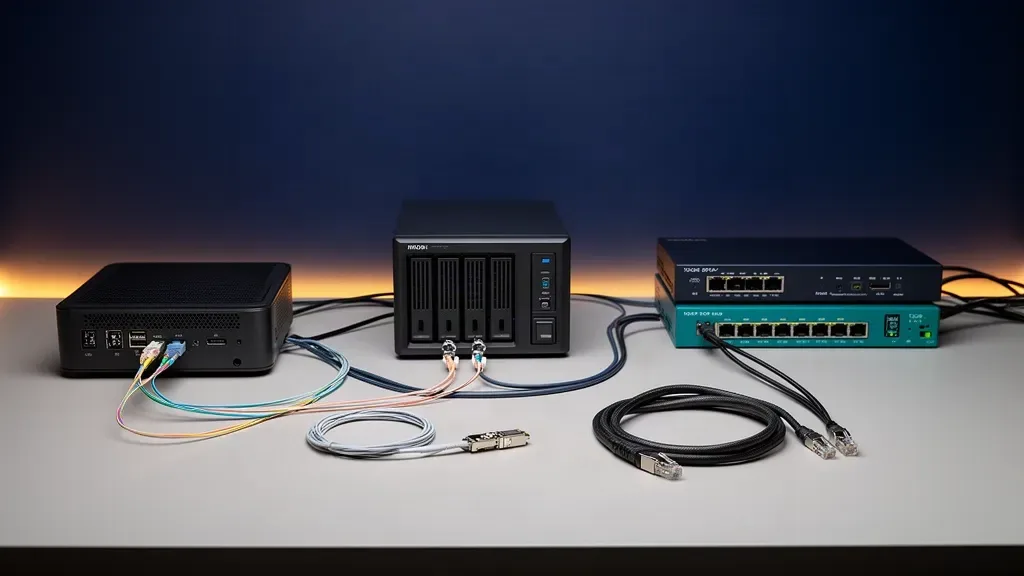
The honest answer is that most homelabs do not need 10GbE everywhere. A 10GbE link makes sense when a fast NAS, NVMe server, workstation, or several simultaneous transfers are hitting the ceiling of 1GbE or 2.5GbE. It does not make Home Assistant, DNS, dashboards, or ordinary media streaming feel faster.
Start with the bottleneck, not the switch. If a single hard drive is serving the file, a faster network only moves the bottleneck from the cable to the disk. If an NVMe pool is serving several clients, the network may be the limit and 10GbE can be a meaningful upgrade.
This guide shows when to stay on 2.5GbE, when to add one 10GbE link, and when a full 10GbE fabric is justified. Use the network transfer calculator with your file size and storage rate before buying hardware.
The short answer
Choose 10GbE when most of these statements describe your setup:
- You regularly move large files between a fast NAS and a workstation
- Your storage can sustain more than 2.5GbE for the workload you care about
- Two or more clients need fast access at the same time
- You run virtual machines, databases, or container storage over the network
- Your mini PC, NAS, switch, and client can all support the same link speed
- You are willing to plan the cabling and transceiver compatibility
Stay on 2.5GbE when these are closer to the truth:
- Your NAS uses one or two hard drives for ordinary files and backups
- Your homelab is mostly containers, DNS, home automation, dashboards, and remote access
- You stream media rather than edit large files from the NAS
- Most clients connect over Wi-Fi or 1GbE
- The upgrade would require replacing a working switch, router, and cabling at the same time
The 2.5GbE versus 1GbE home server guide covers the smaller upgrade. The decision here is not whether 10GbE is technically faster. It is whether your storage and traffic can use the difference.
What 10GbE actually gives you
The IEEE 802.3an standard defines 10GBASE-T, the copper form of 10GbE. At the wire rate, 10GbE carries 10 billion bits per second, which is 1,250 megabytes per second before Ethernet, filesystem, protocol, and storage overhead.
That is ten times the nominal capacity of 1GbE and four times the nominal capacity of 2.5GbE. The useful comparison is not the label, though. It is the path from the file to the application:
storage → filesystem → server bus → server NIC → cable → switch → client NIC → client storageThe slowest meaningful step limits the transfer. A 10GbE NIC cannot make a hard drive seek faster, turn a weak USB enclosure into NVMe, or fix a client with a 1GbE adapter.
The storage test most buyers skip
The easiest way to overbuy 10GbE is to look only at the network adapter. Look at the source and destination storage first.
Seagate’s current 24TB IronWolf Pro data sheet lists a maximum sustained transfer rate of 240MB/s. That is a useful reference point for a high-capacity NAS hard drive. One such disk is far below the 1,250MB/s wire rate of 10GbE. A pool with several disks can serve more aggregate throughput, but parity layout, simultaneous work, fragmentation, and the destination still decide the real result.
This does not make 10GbE useless on a hard drive NAS. Several clients can share the link, and a pool can have more aggregate throughput than one disk. It does mean that a single large file from one disk is unlikely to justify the upgrade by itself. That conclusion is an inference from the published drive ceiling, not a claim of a measurement from our own lab.
SSD and NVMe storage change the calculation. A SATA SSD can exceed 2.5GbE in sequential work, and an NVMe pool can exceed both 2.5GbE and 10GbE. The network becomes more important as the storage gets faster, especially when multiple clients read and write at once.
For ZFS, also separate sequential throughput from IOPS. A pool that feels slow for virtual machines may be limited by latency and random operations rather than raw network bandwidth. Moving from 2.5GbE to 10GbE will not fix an IOPS problem.
Workload matrix
| Workload | Stay at 1GbE | 2.5GbE sweet spot | 10GbE makes sense |
|---|---|---|---|
| Home Assistant, DNS, MQTT, dashboards | Yes | Not needed for speed | No |
| Ordinary Docker services | Yes | Comfortable headroom | Only for network storage or many clients |
| Plex or Jellyfin streaming | Usually | Usually | For large local media ingest or several fast clients |
| One hard drive NAS | Often | Usually | Rarely for one client |
| Multi-drive NAS file serving | Sometimes | Often | When several clients share the pool |
| SATA SSD NAS | No | Useful | For large files or multiple clients |
| NVMe NAS | No | Entry point | Often the correct tier |
| Proxmox VM storage | Depends on workload | Useful | For shared fast storage and several hosts |
| Large workstation backups | Depends on target disk | Useful | When source and target can sustain it |
| Internet access | Depends on WAN | Depends on WAN | Only with a faster WAN and compatible routing |
The matrix is deliberately conservative. If the service is mostly small requests, 10GbE changes little. If the workload is a sustained transfer between fast storage devices, 10GbE can remove a real ceiling.
If the computer itself is the next decision, our best mini PC with 10GbE guide compares systems that include the faster interface. For a storage-first build, the best mini PC NAS guide is the better place to compare drive bays and storage layouts.
Three sensible ways to add 10GbE
One direct link between two devices
The simplest design is a direct connection between a NAS and a workstation. Give both devices compatible 10GbE interfaces and connect them with the right cable. Keep ordinary internet and client traffic on the existing network.
This works well when one workstation edits from one fast NAS, or when a server and backup machine exchange large datasets. It avoids replacing the whole access switch and makes the bottleneck easier to reason about.
The limitation is topology. A direct link does not automatically give a third workstation, another server, or a Wi-Fi access point the same speed. It also needs deliberate addressing or routing if the devices must use both the fast link and the ordinary LAN.
A 10GbE storage island with 2.5GbE access
This is the best upgrade pattern for many homelabs. Put the NAS, the main workstation, and any fast server on a small 10GbE switch. Keep mini PCs, access points, cameras, and ordinary clients on 2.5GbE or 1GbE ports.
The 10GbE switch handles the storage-heavy traffic while the existing router handles internet access. The two tiers can share a LAN, or a managed network can separate storage, management, and client traffic with VLANs.
This design avoids paying for a 10GbE port on every device. It also makes the upgrade incremental. Add the fast NAS and workstation first, then move another endpoint only when its workload proves it needs the bandwidth.
A full 10GbE fabric
A full 10GbE network makes sense when several servers, workstations, and storage systems are busy at once. It is a reasonable design for a virtualization cluster, an NVMe storage network, a media-editing group, or a lab where large datasets move between several nodes.
It is a poor default for a new homelab whose main services are low-bandwidth containers. Every additional 10GbE endpoint adds hardware, cabling, configuration, and a higher chance that a compatibility detail becomes the problem. Build this tier because the traffic requires it, not because the number looks good in a parts list.
SFP+ or 10GBASE-T?
There are two common physical paths for 10GbE in a home lab. SFP+ uses a pluggable module or DAC cable. 10GBASE-T uses an RJ45 copper port.
| Link type | Best fit | Main tradeoff |
|---|---|---|
| SFP+ DAC | Same rack or short equipment-to-equipment links | Short reach and compatibility checks |
| SFP+ fiber | Longer runs, floor-to-floor links, or electrical isolation | Needs compatible optics and fiber |
| 10GBASE-T | Existing RJ45 infrastructure and mixed copper endpoints | More attention to cable quality and hardware thermals |
Juniper’s transceiver planning documentation lists 10Gbps DAC examples and separates copper, multimode fiber, and single-mode fiber options. That is the right mental model: the link type is a system choice, not just a connector choice.
DAC for a rack
Use a DAC when the endpoints sit in the same rack or on the same desk and both devices accept compatible SFP+ connections. It is tidy, short, and avoids separate optical modules. Confirm the switch and NIC accept the cable before buying because compatibility is not universal across every vendor combination.
Fiber for distance
Use fiber when the path is long, crosses floors, or benefits from electrical isolation. Select the fiber type and transceivers as a pair. Multimode and single-mode are not interchangeable planning choices, and the module must match the switch and endpoint.
Cat6a for new copper runs
Use 10GBASE-T when RJ45 compatibility is more valuable than an SFP+ design. For new fixed copper runs, Cat6a is the conservative choice because it gives the installer a clear 10GbE target. For existing cable, check the installed category, length, termination, bend radius, and interference before assuming the label guarantees the result.
Do not replace a whole house cable plant just to make one NAS faster. A short storage link may be the better first move.
Do you need a 10GbE router?
Usually, no. Local traffic between a NAS and a workstation can stay inside a 10GbE switch or direct link. Internet traffic can leave through a separate 1GbE or 2.5GbE router connection.
You need a faster router or firewall when one of these is true:
- Your internet service is faster than the existing WAN link
- The NAS and client sit in different VLANs and routed traffic must cross the firewall
- You want several 10GbE segments to communicate through the router
- The router is also the central switch for the storage traffic
This distinction can save a large amount of money. A 10GbE storage backbone does not require a 10GbE internet plan, and a faster internet plan does not automatically require every LAN device to move to 10GbE.
Power, heat, and noise
10GbE hardware deserves a thermal plan. SFP+ and 10GBASE-T devices can behave differently, and the switch, NIC, optics, and cable choice all affect the physical design. Put the switch where it has airflow, leave room around fanless equipment, and do not assume a compact box is silent just because it has no advertised fan.
The mini PC power consumption guide explains why always-on network additions belong in the running-cost calculation. Use the power cost calculator if the upgrade adds a switch, NIC, or second server that will run continuously.
Power is not a reason to reject 10GbE automatically. It is a reason to avoid upgrading devices that have no workload capable of using the link. A 10GbE port on a storage server can be worthwhile while the same port on a low-traffic DNS box is wasted capacity.
How to prove the bottleneck before buying
Use this sequence:
- Pick one real workload, such as a 100GB media project, a backup job, or a VM image transfer.
- Identify the source and destination storage rather than looking only at their NICs.
- Check the negotiated link speed at both endpoints.
- Run the transfer with the current network and record the sustained rate.
- Compare the result with the storage ceiling and the theoretical link ceiling.
- Test the faster path with a network-only tool when possible so storage does not hide a cabling or NIC problem.
Our network transfer calculator is useful before the purchase. It lets you compare the file size, link speed, and storage rate, then shows which part of the path is likely to limit the copy.
Do not treat a single speed test as a universal answer. A sequential file copy, a directory of small files, a VM datastore, and a backup with compression stress different parts of the system.
The upgrade paths that usually make sense
Keep 2.5GbE and improve storage
Choose this when your current NAS is still disk-bound, your clients are mostly wireless, or your services are low-bandwidth. Adding RAM, using a better pool layout, improving backups, or moving an application to local SSD can produce a larger result than a 10GbE switch.
Add one 10GbE link
Choose this when one workstation and one NAS exchange large files. A direct link or small storage island keeps the change focused and leaves the rest of the network alone.
Add a 10GbE storage island
Choose this when two or three fast devices share files, backups, or VM storage. Keep ordinary clients on 2.5GbE and connect only the devices that can feed the faster link.
Build a full 10GbE fabric
Choose this when several nodes need the bandwidth at once and you have already confirmed the storage, NIC, and workload path. This is the right tier for dense virtualization, all-flash storage, and multi-user editing. It is not the default tier for a new homelab.
When 10GbE is the wrong upgrade
Skip 10GbE for now if your main services are Home Assistant, Pi-hole, DNS, MQTT, dashboards, VPN access, or ordinary Docker containers. These workloads do not become faster simply because the link has a larger number.
Skip it if the only storage endpoint is a single hard drive and you move one file at a time. The drive can remain the ceiling even after the network is upgraded.
Skip a whole-house upgrade if you only need a fast path between one office and one rack. Point-to-point or a small storage switch is easier to maintain and gives you a clear way to expand later.
Final verdict
10GbE is a storage and concurrency upgrade, not a universal homelab upgrade. Buy it for fast NAS and NVMe workflows, large local transfers, shared VM storage, or several busy endpoints. Keep 2.5GbE for low-bandwidth services, ordinary hard drive storage, and networks whose clients cannot use the extra capacity.
The best first step is usually one fast link between the storage system and the busiest client. If that link changes the workload, expand to a small 10GbE storage island. If it does not, the bottleneck was somewhere else and your money is better spent there.
Frequently Asked Questions
Is 10GbE worth it for a home network?
10GbE is worth it when a fast NAS, NVMe server, workstation, or several simultaneous transfers are limited by a slower link. It is not worth installing everywhere for ordinary browsing, streaming, Home Assistant, DNS, or a single hard drive NAS. Start with the one link that is actually limiting your work.
Can a hard drive NAS saturate 10GbE?
A single hard drive usually cannot saturate a 10GbE link. Seagate publishes up to 240MB/s for its 24TB IronWolf Pro, while 10GbE carries 1,250MB/s before overhead. Multiple drives, SSDs, several clients, and a suitable pool layout can use more of the link.
Should I use SFP+ or RJ45 for 10GbE?
Use SFP+ with a DAC for short same-rack links or fiber for longer runs when compatible transceivers are acceptable. Use 10GBASE-T when you want RJ45 endpoints and existing structured copper. The right choice depends on distance, compatibility, heat, and the hardware you already own.
Do I need a 10GbE router for a 10GbE NAS?
No. A 10GbE switch or direct link can carry local NAS traffic while a slower router handles internet access. You need a faster router or firewall only when the WAN connection or routed traffic between network segments needs more than the existing link can carry.
Is 10GbE better than 2.5GbE for a homelab?
It is faster, but not automatically better value. 2.5GbE is the better fit for light services, ordinary hard drive storage, and most client devices. 10GbE earns its cost with fast storage, large file transfers, virtualization storage, or several busy endpoints.