
This article contains affiliate links. If you purchase through our links, we may earn a commission at no extra cost to you. We only recommend products we’ve thoroughly researched and verified.
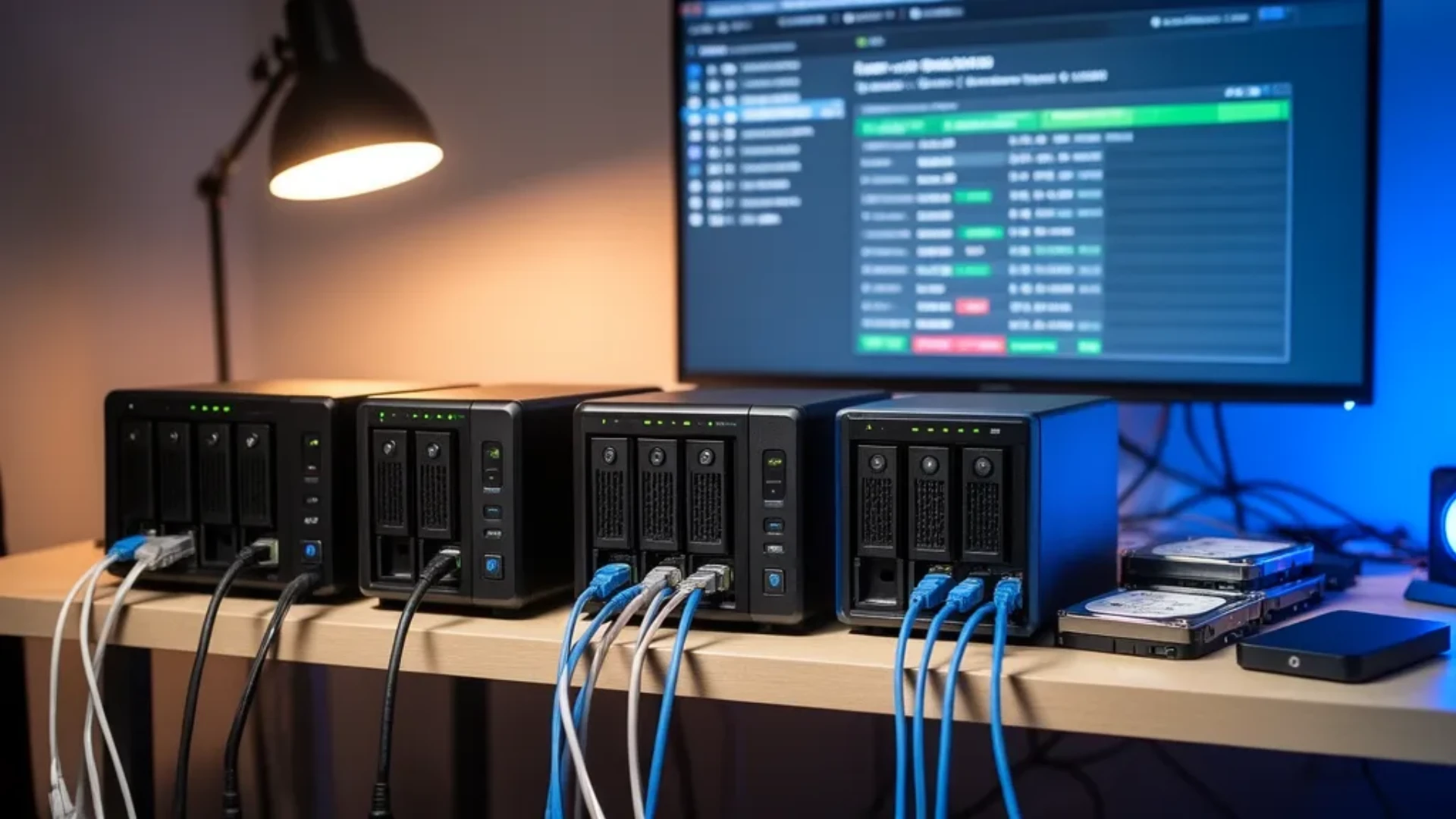
A new class of tiny NAS box arrived over the past year, and it changes what a home NAS looks like. Instead of a big four-bay appliance, you can now get six M.2 slots in a cube smaller than a lunchbox, or eleven drive bays in a desktop that runs any operating system you want. These are dedicated NAS mini PCs, and the best one for you depends entirely on the drives you plan to run. This guide ranks the picks by that choice, with sourced power figures and the honest caveats each box carries.
We verified every product against the Amazon product data on July 12, 2026, and we drew power and thermal figures from NAS Compares’ reviews and consistent owner reports rather than a bench session of our own.
Quick Picks: Best NAS Mini PC at a Glance
| # | NAS Mini PC | Best For | Price | Key Spec | Link |
|---|---|---|---|---|---|
| 🥇 Best Overall | Beelink ME Mini | Quiet all-flash NAS | ~$469 | 6x M.2, built-in PSU | Check Price |
| 💎 Best High-Capacity | AOOSTAR WTR Max | Big TrueNAS or Unraid array | ~$699 | 6 SATA plus 5 M.2, ECC | Check Price |
| 🔋 Best Value with HDD Bays | Beelink Me Pro | Growing hybrid library | ~$559 | 3 M.2 plus 2 HDD bays, 5GbE | Check Price |
| 🏆 Best 5-Bay | Minisforum N5 Air | Mid-size Ryzen NAS | ~$519 | 5-bay, Ryzen 7 255, 10GbE | Check Price |
Why a Dedicated NAS Mini PC?
Before paying for a faster link, check whether it would actually help: the network transfer time calculator compares your link against your storage and names which one is the limit. On most homelab arrays the disks run out of speed long before the network does.
A NAS mini PC gives you what a general mini PC used as a NAS cannot: real drive slots. A box built for storage has the bays, the networking, and often the ECC support that a desktop mini PC leaves out. If you tried to build a NAS from a standard mini PC and hit the wall of a single M.2 slot, this is the category that fixes it. Our best mini PC for NAS guide covers the general-purpose route, while this list is about the dedicated multi-bay boxes.
A NAS mini PC is ideal when you want a small, quiet, low-power storage server that runs TrueNAS, Unraid, or OpenMediaVault, and you value flexibility and hardware value over turnkey software. It is not ideal when you want storage to just work with a phone app and a warranty you never think about, where a Synology or QNAP appliance still earns its price.
What to Look for in a NAS Mini PC
Before choosing drive sizes, work out what you actually keep after parity and what it costs per usable terabyte with the NAS capacity calculator. Parity drives cost full price and store none of your data, so the advertised cost per terabyte is never the real one.
Five specs decide whether a NAS mini PC fits your build. Get these right and the rest is detail.
1. Drive type and count. This is the first fork. All-flash M.2 boxes like the Beelink ME Mini are quiet and low-power but expensive per terabyte. SATA-bay boxes like the AOOSTAR WTR Max let you use cheaper high-capacity hard drives for bulk storage. Hybrid boxes like the Beelink Me Pro give you both. Pick the drive type before the box.
2. Networking. For a single user, 2.5GbE is fine. For multiple users, large media libraries, or NAS-to-NAS replication, 10GbE changes the experience. The AOOSTAR WTR Max and Minisforum N5 Air bring fast networking; the flash boxes usually stick to 2.5GbE.
3. ECC memory. If you run ZFS on TrueNAS and the data matters, ECC memory protects the pool from memory errors. Only some NAS mini PCs support it, and the AOOSTAR WTR Max is the standout here.
4. PCIe lanes per slot. More slots does not mean more speed. Many of these boxes run their M.2 slots at PCIe Gen3 x1, which is plenty for a NAS but caps raw SSD throughput. Check the lane width if you expect full flash speed.
5. Thermals. Packing drives into a tiny chassis creates heat, and this is where cheap boxes fail. Look for an aluminum heatsink, thermal pads, and a real fan rather than a plastic shell. Cooling is the difference between a box that runs for years and one you have to mod.
Our Top Picks: Best NAS Mini PC 2026
🥇 Best Overall
Beelink ME Mini
→ Check Current Price on Amazon
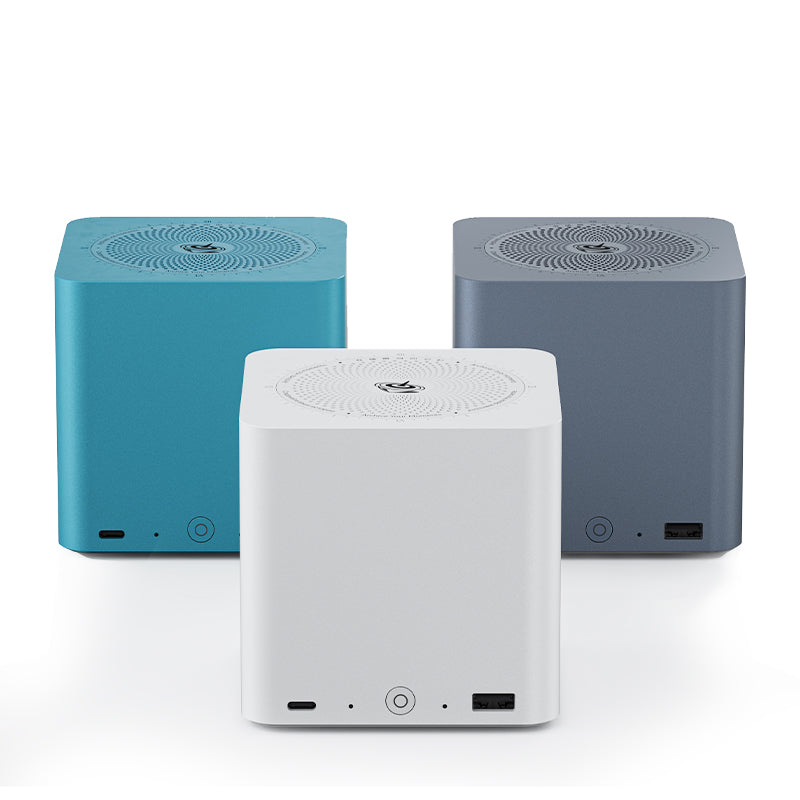
The Beelink ME Mini is the box that makes an all-flash NAS easy. It packs six M.2 NVMe slots into a small cube with a built-in power supply, so there is no external brick to hide, and it runs quieter and cooler than its rivals thanks to an aluminum heatsink with thermal pads on every slot. It also draws the least power of the group, near 6.9 watts with no drives installed. The trade-offs are soldered memory and that five of the six slots run at PCIe Gen3 x1, which is fine for a NAS but not full SSD speed.
Specs:
| Spec | Detail |
|---|---|
| CPU | Intel N150 |
| Memory | 16GB LPDDR5, soldered |
| Storage | 6x M.2 NVMe, five at Gen3 x1 |
| Networking | Dual 2.5GbE |
| Power | ~6.9W idle with no drives |
Pros:
- Six M.2 NVMe slots for a dense all-flash pool
- Built-in power supply with no external brick
- Lowest idle of the group near 6.9 watts with no drives
Cons:
- Memory is soldered and not upgradeable
- Five of six slots run at PCIe Gen3 x1
Who should buy this: Anyone who wants a quiet, low-power, all-flash NAS that just works.
Who should skip this: Buyers who need large hard-drive capacity, who want the AOOSTAR below.
💎 Best High-Capacity
AOOSTAR WTR Max
→ Check Current Price on Amazon
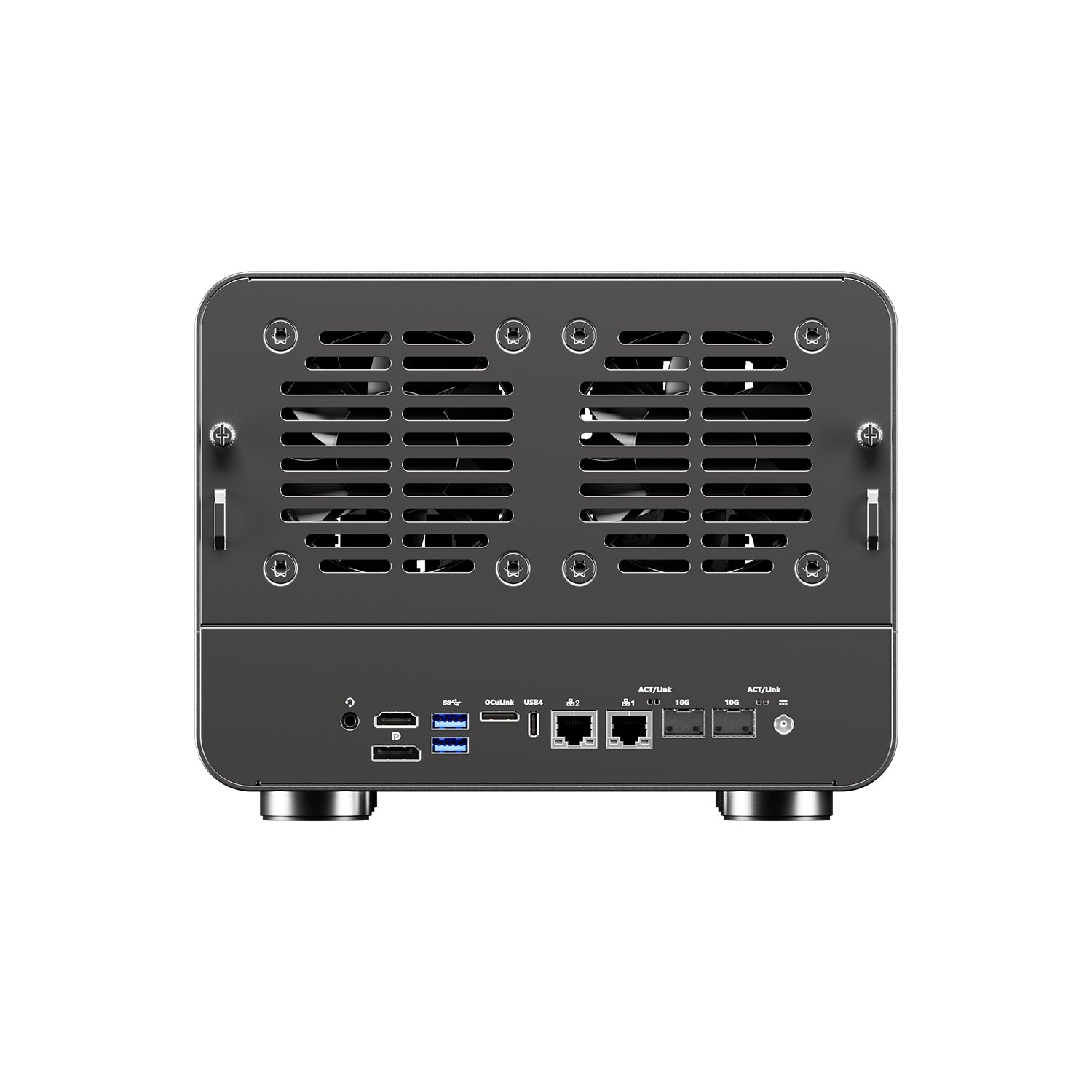
The AOOSTAR WTR Max is the box for a serious storage build. It combines six SATA bays plus five M.2 slots, ECC-capable memory up to 128GB, and dual 10GbE, which is exactly what TrueNAS and Unraid want. A Ryzen 7 PRO 8845HS gives it the compute to run Plex and virtual machines alongside storage, and removable drive cartridges make swaps painless. It ships barebones, so budget for memory and drives, and note the M.2 slots run on limited PCIe lanes. Homelab builders will recognize this as the TrueNAS box to beat, and our best mini PC for TrueNAS roundup covers the wider field.
Specs:
| Spec | Detail |
|---|---|
| CPU | Ryzen 7 PRO 8845HS, 8-core |
| Memory | ECC-capable DDR5, up to 128GB |
| Storage | 6 SATA bays plus 5 M.2 |
| Networking | Dual 10GbE SFP+ plus dual 2.5GbE |
| Power | ~18W idle, ~89W full load |
Pros:
- Eleven drive bays with ECC support and dual 10GbE
- Ryzen 7 PRO 8845HS runs Plex and VMs alongside storage
- Removable drive cartridges for easy swaps
Cons:
- Ships barebones with no memory or storage
- M.2 slots run on limited PCIe lanes
Who should buy this: Anyone building a large TrueNAS or Unraid array that needs SATA bays and ECC.
Who should skip this: Buyers who want a small silent flash box, who should take the Beelink ME Mini.
🔋 Best Value with HDD Bays
Beelink Me Pro
→ Check Current Price on Amazon
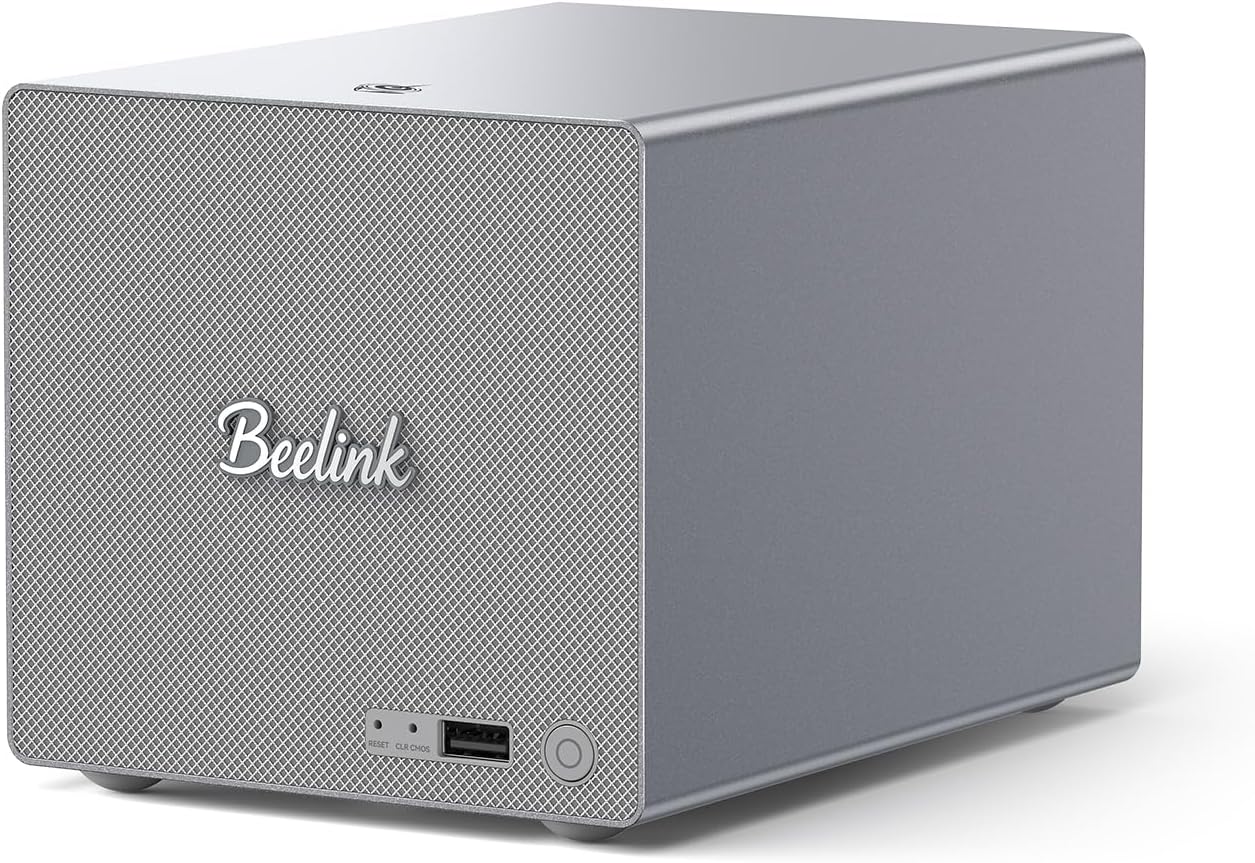
The Beelink Me Pro is the flexible middle ground, and it is the best-reviewed box on this list. It pairs three M.2 slots with two 3.5-inch HDD bays, so you can run fast flash for apps and cheap high-capacity drives for bulk storage in one machine, and it adds 5GbE plus 2.5GbE networking at a value price. The Intel N150 keeps power low and handles NAS duty and light containers well, though it is not the box for heavy virtualization. With a strong owner rating across hundreds of reviews, it is the safe value pick.
Specs:
| Spec | Detail |
|---|---|
| CPU | Intel N150 |
| Memory | 16GB LPDDR5, soldered |
| Storage | 3x M.2 plus 2x 3.5-inch HDD bays |
| Networking | 5GbE plus 2.5GbE |
| Power | Low, N150-class |
Pros:
- Three M.2 slots plus two 3.5-inch HDD bays for hybrid storage
- 5GbE plus 2.5GbE networking at a value price
- Strong owner rating across many reviews
Cons:
- Intel N150 is light for heavy virtualization
- Memory is soldered LPDDR5
Who should buy this: Anyone who wants both flash and hard-drive bays without paying for the AOOSTAR.
Who should skip this: Buyers who need heavy compute for VMs, who want a Ryzen box instead.
🏆 Best 5-Bay
Minisforum N5 Air
→ Check Current Price on Amazon
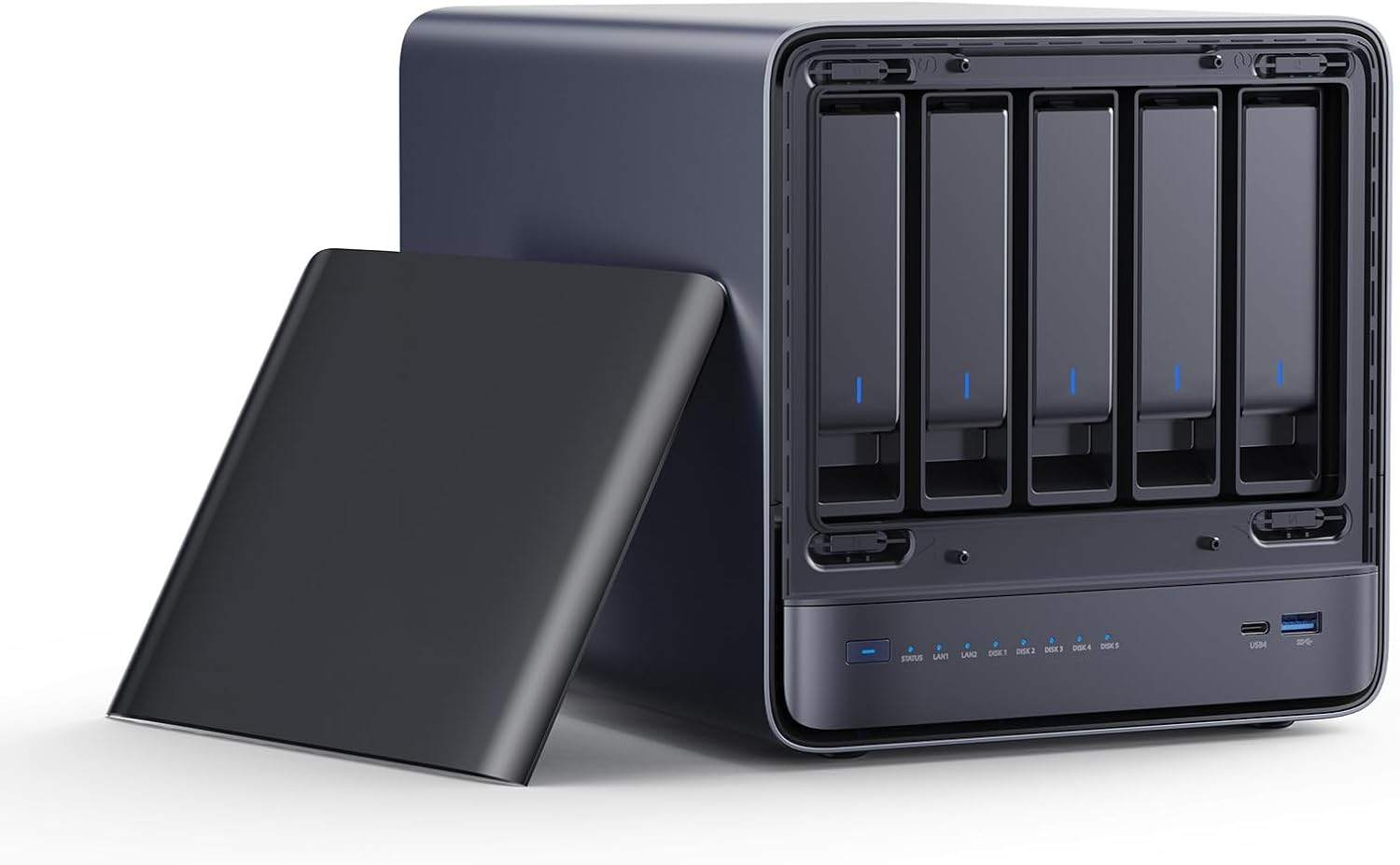
The Minisforum N5 Air is the pick when you want a classic multi-bay NAS with more compute than an N150. Its 8-core Ryzen 7 255 has the headroom for TrueNAS with apps or a few containers, and it brings five drive bays with 10GbE plus 5GbE networking. It ships barebones, so plan for memory, and it behaves as a NAS appliance rather than a general desktop. For a mid-size home NAS that will grow, it is a capable and roomy base.
Specs:
| Spec | Detail |
|---|---|
| CPU | Ryzen 7 255, 8-core, 16-thread |
| Memory | SO-DIMM DDR5, not included |
| Storage | 5 drive bays |
| Networking | 10GbE plus 5GbE |
| Power | Ryzen 255-class |
Pros:
- 8-core Ryzen 7 255 handles more than an N150 box
- Five drive bays with 10GbE plus 5GbE networking
- Roomy base for a mid-size home NAS
Cons:
- Ships barebones with no memory
- A NAS appliance rather than a general desktop
Who should buy this: Anyone who wants a 5-bay NAS with a real 8-core CPU and fast networking.
Who should skip this: Buyers who want an all-flash box or the eleven bays of the AOOSTAR.
Head-to-Head Comparison
| Feature | Beelink ME Mini | AOOSTAR WTR Max | Beelink Me Pro | Minisforum N5 Air |
|---|---|---|---|---|
| CPU | Intel N150 | Ryzen 7 PRO 8845HS | Intel N150 | Ryzen 7 255 |
| Drive bays | 6x M.2 | 6 SATA plus 5 M.2 | 3 M.2 plus 2 HDD | 5-bay |
| Networking | Dual 2.5GbE | Dual 10GbE plus 2.5GbE | 5GbE plus 2.5GbE | 10GbE plus 5GbE |
| ECC | No | Yes | No | Configuration-dependent |
| Best for | All-flash | High-capacity | Hybrid value | 5-bay Ryzen |
| Price | ~$469 | ~$699 | ~$559 | ~$519 |
Power Consumption at a Glance
Low power is a core reason to choose a NAS mini PC over a repurposed tower, and these boxes deliver. The Beelink ME Mini idles near 6.9 watts with no drives and rises to roughly 30 watts fully populated. The AOOSTAR WTR Max idles around 18 watts with the OS drive and climbs to 73 to 89 watts under a full load of eleven drives and Plex transcoding. The two N150 and Ryzen boxes fall between, with the N150-based Me Pro drawing the least under load and the Ryzen N5 Air sitting higher due to its stronger CPU. Model your own cost with our power cost calculator, remembering that the drives you add contribute as much to the total as the box itself.
Do Not Forget the Drives
The single biggest budget surprise with a NAS mini PC is that the drives often cost more than the box. Four to six 2TB NVMe drives run roughly 440 to 660 dollars, and 4TB drives push toward 880 to 1,320 dollars. That is why the SATA-bay boxes matter: a large parity array on cheaper high-capacity hard drives changes the total cost of a big library. Plan the drives and the box together, not the box alone, and see our best mini PC for Plex guide if media serving is part of the plan.
Frequently Asked Questions
What is the best NAS mini PC in 2026?
It depends on your drives. For a quiet all-flash NAS the Beelink ME Mini is the pick, with six M.2 slots and the lowest idle power. For a big hybrid array the AOOSTAR WTR Max leads, with six SATA bays plus five M.2 and ECC support. For a value box with hard-drive bays the Beelink Me Pro fits, and for a 5-bay Ryzen NAS the Minisforum N5 Air works. Match the box to the drives you plan to run.
Are mini PC NAS boxes good for TrueNAS?
Yes, with the right box. TrueNAS and ZFS prefer ECC memory and drive bays, so a NAS mini PC that supports ECC like the AOOSTAR WTR Max is the safer foundation than a consumer flash box with soldered memory. For a lighter TrueNAS build, an all-flash box works too, but plan the pool up front because ZFS prefers matched drives.
Do NAS mini PCs run hot?
Thermals are the weak spot of this category. Packing several M.2 drives into a tiny chassis creates heat, and cheaper boxes with plastic shells struggle. The Beelink ME Mini handles it best with an aluminum heatsink and thermal pads on all six slots, while some rivals need an added fan or a case mod. Always factor cooling into the choice, not just slot count.
How much do the drives cost for a NAS mini PC?
Often more than the box. Four to six 2TB NVMe drives run roughly 440 to 660 dollars, and 4TB drives push toward 880 to 1,320 dollars, so a 469-dollar all-flash NAS is not a 469-dollar project once populated. Boxes with SATA bays let you use cheaper high-capacity hard drives for bulk storage, which changes the math for large libraries.
Should I buy a NAS mini PC or a Synology?
A NAS mini PC gives you more compute and networking for the money and runs any operating system such as TrueNAS or Unraid. A Synology gives you a polished operating system, quieter defaults, and vendor support. Choose the mini PC for flexibility and hardware value, and a Synology when you want turnkey software and a warranty you trust.
How much RAM does a NAS mini PC need?
For a simple file server 8 to 16GB is enough. For TrueNAS with ZFS, 16 to 32GB is the sensible range because ZFS uses memory for cache, and ECC is preferred if the data matters. If you also run Plex, virtual machines, or many Docker containers on the same box, aim for 32GB or more and pick a model with upgradeable memory.
How We Research These Picks
We verified every box on this list against the Amazon product data on July 12, 2026, confirming configuration, price, availability, and owner ratings, and we based power and thermal figures on NAS Compares’ reviews and consistent owner reports rather than a bench session of our own. We excluded boxes that were out of stock or sold only through thin third-party listings so that every pick here is one you can actually buy today. Each recommendation targets a different drive setup, and every figure carries its source. For the wider home-server picture, start with our best mini PC for home server pillar.
Amazon Product Links
- 🥇 Beelink ME Mini — Best Overall: Check Current Price
- 💎 AOOSTAR WTR Max — Best High-Capacity: Check Current Price
- 🔋 Beelink Me Pro — Best Value with HDD Bays: Check Current Price
- 🏆 Minisforum N5 Air — Best 5-Bay: Check Current Price