
This article contains affiliate links. If you purchase through our links, we may earn a commission at no extra cost to you. We only recommend products we’ve thoroughly researched and verified.
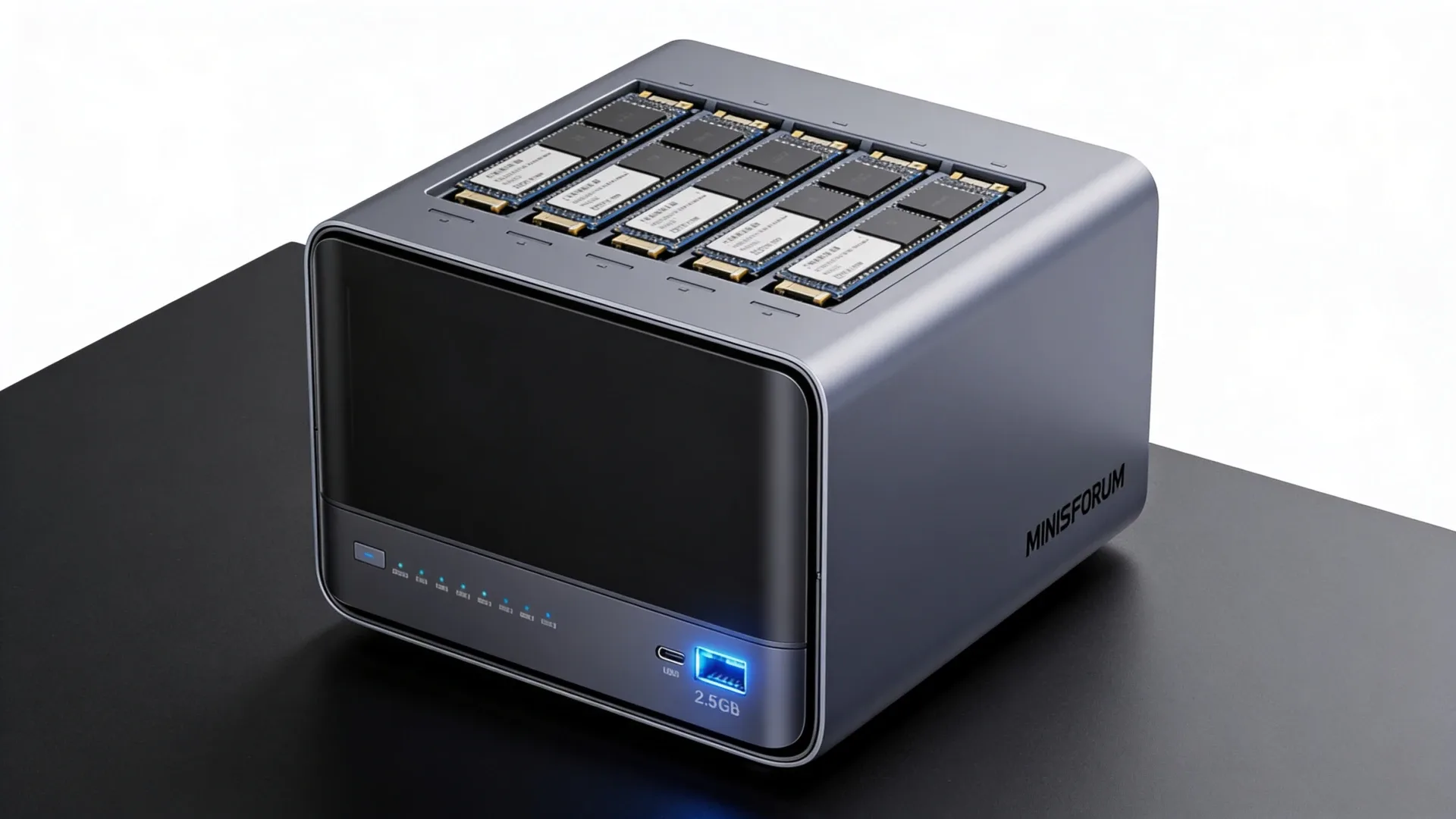
→ Check the current MINISFORUM N5 Pro configuration on Amazon
The MINISFORUM N5 Pro is a storage appliance built around a much faster platform than most home NAS hardware. It combines five SATA bays with a Ryzen AI 9 HX PRO 370, upgradeable DDR5 memory, three M.2 or U.2 positions, 10GbE plus 5GbE networking, and a low-profile PCIe expansion slot.
That combination makes the N5 Pro interesting for a service-heavy NAS, a TrueNAS host, or a compact server that also runs containers and virtual machines. It is excessive for simple file serving, and it is not a ready-to-use desktop mini PC. You still need to plan the hard drives, memory, storage layout, operating system, cooling, and backup target.
This is a sourced review. We did not physically test the N5 Pro. The specifications come from MINISFORUM’s current product page, while power figures and hands-on operating-system observations come from LinuxLinks and Notebookcheck.
MINISFORUM N5 Pro specifications
| Spec | Detail |
|---|---|
| CPU | AMD Ryzen AI 9 HX PRO 370 with 12 cores and 24 threads |
| GPU | AMD Radeon 890M |
| Memory | Two DDR5 SO-DIMM sockets, up to 96GB ECC according to MINISFORUM |
| Hard-drive bays | Five SATA bays for 3.5-inch or 2.5-inch drives |
| Solid-state storage | Three M.2 positions, with an M.2 to U.2 adapter option |
| Networking | One 10GbE port and one 5GbE port |
| Expansion | Physical PCIe x16 slot wired as PCIe 4.0 x4, plus OCuLink |
| Display and USB | HDMI, two USB4 ports, USB-A, and an internal USB-A port |
| Power | External 280W adapter |
| Chassis | 199 by 202 by 252 millimeters |
| Operating system | MinisCloud OS supplied by MINISFORUM, with Linux and Windows support reported by LinuxLinks |
The exact retail child matters here. The N5 Pro is the upgradeable-memory model in the N5 family, not the fixed-memory N5 Max. The current listing checked for this article was the barebone configuration with 128GB of OS storage. Memory and data drives are separate buying decisions.
Five bays make the N5 Pro a real NAS appliance
The N5 Pro is shaped around storage first. Remove the magnetic front cover and the five drive trays sit directly on the SATA backplane. The bays accept both 3.5-inch and 2.5-inch drives, so you can build around hard drives, SATA SSDs, or a mixture of the two.
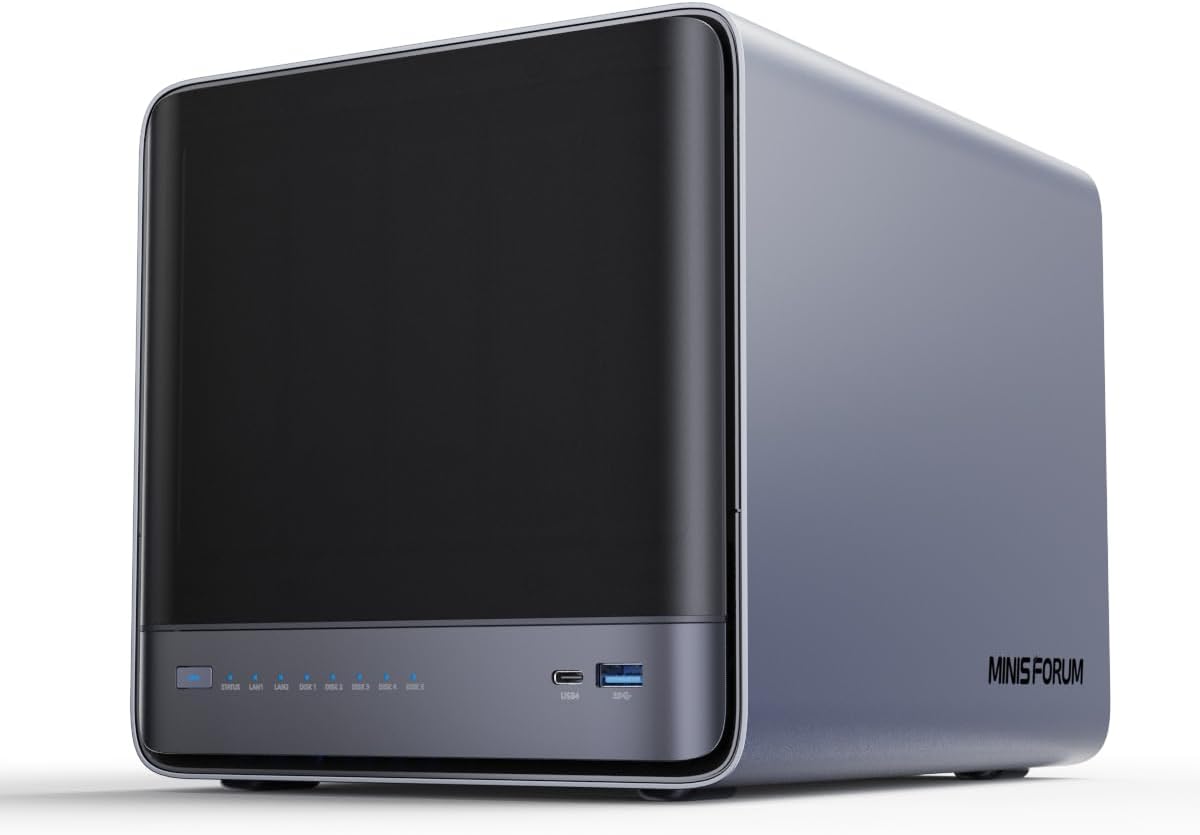
The closed front cover keeps the N5 Pro looking more like a compact server than an open drive cage.
The five-bay layout gives a home lab useful room for a parity or dual-parity pool without immediately adding an external enclosure. It also keeps the drive wiring inside one chassis. That is simpler to document and easier to hand over than a small computer connected to a separate USB or Thunderbolt disk box.
The tradeoff is physical access. The front cover is glossy and the drive trays are not a security system. LinuxLinks notes that the trays and cover do not have locking hardware. Place the N5 Pro where casual access is not a concern, and keep a tested backup away from the main pool.
The chassis is also larger and heavier than a normal desk mini PC. That is a fair exchange for five bays, two network controllers, cooling for multiple storage devices, and a removable compute tray. Treat it as a small NAS or server when planning shelf space, airflow, and power.
Storage layout needs a plan
MINISFORUM lists three M.2 positions and an M.2 to U.2 adapter arrangement. The direct M.2 option can use three SSDs. The adapter arrangement can instead use one M.2 SSD and two U.2 SSDs, subject to the drive thickness and adapter requirements for the chosen devices.
The positions are not three full-speed desktop slots. LinuxLinks identifies the lane pattern as PCIe 4.0 x1, x2, and x1, and reports more than 3.4GB per second from the x2 position in its review configuration. Notebookcheck also flags the mixed lane widths as a limitation. That is enough for a fast application or virtual-machine device, but it changes how you should assign each SSD.
A sensible layout looks like this:
| Storage role | Practical placement |
|---|---|
| Operating system | The supplied OS device or a dedicated small NVMe drive |
| Containers and application data | The strongest M.2 position after confirming the board map |
| VM or database data | A matched pair only when the selected software and lane layout justify it |
| Bulk storage | The five SATA bays |
| Backup | A separate machine, removable disk set, or remote target |
Do not buy an SSD merely because the product page lists a slot. A cache device, ZFS special device, or write log needs a specific workload and a recovery plan. For most home labs, direct data placement and a second backup are easier to recover than a complicated cache design.
ECC memory is useful, but it is not a backup
The Ryzen PRO platform gives the N5 Pro an ECC-capable memory path. MINISFORUM lists two SO-DIMM sockets and up to 96GB of DDR5 ECC memory for this model. The exact kit still matters. Confirm the memory type, capacity, speed, and firmware behavior before treating ECC as a purchase requirement.
ECC can reduce the risk from one class of correctable memory errors. It does not protect against a failed drive, accidental deletion, bad updates, ransomware, or a pool layout that cannot be restored. A proper storage plan still includes snapshots where appropriate, an independent backup, scrub checks, and a recovery exercise.
The upgrade path is more important than the maximum number on the product page. Start with enough memory for the host, file services, containers, and any virtual machines you actually intend to run. Add capacity when the workload proves it needs it. This approach avoids buying an expensive ECC kit for a box that will only serve files and photos.
Networking and expansion
The N5 Pro has one 10GbE interface and one 5GbE interface. That is a useful pairing for a home network because the faster link can serve the main storage clients while the second link handles management, backup traffic, or a separate service network.
You still need matching switch ports and cabling. A 10GbE port connected to a 1GbE switch remains a 1GbE connection. A five-drive hard-disk pool may also fail to saturate 10GbE for random access even when the network is fast enough. The value of the dual-port layout rises when multiple clients, NVMe data, media work, or virtualization traffic share the server.
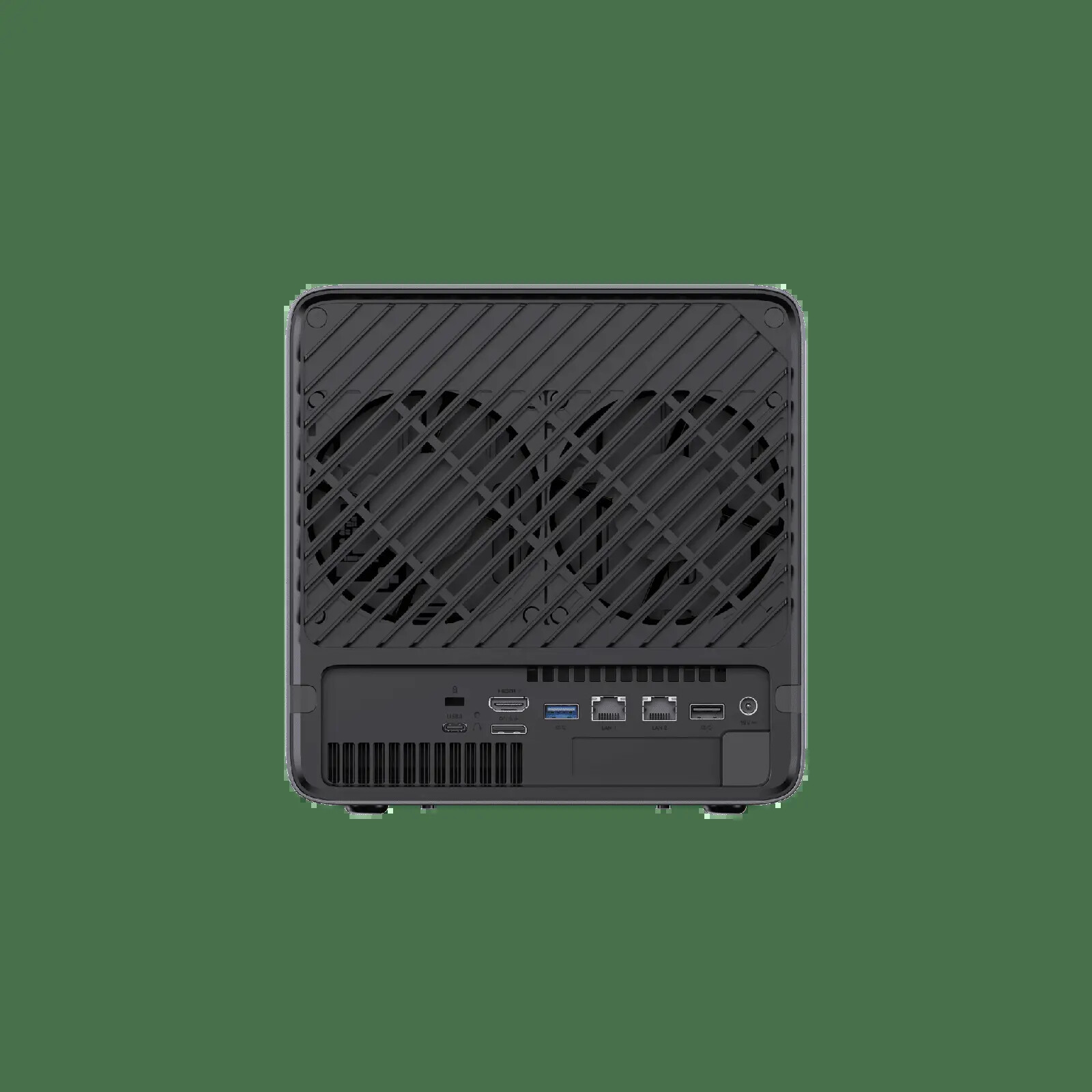
The official rear-panel image shows the port layout and the low-profile expansion opening.
The physical PCIe x16 slot is wired as PCIe 4.0 x4. That is enough for selected network adapters, storage controllers, and modest accelerators. It is not equivalent to a full x16 connection for a high-end graphics card. The N5 Pro also advertises OCuLink, which gives you another path for an external accelerator or expansion enclosure.
Before choosing a card, check its cooling requirements, physical height, power input, driver support, and interaction with the drive airflow. A passively cooled server NIC may need more directed airflow than the stock enclosure provides. An expansion card can also change the total power and noise profile.
Linux and MinisCloud OS
MINISFORUM supplies MinisCloud OS and markets features such as Docker deployment, snapshots, remote access, and photo services. Those claims describe the vendor software. They are not the same as independent validation of every storage, permission, update, or recovery path.
LinuxLinks installed Ubuntu on a separate NVMe drive while leaving the supplied OS device in place. Its reviewer describes the installation as straightforward and used the N5 Pro for containers, virtual machines, storage, and other server tasks. That makes the N5 Pro more flexible than a closed NAS platform, but it also puts more responsibility on the owner.
For TrueNAS, verify the current release support for the network controllers, storage backplane, sleep behavior, and any expansion card before moving important data. Our TrueNAS mini PC guide covers the broader storage and recovery decisions. For a simpler service stack, an Ubuntu or Debian host with Docker may be easier to maintain than a vendor layer you have not yet evaluated.
Power and noise evidence
The 280W adapter is a capacity rating, not a measurement of wall draw. The most useful published power data comes from LinuxLinks, whose configuration used four 6TB hard drives, three NVMe drives, 32GB of memory, Ubuntu, and the Ryzen AI platform.
With the mechanical drives in standby and the NVMe drives idle, LinuxLinks measured 18.4W at the wall. With all four hard drives spinning, the same system drew around 53W. Those figures show why disk standby can matter, but they are not a universal N5 Pro idle or load rating. Drive models, memory, network traffic, fan behavior, and software all change the result.
Notebookcheck describes low temperatures and moderate noise in its test conditions, while also listing idle power draw as a weakness. In practice, the N5 Pro belongs in a ventilated office, closet, or rack shelf rather than beside a microphone. Use the power-cost calculator with your own electricity rate and expected disk activity.
N5 Pro versus a smaller NAS
The N5 Pro is not the automatic choice for every five-bay build. A lower-power NAS with a slower processor may be better when the main job is file storage, scheduled backups, and a few light services. The N5 Pro earns its larger platform when you will use its CPU, memory path, fast networking, or expansion.
Our N5 Pro versus AOOSTAR WTR Max comparison shows the more important tradeoff. The N5 Pro favors a compact five-bay design with upgradeable memory and 10GbE plus 5GbE. The WTR Max offers a different storage and networking topology. Compare the complete system you will build, including drives, memory, switch ports, and backup capacity.
The best mini PC for NAS guide is the better starting point if you have not decided whether a high-power NAS appliance is appropriate. Use the comparison tool when you have a shortlist and want to line up bays, memory, networking, and storage expansion.
Who should buy the N5 Pro?
Buy the N5 Pro when you need:
- Five internal SATA bays in a compact server chassis.
- A stronger CPU for containers, indexing, media work, or virtual machines.
- An upgradeable memory path with ECC-capable DDR5 as part of the plan.
- 10GbE and 5GbE without adding a network card.
- M.2 or U.2 storage alongside the hard-drive pool.
- PCIe or OCuLink expansion for a specific storage, networking, or accelerator job.
Who should not buy the N5 Pro
Skip the N5 Pro when:
- You only need a basic file share and do not need its compute headroom.
- You want a quiet, tiny desk computer rather than a five-bay server appliance.
- You need three full-speed PCIe 4.0 x4 NVMe positions.
- You require built-in Wi-Fi or Bluetooth.
- You expect a turnkey vendor experience with no operating-system or recovery work.
- Your switch, clients, and storage pool cannot make practical use of 5GbE or 10GbE.
Verdict
The MINISFORUM N5 Pro is a compelling storage-first server for buyers who have outgrown low-power NAS hardware but do not want a rack system. Five SATA bays, upgradeable ECC-capable memory, 10GbE plus 5GbE, three M.2 or U.2 positions, and PCIe expansion give it a useful range of jobs.
Its limits are just as important. The SSD lanes are mixed, wireless networking is absent, the chassis is larger than a normal mini PC, and the complete build needs drives, memory, a network path, and a backup target. The platform is overkill for basic file serving and worth considering for a service-heavy NAS or compact server.
Our recommendation is conditional: choose the N5 Pro when you can name the storage layout, the network role, and the workload that needs its CPU and memory path. If those decisions are not clear yet, start with the NAS buying guide and price the full system before ordering.
→ Check the current MINISFORUM N5 Pro configuration on Amazon