
MINISFORUM N5 Pro vs AOOSTAR WTR Max: Which NAS Should You Build?
By Max · August 26, 2026
This article contains affiliate links. If you purchase through our links, we may earn a commission at no extra cost to you. We only recommend products we’ve thoroughly researched and verified.
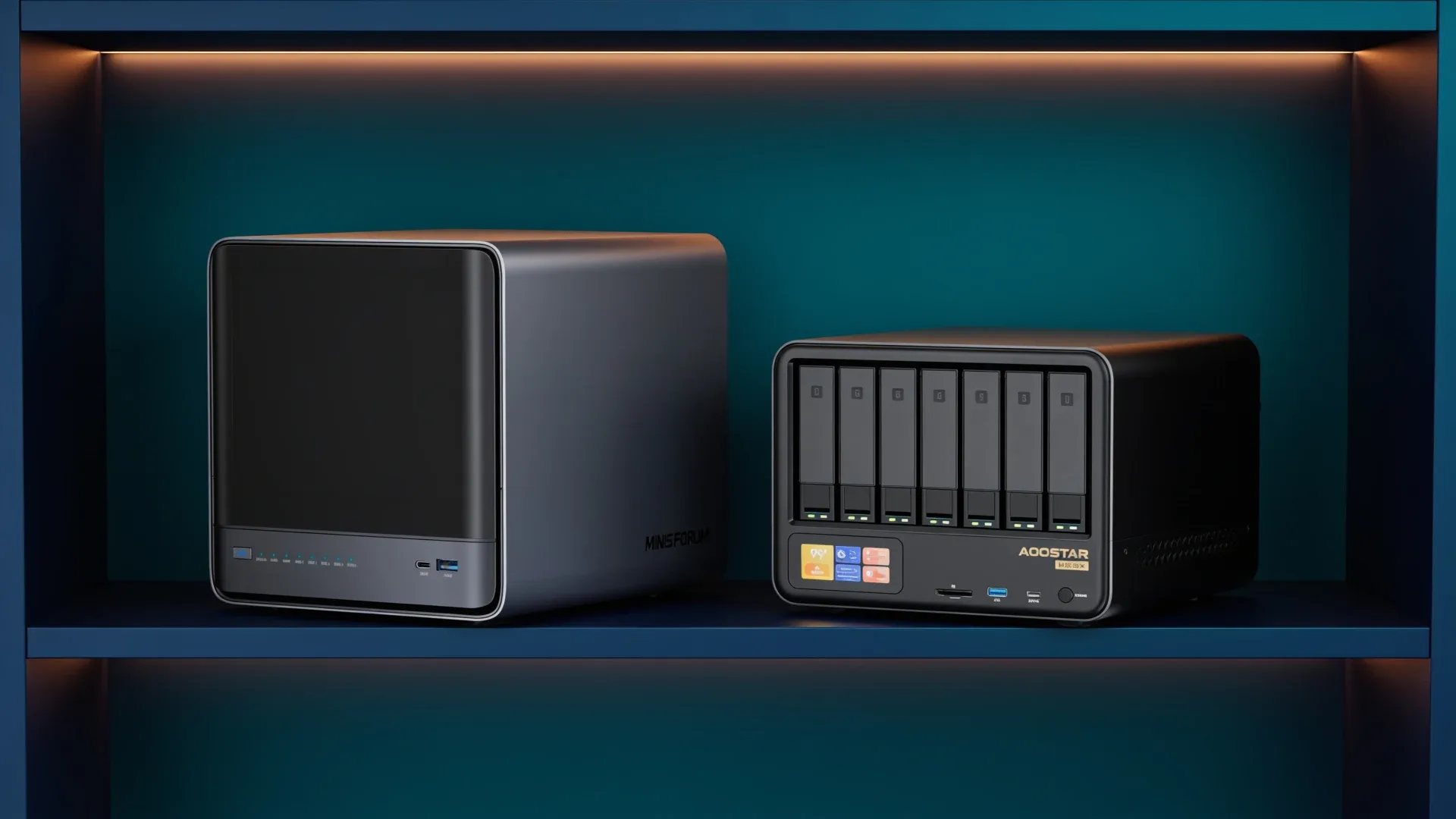
Quick price check: N5 Pro barebone · AOOSTAR WTR Max barebone
The MINISFORUM N5 Pro is the cleaner choice for a compact five-bay NAS with upgradeable ECC-capable memory. The AOOSTAR WTR Max is the better chassis when six hard drives, five NVMe devices, dual 10GbE SFP+, and OCuLink will actually be used.
This is not a simple faster-versus-slower comparison. It is a decision about how much storage and expansion you need before the next rebuild.
The Short Answer
Choose the N5 Pro for a compact storage server with a strong application CPU, five hard-drive bays, and a memory path you can change later. Choose the WTR Max when the extra hard-drive bay, larger solid-state layout, four wired network interfaces, or OCuLink prevents you from buying another chassis.
If five bays already exceed your planned pool, the WTR Max adds cost and physical volume without solving a problem.
Side-by-Side Hardware
| Feature | MINISFORUM N5 Pro | AOOSTAR WTR Max |
|---|---|---|
| Processor | Ryzen AI 9 HX PRO 370 | Ryzen 7 PRO 8845HS |
| Memory | Upgradeable ECC-capable DDR5 | Upgradeable ECC-capable DDR5 up to 128GB |
| Hard-drive bays | Five | Six |
| Solid-state positions | Three M.2 or U.2 positions | Five M.2 positions |
| Networking | 10GbE plus 5GbE | Dual Intel X710 10GbE SFP+ plus dual 2.5GbE |
| External expansion | Platform-specific PCIe and OCuLink options | OCuLink |
| Best fit | Compact service-heavy NAS | Maximum drive and network flexibility |
Drive Layout Comes Before CPU Speed
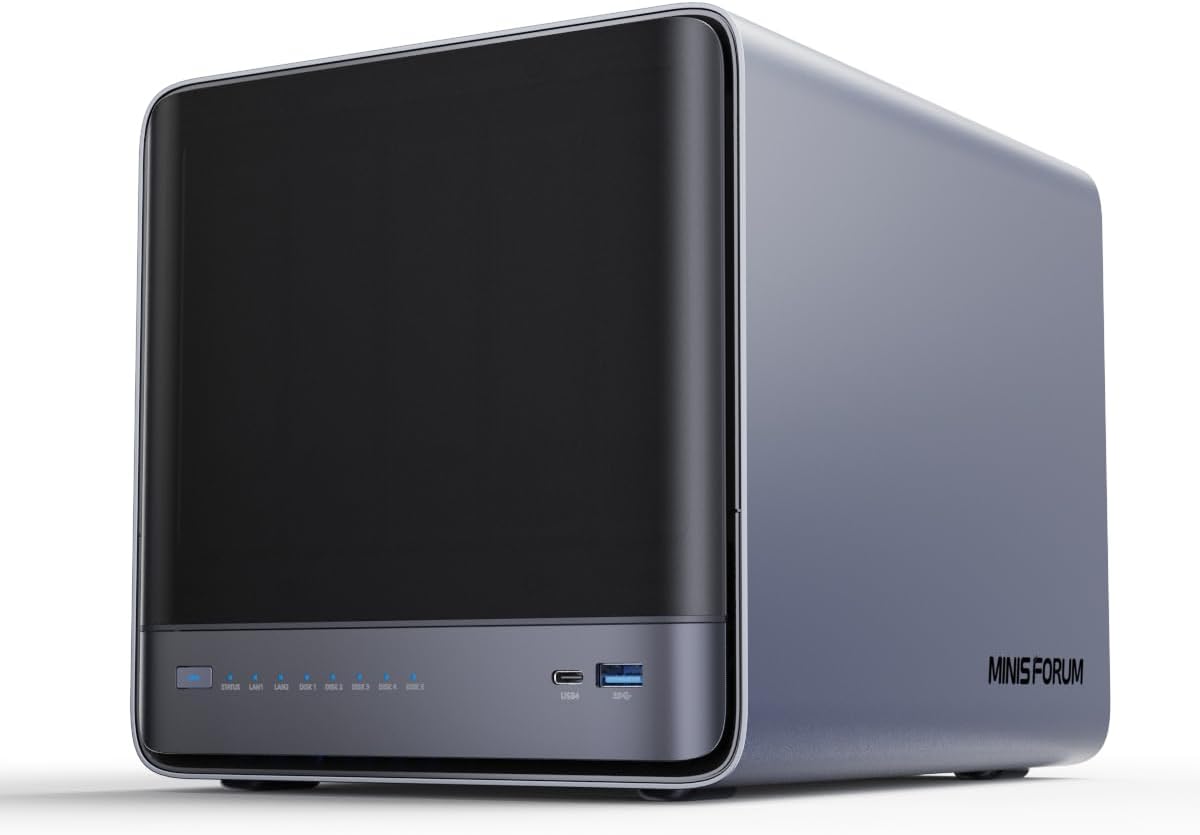
MINISFORUM product image showing the compact N5 Pro five-bay enclosure.
Start by drawing the storage pool you intend to run. Include the data vdev, boot device, application storage, cache only where the workload supports it, and a backup destination that is not inside the same chassis.
The N5 Pro gives most home labs enough direct hard-drive capacity. Five bays support useful parity layouts without forcing the machine into a rack-sized enclosure. Its three solid-state positions can separate boot, applications, and a fast working dataset.
The WTR Max adds one hard-drive bay and two more M.2 positions. That is valuable if you already know where every device goes. It is not valuable when the extra slots stay empty. NASCompares mapped two removable M.2 links at PCIe 4.0 x1, two at x2, and one onboard position at x2, so five devices do not behave like five full-bandwidth desktop slots. The same review also noted sample-to-sample lane-generation differences, making the exact delivered board revision worth checking before choosing expensive SSDs.
Memory and ECC
Both platforms can serve buyers who want upgradeable ECC-capable memory, but exact module and firmware support must be checked for the selected configuration. That matters more than a logo on a product page.
The N5 Pro is attractive for ZFS and service stacks because it lets you change memory later. The WTR Max supports a higher stated ceiling, but owner reports have described problems with some 96GB kits. Treat a desired capacity as a configuration to verify, not an automatic property of the processor.
ECC reduces memory-error risk. It does not replace a backup or validate every stage between an application and disk.
Networking: Ports Need a Job
The N5 Pro has 10GbE plus 5GbE. That is already enough for a fast storage link and a separate management or client network in many labs.
The WTR Max adds dual 10GbE SFP+ and dual 2.5GbE. This layout is stronger for network separation, redundant paths, storage traffic, and a virtualized router. It also creates a larger switch and cabling bill. Count available switch ports and price the required DACs or optics before calling the extra interfaces free value.
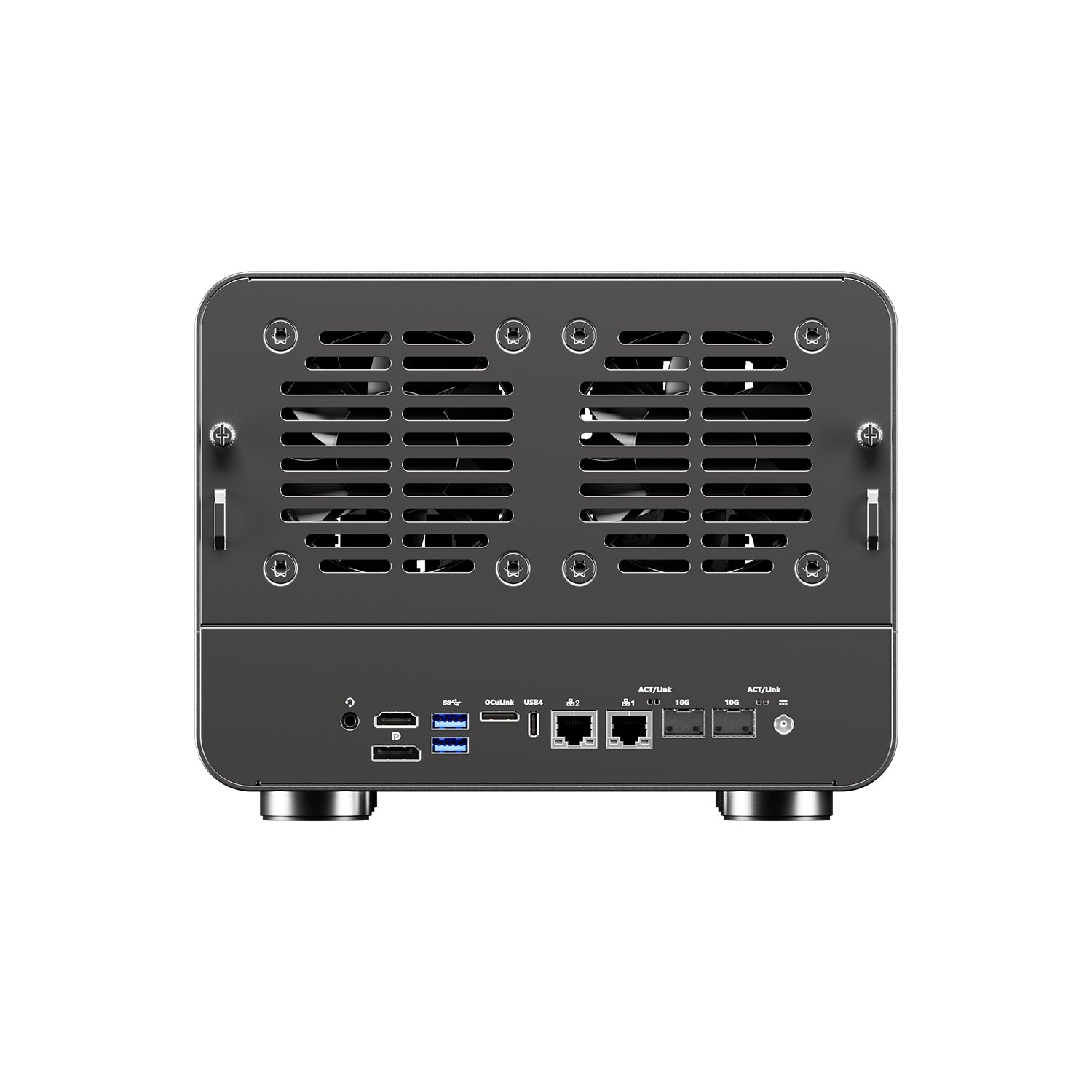
AOOSTAR product image showing the WTR Max rear cooling and network connections.
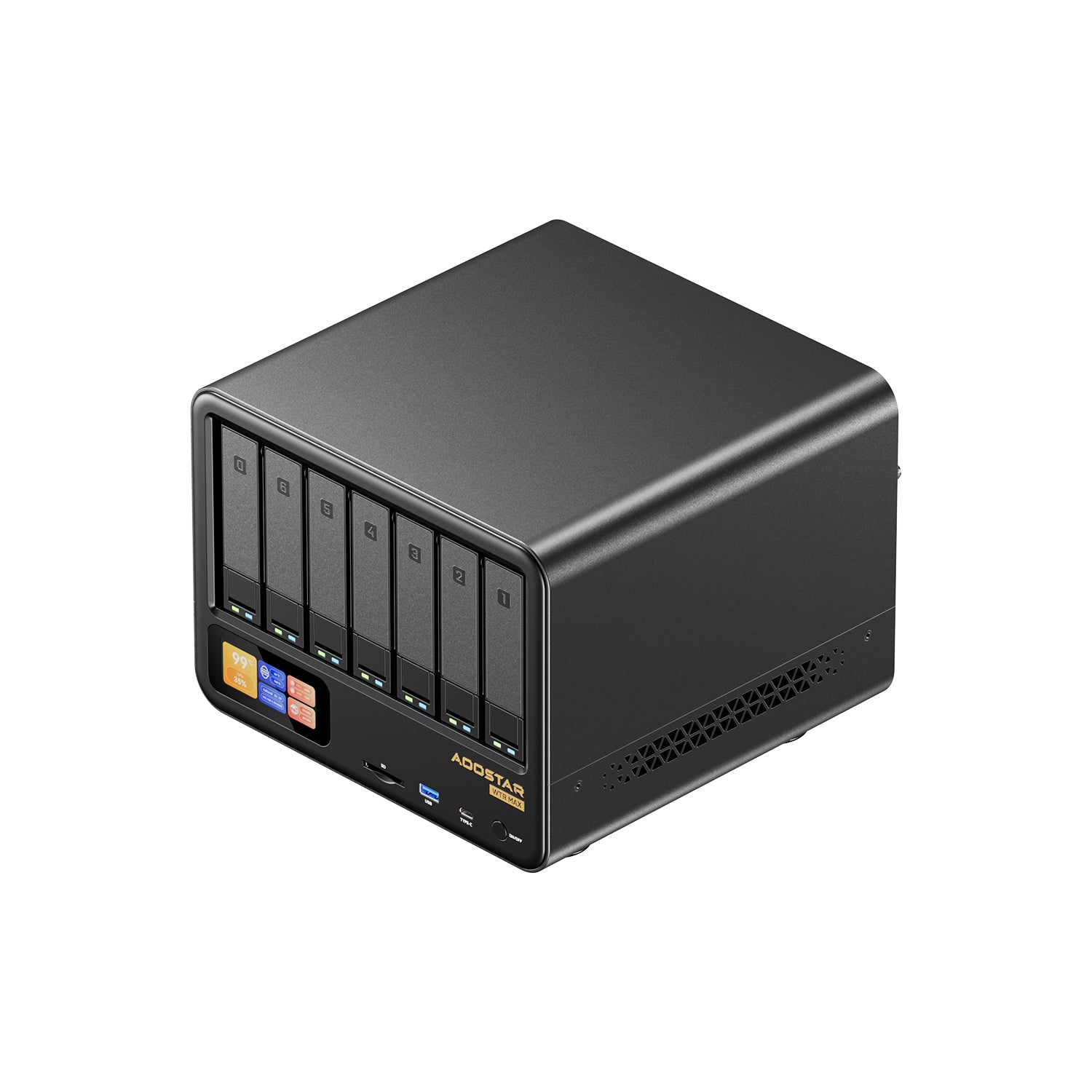
AOOSTAR product image showing the six-bay WTR Max storage layout.
→ Check the AOOSTAR WTR Max barebone
Power and Thermal Evidence
The WTR Max has useful independent evidence. NASCompares measured about 18 watts with only the operating-system device, about 24 watts after adding five SSDs, and roughly 52 to 53 watts with six hard drives and five SSDs spinning but not under a synthetic peak. Its heavier review loads reached roughly 73 to 89 watts. Those figures belong to that review unit, drive population, and firmware. They are a planning range, not a promise for every WTR Max.
The N5 Pro does not yet have an equally complete set of independent power measurements. That evidence gap matters: a manufacturer power-supply rating describes available capacity, not idle draw at the wall.
Model both systems with your own drive count in the power-cost calculator.
Complete the Build Cost Before Choosing
Price these items for both systems:
- enclosure and compute platform
- memory kit
- boot and application storage
- hard drives
- NVMe devices
- 10GbE switch ports and cables
- UPS and backup target
- any cooling changes you expect to make
The WTR Max is better value when its extra bays and ports replace another machine. The N5 Pro is better value when the smaller layout already fits.
Full Storage Worksheet
Fill this before placing an order. A blank row is a warning that the slot count is driving the purchase instead of a workload.
| Storage job | N5 Pro assignment | WTR Max assignment | Failure consequence |
|---|---|---|---|
| Operating system | dedicated included or small SSD | onboard M.2 or dedicated SSD | host unavailable until restored |
| Application data | M.2 or U.2 mirror if required | two matched M.2 positions | containers and databases unavailable |
| VM datastore | fastest remaining solid-state path | matched x2 M.2 pair | guests stop or lose redundancy |
| Bulk data | up to five SATA drives | up to six SATA drives | pool degraded after one failed device |
| Cache | only after workload evidence | only after workload evidence | cache loss may affect performance or data by mode |
| Separate backup | outside this chassis | outside this chassis | recovery copy survives chassis failure |
The sixth WTR Max bay creates two especially useful options. It can support a six-drive parity layout without sacrificing a data bay, or it can remain a cold spare slot for faster replacement. It should not be counted as backup. All six drives share the chassis, power supply, controller path, and administrator.
The N5 Pro keeps a cleaner three-solid-state plan. One device can hold the operating system, while two matched devices can mirror applications or important VM data. The WTR Max has more placements, but its lane widths make role assignment important. Put latency-sensitive metadata and application data on the stronger links. Bulk sequential storage does not need every M.2 slot populated.
Configured Cost, Not Barebone Cost
Use the same memory, capacity drives, and resilience goal in both columns:
| Cost line | N5 Pro | WTR Max |
|---|---|---|
| Barebone | current listing | current listing |
| Verified ECC memory kit | add | add |
| OS device | confirm what is included | add or confirm |
| Application SSD mirror | add two matched drives | add two matched drives |
| Bulk drives | price five | price six only if used |
| Network | RJ45 switch port and cable | SFP+ ports, DACs or optics |
| UPS | size for chosen drives | size for chosen drives and 280W adapter |
| Backup target | required | required |
The WTR Max can start with a lower platform price and still cost more after a pair of SFP+ switch ports, a sixth hard drive, and extra NVMe devices. The N5 Pro can reverse that outcome if you pay for a large ECC kit and a U.2 device that the WTR plan does not need. The winning total is the cheapest complete topology, not the chassis with the longest spec list.
Network Lanes Need Named Roles
The N5 Pro specification provides one 10GbE RJ45 link and one 5GbE RJ45 link. That maps neatly to primary storage plus management or backup. The WTR Max provides two Intel X710 10GbE SFP+ links and two 2.5GbE links. It is the stronger router, storage-fabric, or segmented-lab platform, but only if each port has a job.
A useful WTR mapping is one SFP+ link for storage clients, the other for replication or a second host, one 2.5GbE link for management, and the last for an isolated service network. Do not bridge a critical router through the NAS unless you accept storage maintenance taking the network offline.
Expansion and Passthrough Boundaries
Both machines tempt buyers to plan an eGPU, HBA, or other external device before confirming the lane map. The N5 Pro advertises PCIe expansion and OCuLink compatibility. The WTR Max also exposes OCuLink, but its many onboard devices already divide available platform lanes. A connector does not guarantee ideal bandwidth for every simultaneous device.
For Proxmox or TrueNAS virtualization, verify that the exact device appears in a usable IOMMU group before making passthrough central to the purchase. Our Proxmox guide explains the broader host requirements, while the TrueNAS hardware guide covers direct-drive visibility and recovery planning.
What the Power Evidence Means for a 24/7 Server
Using the independent WTR range above, model at least three states: disks spun down, normal active services, and a scrub or sustained workload. Enter your own hours and electricity price in the power-cost calculator. Do not compare the N5 Pro power-adapter rating with the WTR wall measurements. Until an equivalent N5 Pro review measures the complete system at the wall, that would be false precision.
Power also affects the UPS. Six hard drives have a startup event and longer scrub periods than an SSD-only box. Choose a UPS for the measured configured load plus shutdown time, not the processor TDP printed on the product page.
Who Should Buy Which
Buy the N5 Pro if: you want a compact five-bay NAS, value upgradeable memory, and do not need eleven total drive positions.
Buy the WTR Max if: six hard-drive bays, five M.2 positions, dual 10GbE SFP+, or OCuLink are concrete requirements.
Buy neither if: you want appliance support more than hardware freedom. A turnkey NAS can cost more while saving setup and troubleshooting time.
Before checkout, save the exact listing, firmware page, and drive map with the build notes. Photograph cable labels after assembly and run a restore test before moving the only copy of any data. These mundane steps matter more to long-term NAS value than an unused fifth NVMe connector.
The N5 Pro specifications above come from MINISFORUM. WTR Max lane and power evidence is attached to the NASCompares review unit. We have not physically tested either system and do not fill the N5 Pro measurement gap with a manufacturer power rating.
Current Buying Links
- MINISFORUM N5 Pro barebone: Check current price
- AOOSTAR WTR Max barebone: Check current price