
This article contains affiliate links. If you purchase through our links, we may earn a commission at no extra cost to you. We only recommend products we’ve thoroughly researched and verified.
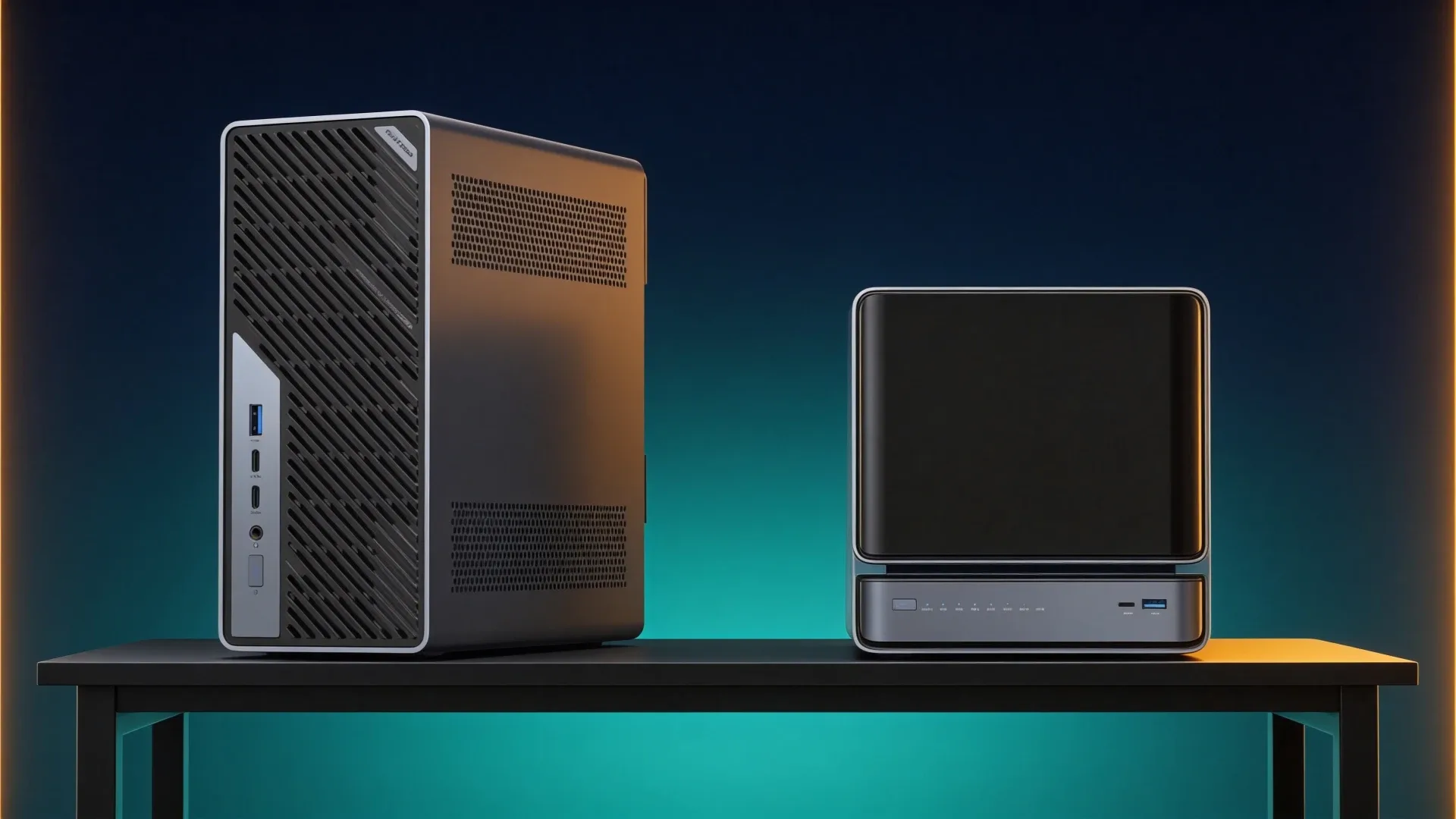
Quick price check: MS-02 Ultra 285HX · N5 Pro barebone
The MS-02 Ultra 285HX is the better compute host when virtual machines, add-in cards, 256GB of memory, or 25GbE drive the build. The N5 Pro is the better storage host when five direct hard-drive bays and an ECC-capable upgradeable memory path matter more than PCIe cards.
This comparison asks whether your primary chassis should be a workstation or a NAS appliance. It does not try to crown one machine for every homelab.
The Short Answer
| Requirement | Better fit | Reason |
|---|---|---|
| Five direct hard-drive bays | N5 Pro | Storage is built into the chassis |
| 256GB memory ceiling | MS-02 Ultra 285HX | Four DDR5 sockets |
| Multiple add-in devices | MS-02 Ultra 285HX | Workstation expansion layout |
| Compact NAS plus services | N5 Pro | Five-bay platform with strong APU |
| Dual 25GbE | MS-02 Ultra 285HX | Included in the exact package |
| Simple storage deployment | N5 Pro | No HBA and external enclosure design required |
Two Different Ways to Build One Homelab
| Feature | MS-02 Ultra 285HX | N5 Pro |
|---|---|---|
| Processor | Core Ultra 9 285HX | Ryzen AI 9 HX PRO 370 |
| Memory | Four DDR5 sockets, up to 256GB | Upgradeable ECC-capable DDR5 |
| Hard-drive bays | No five-bay cage | Five |
| M.2 storage | Four positions on exact package | Three M.2 or U.2 positions |
| Networking | Dual 25GbE, 10GbE, and 2.5GbE | 10GbE plus 5GbE |
| Expansion | Multiple PCIe positions | NAS-focused layout |
The MS-02 Ultra 285HX is a workstation that can become a storage server. The N5 Pro is a storage appliance that can run substantial services. The direction of that sentence should match your main workload.
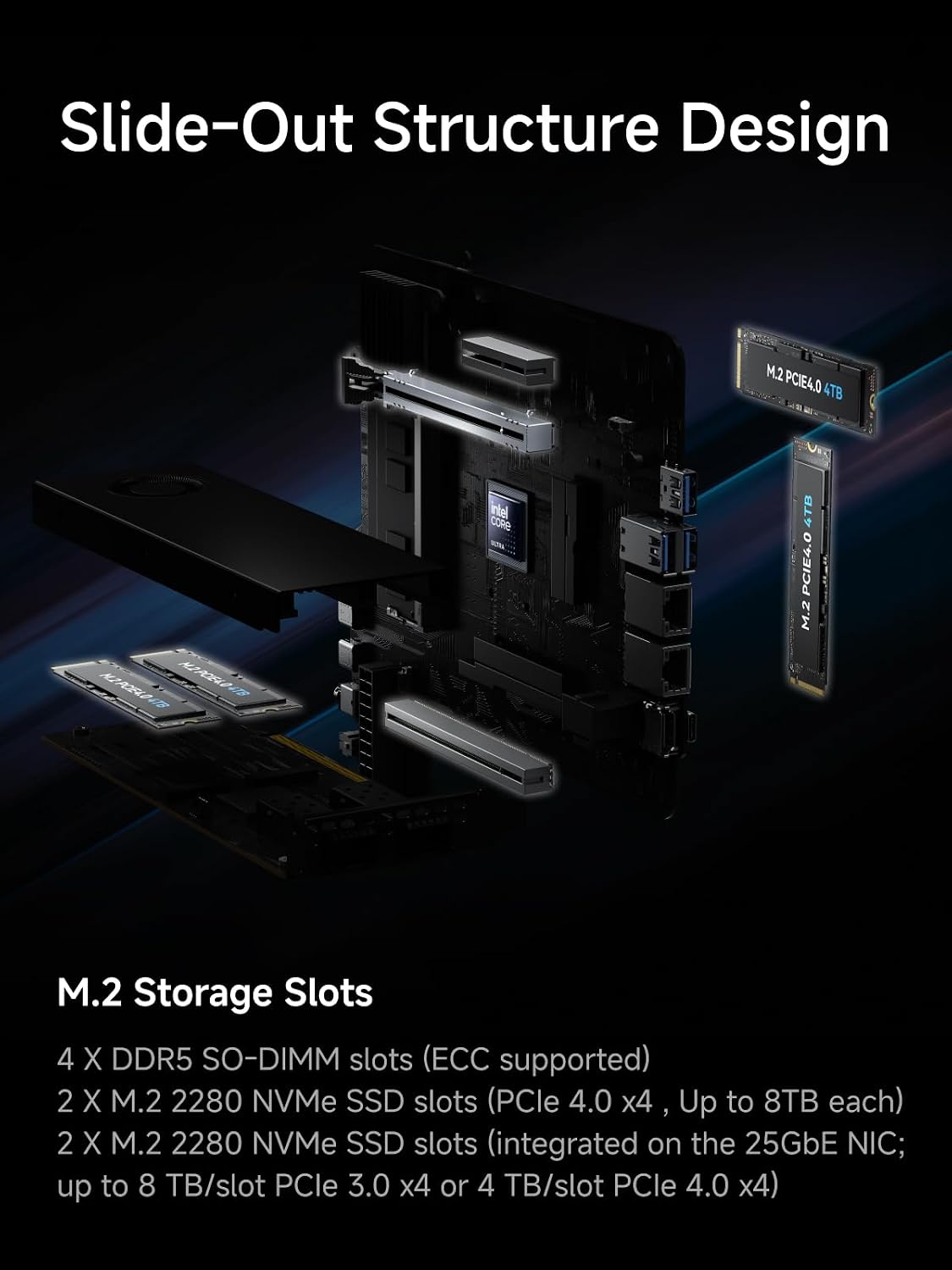
MINISFORUM product material showing the MS-02 Ultra internal expansion layout.
Choose the MS-02 for Compute and Add-In Cards
Four memory sockets and a 256GB ceiling make the 285HX MS-02 a serious consolidation host. It is better suited to many memory-hungry virtual machines and to builds that need an HBA, accelerator, GPU, or additional network device.
That flexibility creates design work. Hard drives need an enclosure and a clean connection path. An HBA consumes a slot. A GPU changes the power and cooling plan. The 25GbE card and storage assembly also affect which positions remain available.
The MS-02 is not automatically a better NAS because it has more PCIe. It becomes a better system when those slots avoid a second compute host or support hardware the N5 Pro cannot accept.
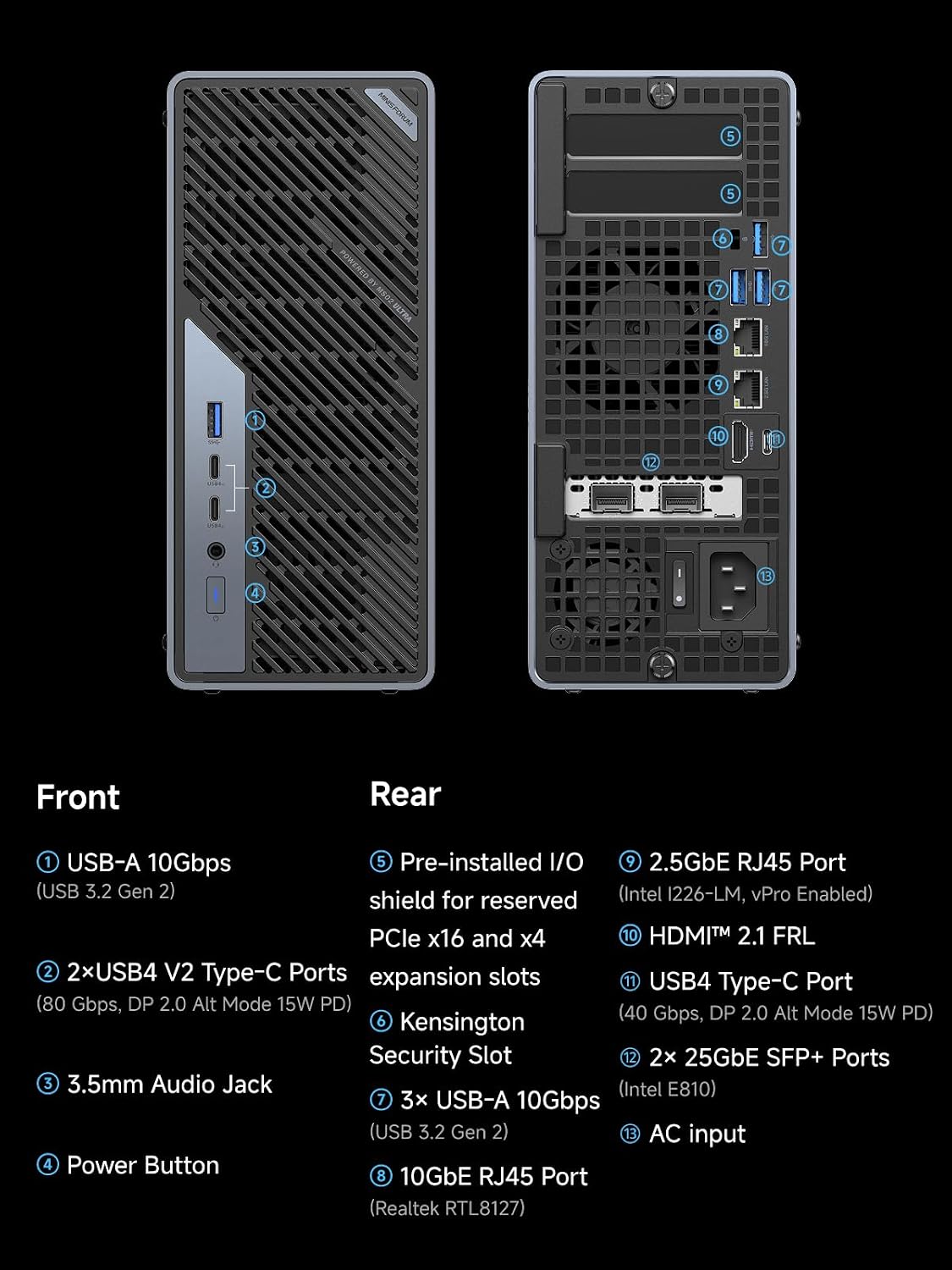
MINISFORUM product material showing the MS-02 Ultra network and peripheral ports.
→ Check the exact MS-02 Ultra 285HX configuration
Choose the N5 Pro for Direct Storage
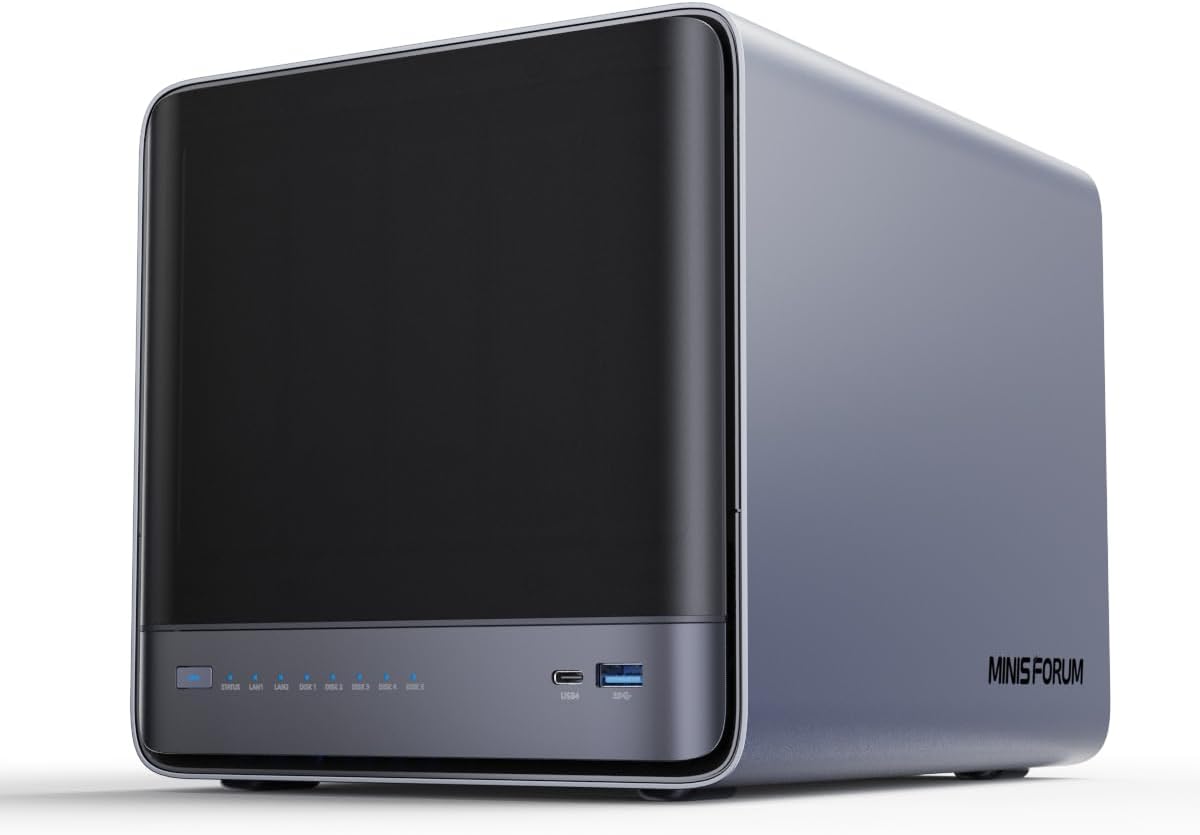
MINISFORUM product image showing the compact N5 Pro five-bay enclosure.
The N5 Pro starts with the physical job already solved. Five hard-drive bays, solid-state positions, 10GbE plus 5GbE, and upgradeable ECC-capable memory create a coherent NAS platform without an external drive cage.
Its Ryzen AI 9 HX PRO 370 is also strong enough for a meaningful application layer. Containers, file indexing, media services, and several virtual machines can live beside storage if memory and I/O are allocated carefully.
The limit is expansion shape. A buyer who needs multiple full-size add-in devices should not assume OCuLink or one slot is equivalent to the MS-02 workstation layout.
One Big Host or Two Focused Nodes
There are three valid designs:
One MS-02 Host
Choose this when PCIe devices and maximum memory matter, and you already have a clean storage enclosure plan. It concentrates services and creates one maintenance domain.
One N5 Pro Appliance
Choose this when direct storage is the center of the homelab and the application stack fits the memory and expansion limits. It is the simpler physical build.
N5 Pro Plus a Smaller Compute Node
Choose two nodes when storage uptime should not follow virtualization maintenance. This costs another machine but isolates failures and makes upgrades easier.
Use the VM capacity estimator for the guest memory plan. Do not assign a universal VM count to either product.
Topology Worksheet: Draw the Cables and Failure Domains
This page earns its comparison only if the two different physical designs are mapped into complete systems. Start with the services, then assign each component.
| Job | One MS-02 topology | One N5 Pro topology | Split-node topology |
|---|---|---|---|
| Hypervisor | MS-02 | N5 Pro if workload fits | smaller compute node |
| Direct HDD pool | external enclosure through HBA | five internal SATA bays | N5 Pro |
| VM datastore | internal M.2 or external storage | internal M.2 or U.2 | compute-local or N5 Pro |
| HBA | add-in card required | onboard storage path | not needed on compute node |
| Accelerator | add-in card, check conflict | OCuLink or limited expansion | compute node |
| Management | 2.5GbE or 10GbE | 5GbE | separate links |
| Storage fabric | 25GbE if justified | 10GbE | 10GbE between nodes |
| Maintenance impact | storage and compute can stop | storage and compute stop | one role can remain online |
The MS-02 design becomes awkward when an HBA, GPU, and 25GbE assembly all compete for physical room, lanes, power, and cooling. ServeTheHome’s MS-02 chassis review shows why the actual internal layout matters more than adding headline slot counts.
The N5 Pro avoids the external drive path. That makes cabling, airflow, and recovery easier, but it binds storage maintenance to the same host if Proxmox and the NAS run together. The split topology costs another node and network link while keeping storage available during compute maintenance.
Configured-Cost Worksheet
Do not compare a bare MS-02 with a complete five-bay NAS. Price the missing topology.
| Cost line | MS-02 storage host | N5 Pro combined host | N5 Pro plus compute node |
|---|---|---|---|
| Base machine | exact 285HX listing | exact HX PRO 370 listing | N5 Pro plus compute node |
| Memory | add selected kit | add selected ECC kit | memory for both nodes |
| Five-bay enclosure | add | included | included |
| HBA and cables | add | not normally required | not normally required |
| VM SSDs | add | add | add to compute node |
| High-speed network | SFP28 switch and cables if used | 10GbE switch and cable | two 10GbE links and ports |
| Accelerator | add if required | verify expansion route | add to compute node |
| UPS capacity | include enclosure | include drives | cover both nodes or prioritize NAS |
| Backup target | required | required | required |
The MS-02 wins configured cost when its extra memory and cards replace another substantial host. The N5 Pro wins when the five-bay chassis prevents an enclosure, HBA, and cable bundle. The split design wins operationally when storage uptime matters more than minimizing the machine count.
Drive and PCIe Assignment
The N5 Pro has five SATA bays and three flexible M.2 or U.2 positions. A straightforward build places the host OS on a small device, applications or VMs on a mirrored solid-state pair where required, and bulk data in the SATA pool. Its storage geometry is easy to explain to the next person who must recover it.
The 285HX MS-02 offers four M.2 positions and several PCIe placements, but some are tied to the installed 25GbE assembly. Draw the exact factory configuration, then add the HBA, enclosure connection, accelerator, and local SSDs. A physical x16 connector does not tell you the lane width or whether another installed device changes the available path.
Memory and ECC Planning
MINISFORUM lists four SO-DIMM sockets, a 256GB ceiling, ECC, and vPro for the exact 285HX MS-02 package. It lists two socketed DDR5 positions, ECC support, and a 128GB ceiling for the N5 Pro. In both cases, confirm the memory kit and firmware combination before making ECC a purchase condition.
ECC reduces one class of memory corruption. It does not protect against a bad HBA cable, software bug, accidental deletion, controller failure, or fire. Keep scrubs, snapshots, and a restore-tested backup in the architecture.
The N5 Pro ceiling is sufficient for many storage-heavy labs. The MS-02’s additional capacity matters when the guest allocation worksheet crosses 128GB. Do not pay for four sockets because a hypothetical future lab might use them.
Network Cost and Workload
The MS-02’s dual 25GbE SFP28 links can support shared VM storage, replication, or migration on a capable fabric. The N5 Pro’s 10GbE and 5GbE RJ45 ports align with more home switches. A five-drive hard-disk pool may saturate neither under random I/O, while fast NVMe and several clients can make 10GbE useful.
Assign ports before buying:
- management and recovery
- client file traffic
- hypervisor migration
- backup or replication
- storage fabric
If only the first two exist, the N5 Pro network is simpler. If several fast hosts and a shared NVMe dataset already exist, 25GbE may have a measurable job.
Operational Decision
Choose the N5 Pro combined host only if storage and virtualization can share maintenance. Choose the MS-02 only if the external storage path is documented and the cards fit together. Choose two nodes when a VM experiment must not reboot the family file server.
The NAS mini PC guide compares storage-first alternatives. The Proxmox guide compares compute hosts. Use both only after this topology worksheet tells you which category you actually need.
Before checkout, turn the chosen topology into a parts list with exact cable lengths, card dimensions, memory kits, drive models, switch ports, and UPS load. If one line still says “figure out later,” the supposedly flexible workstation path may be hiding the most expensive dependency. A complete drawing is the artifact that separates these products.
Network Cost and Reality
The MS-02 dual 25GbE links need an SFP28 network that can use them. The N5 Pro 10GbE and 5GbE layout is easier to integrate into many home labs. Neither interface makes a slow hard-drive pool deliver line-rate random I/O.
Add switch ports, optics, cables, and client adapters to the configured cost. A 25GbE feature with no matching network is unused silicon and power.
Final Verdict
Buy the MS-02 Ultra 285HX when memory density, PCIe devices, and 25GbE are the project. Buy the N5 Pro when five direct hard-drive bays and a compact storage-first design are the project.
Buy neither if a lower-cost MS-A2 already fits the compute plan or an N5 Air already fits the storage plan. The Minisforum lineup guide maps those lower tiers.
MS-02 features are limited to the exact 285HX package documented by MINISFORUM and shown in ServeTheHome’s chassis coverage. N5 Pro facts come from its current official HX PRO 370 specification. We have not physically tested either machine, and no universal compatibility, power, or VM-density result is claimed.
Current Buying Links
- MINISFORUM MS-02 Ultra 285HX: Check current price
- MINISFORUM N5 Pro barebone: Check current price