
MINISFORUM MS-02 Ultra vs MS-03: Maximum Host or Smaller Edge Node?
By Max · September 16, 2026
This article contains affiliate links. If you purchase through our links, we may earn a commission at no extra cost to you. We only recommend products we’ve thoroughly researched and verified.
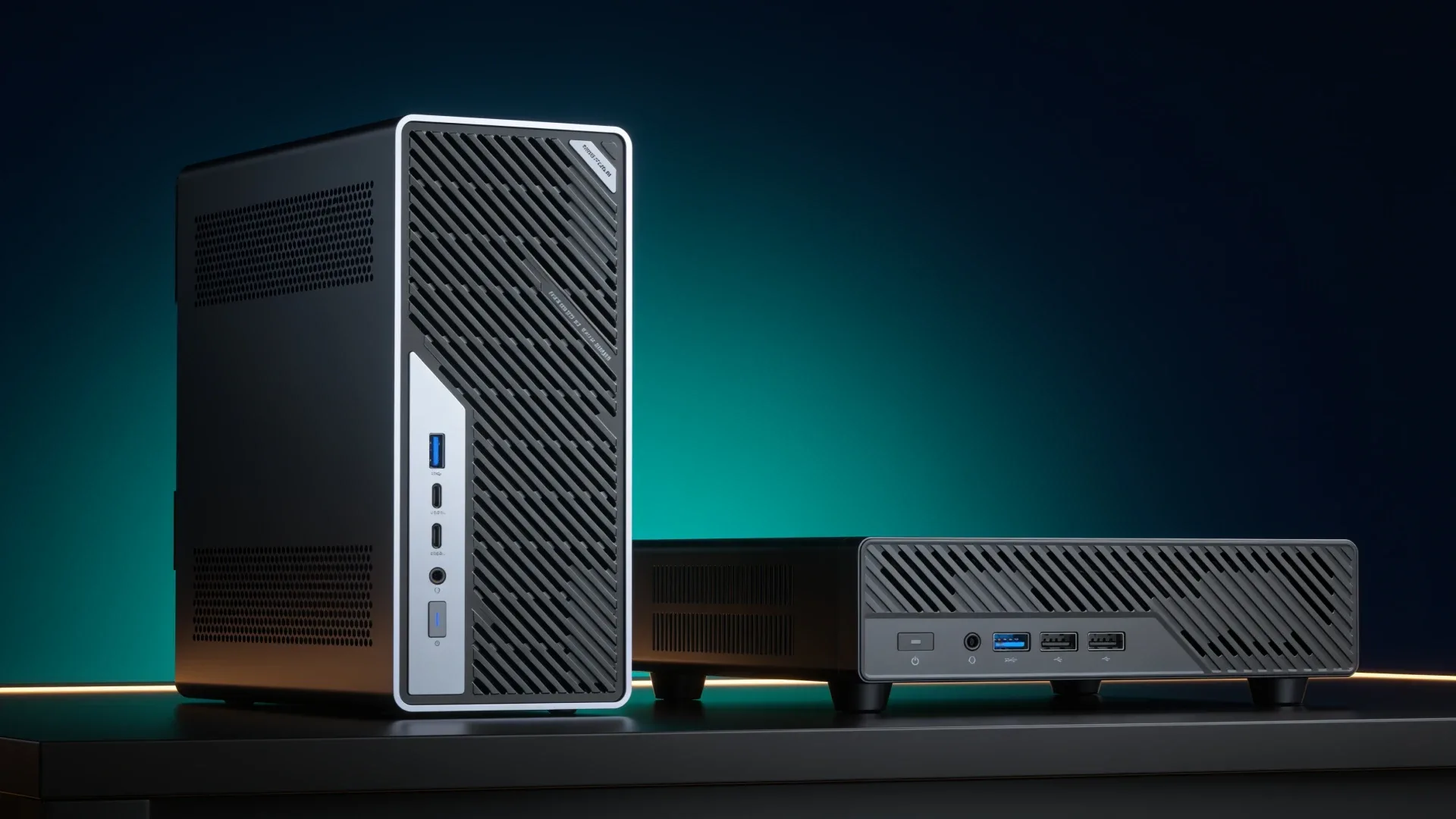
Quick buying links: MS-02 Ultra 285HX on Amazon · MS-03 386H from MINISFORUM
The MS-02 Ultra 285HX is the maximum-capacity choice with up to 256GB of memory, dual 25GbE, and room for several add-in devices. The currently buyable MS-03 Core Ultra 9 386H is the smaller Intel node with up to 128GB, two 10GbE SFP+ ports, 10GbE RJ45, 2.5GbE, three M.2 positions, and one low-profile physical x16 slot wired at PCIe 4.0 x4.
The MS-03 is not a smaller MS-02 with the same features. It is a different answer for buyers who value footprint and a simpler expansion plan.
The Short Answer
| Need | Better fit |
|---|---|
| More than 128GB memory | MS-02 Ultra 285HX |
| Dual 25GbE | MS-02 Ultra 285HX |
| HBA plus accelerator or several cards | MS-02 Ultra 285HX |
| Smaller current Intel node | MS-03 |
| Multiple 10GbE roles without a 25GbE switch | MS-03 |
| One low-profile add-in device | MS-03 can be enough |
| ECC requirement | Verify exact MS-02 285HX configuration, do not assume MS-03 |
Side-by-Side Boundary
| Feature | MS-02 Ultra 285HX | MS-03 |
|---|---|---|
| Memory ceiling | Up to 256GB DDR5 | Up to 128GB DDR5 |
| Wired networking | Dual 25GbE SFP28, 10GbE RJ45, and 2.5GbE | Dual 10GbE SFP+, 10GbE RJ45, and 2.5GbE |
| M.2 positions | Four on exact package | Three |
| Add-in expansion | Multiple PCIe positions | One low-profile physical x16 slot wired at PCIe 4.0 x4 |
| Chassis role | Maximum compact workstation | Smaller edge and virtualization node |
| Correct buyer | Expansion-heavy consolidation | Moderate host with a defined card need |
MINISFORUM currently offers the Core Ultra 9 386H MS-03 directly. This comparison links that exact official configuration rather than inventing an Amazon option or applying older MS-03 specifications to it.
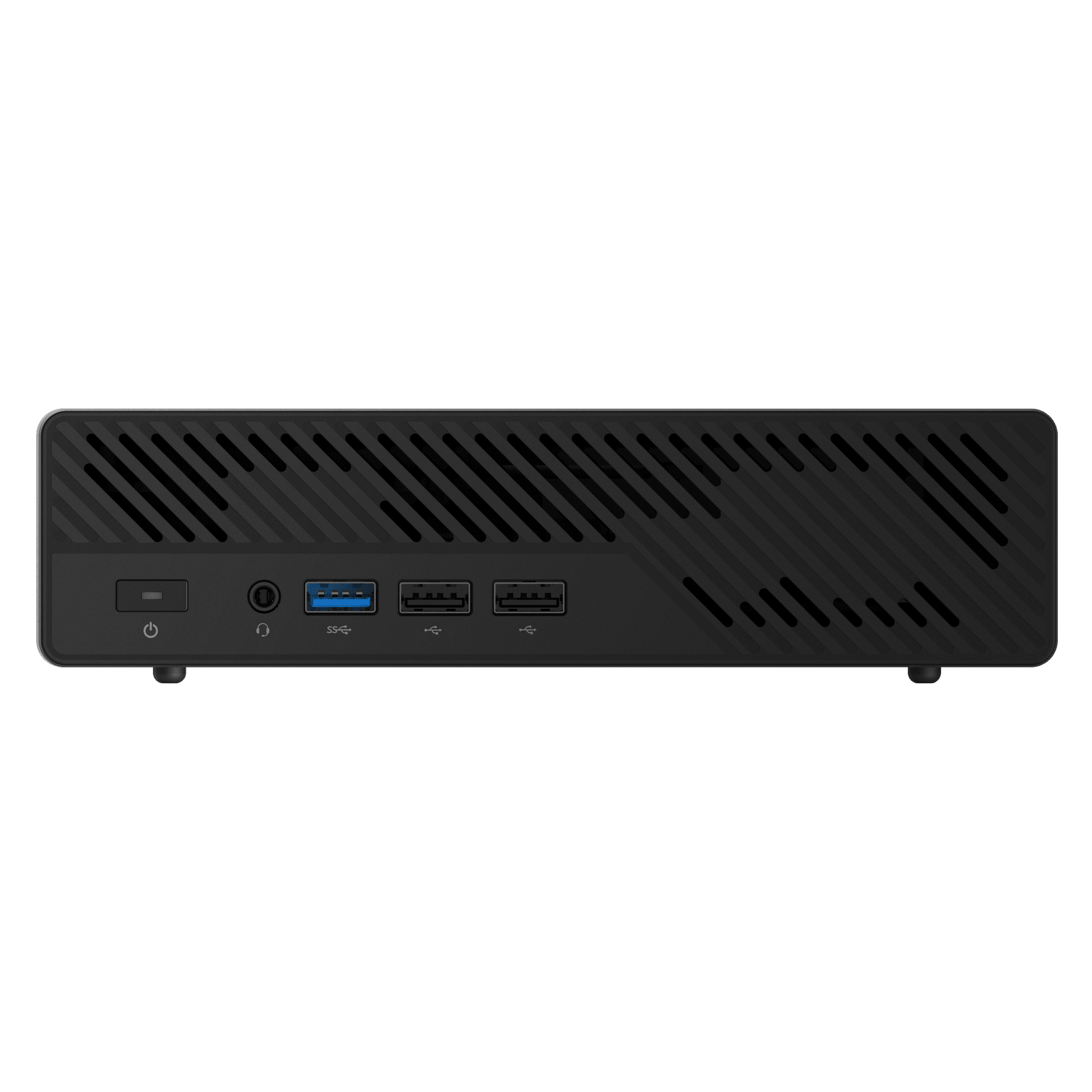
MINISFORUM product image showing the current MS-03 workstation chassis.
Choose the MS-02 When Growth Is Already Visible
The MS-02 earns its size and complexity when the build plan names the extra hardware. Four memory sockets support a much larger guest-memory pool. Multiple expansion positions can accommodate combinations such as an HBA and accelerator. Dual 25GbE can support storage, replication, or migration traffic on a capable network.
Those features also create cost. The internal 350-watt supply, larger chassis, add-in cards, and SFP28 network belong in the full budget. If the plan uses one card, less than 128GB, and a 10GbE switch, most of the MS-02 advantage remains idle.
→ Check the exact MS-02 Ultra 285HX configuration
Choose the MS-03 for a Defined Moderate Node
The MS-03 makes more sense when you can define the job tightly. A 128GB ceiling is still substantial for a compact virtualization host. Three M.2 positions can separate boot, local VM storage, and a fast dataset. One low-profile physical x16 slot wired at x4 can handle a specific HBA, accelerator, or network card if its bandwidth, 170mm length limit, and single-slot profile fit.
Its network layout is more capable than a simple 10GbE-plus-2.5GbE description suggests: MINISFORUM lists dual Intel X710 10GbE SFP+ ports, a Realtek 10GbE RJ45 port, and an Intel 2.5GbE port. That supports storage, management, and service segmentation without buying 25GbE switching and optics for workloads that never exceed 10GbE.
→ Check the MS-03 386H configuration at MINISFORUM
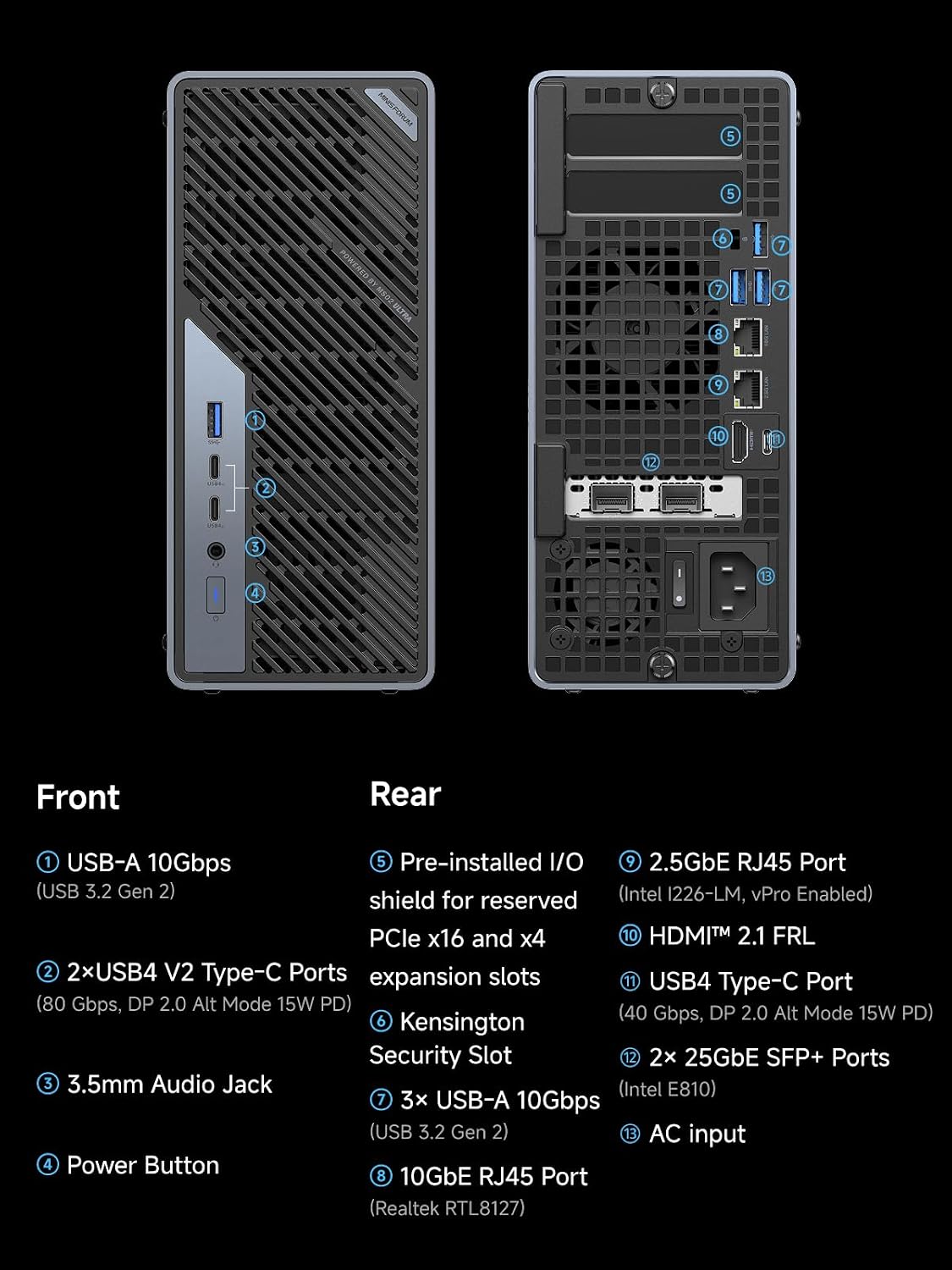
MINISFORUM product material showing the MS-02 Ultra network and management ports.
The smaller machine is a poor choice when your plan already includes two add-in devices, more than 128GB, or an ECC requirement that only the exact MS-02 package satisfies.
Memory Planning Without Invented VM Counts
Do not translate 128GB or 256GB into one universal number of virtual machines. Reserve memory for the host, storage cache, and background services. Then add the assigned memory for each guest and decide whether you will oversubscribe.
Example planning questions:
- How much memory is guaranteed to each database or Windows guest?
- Will ZFS run on the same host?
- Does an accelerator require passthrough?
- Can local storage sustain the guest I/O?
- Does maintenance on this node interrupt a critical service?
Use the VM capacity estimator to model your allocations.
Networking: 25GbE Is a System, Not a Port
Dual 25GbE becomes useful only with compatible switch ports, DACs or optics, and storage or workloads that can move the data. Replication, shared VM storage, and large sequential transfers can benefit. A handful of light containers and a single hard-drive pool usually cannot.
The MS-03 10GbE link is the more disciplined choice when it matches the rest of the network. Buying the larger machine for a port you cannot use is not future-proofing. It is prepaying for an uncertain redesign.
The 386H MS-03 actually provides three separate 10GbE interfaces, two SFP+ and one RJ45. A sensible topology can dedicate SFP+ to storage and migration, RJ45 to client traffic, and 2.5GbE to management. That is more useful than 25GbE when the existing switch and clients already live at 10GbE.
Exact Configuration Boundary
This comparison is specifically Core Ultra 9 285HX MS-02 Ultra versus Core Ultra 9 386H MS-03. Product-family names hide important differences:
| Boundary | MS-02 285HX | MS-03 386H |
|---|---|---|
| CPU topology | 24-core hybrid processor | 16-core hybrid processor |
| Memory sockets | four | two |
| Official memory ceiling | 256GB | 128GB |
| M.2 positions | four on this package | three |
| PCIe card plan | several positions, subject to installed assembly | one half-height single-slot card up to 170mm |
| Power design | internal 350W supply | 240W external adapter |
| Dimensions | larger workstation chassis | 196 by 189 by 48mm |
Do not transfer the 386H port list to an older MS-03 listing, and do not assume a lower MS-02 processor includes the 285HX memory, M.2, and 25GbE package. Confirm the selected option immediately before checkout.
Configured-Cost Worksheet
| Cost line | MS-02 Ultra 285HX | MS-03 386H |
|---|---|---|
| Barebone or configured system | exact selected option | exact official selected option |
| Memory | two or four modules as planned | two modules as planned |
| Boot and VM storage | assign four positions | assign three positions |
| Network switch | SFP28 ports and cables if using 25GbE | SFP+ or RJ45 ports and cables |
| Add-in card | card, cable, and cooling | one low-profile single-slot card |
| Backup | required | required |
| Future memory expansion | modules up to supported ceiling | replacement after 128GB ceiling |
The MS-03 can cost less as a complete moderate host because the network may reuse existing 10GbE infrastructure and the card plan is smaller. The MS-02 becomes better value when 256GB or multiple cards prevent buying a second node. Compare those outcomes, not only the official barebone numbers that can change.
PCIe and Storage Planning
The MS-03 physical x16 connector is electrically PCIe 4.0 x4. That can be suitable for an HBA, modest accelerator, or additional networking, but it is not sixteen lanes. Check the selected card’s bandwidth, height, thickness, length, auxiliary power, and Linux support. A full-width gaming GPU is not the intended fit.
Three M.2 positions support a disciplined host layout: one boot device and a mirrored pair for important VM data, or one boot device plus separate fast and capacity datasets. Mirroring is not a backup. Keep guest exports and configuration backups outside the chassis.
The MS-02 provides more placements, but the 25GbE and storage assemblies interact. Use the official lane diagram and ServeTheHome’s physical review before ordering cards. Its advantage is flexibility only when the pieces coexist.
Which One Fits Proxmox
The MS-03 is enough when the guest worksheet fits below 128GB, local VM storage fits three M.2 positions, and one x4 card covers the only passthrough need. Its four wired interfaces are unusually useful for separating management, storage, and guest networks.
The MS-02 is justified when memory crosses 128GB, multiple cards are non-negotiable, or a 25GbE storage fabric already exists. Neither CPU core count should be converted into a universal VM number. Reserve host memory, storage cache, and failure headroom, then use the VM capacity estimator.
Buy Direct or Use the Affiliate Option
The MS-03 has a current official MINISFORUM purchase page. We found no exact Amazon configuration to recommend, so the CTA goes directly to the manufacturer and earns us no commission. The MS-02 link above goes to the exact 285HX Amazon configuration and may earn a commission.
Stock, estimated shipping, and price can change. Confirm the 386H selector, US adapter, memory bundle, and delivery date on the final checkout page. The fact that a page accepts an order is not evidence that it ships immediately.
Cooling, Power, and Placement
The MS-03 uses a 240W external adapter, while the MS-02 uses a larger internal 350W supply. Those figures describe power-delivery capacity, not wall consumption. They cannot be used to claim that one system idles lower or costs less to run.
The smaller MS-03 chassis also does not prove quieter operation. Card choice, processor mode, fan curve, ambient temperature, and vent clearance matter. If the host will sit in an office, keep it away from the immediate work surface and evaluate the actual workload during the return period. Notebookcheck measured an audible MS-02 sample, but that evidence does not predict the unmeasured 386H MS-03.
Use the power-cost calculator only after obtaining a wall measurement for the configured system. Include cards, SSDs, and network transceivers in that measurement.
Three Buyer Scenarios
Moderate virtualization node: choose the MS-03 with 64GB or 128GB, mirrored VM storage, and management on 2.5GbE. Its several 10GbE interfaces can handle storage and migration without adding a network card.
Maximum single-host lab: choose the 285HX MS-02 when the documented guest plan needs more than 128GB or requires an HBA plus another add-in device. Budget the SFP28 network only if 25GbE serves a measured workload.
Small cluster: several MS-03 nodes may produce better maintenance isolation than one maximum MS-02, but they also require more switch ports, storage coordination, power supplies, and licenses. Compare the full cluster cost and recovery procedure. Do not infer that more nodes automatically provide high availability.
Arrival Validation
Check the processor, memory capacity, network-controller identities, M.2 devices, and PCIe link width before moving production services. Update firmware from the official support path, then test the intended hypervisor, passthrough device, storage link, and reboot behavior. Keep the packaging until the return period ends.
This is configuration validation, not a review benchmark. Its purpose is to catch a wrong selector, unsupported card, or shipping mismatch while a return remains practical.
Final Verdict
Buy the MS-02 Ultra 285HX when the project already needs more than 128GB, several add-in devices, or 25GbE infrastructure. Buy the Core Ultra 9 386H MS-03 when 128GB, three M.2 positions, several 10GbE roles, and one low-profile x4 card solve a defined compact-node job.
Keep the MS-01 comparison in the decision if you already own that platform. Check the Minisforum lineup guide for lower-cost AMD and NAS branches.
MS-02 evidence is scoped to the 285HX official configuration and ServeTheHome review chassis. MS-03 facts and the direct CTA are scoped to the currently orderable Core Ultra 9 386H official configuration. We have not physically tested either system and make no benchmark claim.
Current Buying Links
- MINISFORUM MS-02 Ultra 285HX: Check current price on Amazon
- MINISFORUM MS-03 Core Ultra 9 386H: Check availability from MINISFORUM