
This article contains affiliate links. If you purchase through our links, we may earn a commission at no extra cost to you. We only recommend products we’ve thoroughly researched and verified.
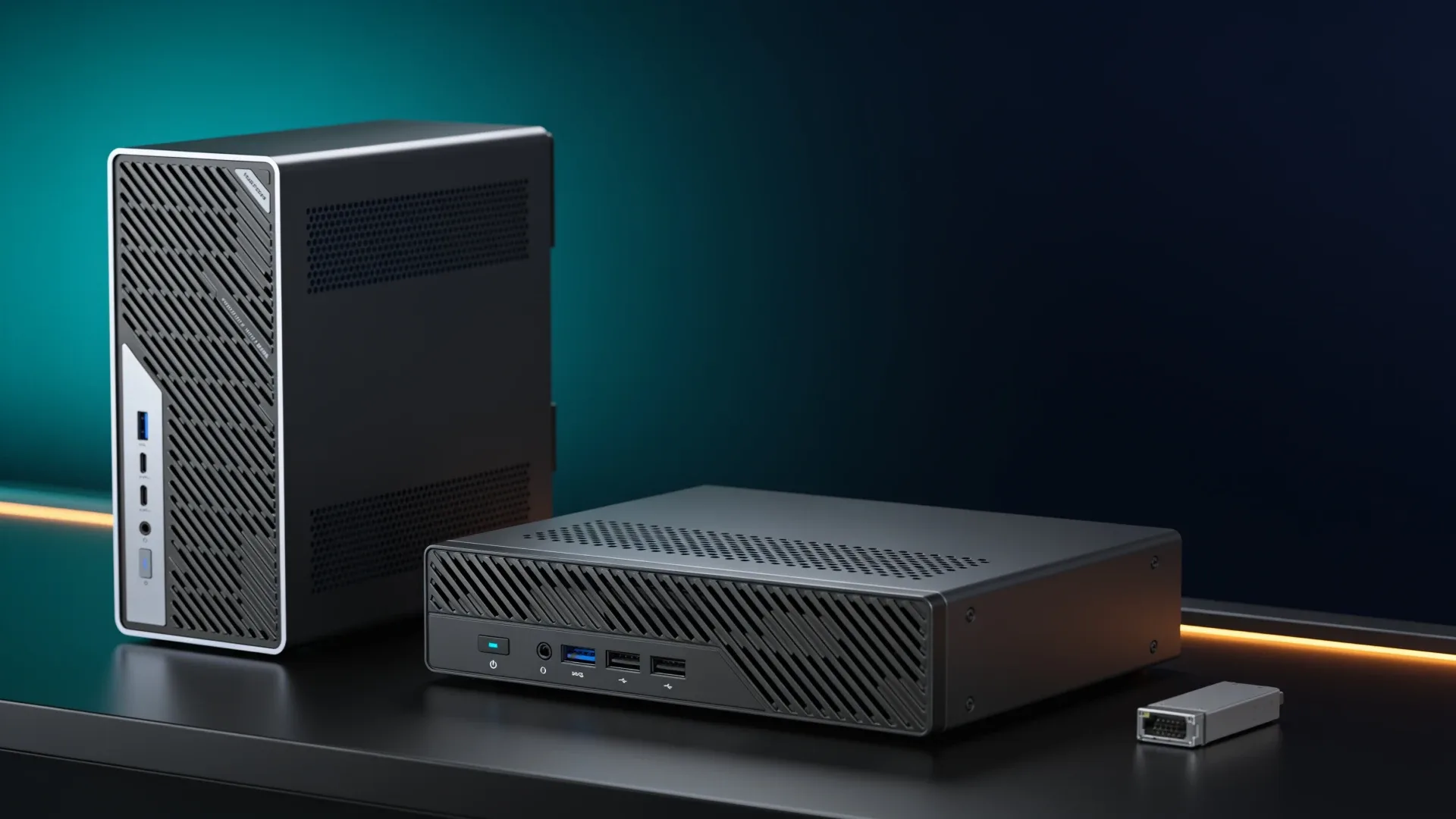
Quick price check: MS-02 Ultra 285HX · MS-01 i9-13900H
The MS-02 Ultra 285HX is worth upgrading to only when an MS-01 has hit a measurable limit. It raises the official memory ceiling from 64GB to 256GB, moves the network ceiling from 10GbE to 25GbE, and supplies much more PCIe and NVMe room. It is also almost three times the volume, costs more to populate, and was loud under load in independent testing.
An MS-01 that already runs its guests, storage, and cluster network reliably should stay in service. This is a capacity upgrade, not a routine generational replacement.
We compare the Amazon-validated Core Ultra 9 285HX barebone with the Core i9-13900H, 32GB, 1TB MS-01 listing. Product data was revalidated on August 10, 2026. We did not bench either system.
Upgrade decision table
| Constraint today | What MS-02 Ultra changes | Upgrade verdict |
|---|---|---|
| Memory pressure above 64GB | Four sockets and 256GB official support | Strong reason |
| 10GbE is saturated by shared storage | Dual 25GbE plus 10GbE and 2.5GbE | Strong reason if switch and storage match |
| One PCIe card is not enough | Larger multi-slot layout | Strong reason after lane mapping |
| Need more than three fast drives | Four M.2 positions on 285HX | Useful but inspect shared resources |
| MS-01 meets current load | More unused capacity | Keep MS-01 |
| Quiet desk placement | Review sample reached 54.6 dBA | Do not upgrade for this |
| Compact three-node cluster | Larger chassis and different external fabric | Keep MS-01 unless capacity is limiting |
This is a much larger class of machine
The MS-01 is a compact 1-liter-class workstation. The MS-02 Ultra is a 4.8-liter workstation with a 350W internal power supply and room for a dual-slot GPU. The larger chassis is what makes four SO-DIMM sockets, several PCIe positions, and the 25GbE assembly possible.
That physical change affects deployment. Three MS-01 nodes can make a neat shelf cluster. Three MS-02 Ultra systems need more room, more power planning, and more tolerance for fan noise. Compare the migration benefit against keeping the existing nodes and adding one storage server.
→ Check the exact MS-02 Ultra 285HX configuration
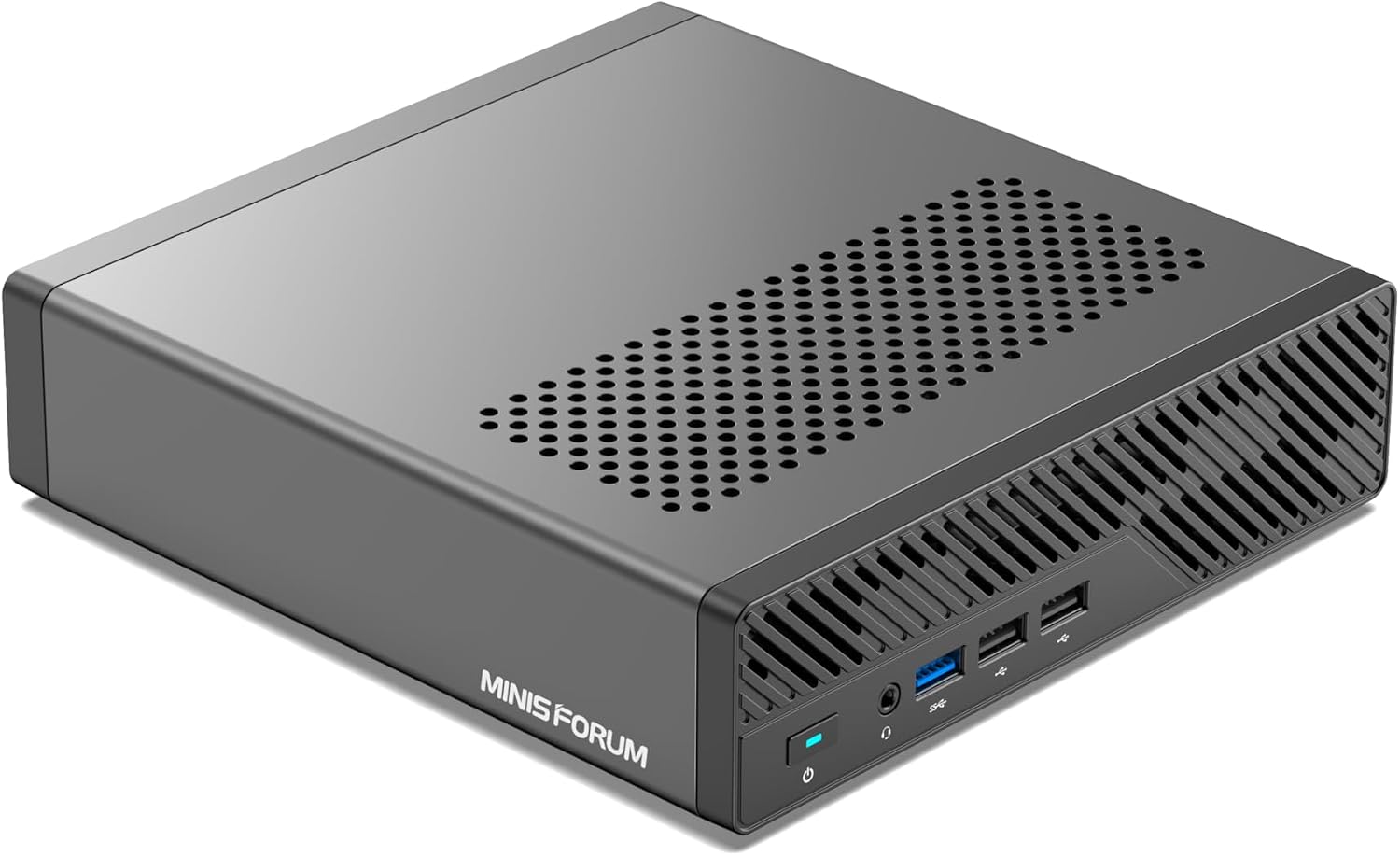
MINISFORUM product image showing the compact MS-01 workstation chassis.
→ Check the MS-01 i9-13900H configuration
Memory: official support versus owner experiments
MINISFORUM’s current MS-01 page specifies up to 64GB across two DDR5 SO-DIMM sockets. Some listings, reviewers, and owners have used 96GB kits, but that is not the same as a manufacturer guarantee. Plan a production-like lab around the supported boundary unless you accept the validation work yourself.
The 285HX MS-02 Ultra has four sockets and an official 256GB ceiling. That is its cleanest upgrade. A host running large databases, many Windows guests, or memory-heavy Kubernetes nodes can consolidate without relying on an unsupported kit.
Memory is not automatically reusable as a four-module kit. Check module capacity, speed, rank, and the vendor’s qualified list before assuming the two MS-01 sticks can simply be combined with another pair.
Networking: 25GbE versus the MS-01 cluster pattern
The MS-01 provides dual 10GbE SFP+ and two 40Gbps USB4 ports. Homelab builders use those ports for fast point-to-point or ring networking without buying a high-port-count 10GbE switch. That pattern remains useful.
The 285HX MS-02 Ultra instead provides dual 25GbE SFP+, 10GbE RJ45, 2.5GbE, and two 80Gbps USB4 v2 ports. It is the stronger storage and migration host, but a 25GbE NIC does nothing for a SATA pool behind a 10GbE switch. Price the switch, optics or DAC cables, and storage target before treating 25GbE as an upgrade.
| Existing topology | After an MS-02 migration | Keep or change |
|---|---|---|
| MS-01 USB4 point-to-point cluster | Rebuild around USB4 v2 or switched Ethernet | Keep MS-01 when the cluster is stable and fast enough |
| Dual 10GbE to shared storage | Move to 25GbE only if storage and switch sustain it | Keep 10GbE for HDD and ordinary SSD-backed storage |
| One PCIe HBA or NIC | Gain room for more add-in devices | Upgrade only when another device is already blocked |
| Two memory sockets | Gain four sockets and a 256GB official ceiling | Upgrade when supported memory capacity is the constraint |
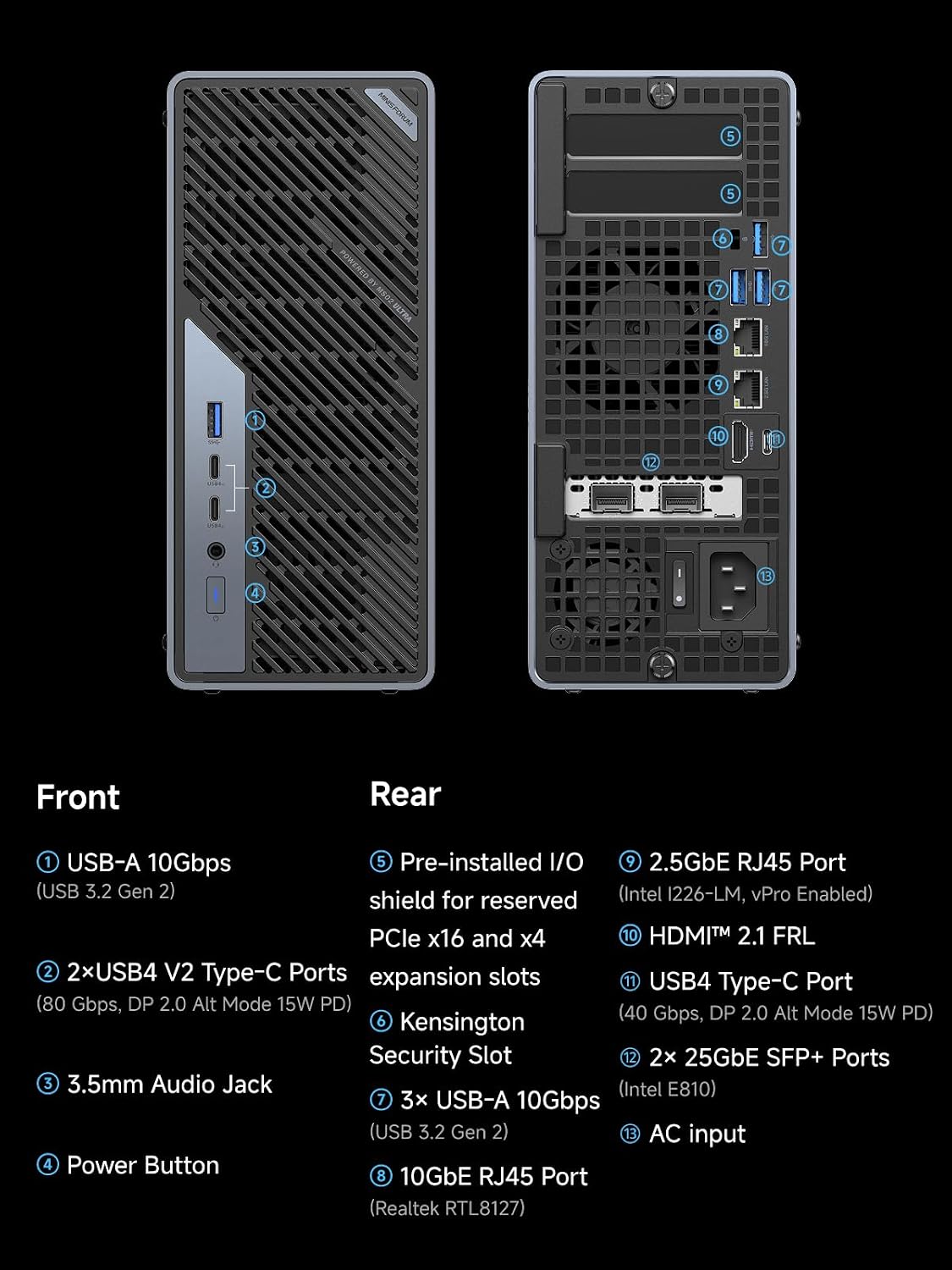
MINISFORUM product material showing the MS-02 Ultra 285HX network and peripheral ports.
PCIe and storage migration
The MS-01 supplies one half-height physical x16 slot and three M.2 positions, with U.2 support on the official platform. The MS-02 Ultra expands to a multi-slot chassis and four M.2 positions on the 285HX configuration.
The useful artifact is a migration inventory:
| Existing item | Likely reusable | Check before ordering |
|---|---|---|
| DDR5 SO-DIMMs | Possibly | Capacity, speed, rank, and four-stick support |
| M.2 NVMe drives | Usually | Slot length, link width, boot layout, and lane sharing |
| Half-height PCIe card | Possibly | Bracket, cooling, lane width, and adjacent-slot clearance |
| SFP+ DACs and optics | Sometimes | 25GbE NIC and switch compatibility |
| Proxmox guests | Yes through backup or migration | Network names, IOMMU mappings, storage IDs, and rollback |
| U.2 device | Configuration dependent | Cable, power, connector, and the exact MS-02 lane map |
The dual 25GbE card occupies expansion resources and carries two M.2 positions. A GPU, HBA, and fast NIC cannot all be planned independently. Draw the final layout before buying parts.
Migration bill and downtime worksheet
| Item | Reuse is plausible when | Budget for replacement when |
|---|---|---|
| Memory | Existing modules form a validated MS-02 kit | Capacity or four-stick behavior does not match the plan |
| NVMe storage | Drive sizes and slot link widths suit the new map | Lane sharing or cooling changes the layout |
| PCIe devices | Bracket, power, lanes, and cooling fit | A dual-slot GPU blocks an adjacent device |
| Network links | Existing optics and DACs support the selected ports | Moving from SFP+ to SFP28 changes switch and links |
| Backup capacity | A verified image and guest backups fit the target | The migration needs a second full copy and rollback space |
| Service window | Guests can move to another node | This is the only host and downtime has a real cost |
Run both systems through the VM capacity estimator with the same guest allocations. That comparison is more useful than assigning a universal VM count from processor cores alone.
CPU, power, and acoustics
The i9-13900H has fourteen hybrid cores. The Core Ultra 9 285HX has twenty-four hybrid cores and a much higher platform ceiling. That can help a dense host, but it does not make every VM faster and it does not remove the need to understand performance and efficiency core placement.
Tom’s Hardware measured 33W idle from a 285HX MS-02 Ultra configured with an RTX 5060. Do not use that number as barebone idle. Notebookcheck measured 38.8 dBA at idle and up to 54.6 dBA under load on its sample. Those results make the machine easier to recommend for a closet or equipment room than a quiet desk.
MS-01 idle reports vary with CPU, SFP modules, NICs, and drives. Use the power cost calculator with measurements from your intended configuration instead of carrying one review figure into a different build.
Keep, upgrade, or choose another system
Keep the MS-01 when it stays below memory pressure, dual 10GbE is sufficient, and its one card slot holds everything you need. This is the highest-return choice because it costs nothing and avoids a migration.
Upgrade to the MS-02 Ultra 285HX when you can name the blocked resource: more than 64GB of supported memory, 25GbE storage traffic, several add-in devices, or four internal M.2 drives.
Consider the MS-A2 when you want a newer AMD host, dual 10GbE, and up to 96GB of official memory without paying for the MS-02 platform. See our MS-02 Ultra vs MS-A2 comparison.
Buy neither when you need silence, turnkey storage software, or only a few lightweight services. Our best Proxmox mini PC guide starts with smaller tiers.
Frequently Asked Questions
Is the MS-02 Ultra a direct replacement for the MS-01?
No. The MS-02 Ultra is almost three times the volume and targets heavier expansion. The MS-01 remains attractive for compact clusters that use dual 10GbE and USB4 networking.
Should an MS-01 owner upgrade to the MS-02 Ultra?
Upgrade only if the current host is constrained by memory, network throughput, storage slots, or PCIe expansion. An MS-01 that already handles its workload does not become obsolete because a larger model exists.
Can MS-01 memory and SSDs move to the MS-02 Ultra?
The systems use DDR5 SO-DIMMs and M.2 storage, but reuse still depends on module density, kit validation, drive format, and the planned slot map. Treat the operating-system migration and network configuration as separate work.
Sources and verification
- MINISFORUM MS-02 Ultra specifications
- MINISFORUM MS-01 specifications
- ServeTheHome MS-02 Ultra review
- Notebookcheck MS-02 Ultra measurements
Retail identities, selected configurations, stock, ratings, and prices were checked through Amazon product data on August 10, 2026. Prices and stock can change.
Current buying links
- MS-02 Ultra 285HX barebone: Check the exact configuration
- MS-01 i9-13900H with 32GB and 1TB: Check current price