
This article contains affiliate links. If you purchase through our links, we may earn a commission at no extra cost to you. We only recommend products we’ve thoroughly researched and verified.
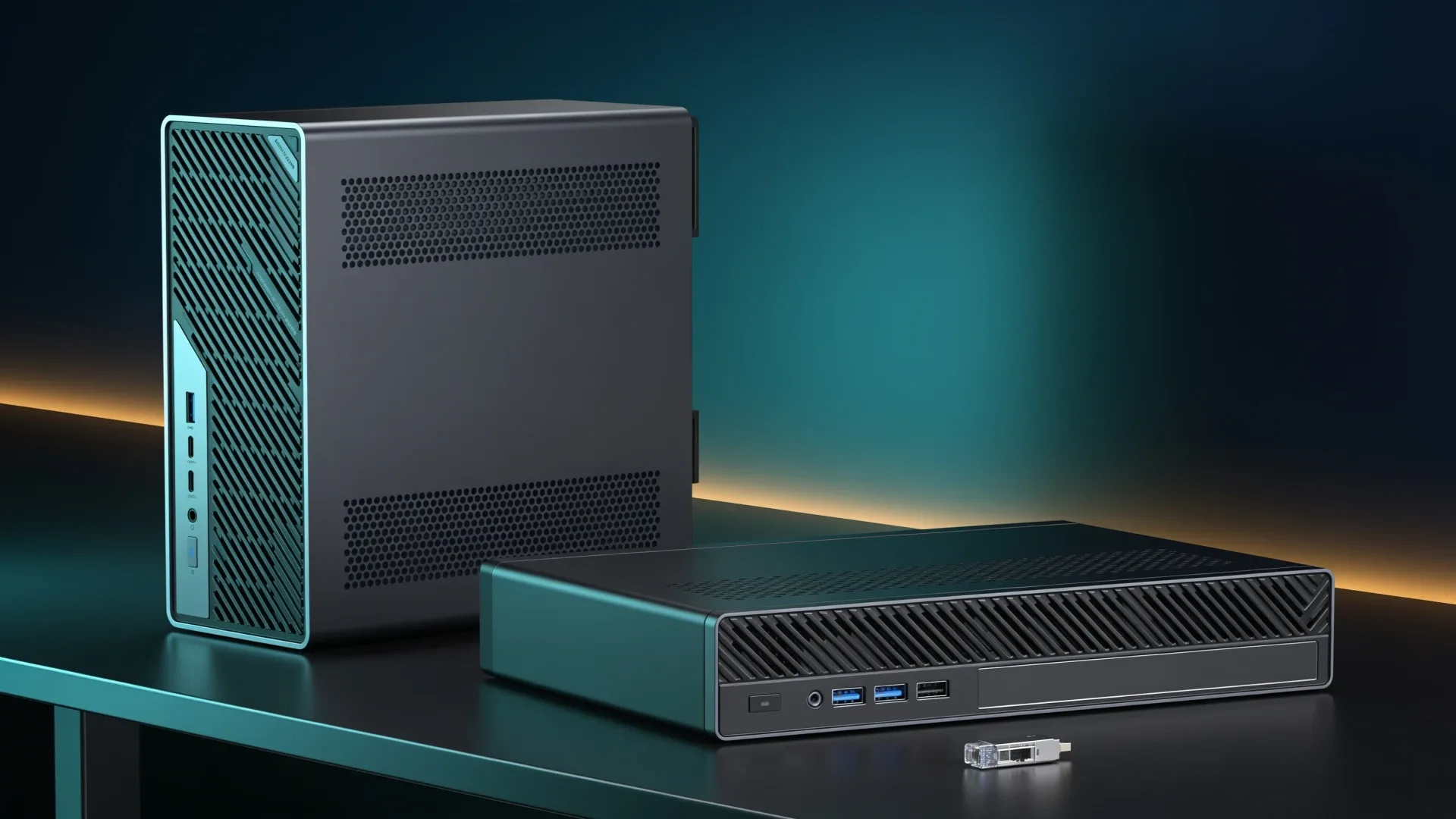
Quick price check: MS-02 Ultra 285HX · MS-A2 8945HX
The MINISFORUM MS-02 Ultra 285HX is the better consolidation host when your plan genuinely needs more than 96GB of memory, 25GbE, or several add-in devices. The MS-A2 8945HX is the smarter buy for most single-host Proxmox labs because it keeps sixteen standard CPU cores, dual 10GbE, U.2 support, and a PCIe slot at a much lower entry cost.
That answer depends on exact variants. The MS-02 Ultra name covers several configurations, and the lower models do not inherit every 285HX feature. The MS-A2 family also spans several AMD processors. We compare the Amazon-validated 285HX and 8945HX barebones here. Listings were revalidated through an approved research route on August 10, 2026. We did not bench either system.
The decision in one table
| Need | MS-02 Ultra 285HX | MS-A2 8945HX | Better fit |
|---|---|---|---|
| Official memory ceiling | 256GB, four sockets | 96GB, two sockets | MS-02 Ultra |
| High-speed networking | Dual 25GbE, 10GbE, 2.5GbE | Dual 10GbE, dual 2.5GbE | MS-02 Ultra |
| CPU layout | 24-core hybrid Intel | 16 standard AMD cores | Workload dependent |
| Internal expansion | Multi-slot chassis | One physical x16 slot at x8 | MS-02 Ultra |
| Fast storage | Four M.2 positions on this SKU | Three mixed NVMe or U.2 positions | Workload dependent |
| External high-speed I/O | Two USB4 v2 ports at 80Gbps | USB-C at 10Gbps | MS-02 Ultra |
| Value before RAM and storage | Higher | Lower | MS-A2 |
| Desk-friendly acoustics | Poor under heavy load in one review sample | Audible under sustained server work | Neither |
Why the 285HX qualifier matters
MINISFORUM gives the Core Ultra 9 285HX model four SO-DIMM sockets, four M.2 positions, ECC and vPro support, and a dual-port 25GbE card. The 275HX and 235HX configurations use a reduced layout. A listing that says only “MS-02 Ultra” is not enough evidence that you are buying the machine in this table.
The 25GbE assembly also is not free magic. It occupies a PCIe bay and carries two of the four M.2 positions. The official lane diagram and ServeTheHome’s chassis coverage are more useful than the headline slot count because they show what remains available after the network card is installed.
→ Check the exact MS-02 Ultra 285HX configuration
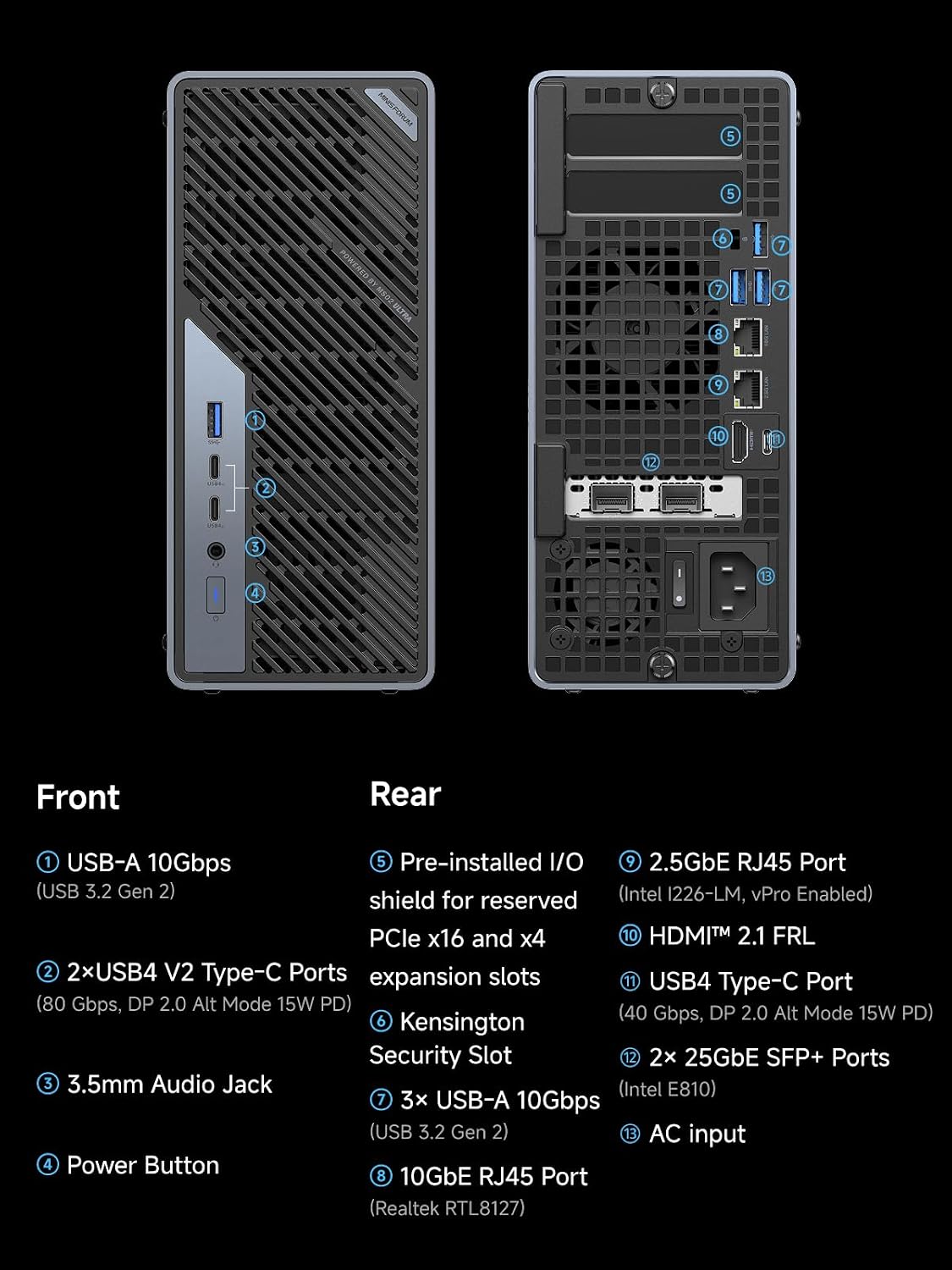
MINISFORUM product material showing the MS-02 Ultra front and rear connectivity.
Proxmox memory and VM density
Memory is the strongest reason to pay for the MS-02 Ultra. Four sockets and a 256GB official ceiling create room for a large database lab, many memory-heavy VMs, or a consolidated host that would otherwise need multiple nodes. The 285HX also supports ECC according to MINISFORUM, though buyers should still verify a tested kit rather than assuming any module will work.
The MS-A2 has two sockets and a 96GB manufacturer-supported ceiling. That is enough for a substantial lab, but it is a hard planning boundary. Older Mini PC Lab copy cited 128GB owner experiments as if they were official support. It is safer to plan around 96GB.
Core count does not settle the decision. The 285HX combines performance and efficiency cores. The 8945HX supplies sixteen standard Zen 4 cores and thirty-two threads. Proxmox supports both, but an all-standard-core layout can be easier to reason about for pinned or latency-sensitive guests. The MS-02 wins on total platform capacity, not because every guest automatically runs faster.
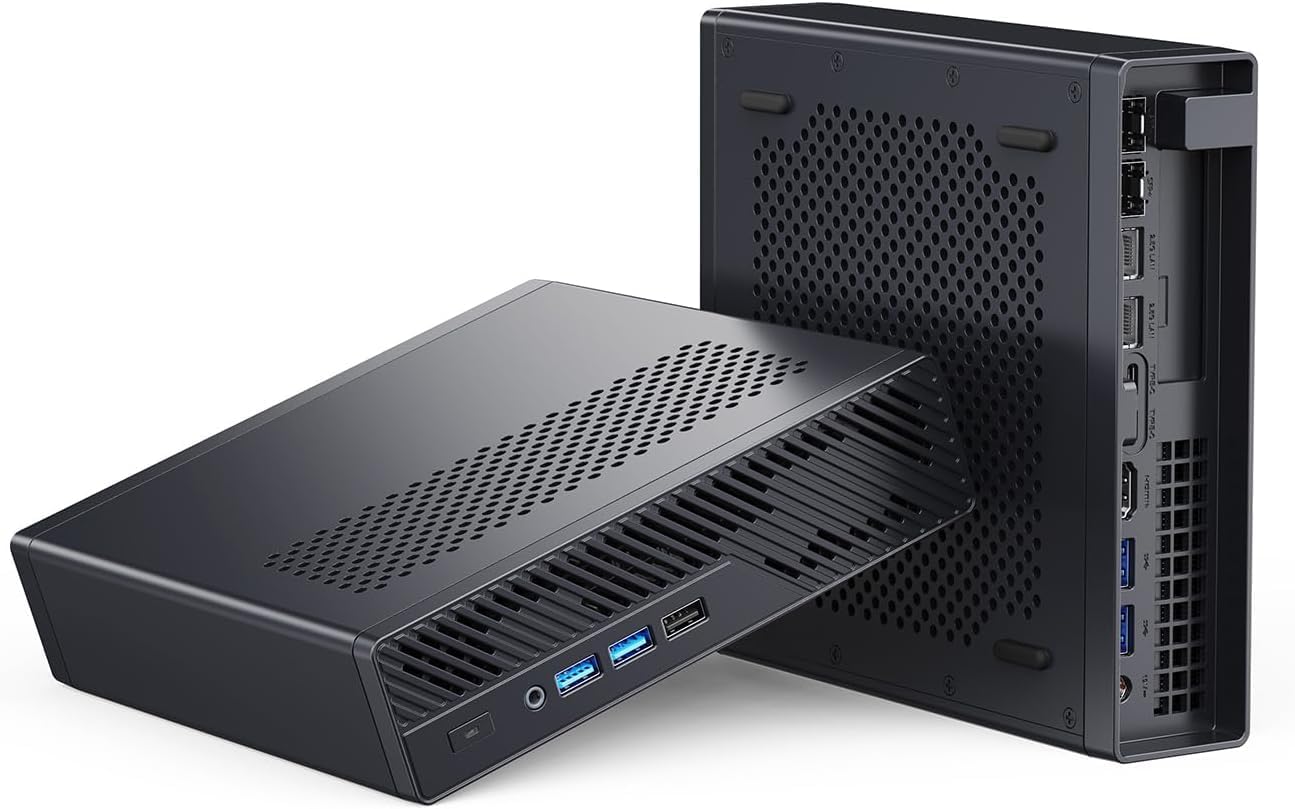
MINISFORUM product image showing the lower, wider MS-A2 workstation chassis.
→ Check the MS-A2 8945HX configuration
Use this memory ladder before pricing either host:
| Planned memory | MS-02 Ultra 285HX | MS-A2 8945HX | Decision |
|---|---|---|---|
| 64GB | Supported | Supported | MS-A2 usually leaves more budget for storage and backup |
| 96GB | Supported | Official ceiling | Choose by network and expansion rather than memory |
| 128GB | Supported | Outside official 96GB support | MS-02 is the supported route |
| 192GB | Supported with a validated kit | Not supported by MINISFORUM | MS-02 only |
| 256GB | Official ceiling with a validated kit | Not supported by MINISFORUM | MS-02 only |
Memory capacity alone does not predict a safe VM count. Reserve capacity for the host, storage services, caches, and workload spikes, then model the guests with our VM capacity estimator.
Networking: 25GbE only pays when the rest can feed it
The MS-02 Ultra combines two 25GbE SFP+ ports, a 10GbE RJ45 port, and 2.5GbE. That is compelling for shared NVMe storage, fast migration traffic, and Ceph clusters with an appropriate switch and several nodes. It is wasted money when the rest of the network is 2.5GbE or when one SATA-backed NAS is the only storage target.
The MS-A2 already provides two Intel X710 10GbE SFP+ ports plus one Intel and one Realtek 2.5GbE port. For backups, ordinary VM migrations, and a small ZFS server, that is a serious network platform. Our 10GbE mini PC guide explains the switch and transceiver costs that belong in the budget.
| Network tier | Work it can complete | Infrastructure required | Buying consequence |
|---|---|---|---|
| 2.5GbE | Management, internet routing, backups to HDD storage | Existing copper switch and cabling in many homes | Neither workstation needs to win on network speed |
| 10GbE | Fast NAS access, VM migration, shared SSD storage | 10GbE switch plus compatible optics or DAC cables | MS-A2 already covers this tier twice |
| 25GbE | NVMe-backed shared storage, Ceph traffic, heavy replication | SFP28 switch, compatible links, and storage that sustains the rate | MS-02 earns its premium only when the full path is ready |
Storage and PCIe expansion
The MS-02 Ultra is the flexible chassis. Its 285HX layout supports four M.2 devices and several PCIe positions, including room for a dual-slot GPU. Installing a discrete GPU changes the processor power limits, so it is not a no-compromise GPU workstation. Map the 25GbE assembly, storage, HBA, and GPU before ordering.
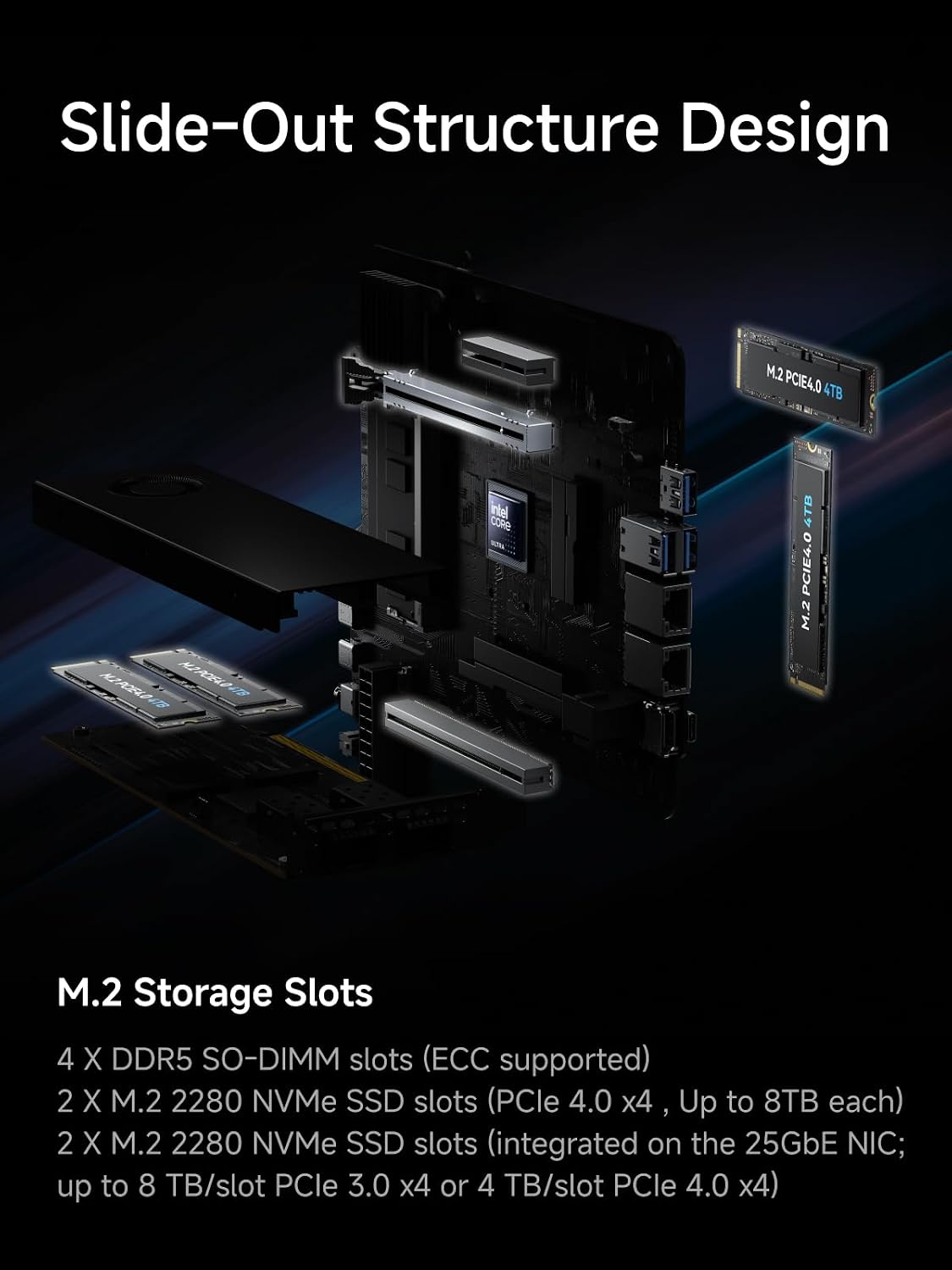
MINISFORUM product material showing the MS-02 Ultra internal expansion layout.
The MS-A2 offers three fast-storage positions across mixed form factors and link widths, including U.2 support, plus a physical x16 PCIe slot operating at x8. That is enough for one HBA, NIC, or other device. It is less suitable for a build that needs several cards at once.
Configure the whole platform before comparing price
Barebone price is only the first row. Complete this worksheet for both systems:
| Cost category | MS-02 Ultra question | MS-A2 question |
|---|---|---|
| Memory | Which validated four-socket kit reaches the required tier? | Is 64GB or 96GB enough? |
| Boot and VM storage | Which of four M.2 positions remain after the network layout? | Does the U.2 path replace an M.2 position in this build? |
| Network | Do you need an SFP28 switch and new links? | Do you already own a 10GbE switch and SFP+ links? |
| Expansion | Which bays remain after the included 25GbE assembly? | Is one x8 add-in device sufficient? |
| Power and cooling | Will a GPU change CPU power limits and room heat? | Can the deployment tolerate workstation fan noise? |
| Resilience | What is the backup target and rollback plan? | Would a second lower-cost node reduce downtime better? |
If the MS-02 rows do not remove a real bottleneck, the saved money from the MS-A2 is more useful in RAM, storage, backup capacity, or another node.
Power, noise, and placement
The MS-02 Ultra has a 350W internal power supply and a 4.8-liter chassis. MINISFORUM lists different CPU limits depending on whether a discrete GPU is installed. Tom’s Hardware measured 33W idle for a 285HX system with an RTX 5060, which is useful context but not a barebone idle figure.
Notebookcheck measured its MS-02 Ultra sample at 38.8 dBA at idle and up to 54.6 dBA under load. That makes the box a poor choice beside a microphone or in a quiet bedroom. The MS-A2 also uses workstation-style cooling and independent coverage describes it as audible under load. Treat both as equipment-room machines when sustained workloads are the plan.
Use the power cost calculator with your own drives, cards, duty cycle, and electricity rate. A chassis headline cannot predict a configured server’s annual cost.
Which one should you buy?
Buy the MS-02 Ultra 285HX when at least one of these is true:
- The host needs more than 96GB and you have validated the intended memory kit.
- Your storage and switch can use 25GbE.
- The build needs more than one add-in device.
- Four internal M.2 positions reduce the need for another storage box.
Buy the MS-A2 8945HX when:
- 96GB is enough.
- Dual 10GbE is already faster than the rest of your lab.
- One HBA or expansion card is sufficient.
- You would rather put the price difference into memory, SSDs, backups, or a second node.
Buy neither when you need a quiet office PC, a turnkey NAS appliance, or only a few lightweight services. Our best Proxmox mini PC guide includes cheaper tiers.
Frequently Asked Questions
Is the MS-02 Ultra better than the MS-A2 for Proxmox?
The Core Ultra 9 285HX MS-02 Ultra is better for a large consolidated host that needs more than 96GB of memory, 25GbE, or several add-in devices. The Ryzen 9 8945HX MS-A2 is the better-value host when 96GB, dual 10GbE, and one PCIe card are enough.
Does every MS-02 Ultra have 25GbE and four M.2 slots?
No. This comparison covers the Core Ultra 9 285HX version. MINISFORUM lists dual 25GbE and four M.2 positions for that configuration, while lower MS-02 Ultra versions have a different expansion layout.
How much memory do the MS-02 Ultra and MS-A2 support?
MINISFORUM rates the 285HX MS-02 Ultra for up to 256GB across four SO-DIMM sockets. It rates the MS-A2 for up to 96GB across two sockets.
Which system is quieter?
Neither should be assumed quiet under sustained work. Notebookcheck measured its MS-02 Ultra sample at 38.8 dBA at idle and up to 54.6 dBA under load. Independent MS-A2 coverage also reports an audible server-style cooling profile, so placement matters.
Sources and verification
- MINISFORUM MS-02 Ultra specifications
- MINISFORUM MS-A2 specifications
- ServeTheHome MS-02 Ultra review
- ServeTheHome MS-A2 review
- Notebookcheck MS-02 Ultra measurements
Retail identities, selected configurations, stock, ratings, and prices were checked through Amazon product data on August 10, 2026. Prices and stock can change.
Current buying links
- MS-02 Ultra 285HX barebone: Check the exact configuration
- MS-A2 8945HX barebone: Check current price