
This article contains affiliate links. If you purchase through our links, we may earn a commission at no extra cost to you. We only recommend products we’ve thoroughly researched and verified.

Proxmox, TrueNAS, and Unraid are the three operating systems most home servers run in 2026, and picking the wrong one means fighting your storage or your virtualization for years. They are not really competitors so much as three different starting points: one is a hypervisor, one is a data-integrity NAS, and one is a flexible storage pool that happens to run apps. This guide explains which job each does best, then names the mini PC that fits each choice, because the hardware decision follows the software decision.
We drew the OS behavior from official documentation and consistent community reports rather than any bench session of our own, and the hardware picks come from verified live listings.
The Short Answer
Choose Proxmox if virtualization comes first and you want many virtual machines and containers with passthrough. Choose TrueNAS SCALE if data integrity is the priority and you want ZFS snapshots and replication. Choose Unraid if you want to mix drive sizes in one pool, grow it a disk at a time, and set it up with the least friction. If you cannot decide, run Proxmox on the metal and put TrueNAS in a virtual machine, which is the most common homelab pattern for a reason.
Side-by-Side Overview
| Trait | Proxmox VE | TrueNAS SCALE | Unraid |
|---|---|---|---|
| Primary job | Virtualization host | ZFS NAS | Flexible storage pool |
| Cost | Free, paid support optional | Free | Paid license |
| Storage model | ZFS or LVM, CLI-heavy | ZFS, UI-driven | Parity array, mixes drive sizes |
| Apps | VMs and LXC containers | Docker apps | Docker and VMs |
| Learning curve | Steeper, shell-friendly | Moderate | Gentlest |
| Best for | Running many services | Protecting data | Media libraries that grow |
Proxmox VE — The Virtualization-First Choice
Proxmox VE is a free Debian-based hypervisor. Its whole reason to exist is running virtual machines and LXC containers side by side, with live migration, snapshots, and passthrough of graphics cards or storage controllers. If your homelab is a stack of services that each want isolation, from Home Assistant to a game server to a reverse proxy, Proxmox is the base layer that holds them.
What Proxmox is not is a friendly NAS. It supports ZFS, but you manage pools and shares from the command line rather than a polished interface, and file sharing is something you set up rather than something the system hands you. That is why the popular pattern is Proxmox on the metal with a TrueNAS virtual machine handling storage. Proxmox wants cores, memory, and virtualization extensions, so it rewards a mini PC with a real CPU. Our best mini PC for Proxmox picks go deeper, and you can size VM density with our VM capacity estimator.
TrueNAS SCALE — The Data-Integrity Choice
TrueNAS SCALE is a NAS operating system built on ZFS, the file system that checksums every block and can heal silent corruption. It gives you snapshots, replication to another box, and a clean interface for shares and permissions, plus Docker apps for the services a NAS usually runs. If the point of your build is keeping data safe for years, TrueNAS is the one designed around that goal.
The trade-off is that ZFS has preferences. It likes ECC memory so that a memory error cannot poison the pool, and it prefers identical drives in a RAIDZ group rather than a grab-bag of sizes. Plan the pool up front, because expanding ZFS is less casual than adding a disk to a shelf. For hardware, TrueNAS wants drive bays and ECC support, which points to a very different mini PC than Proxmox does. See our best mini PC for TrueNAS roundup for the full field.
Unraid — The Flexible-Storage Choice
Unraid is the pick when your storage grows one mismatched drive at a time. Its parity array lets you combine drives of different sizes in a single pool without the waste ZFS incurs when disks do not match, and you can add another disk later without rebuilding everything. It runs Docker containers and virtual machines too, and it has the gentlest setup of the three. The catch is the paid license, which buys you that flexibility and a friendly interface.
Unraid suits a media library that started as a couple of drives and keeps expanding, or a first home server where ease matters more than squeezing maximum performance from a matched ZFS pool. Like TrueNAS, it wants SATA bays for the array, so the hardware overlaps with a TrueNAS build even though the software philosophy differs.
Which Mini PC for Each OS
The software decision picks the hardware. A Proxmox host and a storage NAS want opposite things, so here are the two boxes that fit.
🥇 Best for Proxmox
Minisforum MS-A2
→ Check Current Price on Amazon
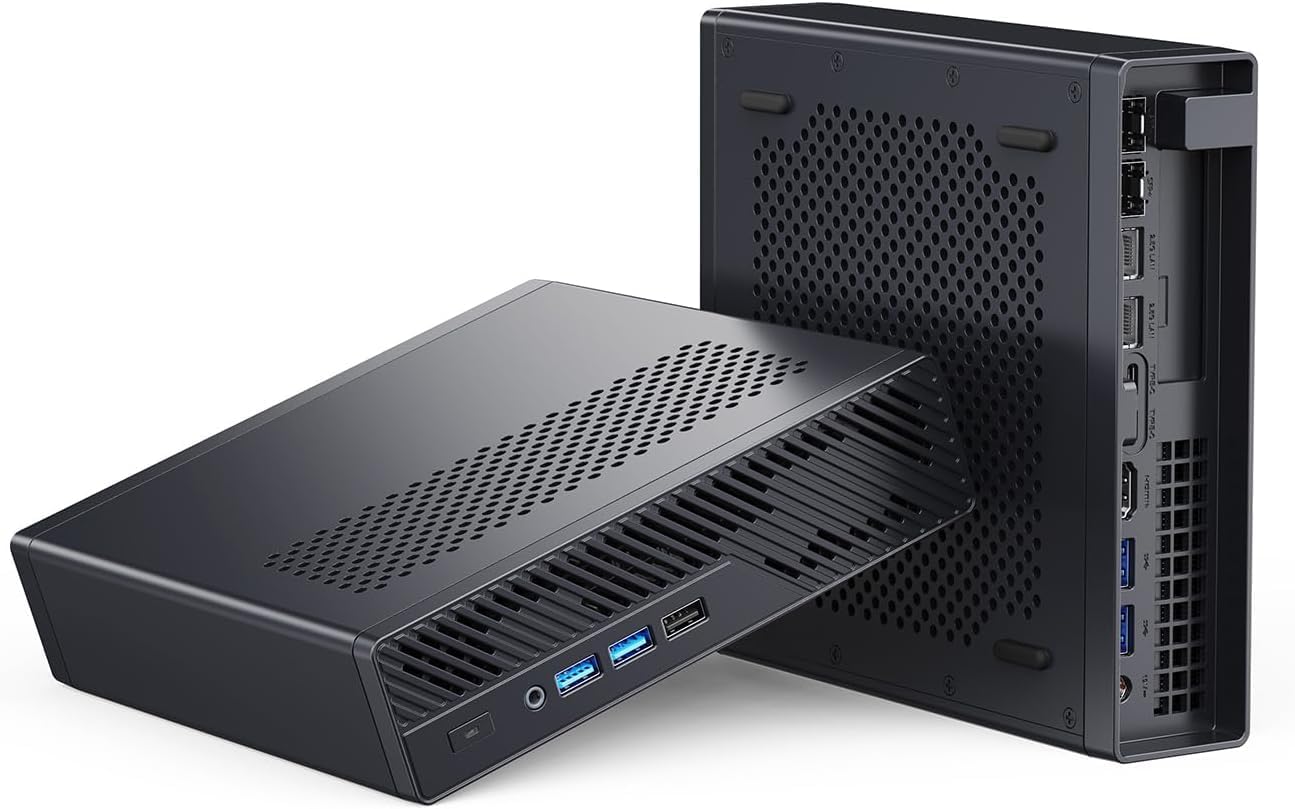
The Minisforum MS-A2 is the virtualization box. Its 16-core Ryzen 9 processor has the threads to run a stack of VMs and containers at once, dual 10GbE moves data fast, and a half-height PCIe slot plus upgradeable SO-DIMM memory give it room to grow. It has no SATA bays, which is fine for Proxmox because your bulk storage usually lives on a separate NAS or on M.2 drives. Buy it through a channel with returns, since owner reports on direct warranty service are mixed.
Specs:
| Spec | Detail |
|---|---|
| CPU | Ryzen 9, 16-core |
| Memory | Upgradeable SO-DIMM DDR5, to 96GB or more |
| Networking | Dual 10GbE SFP+ |
| Expansion | Half-height PCIe slot, 3x M.2 |
| Price | Check current price |
Pros:
- 16-core Ryzen 9 handles many Proxmox VMs and containers
- Dual 10GbE SFP+ plus a half-height PCIe slot
- Upgradeable SO-DIMM memory to 96GB or more
Cons:
- No SATA bays, so storage is M.2 and network attached
- Buy through a channel with returns given warranty reports
Who should buy this: Homelab builders running Proxmox as a hypervisor for many services.
Who should skip this: Anyone whose main goal is bulk disk storage, who wants the AOOSTAR below.
🥇 Best for TrueNAS and Unraid
AOOSTAR WTR Max
→ Check Current Price on Amazon
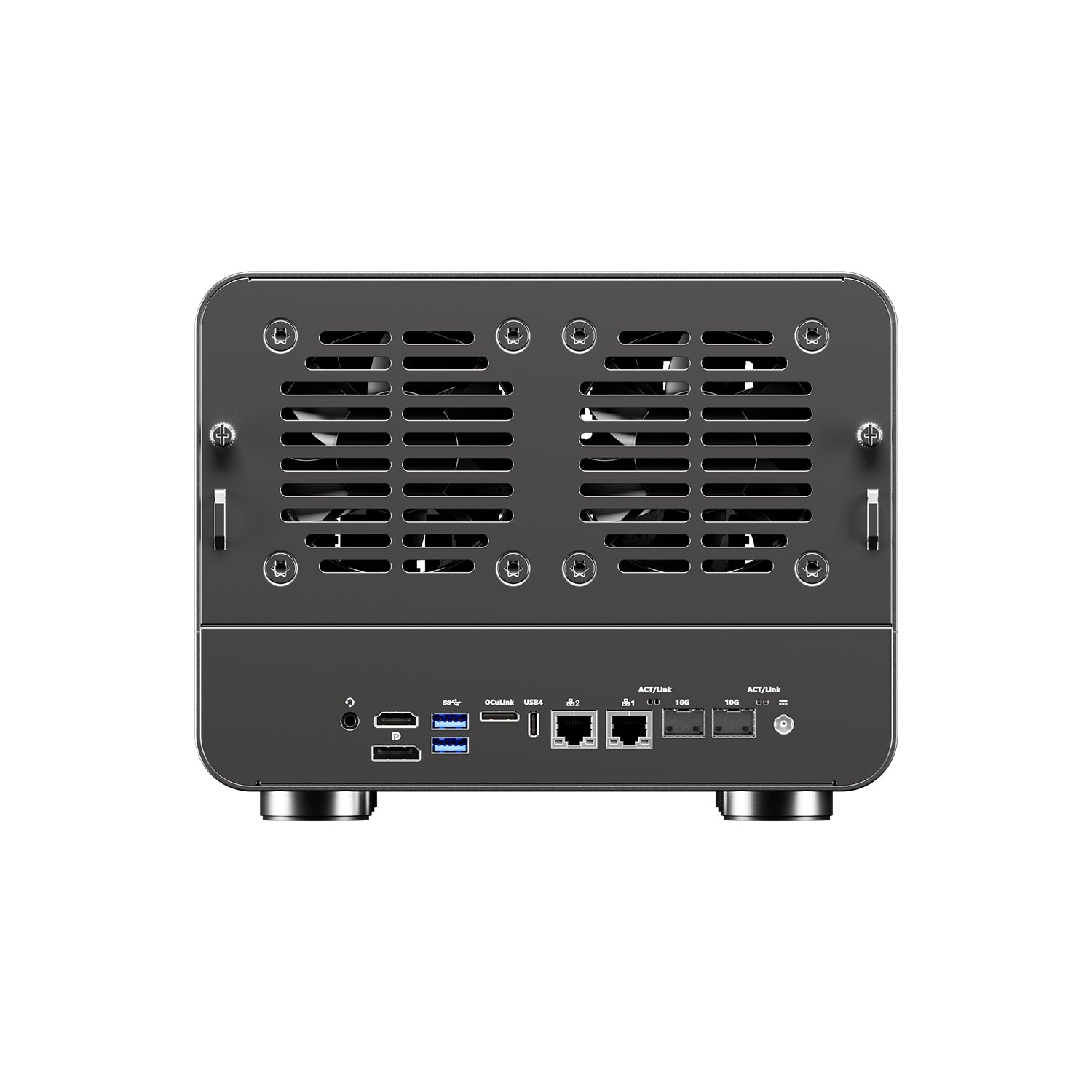
The AOOSTAR WTR Max is the storage box. It pairs a Ryzen 7 PRO 8845HS with ECC-capable memory, six SATA bays plus five M.2 slots, and dual 10GbE, which is exactly the shape TrueNAS and Unraid want. The ECC support suits ZFS, the SATA bays hold a real array, and OCuLink is there for expansion. It ships barebones with no memory or storage, so budget for those, and verify the listing because some units ship the M.2 slots as PCIe 3.0 rather than 4.0.
Specs:
| Spec | Detail |
|---|---|
| CPU | Ryzen 7 PRO 8845HS, 8-core |
| Memory | ECC-capable DDR5, up to 128GB |
| Storage | 6 SATA bays plus 5 M.2 NVMe |
| Networking | Dual 10GbE SFP+ plus dual 2.5GbE |
| Price | Around 699 dollars barebones, check current price |
Pros:
- Six SATA bays plus five M.2 slots for large arrays
- ECC-capable memory suits ZFS on TrueNAS
- Dual 10GbE for fast shares and replication
Cons:
- Ships barebones with no memory or storage
- Some units ship M.2 as PCIe 3.0 not 4.0, so verify
Who should buy this: Anyone building a TrueNAS or Unraid box that needs real drive bays and ECC.
Who should skip this: Buyers who only need a virtualization host, who want the Minisforum MS-A2 above.
The Decision Matrix
- Run many services in isolation with VMs and containers: Proxmox on a Minisforum MS-A2
- Protect data with ZFS, snapshots, and replication: TrueNAS SCALE on an AOOSTAR WTR Max
- Mix drive sizes and grow storage with the least fuss: Unraid on an AOOSTAR WTR Max
- Want both virtualization and a proper NAS: Proxmox on the metal, TrueNAS in a virtual machine, on the box with the most cores and memory you can afford
For the wider hardware picture across every home-server role, start with our best mini PC for home server pillar and the best mini PC for NAS roundup.
Frequently Asked Questions
Should I use Proxmox, TrueNAS, or Unraid for a home server?
Choose Proxmox if virtualization comes first and you want to run many VMs and containers with GPU passthrough. Choose TrueNAS SCALE if data integrity is the priority and you want ZFS snapshots and replication. Choose Unraid if you want a storage pool that mixes drive sizes without waste and the friendliest setup. Many homelabs run Proxmox as the base and put TrueNAS in a virtual machine.
Is Proxmox better than TrueNAS for a NAS?
Not on its own. Proxmox is a hypervisor first, and while it supports ZFS, its storage management is command-line heavy and it lacks the polished sharing and snapshot interface TrueNAS gives you. For a dedicated NAS, TrueNAS SCALE is the better fit. A common pattern is running Proxmox on the metal and TrueNAS as a virtual machine with the storage controller passed through.
Do I need ECC RAM for TrueNAS?
ECC memory is recommended for TrueNAS because ZFS relies on memory integrity to protect your data, and ECC catches memory errors before they reach the pool. It is not strictly required, and TrueNAS runs fine without it for many home users, but if the data matters, a mini PC that supports ECC like the AOOSTAR WTR Max is the safer foundation.
Why choose Unraid over TrueNAS?
Unraid lets you build a storage array from drives of different sizes and add more later without rebuilding, which ZFS pools do not do well. That flexibility suits a media library that grows one drive at a time. TrueNAS with ZFS is stronger for data integrity and performance but prefers identical drives in a pool. Unraid also has the gentler learning curve.
How much RAM do I need for Proxmox, TrueNAS, or Unraid?
For Proxmox with a handful of VMs and containers, 32GB is a comfortable starting point and 64GB gives real headroom. TrueNAS with ZFS likes memory for its cache, so 32GB is a sensible floor for a home NAS. Unraid is lighter and runs well from 16GB for storage plus a few Docker containers, more if you add virtual machines.
Can one mini PC run Proxmox, TrueNAS, and Unraid at once?
You run one as the host operating system, then the others inside it. A common setup is Proxmox on the metal with TrueNAS in a virtual machine for storage, and Docker containers for apps. Running Unraid and TrueNAS both as bare-metal storage systems on one machine does not make sense, since each wants to own the disks.
How We Research These Picks
We based the operating-system behavior on official Proxmox, TrueNAS, and Unraid documentation and on consistent community reports rather than a bench session of our own, and we verified both hardware picks against live Amazon listings, confirming the AOOSTAR WTR Max configuration and price through the Amazon product data on July 12, 2026. Prices use approximate ranges because they move, and we recommend different hardware for the virtualization role than for the storage role because the two jobs genuinely need different machines. Every claim here is traceable to a source, and we make no hands-on testing claim we did not perform.
Amazon Product Links
- 🥇 Minisforum MS-A2 — best for Proxmox: Check Current Price
- 🥇 AOOSTAR WTR Max — best for TrueNAS and Unraid: Check Current Price