
This article contains affiliate links. If you purchase through our links, we may earn a commission at no extra cost to you. We only recommend products we’ve thoroughly researched and verified.
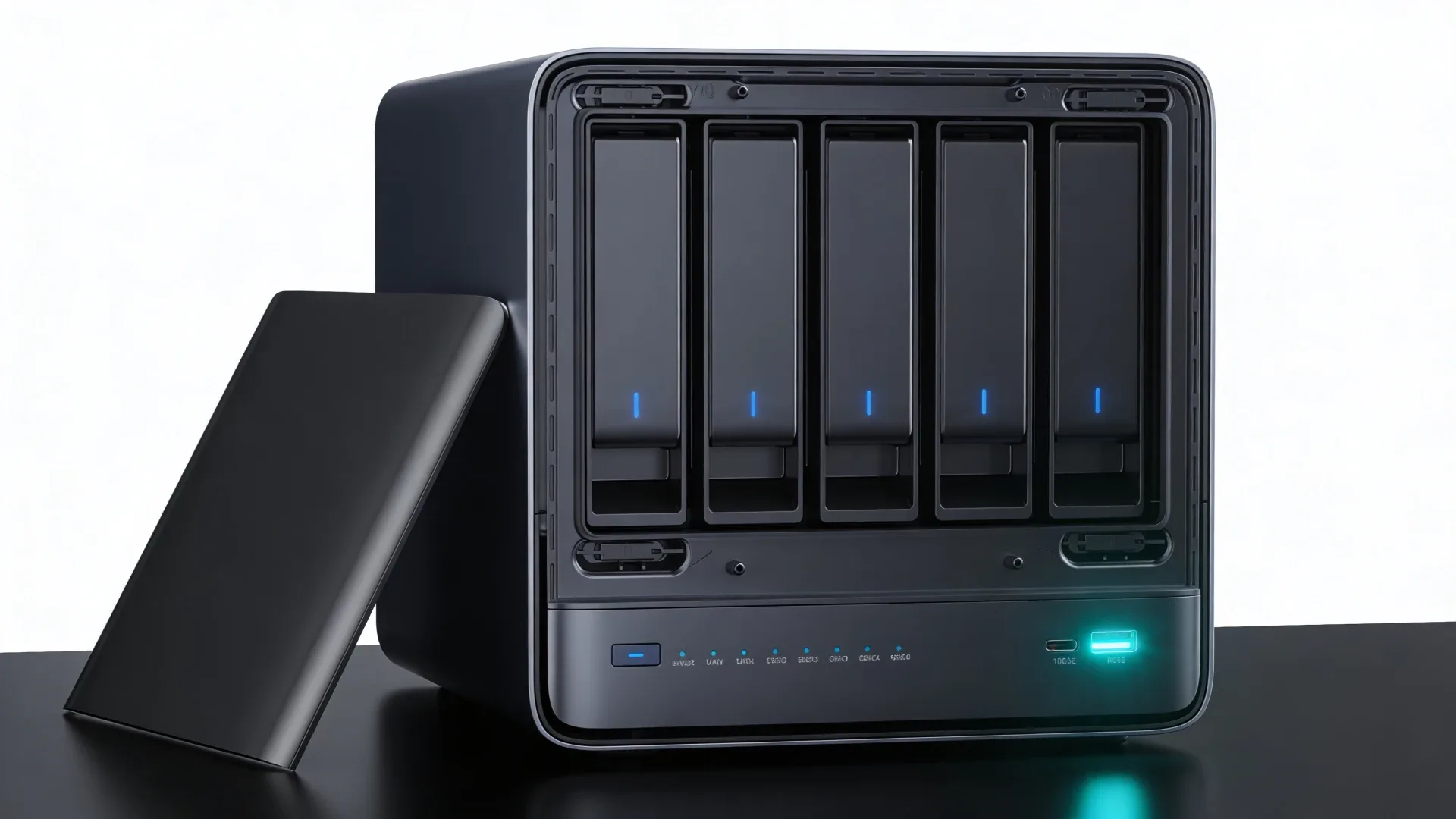
→ Check the current MINISFORUM N5 Air configuration on Amazon
The MINISFORUM N5 Air is a five-bay NAS appliance for buyers who want direct hard-drive storage without paying for the much faster N5 Pro or the fixed-memory N5 Max. It pairs an AMD Ryzen 7 255 with five SATA bays, three M.2 positions, 10GbE plus 5GbE networking, a PCIe expansion slot, and OCuLink.
Its value is the chassis and connectivity. The Ryzen platform gives the N5 Air enough headroom for containers, media services, and a modest virtualization host, but the non-ECC memory and lane-limited SSD layout define its boundaries. This is a storage server first, not a tiny office PC with a few extra bays.
This is a sourced review. We did not physically test the N5 Air. The specifications come from MINISFORUM’s current product page, while storage, networking, and power results come from NASCompares and LocalHake.
MINISFORUM N5 Air specifications
| Spec | Detail |
|---|---|
| CPU | AMD Ryzen 7 255 with 8 cores and 16 threads |
| GPU | AMD Radeon 780M |
| Memory | Two DDR5 SO-DIMM sockets, non-ECC, up to 96GB according to MINISFORUM |
| Hard-drive bays | Five SATA bays for 3.5-inch or 2.5-inch drives |
| Solid-state storage | Three M.2 positions, listed as PCIe 4.0 x1 for the N5 Air layout |
| Networking | One 10GbE port and one 5GbE port |
| Expansion | Physical PCIe x16 slot and OCuLink |
| Display and USB | HDMI, USB4, USB-A, and an internal USB-A port |
| Power | External 280W adapter |
| Chassis | 199 by 202 by 252 millimeters |
| Operating system | MinisCloud OS supplied by MINISFORUM, with Linux and Windows support listed by the manufacturer |
The current Amazon child is the N5 Air version with a 64GB system SSD and no installed memory. Check the exact configuration before ordering because the same product family also appears with memory included.
The five-bay chassis is the reason to buy it
The N5 Air is built around its storage bays. Pull away the front cover and five trays sit in a vertical row behind the SATA backplane. The bays accept both 3.5-inch and 2.5-inch drives, so a buyer can start with a small hard-drive pool and add capacity later.
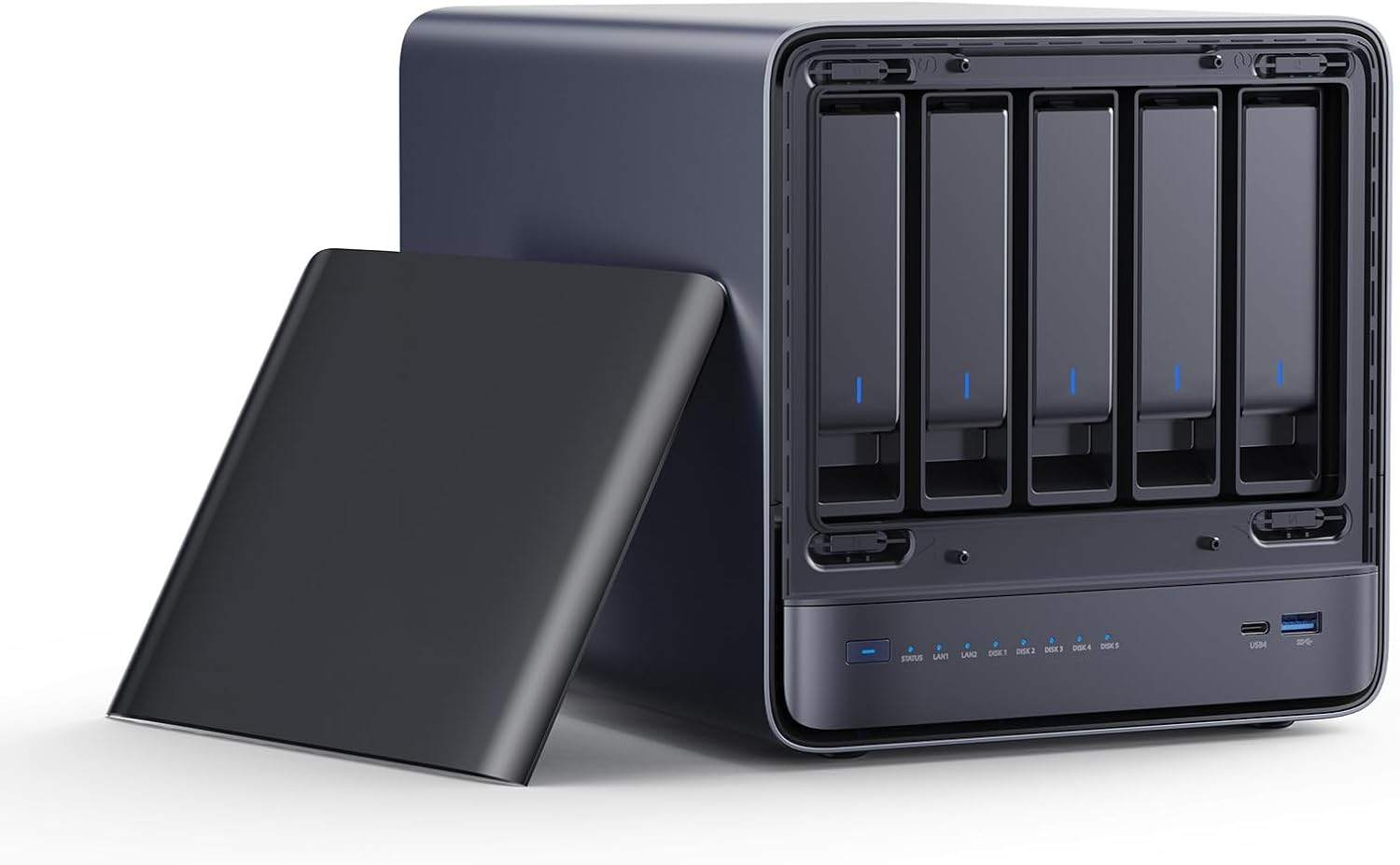
The exact listing image shows the N5 Air with its five drive bays exposed.
Five bays are enough for a useful parity layout without immediately adding a second enclosure. They also simplify the cable path. Each drive connects to the internal backplane instead of hanging from separate USB or Thunderbolt adapters.
The compromise is size. At roughly 199 by 202 by 252 millimeters, the N5 Air is compact for a five-bay server but large beside a conventional mini PC. Give it shelf depth, ventilation, and room for the external adapter. The front cover and trays are for dust control and organization, not physical security.
The N5 Air also has a slide-out compute section. That makes memory and SSD access more practical than the enclosure size suggests. It is a useful design choice for a system that may be upgraded over time, although you still need to document which drive holds the operating system and which drives belong to the data pool.
Storage layout and the three M.2 positions
MINISFORUM lists three M.2 slots for the N5 Air and a 64GB system device in the first position. The current official table identifies the N5 Air SSD connections as PCIe 4.0 x1. That is enough for an operating-system device, containers, metadata, or a scratch workload, but it is not the same as three full-speed desktop NVMe slots.
The practical layout is straightforward:
| Storage role | Sensible assignment |
|---|---|
| Operating system | The supplied 64GB device or a replacement boot SSD |
| Containers and applications | A separate M.2 device so the boot disk stays easy to replace |
| Fast working data | The strongest available M.2 position after confirming the board map |
| Bulk storage | The five SATA bays |
| Backup | A different machine, removable disk set, or remote target |
NASCompares measured around 650MB per second read and 500 to 525MB per second write from a four-drive RAID setup using Seagate 4TB hard drives. With SATA SSDs, its results moved closer to 800MB per second in both directions. Those figures describe that reviewer’s drives, array, software, and test method. They are useful for setting expectations, not a promise for every N5 Air build.
Do not fill every slot simply because the chassis offers it. A simple boot device, a separate application device, and a recoverable hard-drive pool are easier to maintain than a cache-heavy design. Use the NAS capacity calculator before buying disks, and keep a backup outside the main pool.
Memory is upgradeable but not ECC
The N5 Air uses two DDR5 SO-DIMM sockets. MINISFORUM lists non-ECC memory and a ceiling of up to 96GB. That gives the N5 Air a much better upgrade path than a soldered-memory NAS, but it is not the same memory class as the N5 Pro.
For file serving, backups, media indexing, and a few containers, 16GB or 32GB may be enough. More memory helps when the host also runs databases, virtual machines, or large application caches. Start with the workload rather than the maximum number on the product page.
Non-ECC memory is the important boundary. It does not make the N5 Air unsuitable for ZFS, TrueNAS, or a home server. It means buyers who specifically want an ECC-capable memory path should move up to the N5 Pro review instead. ECC also does not replace backups, snapshots, scrubs, or a tested recovery procedure.
Networking and rear-panel layout
The N5 Air has one 10GbE port and one 5GbE port. That combination can serve a fast storage link and a separate management or backup network without adding a NIC. It also makes the N5 Air more flexible than a typical two-bay appliance with one 2.5GbE port.
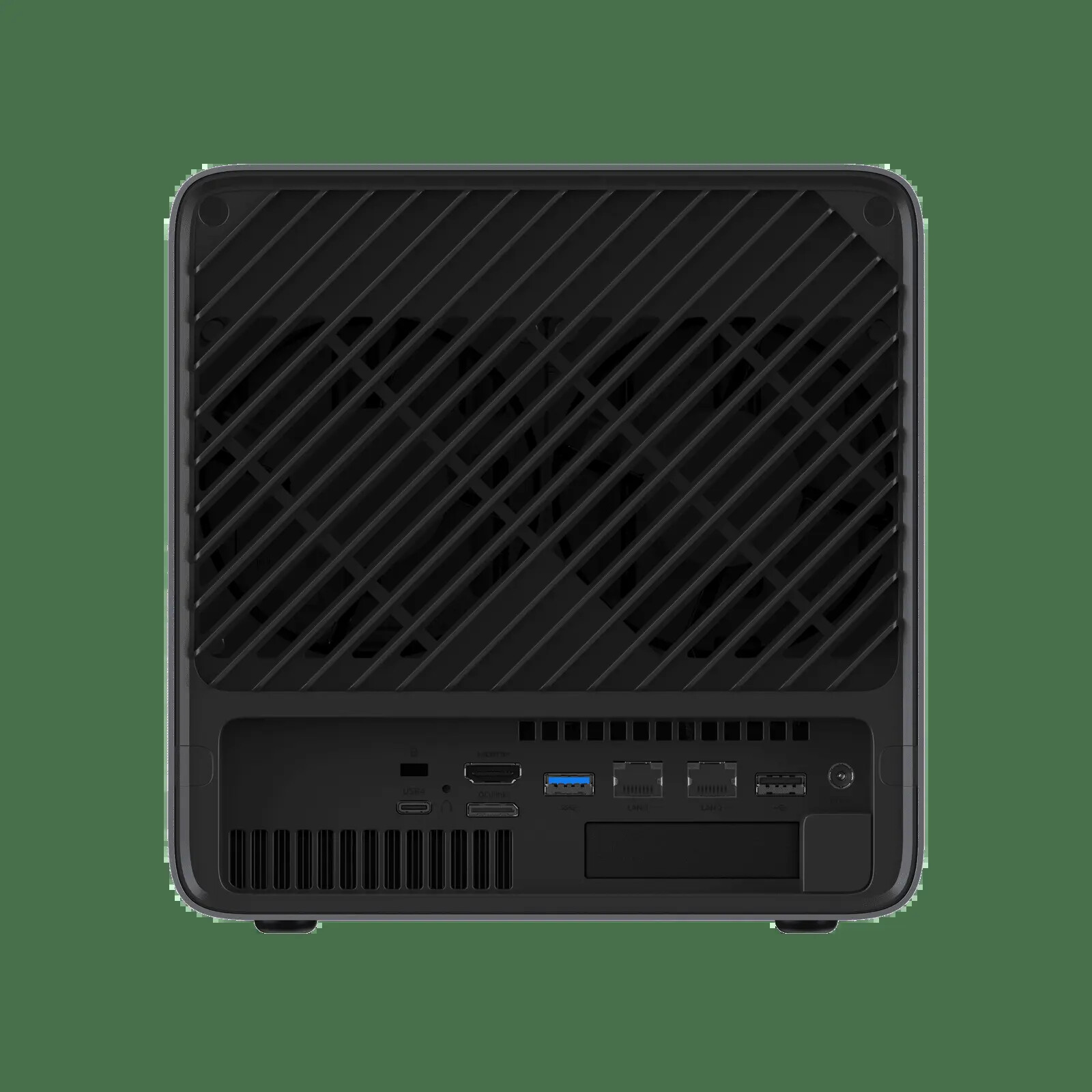
The official rear-panel image settles the N5 Air port layout.
LocalHake measured 8.44Gbit per second on one 10GbE stream and 9.27Gbit per second with four parallel streams. Its test used a 10GbE switch and a Proxmox server on the same layer-two network. That is strong evidence that the port can approach line rate in a suitable setup, but it does not mean a hard-drive pool or a single client will always reach the same result.
The 10GbE controller is a Realtek RTL8127. LocalHake reports that Debian 13 with kernel 6.12 needed an out-of-tree driver for that controller, while the 5GbE RTL8126 used the in-kernel driver. Linux distribution and kernel choices therefore belong in the purchase decision. For TrueNAS or a Linux server, check current driver support before moving important data.
The rear panel also includes USB4, HDMI, OCuLink, USB-A, and the physical PCIe slot. The slot is useful for a specific network card, storage controller, or low-profile accelerator. It is not a reason to treat the N5 Air as a full workstation. Check card height, cooling, power, lane allocation, and driver support before buying an expansion card.
Power evidence and operating cost
The 280W adapter describes available power capacity rather than normal wall draw. The strongest published power evidence comes from LocalHake, whose test unit included a Tesla P4 in the PCIe slot. That added about 10W to 15W to idle power.
With five hard drives spinning, LocalHake measured 70.3W at the wall. With the drives spun down, the same configuration measured 38.2W. LocalHake estimated a base system range of about 25W to 28W with the Tesla P4 removed. These are attributed results with specific drives, an expansion card, and a test method. They are not Mini PC Lab measurements or a universal N5 Air idle rating.
The practical lesson is that drive state matters. A storage server that keeps five disks spinning all day will cost more to operate than one that lets the data pool sleep during quiet periods. Spindown can also add latency when a service wakes the array, so decide which data must stay immediately available. Use the power-cost calculator with your electricity rate and expected drive schedule.
MinisCloud OS, Linux, and TrueNAS
MINISFORUM supplies MinisCloud OS and advertises Docker deployment, snapshots, remote access, and media features. Those are manufacturer claims about the vendor software. They should not be confused with independent validation of every update path, permission model, recovery flow, or storage feature.
The hardware is a conventional AMD platform with socketed memory, NVMe storage, SATA bays, and standard network interfaces. That makes Linux, TrueNAS, Unraid, and other operating-system choices plausible, but each one still needs compatibility checks. Keep the supplied system device untouched until the replacement OS, network drivers, and recovery plan are working.
The TrueNAS mini PC guide covers the larger decision. Choose the N5 Air there when five direct bays and fast networking matter more than ECC. Choose the N5 Pro when ECC-capable memory and heavier services justify the higher platform tier.
Who should buy the N5 Air?
Buy the N5 Air when you need:
- Five direct SATA bays in a compact chassis.
- A lower-cost entry into the N5 NAS design.
- Upgradeable memory rather than soldered memory.
- 10GbE and 5GbE without an added network card.
- Three M.2 positions for boot, applications, or fast working data.
- PCIe or OCuLink expansion for a specific job.
- More CPU headroom than a basic N100-class NAS provides.
Who should not buy the N5 Air
Skip the N5 Air when:
- You need ECC-capable memory as a firm requirement.
- You only need a quiet, small file server with no expansion plans.
- You expect three full-speed PCIe 4.0 x4 NVMe slots.
- You need built-in Wi-Fi or Bluetooth.
- You want a turnkey NAS experience with no driver or operating-system decisions.
- Your switch, clients, and storage pool cannot benefit from 5GbE or 10GbE.
Verdict
The MINISFORUM N5 Air is the value choice in the N5 family because it puts five bays, fast networking, upgradeable memory, and useful expansion into one chassis without requiring the N5 Pro’s larger compute platform. Its Ryzen 7 255 is more capable than the CPU in many entry NAS appliances, and independent reviews show that the storage and networking hardware can make good use of 10GbE in the right build.
The limits are clear. Memory is non-ECC, the M.2 positions are lane-limited, the external adapter adds cable clutter, and the complete system still needs drives, memory, and a backup target. The N5 Air is best when the five-bay chassis is the requirement. If the real goal is a small server with no direct hard-drive pool, a normal mini PC may be cheaper and easier to place.
Our recommendation is conditional: choose the N5 Air for a storage-first home lab that can use five bays and at least one fast network link. Choose the N5 Pro when ECC-capable memory or heavier services matter more than the lower entry cost.
→ Check the current MINISFORUM N5 Air configuration on Amazon