
This article contains affiliate links. If you purchase through our links, we may earn a commission at no extra cost to you. We only recommend products we’ve thoroughly researched and verified.
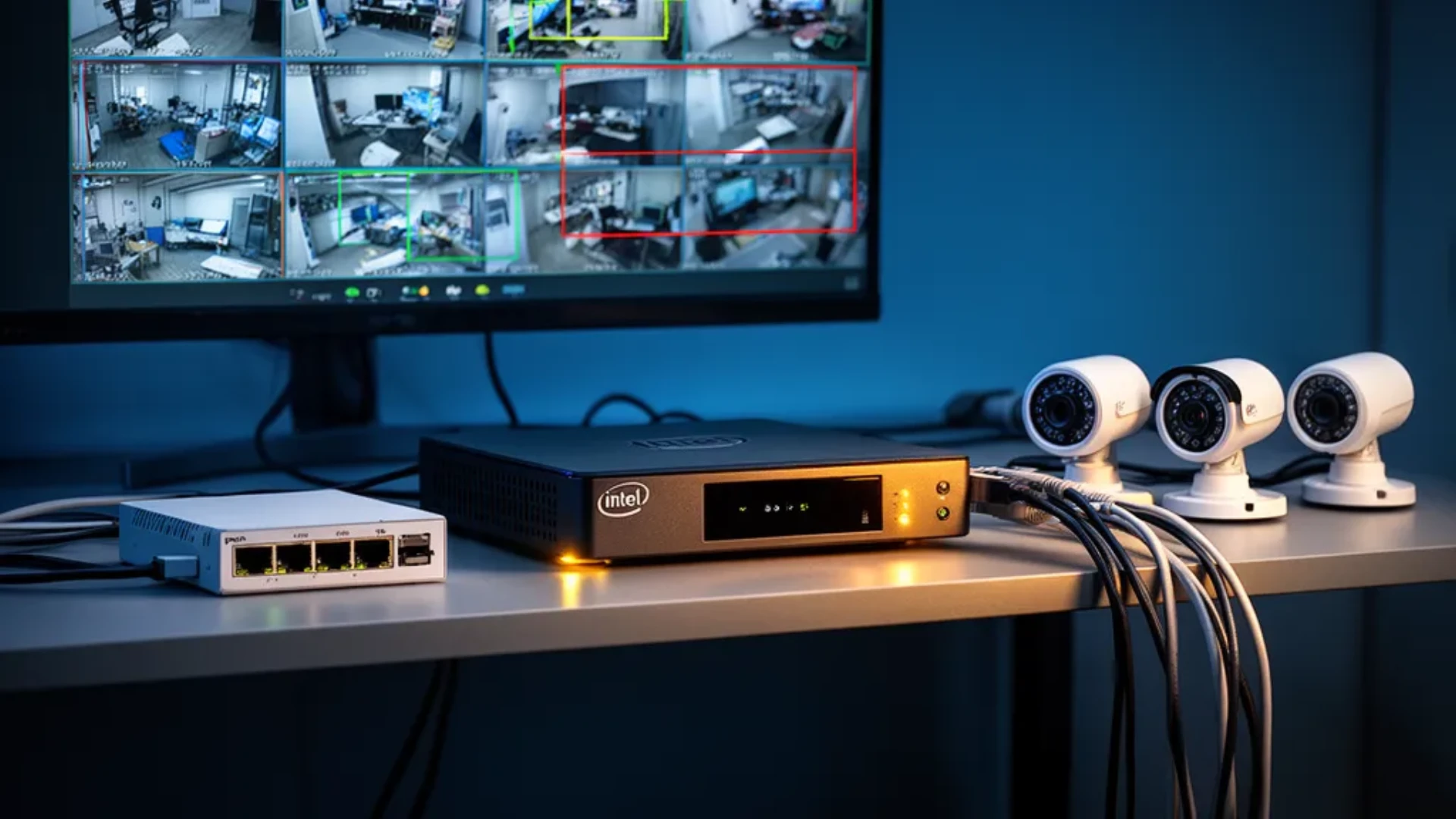
Frigate is the best way to run a private, local AI security camera system with Home Assistant, and the mini PC you run it on decides how many cameras you can watch and how well it works. The hardware advice for 2026 looks different from the Coral-first guides that dominated a few years ago, because a modern Intel mini PC now handles both the video decoding and the object detection on its own. This guide ranks the hardware by camera count, explains the detector choice that trips up most builders, and names the boxes worth buying.
We verified both hardware picks against the Amazon product data on July 12, 2026, and we based the detector and camera guidance on Frigate’s official hardware documentation rather than a bench session of our own.
Quick Picks: Best Mini PC for Frigate at a Glance
| # | Mini PC | Best For | Price | Key Spec | Link |
|---|---|---|---|---|---|
| 🥇 Best for Many Cameras | MINISFORUM M1 Pro-125H | High-activity 1080p at scale | ~$767 | Core Ultra 125H, NPU | Check Price |
| 🔋 Best Value | Beelink EQ12 | A few cameras, low power | ~$359 | N100, dual 2.5GbE | Check Price |
What Actually Matters for a Frigate Box
To check whether a given detector keeps up with your camera count, run it through the Frigate camera calculator. It applies the inference times Frigate publishes per accelerator.
Most Frigate buyers obsess over the object-detection accelerator and forget the rest. Four things decide whether your build runs smoothly, and detection is only one of them.
1. Video decode. Every camera stream must be decoded before Frigate looks for motion, and that is heavy work. A modern Intel integrated GPU with Quick Sync offloads decoding from the CPU, which is why Frigate recommends using a GPU for hardware-accelerated video decode. Ignore this and even a fast detector will not save a struggling box.
2. The detector path. This is where 2026 changed. Frigate now steers new builds toward OpenVINO, which runs on Intel integrated GPUs, Arc GPUs, and Intel NPUs. A recent Intel mini PC gets you efficient detection with nothing extra to buy.
3. Networking. A second network port lets you put cameras on an isolated network with no internet access, one of the best security upgrades in a smart home. Frigate’s own guidance highlights dual-NIC mini PCs for this reason.
4. Storage. Plan for a separate drive for recordings, since NVR footage is written constantly. Frigate now considers modern SSDs a good fit for NVR use, so a two-drive setup with the operating system on one and recordings on the other keeps things clean. Our best mini PC for NAS guide helps if you want network storage instead.
The Detector Shift: Coral Is No Longer the Default
For years the default Frigate advice was to buy a Google Coral and bolt it onto whatever small PC you had. That advice no longer holds. Frigate now states the Coral is no longer recommended for most new installations, except for very low-power builds or hardware that cannot use better detector options.
The replacement is OpenVINO on modern Intel hardware. Frigate’s own inference figures make the case: an Intel NPU runs detection in roughly 6 milliseconds, an Intel N100 or N150 integrated GPU in about 15 milliseconds, and a Google Coral around 10 milliseconds. A Core Ultra chip with an NPU is both faster and needs no add-in accelerator. The Coral still has a place if you already own one or you are chasing the absolute lowest power, and its USB version remains the easiest to deploy with no driver, but it is not the smart first purchase for a new 2026 build.
The practical takeaway: buy a recent Intel mini PC and use OpenVINO. Skip the Coral unless you have a specific reason for it.
A Warning: Avoid the Beelink EQ14
One specific caution from Frigate’s documentation is worth repeating, because the EQ14 is a popular budget box. Frigate notes that the Beelink EQ14 has known compatibility issues and advises against it for now. If you are shopping the budget end, choose a modern Intel N100 or N150 dual-NIC box like the EQ12 below, or step up to a Core Ultra 125H system. Always check the current Frigate hardware page before buying, since these compatibility notes change as the software updates.
Our Top Picks: Best Mini PC for Frigate 2026
🥇 Best for Many Cameras
MINISFORUM M1 Pro-125H
→ Check Current Price on Amazon
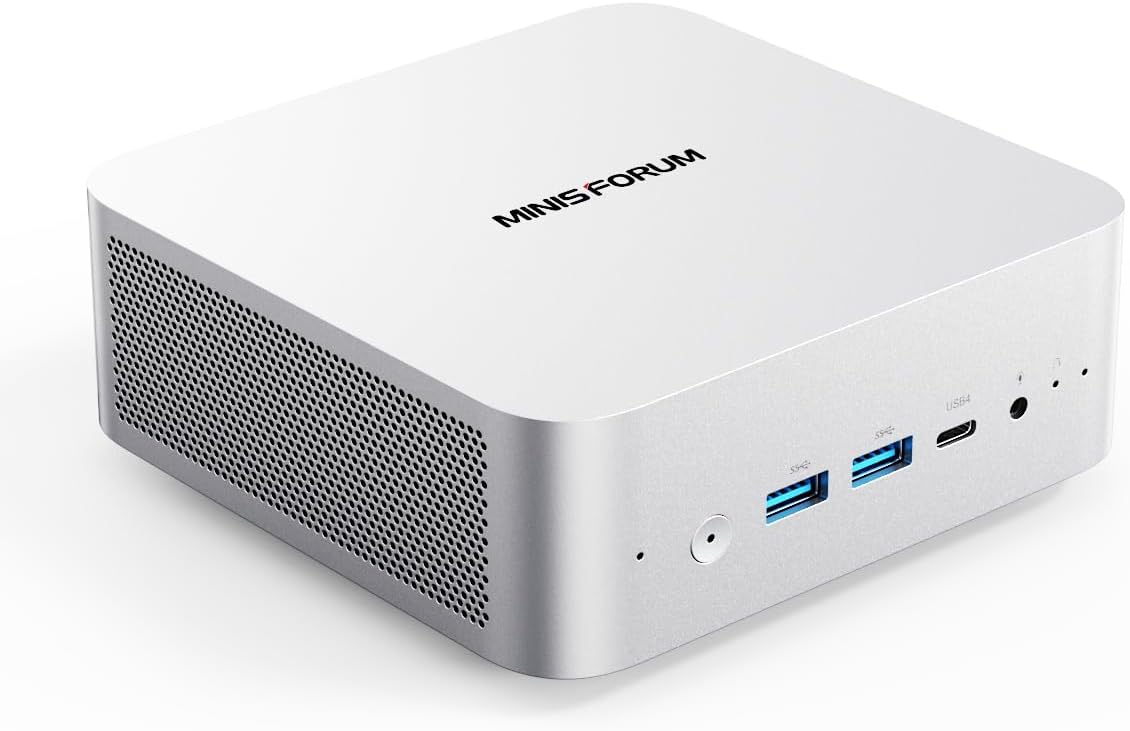
The MINISFORUM M1 Pro-125H is the box to buy if you run more than a handful of cameras. Its Intel Core Ultra 5 125H brings a strong integrated GPU for video decode and an NPU that runs Frigate detection efficiently through OpenVINO, which is exactly the class of system Frigate points to for a significant number of 1080p cameras at high activity. With 32GB of memory and a 1TB SSD, it also has the headroom to run Home Assistant, local voice, and a few containers on the same machine.
Specs:
| Spec | Detail |
|---|---|
| CPU | Intel Core Ultra 5 125H, 14-core |
| Detector | Intel NPU plus iGPU via OpenVINO |
| Memory | 32GB DDR5 |
| Storage | 1TB SSD, room for a second drive |
| Networking | Fast wired plus WiFi |
Pros:
- Core Ultra 5 125H iGPU handles heavy video decode
- NPU runs Frigate object detection efficiently via OpenVINO
- Handles a significant number of 1080p cameras at high activity
Cons:
- Single network port unless you add one
- Overkill for a two or three camera setup
Who should buy this: Anyone running several high-activity 1080p cameras who wants one box for Frigate and Home Assistant.
Who should skip this: Buyers with two or three cameras, who can save with the EQ12 below.
🔋 Best Value
Beelink EQ12
→ Check Current Price on Amazon
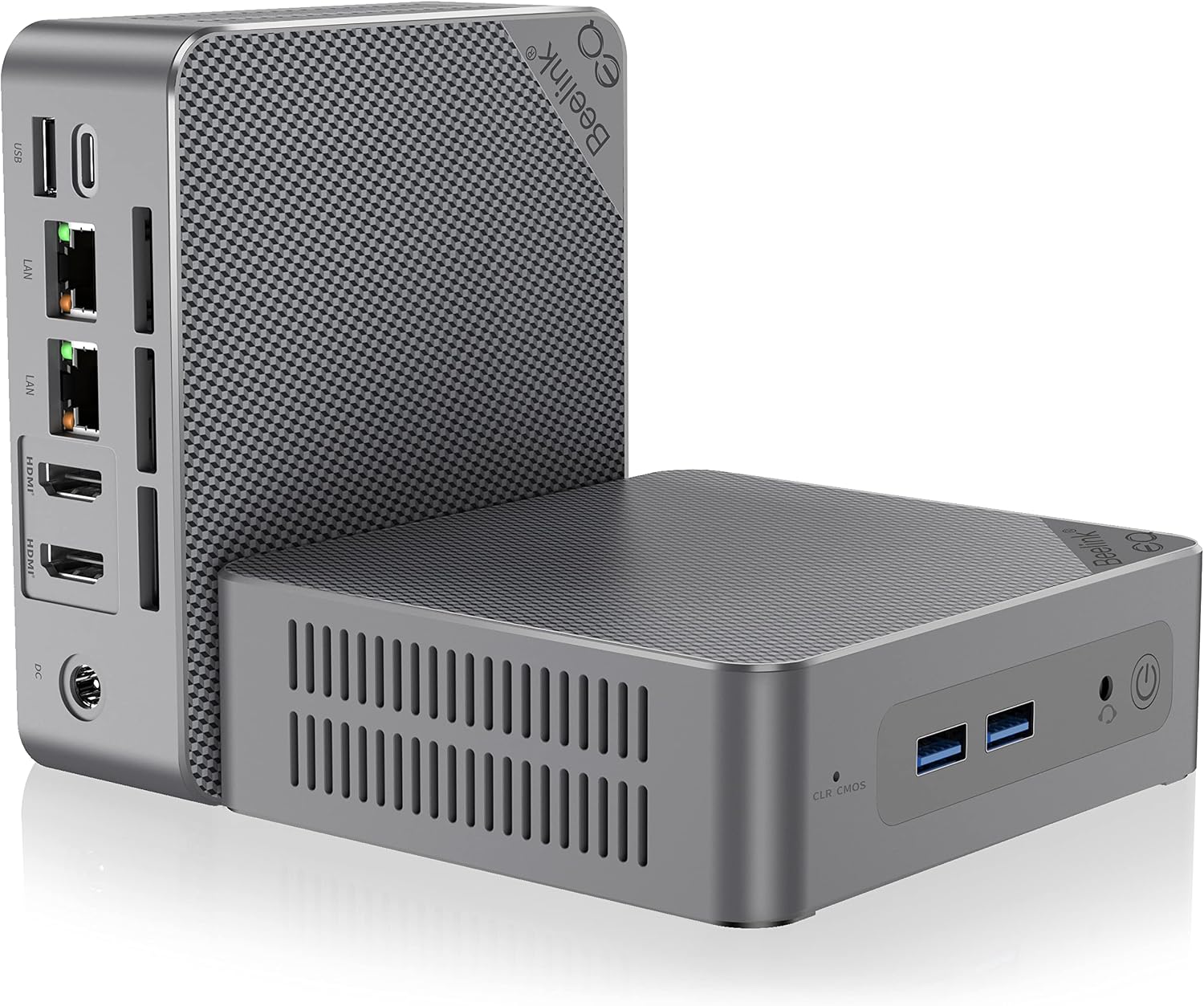
The Beelink EQ12 is the value pick, and its dual 2.5GbE ports are the reason. That second port lets you isolate the camera network cleanly, which is the security upgrade Frigate recommends. The efficient Intel N100 runs OpenVINO detection on several 1080p cameras at low to medium activity while sipping power, which is plenty for a typical home. It is not the box for a large high-activity system, and its availability can run slow, so check the shipping estimate before you commit.
Specs:
| Spec | Detail |
|---|---|
| CPU | Intel N100, 4-core |
| Detector | Intel iGPU via OpenVINO |
| Memory | 16GB DDR5 |
| Storage | 500GB M.2, room to add more |
| Networking | Dual 2.5GbE |
Pros:
- Dual 2.5GbE for an isolated camera network
- Efficient Intel N100 with OpenVINO detection
- Low power for an always-on NVR
Cons:
- Handles fewer cameras than a Core Ultra box
- Availability can be slow, so check shipping estimates
Who should buy this: Anyone with a few cameras who wants a low-power, dual-NIC Frigate box on a budget.
Who should skip this: Buyers with many high-activity cameras, who need the M1 Pro-125H above.
Head-to-Head Comparison
| Feature | MINISFORUM M1 Pro-125H | Beelink EQ12 |
|---|---|---|
| CPU | Core Ultra 5 125H | Intel N100 |
| Detector | NPU plus iGPU, OpenVINO | iGPU, OpenVINO |
| Camera load | Many, high activity | Several, low to medium |
| Dual NIC | Add one | Yes, 2.5GbE |
| Memory | 32GB | 16GB |
| Price | ~$767 | ~$359 |
Power and Running Costs
Both boxes are efficient for an always-on NVR. The Intel N100 in the EQ12 idles very low, in the single-digit to low-teens watt range typical of the platform, while the Core Ultra 125H in the M1 Pro draws more under a heavy multi-camera load but remains modest for the work it does. For a machine that runs continuously, model your rate and expected load with our power cost calculator. The camera count and detection activity move the number more than the idle figure, so size the CPU to your cameras rather than overbuying.
Setup Notes That Save Time
A few points from Frigate’s guidance prevent the most common headaches. Use wired PoE cameras that output H.264 video and AAC audio for the smoothest compatibility, and avoid WiFi cameras, which drop frames. Run Frigate on bare-metal Debian with Docker for the best performance and low-overhead access to the GPU. And turn on hardware-accelerated decode before you judge CPU usage, since many complaints about Frigate being heavy come down to a box decoding video the hard way. For the wider smart-home hardware picture, see our best mini PC for Home Assistant guide.
Frequently Asked Questions
What is the best mini PC for Frigate in 2026?
For a serious multi-camera build, a modern Intel Core Ultra box like the MINISFORUM M1 Pro-125H is the pick, because its integrated GPU handles video decode and its NPU runs object detection through OpenVINO. For a smaller build, a modern Intel N100 or N150 mini PC with dual network ports works well. Frigate itself points buyers toward Intel 125H-class systems for many 1080p cameras with high activity.
Do I still need a Google Coral for Frigate?
No, not for a new build. Frigate now states the Coral is no longer recommended for most new installations, because OpenVINO on a modern Intel integrated GPU or NPU handles detection well without extra hardware. The Coral still makes sense for very low-power builds or if you already own one, but a recent Intel mini PC gets you most of the way with nothing to add.
Why does Frigate need a good iGPU?
Because every camera stream has to be decoded before Frigate looks for motion, and video decode is heavy work. A modern Intel integrated GPU with Quick Sync offloads that decoding, which frees the CPU and keeps the system responsive. Buyers who focus only on the object-detection accelerator and ignore decode often end up with a box that struggles, so the iGPU matters as much as the detector.
Should I avoid the Beelink EQ14 for Frigate?
Yes, for now. Frigate specifically notes that the Beelink EQ14 has known compatibility issues and advises against it. Choose a modern Intel N100 or N150 dual-NIC box, or a Core Ultra 125H system, instead. Always check current Frigate hardware guidance before buying, since compatibility notes change as the software updates.
How many cameras can a mini PC run in Frigate?
It depends on the CPU and detector. Frigate says an efficient N100 box can run object detection on several 1080p cameras at low to medium activity, while a Core Ultra 125H system handles a significant number of 1080p cameras at high activity. The detector inference time sets the ceiling, so a faster NPU or GPU means more cameras before the system saturates.
Do I need dual network ports for Frigate?
Not strictly, but they help a lot. A second network port lets you put your cameras on an isolated network with no internet access, which is one of the best security upgrades in a smart home because cheap cameras are often the weakest link. Frigate’s own hardware guidance highlights dual-NIC mini PCs for exactly this reason, so it is a feature worth prioritizing.
How We Research These Picks
We verified both mini PCs against the Amazon product data on July 12, 2026, confirming configuration, price, availability, and ratings, and we based the detector guidance, inference times, camera-count estimates, and the EQ14 caution on Frigate’s official hardware documentation rather than a bench session of our own. We lead with OpenVINO over Coral because that is Frigate’s current recommendation for new builds. Every figure here carries its source, and we make no hands-on testing claim we did not perform.
Amazon Product Links
- 🥇 MINISFORUM M1 Pro-125H — Best for Many Cameras: Check Current Price
- 🔋 Beelink EQ12 — Best Value: Check Current Price