
GEEKOM IT15 Review: Intel's Best AI Mini PC with Core Ultra 9 285H [2026]
By Max · April 2, 2026 · Updated May 4, 2026
This article contains affiliate links. If you purchase through our links, we may earn a commission at no extra cost to you. We only recommend products we’ve thoroughly researched.
![GEEKOM IT15 Review: Intel's Best AI Mini PC with Core Ultra 9 285H [2026]](/images/heroes/variants/geekom-it15-review/1920.webp)
→ Check Current Price on Amazon
The GEEKOM IT15 is the only Intel-based mini PC in this batch and the strongest Intel competitor to AMD Ryzen AI mini PCs. The Core Ultra 9 285H delivers 99 TOPS of AI performance — more than AMD’s HX370 (80 TOPS) — and the Arc 140T iGPU is Intel’s most capable to date.
At $1,499 with 32GB DDR5 and a 2TB SSD, the IT15 undercuts the GEEKOM A9 Max by $190 while offering higher AI TOPS and double the storage. For Intel ecosystem users and those who prioritize Windows Copilot+ features, this is the pick.
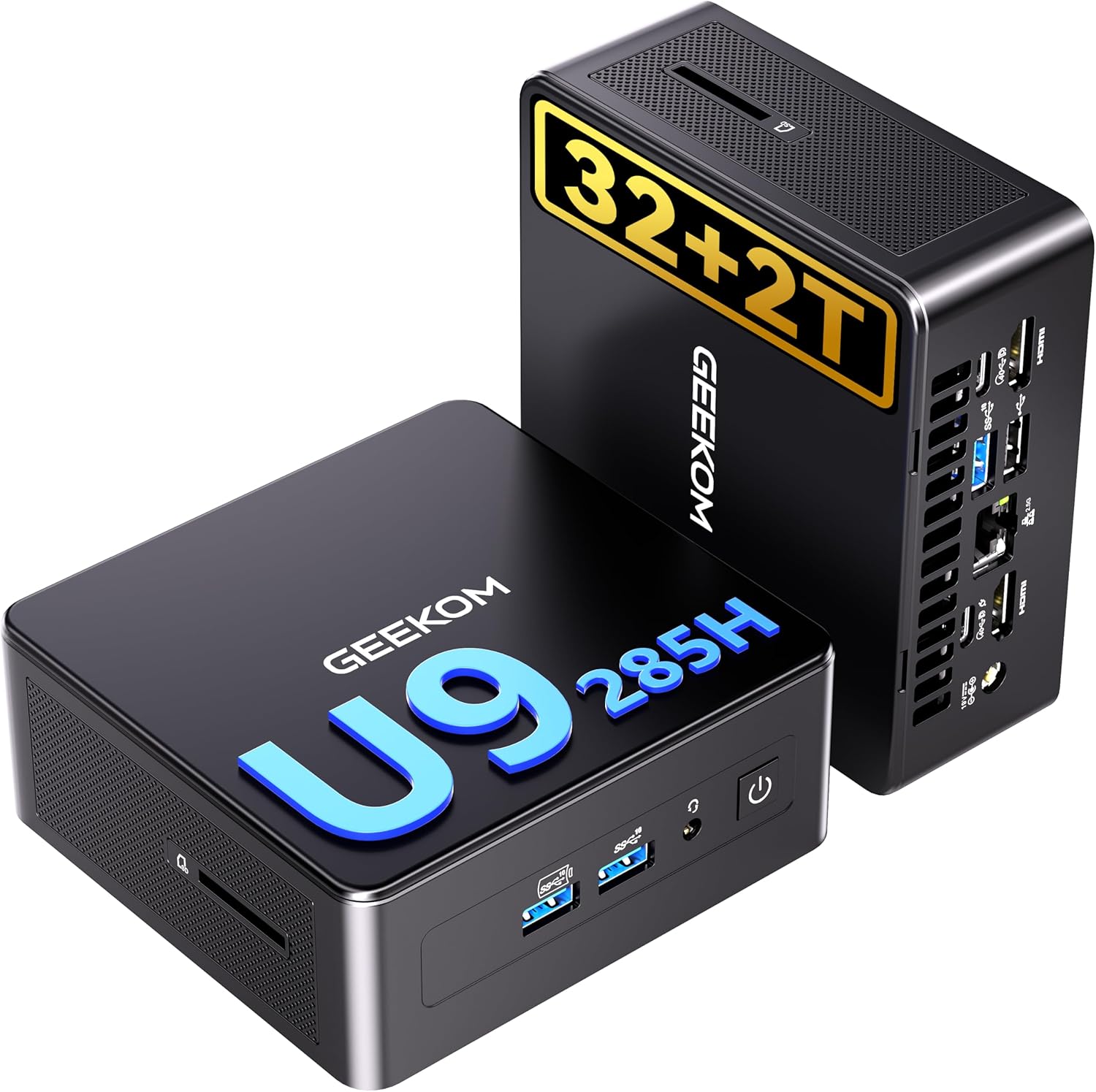
GEEKOM IT15 — Specs at a Glance
| Spec | Detail |
|---|---|
| CPU | Intel Core Ultra 9 285H (Arrow Lake-H, 16C/22T, up to 5.3 GHz) |
| GPU | Intel Arc 140T (Xe2 architecture) |
| NPU | Intel NPU (48 TOPS) |
| RAM | 32GB DDR5 SO-DIMM |
| Storage | 2TB PCIe 4.0 NVMe SSD |
| Networking | 2.5GbE + WiFi 7 + Bluetooth 5.4 |
| Display | 8K Quad Display via HDMI 2.1, USB4 |
| AI TOPS | 99 total (13 NPU + 77 GPU + 9 CPU) |
| USB | 2x USB4 (40Gbps), multiple USB-A 3.2 |
| Special Features | Copilot+ PC support, SD card reader |
| OS | Windows 11 Pro |
| Warranty | 3-year limited |
| Price | ~$1,499 |
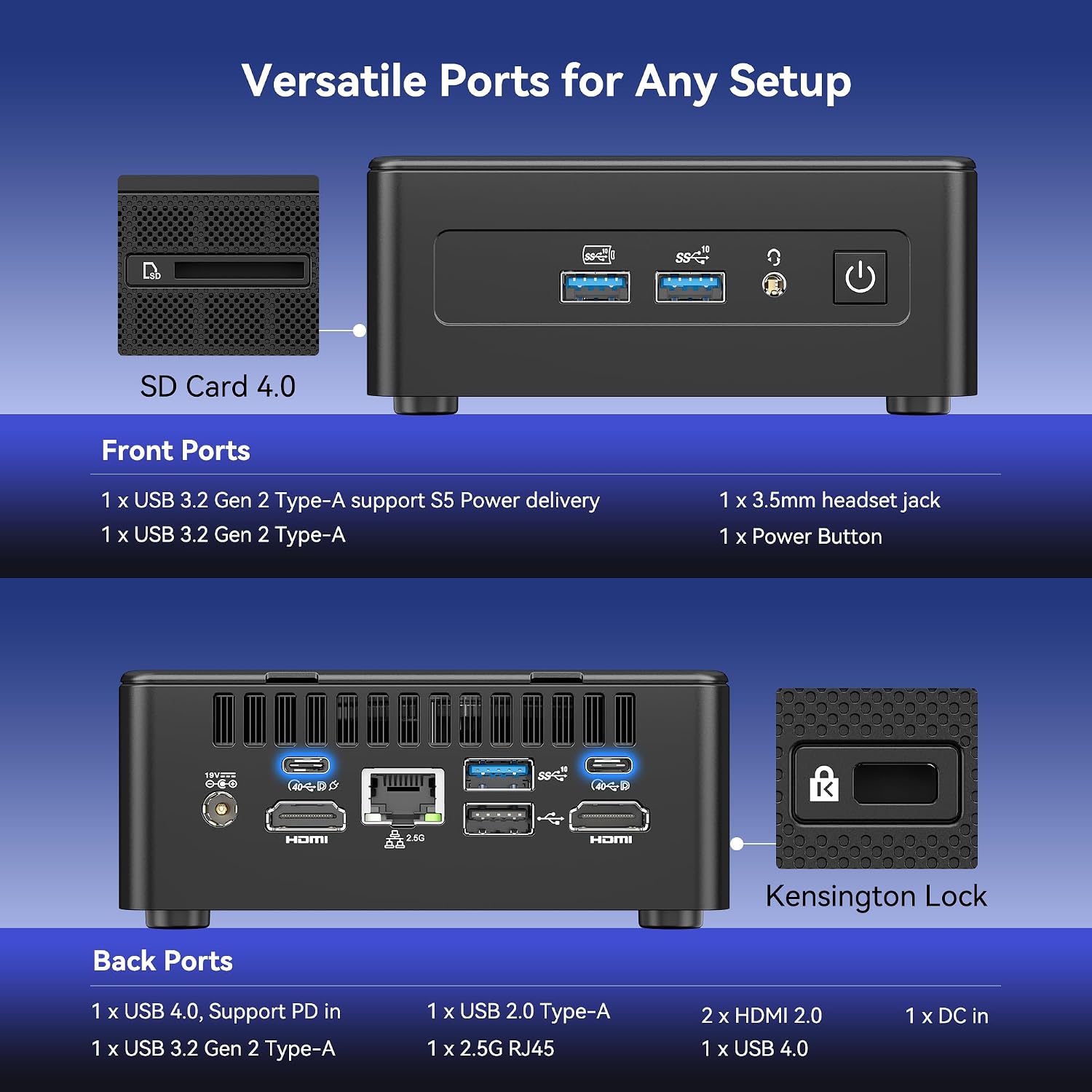
Port layout from GEEKOM’s own listing images. The rear panel is where the port count, the LAN speed, and the USB generations are actually settled.
Design and Build Quality
The IT15 follows GEEKOM’s established design language — compact aluminium chassis with IceBlast cooling. Build quality is solid, and the chassis is small enough to mount behind a monitor using the included VESA bracket.
The front panel includes a power button and SD card reader — useful for content creators importing photos and videos. Port selection is excellent: dual USB4 (40Gbps with Power Delivery and DisplayPort), multiple USB-A 3.2, 2.5GbE, HDMI 2.1, and 3.5mm audio.
Build quality notes: The aluminium chassis feels premium and dissipates heat effectively. The IceBlast cooling system keeps thermals manageable under sustained AI workloads. Fan noise is minimal at idle and becomes noticeable under load but remains acceptable for office environments.
CPU and Performance
The Core Ultra 9 285H is Intel’s Arrow Lake-H flagship — 16 cores (6P + 8E + 2LPE) and 22 threads at up to 5.3 GHz boost. Built on Intel 4 process (7nm-class EUV), this is Intel’s most efficient high-end mobile processor.
For single-threaded workloads: The 5.3 GHz boost gives the IT15 an edge in desktop tasks and lightly-threaded applications. For office work, web browsing, and general productivity, the IT15 feels snappy.
For multi-threaded workloads: The 6P + 8E configuration handles compiling code, running multiple VMs, and batch encoding well. Expect Cinebench R23 multi-core scores in the 15,000-17,000 range — slightly behind the HX370’s 12 full Zen 4 cores but competitive.
For AI workloads, the 99 TOPS total (13 from Intel NPU + 77 from Arc GPU + 9 from CPU) exceeds Microsoft’s 40 TOPS requirement for Copilot+. For local LLMs with Ollama or llama.cpp:
- 7B models (Q4): ~30-50 tokens/sec
- 13B models (Q4): ~15-30 tokens/sec
- 34B models (Q4): ~10-20 tokens/sec with 32GB RAM
- 70B models (Q4): Limited by 32GB RAM — verify max capacity on product listing
The Intel NPU handles AI-specific operations with excellent Windows integration. For Copilot+ features in Windows 11, the 99 TOPS provides smooth performance.
GPU and Graphics / AI Performance
The Arc 140T with Xe2 architecture is Intel’s most capable iGPU to date. It handles 1080p gaming at medium settings and light creative workloads.
For gaming:
- 1080p medium: Handles Cyberpunk 2077, Elden Ring at 30-40 fps
- Esports titles: Valorant, CS2, League of Legends run at 60+ fps
- Older titles: Most run smoothly at 1080p high
For AI workloads:
- Stable Diffusion: Generates 512x512 images in 12-18 seconds
- LLM inference: See tokens/sec above — the Arc 140T handles GPU-accelerated inference adequately
- Intel oneAPI: Improving support for AI workloads on Linux
Windows Copilot+ features: The 99 TOPS and Intel NPU provide excellent integration with Windows 11 AI features. Windows Studio Effects, Live Captions, and Recall work smoothly.
Memory and Storage
The IT15 uses DDR5 SO-DIMM — verify max capacity on the product listing (typically up to 64GB or 96GB). The included 32GB is adequate for most workloads including 7B-34B LLMs.
Why RAM capacity matters:
- 7B model (Q4): ~4GB — trivial on any system
- 13B model (Q4): ~8GB — runs on most 32GB mini PCs
- 34B model (Q4): ~20GB — needs 32GB+ system
- 70B model (Q4): ~42GB — needs 64GB+ system
Storage: The 2TB PCIe 4.0 NVMe SSD is generous at this price point. For AI workloads with multiple large models, this provides ample space for model weights and datasets. A single 70B Q4 model takes ~42GB — the 2TB SSD holds dozens of models.
Networking and Connectivity
| Port | Quantity |
|---|---|
| USB4 (40Gbps, PD + DP) | 2 |
| USB-A 3.2 Gen 2 | 5 |
| HDMI 2.1 | 2 |
| 2.5GbE (Intel) | 1 |
| SD card reader | 1 |
| 3.5mm audio | 1 |
Single 2.5GbE with Intel controller is standard for this price point. Intel NICs have excellent Linux driver support out of the box. For homelab use with single-NIC setups, this is adequate. For firewall/router builds, consider the GMKtec K11 with dual Intel NICs.
WiFi 7 and Bluetooth 5.4 are current-gen. The dual USB4 ports (40Gbps) enable fast external storage and eGPU connections (with 20-30% performance loss vs direct PCIe).
Power Consumption and Running Costs
| Metric | Value | Source |
|---|---|---|
| Idle (W) | ~10W | Community estimate (Intel Core Ultra 9 285H) |
| Load (W) | ~65W | Community estimate (Intel Core Ultra 9 285H) |
| Annual Cost (24/7 idle) | ~$10.51/year | At $0.12/kWh |
Running 24/7 at idle, the IT15 costs about $10.51 per year in electricity — about $0.88 per month. Under sustained load, power reaches ~65W, which is efficient for a 16-core Intel processor. The Arrow Lake-H platform on Intel 4 process is power-efficient.
GEEKOM IT15 vs. the Competition
The GEEKOM A9 Max (~$1,689) uses the AMD Ryzen AI 9 HX370 with 80 TOPS. For $190 more, you get upgradeable RAM to 128GB, dual 2.5GbE, and better GPU (890M vs Arc 140T). For 70B LLMs and homelab use, the A9 Max is worth the premium. For AI TOPS and Windows integration, the IT15 wins.
The MINISFORUM X1 Pro-370 (~$1,179) uses the same HX370 as the A9 Max but costs $320 less. For $320 less, you get OCuLink, integrated PSU, and dual 2.5GbE. For homelab use, the X1 Pro-370 is better value. For AI TOPS count, the IT15 wins (99 vs 80).
The GEEKOM A7 MAX at around $699 uses the Ryzen 9 7940HS with no NPU. For roughly $380 less, you get 8-core Zen 4 performance but no dedicated AI acceleration. For AI workloads, the IT15 is worth the premium. For general computing, the A7 MAX is better value.
Who Should Buy the GEEKOM IT15?
Buy it if you:
- Need maximum AI TOPS (99) for Windows Copilot+ features
- Want Intel ecosystem compatibility (QuickSync, oneAPI)
- Need 2TB storage included out of the box
- Value GEEKOM’s 3-year warranty
- Prefer Windows AI integration over Linux ROCm
- Want 259 reviews proving reliability
Skip it if you:
- Need upgradeable RAM to 128GB — the A9 Max supports 128GB
- Need dual 2.5GbE — the A9 Max has dual NICs
- Want better GPU performance — the A9 Max has 890M
- Prefer AMD’s mature ROCm Linux AI support
- Want OCuLink for eGPU — the X1 Pro-370 has OCuLink
Frequently Asked Questions
Is 99 TOPS noticeably better than 80 TOPS?
In real-world LLM inference, marginally. The TOPS rating is marketing-heavy. Real performance depends on RAM capacity, memory bandwidth, and software support. For Ollama, both handle 7B-34B models at similar speeds. The IT15’s advantage is Windows Copilot+ integration.
Can the IT15 run 70B LLMs?
With 32GB RAM, no — 70B Q4 models need ~42GB. Verify the IT15’s max RAM capacity on the product listing. If it supports 64GB+, you can run 70B Q4 at 5-10 tokens/sec after a RAM upgrade.
Does Intel Arc or AMD Radeon have better Linux support?
AMD’s ROCm has better llama.cpp and open-source AI tooling support. Intel’s oneAPI is improving but lags behind for Linux AI workloads. For Windows, both platforms work well.
Is the 2TB SSD useful?
Absolutely for AI workloads. A single 70B Q4 model takes ~42GB. The 2TB SSD holds dozens of models, datasets, and project files. For content creators, the extra storage is valuable.
How does the Arc 140T compare to AMD’s 890M?
The 890M (16 CUs, RDNA 3.5) is ~20-30% faster in gaming and compute workloads. For Stable Diffusion, the 890M generates images in 8-12 seconds vs 12-18 seconds on the Arc 140T. For 1080p gaming, the 890M handles medium-high settings vs medium on the Arc 140T.
Does the IT15 support Thunderbolt?
No. The IT15 uses USB4 (40Gbps), which is compatible with Thunderbolt 3/4 devices but doesn’t carry the Thunderbolt branding. For most users, USB4 provides equivalent functionality.
Final Verdict
The GEEKOM IT15 is the best Intel AI mini PC available today. The 99 TOPS AI compute, 2TB SSD, and excellent Windows Copilot+ integration make it the top choice for Intel ecosystem users and Windows AI enthusiasts.
At $1,499, it undercuts the A9 Max by $190 while offering higher AI TOPS and double the storage. For buyers who prioritize Windows AI features and Intel compatibility, this is the pick. For Linux AI workloads and 70B LLMs, the A9 Max’s upgradeable RAM and ROCm support are better suited.