
This article contains affiliate links. If you purchase through our links, we may earn a commission at no extra cost to you. We only recommend products we’ve thoroughly researched and verified.
→ Check Current Price on Amazon
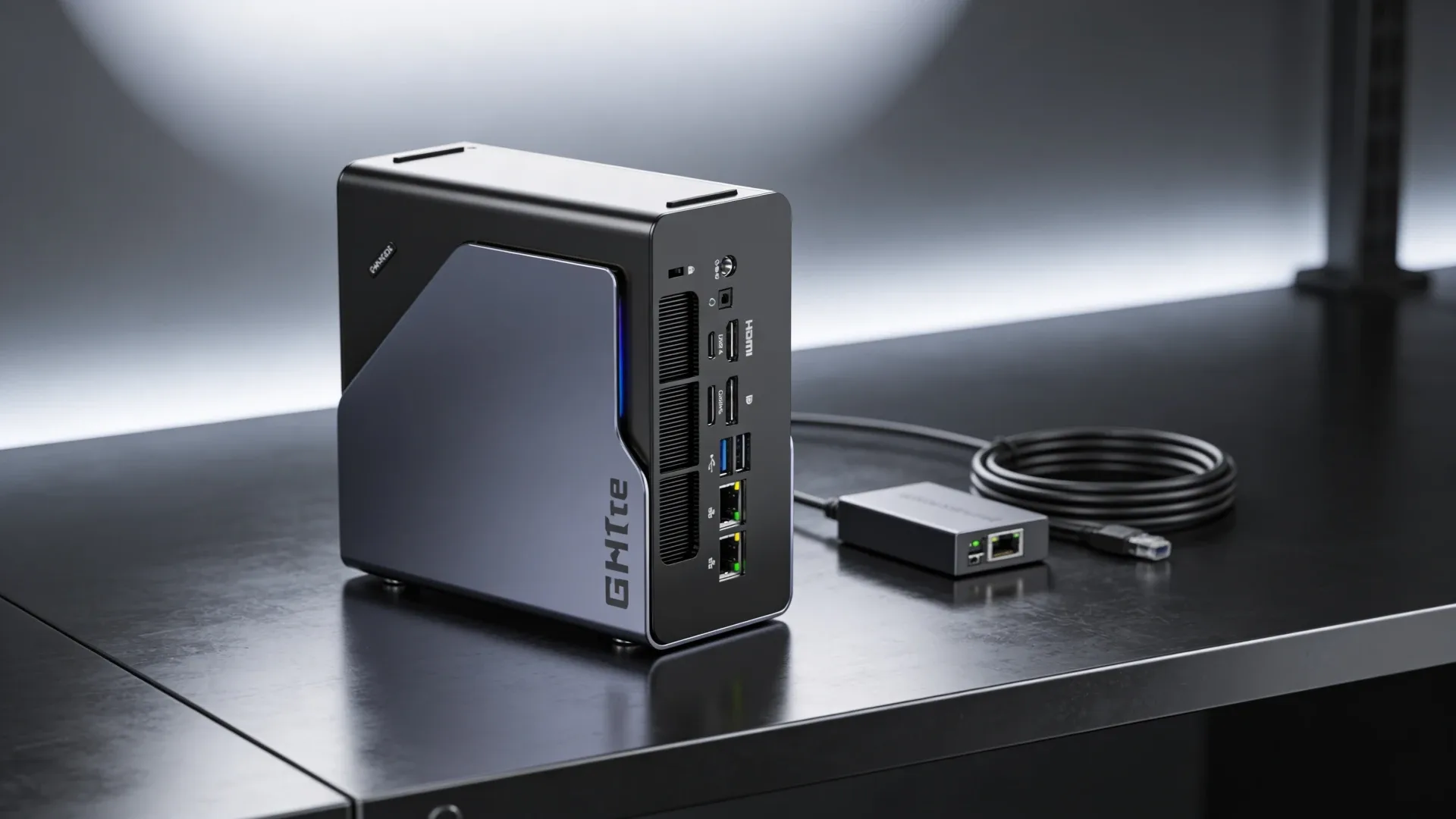
The GMKtec K12 is not the Intel Thunderbolt mini PC some older summaries describe. The current live Amazon listing shows a Ryzen 7 H 255 class AMD configuration with 32GB DDR5, a 512GB SSD, three M.2 slots, dual 2.5GbE, OCuLink, USB4, and HDMI 2.1.
That changes the entire buying case. The K12 is really a compact AMD homelab box with unusually strong storage and network expansion, not a generic mid-range office mini PC.
If you are still comparing the bigger field before you commit to one model, start with our best mini PC for home server guide.
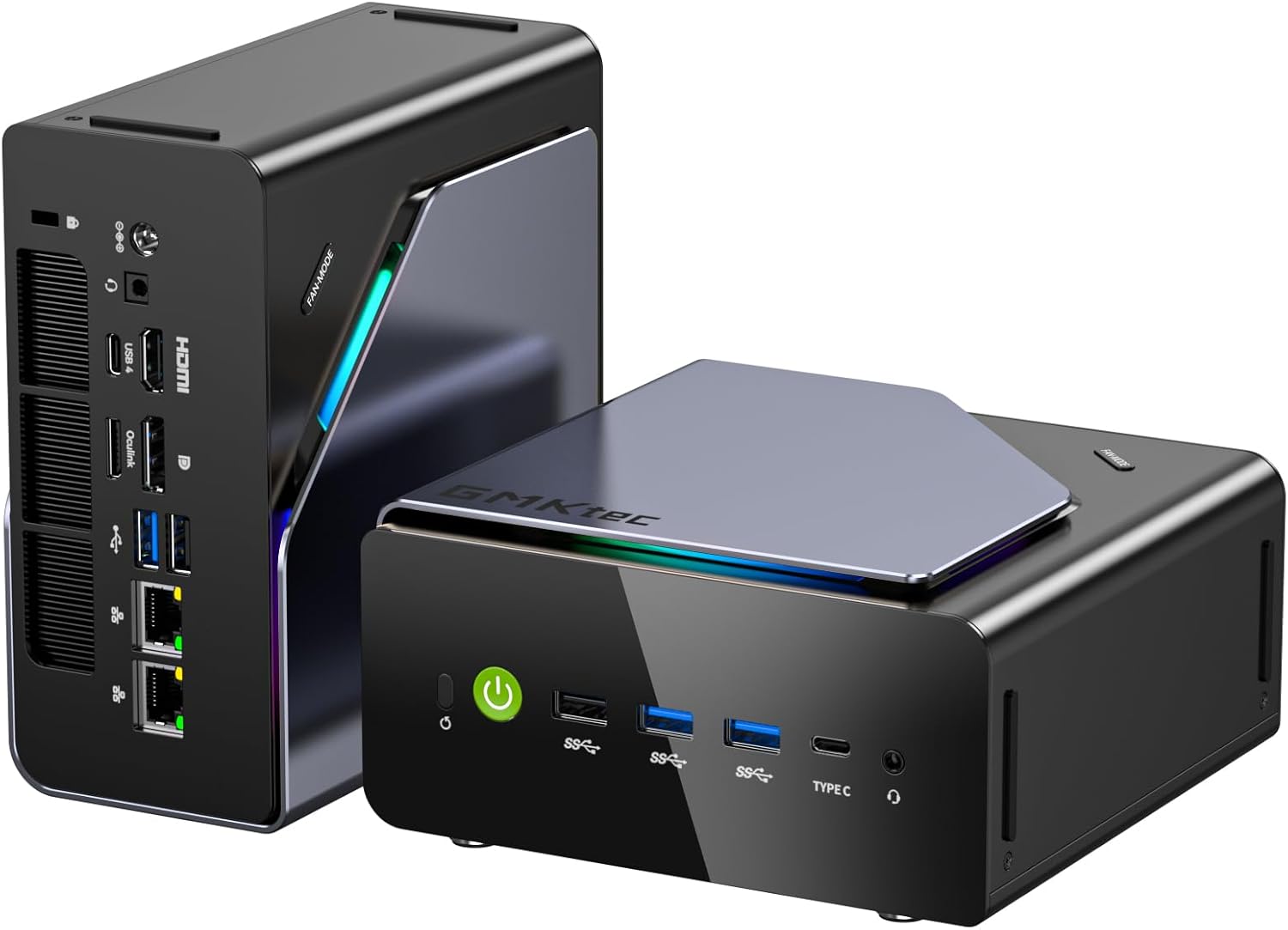
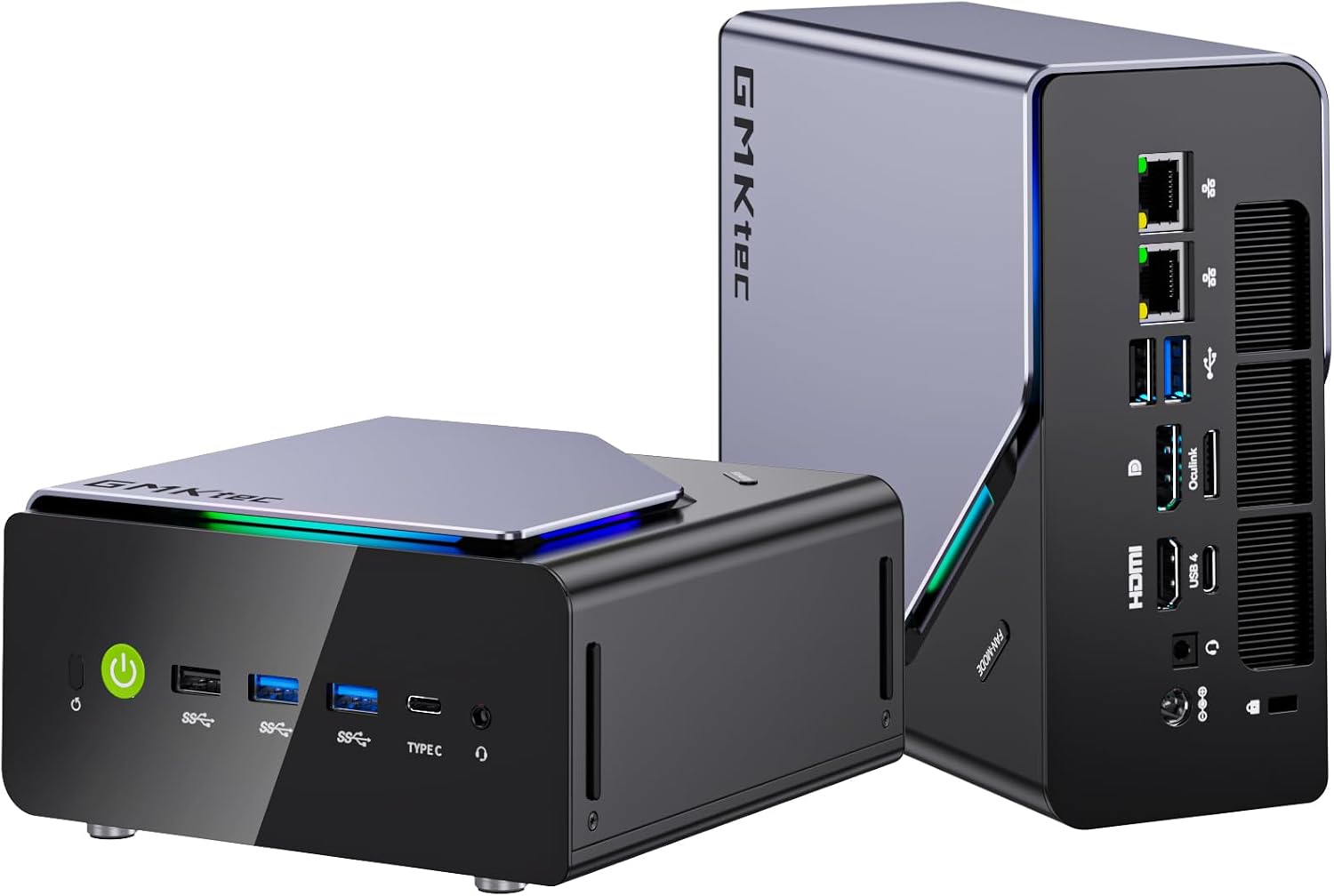
Port layout from GMKtec’s own listing images. The rear panel is where the port count, the LAN speed, and the USB generations are actually settled.
Specs at a Glance
| Spec | Detail |
|---|---|
| CPU | AMD Ryzen 7 H 255 class processor marketed by GMKtec as an upgraded 8745HS |
| GPU | Radeon integrated graphics |
| RAM | 32GB DDR5 |
| Storage | 512GB NVMe SSD |
| Expansion | 3 x M.2 slots + 1 x OCuLink |
| Networking | 2 x 2.5GbE |
| Display Out | HDMI 2.1 + USB4 display support |
| USB Ports | USB4 plus multiple USB-A ports |
| Power Draw | Roughly 10W to 15W idle and around 55W to 65W under heavier load |
| Typical Price | About $690 |
What We Like
- The K12 has real homelab I O instead of the usual stripped-down mini PC layout
- Three M.2 slots give you more room for fast storage than most competitors in this class
- Dual 2.5GbE and OCuLink make it easier to build a serious lab without dongles
- 32GB DDR5 is already practical for Proxmox, Docker, and mixed desktop work
What We Do Not Like
- It costs more than many people expect after reading stale K12 summaries
- GMKtec’s listing language around Ryzen 7 H 255 and 8745HS branding is confusing
- If you do not need the storage and network expansion, cheaper boxes can cover the same basic workloads
Ports, Upgrade Path, and Day-Two Ownership
The reason to care about the K12 is not just the CPU. It is the platform around it. Three M.2 slots is rare in a mini PC that is still compact enough to sit on a desk or shelf without turning into a tiny workstation tower. If you want one drive for the host, one for VM storage, and one for media or cache, the K12 makes that layout possible without external clutter.
The dual 2.5GbE layout is equally useful. You can keep one port on your management network and put the second on storage, lab VLANs, or a direct connection to another node. That is the kind of day-two flexibility that matters more than headline benchmark numbers.
USB4 and OCuLink round out the expansion story. USB4 is useful for fast external storage and modern docks. OCuLink matters if you want lower-overhead external PCIe storage or GPU expansion without leaning only on USB bandwidth.
The one caution is that GMKtec’s own naming is messy on this product. The live listing uses both Ryzen 7 H 255 and upgraded 8745HS language. For buyers, the practical takeaway is simpler than the naming confusion: this is an 8-core AMD box with better connectivity than most mid-range rivals.
Real-World Fit
Homelab and server use: This is the best reason to buy the K12. With 32GB DDR5, dual 2.5GbE, and three M.2 slots, it fits the shape of a compact Proxmox node far better than a typical consumer mini PC. You can run several Linux VMs, a healthy Docker stack, and still keep storage separated in a cleaner way than most rivals allow. If you are comparing more options in this category, our best mini PC for home server guide gives you the broader field.
AI and local model use: The K12 makes more sense for lighter local inference than for chasing top-end tokens per second. The AMD platform is easier to like on Linux than older Intel iGPU experiments, but this is still not a Strix Halo class machine. Think small local models, mixed desktop work, and lab utility first.
Storage-heavy mixed use: This is where the K12 feels unique. If you want one small machine that can act as a lab box, a media cache, a backup target, and a capable desktop, the triple-M.2 layout gives it a more serious storage story than most similarly sized mini PCs.
Power Use and Yearly Cost
| Scenario | Draw | Annual Cost at $0.12/kWh |
|---|---|---|
| Idle, 24/7 | ~10W to 15W | ~$10.51 to $15.77 per year |
| Light server load | ~25W to 35W | ~$26.28 to $36.79 per year |
| Sustained compute | ~55W to 65W | ~$57.82 to $68.33 per year |
Power figures are planning estimates based on comparable 8-core AMD mini PCs with dual 2.5GbE and similar expansion. They are good enough for budget planning, but they are not wall-meter measurements from our lab.
Who Should Buy It
- Buy it if you want a compact AMD mini PC with unusually strong storage and network expansion
- Buy it if your lab benefits from three M.2 slots, dual 2.5GbE, and OCuLink in one chassis
- Buy it if you want one box that can cover Proxmox, Docker, and heavier mixed desktop work
Who Should Skip It
- Skip it if you only need a low-cost always-on node for Home Assistant, Plex, or a few containers
- Skip it if price matters more than expansion, because cheaper Intel and AMD boxes cover simpler workloads well
- Skip it if you want a lower-power Intel media-server box, since the GMKtec K15 is the more efficient Intel-leaning option today
Frequently Asked Questions
Is the GMKtec K12 worth buying in 2026?
Yes if you want a compact AMD system with real expansion. The live listing includes 32GB DDR5, three M.2 slots, dual 2.5GbE, OCuLink, and USB4, which makes the K12 far more interesting for homelab use than many stale summaries suggest.
What is the biggest tradeoff with the GMKtec K12?
You are paying almost $690 for the platform and connectivity, not just the CPU. If you do not need the extra storage flexibility and dual 2.5GbE, there are cheaper options that will feel just as good for lighter workloads.
How much power does the GMKtec K12 use?
Expect roughly 10W to 15W at idle and around 55W to 65W under heavier sustained load. That is still reasonable for a box with this much I O, but it is not in the tiny-idle-power class.
Can the GMKtec K12 run Proxmox or Docker?
Yes. This is one of the better reasons to buy it. Dual 2.5GbE, 32GB DDR5, and three M.2 slots make the K12 a practical compact Proxmox and Docker host.
Does the GMKtec K12 have OCuLink and USB4?
Yes. The live listing shows both OCuLink and USB4, which gives the K12 better external expansion options than many similarly priced mini PCs.
How We Research These Picks
Every recommendation here is built from verifiable sources rather than bench claims we can’t back up. We verify each product against its live Amazon listing for current price, stock status, and the exact spec configuration, and we cross-check CPU, RAM type, and networking details against manufacturer documentation. Power-draw and performance figures are cited from published measurements by trusted reviewers such as ServeTheHome and Notebookcheck, plus community reports on r/homelab and the Proxmox forums. We also read recent 1-star reviews for every pick to surface thermal, driver, and reliability patterns before you hit them. Picks are re-verified quarterly for availability, pricing, and newer models.
Final Verdict
The GMKtec K12 is worth attention because it is not a generic mid-range box. The live product today is an AMD system with far better storage and network expansion than most competitors in its size class. Three M.2 slots, dual 2.5GbE, OCuLink, USB4, and 32GB DDR5 make it genuinely useful for homelab builders who want one compact machine to do several jobs well.
The downside is simple: price. At about $690, the K12 only makes sense if you will actually use the richer platform. If your needs are lighter, you can spend less. If your goal is an efficient Intel media box, the GMKtec K15 is the better match.
Buy the K12 when expansion matters more than squeezing the absolute lowest cost per container.