
This article contains affiliate links. If you purchase through our links, we may earn a commission at no extra cost to you. We only recommend products we’ve thoroughly researched and verified.

OCuLink matters only for a specific kind of buyer: someone who knows an external GPU is part of the plan. If that is you, the port changes the long-term value story in a real way.
This guide rewards boxes that combine OCuLink with strong base hardware instead of treating the port as a gimmick.
If you are still comparing the broad field before you narrow this use case, start with our best mini PC for home server guide.
Quick Picks
| Pick | Mini PC | Why It Made The List | Price | Link |
|---|---|---|---|---|
| Best Overall | GMKtec EVO-T1 | Core Ultra 9 285H, 64GB DDR5, three M.2 slots, and OCuLink make it the most ambitious Intel eGPU-ready box here. | ~$999 | Check Price |
| Best Value | GMKtec EVO-X2 AI | Ryzen AI Max Plus 395 with large unified memory makes it the strongest value path into Strix Halo class local AI. | ~$999-1299 | Check Price |
| Runner-Up | GMKtec K12 | Ryzen 7 H255, 32GB DDR5, three M.2 slots, and dual 2.5GbE make it a balanced do-more mini PC under flagship pricing. | ~$499 | Check Price |
| Specialist Pick | GMKtec M7 Ultra | Upgradeable SO-DIMM memory and dual Intel 2.5GbE alongside the OCuLink port | ~$650 | Check Price |
| Budget Pick | GMKtec M8 | The cheapest way into OCuLink, if you can live with soldered memory | ~$390 | Check Price |
How We Research These Picks
Every recommendation here is built from verifiable sources rather than bench claims we can’t back up. We verify each product against its live Amazon listing for current price, stock status, and the exact spec configuration, and we cross-check CPU, RAM type, and networking details against manufacturer documentation. Power-draw and performance figures are cited from published measurements by trusted reviewers such as ServeTheHome and Notebookcheck, plus community reports on r/homelab and the Proxmox forums. We also read recent 1-star reviews for every pick to surface thermal, driver, and reliability patterns before you hit them. Picks are re-verified quarterly for availability, pricing, and newer models.
What Matters Most
- OCuLink is valuable only when the rest of the system is already worth keeping.
- Base graphics and CPU tier still matter because most buyers will use the box without an eGPU first.
- Networking and storage still affect long-term value after the OCuLink novelty fades.
Our Top Picks
Best Overall
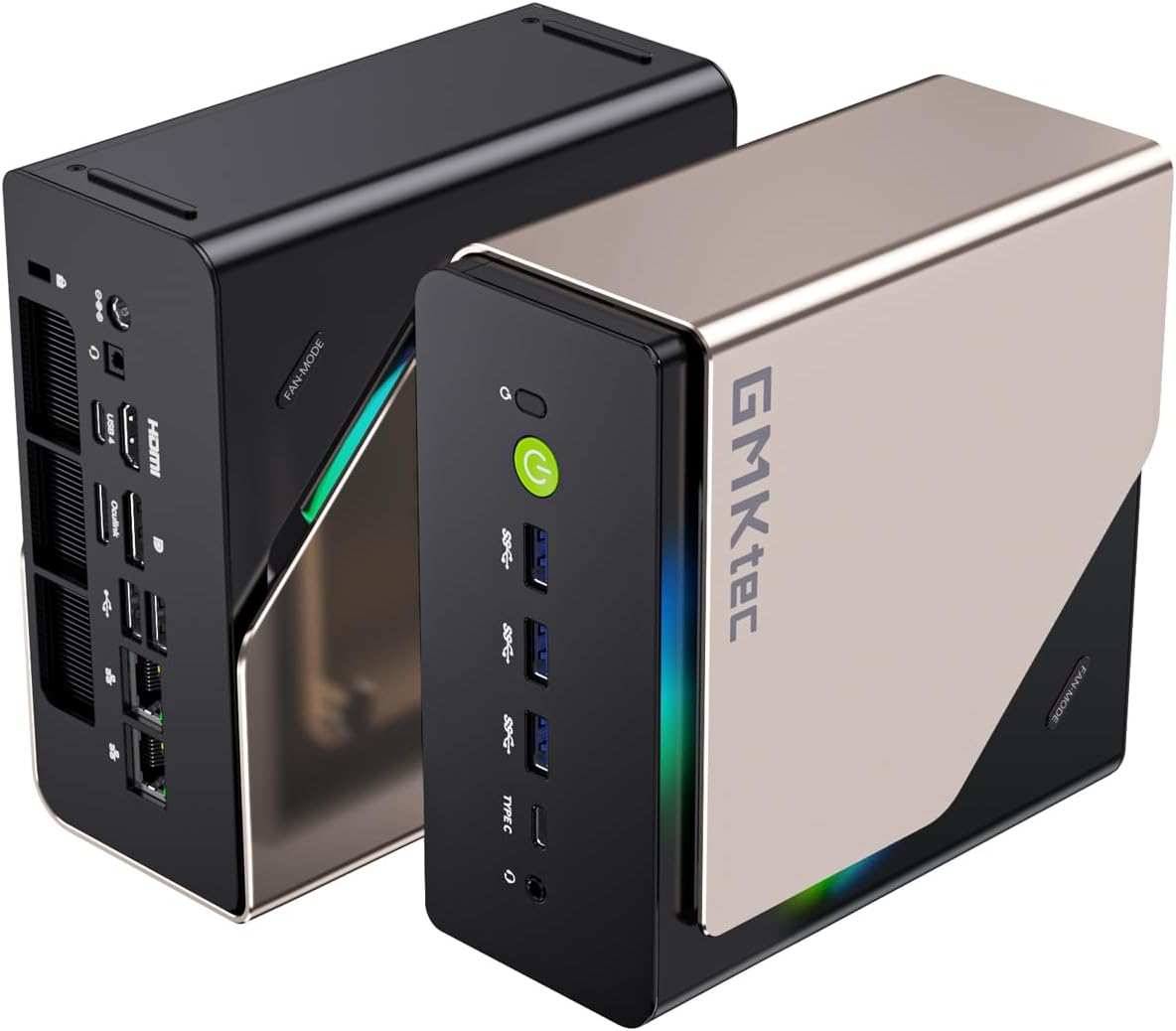
GMKtec EVO-T1
→ Check Current Price on Amazon
The EVO-T1 is the Intel answer in this roundup and the most capable base machine of the five. A Core Ultra 9 285H with 64GB of DDR5 means the box is worth owning before you attach anything to the OCuLink port, which is not true of the cheaper picks here. Three M.2 slots is the other differentiator: you can run a boot drive, a fast scratch drive, and bulk storage without touching external enclosures.
That capability is the argument, and the price is the counter-argument. At roughly $999 it costs more than twice the M8, and if your plan is simply to drive an external GPU, most of what you are paying for goes unused.
Specs:
| Spec | Detail |
|---|---|
| CPU | Intel Core Ultra 9 285H |
| Memory | 64GB DDR5 |
| Storage | Three M.2 slots |
| Expansion | OCuLink |
| Price | ~$999 |
Pros:
- The strongest base machine here, useful on its own rather than only as an eGPU host
- 64GB of memory as shipped, enough for serious virtualization
- Three M.2 slots, the most storage flexibility in this roundup
Cons:
- The most expensive pick here by a wide margin
- Overkill if the OCuLink port is the only reason you are buying
- Intel Arc integrated graphics trail the Radeon 780M in the K12 for light gaming
Who should buy this: Buy it if the machine has to earn its keep as a workstation or virtualization host first, with the external GPU as a bonus rather than the point.
Who should skip this: Skip it if an external GPU will do the heavy lifting. You are paying for a CPU and memory the eGPU makes largely irrelevant.
Best Value
GMKtec EVO-X2 AI
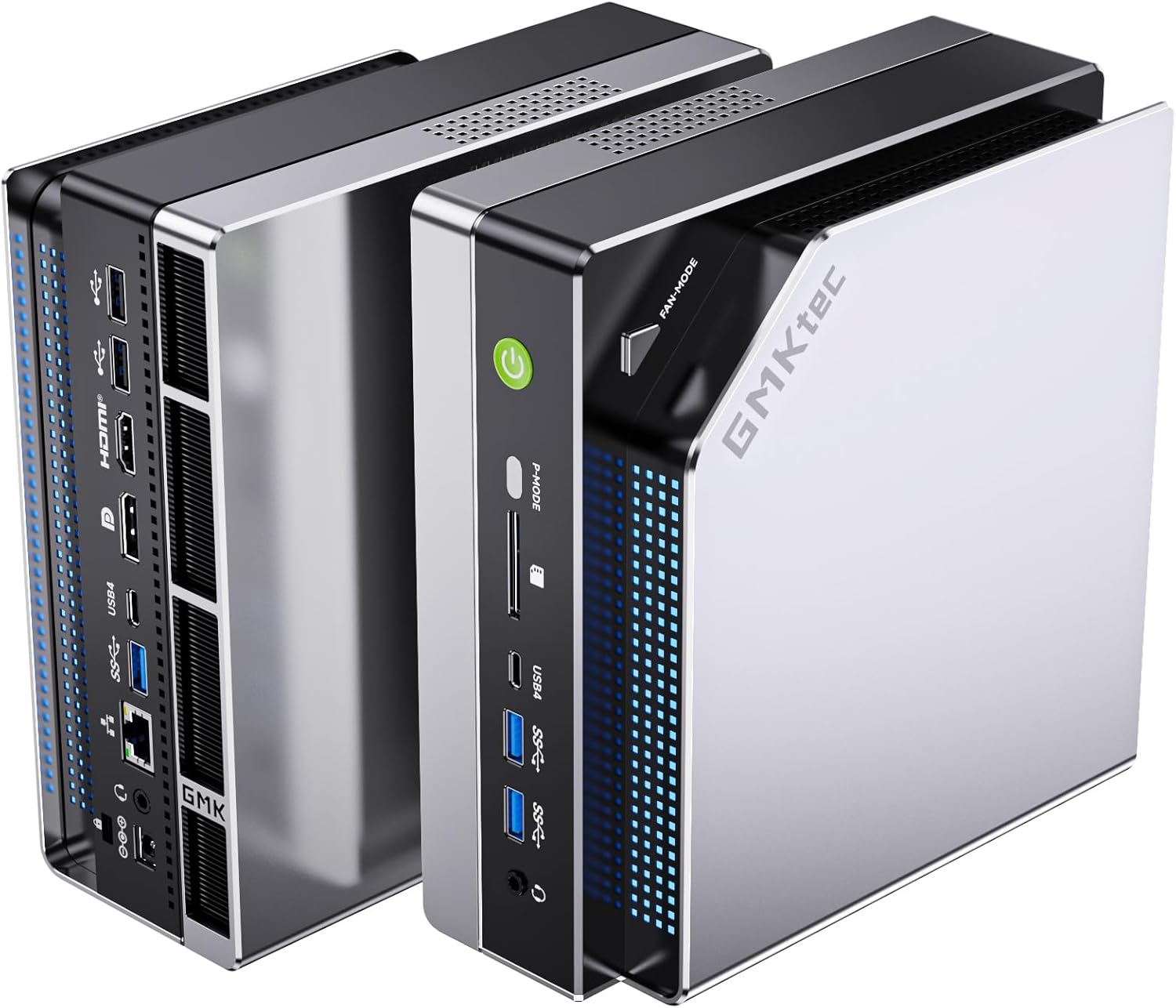
Port layout from GMKtec’s own listing images.
→ Check Current Price on Amazon
The EVO-X2 AI is the odd one out, because it is the machine least likely to need the OCuLink port at all. The Ryzen AI Max+ 395 pairs with 128GB of unified LPDDR5X, and that large unified memory pool is the entire reason to buy it: it lets you hold models in memory that a discrete GPU with 16GB of VRAM simply cannot. GMKtec rates the platform at 126 TOPS.
So treat OCuLink here as insurance rather than a feature you will use. If local AI is your workload, the integrated path is the point. If it is not, the other four machines cost far less.
Specs:
| Spec | Detail |
|---|---|
| CPU | Ryzen AI Max+ 395 |
| Memory | 128GB LPDDR5X unified |
| AI compute | 126 TOPS, per GMKtec |
| Expansion | OCuLink |
| Price | ~$999-1299 |
Pros:
- 128GB of unified memory holds models that will not fit on a consumer discrete GPU
- The only pick here designed around local AI rather than adapted to it
- OCuLink remains available if the workload later shifts to a discrete GPU
Cons:
- Unified memory is soldered, so the 128GB is fixed for the life of the machine
- Poor value if you are not running large local models
- The OCuLink port is close to redundant given what the integrated hardware already does
Who should buy this: Buy it if you run local LLMs and the memory pool is the constraint you keep hitting.
Who should skip this: Skip it for gaming or general desktop use. The K12 or M7 Ultra plus an external GPU will cost less and perform better.
Runner-Up
GMKtec K12
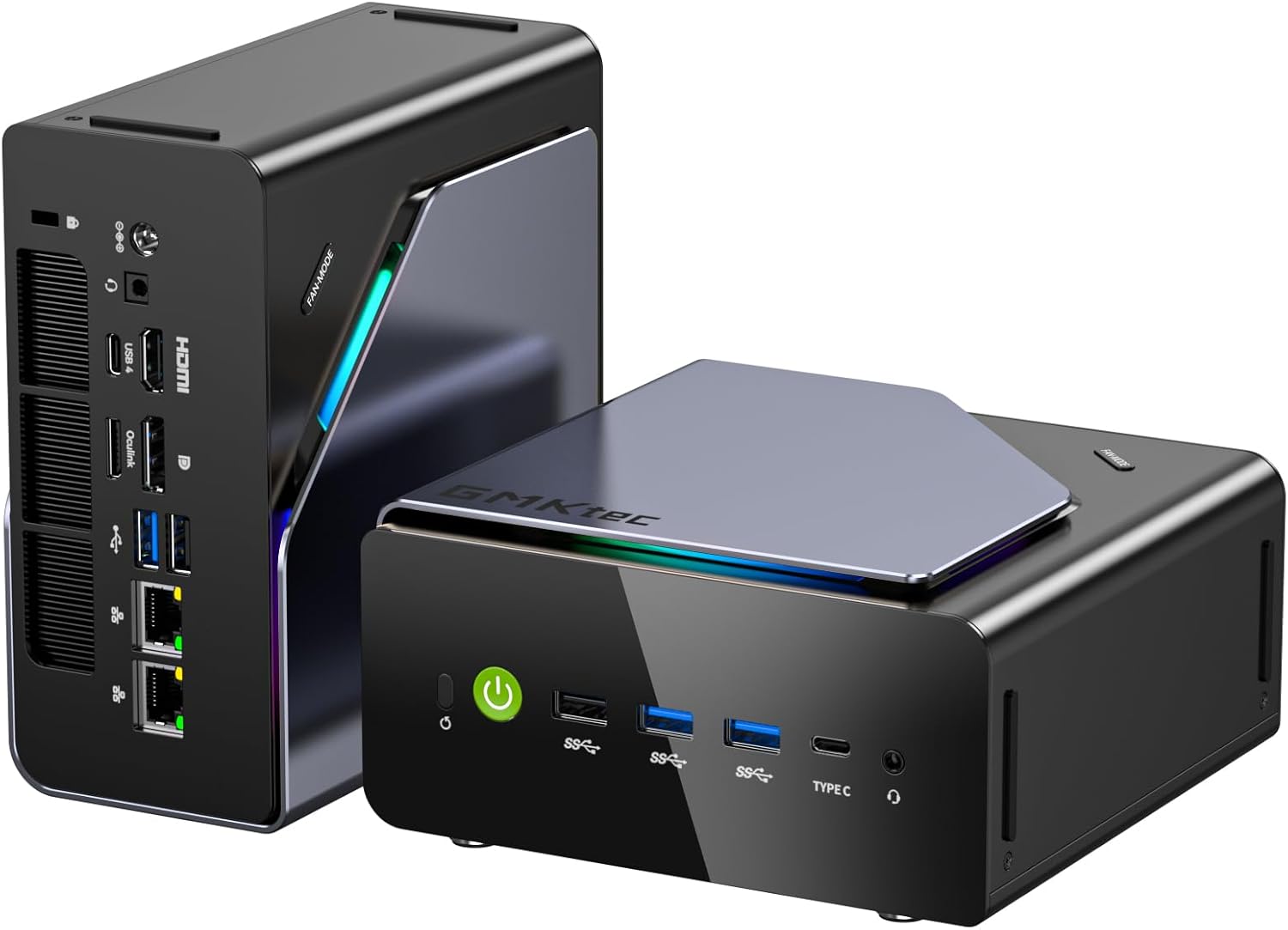
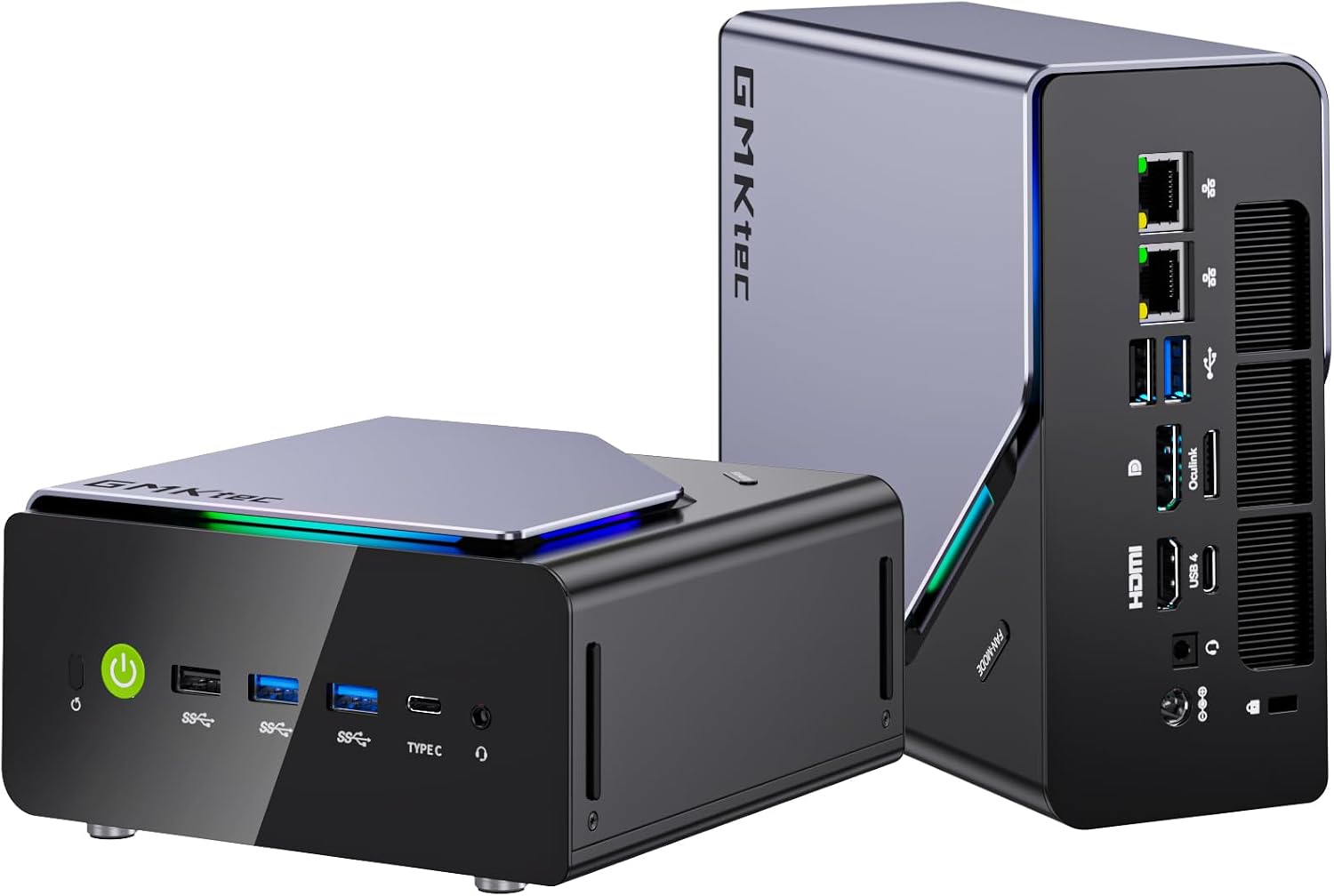
Port layout from GMKtec’s own listing images.
→ Check Current Price on Amazon
The K12 is the balanced choice. A Ryzen 7 H255 with 32GB of DDR5 and Radeon 780M graphics covers ordinary desktop and light gaming work without an external GPU, and the dual 2.5GbE plus three M.2 slots make it credible as a homelab host. It sits between the M8’s budget compromise and the EVO-T1’s price.
The 780M is also the best integrated graphics in this roundup, which matters more than it sounds: it raises the bar an external GPU has to clear before the OCuLink port is worth using at all.
Specs:
| Spec | Detail |
|---|---|
| CPU | Ryzen 7 H255 |
| Graphics | Radeon 780M |
| Memory | 32GB DDR5 |
| Storage | Three M.2 slots |
| Networking | Dual 2.5GbE |
| Price | ~$499 |
Pros:
- Radeon 780M is the strongest integrated graphics here, useful before any eGPU is attached
- Dual 2.5GbE plus three M.2 slots make it a genuine homelab candidate
- Sits at a sensible price between the budget and flagship picks
Cons:
- Fewer standout features than the machines above and below it
- The 780M is good enough that the OCuLink port may go unused for longer than you expect
Who should buy this: Buy it if you want one machine that handles desktop work, light gaming and a few containers, with OCuLink held in reserve.
Who should skip this: Skip it if you need upgradeable SO-DIMM memory and Intel networking, which is the M7 Ultra, or if the budget is the constraint, which is the M8.
Specialist Pick
GMKtec M7 Ultra
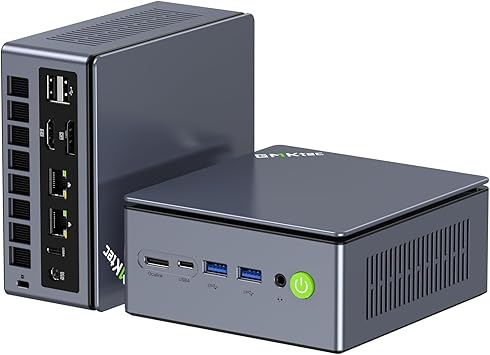
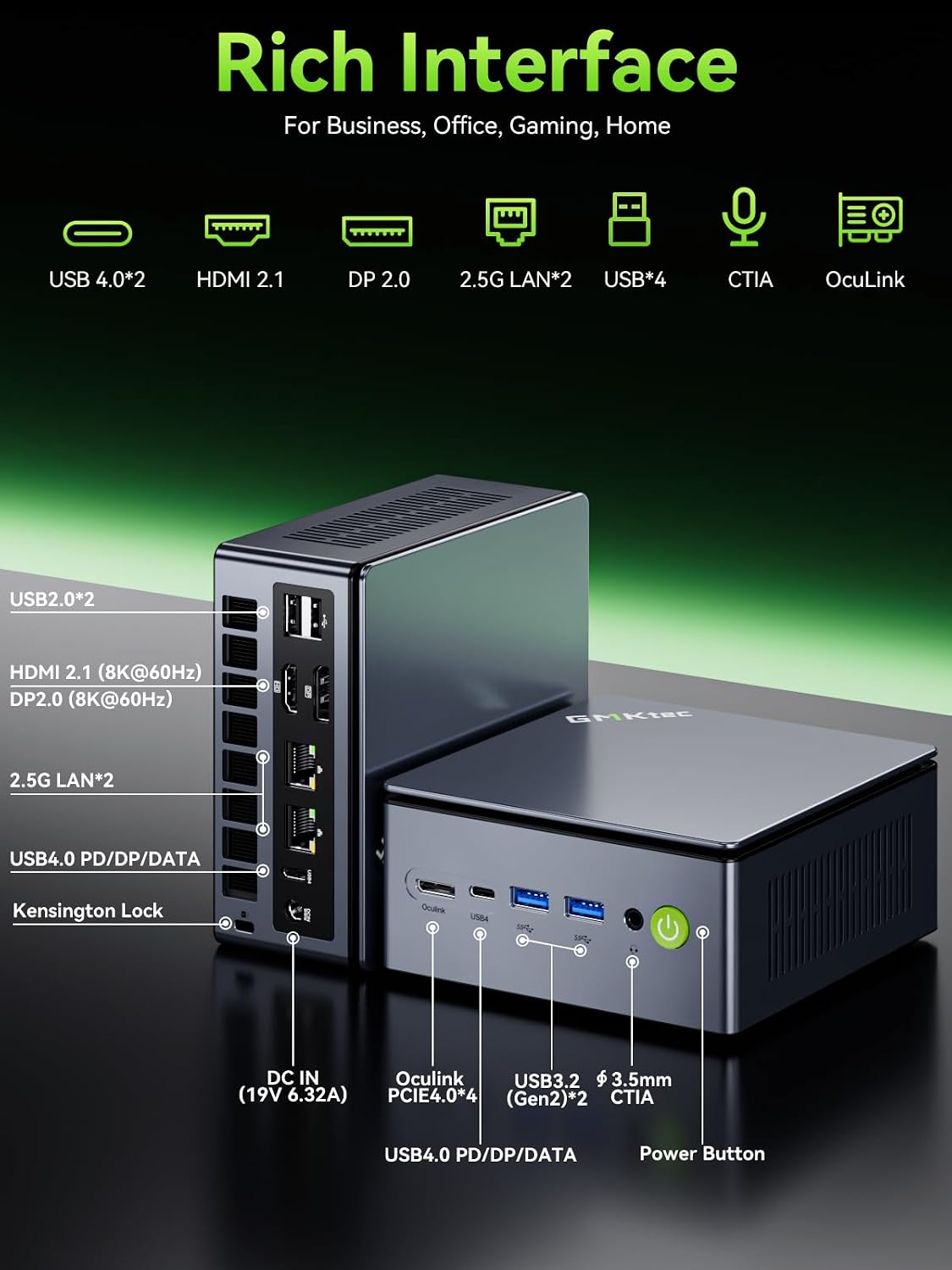
Port layout from GMKtec’s own listing diagram. The OCuLink connector sits on the front panel, not the rear, which changes how you route the cable on a desk.
→ Check Current Price on Amazon
The M7 Ultra is the pick here if you want OCuLink without giving up upgradeable memory. It ships with 32GB of DDR5-4800 as two 16GB SO-DIMMs rather than soldered LPDDR5, so the memory is yours to replace later. Among OCuLink machines at this price that is genuinely unusual, and it is the single strongest reason to choose it over the M8 below.
The rest of the machine is a Ryzen 7 PRO 6850U, 8 cores and 16 threads to 4.7GHz, with Radeon 680M graphics. That is a mobile-class chip rather than a desktop one, which is the tradeoff for the size and the 35W to 70W configurable power modes. Networking is the other quiet strength: dual Intel i226V 2.5GbE. Intel NICs matter if this box ever becomes a firewall or a Proxmox host, because the FreeBSD-based firewalls are historically more dependable on Intel silicon than on Realtek.
Specs:
| Spec | Detail |
|---|---|
| CPU | Ryzen 7 PRO 6850U, 8C/16T, up to 4.7GHz |
| Graphics | Radeon 680M, 12 CU |
| Memory | 32GB DDR5-4800, 2x16GB SO-DIMM, upgradeable |
| Storage | 1TB PCIe 3.0 NVMe, two M.2 2280 slots |
| Networking | Dual Intel i226V 2.5GbE, WiFi 6, BT 5.2 |
| Expansion | OCuLink PCIe 4.0 x4 on the front panel, dual USB4 |
| Power modes | 35W / 50W / 65-70W, selectable |
| Price | ~$650 |
⚠️ The listing contradicts itself on ceilings. The feature bullets claim 96GB maximum memory and 4TB maximum storage, while GMKtec’s own interior and port graphics on the same listing say 64GB and 16TB. We use the graphics figures, because on this listing the diagrams have been the more reliable source. Treat 64GB as the memory ceiling you can count on.
Pros:
- SO-DIMM memory you can actually upgrade, which most OCuLink boxes at this price do not offer
- Dual Intel i226V 2.5GbE rather than Realtek, which matters for firewall and virtualization use
- Front-panel OCuLink plus dual USB4, so an eGPU and fast external storage can coexist
Cons:
- The bundled SSD is PCIe 3.0, not 4.0, so the boot drive is slower than the slots allow
- A 6850U is a mobile-class chip, so sustained multi-threaded work favours the K12’s H255
- The listing’s own spec bullets disagree with its graphics on memory and storage ceilings
Who should buy this: Buy it if you want an OCuLink box that will still be useful in three years, and upgradeable memory plus Intel networking are worth roughly $260 more than the M8.
Who should skip this: Skip it if you only want the cheapest OCuLink port available and will never open the case. The M8 does that for far less.
GMKtec M8
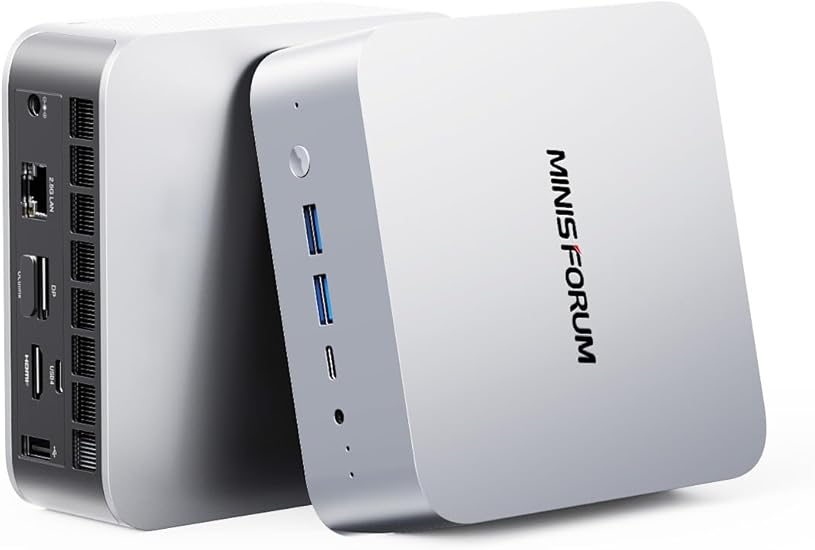
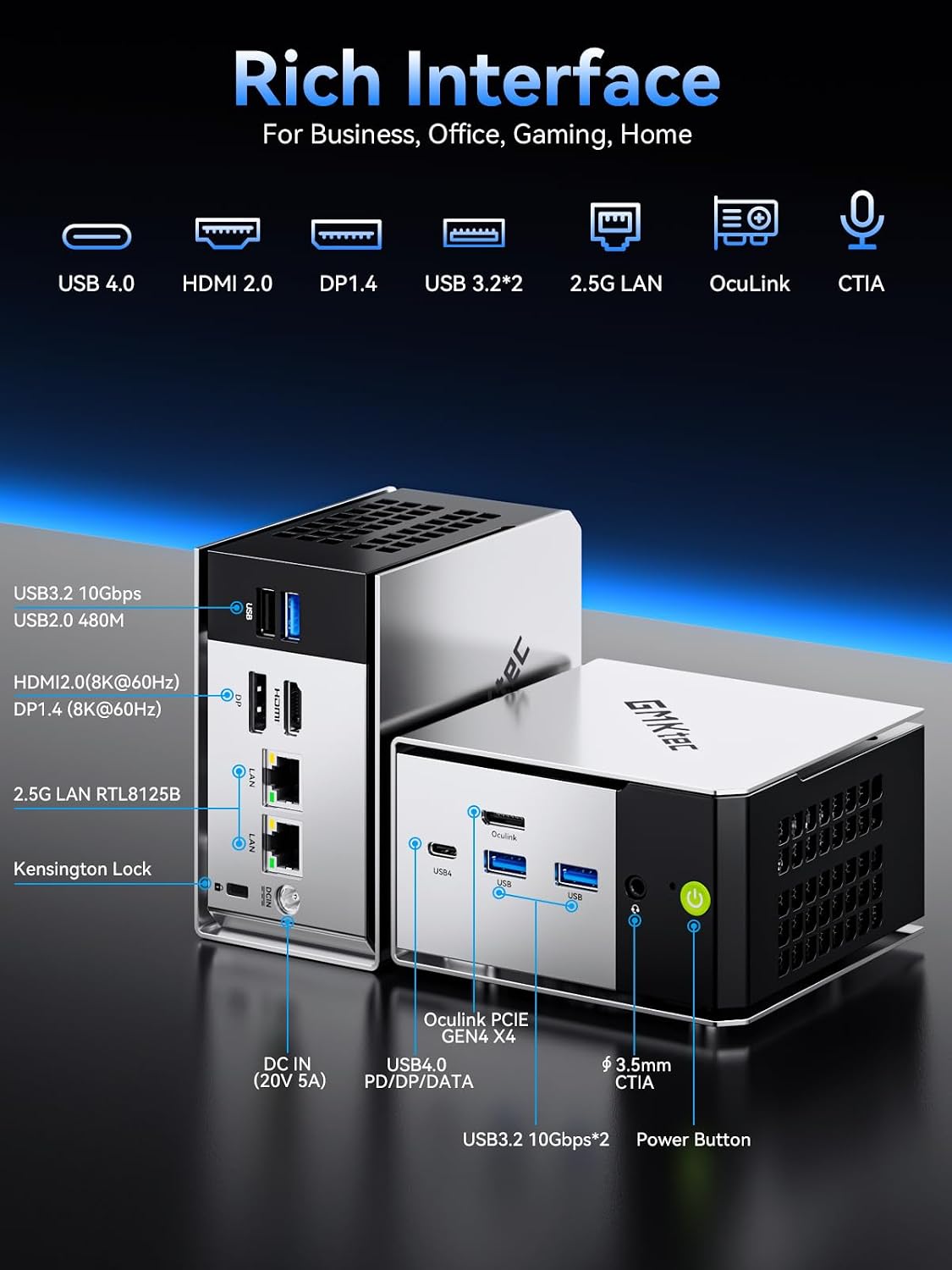
Port layout from GMKtec’s own listing diagram. OCuLink is on the front panel here too.
→ Check Current Price on Amazon
The M8 is the cheapest route to an OCuLink port in this roundup, and that is the whole argument for it. At roughly $390 it costs less than half what the EVO-X2 AI does while still giving you a full PCIe Gen4 x4 external link for an eGPU or an external NVMe enclosure.
What you give up is memory. The 16GB of LPDDR5-6400 is soldered and cannot be upgraded, which is the single most important thing to understand before buying. Sixteen gigabytes is workable for a gaming box driving an external GPU; it is thin for virtualization, and there is no path to more. The Ryzen 5 PRO 6650H is 6 cores and 12 threads with Radeon 660M graphics, so the integrated performance is modest and the machine is really designed around the assumption you will attach something to that OCuLink port.
Specs:
| Spec | Detail |
|---|---|
| CPU | Ryzen 5 PRO 6650H, 6C/12T, up to 4.5GHz |
| Graphics | Radeon 660M, 6 CU, RDNA 2 |
| Memory | 16GB LPDDR5-6400, soldered, not upgradeable |
| Storage | 512GB NVMe, two M.2 2280 PCIe 3.0 slots |
| Networking | Dual Realtek RTL8125BG 2.5GbE, WiFi 6E, BT 5.2 |
| Expansion | OCuLink PCIe 4.0 x4 on the front panel, USB4 40Gbps |
| Power modes | 28W / 35W / 40W, selectable |
| Price | ~$390 |
Pros:
- The lowest price of any OCuLink machine here, by a wide margin
- Full PCIe Gen4 x4 OCuLink, not a cut-down link, plus USB4 alongside it
- Dual 2.5GbE and WiFi 6E despite the budget positioning
Cons:
- 16GB soldered memory with no upgrade path, which caps its useful life
- Realtek RTL8125BG networking rather than Intel, worth knowing if you plan a BSD-based firewall
- The 6650H is the weakest CPU in this roundup, so it leans hardest on the external GPU
Who should buy this: Buy it if OCuLink is the point and the budget is tight. For a desk machine that drives an external GPU for gaming, 16GB is enough and the savings are real.
Who should skip this: Skip it if you want to run VMs or containers, or if you expect to keep the machine long enough to need more memory. Soldered 16GB is a hard ceiling. The M7 Ultra is the upgrade.
Final Buying Advice
The right pick in this category is the one whose tradeoffs match the way you will actually use the box. If your workload is lighter than the article title suggests, buy the cheaper simpler option. If your workload is heavier, move up a tier instead of forcing a compromise box to cover a premium job.
Frequently Asked Questions
Who should buy a mini PC with OCuLink?
Buyers who already know they may add an external GPU later are the main audience.
Is OCuLink better than USB4 for eGPU use?
Yes. OCuLink is the stronger path if your goal is the cleanest external GPU connection.
Do you need OCuLink for local AI or gaming?
No. Many buyers are better served by a stronger self-contained mini PC without planning around an eGPU.