
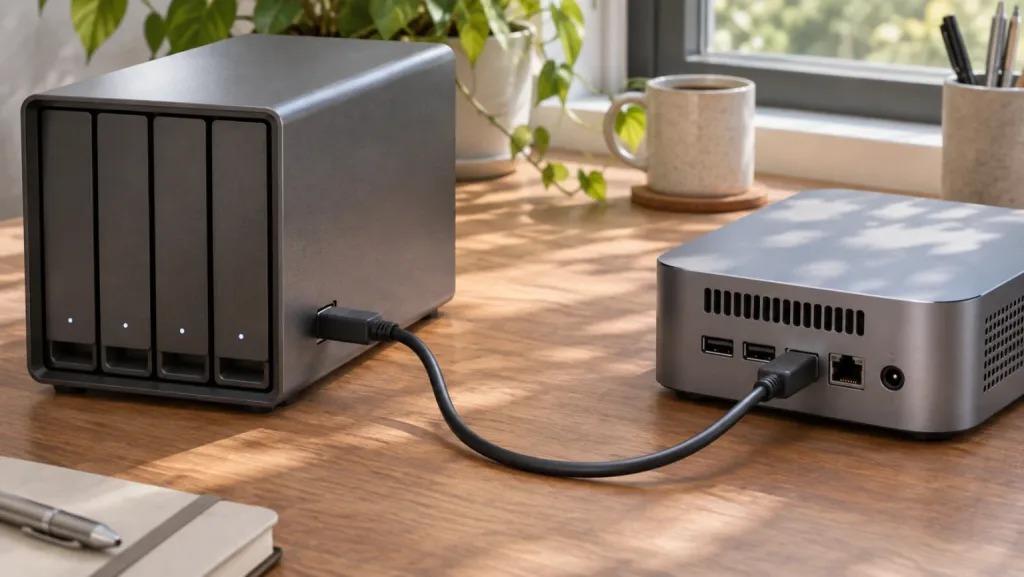
Illustration of a mini PC and a separate USB drive enclosure.
A four-bay USB enclosure gives a mini PC four places to put disks. It also puts all four disks behind one cable, one bridge and usually one power supply. That distinction matters more to a storage pool than the speed printed on the connector. We would use a USB disk for a removable backup with a verified restore. For a primary TrueNAS pool or Unraid array, we would choose individually visible drives on native SATA, SAS or NVMe.
If you already own the mini PC and enclosure, start by deciding what can go offline together. A disconnected backup target costs you a missed backup window. Disconnecting the only copy of a VM datastore can interrupt every guest using it. The same hardware has a different consequence in each role.
Choose the role before the enclosure
| Storage job | TrueNAS | Unraid |
|---|---|---|
| Primary disks that must stay online | The hardware guide advises against USB hard disks for primary storage. Choose a chassis or controller with direct disk access. | Community support discourages USB array and pool members. Use direct connections for assigned storage. |
| Periodically attached backup | TrueNAS describes basic backup to USB HDD and taking the copy offsite. Budget time to connect, replicate, verify and export it. | Mount a suitable external filesystem using Unassigned Devices. Keep the backup disk outside array and pool assignments. |
| Moving files between machines | Keep a verified source while copying to storage the destination can read. | An unassigned external disk can be a transfer source. Check filesystem support before moving the only copy. |
| Replaceable media on a spare disk | Prefer a separate backup role if the NAS also holds important datasets. | A separate unassigned mount can suit replaceable files if applications tolerate its absence. Never let an empty mount path silently receive new data on the boot filesystem. |
TrueNAS explicitly warns that USB media can report inaccurate serial numbers. Unraid documents unassigned drives for backups and transfers. Its staff advice about USB array members is operational guidance, distinct from the documented ability to mount an external disk. TrueNAS hardware guide, Unraid filesystem documentation and Unraid DAS discussion.
What the operating system sees
“Four independent bays” can mean that the enclosure accepts four drives while its controller presents just one logical volume. If you intend ZFS or Unraid to manage individual members, the OS needs to distinguish each disk. Seeing one aggregate device prevents the OS from identifying which physical member is unhealthy. Changing the enclosure’s RAID or JBOD mode can destroy its current layout. Determine the mode from its manual before inserting disks containing data.
Even with one device per bay, each reported identity needs to follow the disk. Suppose the disk in bay two reports the enclosure serial with a bay suffix. It may look unique today, but swapping disks could leave the same identifier attached to entirely different media. During a replacement, that makes a handwritten label and a screenshot of the old device list poor substitutes for a verified disk identity.
On a Linux-based host, these are read-only ways to inventory an enclosure. Record model, capacity, serial, stable identifier and physical bay using disposable disks first. Device letters such as sdb can change between boots.
lsblk -d -o NAME,MODEL,SERIAL,WWN,SIZE,TRAN
ls -l /dev/disk/by-id/
lsusb -t
Compare the serials with the labels on the disks. If the bridge supplies a genuine unique disk identifier but leaves the WWN blank, record which identifier you actually verified. A missing field by itself tells you less than two disks presenting identical identities. If the relevant utilities are unavailable on your appliance, inspect disk identities in its storage interface or examine the enclosure on a spare Linux system.
The USB tree can show the UAS driver or the older usb-storage transport. UAS tells you which transport the bridge negotiated. It says nothing about how that bridge handles a reset halfway through a write. Likewise, a successful SMART query can help you retrieve disk health data but cannot establish that an enclosure will stay awake during a long unattended backup. The TrueNAS evaluation guide describes disconnects under load as one risk with USB JBOD enclosures. TrueNAS SCALE evaluation guide
Qualify a removable backup target
Use spare media, a known-good source file and a separate recovery directory. Keep the source until the exercise is over. Leave production disks in their current bays. If the enclosure has a hardware-mode switch, record its position before applying power.
| Check | What to record | When to stop |
|---|---|---|
| Inventory and cold start | Which serial appears in which bay after a clean shutdown and restart | Two disks report the same identity or a different disk inherits the old identity |
| Backup after idle | Whether the target wakes and completes the first scheduled transfer after its normal idle interval | Logs report resets, missing mounts or write errors |
| Sustained transfer | Whether a representative backup finishes and all expected disks stay visible | The bridge vanishes, another bay resets or the destination fills unexpectedly |
| Clean disconnect and return | Whether the OS releases the disk and finds the same backup after reconnection | The job can write to an empty directory when the disk is absent |
| Independent restore | Whether another recovery environment can read the backup using the saved credentials | You can list files but cannot restore and open one from the intended snapshot |
For a simple file-copy check, compute a digest on the source, safely eject or export the destination after the copy, reconnect it and restore the file to another directory. Compare the restored digest with the one you recorded. For an encrypted repository, perform the restore through the actual backup software. A checksum of the encrypted repository files does not exercise the password, catalogue or restore path. Our NAS backup guide includes a restore drill for that case.
Plan for power loss without pulling power on an active pool. On a spare setup, a clean full power cycle can answer whether the enclosure restarts automatically and whether applications wait for it to mount. It cannot prove that pending writes survive an unexpected outage. If an unattended backup requires someone to press a front-panel power button after every outage, record that dependency before relying on an overnight schedule.
What happens when something fails?
Imagine four disks in one RAIDZ2 vdev. Two individual disk failures are within its parity budget. A cable reset can make all four disappear at once. The NAS may lose access even though every platter is intact. Do not immediately replace or initialize disks in response to several simultaneous missing-device alerts. Establish which devices are present and whether the common cable, power supply or bridge failed first.
On Unraid a disk that drops during a write can leave the array in a different state from a removable backup disk that was safely unmounted. Before touching assignments, capture diagnostics and compare the complete set of visible serials with your saved inventory. Stop if there is any uncertainty about the parity disk. Reconnecting a USB cable is not sufficient evidence that the data on the returning disk is current.
Moving the enclosure to a VM adds a further boundary. The guest depends on the host retaining the USB device and presenting the same disks after a host restart. A faster USB port cannot resolve a duplicated serial or a bridge that resets several bays together. Where the guest needs direct access to primary disks, plan around an appropriate storage controller and its virtualization support before buying the chassis.
If the mini PC has no room for the disks
Keep the compute box if it suits your services. A separate NAS with native bays can serve media or backup shares over the network, while the mini PC keeps application state on its internal SSD. Check how your services behave if the NAS is offline. For a database-backed media service, backing up the database as well as the media directory matters more than whether both sit in the same case.
If you want one appliance, count the bays you need for data and redundancy, account for the boot device separately, then check the physical connectors for that exact model. Our NAS mini PC guide covers chassis choices. Use our capacity planning worksheet to budget for growth. The capacity calculator helps size the drive set, and our NAS drive comparison covers the drives once the connection plan is settled. A larger drive can buy capacity in a full chassis. It cannot buy an independent path through a shared bridge.
Who should keep the USB enclosure? Keep it if you can disconnect it, lose access to every bay in it and still run the primary NAS and restore from another copy. That is a useful job for hardware you already own. If losing the enclosure would take both your working files and your recovery copy offline, spend the next storage dollar on separating those copies.
Frequently asked questions
Can TrueNAS use a USB HDD for an offsite backup?
TrueNAS describes USB HDDs as an option for basic backups. Keep the primary pool on directly connected disks, safely export the backup before disconnecting it and verify a restore after reconnecting.
Should a removable Unraid backup disk have an array slot?
Use an unassigned device for a removable transfer or backup disk. This keeps the disk independent of the parity array and lets you unmount it once the backup completes.
Does UAS mean a USB enclosure is suitable for ZFS?
UAS identifies the transport in use. It does not tell you whether the bridge reports stable disk serials, survives a long backup or resets all bays when one disk misbehaves.
Can I keep both sides of a backup rotation in one enclosure?
Remove one verified copy from the enclosure and store it separately. Leaving both attached exposes both backups to the same enclosure, power supply and host.
What if the NAS reports several missing disks at once?
Save the current diagnostics and compare the visible disks against your bay and serial inventory. Investigate the common connection and power supply before replacing or reassigning any member.