
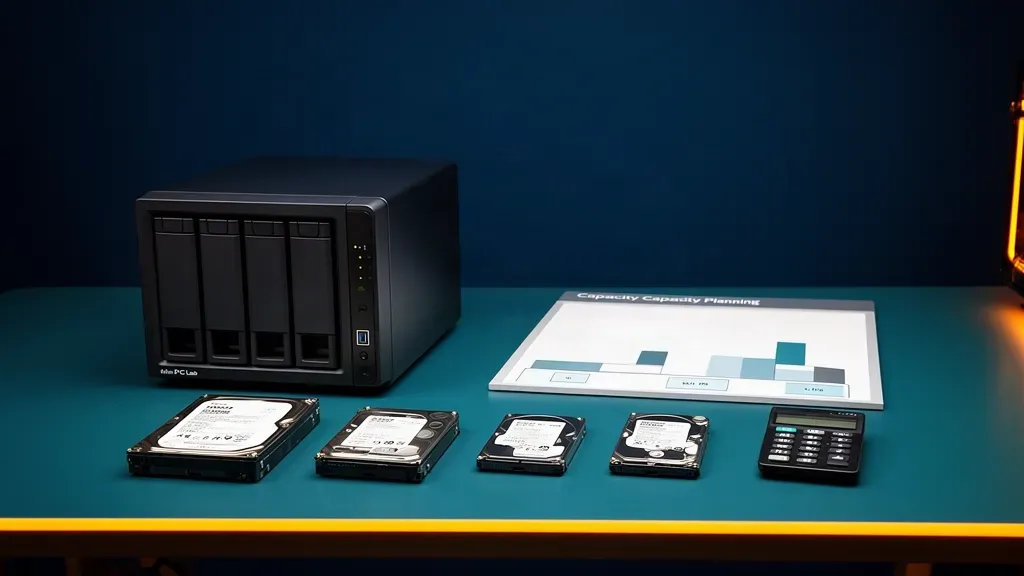
NAS capacity planning starts with a number most buyers skip: how much data do you need to keep, not how much raw capacity can you fit into the box?
Raw capacity is the total printed size of every drive. Usable capacity is what remains after mirrors or parity. Practical capacity is what you can use while leaving room for growth, snapshots, recovery work, and the performance your workload needs.
A two-drive mirror with 12TB drives has 24TB raw capacity and roughly 12TB of usable capacity before filesystem overhead. A six-drive RAIDZ2 group with the same drives has 72TB raw capacity and approximately 48TB before overhead. Neither number tells you whether the design fits your next three years, whether the NAS has enough bays for the next upgrade, or whether the backup target can hold a second copy.
Use the NAS capacity calculator while reading this guide. Its build mode shows usable capacity, decimal TB and TiB, parity cost, approximate effective cost per usable terabyte, and an 80 percent planning figure. Its target mode works backward from the usable space you need and compares drive sizes within a bay limit.
For the NAS hardware decision, see our best NAS mini PC guide. For a TrueNAS build, our TrueNAS mini PC guide covers memory, storage interfaces, and platform trade-offs.
Plan the data set before the drives
Write down what the NAS will store today, then separate it into data that grows at different rates.
| Data type | Examples | Planning question |
|---|---|---|
| Personal files | Documents, projects, phone photos | How much arrives each month? |
| Media | Movies, music, recorded video | Is the library growing or mostly stable? |
| Backups | Computers, phones, servers, snapshots | How many versions must remain available? |
| Application data | Databases, indexes, thumbnails, containers | Does churn exceed the visible file size? |
| Virtual machines | Operating systems, guest disks, templates | How many guests may be active at once? |
| Replication copies | Another NAS, removable disks, offsite target | Is this part of the primary pool or a separate destination? |
Add the current size of each category. Then estimate the annual growth for the next two or three years. A library that grows by 2TB per year needs 6TB of growth room over three years before snapshots, free-space headroom, and redundancy are considered.
Do not count a backup as free capacity just because it is a copy of the same files. It still occupies storage somewhere, and versioned backups can be larger than the current source. If the NAS itself will hold the backup repository, include that repository as a separate growth line.
The mini PC home server backup guide covers the protection layer. This page answers how much primary pool space and how many bays that plan needs.
The four capacity numbers
Raw capacity
Raw capacity is the sum of the advertised drive sizes. Four 8TB drives equal 32TB raw. It is useful for comparing purchase quantities, but it is not the number the filesystem can hand to your files.
Usable capacity
Usable capacity is the raw pool capacity after parity or mirroring. A two-way mirror exposes one drive’s worth of capacity. A RAIDZ group exposes approximately the number of data drives multiplied by the smallest drive size in the group.
OpenZFS describes RAIDZ with N drives of size X and P parity drives as holding approximately N minus P times X bytes. The result is approximate because sector size, record layout, metadata, and other ZFS overhead affect the final number.
Reported capacity
Drive makers use decimal terabytes. Operating systems often report tebibytes, which use powers of two. A decimal 12TB drive appears as about 10.91TiB before pool overhead. Nothing is missing; the units differ.
The calculator shows both decimal TB and TiB so you can compare the marketing number with what the NAS interface is likely to display.
Practical capacity
Practical capacity is the amount you are willing to use before adding drives, replacing the pool, or accepting slower behavior. The calculator uses 80 percent as a planning guide. That is not a claim that ZFS suddenly stops working at that point.
TrueNAS explains that the 80 percent rule is workload-dependent. A write-once archive with large sequential files may remain comfortable above that mark, while a pool with databases, virtual machines, frequent overwrites, and random I/O may need more room. A nearly full pool has less free space to allocate and can create more fragmentation and write amplification. Plan to act before the pool becomes an emergency.
What parity actually costs
Parity is not a software discount. A parity drive is purchased at full price and contributes protection rather than ordinary file capacity.
| Layout | Minimum drives | Approximate usable capacity | Devices that can fail in the vdev |
|---|---|---|---|
| Stripe | 1 | All drives | None |
| Two-way mirror | 2 | Half of raw capacity | One drive in the mirror |
| RAIDZ1 | 3 | N minus 1 drive capacities | One drive |
| RAIDZ2 | 4 | N minus 2 drive capacities | Two drives |
| RAIDZ3 | 5 | N minus 3 drive capacities | Three drives |
The table is a planning model, not a replacement for the calculator. Mirrors can contain more than two devices, and a pool can contain multiple top-level vdevs. If any top-level vdev is lost, the pool is lost even if another vdev is healthy.
OpenZFS puts redundancy inside the top-level vdev. A mirror survives the loss of all but one of its devices. RAIDZ survives the number of failures represented by its parity level. A non-redundant vdev added to an otherwise redundant pool can therefore create a single point of failure for the whole pool.
Mirror versus RAIDZ
Choose a mirror when flexibility and random I/O matter
A two-way mirror is easy to understand: two drives hold the same data, and one can fail without taking the vdev offline. Mirrors also make it straightforward to grow a pool by adding another mirror vdev with the same number of drives.
The cost is capacity. A two-way mirror uses about half of raw capacity. A three-way mirror uses about one third but can survive two device failures in that vdev. Mirrors are often attractive for virtual-machine storage, databases, and small pools where random I/O matters more than maximum capacity efficiency.
The expansion rule is the part buyers miss. Adding one drive to a two-way mirror does not create a wider three-drive data layout in the normal sense. It creates a three-way mirror with more copies. To add capacity, you usually add another mirror vdev with two drives or replace every drive in the existing mirror with a larger one.
Choose RAIDZ when capacity efficiency matters
RAIDZ keeps parity across the devices in a group. RAIDZ1 sacrifices one drive of capacity for one-drive fault tolerance. RAIDZ2 sacrifices two drives for two-drive fault tolerance. RAIDZ3 sacrifices three drives for three-drive fault tolerance.
RAIDZ is usually the more efficient choice for bulk files, media, photos, and backup repositories. The trade-off is less random-read flexibility, more planning around vdev width, and a rebuild or expansion process that you cannot treat like adding a blank disk to a desktop.
TrueNAS currently recommends RAIDZ as the normal choice for smaller arrays and reserves dRAID for much larger device counts. A mini NAS with two to eight bays does not need dRAID. Keep the design legible and use the redundancy level that matches the data and recovery window.
Do not choose a stripe for important data
A stripe has no redundancy. It can show impressive capacity efficiency because it spends nothing on protection, but a single device failure loses the pool. A stripe can be acceptable for disposable scratch data with another copy elsewhere. It is not a sensible primary home for family photos, documents, or the only backup copy.
How many bays do you need?
Bay count is a capacity decision before it is a hardware decision. Choose the smallest number of bays that fits your initial pool and the next upgrade, not the smallest box that holds today’s files.
Use this sequence:
- Add current data and expected growth through your planning horizon.
- Add snapshot, versioned-backup, application, and replication allowances.
- Divide the target by the usable fraction of your chosen layout.
- Round up to a drive count that the vdev layout supports.
- Check how many physical bays remain for growth or replacement.
- Confirm the backup target can hold the protection plan separately.
Suppose your target is 24TB of practical usable space and you want RAIDZ2. Six 8TB drives produce about 32TB usable before overhead, but 80 percent planning capacity is about 25.6TB. That is close to the target and leaves little room for a larger library. Six 12TB drives produce about 48TB usable before overhead and about 38.4TB at the calculator’s planning level. The larger drives cost more per device, but the plan has more room before the next migration.
Now compare that with a four-bay NAS. A four-drive RAIDZ2 group with 12TB drives produces about 24TB usable before overhead and around 19.2TB at the 80 percent planning level. It may fit a smaller target, but it has no empty bay for an easy additional vdev. The choice is not simply six drives versus four drives. It is capacity, protection, purchase cost, expansion options, and the physical limits of the chassis.
Run those examples through the calculator rather than treating the rounded figures as promises. The tool includes the catalogue’s current drive capacities and approximate prices, but those prices move constantly and the article does not treat them as fixed facts.
Use the calculator in two passes
Pass one: I have these bays
Open build mode and select the drive size, drive count, and layout you are considering. Read five outputs:
- Usable decimal TB after parity or mirroring
- TiB, which is closer to what many operating systems display
- Practical capacity at the calculator’s 80 percent planning guide
- Approximate total drive cost
- Effective cost per usable terabyte after parity
The effective cost is the important comparison. A smaller drive may look cheap per raw terabyte but require more bays and more parity devices to reach the same usable target. A larger drive may cost more at checkout but use fewer bays and leave more growth room.
Pass two: I need this much space
Switch to target mode. Enter the practical usable capacity you need, the maximum number of bays available, and the layout. The calculator finds the smallest catalogue drive count that reaches the target for each drive model and sorts the options by approximate total cost.
Use target mode to compare three plans:
- The cheapest plan that reaches the target
- The plan that leaves one or more bays empty
- The plan with more redundancy or more growth room
The cheapest result is not automatically the best plan. If it fills every bay and leaves no room for a replacement or future expansion, the purchase may be harder to live with than a slightly larger first build.
Growth is not the same as expansion
Growth means your files occupy more space. Expansion means the pool can be changed to expose more space without starting over. These are different.
OpenZFS supports several expansion paths, but each has constraints. You can add a new top-level vdev, replace every device in an existing vdev with larger devices, or widen a RAIDZ vdev where the feature is supported. A RAIDZ expansion preserves the parity level, and old blocks keep their original data-to-parity ratio until data is rewritten.
Adding one random disk to a pool is not a universal expansion method. ZFS stripes data across top-level vdevs, so a non-redundant disk can weaken the entire pool. A new vdev should match the redundancy strategy of the existing pool.
This is why empty bays have value. A four-bay NAS with two drives in a mirror can grow by adding another mirror pair. A four-bay NAS filled with a four-drive RAIDZ group has a different upgrade path. A two-bay NAS gives you fewer choices but can still be the right answer when the data set is small and a mirror is enough.
Match the layout to the workload
Media and bulk files
Bulk media, photos, and documents usually reward capacity efficiency and straightforward protection. RAIDZ2 is attractive once the array is large enough to justify double parity. A mirror remains easy to manage in a small two-bay system.
Backups
Backups need room for versions, not only today’s source files. A repository that keeps daily, weekly, and monthly versions may grow faster than the computer it protects. Give the backup dataset its own estimate and leave room for a retention policy that you can actually afford.
Virtual machines and databases
VMs and databases care about latency and random I/O as well as capacity. Mirrors often make more sense for this workload than a wide RAIDZ group, especially when the pool is small. The right answer can be a separate mirror vdev for active workloads and a larger RAIDZ vdev for bulk data, but that creates more devices and a more complex backup plan.
Our NVMe versus SATA SSD guide covers the storage-interface side of this choice. Faster drives do not fix a pool that has no redundancy or no growth room.
Mixed workloads on a mini NAS
A mini NAS often runs storage, containers, media services, and backups at the same time. Separate datasets can control quotas, snapshots, and retention, but datasets do not create extra physical capacity. If an application can consume the last free space, set alerts and quotas before the pool becomes difficult to recover.
The 80 percent rule needs context
Treat 80 percent as a planning trigger. It is a useful point to start adding capacity or moving cold data, but it is not a magic line where a healthy pool suddenly fails.
TrueNAS explains that pool behavior depends on workload. A large sequential archive with few overwrites may tolerate higher utilization than a database or virtualization pool with heavy random writes. Flash avoids the physical seek penalty of spinning disks, but full flash still has less free space for garbage collection and write placement.
The safe operational habit is to set an alert before 80 percent, investigate the growth rate, and decide whether to add capacity, remove old snapshots, move cold data, or change the retention plan. Do not wait until the pool is 95 percent full to find out that the next drive order has a long lead time.
Capacity mistakes to avoid
- Counting raw drive capacity as usable storage
- Forgetting that parity drives cost money but store no ordinary files
- Filling every bay without deciding how the pool will grow
- Mixing a non-redundant vdev into a redundant pool
- Assuming one drive can be added to every RAIDZ or mirror layout
- Treating snapshots as free copies with no space cost
- Putting the only backup inside the same pool
- Choosing drives by price per raw terabyte without checking effective cost
- Planning to run at 100 percent full
- Using a wide layout for a workload that needs random I/O
- Choosing dRAID for a normal mini NAS
- Ignoring the difference between decimal TB and binary TiB
For drive recording technology and current capacity tiers, see our CMR versus SMR NAS drive guide. A correct capacity plan still needs drives that behave properly during sustained writes and resilvers.
Who should skip each layout
Skip a two-way mirror if the usable capacity will not cover your growth horizon and the NAS has no bays for another mirror pair. The layout is simple, but half of raw capacity is the price of that simplicity.
Skip RAIDZ1 when a failed-drive recovery would leave too little protection for the size and importance of the pool. Single parity can be reasonable for a small, replaceable data set with a tested backup, but it is a thin margin for a large archive.
Skip RAIDZ2 if the chassis cannot provide the minimum drives, the usable capacity is wasteful for your data set, or the workload is dominated by small random I/O that would be better served by mirrors.
Skip a stripe for irreplaceable data. The capacity efficiency is not worth turning one failed drive into a pool-wide restore.
Skip buying a larger NAS solely for empty bays if your data, backup, and growth plan will never use them. Extra hardware is not a substitute for a clear retention policy.
Final planning checklist
Before buying the NAS or drives, write down:
- Current data in each category
- Annual growth for the next two or three years
- Snapshot and backup retention
- Target practical usable capacity
- Preferred mirror or RAIDZ layout
- Number of bays used on day one
- Number of bays left for expansion or replacement
- Backup capacity outside the primary pool
- Alert threshold before the pool becomes full
- The replacement path if one device fails
Then run the result through the NAS capacity calculator. If the cheapest option fills every bay, compare it with a plan that leaves room to grow. If two layouts reach the same practical capacity, choose based on workload and recovery behavior rather than raw capacity alone.
Final answer
Plan the data first, the usable capacity second, and the hardware third. Raw capacity is only the starting number. Parity, mirrors, ZFS overhead, free-space headroom, snapshots, backups, and growth all consume part of the plan.
For a two-bay mini NAS, a mirror is often the cleanest answer. For a larger bulk-storage box, RAIDZ2 can provide a better balance of capacity and protection. For virtual machines and databases, mirrors may be worth the capacity cost. For a disposable scratch pool, a stripe can be acceptable only when another copy exists.
The best NAS capacity plan is the one that fits today’s files, survives the failure you can afford, leaves room for tomorrow’s growth, and has a separate backup that you can restore.
Frequently Asked Questions
How much usable space does RAIDZ provide?
A RAIDZ group with N drives of the same size and P parity drives holds approximately N minus P drive capacities before filesystem overhead. RAIDZ1 uses one parity drive, RAIDZ2 uses two, and RAIDZ3 uses three. The exact figure depends on vdev geometry and ZFS overhead.
Is a mirror or RAIDZ better for a small NAS?
A mirror is simple and gives strong random-read behavior, but it uses about half of raw capacity in a two-way layout. RAIDZ gives more usable capacity from three or more drives, while parity and resilver behavior make the layout less flexible. Choose based on workload, bay count, and recovery plan.
How full should a ZFS pool be?
Treat 80 percent used as a planning warning rather than a sudden failure line. TrueNAS says the right limit depends on workload. Mixed and random-write pools need more headroom than large sequential or write-once archives, and no pool should be planned to reach 100 percent.
Can I add one drive later to a ZFS pool?
It depends on the layout and OpenZFS version. You can add a new top-level vdev, replace every device in an existing vdev with larger drives, or use RAIDZ expansion where supported. A mirror usually grows by adding another mirror, so empty bays and matching future drives matter.
Does a NAS capacity plan include backups?
No. Usable pool capacity describes the primary storage layout. A backup needs separate capacity, and versioned or offsite backups may need more space than the primary pool depending on retention and change rate.