
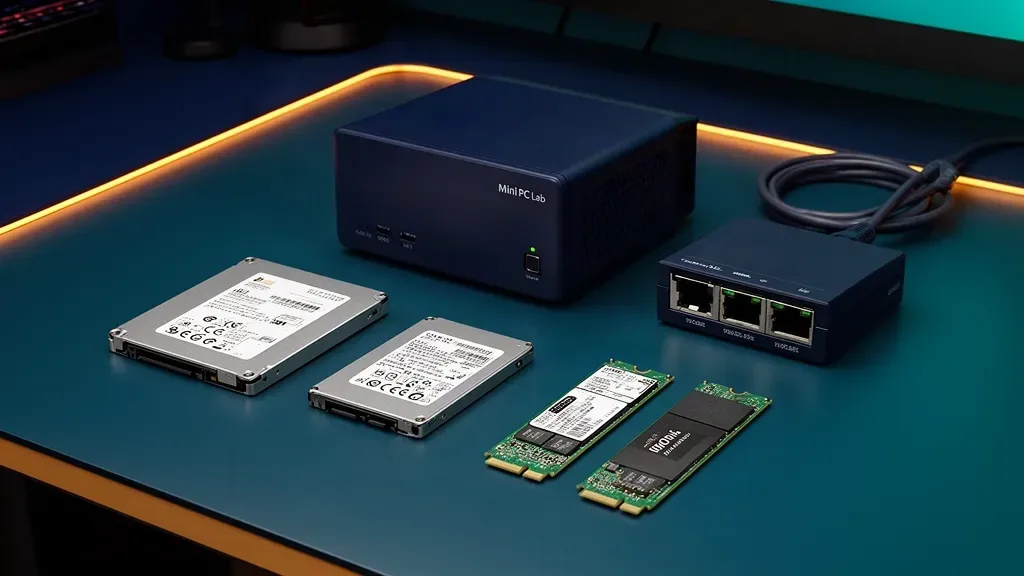
The short answer is simple: SATA SSDs are fast enough for most mini NAS jobs, while NVMe earns its place when the rest of the system can use the extra bandwidth or lower latency.
A single client on 1GbE or 2.5GbE usually cannot expose the limit of a modern SATA SSD. NVMe becomes more interesting with 10GbE, several simultaneous clients, virtual machines, databases, container data, or a direct-attached storage workflow. The drive interface is only one part of the path, though. The pool layout, PCIe lanes, cooling, filesystem, network, and client storage all matter.
This guide separates those decisions so you can choose the right flash layout before buying a mini NAS. For the wider appliance choice, start with our best NAS mini PC guide. For a TrueNAS build, see our TrueNAS mini PC guide.
The short answer by workload
| Workload | SATA SSD | NVMe SSD | Why |
|---|---|---|---|
| One 1GbE client | More than enough | Usually unnecessary | The network is the limit |
| One 2.5GbE client | Usually enough | Useful only if latency matters | The link is still below SATA sequential throughput |
| Several 2.5GbE clients | Often enough in an appropriate pool | Helpful for more concurrency | Aggregate traffic can pass one client link |
| One 10GbE client | Can be the storage limit | More headroom | The network can outrun one SATA device |
| Virtual machine datastore | Works for light use | Usually the better fit | Small random operations reward latency and IOPS |
| Databases and active container data | Works for modest services | Better for busy services | The workload is less purely sequential |
| Media library and backups | Usually the sensible choice | Adds little for one client | Large sequential jobs are network-limited first |
If you are building a quiet file server on 2.5GbE, choose the drive format that gives you enough capacity, redundancy, cooling, and replacement access. If you are building shared fast storage for several hosts, start with the network and workload, then work backward to the drives.
SATA and NVMe are different layers
SATA is an interface and protocol family originally designed around the storage devices that preceded modern flash. SATA Revision 3.0 defines a 6Gb/s link rate. After encoding and protocol overhead, a fast SATA SSD typically reaches roughly 550MB/s in large sequential work. That is a planning ceiling from the interface, not a measured result. SATA-IO documents the 6Gb/s rate in its SATA Revision 3.0 FAQ.
NVMe is a storage command interface designed for non-volatile memory. The common local implementation carries NVMe over PCIe, and the NVM Express specification describes that transport directly. The available bandwidth then depends on the PCIe generation and lane count exposed by the mini NAS.
That distinction matters because M.2 only describes the shape of the drive. An M.2 slot can support SATA, PCIe, or both. An M.2 SATA drive is still limited by SATA even though it looks like an NVMe drive. Conversely, an NVMe drive in a slot wired for SATA may not appear at all. Check the device manual for protocol support, lane allocation, drive length, single-sided clearance, and whether populating one slot disables another connector.
The label on the drive is not enough. Confirm all of these before ordering:
- M.2 or 2.5-inch physical format
- SATA or PCIe NVMe protocol
- M.2 key and supported drive length
- PCIe generation and lane count for each slot
- Shared lanes with Ethernet, SATA, USB, or another M.2 slot
- Heatsink clearance and airflow
- Whether the NAS software exposes health data for the drive
The NVM Express PCIe transport documentation explains the protocol relationship. Kingston’s M.2 compatibility FAQ is also useful for checking why a SATA M.2 drive and a PCIe M.2 drive are not interchangeable.
Lanes per slot decide what NVMe can deliver
An NVMe drive is only as fast as the PCIe link the slot gives it. PCI-SIG’s PCIe 3.0 FAQ puts a PCIe 3.0 lane at about 1GB/s per direction after 128b/130b encoding, and PCIe 4.0 doubles the signaling rate. That gives these planning ceilings before any drive or filesystem overhead:
| Slot wiring | Approximate ceiling per direction | Compared with one SATA SSD at about 550MB/s |
|---|---|---|
| PCIe 3.0 x1 | About 1GB/s | Under 2 times faster on paper |
| PCIe 3.0 x2 | About 2GB/s | Under 4 times faster |
| PCIe 3.0 x4 | About 4GB/s | About 7 times faster |
| PCIe 4.0 x1 | About 2GB/s | Under 4 times faster |
| PCIe 4.0 x4 | About 8GB/s | Far beyond any home NAS network |
Measured results land below those ceilings. NAS Compares tested the six-slot Beelink ME Mini, which wires five slots at PCIe 3.0 x1 and one at x2. It measured about 740MB/s read and 544MB/s write on the x1 slots, about 1.1GB/s read on the x2 slot, and 590 to 600MB/s for copies between SSDs inside the box. Our Beelink ME Mini review walks through how that layout changes a real build.
Two lessons follow. First, a mini NAS with many M.2 slots often has reduced-lane slots, because the processor has a limited lane budget to divide. Second, an x1 NVMe slot is still faster than a SATA SSD in sequential work, but by less than the NVMe label suggests. Check the lane width for every slot in the manual before you plan a pool around it.
The network usually decides first
Network labels are useful only after you convert them to the storage path. The nominal capacities are approximately:
| Link | Nominal bits per second | Approximate bytes per second before overhead |
|---|---|---|
| 1GbE | 1,000Mb/s | 125MB/s |
| 2.5GbE | 2,500Mb/s | 312.5MB/s |
| 10GbE | 10,000Mb/s | 1,250MB/s |
Real file copies are lower because Ethernet framing, TCP or SMB processing, filesystem work, encryption, client storage, and server overhead consume part of the path. Treat the table as an upper-bound comparison, not a promise.
This makes the SATA decision clearer. A single SATA SSD with a roughly 550MB/s interface ceiling has more sequential bandwidth than a 1GbE or 2.5GbE link can carry. A single SATA SSD can become the limit behind 10GbE, especially for a large sequential transfer, but the gap is not automatically a reason to replace it. A mirrored or striped SATA pool can serve more aggregate work, while a small NVMe pool may be constrained by limited lanes, thermals, or the same 10GbE uplink.
Use the network transfer calculator with your file size and a conservative storage rate. Try the calculation twice: once for one client and once for the number of clients you actually expect. If the network is the limit in both cases, NVMe will not improve the copy speed. If the storage is the limit and the mini NAS exposes enough PCIe bandwidth, NVMe has a stronger case.
Our 10GbE home network guide covers the wider link decision. The important point here is that an NVMe label does not create a faster network. It gives the storage side more room to keep the network busy.
Worked bottleneck comparison
Here is the same 100GB copy through four realistic paths. Each time is the file size divided by the slowest link in the path, using the ceilings above and, for the x1 slot, NAS Compares’ measured read speed. Real copies will be slower because of protocol and filesystem overhead, so read these as best cases.
| Path | Network ceiling | Storage speed | Slowest link | Best-case time for 100GB |
|---|---|---|---|---|
| 2.5GbE client, SATA SSD pool | 312.5MB/s | About 550MB/s per drive | Network | About 5 minutes 20 seconds |
| 2.5GbE client, NVMe on PCIe 3.0 x1 | 312.5MB/s | About 740MB/s measured | Network | About 5 minutes 20 seconds |
| 10GbE client, single SATA SSD | 1,250MB/s | About 550MB/s | Storage | About 3 minutes |
| 10GbE client, NVMe on PCIe 3.0 x4 | 1,250MB/s | About 4GB/s ceiling | Network | About 1 minute 20 seconds |
The first two rows are the point of this guide. On 2.5GbE, swapping SATA for NVMe does not change the copy time, because the network is the slowest link either way. The third and fourth rows show where NVMe earns its cost: once the network is 10GbE, a single SATA SSD becomes the limit, and a full-width NVMe slot moves the bottleneck back to the network.
A pool can change the storage column. Several SATA SSDs in a stripe or RAIDZ group can together exceed one drive’s 550MB/s for sequential reads, which is why a SATA pool behind 10GbE is not automatically a mistake. Run your own numbers through the network transfer calculator, which marks whether the network or the storage is the limit.
Where NVMe feels different
Several clients at once
A single sequential copy is the easiest workload for any SSD. Several clients are different. Each request competes for controller queues, filesystem work, CPU time, and pool bandwidth. An NVMe pool can provide more parallel bandwidth and lower access latency, provided the mini NAS has enough PCIe lanes and the network has matching capacity.
This is most visible when a workstation copies large files while another machine runs backups and a third client reads project data. It can also appear in a lab where several hosts boot or update virtual machines from shared storage. A single 2.5GbE client still will not see the full benefit of an NVMe device, but the NAS as a whole may have more room for concurrent work.
Virtual machines and databases
VMs, databases, and active container data are not just large-file workloads. They create small reads and writes, sync operations, metadata activity, and bursts of concurrent requests. SSDs are a major improvement over hard drives here, but the difference between SATA and NVMe depends on the application, memory cache, filesystem, virtual disk settings, and number of guests.
NVMe is the easier choice for a busy VM datastore when the pool is redundant and the network path is fast enough. SATA remains reasonable for a small lab with a few light guests, especially when capacity and drive replacement matter more than peak IOPS. Do not buy an NVMe pool solely because a benchmark advertises a large sequential number that your workload never reaches.
Direct-attached or local application storage
Some mini NAS devices also act as application hosts. If the database, index, thumbnail cache, or container data runs on the NAS itself, the traffic between the application and storage does not cross the network. That removes the network ceiling and gives NVMe’s latency advantage a clearer path to the application.
This is a different decision from serving a media file over SMB. Keep active application data on the fastest reliable pool that fits the workload, while bulk originals and backups can use a larger SATA pool or another storage tier.
Three practical pool layouts
Two-and-a-half-inch SATA SSD pool
This is the straightforward all-flash layout when the mini NAS has native drive bays. The drives are easy to identify, generally easy to replace, and available in a familiar enclosure. The wiring and power budget are less tidy than M.2, but the physical access is usually better.
Choose this layout for file shares, media libraries, backups, photo collections, and light application hosting. It is also a good fit when the NAS has 1GbE or 2.5GbE and you want the budget to go toward capacity and a second backup rather than interface speed.
The limit is not that SATA is slow in general. The limit is that each device uses the SATA interface, and a single drive has roughly 550MB/s of sequential interface headroom. Pool layout and client concurrency can still increase aggregate performance, but they do not change the ceiling of an individual link.
M.2 NVMe pool
An M.2 pool is compact, quiet, and well suited to a mini NAS with multiple PCIe-connected slots. It can provide more bandwidth and lower latency for fast clients, VMs, databases, and local services. It can also be much less forgiving of a poor chassis design.
Check whether the slots are full-width or reduced-lane connections. A mini NAS with many M.2 positions may divide a finite PCIe budget across them. One slot may run at x4 while another runs at x1. That can still be entirely adequate for a 2.5GbE NAS, but it changes the meaning of an advertised NVMe capability.
Serviceability is the other cost of M.2. In most compact mini NAS designs the M.2 slots sit inside the chassis, so replacing a failed drive means powering down and opening the box. A 2.5-inch SATA bay, especially a tool-less one, lets you identify and swap the failed drive with far less disruption. If you expect to replace drives during the life of the NAS, weigh that as heavily as speed.
M.2 drives also have less mass and surface area than 2.5-inch drives. A heatsink and moving air may be necessary for sustained writes, especially in a dense enclosure. If a drive throttles under long transfers, its peak interface advantage becomes less useful.
Mixed storage
A mixed design can be the most useful layout when the mini NAS has both drive types. Put bulk data on the tier that gives you the capacity and redundancy you need. Put active VMs, databases, indexes, or application data on the faster tier when those workloads justify it.
Keep the roles obvious. A faster boot drive does not make a slower data pool fast. An L2ARC device is not a substitute for more RAM or a well-sized data pool. A SLOG is not a general write cache, and it helps only workloads that issue synchronous writes. A special vdev is permanent pool storage for selected allocation classes, not a disposable cache.
OpenZFS says that a special vdev holds metadata and optional small blocks, and that losing it can lose the pool because those blocks exist only there. It must therefore be at least as redundant as the normal vdevs. OpenZFS also says that a SLOG is for the intent log and that asynchronous writes do not use it. These are design decisions, not safe places to put a spare consumer SSD without checking the workload and the drive’s power-loss behavior.
For a new ZFS pool, decide the redundancy layout before you chase interface speed. A mirror, RAIDZ group, or another supported layout has different capacity, failure, and expansion properties. Use the NAS capacity calculator to see what remains after redundancy, then make sure the number of drives and slots match the pool you intend to keep for years.
Heat, endurance, and replacement access
The fastest interface is not automatically the best NAS drive. A mini NAS runs in a small enclosure, often with one fan serving the CPU, network controller, and every storage device. Before choosing NVMe, check:
- Whether the slot has a real heatsink or only a thin cover
- Whether airflow reaches both sides of a double-sided drive
- Whether multiple drives share a thermal zone
- Whether the platform reports temperature and health data
- Whether sustained writes are common in your workload
- Whether a failed drive can be reached without dismantling the whole system
SATA drive bays usually win on access and visual identification. M.2 slots usually win on density and cable simplicity. Neither format guarantees a particular NAND type, endurance rating, controller, or power-loss protection. Compare the drive’s current data sheet with your write workload instead of using the interface name as a quality proxy.
Endurance belongs in the pool decision too. Backups, surveillance, downloads, databases, and VM storage can write very different amounts over a year. Track actual writes after deployment, leave free space, keep health alerts enabled, and maintain a replacement plan. A high TBW claim does not protect against deletion or a pool-wide mistake, and it does not remove the need for a tested backup.
Who should choose SATA
SATA SSDs are the sensible choice when:
- The NAS serves one or two 1GbE or 2.5GbE clients
- The main jobs are file sharing, backups, media, photos, and documents
- Capacity and redundancy matter more than peak local IOPS
- The chassis has better SATA access than M.2 access
- You want simple drive replacement and easier visual identification
- The budget is better spent on a second backup target or larger pool
SATA is also the safer default when the mini NAS documentation is vague about PCIe lane sharing, NVMe temperatures, or supported M.2 lengths. A known-good SATA topology beats an NVMe specification that the chassis cannot sustain.
Who should choose NVMe
NVMe deserves the extra planning when:
- The NAS has a 10GbE link and fast clients
- Several clients will use the pool at the same time
- The NAS hosts active VMs, databases, indexes, or container data
- The storage is local to applications running on the NAS
- The platform has enough full-bandwidth PCIe slots and adequate cooling
- Compact density matters more than hot-swap access
Skip NVMe when the only reason is a large sequential number on the box. If the network, client disk, CPU, filesystem, or pool layout is already the limit, a faster SSD will not change the user experience.
Final buying rule
Start with the workload, then the network, then the pool layout, and only then the SSD interface.
For a 1GbE or 2.5GbE mini NAS used for files, media, photos, and backups, SATA SSDs are usually fast enough. For a 10GbE all-flash NAS serving several clients, or for local VMs and databases, NVMe has a stronger case. In either design, choose redundancy before peak speed, plan cooling before filling every slot, and reserve part of the budget for a backup that lives outside the primary pool.
Frequently Asked Questions
Is SATA SSD fast enough for a mini NAS?
Yes for most one-client 1GbE and 2.5GbE file sharing, backups, media libraries, and ordinary homelab services. A SATA SSD already has more sequential bandwidth than those network links can normally deliver.
When is NVMe worth it in a NAS?
NVMe is worth considering when the NAS has 10GbE, serves several clients at once, stores virtual machines or databases, or needs high random I/O. It is less useful when the only client link is 1GbE or 2.5GbE.
Is M.2 the same as NVMe?
No. M.2 describes a physical form factor. An M.2 drive can use SATA or PCIe with NVMe, and the slot must support the protocol used by the drive. Check the mini PC manual before buying.
Can I mix SATA and NVMe drives in one NAS?
You can use both in the same NAS, but plan separate roles or pools unless the storage platform and layout make the mixed design deliberate. Do not assume that adding one fast drive turns a slower pool into an NVMe pool.
Does NVMe replace a NAS backup?
No. NVMe changes latency, throughput, and slot usage. It does not protect files from deletion, corruption, theft, or a failed pool. Keep a separate backup with a tested restore path.