
This article contains affiliate links. If you purchase through our links, we may earn a commission at no extra cost to you. We only recommend products we’ve thoroughly researched and verified.
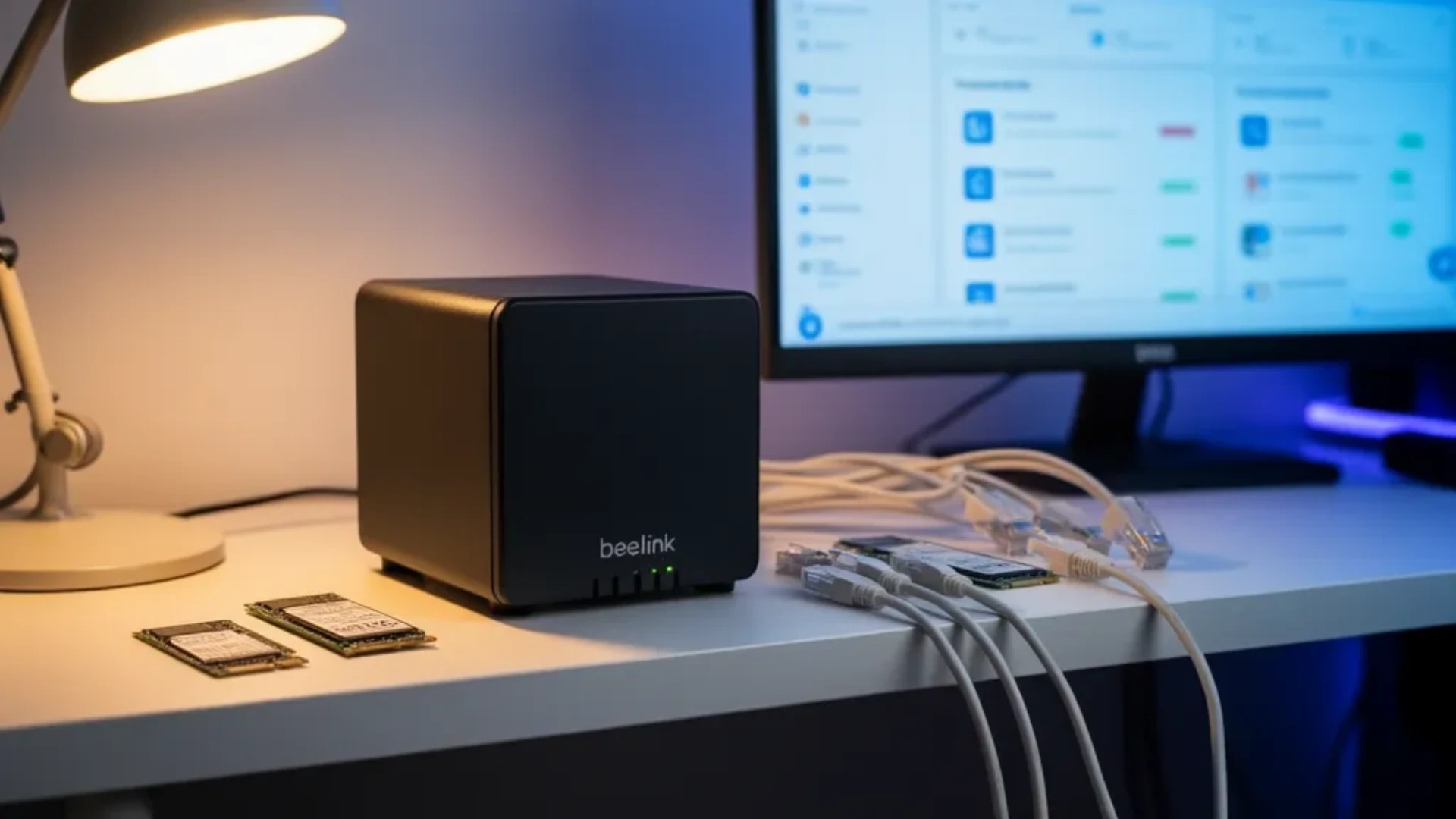
The Beelink ME Mini is a 99mm cube with six M.2 slots, an Intel N150, dual Intel 2.5GbE, and a power supply built into the chassis. It is aimed at one job: a small, quiet, all-flash NAS. This review covers whether it does that job well and, more usefully, how to configure it once you know where its lanes, boot options, and thermal limits sit.
This is a research review, not a bench review. We do not own an ME Mini. The specifications come from Beelink’s product page, the power, noise, temperature, and throughput figures come from NAS Compares’ published review, and the TrueNAS guidance comes from TrueNAS’s own hardware guide. We checked each of those sources on September 24, 2026, and every figure below names where it came from.
Beelink ME Mini: Specs at a Glance
| Spec | Detail | Source |
|---|---|---|
| CPU | Intel N150, 4 cores and 4 threads, 3.6GHz burst; an N95 version also exists | Beelink |
| Memory | 12GB or 16GB LPDDR5-4800, soldered | Beelink |
| System storage | Slot 4, M.2 2280 PCIe 3.0, also accepts SATA M.2; 64GB eMMC on some models | Beelink |
| Data storage | Five M.2 2280 PCIe 3.0 x1 slots, up to 4TB each, NVMe only | Beelink |
| Slot 4 lane width | PCIe 3.0 x2 | NAS Compares |
| Networking | Two Intel i226-V 2.5GbE; a 5GbE plus 2.5GbE version is listed as pre-order | Beelink |
| Wireless | Wi-Fi 6 Intel AX101, Bluetooth 5.2, not fitted to the N95 model | Beelink |
| Other ports | USB-C 10Gbps data, USB 3.2 10Gbps, USB 2.0, HDMI 4K at 60Hz | Beelink |
| Power supply | Built in, 100 to 240V AC | Beelink |
| Size | 99 by 99 by 99mm | Beelink |
| Rated ambient | Minus 10 to 45 degrees Celsius | Beelink |
Beelink’s own store listed the ME Mini family from $329 to $509 across its configurations when we checked on September 24, 2026. Those configurations differ in ways that matter, so read the variant before you buy: the N95 model has no Wi-Fi or Bluetooth and ships with eMMC but no SSD, while the N150 models Beelink sells directly include a 1TB SSD. Amazon’s listing may carry a different bundle from Beelink’s store.
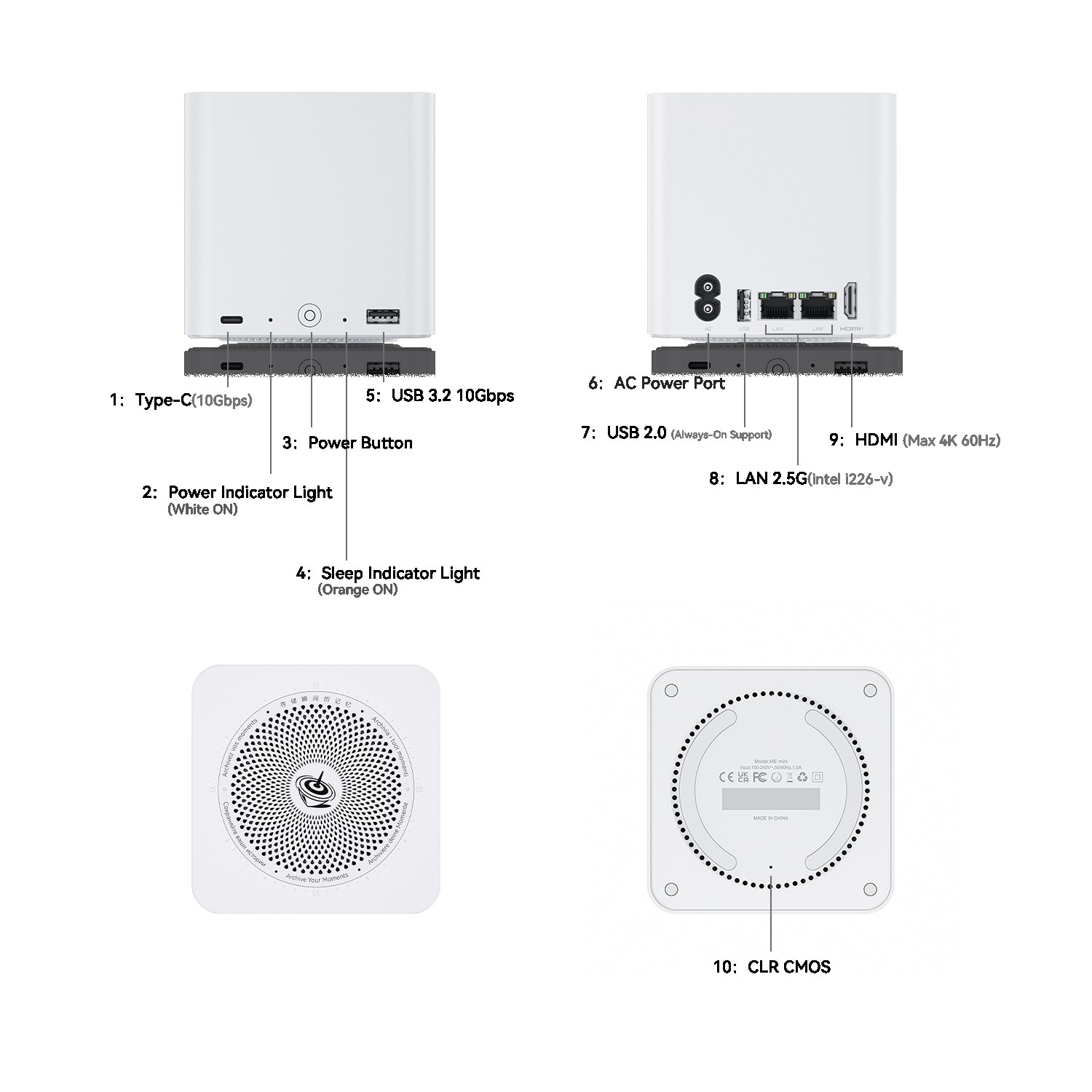
Beelink’s own port diagram. The front carries USB-C and USB 3.2 at 10Gbps, the rear carries the AC inlet, one USB 2.0 port, both 2.5GbE ports, and HDMI.
The Six Slots Are Not Six Equal Slots
The ME Mini’s headline is six M.2 slots. The detail that decides how you build it is that they are two different kinds of slot.
| Slot | Interface | Accepts | Measured by NAS Compares | Best use |
|---|---|---|---|---|
| Slot 4 | PCIe 3.0 x2 | NVMe or SATA M.2 | About 1.1GB/s read and 960MB/s write | Boot drive, or the fastest pool member |
| Slots 1, 2, 3, 5, 6 | PCIe 3.0 x1 | NVMe only | About 740MB/s read and 544MB/s write | Data pool |
NAS Compares also measured SSD-to-SSD copies between the two slot types at roughly 590 to 600MB/s. That is the internal ceiling for moving data between drives inside the box, such as a scrub, a resilver onto a replacement drive, or a local copy from one pool to another.
Beelink’s own guidance is to install lightweight systems, meaning NAS and soft-router operating systems, on the eMMC to save SSD space, and to use the SSD in slot 4 for system installation when performance matters.
Why the x1 slots are not the bottleneck
It is easy to read “x1” as a flaw. Against the network, it mostly is not. A 2.5GbE link carries at most 312.5MB/s before protocol overhead, so one x1 slot at 740MB/s is already more than twice as fast as a single 2.5GbE port. Even the 5GbE version, at 625MB/s before overhead, sits below the measured x1 read speed. For clients reading and writing over the network, the port is the limit, not the slot.
The x1 lanes do matter for work that stays inside the box: pool resilvers, scrubs, local backups between pools, and apps that read heavily from local storage. If your NAS spends its time moving data between its own drives, the 600MB/s internal figure is the one to plan around. The network transfer calculator shows where a given file size lands when the network or the storage is the limit.
Boot Choice Decides Your Usable Slots
This is the configuration decision most buyers miss, and it changes the storage math.
TrueNAS: boot from slot 4, keep five data slots. TrueNAS’s hardware guide calls for a 20GB SSD boot device, notes that its own systems ship with M.2 boot devices, and warns that USB drives and SATA DOMs vary too widely to handle the boot pool’s writes. It does not list eMMC as a boot option. The conservative ME Mini layout for TrueNAS is a small SSD in slot 4 for the operating system and up to five drives in the x1 slots for the pool. Because slot 4 also accepts SATA M.2, an inexpensive SATA M.2 drive is enough for the boot role.
Lighter NAS operating systems: boot from eMMC, use all six slots. Beelink recommends the eMMC for lightweight NAS systems, and an owner review on Beelink’s store describes running ZimaOS on the ME Mini. If your chosen OS installs cleanly to eMMC, all six slots are available for data, and slot 4 becomes the fastest member of the pool.
Proxmox with a TrueNAS guest is also reported by owners, but it adds a layer to troubleshoot on a four-core machine with soldered memory. Treat it as an advanced setup, not the default.
Worksheet: What an ME Mini Actually Costs to Fill
The box is only part of the price. A six-slot flash NAS is priced by its SSDs. Fill in this worksheet with the drive price you actually see on the day you buy.
| Line | Formula | Your number |
|---|---|---|
| A: box | Price of your chosen configuration | — |
| B: boot drive | One small M.2 for slot 4 if running TrueNAS; zero if booting from eMMC | — |
| C: data drives | Number of data drives multiplied by the price of one drive | — |
| D: spare | One extra data drive, kept on the shelf for a failure | — |
| All-in cost | A + B + C + D | — |
Then check what you get for that money. Beelink caps each slot at 4TB. Using 4TB drives in the five x1 slots with TrueNAS booting from slot 4:
| Layout | Drives | Raw | Usable before ZFS overhead | Survives |
|---|---|---|---|---|
| RAIDZ1 | 5 x 4TB | 20TB | About 16TB | One drive failure |
| RAIDZ2 | 5 x 4TB | 20TB | About 12TB | Two drive failures |
| Two mirrors plus a spare slot | 4 x 4TB | 16TB | About 8TB | One failure per mirror |
With an eMMC boot and all six slots in use, the same 4TB drives give about 20TB usable in RAIDZ1 or 16TB in RAIDZ2 before overhead. Beelink’s “up to 24TB” is the raw total of six 4TB drives, not a usable figure. For the full breakdown of parity cost and pool headroom, run the drive counts through the NAS capacity calculator.
If that all-in total is more than you expected, that is the honest result. Flash costs more per terabyte than hard drives. A box with hard-drive bays wins on bulk capacity, which is why the Me Pro exists.
ME Mini Versus Me Pro: Not the Same Box
The names are close enough to confuse. The hardware answers different questions.
| Feature | Beelink ME Mini | Beelink Me Pro |
|---|---|---|
| Storage type | All-flash | Hybrid flash and hard drives |
| Hard-drive bays | None | Two |
| M.2 positions | Six: one PCIe 3.0 x2, five PCIe 3.0 x1 | Three: one PCIe 3.0 x2, two PCIe 3.0 x1 |
| CPU | Intel N150 or N95 | Intel N150 |
| Memory | 12GB or 16GB LPDDR5, soldered | 16GB LPDDR5 |
| Networking | Dual 2.5GbE, or 5GbE plus 2.5GbE on the pre-order model | 5GbE plus 2.5GbE |
| Best for | Small, quiet flash pool | Bulk media on two hard drives plus fast M.2 storage |
Pick the ME Mini when the data set fits comfortably in flash and silence matters. Pick the Me Pro when the data set is large, grows every year, or is mostly media that does not need SSD speed. Our N5 Air versus Me Pro comparison covers the Me Pro against a five-bay alternative.
Thermals: The Evidence
Heat is the usual weak point of small flash boxes, because several SSDs share a tight chassis. The ME Mini’s answer is a central aluminum heatsink with thermal pads pre-applied to every slot and a fan on top for vertical airflow.
NAS Compares ran the box for 24 hours with all six SSDs installed and periodic access, using a thermal camera. It recorded 48 to 51 degrees Celsius on the top panel and 58 to 60 degrees on the base, where the power supply and networking sit. It measured 31 to 34 dBA at idle and just under 40 dBA at full load.
Two limits follow from that evidence. First, NAS Compares notes the pre-applied pads are intended for single-sided SSDs. If your drives carry components on both sides, check the fit before you commit to six of them. Second, the base is the warm spot and has no active ventilation of its own, so do not stand the ME Mini on carpet or push it against a wall. Beelink rates it for a 45 degree Celsius ambient maximum, which rules out a closed, unventilated cabinet in a warm room.
One owner on Beelink’s store reports CPU temperatures under 60 degrees and drives under 38 degrees at full load. That is a single report without a stated room temperature, so treat it as encouraging rather than as a measurement.
Power and Running Cost
NAS Compares measured 6.0 to 6.9 watts at idle with no SSDs, 16.9 watts at idle with six SSDs installed, and 28 to 31 watts at peak with both network ports active, the CPU above 70 percent, and all drives in use.
The realistic always-on figure is the populated one. At 16.9 watts around the clock, the ME Mini uses about 148 kilowatt-hours a year, which is about $18 a year at 12 cents per kilowatt-hour. The empty-box 6.9 watt figure works out to about $7 a year, but nobody runs a NAS with no drives in it. Model your own rate and duty cycle with the power cost calculator.
The N150 and What It Can Do
The Intel N150 has four cores and four threads with a 3.6GHz burst. For NAS duty that is enough: file sharing over SMB or NFS, snapshots and replication, and a handful of lightweight containers. NAS Compares used Unraid and TrueNAS for its throughput runs.
It is the wrong processor for a busy virtualization host or several heavy apps at once. Combined with soldered memory, that makes the ME Mini a storage appliance first. If your NAS also needs to be a Proxmox host or a media transcoding box, a platform with more cores and socketed memory fits better. Our best NAS mini PC guide compares the ME Mini against hybrid and five-bay alternatives.
Who Should Skip the Beelink ME Mini
Skip it if any of these apply:
- You need bulk capacity. Six slots capped at 4TB each is a 24TB raw ceiling, and flash costs more per terabyte than hard drives. A box with hard-drive bays is the better tool.
- You want ECC memory. The memory is soldered LPDDR5 with no ECC option.
- You plan to grow memory. You get 12GB or 16GB for the life of the box.
- Your workload is internal copying. Frequent pool-to-pool copies, large local backups, or database-heavy apps will meet the roughly 600MB/s internal ceiling.
- You need hot-swap bays. Drives mount inside the chassis, so replacing one means opening the box.
- You want 10GbE. The best network option is 5GbE plus 2.5GbE, and that version is listed as pre-order.
Buy it if you want a quiet, low-power flash NAS for a household or small office behind a 2.5GbE network, you are comfortable with five data slots under TrueNAS or six with an eMMC-booted OS, and your data set fits in flash.
Verdict
The ME Mini does what it claims. The published measurements show low power, low noise, and controlled temperatures for six SSDs in a 99mm cube, and the built-in power supply keeps the install tidy. Its limits are just as clear: soldered non-ECC memory, x1 lanes on five slots, a 24TB raw ceiling, and no hard-drive bays.
The configuration decision matters more than the purchase decision. Boot TrueNAS from slot 4 and plan for five data drives, or boot a lighter OS from eMMC and use all six. Price the drives before the box, and if the numbers point to hard drives, look at the Me Pro instead.
→ Check Current Price on Amazon
Frequently Asked Questions
Is the Beelink ME Mini a good NAS?
Yes, for a small all-flash NAS behind a 2.5GbE network. It holds six M.2 SSDs in a 99mm cube with a built-in power supply, and NAS Compares measured 16.9 watts idle with six SSDs installed. The limits are soldered non-ECC memory, five slots at PCIe Gen3 x1, and no hard-drive bays.
How many drives does the Beelink ME Mini hold?
Six M.2 2280 SSDs. Beelink lists five storage slots at PCIe 3.0 x1, each up to 4TB, plus slot 4 as the system slot, which NAS Compares identifies as PCIe 3.0 x2. Some configurations also include 64GB of eMMC. The five x1 slots do not accept SATA M.2 drives.
Does the Beelink ME Mini run hot?
Not by the published evidence. Over a 24-hour test with six SSDs, NAS Compares recorded 48 to 51 degrees Celsius on the top panel and 58 to 60 degrees on the base. The heatsink pads are pre-applied for single-sided SSDs, so check drive thickness before buying.
Can you upgrade the RAM in the Beelink ME Mini?
No. Beelink lists 12GB or 16GB of soldered LPDDR5-4800 depending on the model. TrueNAS asks for at least 8GB for basic use with up to eight drives, so 16GB covers a file server and a few apps, but not a stack of virtual machines.
What is the difference between the Beelink ME Mini and the Me Pro?
The ME Mini is all-flash: six M.2 slots and no hard-drive bays. The Me Pro is a hybrid: two hard-drive bays plus three M.2 positions, with 5GbE and 2.5GbE networking. Choose the Me Pro if you want cheap bulk storage on hard drives.
Is the Beelink ME Mini good for TrueNAS?
It works for a light all-flash TrueNAS build if you boot from the slot 4 SSD. TrueNAS’s hardware guide calls for a 20GB SSD boot device and does not cover eMMC, so plan on five data slots, not six. For ECC memory, look at a different platform.
How We Researched This Review
We did not test an ME Mini ourselves. We read Beelink’s product page and specifications for the slot layout, memory, ports, networking, and variants, and NAS Compares’ review for the lane width of slot 4, throughput, power, noise, and temperatures. We used TrueNAS’s hardware guide for boot-device and memory guidance, and Beelink’s own store reviews only where we name them as owner reports. All sources were checked on September 24, 2026.
Sources
- Beelink ME Mini product page and specifications
- NAS Compares Beelink ME Mini review
- TrueNAS hardware guide
- Beelink Me Pro product page
Amazon Product Links
- Beelink ME Mini, the six-slot all-flash NAS: Check Current Price