
This article contains affiliate links. If you purchase through our links, we may earn a commission at no extra cost to you. We only recommend products we’ve thoroughly researched and verified.
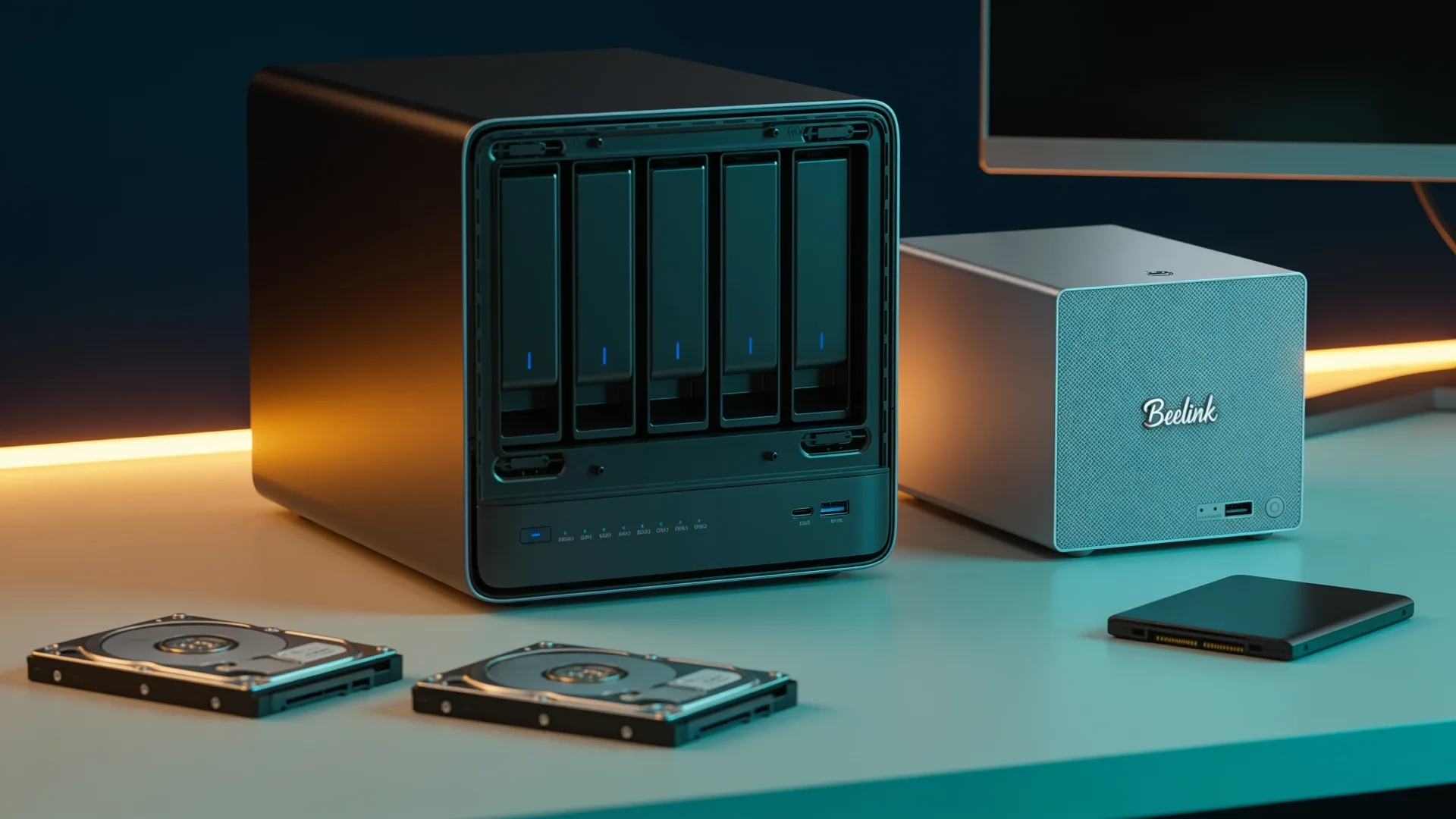
Quick price check: N5 Air barebone · Beelink Me Pro
The MINISFORUM N5 Air is the better long-term NAS when you expect a growing hard-drive pool. The Beelink Me Pro is the better small server when two hard drives and three M.2 devices are enough and you value a compact, lower-compute platform.
The purchase turns on one question: will you need a third hard drive before the rest of the machine becomes obsolete?
The Short Answer
| Need | Better fit | Reason |
|---|---|---|
| Three to five hard drives | N5 Air | Five direct hard-drive bays |
| Two hard drives plus solid-state services | Me Pro | Two HDD bays and three M.2 positions |
| Heavier applications and VMs | N5 Air | Ryzen 7 255 offers more CPU headroom |
| Small hybrid storage server | Me Pro | N150 platform fits lighter services |
| 10GbE primary network | N5 Air | 10GbE plus 5GbE |
| Lower-risk starting build | Me Pro | Smaller drive plan can reduce initial media cost |
Hardware Differences That Matter
| Feature | MINISFORUM N5 Air | Beelink Me Pro |
|---|---|---|
| Processor | Ryzen 7 255 | Intel N150 |
| Memory | Upgradeable DDR5, not included | 16GB LPDDR5 |
| Hard-drive bays | Five | Two |
| M.2 positions | Three PCIe 4.0 x1 | One PCIe 3.0 x2 plus two PCIe 3.0 x1 |
| Networking | 10GbE plus 5GbE | 5GbE plus 2.5GbE |
| Best role | Growing storage pool | Compact hybrid NAS and service host |
The Beelink is not a four-bay SATA NAS. Beelink documents one PCIe 3.0 x2 M.2 position, two PCIe 3.0 x1 positions, and two hard-drive bays. MINISFORUM documents three PCIe 4.0 x1 M.2 positions plus five hard-drive bays for the N5 Air. That distinction matters because a buyer planning four large hard drives cannot solve the problem by counting every connector as the same kind of bay.
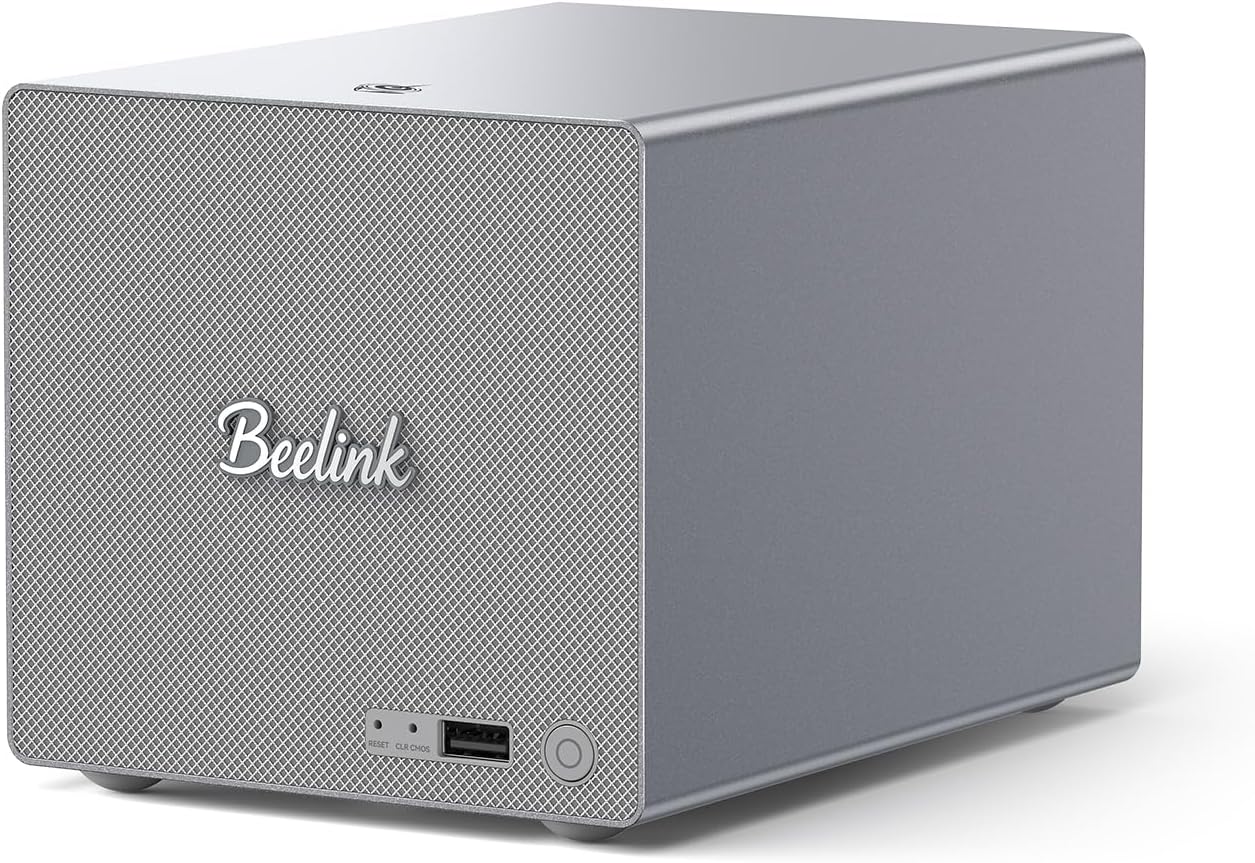
Beelink product image showing the compact Me Pro enclosure.
Choose the N5 Air When the Pool Will Grow
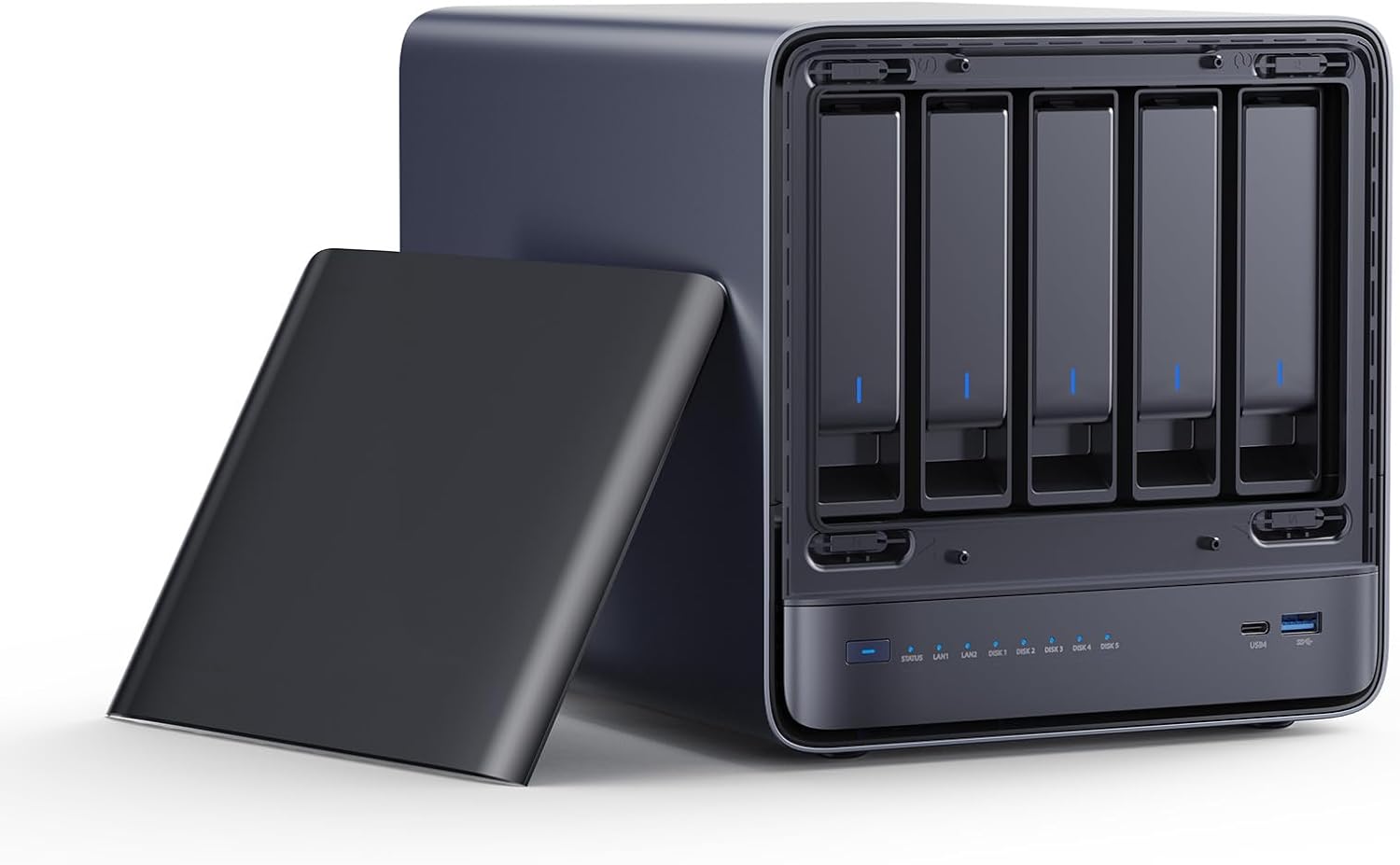
MINISFORUM product image showing the N5 Air five-bay storage chassis.
Five hard-drive bays give the N5 Air a much longer capacity runway. You can start below the maximum bay count and add drives according to the storage layout supported by your chosen operating system. You also have enough physical bays for useful parity arrangements without moving to an external USB enclosure.
The Ryzen 7 255 is the second reason to choose it. Media indexing, file previews, several containers, and a virtual machine can compete for CPU time. The N5 Air has more room for that mixed workload than an N150 platform.
Its tradeoffs are higher platform ambition and memory that must be purchased separately. Do not compare a bare N5 Air with a configured Me Pro as if both totals include the same parts.
Choose the Me Pro When Two HDDs Are Enough
The Me Pro makes sense for a mirrored pair of hard drives, a compact backup server, or a hybrid design where M.2 storage handles applications and the hard drives hold bulk data. Its 5GbE and 2.5GbE links are also easier to use on a modest network than a 10GbE port with no compatible switch.
The N150 is appropriate for file serving, backups, and light containers. It is not the processor to choose for dense virtualization or a growing stack of CPU-heavy services. The 16GB LPDDR5 memory is also fixed, so the service plan must fit the machine rather than assuming a later RAM upgrade.
The Me Pro is the better answer only when its two-hard-drive limit is a deliberate design choice.
→ Check the Beelink Me Pro configuration
The Expansion-Cost Test
Before buying, sketch the next three years:
- current usable storage
- annual data growth
- desired redundancy
- separate backup capacity
- boot and application devices
- network upgrade cost
- memory needed by services
If the two Me Pro hard-drive bays force an external enclosure or an early replacement, the smaller starting box is not cheaper. If five bays stay mostly empty, the N5 Air is overbuying.
The Replacement-Cost Threshold
The useful question is not whether the N5 Air costs more today. It is when the Me Pro forces a second purchase. Calculate this threshold:
Me Pro total equals the Me Pro, any memory limitation workaround, the cost of an external enclosure or replacement NAS, new cables, migration time, and the value of the Me Pro after replacement.
N5 Air total equals the barebone, a DDR5 kit, five-bay drive plan, network upgrade if required, and the same backup target.
Use this table with current prices:
| Cost line | Me Pro path | N5 Air path |
|---|---|---|
| System | configured N150 and 16GB | barebone with Ryzen 7 255 |
| Memory | included but fixed | add chosen DDR5 kit |
| First two hard drives | add | add |
| Third hard drive need | external enclosure or replacement | add internally |
| Fourth and fifth drives | likely replacement | add internally |
| 10GbE network | unavailable internally | included port, switch cost may apply |
| Migration labor and downtime | add if replacing | usually avoided |
| Separate backup | required | required |
The crossover happens the moment the expected replacement and migration cost exceeds the initial N5 Air premium. If your protected pool will always be a two-drive mirror and annual growth fits those drives for the expected machine life, the crossover never arrives. In that case, the Me Pro is not a compromise. It is the correctly sized system.
If you expect a third data drive within eighteen to twenty-four months, price the N5 Air now. USB enclosures can be useful for backups, but building the primary pool around a cheap bridge adds another controller, cable, and power path. That is a poor way to save on a system holding important data.
Exact M.2 Layout and What to Put Where
The Me Pro has one faster PCIe 3.0 x2 position and two x1 positions. Give the x2 position to application data or the busiest solid-state dataset. Use an x1 position for the operating system. The final x1 position can mirror important application data, hold downloads, or remain empty. Three connectors do not create three equal-performance drives.
The N5 Air’s three positions are all PCIe 4.0 x1 according to MINISFORUM. One carries the 64GB system device on current barebone bundles. The remaining positions are appropriate for applications and metadata, but buying flagship x4 SSDs will not unlock their headline sequential throughput through an x1 link.
| Role | Me Pro | N5 Air |
|---|---|---|
| OS | x1 M.2 | included system device |
| Applications | x2 M.2 | one x1 M.2 |
| Application mirror or working data | remaining x1 M.2 | remaining x1 M.2 |
| Bulk pool | two SATA bays | five SATA bays |
| Backup | external target | external target |
This layout also prevents a common mistake: using every M.2 position as cache. Most home file workloads do not benefit from multiple speculative cache devices. Application storage and a tested backup are easier to reason about and recover.
Memory Is a Harder Boundary Than Network Speed
Beelink lists the Me Pro with 12GB or 16GB of soldered LPDDR5. The Amazon configuration here is 16GB. That is enough for a focused file server, backup service, media index, and a modest group of containers if you monitor usage. It leaves little room for a growing VM lab, large in-memory database, or ZFS configuration designed around a large ARC.
MINISFORUM rates the N5 Air for up to 96GB across two replaceable SO-DIMMs. It is non-ECC, but the ability to move from 32GB to 64GB or 96GB extends the useful service life. Choose the memory kit based on the actual application set. Extra unused RAM does not improve a basic mirror, and ECC remains unavailable on this model.
Use the VM capacity estimator if virtualization is part of the plan. Reserve memory for the host and storage services first. A calculator cannot validate device passthrough or storage I/O, but it will expose a plan that does not fit within 16GB.
Network Upgrade Cost
The Me Pro combines 5GbE and 2.5GbE. That is a practical match for multi-gig home switches and can exceed a single hard drive’s sequential performance without requiring 10GbE infrastructure. The N5 Air combines 10GbE and 5GbE, useful for a fast workstation, backups, or multiple clients.
Do not pay for a new 10GbE switch solely because the N5 Air has the port. Run it at the best supported speed in the current network and upgrade when client traffic or the SSD working set justifies it. Conversely, do not choose the Me Pro if a 10GbE editing workstation is already waiting. An external adapter consumes money and complicates a machine whose main virtue is simplicity.
Workload Plans That Fit
Me Pro mirror: two large matching hard drives, operating system on an x1 M.2 device, application data on the x2 device, and a separate backup. This is a compact document, photo, and household backup server.
N5 Air growing pool: three to five hard drives chosen around a parity plan, applications on a remaining M.2 device, and 32GB or more memory when services justify it. This is the cleaner route for a media library or expanding family archive.
Neither: if the primary requirement is many VMs, verified ECC, or a turnkey support contract. The N5 Pro tier addresses the first two, while a conventional NAS vendor may better address the third.
TrueNAS and Other Operating Systems
Both systems need an operating-system decision based on direct drive visibility, boot-device separation, memory, and recovery planning. Do not choose the N5 Air only because a product page mentions ZFS, and do not choose the Me Pro only because a tutorial can install TrueNAS.
Our TrueNAS hardware guide explains the platform requirements. The best NAS mini PC guide places both machines in the wider market.
Final Verdict
Buy the N5 Air if you expect more than two hard drives, need 10GbE, or want more CPU room for applications. Buy the Beelink Me Pro if two hard drives and three M.2 devices fit the complete plan and you want a compact hybrid NAS.
Buy neither if the data is irreplaceable and the budget does not include a separate backup target. More bays inside one chassis do not create a backup.
The drive, memory, and network layouts come from the current MINISFORUM N5 Air specification and Beelink Me Pro specification. We have not physically tested either unit, so no universal power, transcode, noise, or application-capacity result is implied.
Current Buying Links
- MINISFORUM N5 Air barebone: Check current price
- Beelink Me Pro: Check current price