
This article contains affiliate links. If you purchase through our links, we may earn a commission at no extra cost to you. We only recommend products we’ve thoroughly researched and verified.
→ Check Current Price on Amazon
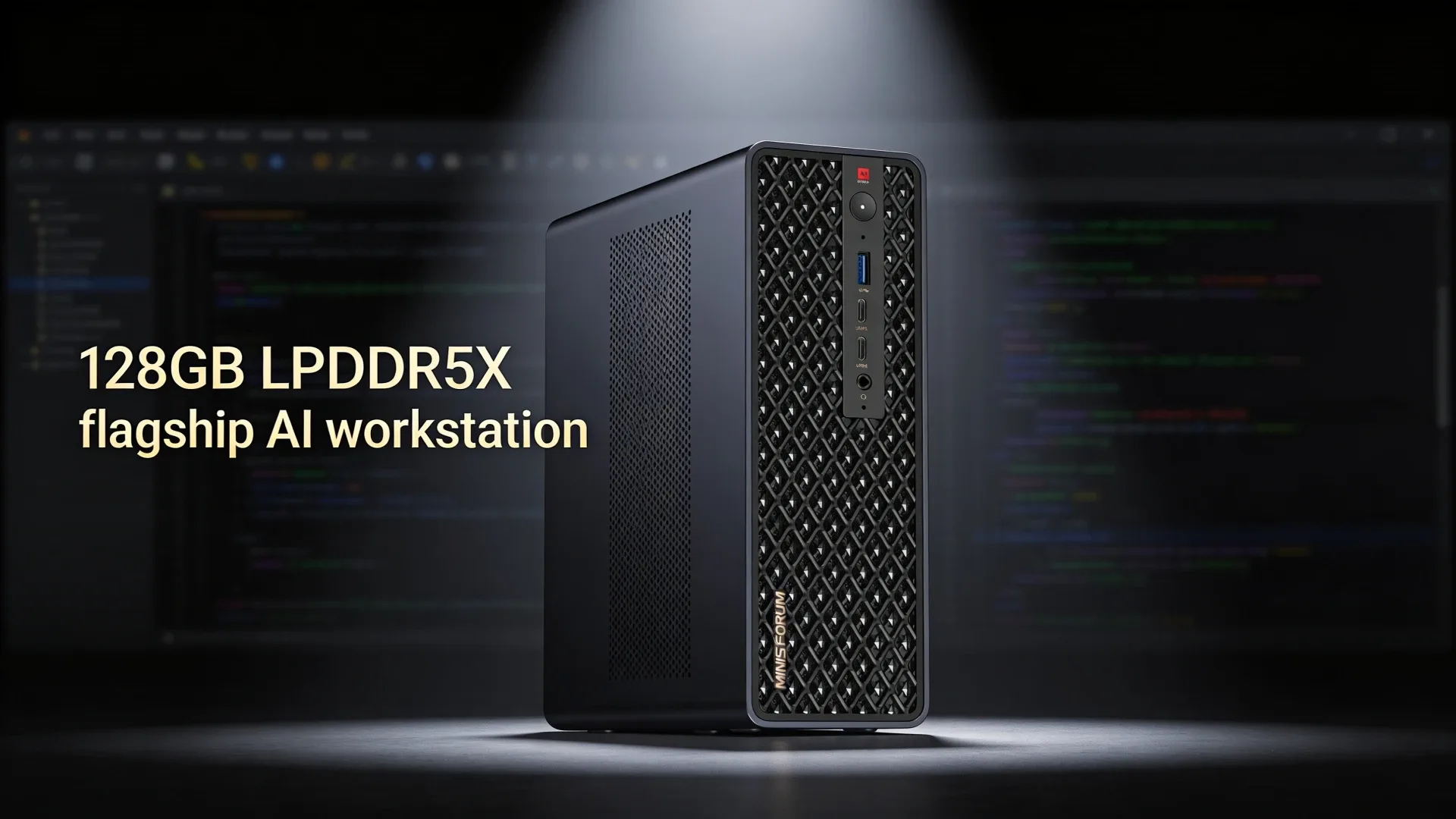
The MINISFORUM MS-S1 MAX is the value-tier entry into the Ryzen AI Max+ 395 category — the same AMD Strix Halo platform found in the Beelink GTR9 Pro, but priced $300-450 lower because it uses dual 2.5GbE instead of dual 10GbE. For buyers whose use case is primarily AI inference and local LLMs rather than high-speed networking, the MS-S1 MAX is the more logical choice.
Check availability before ordering. The Amazon listing has been intermittently out of stock.
For a broader shortlist, start with our best mini PC for home server guide.
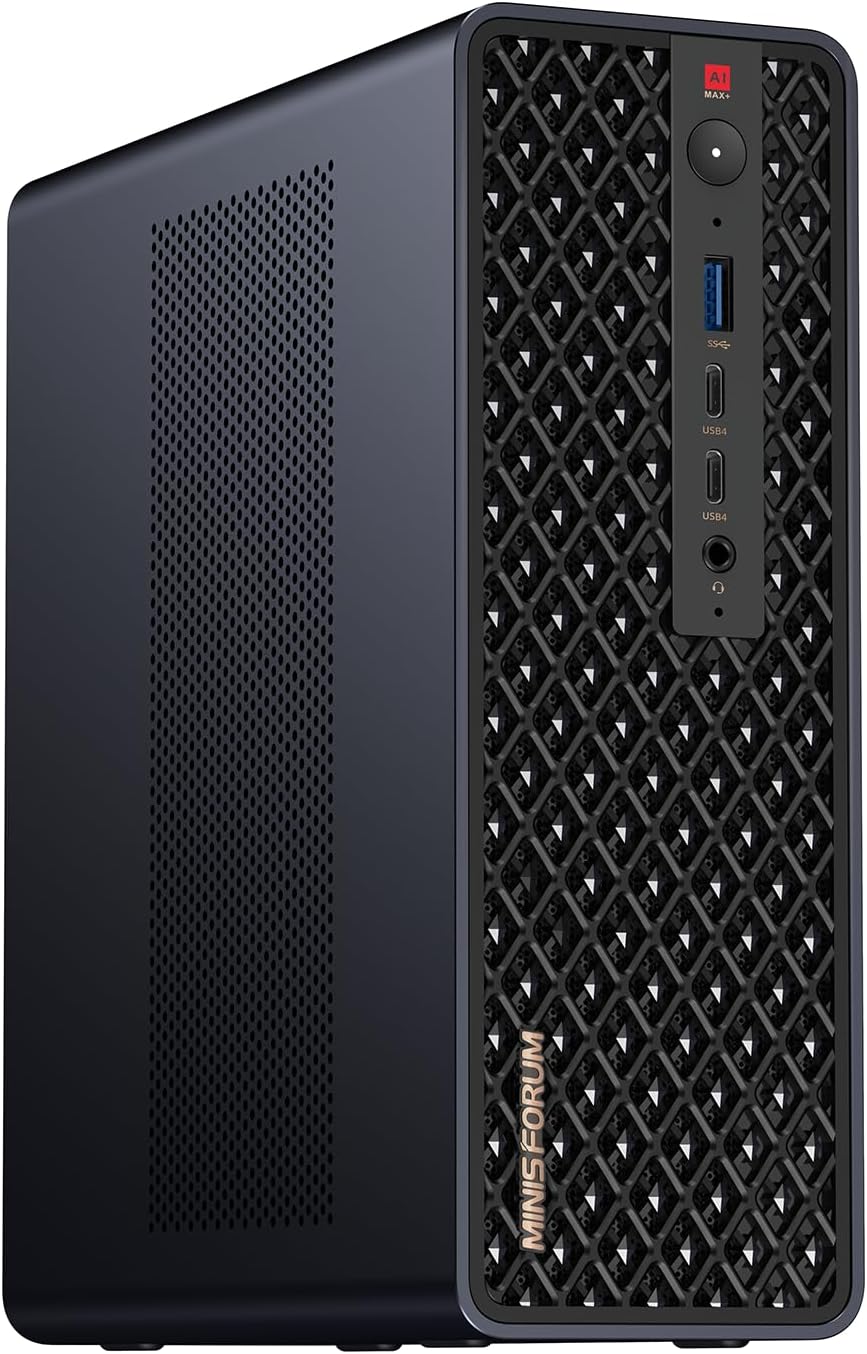
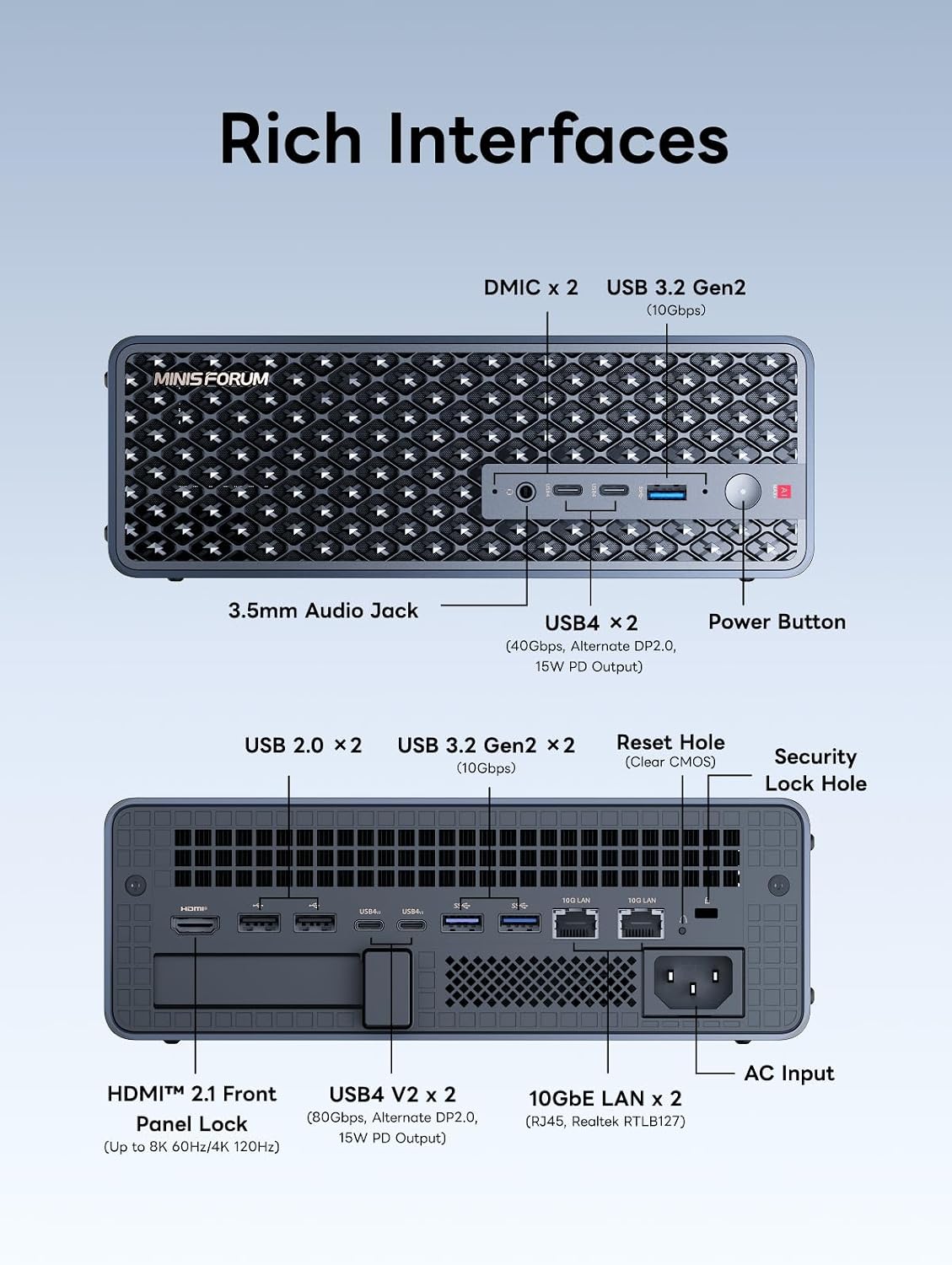
Port layout from MINISFORUM’s own listing images. The rear panel is where the port count, the LAN speed, and the USB generations are actually settled.
Quick Verdict
The MS-S1 MAX makes sense for buyers who specifically need 128GB memory for 70B LLM inference or similar memory-intensive AI workloads, at the lowest available price for Ryzen AI Max+ 395 hardware. The primary caveats: RAM is soldered at 128GB with no upgrade path, networking is dual 2.5GbE rather than 10GbE, and availability must be verified before ordering.
Full Specifications
| Spec | Detail |
|---|---|
| CPU | AMD Ryzen AI Max+ 395 — 16 cores, 32 threads |
| Architecture | Zen 5 + Zen 5c, Strix Halo |
| iGPU | Radeon 890M equivalent — 40 CUs, RDNA 3.5 |
| NPU | AMD XDNA 2 — up to 50 TOPS |
| RAM | 128GB LPDDR5X soldered — not upgradeable |
| Memory Bandwidth | ~256 GB/s shared between CPU and GPU |
| Storage | M.2 NVMe slot |
| Networking | 2× 2.5GbE, WiFi 7, Bluetooth 5.4 |
| High-Speed I/O | OCuLink PCIe 4.0 x4, USB4 |
| Ports | 4× USB-A, 2× USB-C, HDMI 2.1, DisplayPort |
| Power Draw | ~18-22W idle, up to ~120W all-core load |
| Power Adapter | 140W |
| Typical Price | ~$1,049-1,199 |
Ports and Upgrade Path
RAM — Soldered, No Upgrade
The 128GB LPDDR5X is soldered to the motherboard. You cannot add more. For most use cases, 128GB is generous — it is more than enough for 70B LLM inference, dense Proxmox builds, and heavy workstation use. But if you ever need more, there is no path forward on this hardware. Know this before purchasing.
Storage
M.2 NVMe for primary storage. Confirm the slot count and included SSD size on the active listing before purchasing — configurations can change. USB4 enables fast external NVMe enclosures at 40Gbps for overflow storage.
OCuLink and eGPU
OCuLink provides a PCIe 4.0 x4 interface for an external GPU enclosure. This is primarily for compute workloads — CUDA workloads on an NVIDIA GPU attached externally, or upgrading GPU performance beyond what the integrated Radeon handles. For inference on local models, the integrated GPU plus 128GB memory is usually sufficient.
Networking
Dual 2.5GbE — adequate for home networks, NAS builds, and most homelab use. The important comparison point: if you specifically need 10GbE for NAS data transfers, Proxmox cluster networking, or high-throughput lab use, the Beelink GTR9 Pro with dual 10GbE is the right alternative, at a $300-450 price premium.
Real-World Fit
Local AI and LLM Inference — The Primary Use Case
This is where the MS-S1 MAX has no peer at its price. The Ryzen AI Max+ 395’s integrated GPU shares all 128GB of LPDDR5X as GPU memory — something discrete GPU setups cannot do without multi-GPU configurations costing far more. The practical results:
| Model | Inference Speed |
|---|---|
| Llama 3.1 8B Q4 | ~45-55 tok/s via ROCm |
| Qwen2.5 32B Q4 | ~12-18 tok/s via ROCm |
| Llama 3.1 70B Q4 | ~5-8 tok/s via ROCm |
| SDXL image gen 20 steps | ~10-15 sec |
A $320 SER9 with 32GB runs 7B-13B models. A $520 A9 Max with 64GB runs up to 32B comfortably. The MS-S1 MAX at 128GB runs 70B models — a tier that no smaller-memory mini PC can match. For users building local AI pipelines with 70B parameter models, this is the justification.
Proxmox and Homelab
Sixteen cores give the MS-S1 MAX strong Proxmox performance. A typical Strix Halo deployment at 128GB supports 15-20+ standard VMs simultaneously — Windows Server, multiple Linux builds, AI inference containers — with substantial memory headroom. The iGPU passthrough to a VM for dedicated Ollama or ComfyUI inference works via AMD-Vi.
The 2.5GbE networking is the limitation for Proxmox cluster use. With the Beelink GTR9 Pro’s 10GbE, live VM migration across nodes is faster. For a single-node Proxmox deployment, 2.5GbE is adequate.
Desktop Workstation
Ryzen AI Max+ 395 with 16 Zen 5 cores handles heavy multi-threaded workloads: compilation, video export, 3D rendering. The 128GB shared memory eliminates VRAM limitations for GPU-accelerated content creation in applications that support AMD ROCm or Vulkan compute. For a compact workstation that combines desktop CPU performance with high-capacity shared memory, the platform is serious.
Gaming
The Strix Halo iGPU has compute units equivalent to a discrete mid-range GPU. Gaming at 1080p high settings is achievable in most titles. Cyberpunk 2077 with FSR upscaling runs at 45-65 FPS at 1080p. CS2 runs at 120+ FPS at medium settings. For casual gaming on a compact workstation, this is more than most mini PCs offer. It is not a gaming-first machine, but the GPU capability is real.
Power Use and Annual Cost
| State | Power Draw | Annual Cost at $0.12/kWh |
|---|---|---|
| Idle, system at rest | ~18-22W | ~$18.90-23.14/year |
| Light workstation use | ~35-50W | — |
| All-core AI inference load | ~80-120W | — |
Running the MS-S1 MAX as a 24/7 server at 20W idle costs about $21/year in electricity. Compare this with the Beelink SER9 at 12-16W idle (~$12-17/year) — the Strix Halo platform draws more at idle because the larger integrated GPU has leakage power. Factor this into the total cost of ownership calculation.
MS-S1 MAX vs GTR9 Pro: The Core Decision
| Feature | MINISFORUM MS-S1 MAX | Beelink GTR9 Pro |
|---|---|---|
| CPU | Ryzen AI Max+ 395 16C | Ryzen AI Max+ 395 16C |
| RAM | 128GB LPDDR5X | 128GB LPDDR5X |
| Networking | 2× 2.5GbE | 2× 10GbE |
| WiFi | WiFi 7 | WiFi 7 |
| USB4 | Yes | Yes |
| OCuLink | Yes | Yes |
| Price | ~$1,049-1,199 | ~$1,499 |
If 10GbE networking matters to your workflow — NAS transfers, Proxmox cluster migrations, homelab that can actually use 10GbE speeds — the GTR9 Pro justifies the extra $300-450. If your workload is AI inference, local LLMs, and workstation tasks where 2.5GbE is sufficient, the MS-S1 MAX saves that money for equivalent AI performance.
Compare: Beelink GTR9 Pro vs Minisforum MS-S1 MAX
Who Should Buy It
- Buy it if 70B LLM inference or large-model AI workloads are the primary reason for upgrading to this tier.
- Buy it if you want Ryzen AI Max+ 395 performance and 2.5GbE is sufficient for your network.
- Buy it if saving $300-450 versus the GTR9 Pro matters and 10GbE is not a requirement.
Who Should Skip It
- Skip it if you need 10GbE — the Beelink GTR9 Pro is the right choice for networking-critical deployments.
- Skip it if you cannot confirm the listing is in stock — the MS-S1 MAX has had availability gaps and ordering when out of stock means delayed fulfillment.
- Skip it if 70B models are not your target tier. For 7B-32B models, the GEEKOM A9 Max at 64GB costs $400-700 less and handles those workloads well.
Frequently Asked Questions
Is the MINISFORUM MS-S1 MAX worth buying in 2026?
Yes when in stock and at its regular price. The combination of Ryzen AI Max+ 395 and 128GB LPDDR5X at ~$1,049-1,199 is the most accessible entry into the 70B LLM inference tier in a mini PC form factor. Verify availability before ordering.
What is the biggest tradeoff with the MINISFORUM MS-S1 MAX?
Soldered RAM and dual 2.5GbE rather than 10GbE. The 128GB ceiling is generous today but has no upgrade path. The networking limitation matters if your homelab needs 10GbE throughput.
How much power does the MINISFORUM MS-S1 MAX use?
Around 18-22W idle — roughly $19-23/year at $0.12/kWh. Under AI inference load, expect 60-120W depending on model size and GPU utilization. The 140W power adapter handles sustained workloads.
How does the MS-S1 MAX compare to the Beelink GTR9 Pro?
Same Ryzen AI Max+ 395 CPU and 128GB LPDDR5X. Key difference: GTR9 Pro has dual 10GbE and costs ~$1,499; MS-S1 MAX has dual 2.5GbE and costs ~$1,049-1,199. Choose GTR9 Pro for networking. Choose MS-S1 MAX to save $300-450 when 2.5GbE is sufficient.
Can the MS-S1 MAX run 70B LLM models?
Yes. 128GB shared memory allows loading Llama 3.1 70B Q4 and Qwen2.5 72B Q4 entirely into memory. Inference speed via ROCm: approximately 5-8 tok/s for 70B Q4 models. Slower than smaller models, but functional for inference tasks where response time is less critical than running larger models locally.
How We Research These Picks
Every recommendation here is built from verifiable sources rather than bench claims we can’t back up. We verify each product against its live Amazon listing for current price, stock status, and the exact spec configuration, and we cross-check CPU, RAM type, and networking details against manufacturer documentation. Power-draw and performance figures are cited from published measurements by trusted reviewers such as ServeTheHome and Notebookcheck, plus community reports on r/homelab and the Proxmox forums. We also read recent 1-star reviews for every pick to surface thermal, driver, and reliability patterns before you hit them. Picks are re-verified quarterly for availability, pricing, and newer models.
Final Verdict
The MINISFORUM MS-S1 MAX earns its place as the most accessible Ryzen AI Max+ 395 mini PC in 2026. At ~$1,049-1,199 with 128GB shared memory, it undercuts the GTR9 Pro by $300-450 for equivalent AI inference capability. The tradeoff is dual 2.5GbE instead of 10GbE, soldered RAM with no upgrade path, and occasional availability gaps.
For buyers whose primary workload is 70B LLM inference or large AI model serving and who do not need 10GbE networking, the MS-S1 MAX is the correct choice at this tier. For networking-heavy homelab use, the GTR9 Pro is worth the premium.