
Best mini PC for Home Assistant by install type and workload
By Max · March 20, 2026 · Updated November 18, 2026
This article contains affiliate links. If you purchase through our links, we may earn a commission at no extra cost to you. We only recommend products we’ve thoroughly researched and verified.
For a house that needs working lights while you reboot the lab, we would give Home Assistant its own machine. Start with a spare x86 mini PC or Home Assistant Green. Spend more when you can name the second job: running other virtual machines, decoding camera feeds or storing recordings. Those jobs place quite different demands on the host.
Quick picks
| Workload | Configuration | Buying link |
|---|---|---|
| Dedicated Home Assistant OS host | Beelink MINI S12 | Check price on Amazon |
| Home Assistant plus other guests | GMKtec M5 Ultra | Check price on Amazon |
| Separate camera host with local recordings | Beelink Me Pro | Check price on Amazon |

Decide what can go offline together
Picture a house where the hallway lights use a Zigbee motion sensor, the heating schedule runs locally and a doorbell records to a network share. Rebooting the computer that handles the doorbell might be fine on a Saturday afternoon. Taking the lights and heating schedule with it may be an entirely different proposition. Decide who depends on each service before combining them on a powerful machine.
| What you want to run | Installation we would choose | What changes the hardware decision |
|---|---|---|
| Automations and integrations on a dedicated hub | Home Assistant OS on Green or an existing supported x86-64 PC | Wired Ethernet, reliable storage and a place for the radio |
| Home Assistant plus its managed apps | Home Assistant OS on a dedicated SSD or in a VM | App memory, database writes and a backup kept off the host |
| Home Assistant alongside an existing Docker stack | Home Assistant Container on the Linux host you manage | You own updates, companion containers and device permissions |
| Home Assistant alongside experimental VMs | Home Assistant OS in a VM on a host with spare memory | Hypervisor restarts interrupt automations and the radio must remain reachable |
| Home Assistant plus Frigate recordings | Keep automations independent if possible and size the NVR separately | Camera decode, object detection, retention and disk capacity |
Home Assistant recommends its OS for most installations. Both Green and the x86 OS can run its managed apps, previously called add-ons. Container runs the application under your own operating system. If you want an MQTT broker or another companion service with Container, you provision and back it up separately. For installation requirements, see the Home Assistant installation choices and our hardware requirements guide.
When a spare PC or Green is enough
An existing Beelink EQ14 with an SSD and wired Ethernet is a sensible dedicated host. The N150 does not need an upgrade just because the house acquired more switches. Look at history database growth, free memory and the work a new integration actually does. Polling a temperature sensor and continuously decoding a camera are different workloads. Before repurposing a PC, back up any data on its system disk. The generic Home Assistant OS installation writes an image to the target drive.
If you would prefer a ready-to-use hub, Green has 4GB of memory, 32GB of eMMC and gigabit Ethernet. Its fixed storage makes long recording retention a poor reason to choose it. Its strongest feature is that the family can keep using the house while you take the lab offline. A Zigbee or Thread radio is a separate decision. Check the integrations your devices actually require before buying any adapter. Home Assistant Green specifications
For an existing PC, first check x86-64 UEFI boot support and the firmware settings in the generic x86-64 installation guide. Confirm Ethernet works where the machine will live. After installation, restart the machine and verify that the dashboard, a representative integration and one physical automation recover. A login screen tells you less than a wall switch that works after a reboot.
Dedicated Home Assistant OS host
Beelink MINI S12

For a new dedicated x86 host, the linked MINI S12 has an Intel N95, 8GB of DDR4 and a 480GB SSD. The internal SSD gives the history database and managed apps space to grow without a card or an external enclosure. Restrict noisy integrations in Recorder if a sensor publishes far more often than its history is useful. Check the size of an actual backup before deciding how many to keep on the device.
Choose this over Green when you want the larger internal disk or plan to repurpose the computer later. Green is easier for someone who wants an appliance straight from the box. Skip the 8GB S12 for a growing collection of full VMs. A model name alone is insufficient here: check that the selected processor is N95 and the memory and SSD match before ordering.
Home Assistant plus other guests
GMKtec M5 Ultra
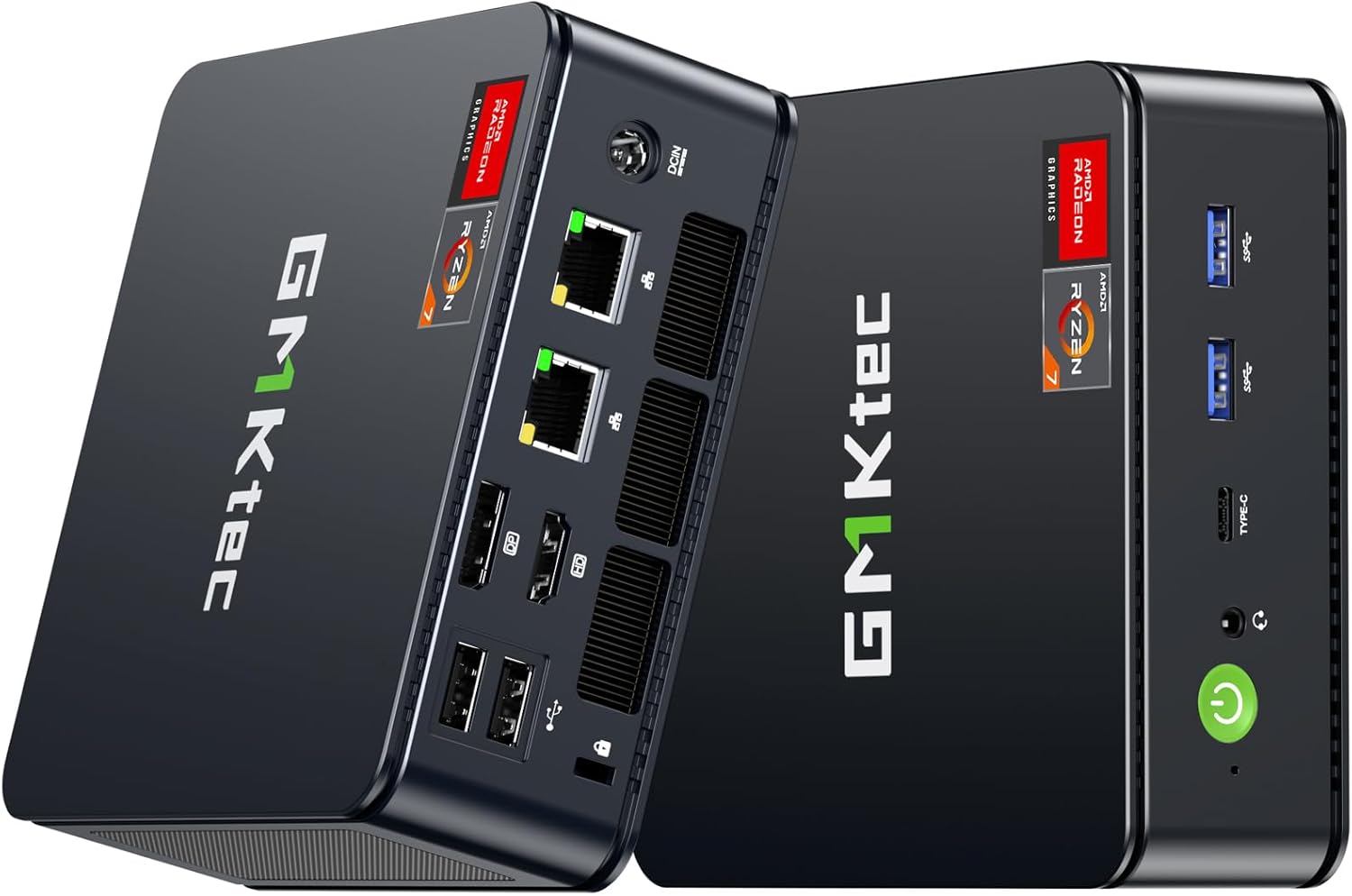
The M5 Ultra makes sense when the same box will host Home Assistant OS and a separate Linux guest. The linked configuration supplies 16GB DDR4, a 256GB SSD and the Ryzen 7 7730U. Eight cores give you room to schedule other work. Memory and storage still have to cover the host, guests, snapshots and backups in progress. The two Ethernet ports are useful if you already have a plan for separate networks. A dedicated Home Assistant box needs only one.
Suppose your planned allocations are 4GB for Home Assistant, 4GB for another guest and 3GB for the host. That leaves 5GB of the installed 16GB before additional overhead and load spikes. These are example allocations, so replace them with your own measurements. Check the VM capacity estimator before filling the remaining memory. Skip the M5 if you only want a turnkey automation hub or if the house must keep working while you reinstall the hypervisor. GMKtec specifications
Give the coordinator a good location
A radio plugged into the back of a metal mini PC under a rack can be in the worst part of the house for wireless coverage. USB 3 equipment can also produce interference near 2.4GHz. Start with a USB extension, move the coordinator clear of SSD enclosures and access points, and test a device at the far end of the house. Record the adapter model and its position before changing anything else. Home Assistant ZHA troubleshooting
For a VM, pass the adapter to the Home Assistant guest and confirm it reappears after the host restarts. For Container, grant the service access to the device and use a stable device identifier where available. A supported Ethernet coordinator lets the computer stay in a rack while the radio lives closer to the devices. It adds a dependency on the switch, its power supply and the path between the two. Confirm support for your exact adapter and integration before choosing this layout.
Add cameras by budgeting recordings first
Separate camera host with local recordings
Beelink Me Pro
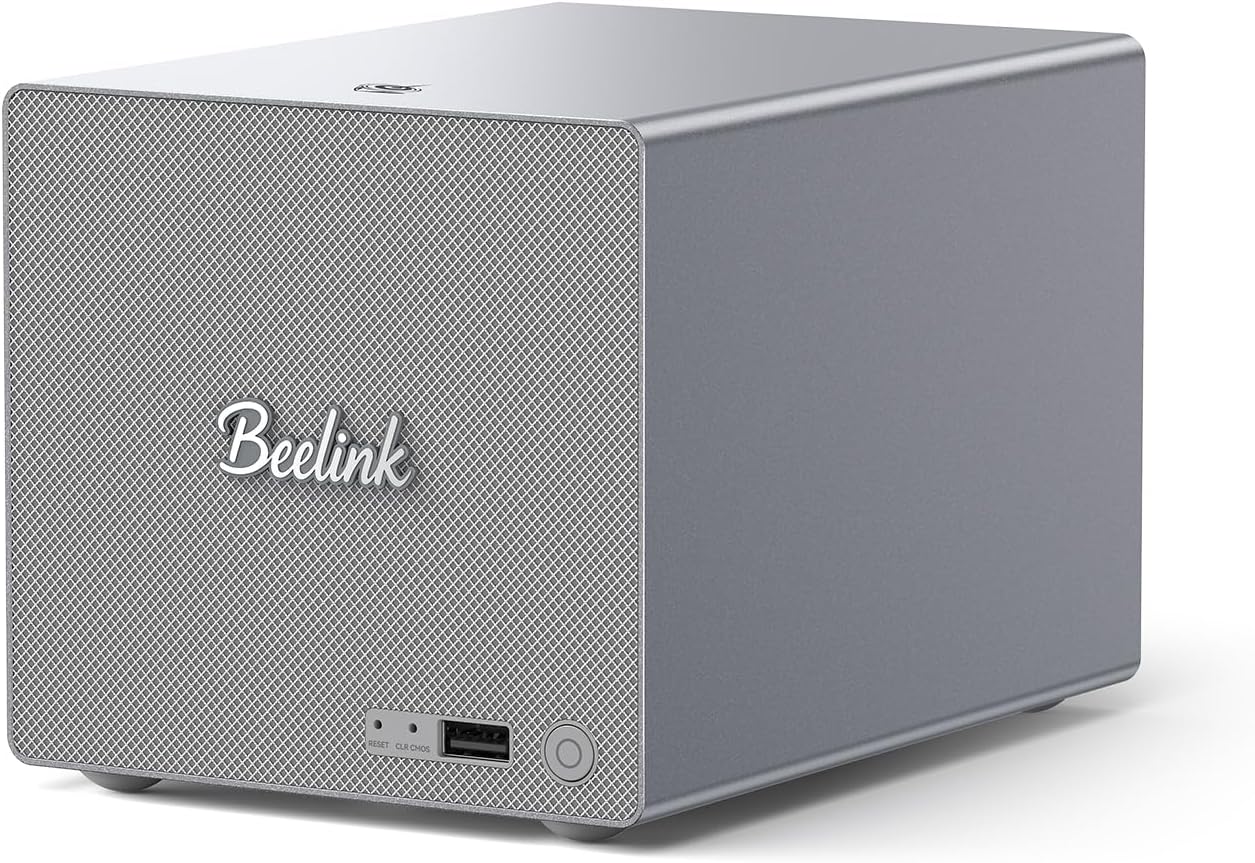
The Me Pro is the camera-storage choice for a household that also wants an Intel host and two internal hard-drive bays. The N150 configuration includes 16GB of memory and a 1TB SSD. The bays give recordings somewhere separate from the Home Assistant system disk. We would keep Home Assistant on the existing hub and use this machine for Frigate when losing automations during camera maintenance would be disruptive. Skip a storage-oriented box if cameras already record to a separate NVR. Beelink Me Pro specifications
Work backward from retention. One camera averaging 4 megabits per second continuously generates about 43.2GB per day in decimal units. Four such feeds for seven days come to about 1.21TB before filesystem overhead, spare capacity or other files. Motion-only recording changes that arithmetic. The Frigate camera calculator lets you enter your own streams and retention targets.
Hardware video decoding, object detection and writing the recording are three separate jobs. Confirm the decoding device in Frigate, choose a supported detector and watch what happens during motion on several feeds at once. Camera count alone cannot settle the decision. Check the Frigate hardware guide and our Frigate buying guide before paying for an accelerator.
Make the handover recoverable
Keep a Home Assistant backup on another machine, keep the backup emergency kit where you can reach it during an outage, and label the coordinator. Restore onto the replacement with the old instance offline so that two systems do not try to control the same devices. Check a local sensor, a scheduled automation and control from the household dashboard before putting the old machine away. The backup and restore guide covers the handover. For a shared machine, see the Home Assistant Proxmox guide and the home server buying guide.
Frequently asked questions
Does Home Assistant OS run on a mini PC?
Yes. Supported x86-64 PCs can boot Home Assistant OS directly with compatible UEFI settings and a wired network. Installing the image overwrites the selected disk.
Does Home Assistant Container include managed apps?
No. You maintain the host and run companion services separately. Home Assistant OS includes the managed app environment on supported hardware or in a VM.
Do I need a Zigbee coordinator?
You need a compatible coordinator to run a local Zigbee network. Wi-Fi devices and cloud integrations do not require one just because the server is a mini PC.
Should Frigate run on the Home Assistant host?
Sharing can work if decoding, detection and recording fit the hardware. Separate the recorder when its restarts, disk use or camera load would disrupt household automations.
Product links
- Beelink MINI S12 on Amazon — Intel N95, 8GB DDR4 and a 480GB SSD.
- GMKtec M5 Ultra on Amazon — Ryzen 7 7730U, 16GB DDR4, 256GB SSD and dual 2.5GbE.
- Beelink Me Pro on Amazon — Intel N150, 16GB memory, a 1TB SSD and two hard-drive bays.