
Best Mini PC for Home Office 2026 — Quiet, Fast, and Practical Picks
By Max · May 2, 2026 · Updated July 19, 2026
This article contains affiliate links. If you purchase through our links, we may earn a commission at no extra cost to you. We only recommend products we’ve thoroughly researched and verified.
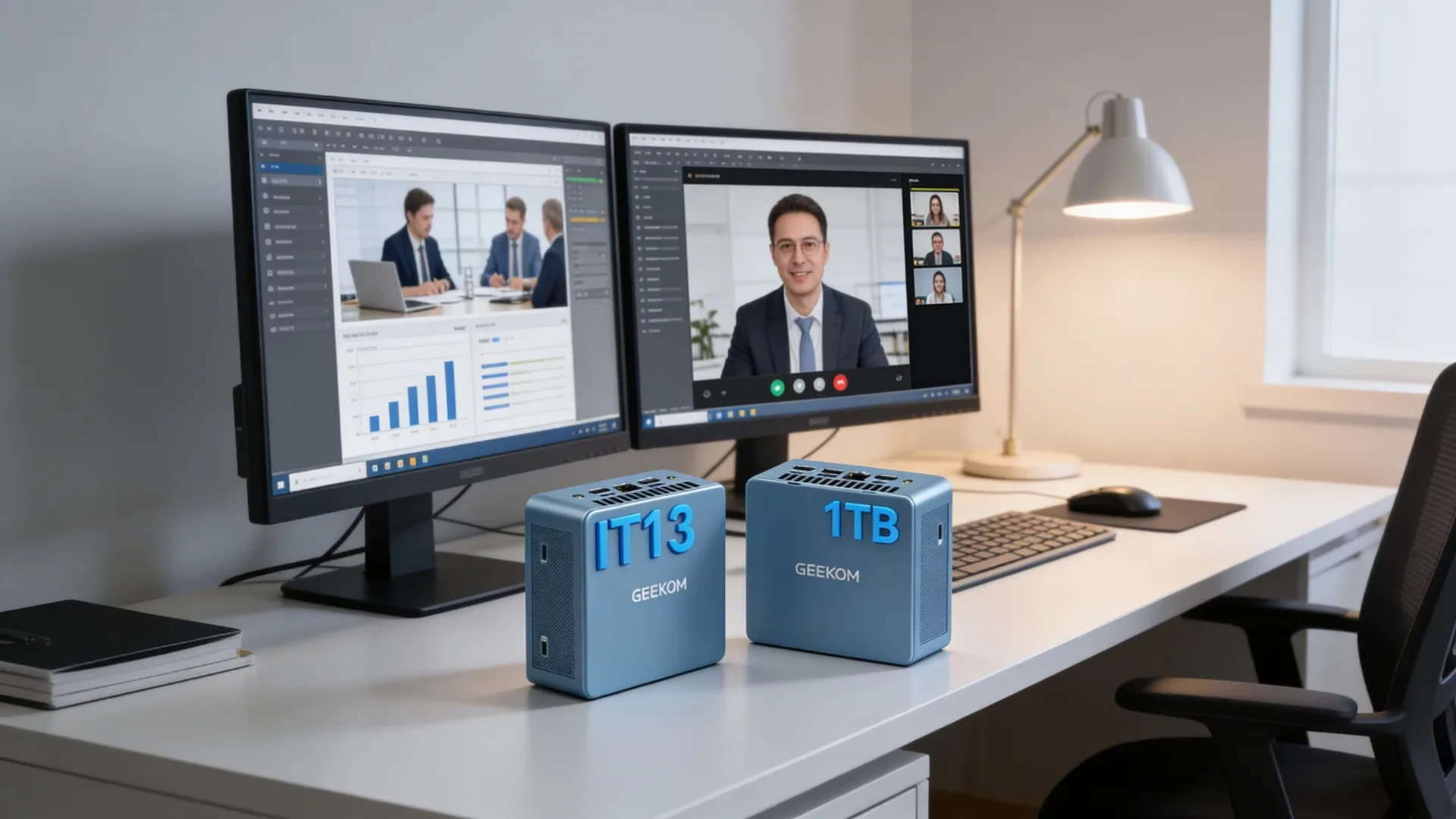
The best home office mini PC is not the one with the wildest benchmark chart. It is the one that keeps the workday simple. That means enough memory for a browser-heavy workflow, the right display outputs, low desk clutter, and a support story that does not fall apart after checkout.
This list is built from the verified April 2026 research set. It focuses on what matters in daily office use rather than trying to force gaming or local AI priorities into every recommendation.
Quick Picks: Best Mini PC for Home Office 2026 At A Glance
| Pick | Mini PC | Best For | Current Research Price | Link |
|---|---|---|---|---|
| Best Overall | GEEKOM IT15 | Buyers who want a premium office desktop with strong support | ~$599 | Check Price |
| Best Value | GMKtec K12 | Buyers who want more performance and flexibility for the money | ~$499 | Check Price |
| Runner-Up | GMKtec EVO-T1 | Power users who want a workstation-style office setup | ~$999 | Check Price |
| Specialist Pick | BOSGAME P4 | Office buyers who also care about dual 2.5GbE | ~$279 | Check Price |
| Budget Pick | Beelink EQ14 | Buyers who want the cheapest sensible office option | ~$149 | See current alternatives |
How We Research These Picks
Each recommendation is tied to a specific product configuration and cross-checked against manufacturer documentation. Affiliate targets are checked for product identity during content refreshes. Prices are approximate, and this site does not publish live stock guarantees or claim first-party benchmarks without documented evidence.
What Matters In A Home Office Mini PC
- Quiet day-to-day behavior matters more than a small performance lead.
- 32GB memory is the safer long-term office target for heavier multitasking.
- Good display support matters because many office buyers run two or three screens.
- Warranty and vendor consistency matter more here than in hobbyist categories.
Who This Category Is For
This category fits remote workers, spreadsheet-heavy office users, small business buyers, and anyone building a clean desk setup that needs to stay practical over several years.
Which Mini PC for Your Work Setup
Office and business work is bound by responsiveness and display support, not graphics. Match the box to your multitasking load and how many monitors you drive.
| Your work | What matters most | Recommended pick |
|---|---|---|
| Basic office, web, docs, email | Low cost, quiet, low power | Beelink EQ14 |
| Business multitasking, many tabs and apps | Cores + 32GB, snappy NVMe | GEEKOM IT15 or GMKtec K12 |
| Software development and compiling | 8+ cores, 32–64GB RAM | GMKtec EVO-T1 |
| Three or more monitors | Enough display outputs + iGPU headroom | GMKtec EVO-T1 or GEEKOM IT15 |
| Small-business desk fleet | Reliability, warranty, repeatable spec | GEEKOM IT15 |
On coding: local builds and containers are CPU-and-RAM bound, so a Core Ultra or Ryzen box with 32–64GB like the EVO-T1 compiles far faster than a 4-core machine — see also our Docker picks. On multiple monitors: confirm the exact output count and resolution per port before buying; most of these drive three to four displays, but the mix of HDMI, DisplayPort, and USB-C varies by model.
Our Top Picks
🥇 Best Overall
GEEKOM IT15
→ Check Current Price on Amazon
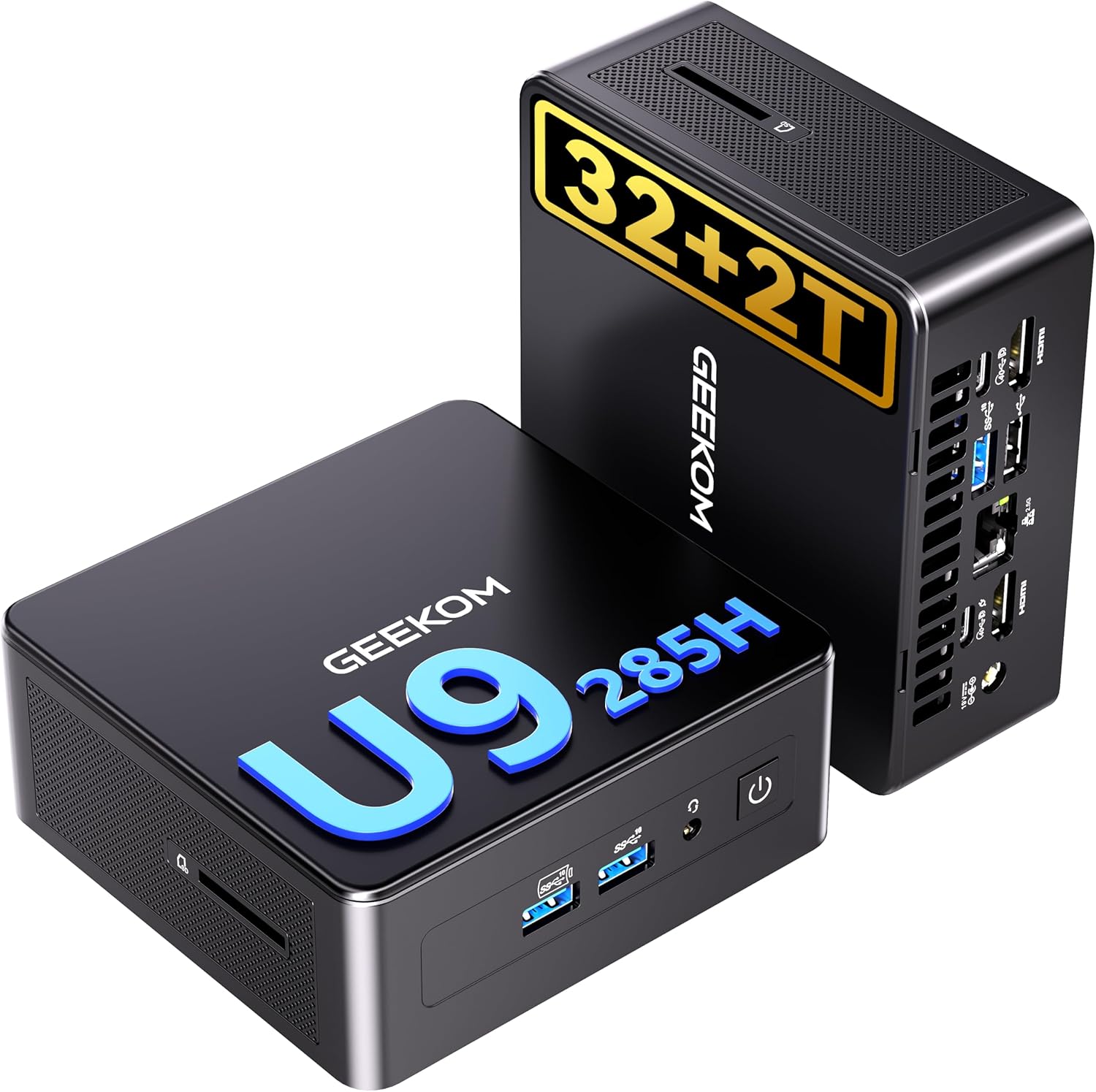
The GEEKOM IT15 is the best overall home office choice in this batch because it balances premium desktop specs with a support story that matters. The browser-verified active variant uses Intel Ultra 9 285H, 32GB DDR5, and 2TB SSD, and the broader GEEKOM office appeal is helped by its 3-year warranty reputation in the current research notes.
This is the pick for buyers who want one polished desk machine and do not want to think about upgrading again too soon.
Who should buy this: Buy it for a premium home office setup you won’t need to upgrade for years. Core Ultra 9 285H with 32GB DDR5 and 2TB SSD handles any office workload — video calls, document editing, light development — and the 3-year warranty covers always-on desk use.
Who should skip this: Skip it if the primary workload is office software and email. The K12 delivers comparable day-to-day performance at lower cost. The IT15 is worth the premium when sustained performance headroom for complex tasks matters more than price. 💰 Best Value
GMKtec K12
→ Check Current Price on Amazon
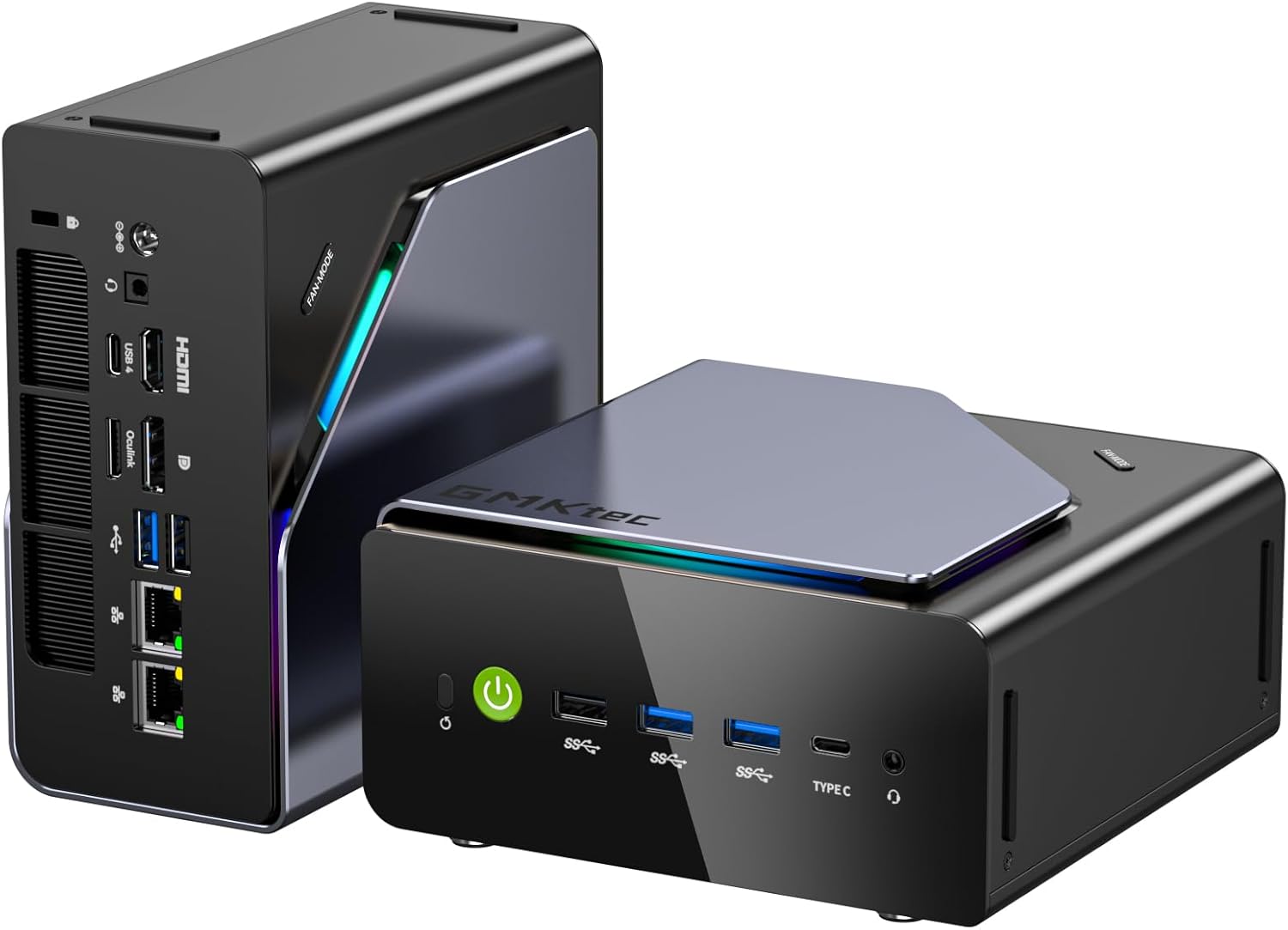
The GMKtec K12 is the value answer because it brings Ryzen 7 H255, 32GB DDR5, triple M.2, and dual 2.5GbE for less money than many premium office boxes. It is stronger than a typical office mini PC and more flexible if your home office also overlaps with light lab, Docker, or media work.
Who should buy this: Buy it when the home office machine also needs to handle light Docker, homelab, or media work. Triple M.2 and dual 2.5GbE give it more flexibility than a pure office box, and Ryzen 7 H255 with 32GB DDR5 handles mixed workloads without compromise.
Who should skip this: Skip it for pure office use where only browser, docs, and video calls matter. Any of the other picks covers that at lower cost. The K12’s dual-NIC and triple M.2 advantage only appears when secondary homelab or networking roles are part of the setup. 🥉 Runner-Up
GMKtec EVO-T1
→ Check Current Price on Amazon
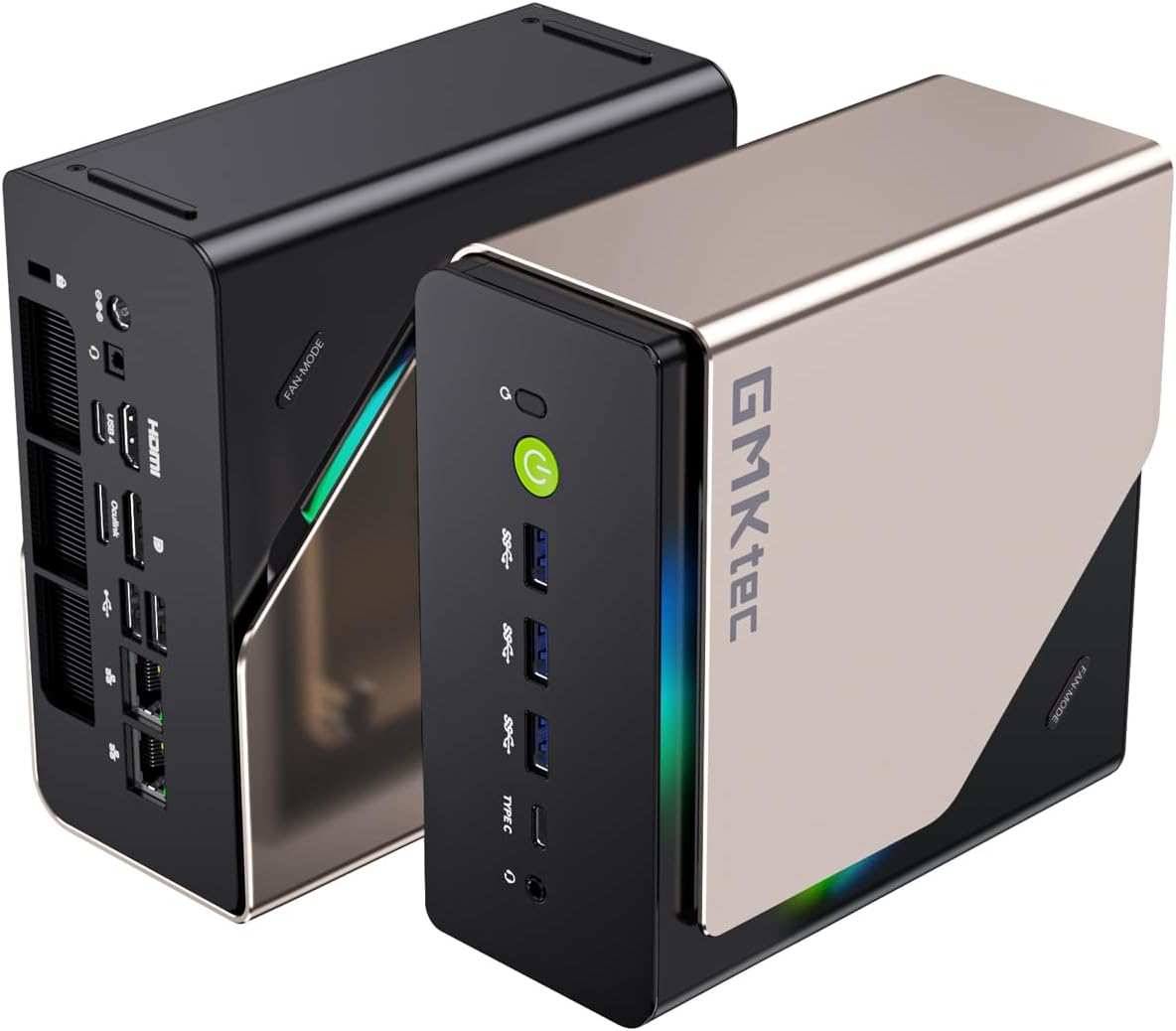
The EVO-T1 belongs here for power users. Intel Core Ultra 9 285H, 64GB DDR5, and triple M.2 makes it a more workstation-like office desktop than a normal office recommendation. It is best for buyers whose home office machine also carries heavier secondary workloads.
Who should buy this: Buy it when the home office machine also runs heavy secondary workloads — VMs, Plex, or AI inference alongside office tasks. 64GB DDR5 and OCuLink provide headroom that pure office boxes don’t offer, making it more workstation than typical desk mini PC.
Who should skip this: Skip it for standard home office use. 64GB is overkill for office software alone, and the premium over the IT15 or K12 is hard to justify unless the machine carries genuinely demanding parallel workloads. 🧠 Specialist Pick
BOSGAME P4
→ Check Current Price on Amazon
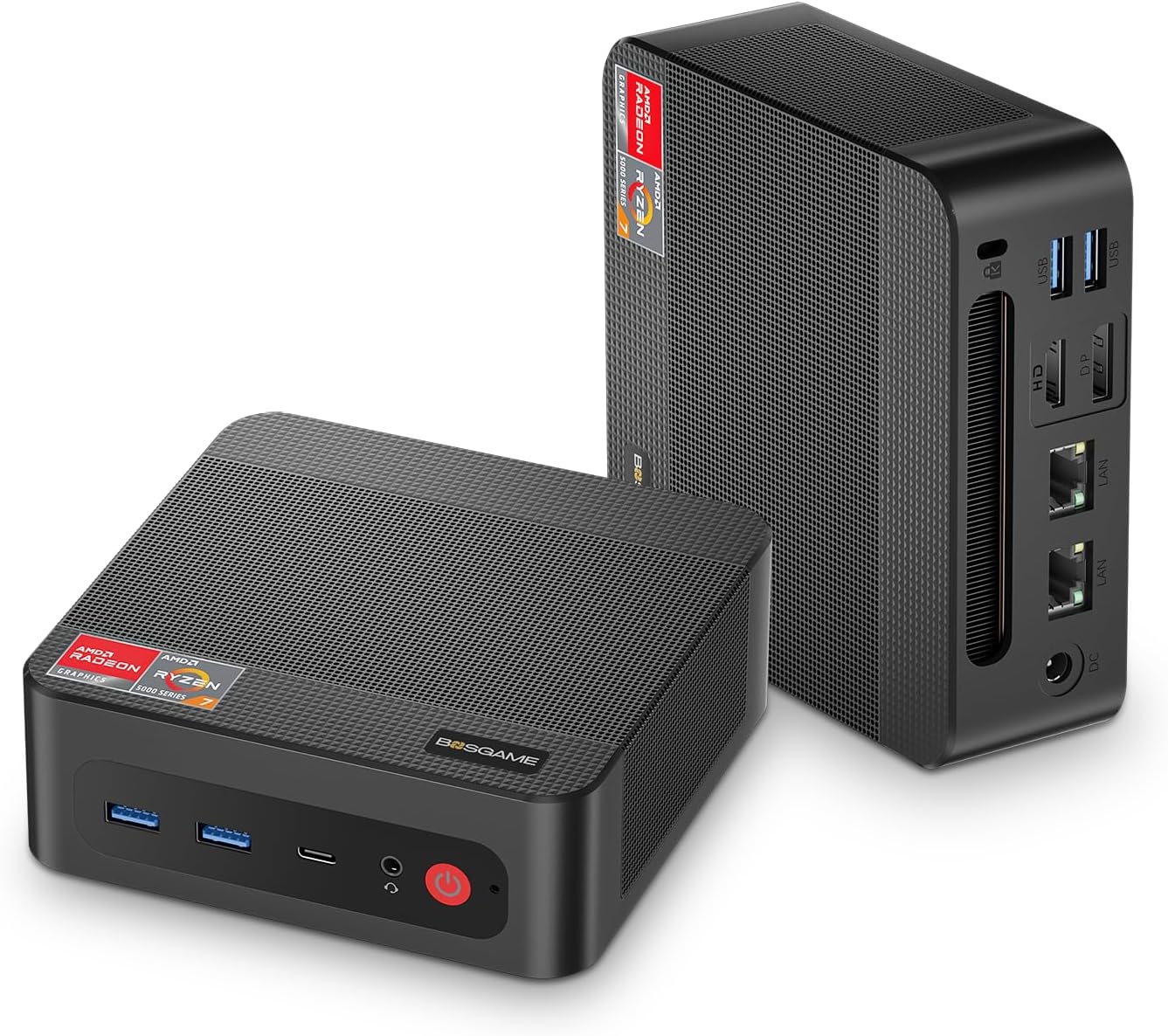
The BOSGAME P4 is the specialist choice because dual 2.5GbE gives it a better networking story than most office-first boxes. If your office setup also includes light firewall, virtualization, or NAS-adjacent experimentation, that makes it more interesting than its simple price suggests.
Who should buy this: Buy it when the office machine doubles as a light networking or homelab box. Dual 2.5GbE enables pfSense or AdGuard Home routing alongside office tasks — a combination most single-NIC office mini PCs can’t offer at this price.
Who should skip this: Skip it for a pure office machine with no networking or homelab intent. The IT15 or K12 deliver better single-thread performance for office workloads. The BOSGAME P4’s dual-NIC advantage only matters when the machine also plays a networking role. 🪙 Budget Pick
Beelink EQ14

The Beelink EQ14 is the better low-cost office choice because Intel N150, 16GB DDR4, and dual 2.5GbE is still a sensible package for a cheap desk machine. This is the right answer when you want to spend the least and still get a usable modern setup.
Who should buy this: Buy it when price is the main filter and the workload is standard office tasks — browser, video calls, documents, light development. N150 at 3.6GHz and 16GB DDR4 handles daily office software without issues at the lowest cost in this roundup.
Who should skip this: Skip it for demanding office work with heavy multitasking or video editing. The K12’s Ryzen 7 H255 delivers significantly better performance for compute-intensive tasks. The EQ14 is strictly the budget option — right when price matters more than peak throughput.
Which One We Would Choose
Choose the IT15 for the best premium office balance.
Choose the K12 if you want stronger value and more flexibility.
Choose the EVO-T1 only if your office box also needs to act like a power-user workstation.
Choose the EQ14 when price is the main filter.
Product Snapshot
GEEKOM IT15
Specs:
| Spec | Detail |
|---|---|
| Key Hardware | Browser-verified Intel Ultra 9 285H configuration with 32GB DDR5 and 2TB SSD. The most complete home office option in this batch for buyers who want a premium desk setup. |
| Listing Check | Verify the exact variant, RAM type, storage layout, and networking before you buy. |
| Price | ~$599 |
Pros:
- Browser-verified Intel Ultra 9 285H configuration with 32GB DDR5 and 2TB SSD. The most complete home office option in this batch for buyers who want a premium desk setup.
- The current feature mix still fits the workload this article targets.
- ~$599 keeps it in the right conversation when the live listing matches the verified notes.
Cons:
- Shared or shifting Amazon listings can hide configuration changes.
- Value falls off quickly if you do not need the hardware features called out above.
GMKtec K12
Specs:
| Spec | Detail |
|---|---|
| Key Hardware | Ryzen 7 H255 mini PC with 32GB DDR5, Radeon 780M, triple M.2, and dual 2.5GbE. A great value pick for buyers who want more flexibility than a pure office box. |
| Listing Check | Verify the exact variant, RAM type, storage layout, and networking before you buy. |
| Price | ~$499 |
Pros:
- Ryzen 7 H255 mini PC with 32GB DDR5, Radeon 780M, triple M.2, and dual 2.5GbE. A great value pick for buyers who want more flexibility than a pure office box.
- The current feature mix still fits the workload this article targets.
- ~$499 keeps it in the right conversation when the live listing matches the verified notes.
Cons:
- Shared or shifting Amazon listings can hide configuration changes.
- Value falls off quickly if you do not need the hardware features called out above.
GMKtec EVO-T1
Specs:
| Spec | Detail |
|---|---|
| Key Hardware | Intel Core Ultra 9 285H system with 64GB DDR5, triple M.2, and OCuLink. Better suited to power users than a normal office buyer. |
| Listing Check | Verify the exact variant, RAM type, storage layout, and networking before you buy. |
| Price | ~$999 |
Pros:
- Intel Core Ultra 9 285H system with 64GB DDR5, triple M.2, and OCuLink. Better suited to power users than a normal office buyer.
- The current feature mix still fits the workload this article targets.
- ~$999 keeps it in the right conversation when the live listing matches the verified notes.
Cons:
- Shared or shifting Amazon listings can hide configuration changes.
- Value falls off quickly if you do not need the hardware features called out above.
BOSGAME P4
Specs:
| Spec | Detail |
|---|---|
| Key Hardware | Zen 3 mini PC with dual 2.5GbE. Better fit for office buyers who also want a light networking or homelab role. |
| Listing Check | Verify the exact variant, RAM type, storage layout, and networking before you buy. |
| Price | ~$279 |
Pros:
- Zen 3 mini PC with dual 2.5GbE. Better fit for office buyers who also want a light networking or homelab role.
- The current feature mix still fits the workload this article targets.
- ~$279 keeps it in the right conversation when the live listing matches the verified notes.
Cons:
- Shared or shifting Amazon listings can hide configuration changes.
- Value falls off quickly if you do not need the hardware features called out above.
Beelink EQ14
Specs:
| Spec | Detail |
|---|---|
| Key Hardware | Intel N150 office mini PC with 16GB DDR4 and dual 2.5GbE. The better low-cost home office option when the budget matters more than premium power. |
| Listing Check | Verify the exact variant, RAM type, storage layout, and networking before you buy. |
| Price | ~$149 |
Pros:
- Intel N150 office mini PC with 16GB DDR4 and dual 2.5GbE. The better low-cost home office option when the budget matters more than premium power.
- The current feature mix still fits the workload this article targets.
- ~$149 keeps it in the right conversation when the live listing matches the verified notes.
Cons:
- Shared or shifting Amazon listings can hide configuration changes.
- Value falls off quickly if you do not need the hardware features called out above.
Power Consumption at a Glance
Power context: unless a section says otherwise, treat the wattage guidance in this article as planning figures from current listing details or comparable review coverage rather than final measured at wall lab data.
At $0.12/kWh, every 10W of always-on idle draw costs about ~$10.51 per year. Use that rule of thumb when you compare the picks in this article, then confirm the final number with the active listing or your own watt meter.
| Idle Draw | Annual Electricity Cost |
|---|---|
| 10W | ~$10.51/year |
| 20W | ~$21.02/year |
| 30W | ~$31.54/year |
Power context: unless a product section says otherwise, treat wattage references in this article as planning numbers from current listing details or comparable review coverage rather than final measured at wall lab data.
Frequently Asked Questions
What is the best mini PC for home office use in 2026?
The GEEKOM IT15 is the best overall office pick in this verified set because it pairs strong hardware with the kind of polish and warranty story office buyers actually care about.
How much RAM should a home office mini PC have?
16GB is enough for lighter office work. 32GB is the safer long-term target if you keep many tabs open, join frequent calls, or run heavier desktop workloads.
What matters most besides the CPU name?
Noise, display support, warranty quality, memory configuration, and the overall port layout matter more for office comfort than a small benchmark gap.
Final Verdict
The best home office mini PC in 2026 is the one that keeps the workday clean and predictable. In this batch, the GEEKOM IT15 is the best overall answer, the GMKtec K12 is the value leader, and the Beelink EQ14 is the budget fallback that still makes sense.