
This article contains affiliate links. If you purchase through our links, we may earn a commission at no extra cost to you. We only recommend products we’ve thoroughly researched and verified.
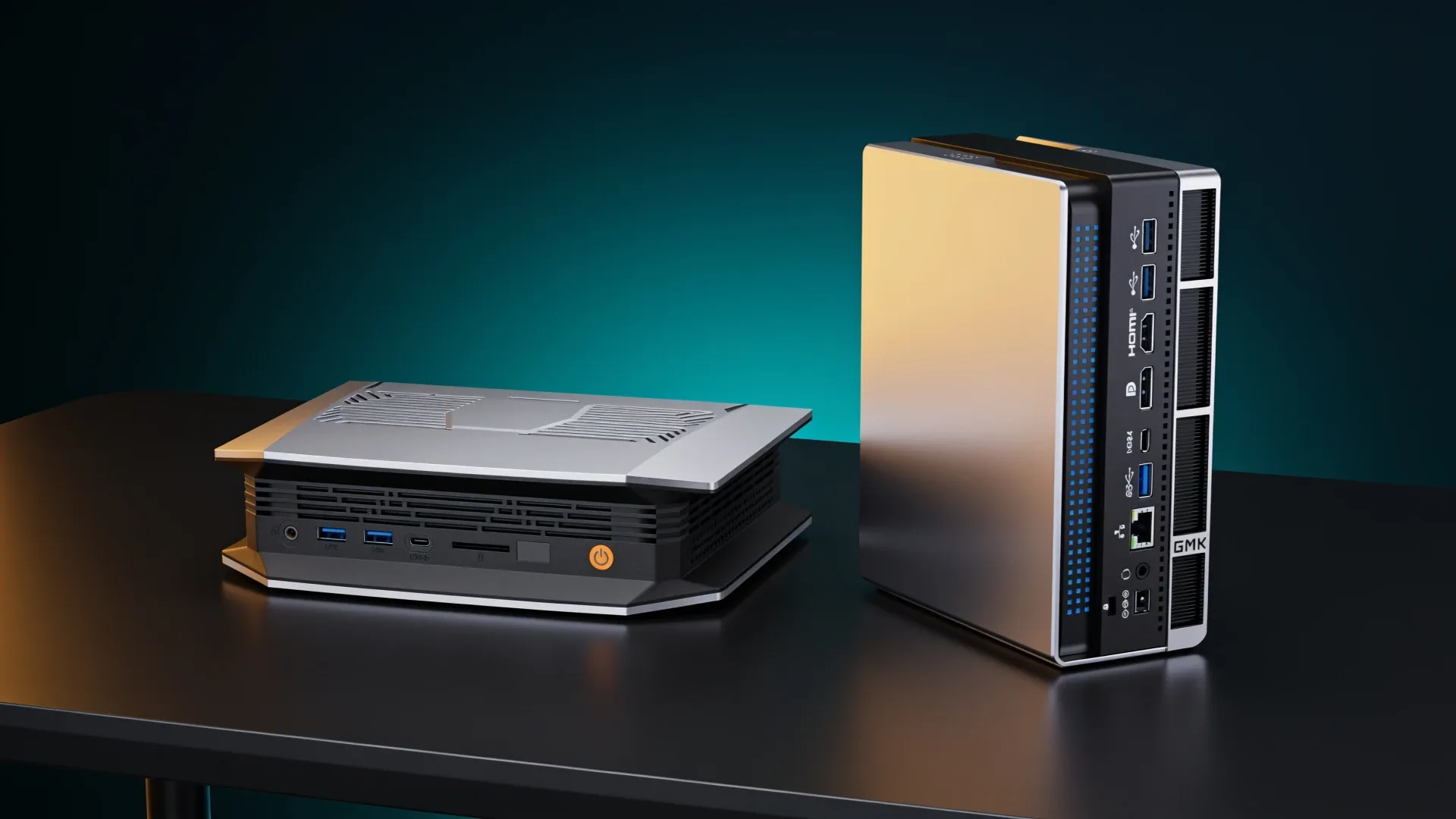
Quick price check: BOSGAME M5 128GB · GMKtec EVO-X2 128GB
The BOSGAME M5 and GMKtec EVO-X2 use the same Ryzen AI Max+ 395 class, Radeon 8060S graphics, and a 128GB unified-memory configuration. That means neither deserves a made-up silicon victory. The buying decision comes from the exact memory and storage bundle, cooling behavior, network ports, seller, return terms, and current price.
The EVO-X2 is the safer default because it has broader independent coverage and more established configuration documentation. The M5 becomes the better buy only when its exact 128GB configuration is materially cheaper or its support terms are stronger on the day you purchase.
The Short Answer
| Priority | Better fit |
|---|---|
| Most established evidence base | GMKtec EVO-X2 |
| Lower verified like-for-like price | Whichever exact listing wins today |
| Large local models | Tie at the 128GB platform level |
| Quiet office use | Verify exact review measurements before choosing |
| Return and seller confidence | Compare the exact retailer and seller |
| Future RAM upgrades | Neither, memory is fixed |
Shared Platform, Different Ownership Risk
| Feature | BOSGAME M5 | GMKtec EVO-X2 |
|---|---|---|
| Processor | Ryzen AI Max+ 395 | Ryzen AI Max+ 395 |
| Graphics | Radeon 8060S | Radeon 8060S |
| Memory | 128GB LPDDR5X on validated configuration | 96GB and 128GB configurations exist |
| Storage | Validated 2TB configuration | Configuration varies by listing |
| Memory upgrades | No | No |
| Main decision | Price, cooling, seller, and support | Evidence depth, configuration, and seller |
The memory is soldered because the platform depends on high-bandwidth LPDDR5X. You cannot start at a small capacity and add modules later. Compare the actual configuration, not a product-family name.
For this page, like-for-like means the 128GB memory and 2TB SSD BOSGAME M5 against the 128GB memory and 2TB SSD EVO-X2. BOSGAME’s current M5 page offers that exact configuration with dual M.2 PCIe 4.0 storage slots. GMKtec’s current EVO-X2 page separately lists its 128GB and 2TB option. A 96GB listing is not a valid price comparison.
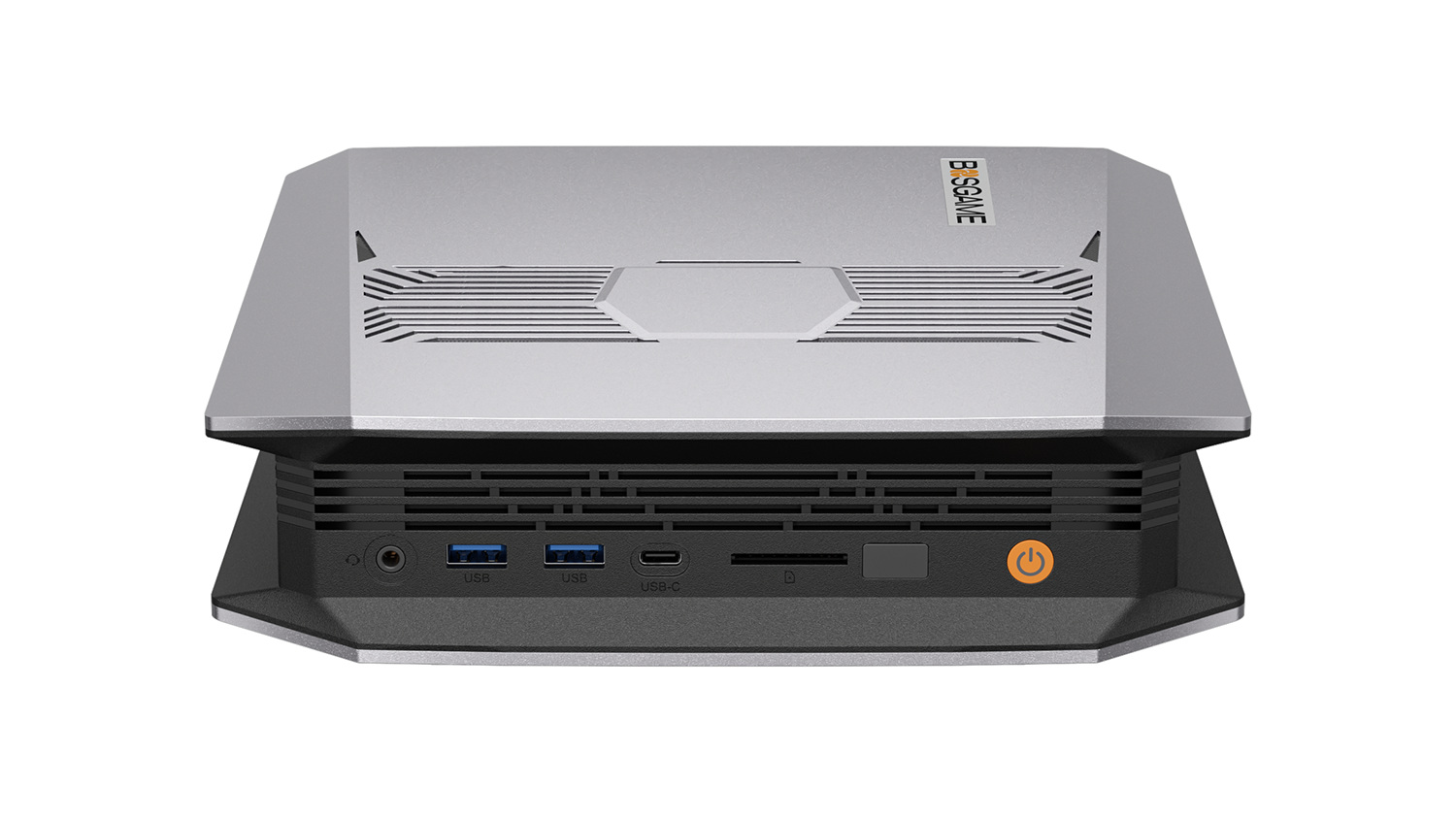
BOSGAME product image showing the M5 front controls and ventilated top panel.
→ Check the BOSGAME M5 128GB configuration
Local AI Performance Should Be Close, Not Declared Equal
Both systems place the same APU beside the same memory-capacity class. That strongly suggests similar model-fit boundaries. It does not prove identical speed under sustained load. Firmware power limits, memory tuning, cooling, and software versions can change the result.
The useful platform conclusion is about capacity. A 128GB unified pool can load quantized models that exceed the VRAM of a 24GB or 32GB discrete card. Strix Halo still has much less memory bandwidth than a high-end GPU, so long-context prompt processing can remain slower even when the model fits.
Do not buy either machine for the advertised NPU number alone. Common local inference tools do not automatically use the NPU. Confirm the software path for the application you plan to run.
Cooling and Noise Need Named Measurements
The EVO-X2 has a triple-fan cooling design. Notebookcheck’s EVO-X2 review describes the cooling and measured behavior of its sample. That is useful evidence, but it must remain attached to the reviewed configuration and power mode.
The M5 needs equally specific evidence before it can be called quieter or cooler. Chassis photographs and fan counts do not establish acoustic performance. If the machine will sit on a desk, wait for a named measurement or buy from a seller with a practical return path.
Compare the Seller as Carefully as the Hardware
These are expensive systems built around fixed memory. A failure can remove the entire value of the configuration because memory is not a replaceable module. Review:
- seller identity
- return window
- warranty handling location
- who pays return shipping
- replacement policy for an early failure
- firmware availability
- current Linux and Windows support material
An apparently cheaper machine can become the expensive option if support requires international shipping and a long outage.
The Like-for-Like Cost Worksheet
Compare the same capacity and included parts:
| Cost item | M5 | EVO-X2 |
|---|---|---|
| 128GB memory | Confirm included | Confirm selected configuration |
| SSD capacity | Confirm exact size | Confirm exact size |
| Operating system | Confirm | Confirm |
| Warranty and returns | Record seller terms | Record seller terms |
| Required storage upgrade | Add | Add |
| 10GbE adapter if needed | Add | Add |
Do not compare an M5 with 2TB against a bare or smaller-storage EVO-X2 and call the sticker difference a platform value win.
Networking Is the Clearest Hardware Difference
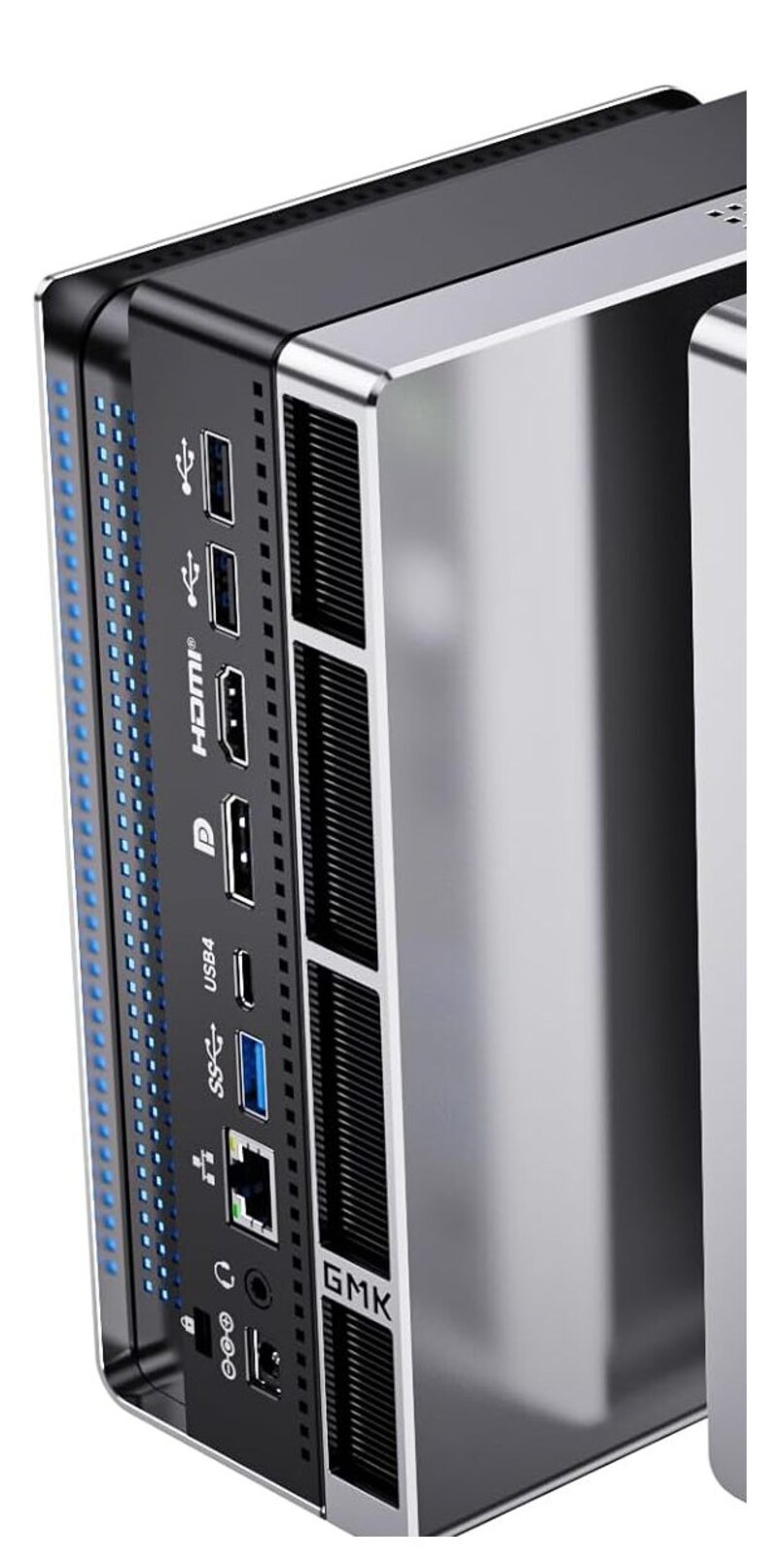
GMKtec product image showing the EVO-X2 rear port layout.
BOSGAME lists one 2.5GbE port on the M5. GMKtec lists two 2.5GbE ports on the EVO-X2. Neither has built-in 10GbE, so a buyer moving large models from a fast NAS should include an adapter or accept the network ceiling.
The EVO’s second port can isolate management, connect a second network, or support a router lab. It does not make a single ordinary file transfer run at 5Gbps. The M5’s single port is enough for a workstation on one trusted LAN, but it leaves no wired recovery path if the main network configuration breaks.
| Network job | M5 | EVO-X2 |
|---|---|---|
| Primary LAN | one 2.5GbE | one 2.5GbE |
| Separate management | USB adapter or Wi-Fi | second 2.5GbE |
| 10GbE NAS access | USB4 adapter required | USB4 adapter required |
| Direct second-host link | consumes only port | second port available |
If 10GbE is required, add the same known-good USB4 adapter and cabling to both cost columns. Confirm driver support for the operating system before purchase.
Cooling and Placement Checklist
The M5 product page names the processor and configuration but does not provide a comparable independent acoustic package. Fan count, vent area, and chassis size cannot establish quietness. The safer way to buy an unmeasured configuration is to control the ownership risk:
- keep the machine off the immediate desk surface
- verify the seller’s return window before opening a long migration
- test the actual AI workload during that window
- record sustained package power, temperature, and noise in the chosen mode
- avoid blocking side or bottom intakes
- update firmware only from the manufacturer support route
GMKtec documents different operating modes for the EVO-X2, and reviews show that mode affects the result. Compare both machines in a mode you would actually tolerate. A one-minute benchmark in maximum mode does not answer whether the box is suitable for an eight-hour inference job beside you.
Support Terms and Downtime
BOSGAME’s direct M5 page currently states a one-year warranty and describes regional shipping warehouses. GMKtec publishes its own warranty and return material, but retailer purchases may follow different terms. Record the seller named on the exact checkout page, not just the logo on the chassis.
| Ownership question | M5 | EVO-X2 |
|---|---|---|
| Who is the seller? | record exact listing | record exact listing |
| Return deadline? | record date | record date |
| Warranty length? | direct page states one year | verify current route |
| Return destination? | confirm region | confirm region |
| Advance replacement? | do not assume | do not assume |
| Firmware download page? | save link | save link |
Fixed memory raises the importance of these answers. A failed memory package is a mainboard failure, not a DIMM swap. If the machine will earn income, price a spare or a recovery cloud path rather than assuming the warranty prevents downtime.
Local Model Fit Without a Fake Speed Tie
Both 128GB machines can allocate a large portion of memory to graphics, but the usable amount depends on firmware settings and what the operating system reserves. GMKtec states that up to 96GB can be configured as VRAM on the 128GB EVO-X2. Treat the same capacity class as a model-fit clue, not a guarantee that every runtime sees the same allocation on the M5.
Use this sequence:
- Select the exact quantization and record its file size.
- Add context and runtime overhead.
- Keep memory for the operating system and supporting services.
- Confirm Radeon 8060S support in the chosen runtime.
- Compare independent results using that same runtime and model.
Our local LLM guide helps with capacity tiers. If a model fits well inside 32GB or 64GB, a 128GB configuration may be unnecessary. If speed is the main criterion, compare a discrete GPU whose tested runtime matches the application.
Storage Configuration and Upgrade Path
The linked M5 and EVO-X2 configurations include 2TB, but check which slot the factory device occupies. Both use soldered memory, while storage remains the user-serviceable capacity. Separate the operating system from irreplaceable working data when practical, and keep models reproducible from a manifest rather than treating a model SSD as the only copy.
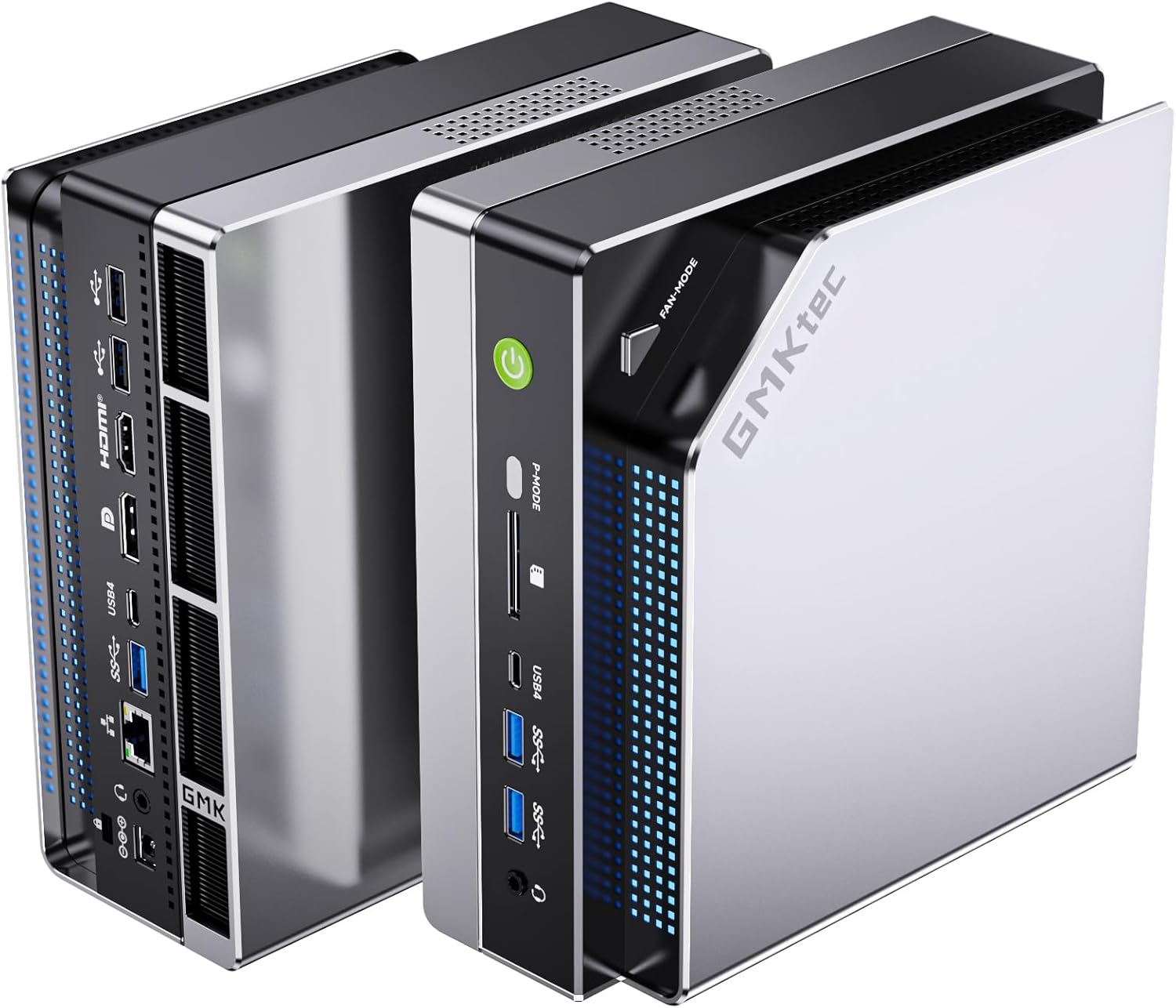
GMKtec product image showing the EVO-X2 workstation chassis.
→ Check the GMKtec EVO-X2 128GB configuration
The final comparison worksheet should include a second SSD of the same class, any 10GbE adapter, tax, shipping, and the cost of returning the machine. Only then is a lower listing price a real saving.
Purchase-Day Checklist
Confirm all four identity fields in the cart: Ryzen AI Max+ 395, 128GB LPDDR5X, 2TB storage, and the intended regional power plug. Save a screenshot or PDF of the seller, return deadline, warranty, and delivery estimate. Expensive fixed-memory machines are a bad place to rely on a product-family thumbnail.
During the return window, verify the installed memory, SSD identity, wired ports, Wi-Fi, USB4, sleep behavior, and the exact local model workflow. Run a sustained workload long enough to reveal noise or thermal behavior, but do not treat a quick personal check as a universal benchmark. If the result does not fit the desk or software stack, use the return path before migrating irreplaceable work. Keep a tested cloud or second-machine fallback for important work.
Final Verdict
Choose the GMKtec EVO-X2 when you want the more established evidence base and its exact listing meets your capacity and seller requirements. Choose the BOSGAME M5 when its validated 128GB configuration delivers a clear like-for-like saving and the support path is acceptable.
Choose neither if you need replaceable memory, a quiet result with no independent evidence, or a model that fits easily on much cheaper hardware. Our best AI mini PC guide shows the lower tiers.
Configuration and support facts come from the current BOSGAME M5 page and GMKtec EVO-X2 page. Cooling statements remain attached to Notebookcheck’s reviewed EVO-X2 sample. We have not physically tested either system and do not treat shared silicon as equal sustained performance.
Current Buying Links
- BOSGAME M5 128GB and 2TB: Check current price
- GMKtec EVO-X2 128GB and 2TB: Check current price