
GMKtec EVO-X1 vs Minisforum AI X1 Pro-370 2026 — Same CPU, Different Value
By Max · May 2, 2026 · Updated November 18, 2026
This article contains affiliate links. If you purchase through our links, we may earn a commission at no extra cost to you. We only recommend products we’ve thoroughly researched and verified.
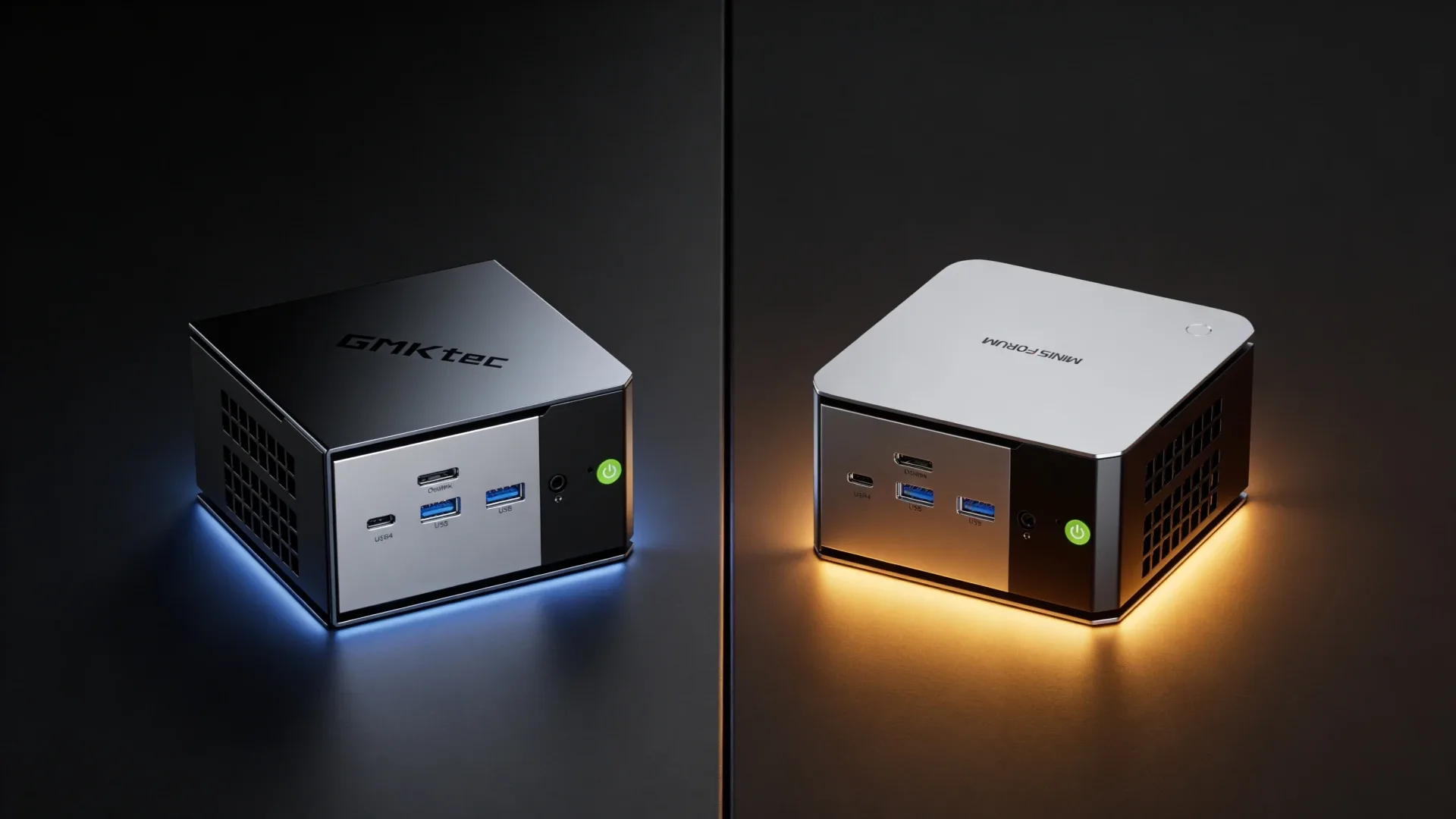
Both machines combine the Ryzen AI 9 HX 370, Radeon 890M graphics, OCuLink and two 2.5GbE ports. The lasting difference is what happens when your workload outgrows the installed memory. Our EVO-X1 review includes a worked memory budget.
For a broader shortlist, see our best mini PC for home server guide.
Quick Verdict
Choose the EVO-X1 if the installed memory covers your peak workload. Choose the AI X1 Pro-370 if you expect to replace its SO-DIMMs as your projects grow. Both can connect a NAS and a main LAN without an additional network adapter.
Spec Snapshot
| Spec | GMKtec EVO-X1 | Minisforum AI X1 Pro-370 | Winner |
|---|---|---|---|
| CPU | Ryzen AI 9 HX 370 | Ryzen AI 9 HX 370 | Tie |
| Cores / Threads | 12C / 24T | 12C / 24T | Tie |
| RAM | 32GB LPDDR5X onboard | 32GB DDR5 SO-DIMM | AI X1 Pro-370 |
| RAM Type | Not upgradeable | Upgradeable | AI X1 Pro-370 |
| Networking | Dual 2.5GbE | Dual 2.5GbE | Tie |
| Integrated graphics | Radeon 890M | Radeon 890M | Tie |
| NPU peak | 50 TOPS | 50 TOPS | Tie |
| OCuLink | Yes | Yes | Tie |
| WiFi | WiFi 6 | WiFi 7 | AI X1 Pro-370 |
GMKtec EVO-X1
→ Check Current Price on Amazon
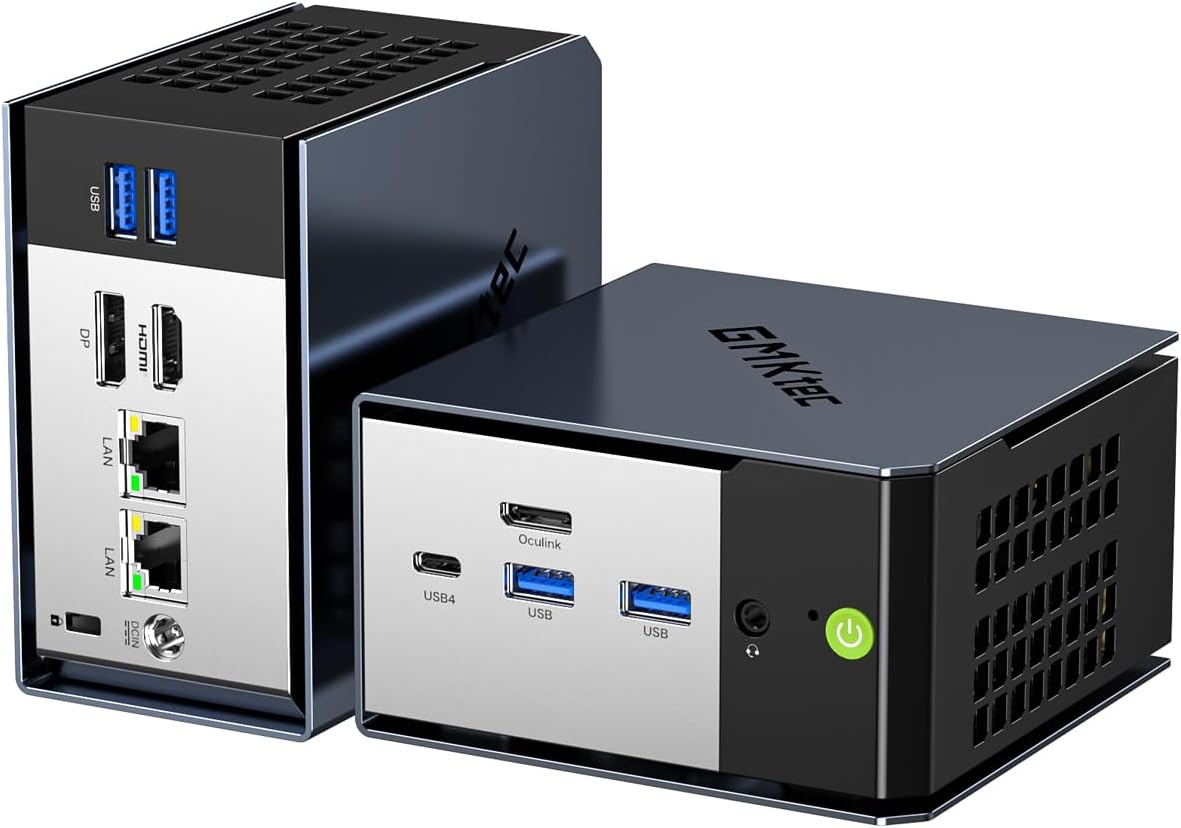
The EVO-X1 is GMKtec’s flagship Ryzen AI mini PC, and it puts the HX 370 chip in a compact chassis. The verified configuration has 12 cores, 24 threads, a Radeon 890M iGPU with 16 compute units, onboard LPDDR5X memory, and an OCuLink port for eGPU expansion. That combination covers light gaming, Proxmox, and desktop use, but the fixed memory capacity matters for local AI and virtual machines.
GMKtec specifies two Intel I226-V controllers. For a lab host, decide whether to use the second port for management, storage or a guest bridge. Leave headroom in the fixed memory budget for the host and integrated graphics.
Notebookcheck found the EVO-X1 audible under sustained load and recorded elevated standby draw on its sample. Consider a wall-meter check if the system will spend most nights asleep.
Pros:
- Two wired interfaces for separate networks
- Onboard LPDDR5X runs quickly but cannot be expanded after purchase
- OCuLink for eGPU expansion sets a performance ceiling well above its price tier
- Radeon 890M handles 4K hardware decode and light gaming natively
Cons:
- Memory capacity is fixed at purchase
- Fan noise rises under load
- Chassis is slightly bulkier than some competitors in this class
Minisforum AI X1 Pro-370
→ Check Current Price on Amazon
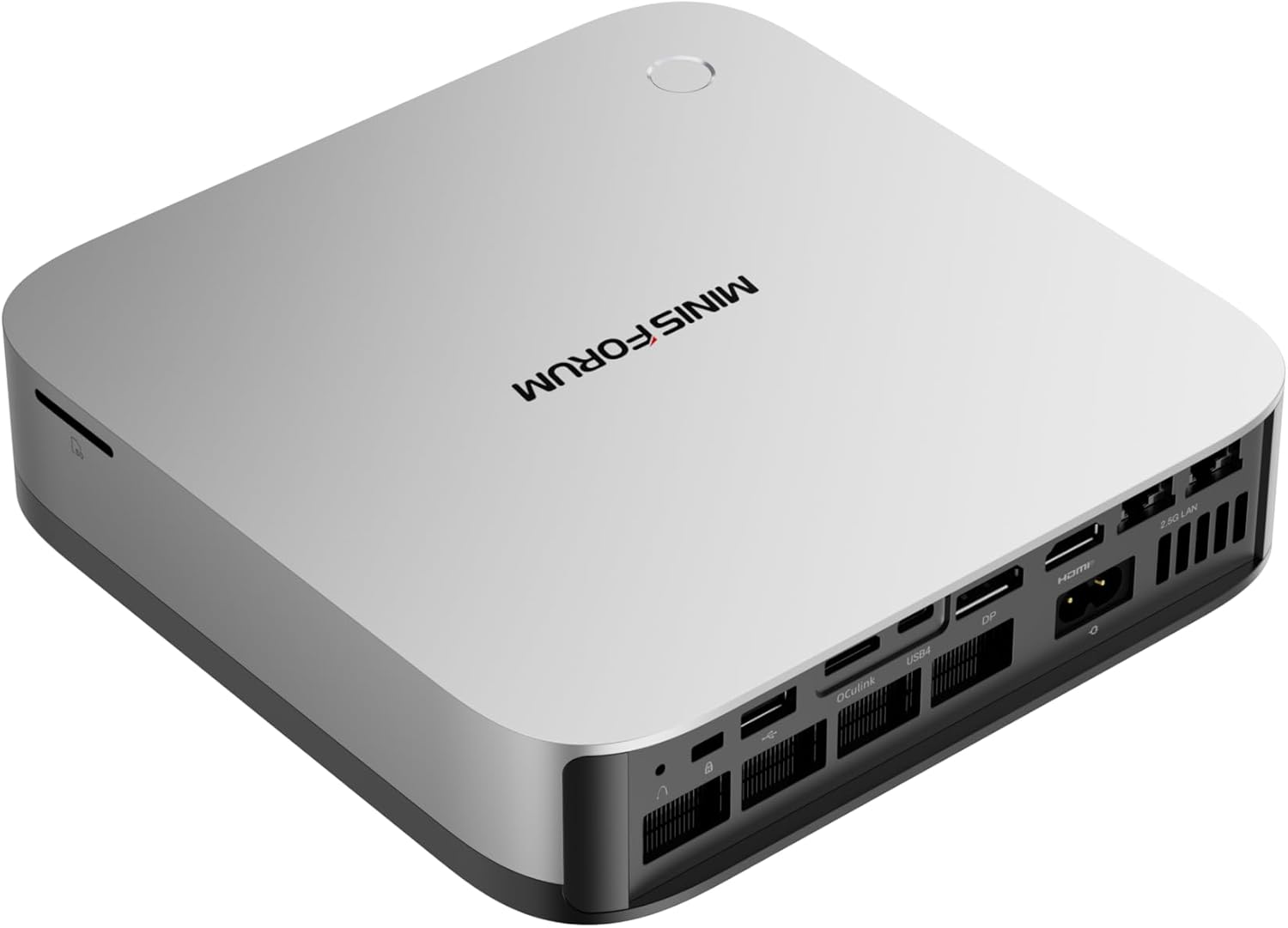
The Minisforum also has two 2.5GbE interfaces. If you want to reach a NAS directly while keeping services on your regular LAN, either machine supplies the physical connections.
The useful server upgrade here is socketed DDR5. Check whether both sockets are already occupied, since the next capacity increase can require a replacement pair.
Both machines can attach a powered external graphics dock through OCuLink. Include the card, power supply and enclosure in the desk budget.
Pros:
- Dual 2.5GbE NICs — rare at this price, essential for serious homelab networking
- Replaceable modules allow the host to grow with guest demand
- SO-DIMM RAM is upgradeable — a clear long-term advantage over the EVO-X1
- OCuLink present for eGPU expansion
Cons:
- A larger memory kit may require replacing both original sticks
- Dual NICs add value only if you actually use both — single-NIC workloads don’t benefit
- Availability can be inconsistent depending on region and variant
Head-to-Head by Use Case
For Homelab and Virtualization
Minisforum for growing guests. Either chassis provides two physical network interfaces. Choose the Minisforum when future guests will push memory beyond the EVO-X1 capacity you can buy today.
For Local AI and LLM Workloads
Size for the model and runtime. Both use the same processor family, but fixed system memory on the EVO-X1 limits how much the host and GPU can share. Check model weights, context length and runtime overhead together.
For Gaming and Light Desktop Use
Compare the installed configurations. Both offer Radeon 890M graphics. Cooling, power profile and memory bandwidth affect frame rates. For the EVO-X1, use game results measured at the resolution and graphics setting you intend to use.
Power and Yearly Running Cost
Notebookcheck measured 5.8W average idle on its EVO-X1. Holding that draw around the clock for a year would use about 51 kWh. Compare your actual workload and electricity tariff in the power-cost calculator.
Final Verdict
Choose the EVO-X1 when the installed capacity covers the host, guests and graphics allocation, including their busiest overlapping jobs.
Choose the Minisforum if a future SO-DIMM upgrade can keep the system in service after workloads grow.
Frequently Asked Questions
Which option wins for gmktec evo-x1 vs minisforum ai x1 pro-370?
Both offer dual Ethernet and OCuLink. Choose the EVO-X1 for a workload that fits its installed memory, or the Minisforum if you expect to add RAM later.
Should you buy now or wait for the next refresh?
Start with the memory and connectivity your current projects need. If your applications already run comfortably, you can defer the purchase.
What matters more than the headline CPU?
Memory expansion is the deciding factor here. The EVO-X1 has soldered memory and the Minisforum accepts replacement SO-DIMMs.